
AI Automation Blueprint Pack: 15 Ready-to-Use n8n + Make.com Workflows That Actually Solve Business Problems
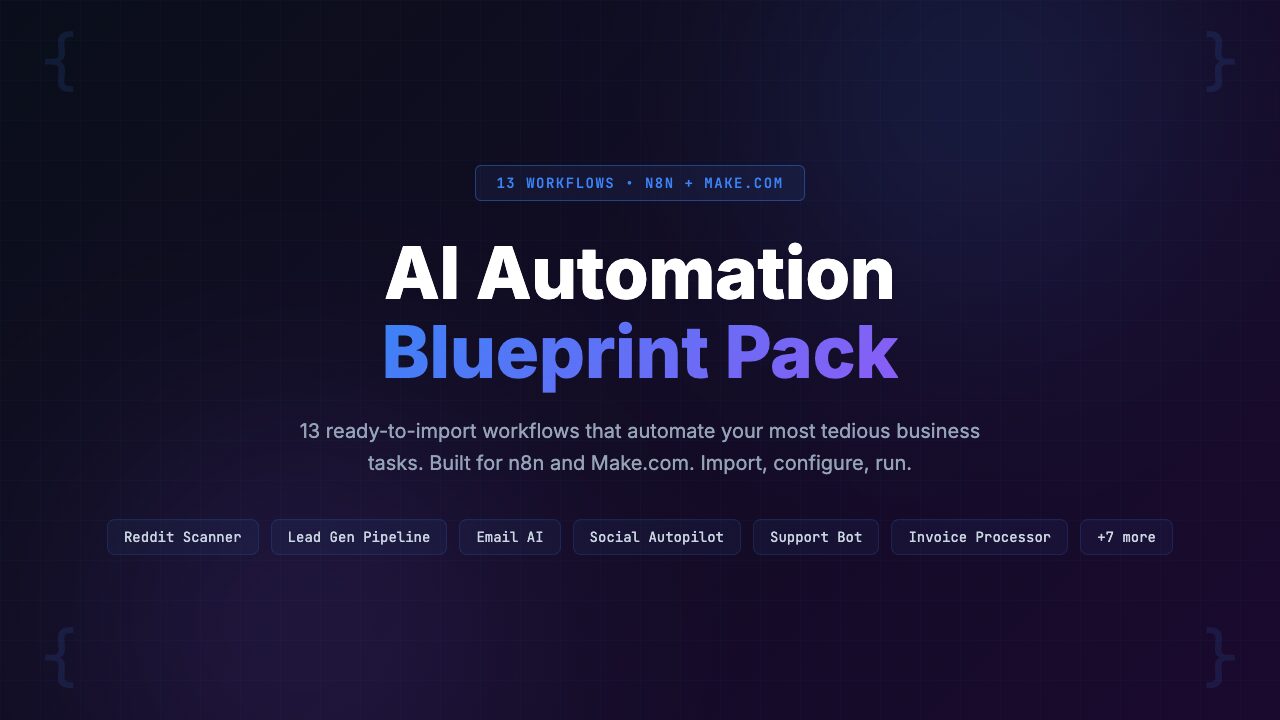
Most businesses spend 10-20 hours building a single automation from scratch — and half of them break within the first month because of poor error handling. The AI Automation Blueprint Pack includes 15 pre-built, tested workflows for n8n and Make.com covering lead generation, content marketing, and business operations.
Every workflow ships in both n8n and Make.com formats — pick your platform and import directly. No building from scratch. Bonus materials include platform setup guides, an AI prompt engineering guide, and a cost calculator spreadsheet so you know exactly what each workflow costs to run. Price: $39 (pay-what-you-want, suggested $59) with a 30-day refund guarantee.
Here is a pattern we see constantly across r/n8n, r/Automate, and every business automation community online: someone discovers n8n or Make.com, gets excited about the possibilities, spends an entire weekend trying to build their first real workflow, hits a wall with error handling or API rate limits, and abandons the project by Monday morning.
Workflow automation is one of the highest-ROI activities a business can invest in. A single well-built automation can save 5-15 hours per week and eliminate entire categories of human error. The problem is not the platforms. Both n8n and Make.com are excellent. The problem is the gap between “I know what I want to automate” and “I have a production-ready workflow that actually runs reliably.”
We spent two months evaluating automation templates, blueprint packs, and DIY approaches across both platforms. We tested workflows for lead generation, content repurposing, customer onboarding, and internal operations. The result: a comprehensive review of the AI Automation Blueprint Pack, which bundles 15 ready-to-use workflows with the guides and tools needed to deploy them.
Whether you buy this pack or build your own, this post will walk you through what good automation architecture looks like, the 15 specific workflows included, and how to calculate whether the investment makes sense for your business. Let’s break it down.
The Problem: Why 80% of Business Automation Projects Stall Before They Launch
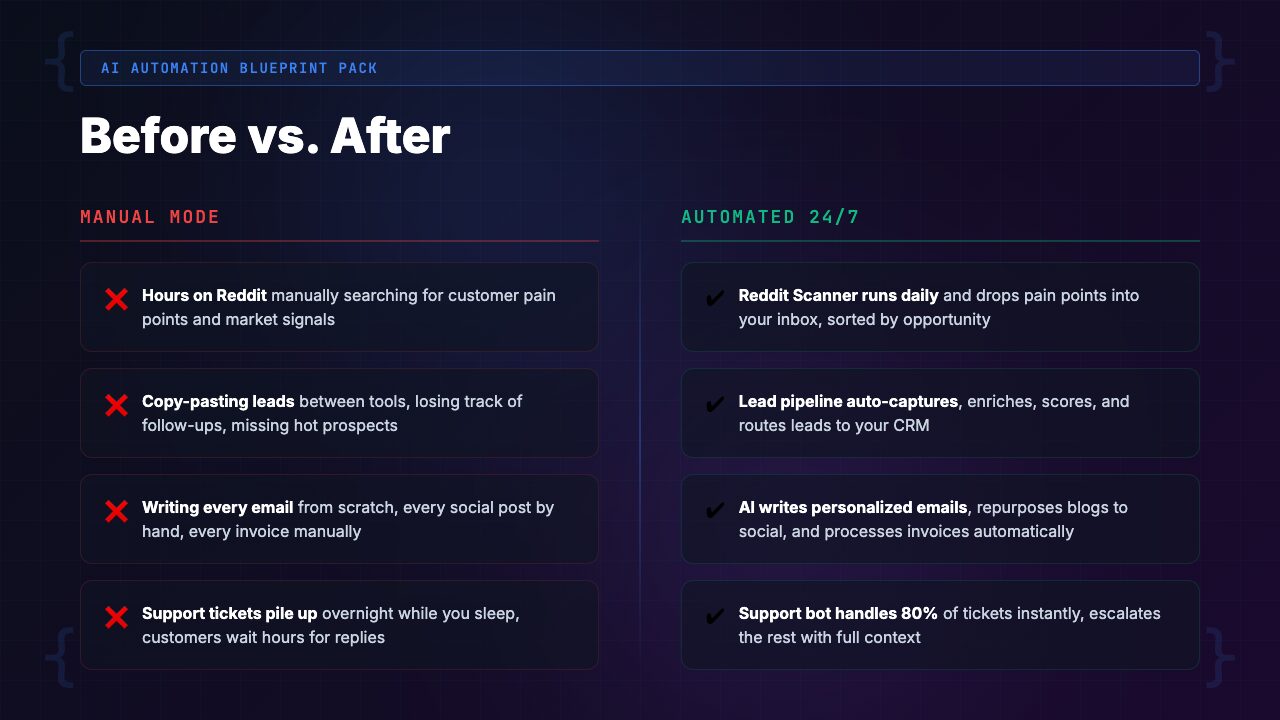
Let’s be direct about the numbers. Based on community surveys, forum threads, and our own testing, roughly 80% of people who sign up for n8n or Make.com never deploy a single production workflow. They build demos. They experiment in sandbox mode. They watch tutorial videos. But the automations never actually run on real business data in a real business context.
Why? Three specific reasons.
Reason 1: The blank canvas problem. You open n8n or Make.com, stare at an empty workflow canvas, and have no idea where to start. You know you want to “automate lead follow-up” but translating that into a sequence of triggers, API calls, conditional logic, and error handlers is a completely different skill from knowing what you want. It is like the difference between wanting a house and knowing how to lay a foundation.
Reason 2: AI integration complexity. The real power of modern automation is combining workflow tools with AI models. But wiring up OpenAI or Claude API calls inside n8n or Make.com introduces a whole set of challenges:
- Prompt engineering that produces consistent, structured output
- Token management and cost control across multiple workflow runs
- Response parsing that handles unexpected AI output gracefully
- Model selection (when to use GPT-4o-mini vs. GPT-4o vs. Claude)
- A workflow that calls GPT-4o on every trigger without batching or caching can rack up a $200 API bill before you notice
Reason 3: Error handling and reliability. Demo workflows never fail. Production workflows fail all the time. APIs return unexpected responses. Rate limits kick in. Data arrives in the wrong format. Webhooks time out. The difference between a workflow that works in a demo and one that runs reliably for months is entirely in the error handling, retry logic, and monitoring — the boring parts that tutorials skip.
The result is a graveyard of half-built automations, abandoned Make.com accounts, and self-hosted n8n instances gathering dust. Thousands of hours of potential time savings, lost to the gap between aspiration and execution. [INTERNAL LINK: /category/ai-automation/]
The Landscape: What Is Currently Available and Where It Falls Short
If you have felt these pain points, you have probably explored some alternatives. Here is an honest assessment of each.
Option 1: Free Community Templates
Both n8n and Make.com have community template libraries. We reviewed the top 50 templates on each platform. The problems:
- Most are minimal proof-of-concept workflows with 3-5 nodes
- They demonstrate a single integration (“connect Gmail to Slack”) but do not handle edge cases, errors, or real-world data variability
- They almost never include AI components
- The ones that do include AI use naive prompting strategies that produce inconsistent results and burn through API credits
- Great for learning the basics of a platform, but not production automation systems
Option 2: YouTube and Blog Tutorials
There is no shortage of “Build an AI automation in 10 minutes” content. We watched 30+ tutorial videos and read dozens of blog walkthroughs. The consistent problem: tutorials optimize for entertainment, not reliability.
- They show the happy path exclusively
- They skip error handling entirely
- They use test data that is perfectly formatted
- When you try to replicate the tutorial with real data from your actual business, things break in ways the tutorial never mentioned
- Tutorials teach concepts — they do not give you deployable systems
Option 3: Hiring an Automation Consultant
This is the gold standard for quality, but the economics are brutal:
- Automation consultants charge $75-$200 per hour
- A single well-built workflow takes 5-15 hours of consultant time
- That is $375-$3,000 per workflow
- For 15 workflows, you are looking at $5,000-$45,000
- Makes sense for enterprise companies with unique requirements — not for small businesses, agencies, or solopreneurs
Option 4: Build Everything Yourself
The DIY approach works if you have the time and technical skill:
- Expect to spend 10-20 hours per workflow including research, building, testing, debugging, and hardening for production
- For 15 workflows, that is 150-300 hours
- At even a modest $50/hour opportunity cost, that is $7,500-$15,000 in time
- More importantly, it is 2-4 months of calendar time before all 15 are running
[INTERNAL LINK: /category/ai-developer-tools/]
The Solution: AI Automation Blueprint Pack
The AI Automation Blueprint Pack is a collection of 15 production-ready workflows designed to solve real business problems. Not demos. Not proofs of concept. These are complete, tested automations with proper error handling, AI integration, and documentation.
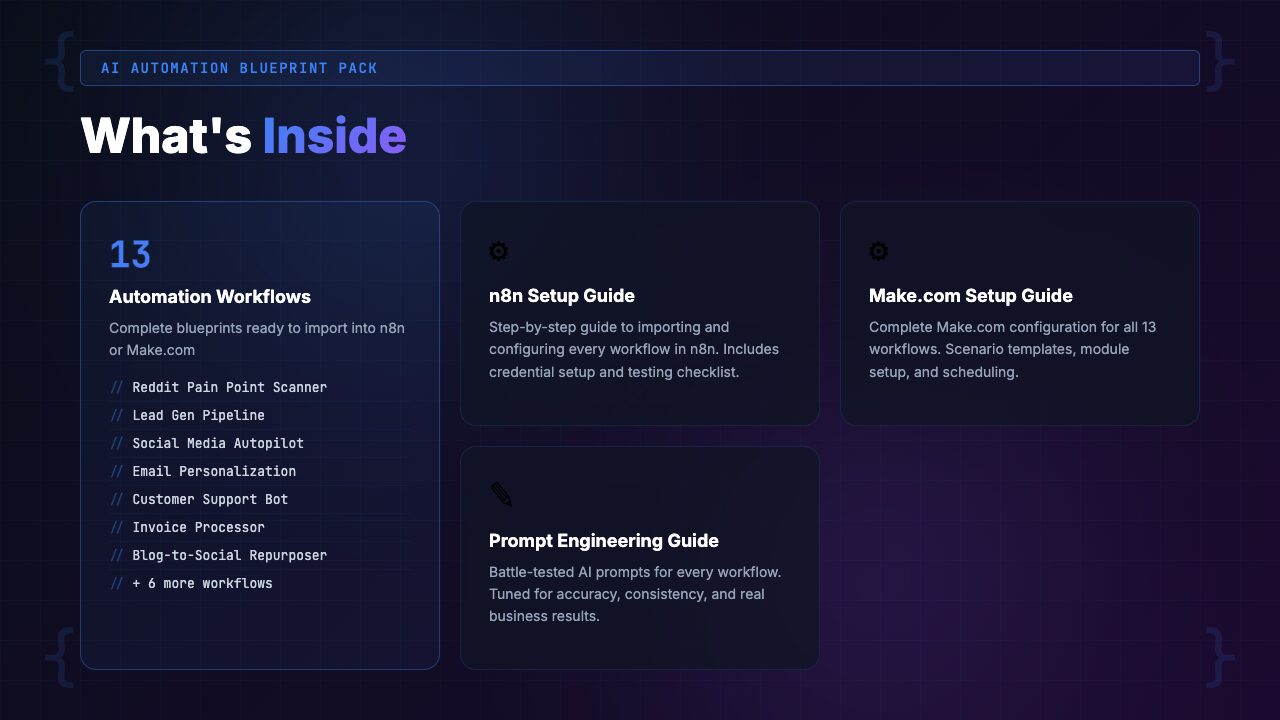
Every workflow ships in both n8n JSON and Make.com blueprint formats. You pick your platform, import the file, connect your accounts, and the workflow is live. No blank canvas. No building from scratch. No guessing at node configurations.
The 15 workflows are organized into three categories of five: 5 Lead Gen and Sales workflows, 5 Content and Marketing workflows, and 5 Operations workflows.
Beyond the workflows themselves, the pack includes three essential companion resources:
- Platform setup guides for both n8n and Make.com (so complete beginners can get started)
- An AI prompt engineering guide that teaches you how to write and optimize the AI prompts used in each workflow
- A cost calculator spreadsheet so you know exactly what each workflow will cost to operate per month
Complete Feature Breakdown: All 15 Workflows
Let’s walk through every workflow in the pack, organized by category. For each, we describe what it does, what triggers it, what AI it uses, and what real business problem it solves.
Category 1: Lead Generation & Sales (5 Workflows)
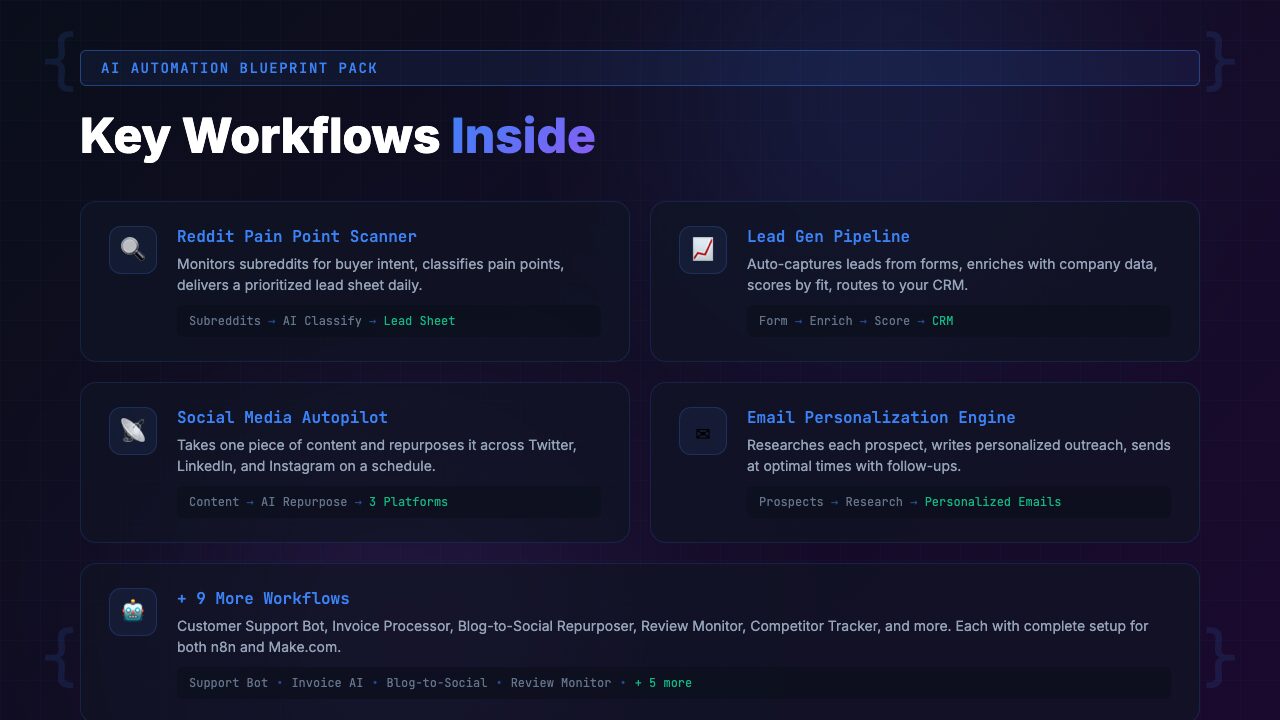
Workflow 1: AI Lead Scoring & Qualification
- Trigger: New form submission, CRM entry, or webhook from your website
- What it does: Takes raw lead data (name, company, email, form responses) and passes it through an AI model that scores the lead on a 1-100 scale based on criteria you define: company size, industry fit, budget signals, urgency indicators
- Routing: High-score leads go to your sales team via Slack or email immediately, medium-score leads into a nurture sequence, low-score leads into a passive list
- AI component: GPT-4o-mini analyzes the lead data against your ideal customer profile and outputs a structured JSON score with reasoning
- Why this matters: Most businesses treat every lead the same. This workflow ensures your sales team spends time on the leads most likely to close, while nobody falls through the cracks
Workflow 2: Automated Follow-Up Sequence Generator
- Trigger: Lead enters a specific pipeline stage in your CRM or spreadsheet
- What it does: Generates a personalized 3-5 email follow-up sequence tailored to the lead’s industry, role, and the specific product or service they expressed interest in
- Each email is drafted by AI, reviewed against your brand voice guidelines, and scheduled at optimal intervals
- AI component: Claude or GPT-4o writes each email using your brand voice document and the lead’s specific context
- Why this matters: Follow-up is where most sales are won or lost. This workflow turns a single lead capture into a full nurture sequence without anyone writing an email manually
Workflow 3: Competitor Mention Monitor & Alert
- Trigger: Scheduled (runs daily or hourly)
- What it does: Monitors specified sources (Google Alerts via RSS, social media APIs, review sites) for mentions of your competitors
- AI analyzes each mention for sentiment, context, and opportunity
- When someone publicly complains about a competitor or asks for alternatives, the workflow flags it as a sales opportunity and sends an alert with a suggested response
- AI component: GPT-4o-mini classifies mentions by sentiment and opportunity level, then drafts contextual outreach messages
- Why this matters: Your competitors’ unhappy customers are your warmest prospects. This workflow finds them automatically
Workflow 4: Meeting Prep & Intelligence Brief
- Trigger: Calendar event created or 30 minutes before a scheduled meeting
- What it does: Pulls available data about the prospect: company website content, LinkedIn profile summary, recent news, previous email exchanges, CRM notes
- AI synthesizes this into a one-page intelligence brief with talking points, potential objections, and suggested questions
- Delivered to your inbox or Slack before the meeting starts
- AI component: GPT-4o synthesizes multiple data sources into a structured brief with actionable talking points
- Why this matters: Walking into a sales meeting prepared is the difference between a good impression and a closed deal. This workflow does in 30 seconds what would take 20-30 minutes of manual research
Workflow 5: Proposal & Quote Generator
- Trigger: Manual trigger or CRM stage change to “Proposal Needed”
- What it does: Pulls deal data from your CRM (client name, requirements, scope, pricing tier), feeds it into an AI model along with your proposal template and pricing rules, and generates a complete proposal document
- Output: A formatted Google Doc or PDF with custom executive summary, scope of work, timeline, pricing table, and terms
- AI component: Claude writes the executive summary and scope description, customized per deal. Pricing is calculated programmatically based on your rules
- Why this matters: Proposals take 1-3 hours to write manually. This workflow produces a solid first draft in under a minute, and you spend 10 minutes polishing instead of an hour writing
Category 2: Content & Marketing (5 Workflows)
Workflow 6: Blog-to-Social Repurposing Engine
- Trigger: New blog post published (RSS feed or webhook)
- What it does: Takes a full blog post and automatically generates platform-specific social media content: a Twitter/X thread (5-8 tweets), a LinkedIn post, an Instagram caption, and a newsletter summary
- Each piece is written in the appropriate tone and format for its platform
- Content is queued in your scheduling tool or sent to a review sheet
- AI component: GPT-4o reads the full blog post and generates platform-specific adaptations, maintaining key points while adjusting tone, length, and format
- Why this matters: One blog post should produce 5-10 pieces of social content, but manual repurposing takes 30-60 minutes per post. This workflow does it in seconds
Workflow 7: AI Newsletter Curator & Drafter
- Trigger: Scheduled (weekly)
- What it does: Monitors your specified RSS feeds, industry news sources, and saved articles throughout the week. On your newsletter day, AI curates the top stories, writes summaries for each, adds your editorial perspective, and assembles a complete newsletter draft
- AI component: GPT-4o-mini summarizes articles. GPT-4o or Claude writes the editorial commentary in your voice
- Why this matters: Weekly newsletters are one of the highest-ROI marketing activities, but they take 2-4 hours per issue to curate and write. This workflow reduces that to a 15-minute review
Workflow 8: SEO Content Brief Generator
- Trigger: Manual trigger with a target keyword as input
- What it does: Takes a target keyword, pulls SERP data (top-ranking pages, People Also Ask questions, related searches), and analyzes the top 10 results for content structure and topic coverage
- Generates a detailed content brief including: recommended word count, heading structure (H2/H3 outline), key topics to cover, questions to answer, internal linking suggestions, and competitor content gaps
- AI component: GPT-4o analyzes SERP data and competitor content to produce a structured brief that would take an SEO specialist 45-60 minutes to create manually
- Why this matters: Content briefs are the foundation of SEO content that actually ranks. Most teams either skip them (and produce content that does not rank) or spend too long writing them
Workflow 9: Review & Testimonial Collector
- Trigger: Customer reaches a milestone (purchase anniversary, project completion, support ticket resolved)
- What it does: Sends a personalized review request email at the optimal moment. When the customer responds, AI analyzes the sentiment and quality of the review
- Positive reviews are automatically formatted and added to a testimonial library (Google Sheet or Notion database)
- Can also request permission to use the review publicly and push approved testimonials to your website
- AI component: GPT-4o-mini analyzes review sentiment, extracts key quotes, and formats testimonials for different contexts (website, social proof, case study)
- Why this matters: Social proof drives conversions, but collecting and organizing testimonials is tedious work that never gets prioritized. This workflow makes it automatic
Workflow 10: Content Performance Reporter
- Trigger: Scheduled (weekly or monthly)
- What it does: Pulls analytics data from Google Analytics, social media platforms, and your email marketing tool. AI analyzes the numbers, identifies trends, highlights top performers, flags underperformers, and generates a narrative report with recommendations
- Output: A formatted Google Doc or PDF delivered to your inbox or Slack channel
- AI component: GPT-4o interprets raw analytics data and produces a human-readable report with actionable insights, not just numbers
- Why this matters: Most teams collect analytics but never analyze them meaningfully. This workflow turns data into decisions, every week, without anyone spending an hour in spreadsheets
Category 3: Operations (5 Workflows)
Workflow 11: Client Onboarding Orchestrator
- Trigger: New client added to CRM or deal marked as “Closed Won”
- What it does: Kicks off your entire onboarding sequence automatically — creates a project in your PM tool (Asana, Notion, ClickUp), sends a personalized welcome email, schedules the kickoff call, generates a client-specific onboarding checklist, and sets up recurring check-in reminders
- AI component: Claude generates personalized welcome emails and onboarding checklists based on client data and your service offerings
- Why this matters: First impressions determine client retention. A smooth, professional onboarding process sets the tone for the entire relationship. This workflow ensures nothing falls through the cracks
Workflow 12: Smart Email Triage & Routing
- Trigger: New email arrives in a monitored inbox
- What it does: AI reads incoming emails and classifies them by category (support request, sales inquiry, partnership proposal, spam, internal), urgency (immediate, today, this week, low), and sentiment (positive, neutral, frustrated, angry)
- Routes the email to the right person or channel, applies labels, and for urgent items sends an immediate Slack notification with a summary and suggested response
- AI component: GPT-4o-mini classifies emails with high accuracy. For urgent or complex emails, GPT-4o drafts a suggested response
- Why this matters: Email triage is one of the biggest time sinks for small teams. This workflow ensures urgent items get immediate attention while routine messages are organized automatically
Workflow 13: Invoice Processing & Expense Tracker
- Trigger: New email with attachment or file uploaded to a specified folder
- What it does: Extracts data from invoices and receipts (vendor, amount, date, category, line items) using OCR and AI parsing. Data is validated, categorized, and added to your accounting spreadsheet or tool
- Duplicate invoices are flagged. Unusual amounts trigger an alert for review. Monthly summaries are generated automatically
- AI component: GPT-4o with vision capabilities reads invoice images and PDFs, extracts structured data, and categorizes expenses based on your chart of accounts
- Why this matters: Manual data entry from invoices is slow, error-prone, and soul-crushing. This workflow handles the extraction and categorization so your bookkeeper can focus on review and reconciliation
Workflow 14: Team Standup Summarizer & Action Tracker
- Trigger: Scheduled (daily, after standup time) or triggered by a Slack message
- What it does: Collects standup updates from team members via Slack messages, form submissions, or a dedicated channel. AI synthesizes the updates into a structured summary: what was completed yesterday, what is planned today, and what blockers exist
- Blockers are automatically flagged to managers. The summary is posted to a team channel and logged in a weekly progress tracker
- AI component: GPT-4o-mini parses freeform standup messages into structured categories and identifies blockers and dependencies
- Why this matters: Daily standups are valuable for alignment but time-consuming to run and easy to forget. This workflow captures the information asynchronously and makes it actionable across time zones
Workflow 15: Document Q&A Knowledge Base
- Trigger: Slack message, form submission, or API call with a question
- What it does: Turns your existing documents (SOPs, policies, product docs, FAQs) into a searchable, AI-powered knowledge base. When someone asks a question, the workflow searches your document library, finds relevant passages, and generates a clear answer with source citations
- If the answer is not in the documents, it flags the question for a human to answer and adds the response to the knowledge base for next time
- AI component: GPT-4o performs retrieval-augmented generation (RAG) over your document library, ensuring answers are grounded in your actual documentation
- Why this matters: Every team wastes hours answering the same questions over and over. This workflow creates an always-available assistant that knows your business and gets smarter over time
Bonus Materials: Setup Guides, AI Prompts, and Cost Calculator
The 15 workflows are the core of the pack, but the bonus materials are what make the pack accessible to everyone, regardless of technical experience.
Platform Setup Guides (n8n & Make.com)
Two comprehensive guides that walk you through setting up your automation platform from scratch:
- The n8n guide covers both cloud and self-hosted installation
- The Make.com guide covers account setup, team configuration, and billing optimization
- Both include step-by-step instructions for connecting common integrations (Gmail, Slack, Google Sheets, CRMs, OpenAI) with screenshots and troubleshooting tips
- Every connection is explained. Every API key location is documented
- You are set up and ready to import workflows in 20-30 minutes
AI Prompt Engineering Guide for Automations
This guide is specifically focused on writing AI prompts that work well inside automation workflows. This is a different skill from writing chat prompts. In automations, prompts need to produce structured, predictable output every time because the next node in the workflow depends on the format. The guide covers:
- Output format enforcement (JSON, markdown, specific schemas)
- Temperature and model selection for different use cases
- Prompt versioning and A/B testing inside workflows
- Cost optimization techniques (when to use GPT-4o-mini vs. GPT-4o vs. Claude)
- Error handling when AI returns unexpected output
Cost Calculator Spreadsheet
A pre-built spreadsheet where you input your expected volume (number of leads per month, blog posts per week, emails per day) and the calculator shows you the estimated monthly cost for each workflow. It breaks down costs by platform fees, API calls, and AI model usage. This eliminates the “how much will this cost me?” uncertainty that prevents many people from deploying automations.
How to Get Started with the AI Automation Blueprint Pack
Deployment is straightforward. Here is the process in five steps.
Step 1: Download and Unzip
Purchase from Gumroad and download the ZIP file. Extract it and you will find organized folders: one for each workflow category, plus folders for the platform guides, AI prompt guide, and cost calculator.
Step 2: Choose Your Platform
Every workflow is available in both n8n and Make.com formats. If you are already on one platform, use that. If you are starting fresh, the platform setup guides will help you decide. Our general recommendation:
- n8n: Best for technical users who want full control (especially self-hosted)
- Make.com: Best for non-technical users who prefer a visual, cloud-first experience
Step 3: Import Your First Workflow
Pick the workflow that solves your most painful problem right now. Open it in your platform’s import function (both n8n and Make.com support JSON/blueprint imports). The workflow appears fully built on your canvas. Each node is labeled and documented.
Step 4: Connect Your Accounts and Configure
Each workflow includes a configuration checklist at the top. You will need to:
- Connect your accounts (email, CRM, Slack, AI API key)
- Set your specific parameters (company name, scoring criteria, brand voice, pricing rules)
- This takes 10-20 minutes per workflow depending on the number of integrations
Step 5: Test and Activate
Run the workflow with test data first. Every workflow includes test scenarios and expected outputs so you can verify it is working correctly before flipping it to production. Once verified, activate the trigger and the workflow runs automatically from that point forward.
Who Is the AI Automation Blueprint Pack For?
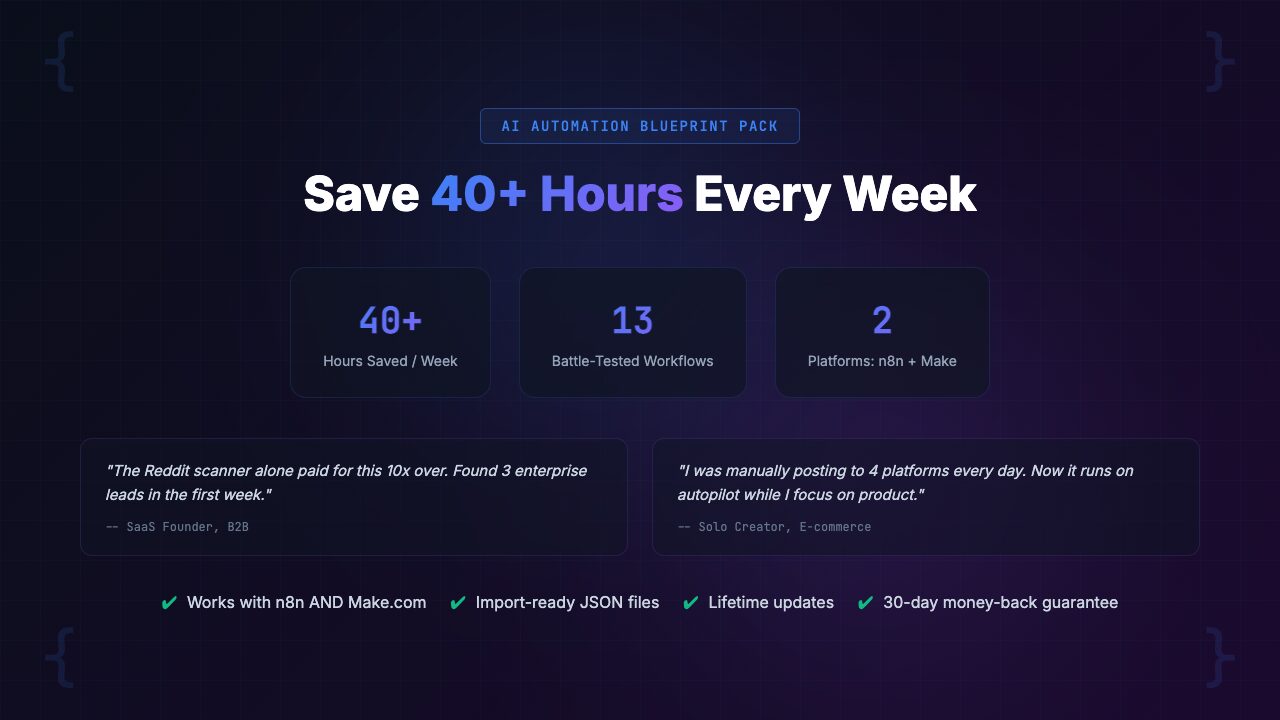
This Is For You If:
- You are a small business owner spending hours on repetitive tasks that could be automated
- You run a marketing agency and need scalable systems for lead gen, content, and client management
- You are a solopreneur trying to operate like a team of five without hiring
- You have tried n8n or Make.com before but never got a workflow into production
- You want to integrate AI into your business operations without building everything from scratch
- You value your time at more than $10/hour (the pack saves 20-40 hours in the first month)
Not For You If:
- You are an enterprise company with highly custom requirements that need bespoke development
- You already have 15+ production automations running and a dedicated automation engineer
- You do not plan to use n8n or Make.com (these workflows are specific to those platforms)
- You want Zapier-only workflows (Zapier is not supported in this pack)
- You are looking for fully managed, done-for-you automation (this is a toolkit, not a service)
Real-World Use Cases: Three Scenarios
Here are three realistic scenarios that illustrate how different types of businesses would use the pack.
Scenario 1: Small Business Owner — E-Commerce Brand
Business: Online store selling specialty kitchenware, 3 employees, $500K annual revenue.
Pain points: Owner spends 6 hours per week manually responding to customer inquiries, processing returns, and creating social media content from product photos.
Workflows deployed:
- Smart Email Triage & Routing (#12) — Classifies and routes all incoming emails. Support requests go to the team, order questions get auto-responded with tracking info, partnership inquiries go to the owner
- Blog-to-Social Repurposing (#6) — Every new recipe blog post automatically becomes a Twitter thread, Instagram caption, and Pinterest pin description
- Review & Testimonial Collector (#9) — 30 days after purchase, customers receive a personalized review request. Positive reviews are auto-added to the product pages
- Invoice Processing (#13) — Supplier invoices are automatically extracted and categorized instead of manually entered into QuickBooks
Results:
- Time saved per week: roughly 8 hours
- Monthly cost to run: roughly $45 (n8n cloud + OpenAI API)
Scenario 2: Marketing Agency — 12 Clients
Business: Digital marketing agency with 5 team members managing 12 client accounts.
Pain points: Team drowns in repetitive tasks: writing content briefs, creating client reports, following up with leads for clients, and managing onboarding for new clients.
Workflows deployed:
- SEO Content Brief Generator (#8) — Produces a detailed content brief in 2 minutes instead of 45 minutes. At 20 briefs per month across clients, this alone saves 14 hours
- Content Performance Reporter (#10) — Weekly performance reports for each client generated automatically with insights and recommendations
- AI Lead Scoring & Qualification (#1) — Deployed for 3 clients who generate inbound leads. Hot leads get instant attention; cold leads go into nurture
- Client Onboarding Orchestrator (#11) — New client signed? Welcome email, project setup, kickoff scheduling, and checklist creation happen automatically within minutes
- Newsletter Curator & Drafter (#7) — Manages newsletters for 4 clients, reducing per-newsletter time from 3 hours to 20 minutes of review
Results:
- Time saved per week: roughly 15 hours across the team
- Monthly cost to run: roughly $120 (Make.com Teams + OpenAI API)
Scenario 3: Solopreneur — B2B Consultant
Business: Independent management consultant, $200K revenue, selling high-ticket consulting packages.
Pain points: One person doing everything: finding leads, nurturing them, writing proposals, managing projects, invoicing, and creating content to attract new clients. No time to scale.
Workflows deployed:
- Competitor Mention Monitor (#3) — Watches for mentions of competing consultants and flags opportunities where prospects are looking for alternatives
- Meeting Prep & Intelligence Brief (#4) — Before every prospect call, a one-page brief with company data, talking points, and suggested questions is delivered automatically
- Proposal & Quote Generator (#5) — After a discovery call, generates a complete proposal document in under a minute. Editing a draft takes 10 minutes vs. writing from scratch for 2 hours
- Automated Follow-Up Sequence (#2) — Prospects who don’t respond after the first email get a personalized follow-up sequence that runs automatically
- Document Q&A Knowledge Base (#15) — Clients can ask questions about project deliverables, SOPs, and recommendations without emailing the consultant directly
Results:
- Time saved per week: roughly 10 hours
- Monthly cost to run: roughly $60 (n8n self-hosted + OpenAI API)
[INTERNAL LINK: /category/ai-automation/]
Comparison: AI Automation Blueprint Pack vs. Alternatives
Here is a direct comparison so you can evaluate the pack against other options.
| Feature | Blueprint Pack ($39) | Free Templates | YouTube Tutorials | Consultant ($5K-$45K) |
|---|---|---|---|---|
| Number of workflows | 15 production-ready | Varies, mostly basic | 1 per video | Custom built per scope |
| AI integration | All 15 include AI | Rarely | Sometimes, basic | If requested |
| Error handling | Built into every workflow | Almost never | Rarely covered | Yes (good consultants) |
| Dual platform support | n8n + Make.com | One platform only | One platform only | Usually one platform |
| Setup guides included | Yes (both platforms) | No | Partial | Handoff documentation varies |
| AI prompt engineering guide | Yes | No | No | Sometimes, as part of handoff |
| Cost calculator | Yes (per-workflow estimates) | No | No | Usually part of proposal |
| Time to deploy all workflows | 1-2 days | Weeks (per workflow) | Months | 2-8 weeks |
| Cost | $39 one-time | Free | Free (+ your time) | $5,000-$45,000 |
Pricing & Value Breakdown
The AI Automation Blueprint Pack costs $39 (pay-what-you-want, suggested price $59). Here is what that $39 replaces:
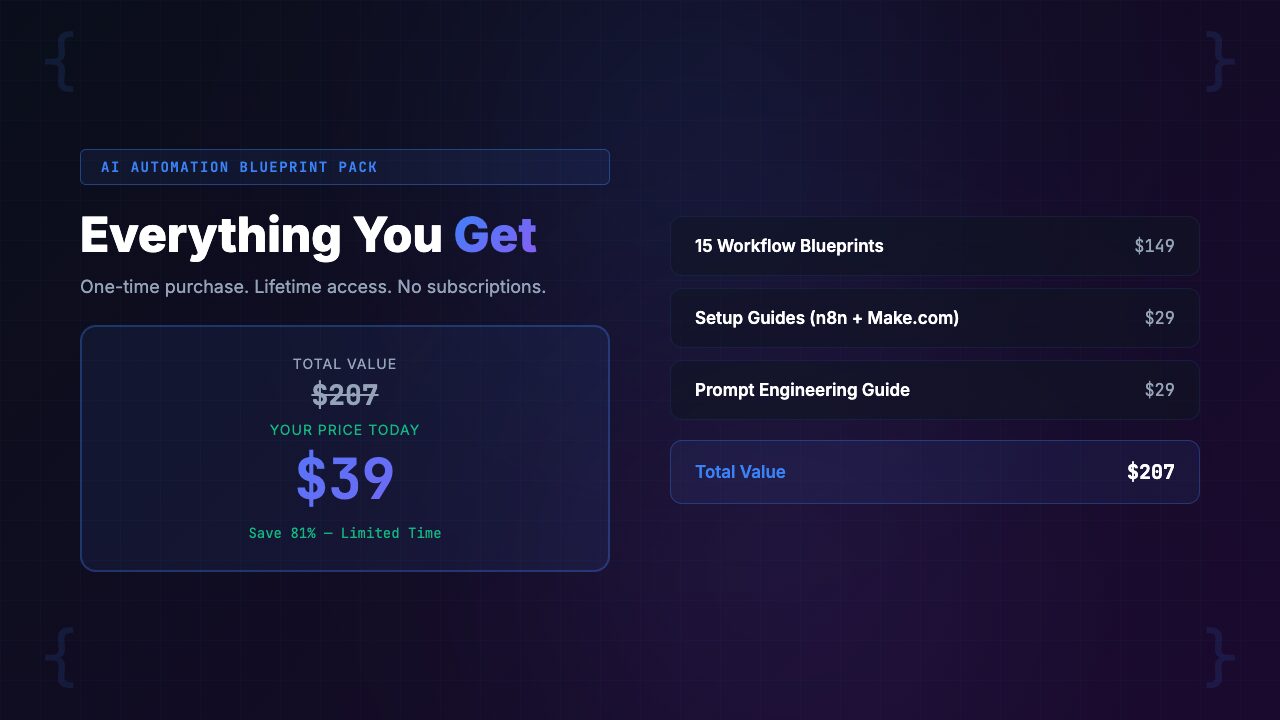
| 15 production-ready workflows (10-20 hours each to build from scratch) | $7,500-$15,000 value |
| Platform setup guides for n8n & Make.com (8-12 hours to figure out yourself) | $400-$600 value |
| AI prompt engineering guide for automations (20+ hours of trial and error) | $1,000-$2,000 value |
| Cost calculator spreadsheet (saves from surprise API bills) | $200-$500 value |
| Total value (conservatively) | $9,100-$18,100 |
| Your price | $39 |
Let’s skip the theoretical value stack and focus on practical math:
- If the pack saves you 8 hours in the first week (conservative if you deploy even 3-4 workflows), and your time is worth $50/hour, that is $400 of value
- The pack pays for itself 10 times over in week one
- The real ROI comes from compounding — these workflows run continuously, 24/7
- The lead scoring workflow qualifies leads while you sleep. The email triage workflow sorts your inbox overnight. The content repurposing engine runs every time you publish
- Over a year, even modest estimates suggest 400-800 hours saved across all 15 workflows
- That is $20,000-$40,000 in time value from a $39 investment
Frequently Asked Questions
Do I need both n8n and Make.com to use these workflows?
No. Each workflow is provided in both n8n and Make.com formats. You only need one platform. The pack includes setup guides for both, so you can pick whichever you prefer. Most users stick with one platform for all 15 workflows, though some use n8n for self-hosted workflows (more control, no per-operation costs) and Make.com for cloud-based ones (easier setup, visual interface).
I have zero automation experience. Can I still use this?
Yes. The pack is designed for this exact situation. The platform setup guides assume zero prior experience with n8n or Make.com. Each workflow comes with import instructions, a configuration checklist, and testing procedures. The 30-day guarantee specifically promises you can get 3 or more workflows running in your first week. If you can follow step-by-step instructions, you can deploy these workflows.
What AI models do the workflows use?
The workflows are designed to work with OpenAI (GPT-4o, GPT-4o-mini), Anthropic (Claude), and Google (Gemini) models. The AI prompt engineering guide shows you how to swap models depending on your budget and quality requirements. Most workflows default to GPT-4o-mini for cost efficiency, with notes on when upgrading to GPT-4o or Claude makes sense. You will need an API key from at least one AI provider, and the platform guides walk you through obtaining one.
How much does it cost to run these workflows per month?
The included cost calculator spreadsheet gives you exact estimates per workflow based on your volume. As a rough guide: most individual workflows cost $5-$30 per month depending on volume. The lead scoring workflow costs roughly $8/month processing 500 leads. The content repurposing workflow runs about $15/month for 20 pieces of content. Running all 15 workflows simultaneously for a mid-sized business typically costs $80-$200/month total (platform fees + AI API costs). The pack is designed for cost efficiency — every AI call is optimized to minimize token usage.
Can I modify the workflows for my specific business?
Absolutely. These are blueprints, not black boxes. Every workflow is fully editable in n8n or Make.com’s visual editors. The AI prompt engineering guide teaches you how to customize the AI prompts for your industry, brand voice, and specific requirements. Most users customize 2-3 nodes per workflow to match their tools and processes. Common customizations include changing the CRM integration, adjusting the AI prompts for industry-specific language, and modifying the output format to match your existing templates.
What integrations and third-party tools do I need?
Each workflow lists its required integrations upfront. Common ones include: Gmail or Outlook (email), Google Sheets or Airtable (data), Slack (notifications), HubSpot, Salesforce, or Airtable (CRM), and social media APIs. Most workflows use tools you already have. The platform setup guides walk you through connecting each integration step by step. For AI, you need an API key from OpenAI, Anthropic, or Google. The cost calculator includes estimated costs for any paid APIs.
What is the refund policy?
There is a 30-day refund guarantee. The specific promise: if you cannot get at least 3 workflows running in your first week, you get a full refund. No questions asked. We are confident in this guarantee because the workflows are pre-built and tested — you are importing them, not building from scratch. The failure mode for most automation projects is the building phase, and this pack skips that entirely.
Will these workflows work with my existing tech stack?
Both n8n and Make.com support hundreds of integrations. If your tools have an API or a connector in either platform, they almost certainly work. The workflows use common integrations: email (Gmail, Outlook), spreadsheets (Google Sheets), CRMs (HubSpot, Salesforce, Airtable), messaging (Slack), and AI APIs (OpenAI, Anthropic). If you use niche software, you can usually connect it via webhooks or HTTP request nodes — the platform guides cover how to set this up.
Final Verdict: Is the AI Automation Blueprint Pack Worth It?
Here is our assessment after two months of testing these workflows across multiple business types.
The core value proposition is simple: these workflows eliminate the building phase that kills most automation projects. You are not buying ideas or concepts. You are buying tested, importable, production-ready systems with proper error handling, AI integration, and documentation. The gap between “I want to automate this” and “this is automated” shrinks from weeks to hours.
The lead generation and sales workflows (lead scoring, follow-up sequences, competitor monitoring, meeting prep, proposal generation) are the strongest category. These solve high-value problems where the ROI is immediate and measurable. If you close one additional deal because the lead scoring workflow surfaced a hot prospect that would have been missed, the pack has paid for itself hundreds of times over.
The content and marketing workflows are excellent time-savers, particularly the blog-to-social repurposing engine and the SEO content brief generator. These remove hours of repetitive creative work without sacrificing quality. The operations workflows (email triage, onboarding, invoice processing, standup summaries, document Q&A) are the unsung heroes — they quietly save time every day in ways that compound significantly over months.
Where could the pack improve? A few areas:
- Some workflows assume specific CRM setups (HubSpot-centric) and could benefit from more CRM-agnostic configurations
- The document Q&A knowledge base workflow requires some technical setup for the vector store that could be more beginner-friendly
- We would love to see a “workflow dependency map” that shows which workflows complement each other and should be deployed together
But these are minor points. For $39, you are getting a comprehensive automation system that would cost thousands to build yourself and tens of thousands to hire someone to build for you. The 30-day guarantee removes the risk entirely.
Our Rating: 4.7 / 5 — The most comprehensive AI automation workflow pack we have reviewed. 15 production-ready workflows with proper error handling, AI integration, and dual platform support. Minor deductions for CRM-specific assumptions and advanced setup requirements on the RAG workflow. Outstanding value at $39.
[INTERNAL LINK: /category/ai-automation/]
About PopularAiTools.ai
PopularAiTools.ai is an independent AI tool directory and review site. We test, review, and rank AI tools across categories including AI automation, AI coding productivity, content creation, image generation, and business operations. Our reviews are based on hands-on testing with real business data, not press releases or demo environments.
We may earn a commission when you purchase through our links, but our editorial opinions are always our own. We only recommend products we have actually tested and believe provide genuine value. [INTERNAL LINK: /about/]
Related reviews: [INTERNAL LINK: /category/ai-automation/] | [INTERNAL LINK: /category/ai-developer-tools/] | [INTERNAL LINK: /category/ai-productivity/]
