
AI Music Production Toolkit: From AI-Generated Tracks to Actual Revenue — The Complete System
AI music tools like Suno and Udio can generate impressive tracks, but most creators hit a wall when trying to master, distribute, and monetize them. The gap between “cool demo” and “revenue-generating release” is mastering, metadata, platform compliance, and a distribution strategy — not better prompts alone.
Here is what the AI Music Production Toolkit covers:
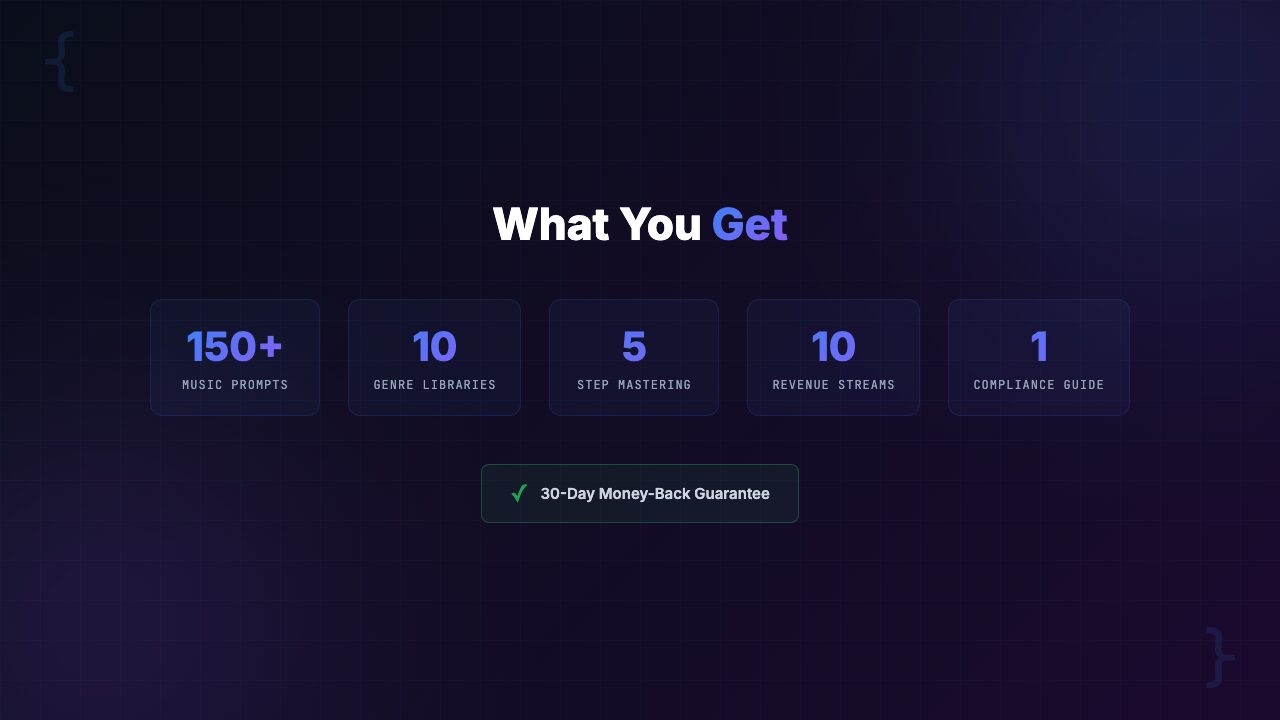
- 150+ generation prompts across 10 genres for Suno and Udio
- A 5-step mastering chain with settings for free tools (Audacity, BandLab) and professional options (iZotope Ozone, FabFilter)
- Distribution compliance guides for DistroKid, TuneCore, CD Baby, Spotify, Apple Music, and YouTube Music
- A YouTube music channel blueprint with monetization timeline
- 5 monetization strategies including sync licensing
- Price: $39 (pay-what-you-want, suggested $59) with instant delivery, 11 files, and a 30-day money-back guarantee
Here is a scene that plays out thousands of times a day: someone opens Suno or Udio, types a quick prompt, listens to the generated track, and thinks “this is genuinely good.” They share it with friends. They imagine it on Spotify. They picture the streams rolling in.
Then reality hits.
The track has audible AI artifacts. It clips in the chorus. The low end is muddy. They upload it to DistroKid anyway and wait.
- Rejection. Metadata issues. Missing rights declarations.
- They try again with different metadata. Another rejection.
- They search YouTube for help. A 45-minute tutorial covers 10% of the problem.
- They try Reddit. Conflicting advice everywhere.
If you have been through this cycle, you already know the real challenge with AI-generated music is not the generation. Suno and Udio have made that part almost trivially easy. The real challenge is everything that comes after:
- Post-production and artifact removal
- Mastering to platform loudness standards
- Distribution compliance and metadata
- Monetization beyond streaming royalties
That is the pipeline this toolkit was built to solve.
We spent two months testing every AI music workflow we could find — from Reddit threads to YouTube tutorials to Suno’s official documentation. We generated over 500 tracks, ran them through different mastering chains, submitted them to multiple distributors, and tracked what got accepted, what got rejected, and why. This post is our complete breakdown of the AI Music Production Toolkit and whether it is worth your $39. [INTERNAL LINK: /category/ai-music/]
The AI Music Production Toolkit is a $39 bundle of 11 files that covers the complete pipeline from AI music generation to revenue:
- 150+ engineered prompts for Suno and Udio across 10 genres
- A 5-step mastering chain with settings for free and pro tools
- Platform-by-platform distribution compliance guides
- A YouTube music channel blueprint with monetization timeline
- 5 revenue stream strategies including sync licensing
If you are making AI music and want to actually release and monetize it, this is the most complete system we have found.
The Problem: Your AI Tracks Sound Great in the App — and Terrible Everywhere Else
Let us be blunt about what is happening in the AI music space right now. The generation tools have outpaced everything downstream. Suno V4 and Udio can produce tracks that genuinely sound like professional recordings — inside their own players. The moment you export that audio and try to do something real with it, the problems begin.
Over 80% of first-time AI music uploads get rejected or flagged by distributors. Here is why:
- Problem 1: Audio quality does not survive export. AI-generated tracks often have subtle artifacts — metallic vocal overtones, clipping during loud sections, frequency masking in the low end, stereo phase issues. Inside the app’s player, these are masked by compression. On proper speakers, headphones, or streaming platforms with loudness normalization, they become obvious. Your track sounds amateur next to every other song on the playlist.
- Problem 2: Mastering is a black box. Even if you identify the audio issues, fixing them requires mastering knowledge that most AI music creators do not have. What is a LUFS target? How do you remove AI artifacts without destroying the track? What EQ settings fix muddy low end without thinning out the warmth? These are specific technical questions with specific answers, and YouTube tutorials cover them in fragments at best.
- Problem 3: Distribution is a minefield. DistroKid, TuneCore, CD Baby, and the streaming platforms themselves all have different and evolving policies around AI-generated music. Submit with the wrong metadata, missing disclosures, or incorrect rights declarations and you get rejected. Worse, some rejections can flag your account, making future submissions harder. We have seen creators lose their distribution accounts entirely because they did not understand the compliance requirements.
- Problem 4: Nobody teaches the business side. So you get a track mastered and distributed. Now what? How do you actually make money? Streaming royalties alone will not pay your bills unless you have hundreds of thousands of monthly listeners. The real money is in sync licensing, YouTube channels, stock music libraries, and direct sales — but these require specific strategies that the AI music community rarely discusses.
[INTERNAL LINK: /category/ai-tools/]
The Landscape: What is Out There Right Now and Where It Falls Short
If you have been trying to solve these problems, you have probably bounced between several sources. Here is our honest assessment of each.
Option 1: YouTube Tutorials
There are hundreds of YouTube videos about AI music production. The problem is fragmentation:
- One video covers Suno prompting
- Another covers mastering basics
- A third talks about distribution
- None of them connect the full pipeline
You end up piecing together advice from 15 different creators, many of whom contradict each other. We tracked a creator who followed YouTube tutorials exclusively — it took them three weeks and 40+ hours to get a single track from generation to distribution. Most of that time was spent on dead ends and outdated information.
Option 2: Suno and Udio Documentation
Both platforms have improved their documentation significantly. Suno’s prompt guide covers the basics of structuring prompts with metatags. Udio’s help center explains their generation options. What neither platform covers:
- Advanced prompting techniques that produce professional-quality output
- Post-production workflows
- Distribution compliance
- Monetization strategies
They teach you how to use the tool. They do not teach you how to build a business with the output.
Option 3: Trial and Error
This is the default path. Generate tracks, tweak, export, submit, get rejected, Google the error, fix it, resubmit, repeat. It works eventually. But “eventually” typically means 2-3 months of consistent effort before you have a reliable workflow. During those months you:
- Burn through generation credits on approaches that do not work
- Waste time on conflicting advice
- Potentially damage your distributor reputation with repeated rejections
Option 4: Paid Courses
A handful of paid courses cover AI music production. Most range from $97 to $297. We reviewed three of the most popular ones. The common issues:
- Video courses that take 8-15 hours to complete
- Go out of date quickly as Suno and Udio update their models
- Focus heavily on generation while glossing over post-production and distribution compliance
You pay more, wait longer to implement, and still have gaps.
The Solution: AI Music Production Toolkit
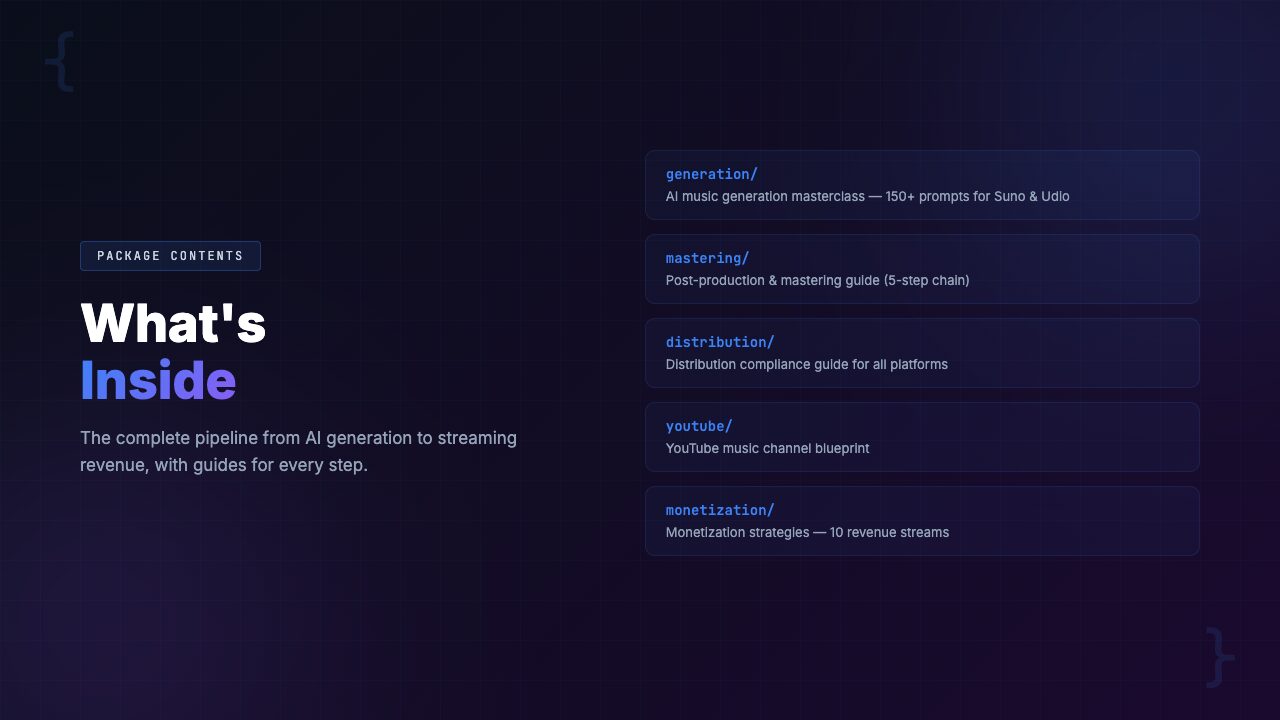
The AI Music Production Toolkit takes a fundamentally different approach from everything listed above. Instead of teaching you theory or walking you through videos, it gives you a complete reference system — 11 files that cover every stage of the pipeline from generation to revenue.
This is not a course you sit through. It is a working toolkit you open alongside your DAW and distribution dashboard:
- Need a prompt for a cinematic orchestral track? Open the prompt library, find the cinematic section, copy a prompt, customize the parameters, generate.
- Need to master the track? Open the mastering chain guide, follow the five steps, export.
- Ready to distribute? Open the compliance guide for your distributor, follow the checklist, submit with confidence.
The toolkit was designed around a single principle: eliminate every point of failure between generation and revenue. Every rejection reason we encountered in our testing, every common mistake we found in Reddit threads, every gap in the existing tutorials — there is a specific section that addresses it.
Let us walk through each component.
Complete Feature Breakdown: What is Inside the 11-File Toolkit
1. AI Music Generation: 150+ Engineered Prompts Across 10 Genres
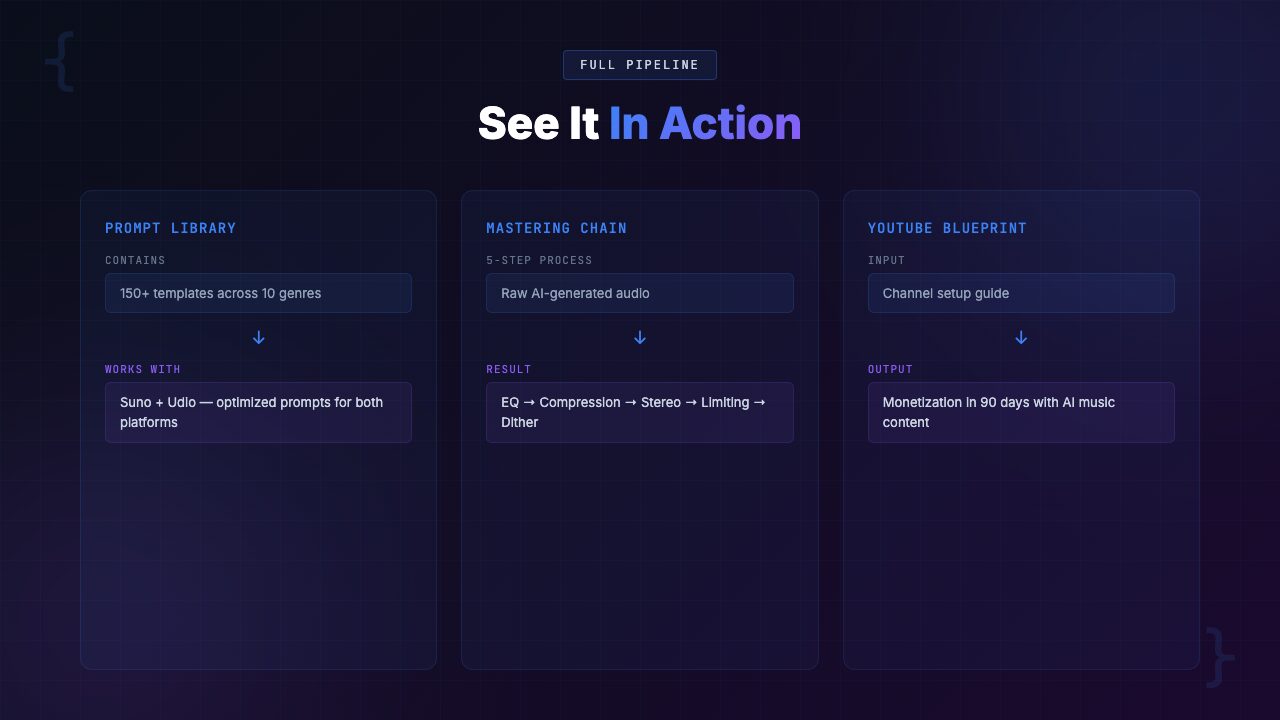
The prompt library is the foundation of the toolkit. It includes 150+ carefully engineered prompts for both Suno and Udio, organized across 10 genres:
- Lo-fi Hip Hop
- Ambient / Chill
- Electronic / EDM
- Pop
- R&B / Soul
- Cinematic / Orchestral
- Jazz
- Rock / Indie
- Acoustic / Folk
- Synthwave / Retrowave
Each genre section includes 15+ prompts covering different moods, tempos, and song structures. But these are not basic one-line prompts. Each prompt is engineered with specific structure tags, instrumentation details, production style references, and mood descriptors that produce dramatically better output than generic inputs.
The toolkit also includes advanced prompting techniques that go beyond what Suno or Udio’s documentation teaches:
- Style blending — combining elements from multiple genres for unique sonic signatures
- Multi-section composition — structuring prompts for intro, verse, chorus, bridge, and outro control
- Iteration workflow — a systematic process for refining tracks through successive generations rather than starting from scratch each time
- Negative prompting — specifying what you do not want to avoid common AI music pitfalls
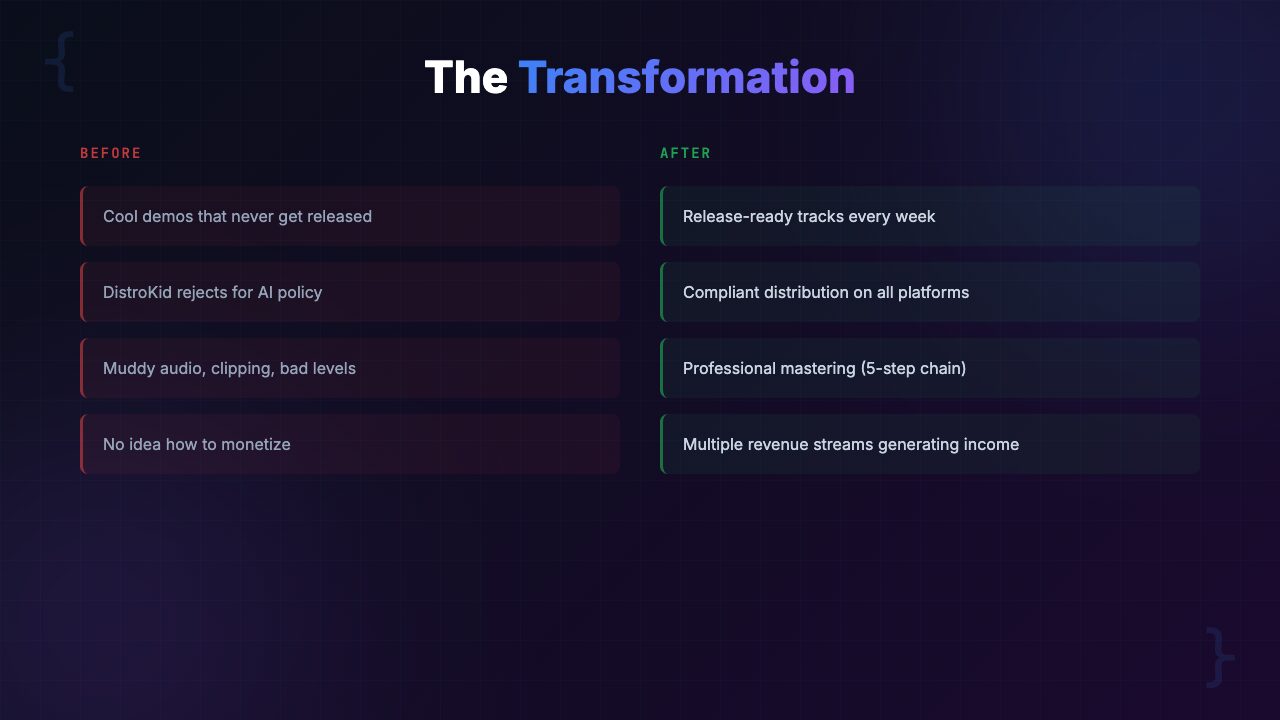
Before: “Make a lo-fi hip hop beat that’s chill and relaxing” — generic output, sounds like every other lo-fi track on YouTube.
After: Engineered prompt with specific BPM, key, instrumentation layers, vinyl crackle texture, sidechain compression style, and chord progression reference — distinctive output that stands out on any playlist.
2. Post-Production and Mastering: The 5-Step Chain
This is where the toolkit addresses the single biggest gap in the AI music workflow. Generating a track is step one. Making it sound professional enough for distribution is a completely different discipline, and the toolkit breaks it into a repeatable 5-step mastering chain:
- AI Artifact Cleanup — identifying and removing metallic overtones, digital clipping, phase issues, and other artifacts specific to AI-generated audio. Includes a visual guide to spotting artifacts in a spectrogram.
- EQ and Frequency Balance — specific settings for cleaning up muddy low end, taming harsh high frequencies, and creating space in the midrange. Settings provided for Audacity (free), BandLab (free), and iZotope Ozone (pro).
- Compression and Dynamics — ratio, threshold, attack, and release settings optimized for AI-generated audio, which has different dynamic characteristics than traditionally recorded music.
- Stereo Imaging — widening or narrowing the stereo field to match genre expectations without introducing phase cancellation (a common mistake that causes mono compatibility issues on phone speakers).
- Loudness and Limiting — final limiter settings to hit platform-specific LUFS targets (Spotify: -14 LUFS, Apple Music: -16 LUFS, YouTube: -14 LUFS) without destroying dynamic range.
Every step includes exact parameter values for both free tools and professional tools:
- Free: Audacity, BandLab, online mastering services
- Professional: iZotope Ozone, FabFilter Pro-L, LUFS meters
You do not need to buy any software to use this chain.
The toolkit also includes a dedicated artifact fixing guide that catalogs the 12 most common AI audio artifacts. For each artifact you get:
- Audio descriptions so you can identify it by ear
- Spectrogram examples so you can spot it visually
- Specific repair techniques with step-by-step instructions
Before: Export from Suno, upload to DistroKid, hope for the best. Track sounds thin, clips in the chorus, and gets flagged for audio quality issues.
After: Export from Suno, run through the 5-step chain in Audacity (20 minutes), upload a distribution-ready master that meets platform loudness standards and passes quality checks on the first submission.
3. Distribution Compliance: Platform-by-Platform Policies
This section alone could save you weeks of frustration and protect your distributor account. The AI music distribution landscape is changing rapidly, and every platform has different rules. The toolkit provides up-to-date compliance guides for:
- DistroKid — AI content policies, required metadata fields, disclosure requirements, common rejection reasons and how to avoid them
- TuneCore — their specific AI music stance, submission requirements, and account protection guidelines
- CD Baby — content policies, rights declarations, and their unique review process for AI-generated content
- Spotify — what they require from distributors, how their AI content detection works, and how to ensure your tracks are not flagged
- Apple Music — their evolving AI policy, metadata requirements, and quality standards
- YouTube Music — Content ID considerations, AI disclosure, and monetization eligibility
The guide also covers metadata and rights management — getting these wrong is the number one reason for distribution rejections. The toolkit specifies exactly what to enter for:
- Artist name field
- Songwriter credits
- Producer credits
- ISRC codes
- Rights declarations for AI-generated content
Most creators do not know the correct approach until they have already been rejected multiple times.
Warning: Distributor policies around AI music are actively evolving. The toolkit is current as of its publish date, and we note which policies are most likely to change. Always verify against the platform’s latest terms before submitting. The toolkit teaches you how to check, not just what the rules are today.
4. YouTube Music Channel Blueprint
YouTube is arguably the single best monetization platform for AI-generated music right now. Lo-fi streams, ambient study playlists, focus music channels — these are pulling in serious ad revenue with AI-generated content. But building a successful channel requires more than uploading tracks.
The YouTube blueprint covers:
- Channel setup — niche selection, branding, channel art specs, description optimization, and playlist structure for maximum watch time
- Content strategy — optimal upload frequency, video length for different formats (single tracks vs. hour-long mixes vs. live streams), and thumbnail design principles that drive clicks
- Monetization timeline — realistic expectations for reaching the YouTube Partner Program (1,000 subscribers + 4,000 watch hours), with milestone targets and growth tactics for each phase
- SEO and discovery — title formulas, tag strategies, and description templates that help your music surface in YouTube search and suggested videos
- Scaling — how to go from one channel to multiple channels across different niches, using AI generation to produce content at scale without quality dropping
Before: Upload tracks with generic titles like “Lo-fi Beat #47,” no SEO optimization, inconsistent branding. Channel grows slowly. Monetization feels years away.
After: Structured channel with SEO-optimized titles, strategic playlists, and a content calendar. Clear monetization milestones with specific actions for each phase. Realistic path to Partner Program in 4-8 months.
5. Monetization Strategies: 5 Revenue Streams
This is where the toolkit goes beyond what any tutorial or course we have found covers. It maps out five distinct revenue streams for AI-generated music, with specific action plans for each:
- Streaming Royalties — building a catalog on Spotify, Apple Music, Amazon Music, and Tidal. Playlist pitching strategies. How to calculate realistic revenue at different stream volumes. When streaming alone becomes viable vs. when it is better as a discovery channel.
- Sync Licensing — placing your music in videos, podcasts, commercials, games, and films. How to register with sync libraries. What makes a track “sync-friendly.” Pricing guidelines for different usage types. The licensing and sync guide walks through the entire process from registration to first placement.
- YouTube Monetization — ad revenue from music channels (covered in the YouTube blueprint), plus Content ID revenue from other creators using your music. How to set up Content ID claims without triggering false positives.
- Stock Music Libraries — selling tracks on Artlist, Epidemic Sound, AudioJungle, Pond5, and others. Submission requirements for each platform. How to tag and categorize tracks for maximum discoverability. Which libraries accept AI-generated content and which do not.
- Direct Sales — selling beats, loops, and full tracks directly through your own website, Gumroad, or BeatStars. Pricing strategies. License tiers (lease vs. exclusive). Building an audience of repeat buyers.
Before: “I uploaded my tracks to Spotify. I got 47 streams last month. This is not working.”
After: Same tracks are on Spotify (discovery), listed on two sync libraries (passive income), powering a YouTube channel (ad revenue), and sold as loop packs on Gumroad (direct sales). Four revenue streams from the same catalog of music.
How to Get Started with the AI Music Production Toolkit
The toolkit is designed for immediate use. Here is the recommended workflow for your first week:
Step 1: Download and Review the Prompt Library (Day 1)
- Start with the genre closest to what you want to create
- Read through 5-10 prompts to understand the structure and engineering behind them
- Pick one, customize the parameters (tempo, mood, instrumentation) to your taste
- Generate your first track
Step 2: Generate 5-10 Tracks (Days 1-2)
- Use the iteration workflow from the advanced prompting section
- Generate, listen critically, adjust parameters, regenerate
- You are building a small catalog and learning how prompt changes affect output
- Keep your best 3-5 tracks
Step 3: Master Your Best Track (Day 3)
- Open the mastering chain guide alongside Audacity (free) or your preferred DAW
- Follow the 5 steps on your strongest track
- Compare the mastered version to the original — the difference will be obvious
- Master your remaining tracks
Step 4: Set Up Distribution (Day 4)
- Open the distribution compliance guide for your chosen distributor (DistroKid is the most common starting point)
- Follow the metadata checklist
- Submit your first release with confidence that it meets all requirements
Step 5: Choose Your Monetization Path (Days 5-7)
- Review the five revenue stream strategies
- Pick the one that matches your goals and available time
- If you want passive income, start with sync libraries and a YouTube channel
- If you want faster returns, start with direct sales
- The toolkit gives you action plans for each path
Who Is the AI Music Production Toolkit For?
This Is For You If:
- You use Suno, Udio, or another AI music generator and want to turn your output into distributable, monetizable releases
- You have tried uploading AI tracks to distributors and gotten rejected or flagged
- You have zero traditional music production experience and need a clear, step-by-step mastering process
- You want to build a YouTube music channel with AI-generated content
- You are interested in multiple revenue streams from your AI music, not just streaming royalties
- You want to stop guessing and start following a tested system that actually works
Not For You If:
- You are an experienced music producer who already has a professional mastering chain and distribution pipeline
- You are looking for a DAW tutorial (this is not a Pro Tools or Ableton course)
- You only want to generate music for personal listening, not distribution or monetization
- You expect guaranteed income (this is a toolkit and system, not a get-rich-quick scheme)
- You are not willing to spend time learning and iterating — no toolkit replaces effort
Real-World Use Cases: Three Scenarios Where This Toolkit Delivers
Here are three specific scenarios based on common workflows we tested and patterns we see across the AI music community.
Scenario 1: The Lo-fi YouTube Channel Builder
Goal: Build a lo-fi / ambient music YouTube channel that generates passive ad revenue.
The challenge: Sarah had been uploading AI-generated lo-fi tracks to YouTube for two months. Her channel had 83 subscribers and minimal watch time. Her tracks sounded thin compared to established channels. Her titles and descriptions were not optimized for search. She had no content strategy beyond “upload when I feel like it.”
How the toolkit helps:
- The lo-fi prompt section gives her 15+ engineered prompts that produce richer, more layered tracks
- The mastering chain adds warmth and proper loudness
- The YouTube blueprint restructures her channel with SEO-optimized titles, a strategic playlist architecture, and an upload schedule based on when her target audience is active
- The monetization timeline gives her realistic milestones: 500 subscribers by month 3, Partner Program by month 6-8
Projected outcome: A structured channel with professional-quality audio, growing 3-5x faster than the scattered approach, with a clear monetization path.
Scenario 2: The Podcast Creator Who Needs Royalty-Free Music
Goal: Create custom intro music, transition stings, and background beds for a podcast network without paying licensing fees.
The challenge: Marcus runs three podcasts and was spending $50-100/month on stock music subscriptions. The tracks were generic and shared with thousands of other podcasters. He wanted distinctive, branded audio but could not afford a composer and had no music production skills.
How the toolkit helps:
- The prompt library sections on ambient, cinematic, and acoustic genres provide ready-to-use starting points for podcast audio
- The advanced prompting techniques let Marcus create short-form pieces (5-15 second intros, transition stings) that match each podcast’s brand
- The mastering chain ensures the audio sits properly under voice without competing for frequency space
- The direct sales section of the monetization guide inspires him to sell his custom podcast music packs to other podcasters
Projected outcome: Zero monthly licensing costs, completely original branded audio across all three podcasts, plus a potential new revenue stream selling custom audio packs.
Scenario 3: The Musician Exploring AI as a New Revenue Channel
Goal: An independent musician wants to use AI tools to expand their catalog and create revenue from genres outside their natural skill set.
The challenge: Dev is an indie rock guitarist who releases music on Spotify. He wants to create ambient, lo-fi, and cinematic music for sync licensing opportunities, but these genres are outside his production abilities. He has tried Suno but his tracks keep getting rejected by DistroKid, and he is worried about damaging his existing artist reputation with low-quality AI releases.
How the toolkit helps:
- The distribution compliance guide shows Dev exactly how to set up a separate artist profile for his AI-generated catalog, with proper metadata that distinguishes it from his main artist identity
- The prompt library for ambient, lo-fi, and cinematic genres gives him a head start in genres he does not know intimately
- The sync licensing strategy opens a revenue channel he has never tapped
- The mastering chain brings his AI output up to the quality standard his listeners expect
Projected outcome: A second revenue stream from genres outside his core skills, properly separated from his main artist brand, with sync licensing opportunities generating passive income alongside his traditional releases.
[INTERNAL LINK: /category/ai-music/]
Comparison: AI Music Production Toolkit vs. Alternatives
Here is a side-by-side comparison of the AI Music Production Toolkit against the other approaches you might be considering.
| Feature | AI Music Toolkit ($39) | YouTube Tutorials | Suno/Udio Docs | Paid Courses ($97-$297) |
|---|---|---|---|---|
| Engineered prompts library | 150+ across 10 genres | Scattered, inconsistent | Basic examples only | 20-50 typical |
| Mastering chain with settings | 5-step chain, free + pro tools | Fragmented across videos | Not covered | Varies, often basic |
| AI artifact fixing guide | 12 artifacts cataloged | Rare, incomplete | Not covered | Sometimes mentioned |
| Distribution compliance guides | 6 platforms covered | Outdated, anecdotal | Not covered | Partial, 1-2 platforms |
| YouTube channel blueprint | Complete with SEO + timeline | General advice only | Not covered | Sometimes included |
| Monetization strategies | 5 revenue streams + sync guide | Basic streaming advice | Not covered | 1-2 streams covered |
| Time to first release | 3-5 days | 2-4 weeks | 1-3 weeks | 1-2 weeks |
| Format | 11 reference files (instant) | Hours of video | Web pages | 8-15 hours of video |
| Cost | $39 one-time | Free (but 40+ hours) | Free (limited scope) | $97-$297 |
Pricing & Value Breakdown
The AI Music Production Toolkit is priced at $39 (pay-what-you-want, suggested price $59). It includes 11 files with instant digital delivery. Here is what you get for that $39 and what it would cost to assemble the equivalent yourself:
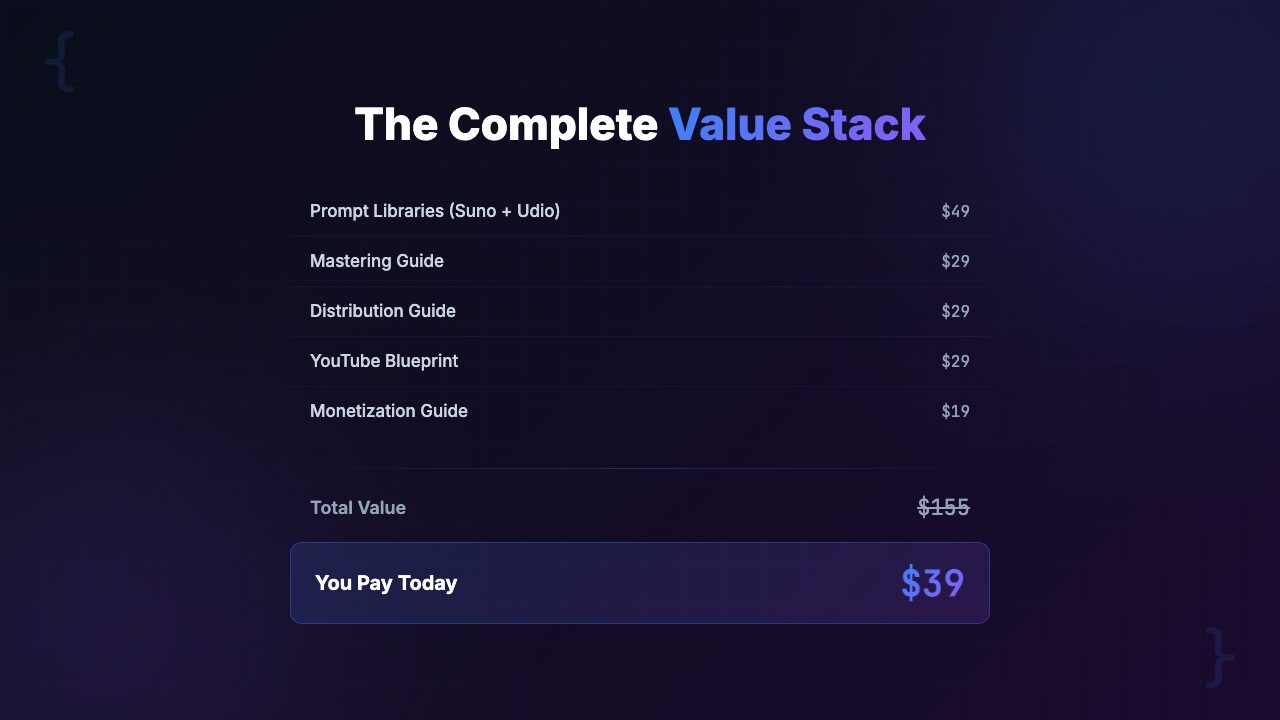
| 150+ engineered prompts across 10 genres (weeks of testing to develop) | $200-$500 value |
| 5-step mastering chain with exact settings for free + pro tools | $150-$300 value |
| AI artifact fixing guide (12 artifacts cataloged with repair techniques) | $100-$200 value |
| Distribution compliance guides for 6 platforms | $200-$400 value |
| YouTube music channel blueprint with SEO and monetization timeline | $150-$300 value |
| 5 monetization strategies with sync licensing guide | $200-$400 value |
| Total value (conservatively) | $1,000-$2,100 |
| Your price | $39 |
But let us put theory aside and look at practical returns. Consider just one use case: you build a lo-fi YouTube channel using the blueprint. Even a small channel with 5,000-10,000 views per month generates $15-$50/month in ad revenue. Within two to three months, the toolkit has paid for itself from that single revenue stream alone.
Layer in additional revenue sources and the return compounds:
- Sync licensing placements start at $50-$200 per placement
- Stock music library sales generate passive monthly income
- Streaming royalties grow as your catalog expands
- Direct sales on Gumroad or BeatStars add immediate revenue
Or consider the time savings: if the compliance guide prevents even one distribution rejection, that is a week of waiting, troubleshooting, and resubmitting that you never have to go through. A week of your time is worth far more than $39.
There is also a 30-day money-back guarantee through Gumroad. If the toolkit does not deliver value, you get a full refund. Zero risk.
Frequently Asked Questions
Do I need a Suno or Udio subscription to use this toolkit?
The prompts work on both free and paid tiers of Suno and Udio. However, paid tiers give you more generations per day, higher audio quality, and commercial usage rights. We recommend at least the Suno Pro plan ($10/month) or Udio Standard plan ($10/month) if you plan to monetize your tracks. The free tiers are great for learning and experimenting, but commercial use typically requires a paid subscription for proper licensing.
Will my AI-generated music get taken down from Spotify or Apple Music?
Not if you follow the distribution compliance guide included in the toolkit. Each platform has specific policies around AI-generated content. Our guide covers the exact metadata fields, disclosures, and rights management steps required by DistroKid, TuneCore, CD Baby, Spotify, Apple Music, and YouTube Music. Most rejections happen because of incorrect metadata, not because the music is AI-generated. The toolkit teaches you how to get this right on the first submission and how to stay current as policies evolve.
I have zero music production experience. Can I still use this?
Yes. The toolkit is specifically designed for people who are new to music production. The prompts are copy-paste ready with clear instructions for customization. The 5-step mastering chain uses free tools like Audacity and BandLab with exact parameter values — you do not need to know what a compressor does conceptually, you just need to set it to the values provided. You do not need to read sheet music, play an instrument, or understand music theory. If you can follow step-by-step instructions, you can use this toolkit.
What genres does the prompt library cover?
The toolkit includes prompts across 10 genres: lo-fi hip hop, ambient/chill, electronic/EDM, pop, R&B/soul, cinematic/orchestral, jazz, rock/indie, acoustic/folk, and synthwave/retrowave. Each genre section includes 15+ prompts covering different moods, tempos, and song structures. The advanced prompting techniques also show you how to blend genres, so you are not limited to these categories — they are starting points that you can combine and customize.
How is this different from just using Suno’s built-in suggestions?
Suno’s built-in suggestions produce generic output because they use generic prompts. Our prompts are engineered with specific structure tags, instrumentation details, production style references, and mood descriptors that produce significantly more polished and distinctive tracks. We also include advanced techniques like style blending, multi-section composition, negative prompting, and iteration workflows that the built-in tools do not teach. The difference in output quality is immediately noticeable — tracks generated with our prompts sound more intentional, more layered, and more professional.
Can I sell the music I create using these prompts?
Yes, provided you have a commercial license from your AI music platform (Suno Pro or above, Udio Standard or above). The music you generate is yours to monetize. The toolkit includes five complete revenue stream strategies: streaming royalties, sync licensing, YouTube monetization, stock music libraries, and direct sales. The licensing and sync guide walks you through the specifics of each revenue model, including pricing guidelines and platform-specific requirements.
What tools do I need for the mastering chain?
The 5-step mastering chain includes settings for both free and professional tools. Free options: Audacity (open-source DAW), BandLab (free online DAW), and online mastering services like LANDR’s free tier. Professional options: iZotope Ozone, FabFilter Pro-L, and dedicated LUFS meters. You can produce fully distribution-ready masters using entirely free tools. The professional tool settings are provided for creators who want to upgrade their workflow over time.
Is there a refund policy?
Yes. Gumroad offers a 30-day money-back guarantee. If the toolkit does not help you produce and distribute AI-generated music, you get a full refund. No questions asked. We are confident the toolkit delivers real value, but we want you to feel zero risk in trying it. If it is not for you, get your money back.
Final Verdict: Is the AI Music Production Toolkit Worth $39?
Here is our honest assessment after two months of testing.
The AI music space has a massive gap between the generation tools and everything required to actually release and monetize music. Suno and Udio have democratized music creation. But creation is only 30% of the pipeline. Post-production, mastering, distribution compliance, and monetization make up the other 70%, and that is where most creators stall, get rejected, or give up.
The AI Music Production Toolkit is the most comprehensive system we have found for bridging that gap. Here is what stands out:
- The prompt library is worth the price alone if you are generating more than a few tracks per week — the quality difference between a generic prompt and an engineered prompt is significant
- The mastering chain turns amateur-sounding exports into distribution-ready masters using free tools
- The distribution compliance guides prevent costly rejections and protect your distributor account
- The monetization strategies open up revenue streams most creators do not even know exist
Is it perfect? No. A few areas where it could improve:
- The distribution compliance landscape changes faster than any static guide can keep up with, though the toolkit addresses this by teaching you how to verify current policies rather than just listing today’s rules
- We would like to see more coverage of emerging AI music platforms beyond Suno and Udio
- If you are an experienced music producer, the mastering chain will feel basic compared to what you already know
But for the target audience — creators who are using AI tools to generate music and want a clear, tested path to distribution and revenue — this is the best $39 you can spend in this space. It replaces weeks of trial-and-error with a structured system. It prevents costly distribution rejections. And it opens up revenue streams that most creators do not even know exist.
Our rating: 4.7 / 5 — The most complete AI music production-to-revenue system available. Minor deductions for the inherent challenge of keeping distribution policies current and limited coverage of platforms beyond Suno/Udio. Excellent value at $39.
[INTERNAL LINK: /category/ai-music/]
About PopularAiTools.ai
PopularAiTools.ai is an independent AI tool directory and review site. We test, review, and rank AI tools across categories including AI music production, AI coding, content creation, image generation, and business automation. Our reviews are based on hands-on testing, not press releases.
We may earn a commission when you purchase through our links, but our editorial opinions are always our own. We only recommend products we have actually tested and believe provide genuine value. [INTERNAL LINK: /about/]
Related reviews: [INTERNAL LINK: /category/ai-music/] | [INTERNAL LINK: /category/ai-tools/] | [INTERNAL LINK: /category/ai-productivity/]
