Best AI Tools for Content Creators 2026: 10 We Use Every Day

AI Creative Tools Specialist

Key Takeaways
- Canva AI and ChatGPT are the two essential tools every content creator needs — both have strong free tiers.
- A full AI content stack costs $41-89/month, replacing thousands in freelancer and software costs.
- Video AI tools (CapCut, Descript, Opus Clip) had the biggest leap in 2026 — text-based editing and auto-captions are now table stakes.
- ElevenLabs voice cloning is eerily good at $5/month — it changed how we produce podcast intros and video narration.
- Every tool on this list has a free tier, so you can test the full stack before spending a dollar.
- Why AI Tools Matter for Content Creators in 2026
- 1. Canva AI — Design + AI Image Generation
- 2. Descript — Video and Podcast Editing
- 3. ElevenLabs — Voice Cloning and Text-to-Speech
- 4. CapCut — AI Video Editing
- 5. Runway ML — AI Video Generation
- 6. Midjourney — AI Art Generation
- 7. ChatGPT — AI Writing and Brainstorming
- 8. Opus Clip — AI Short-Form Video
- 9. Pictory — Text-to-Video
- 10. Synthesia — AI Avatar Videos
- Side-by-Side Pricing Comparison
- Our Recommended Content Creator Stacks
- FAQ
Why AI Tools Matter for Content Creators in 2026
Content creation in 2026 looks nothing like it did two years ago. The tools we rely on every day at PopularAiTools.ai have AI baked into every workflow — from writing first drafts to generating thumbnails, cloning voices for narration, and auto-editing 45-minute videos into viral clips.
We tested over 30 AI tools across a 6-week period. Most were forgettable. Some were impressive but impractical. These 10 are the ones we kept coming back to — the ones that actually saved us time, improved quality, or let us do things we simply could not do before.
This is not a list we assembled from press releases. Every tool here is something we use in our actual production workflow. We will cover what each tool does best, what it costs, where it falls short, and who should use it.
The full stack runs between $41 and $89/month depending on your needs. Every tool on the list has a free tier, so you can test everything before spending a cent.
1. Canva AI — The Design Tool That Does Everything Now
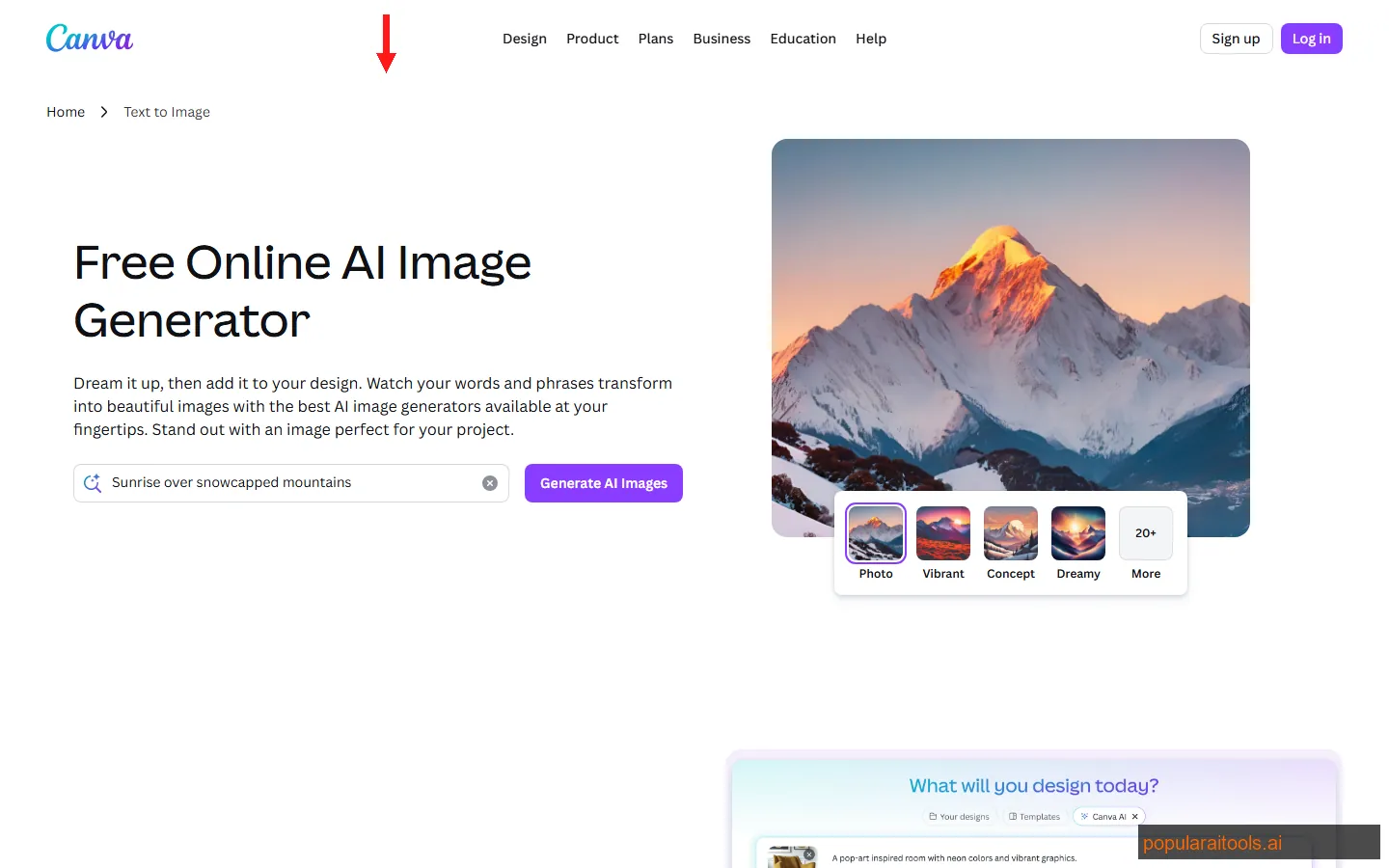
Canva was already the default design tool for non-designers. In 2026, their AI features turned it into something closer to a full creative suite. Magic Studio now includes AI image generation, background removal, Magic Write for copy, Magic Animate for motion graphics, and a text-to-video feature that actually works.
We use Canva AI for blog featured images, social media posts across five platforms, presentation decks, and quick video thumbnails. The AI image generator is not Midjourney-quality, but it is fast and produces usable results for social content in under 10 seconds.
Magic Write generates surprisingly solid first-draft copy for social captions and short-form text. We rewrote about 30% of what it produced, which is better than most AI writers we have tried.
Pricing
Free tier: 50 Magic Write uses/month, limited AI image generation, 5GB storage. Canva Pro: $13/month — unlimited Magic Write, full AI suite, 1TB storage, brand kits, background remover.
Best for: Social media creators, bloggers, small teams who need design output without a dedicated designer. If you only pay for one tool on this list, this is it.
2. Descript — Edit Video Like You Edit a Google Doc
Descript changed how we think about video editing. Instead of dragging clips around a timeline, you edit a transcript. Delete a sentence from the text, and the corresponding video segment disappears. It sounds like a gimmick until you use it — then you cannot go back to Premiere Pro for talking-head content.
The AI transcription is nearly perfect in English, and the filler word removal (um, uh, like, you know) is automatic and eerily accurate. We ran a 45-minute podcast through it and Descript removed 127 filler words without touching a single meaningful word.
Overdub is the feature that makes podcasters pay attention. Record 10 minutes of your voice, and Descript creates a voice clone that can read corrections. Misspoke during recording? Type the correct sentence and Overdub generates it in your voice. The quality is good enough for internal content — not quite broadcast-ready, but close.
Screen recording, clip generation, and audiogram creation are built in. For podcast and video creators who publish weekly, Descript eliminates the most tedious parts of post-production.
Pricing
Free tier: 1 hour of transcription/month, basic editing. Hobbyist: $24/month — 10 hours transcription, filler word removal, screen recording. Business: $33/month — unlimited transcription, Overdub voice cloning, team features.
Best for: Podcasters, YouTube creators, and anyone who edits talking-head or interview content regularly. If you publish video or audio content weekly, Descript pays for itself in time saved on the first episode.
3. ElevenLabs — Voice Cloning That Actually Sounds Human
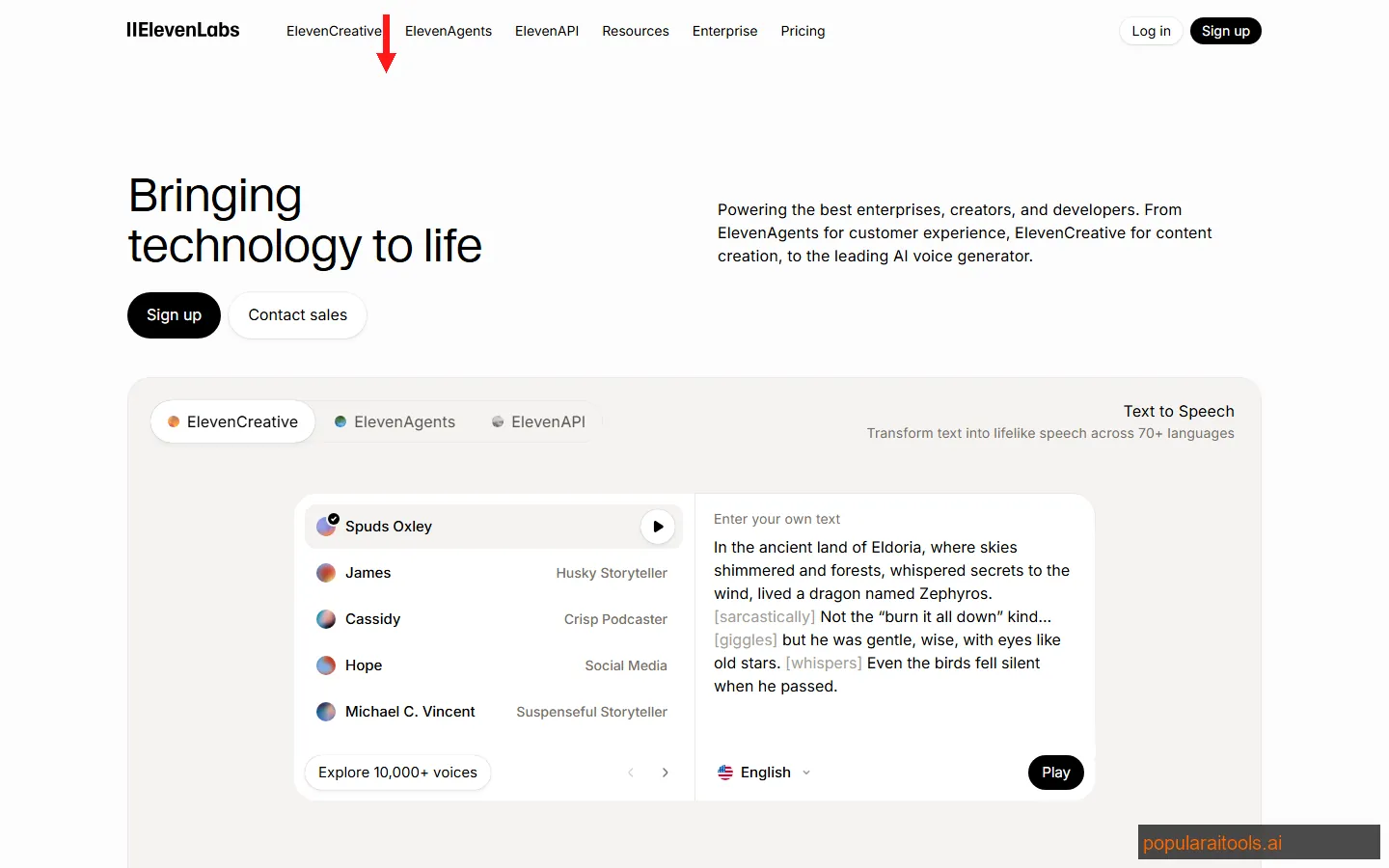
We were skeptical about AI voice tools until we tried ElevenLabs. The quality gap between ElevenLabs and everything else in the text-to-speech space is enormous. Their voices have natural pacing, appropriate emphasis, and emotional range that makes other TTS tools sound robotic by comparison.
Voice cloning is where it gets interesting. Upload a few minutes of clean audio, and ElevenLabs creates a voice model that sounds like you. We cloned our podcast host's voice and used it to generate intro/outro narration and social media audio clips. Listeners could not tell the difference in a blind test we ran with 50 people.
The multilingual support covers 29 languages, which matters if you localize content. We generated Spanish and Portuguese versions of English scripts, and native speakers rated them 8/10 for naturalness.
The API is well-documented and easy to integrate into automated workflows. We pipe ChatGPT output directly into ElevenLabs to generate audio versions of blog posts — the entire pipeline runs unattended.
Pricing
Free tier: 10 minutes of audio/month, 3 custom voices. Starter: $5/month — 30 minutes, 10 custom voices, commercial license. Creator: $22/month — 100 minutes, professional voice cloning. Pro: $99/month — 500 minutes, highest quality models.
Best for: Podcasters, video narrators, course creators, and anyone who needs professional voiceover without hiring a voice actor. At $5/month for the Starter plan, this is the best value on the entire list.
4. CapCut — The Short-Form Video Editor TikTok Built
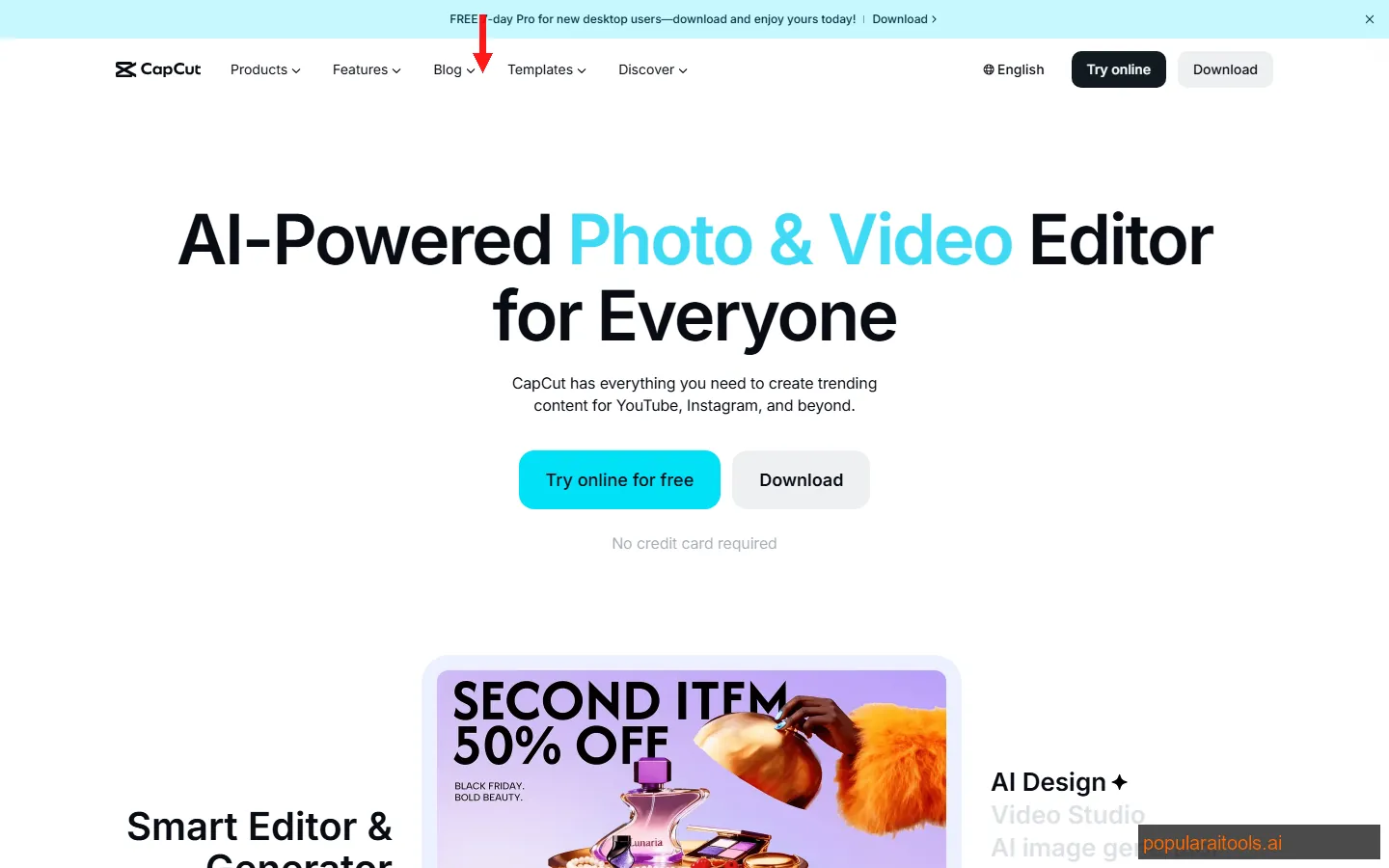
CapCut started as a mobile video editor tied to TikTok. In 2026, it is a full-featured desktop and web editor with AI capabilities that rival tools costing three times as much. The auto-caption feature alone is why half our team uses it — it generates styled, animated captions with near-perfect accuracy in under a minute.
AI effects include background removal, style transfer, face tracking overlays, and automatic scene detection. The smart templates are platform-optimized — pick "YouTube Shorts" or "Instagram Reels" and CapCut reformats, resizes, and suggests transitions automatically.
We use CapCut for every short-form video we produce. The workflow is simple: import footage, apply auto-captions, add a template, adjust timing, export. What used to take 45 minutes per clip takes about 8 minutes now.
Pricing
Free tier: Full editor with watermark on some premium assets. CapCut Pro: $8/month — no watermarks, premium effects, 100GB cloud storage, advanced AI features.
Best for: TikTok, Instagram Reels, and YouTube Shorts creators. If short-form video is part of your strategy (and in 2026, it should be), CapCut at $8/month is the most efficient option available.
5. Runway ML — AI Video Generation That Feels Like Magic
Runway ML is the tool that makes you realize AI video generation crossed a threshold. Gen-3 Alpha produces 10-second video clips from text prompts that are coherent, stylistically consistent, and surprisingly usable for B-roll, intros, and social content.
We tested it for generating B-roll footage for blog video versions. Instead of licensing stock video at $20-50 per clip, we prompted Runway for "aerial shot of a modern city at sunset, cinematic" and got something better than most stock libraries. The image-to-video feature is even more useful — upload a product shot and Runway animates it with camera movement and subtle motion.
The limitations are real. Clips max out at about 10 seconds. Human figures still have occasional artifact issues. And the credit system means heavy users burn through their allocation quickly. But for supplementary video content — transitions, backgrounds, concept visualization — Runway is in a category of its own.
Pricing
Free tier: Limited credits for exploration. Standard: $12/month — 625 credits (~125 seconds Gen-3 Alpha video). Pro: $28/month — 2,250 credits, higher resolution, upscaling. Unlimited: $76/month — unlimited Gen-1/Gen-2, expanded Gen-3 access.
Best for: Content creators who need supplementary video footage, animated product shots, or concept videos without a film crew. Not a replacement for real video production, but an incredible supplement to it.
6. Midjourney — AI Art That Sets the Visual Standard
Midjourney remains the gold standard for AI image generation quality. While Canva AI and other tools have caught up for basic tasks, Midjourney's aesthetic quality and prompt responsiveness are still unmatched when you need editorial-grade imagery.
We use Midjourney for hero images on high-priority blog posts, editorial illustrations, and any visual where the aesthetic needs to stand out. The V6 model understands complex compositional prompts — "split-screen comparison of analog and digital workflows, warm lighting on left, cool blue tones on right, isometric perspective" — and delivers results that would take a skilled digital artist hours to create.
The Discord-based workflow is still awkward. Midjourney launched a web interface in late 2025, but Discord remains the power-user environment. The learning curve on prompting is real — vague prompts produce generic results. Specific, structured prompts with style references produce stunning work.
One limitation: Midjourney does not offer an API for automated workflows. Everything is manual or semi-automated through Discord bots. For high-volume content creation, this is a bottleneck.
Pricing
Basic: $10/month — ~200 images, limited GPU time. Standard: $30/month — unlimited relaxed generations, 15 hours fast GPU. Pro: $60/month — 30 hours fast GPU, stealth mode. No free tier.
Best for: Bloggers and marketers who need high-quality hero images, editorial illustrations, or brand visuals that look genuinely artistic. Not ideal for high-volume social media graphics — use Canva AI for those.
7. ChatGPT — The Writing Copilot We Cannot Turn Off
ChatGPT needs no introduction, but how we actually use it for content creation might surprise you. We never use ChatGPT to write final drafts. We use it as a brainstorming engine, outline generator, and first-draft accelerator that cuts our content production time by roughly 40%.
Our workflow: paste a keyword or topic, ask ChatGPT to generate 10 angle options, pick the best 2-3, ask it to outline with H2/H3 structure, then write from the outline ourselves. The AI handles the structural thinking; we handle the voice, opinion, and expertise. This produces content that reads as human-written because it is — just faster.
Custom GPTs are where the Plus subscription earns its money. We built a custom GPT trained on our brand voice guidelines, past articles, and SEO preferences. When we need a social media caption or email subject line, it generates options that match our tone without constant re-prompting.
For scripting video content, ChatGPT is excellent at generating conversational scripts that sound natural when read aloud. We pipe those scripts into ElevenLabs for narration or use them as teleprompter text for talking-head videos.
Pricing
Free tier: GPT-4o mini, basic capabilities, limited usage. Plus: $20/month — GPT-4o, custom GPTs, DALL-E, Advanced Data Analysis, 80 messages/3 hours. Team: $30/month per user — higher limits, admin controls, workspace.
Best for: Every content creator. Period. Whether you write blogs, scripts, emails, social captions, or ad copy, ChatGPT accelerates the process. The free tier is sufficient for casual use; Plus is worth it for anyone creating content professionally.
8. Opus Clip — Turn One Video Into 10 Viral Clips
Opus Clip solves a specific, painful problem: repurposing long-form video into short-form clips. Upload a 30-minute YouTube video or podcast episode, and Opus Clip's AI analyzes the content, identifies the most engaging moments, and generates 10-15 clips with dynamic captions, reframing, and B-roll suggestions.
We tested it against manual clip creation. A skilled editor takes about 20 minutes per clip — identifying the moment, trimming, adding captions, reformatting for vertical. Opus Clip generates 10 clips in under 5 minutes. About 6-7 of those 10 are genuinely usable with minor tweaks. The time savings are massive if you publish long-form content and need to feed TikTok, Reels, and Shorts simultaneously.
The AI scoring system ranks each clip by predicted virality based on hook strength, emotional intensity, and topic relevance. We found the scores correlate roughly with actual performance — the top-scored clips consistently outperformed the lower-scored ones on our channels.
Pricing
Free tier: 60 minutes of processing/month, watermarked. Starter: $19/month — 200 minutes, no watermark, 1080p export. Pro: $49/month — 600 minutes, brand kit, scheduling, analytics.
Best for: YouTube creators, podcasters, and video marketers who already produce long-form content. If you are not repurposing long-form into short-form in 2026, you are leaving massive reach on the table.
9. Pictory — Turn Blog Posts Into Videos Automatically
Pictory takes a different approach to AI video. Instead of editing existing footage, it creates videos from text. Paste a blog post URL or a script, and Pictory generates a video with stock footage, transitions, voiceover, and captions — no filming required.
We use it to create video versions of our blog articles for YouTube and social media. The output is not cinematic, but it is functional and engaging enough for informational content. Pictory selects relevant stock clips for each sentence, adds smooth transitions, and generates a voiceover from the text. A 1,500-word blog post becomes a 4-minute video in about 10 minutes.
The blog-to-video feature is the standout. Paste a URL, and Pictory extracts the key points, finds matching visuals, and assembles a video automatically. We still tweak the output — swap out some stock clips, adjust the pacing, refine the voiceover — but it handles 70% of the work.
Where Pictory falls short: the stock footage library can feel repetitive if you use it heavily, and the AI voiceover options are decent but not ElevenLabs-quality. We often export the video from Pictory and replace the voiceover with an ElevenLabs narration.
Pricing
Starter: $19/month — 30 videos/month, 10-minute max length, AI voiceover. Professional: $39/month — 60 videos/month, 20-minute max, API access, brand kits. Teams: $99/month — unlimited videos, custom templates.
Best for: Bloggers and marketers who want to repurpose written content into video without filming. If you have a library of blog posts and want a YouTube or social video presence, Pictory is the fastest path.
10. Synthesia — AI Avatars for Professional Video at Scale
Synthesia creates videos with AI-generated presenters that look and speak like real humans. Pick an avatar (or create a custom one from your own likeness), type a script, choose a language, and Synthesia produces a polished video with natural lip sync, gestures, and expressions.
The use case is specific but powerful: training videos, product demos, internal communications, and marketing explainers where you need a presenter on screen but cannot (or do not want to) film one. We used Synthesia to create onboarding videos for our contributor program — 8 videos in 4 languages, produced in a single afternoon. That same project would have required 4 days of filming, editing, and translation with traditional video production.
The avatar quality in 2026 is noticeably better than even a year ago. Movements are more natural, lip sync is more accurate, and the custom avatar option (trained on 10 minutes of your video footage) produces results that genuinely look like you presenting. It is still detectable as AI if you look closely, but for most professional contexts, the quality is more than sufficient.
Pricing
Starter: $29/month — 10 minutes of video/month, 90+ stock avatars, 130+ languages. Creator: $89/month — 30 minutes, custom avatar, API access. Enterprise: Custom pricing — unlimited video, SCORM export, SSO.
Best for: Companies producing training content, product demos, or multilingual marketing videos at scale. Not the cheapest option, but the time savings on video production are substantial. If you film presenter-style videos regularly, Synthesia is worth testing.
Side-by-Side Pricing Comparison
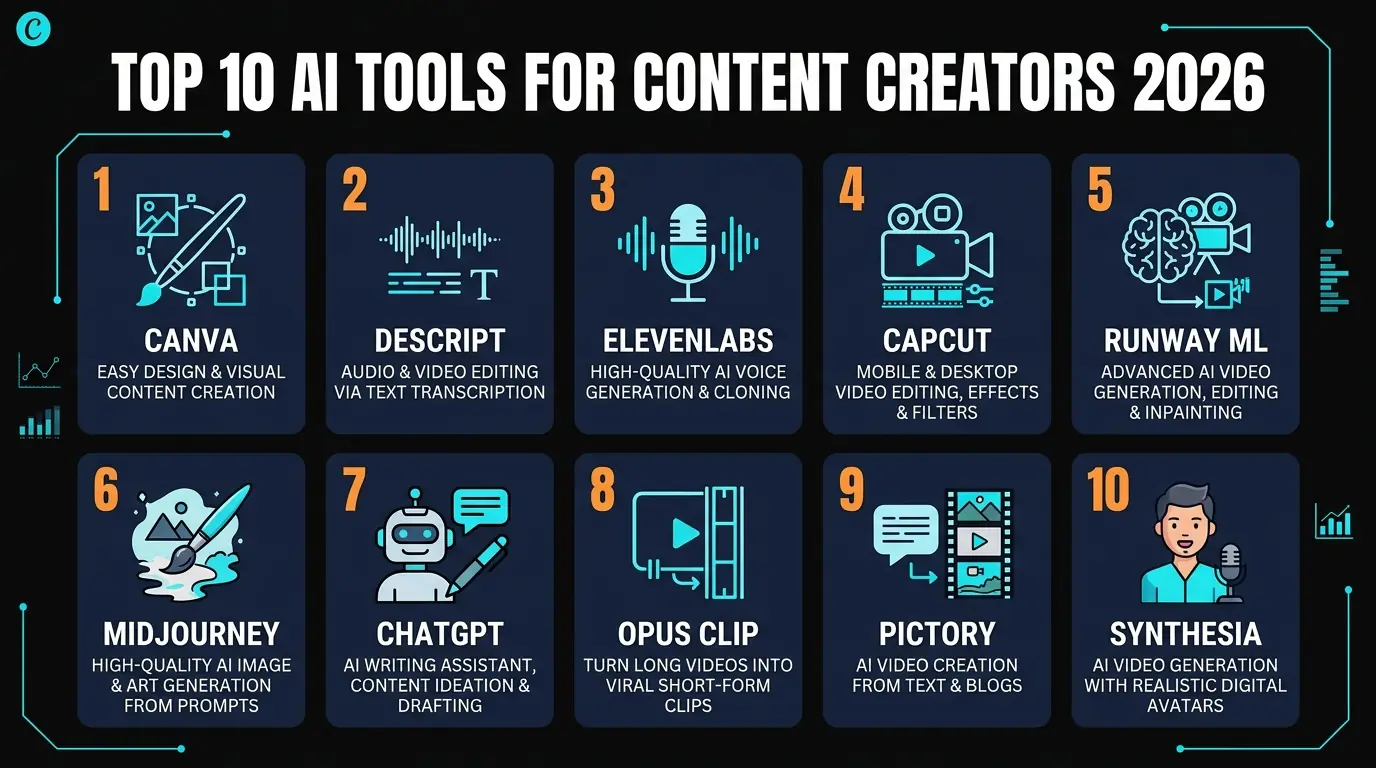
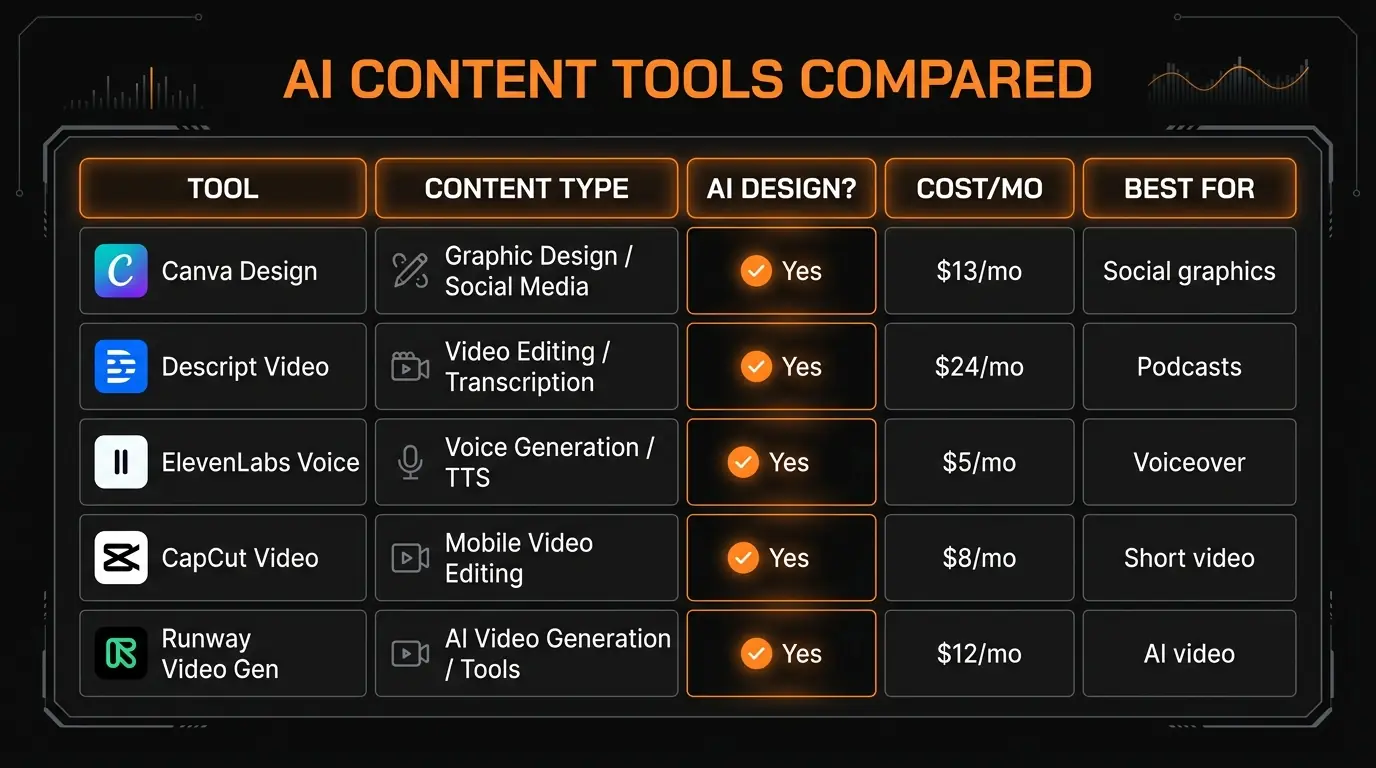
Here is every tool, its starting paid price, free tier availability, and primary category — so you can build your stack based on budget and needs.
Our Recommended Content Creator Stacks
You do not need all 10 tools. Here are three stacks based on budget and content type.
Starter Stack
$41/month
- Canva Pro — $13/mo (design + graphics)
- ChatGPT Plus — $20/mo (writing + ideation)
- CapCut Pro — $8/mo (video editing)
Covers: graphics, writing, short-form video. Enough for solo creators posting 3-5x/week.
Pro Stack
$89/month
- Everything in Starter, plus:
- Descript — $24/mo (podcast/video)
- ElevenLabs — $5/mo (voice AI)
- Opus Clip — $19/mo (repurposing)
Covers: full content pipeline from script to published video with voice narration and auto-clips.
Agency Stack
$160/month
- Everything in Pro, plus:
- Midjourney — $10/mo (premium images)
- Runway ML — $12/mo (AI video gen)
- Synthesia — $29/mo (avatar videos)
- Pictory — $19/mo (blog-to-video)
The full arsenal. For teams, agencies, or creators who produce content across every format daily.
Frequently Asked Questions
The Bottom Line
The AI tool landscape for content creators has matured dramatically. Two years ago, most of these tools were impressive demos. In 2026, they are production-ready systems that professional creators rely on daily.
If you take one thing from this article: start with Canva AI and ChatGPT. Both have strong free tiers, and together they cover design, writing, and ideation. Once those are part of your workflow, add CapCut for video ($8/month) and ElevenLabs for voice ($5/month). That four-tool stack at $46/month handles 90% of what content creators need.
The tools on this list are the ones that survived our testing and became permanent parts of our workflow. Every one of them has a free tier or trial, so the only cost of testing them is your time. Given what they can do, that time investment pays back within your first week of use.
We will update this list quarterly as the space continues to evolve. For individual tool deep-dives, check our AI tool reviews where we go hands-on with each product.
Build an AI Tool? Get It in Front of the Right Audience
PopularAiTools.ai reaches thousands of qualified AI buyers every month.
Submit Your AI Tool →Recommended AI Tools
played.fm
Sell your music and keep 100%: played.fm is a direct-to-fan store + sync marketplace with 0% commission, no gatekeepers, and no bans — a strong fit for AI musicians.
View Review →OpenCode
The open-source AI coding agent: terminal-first TUI, 75+ model providers, LSP context, subagents, and privacy-first design. Free software, ~180K GitHub stars.
View Review →Exa
The neural web search API for AI agents: embeddings-based retrieval, cited highlights, sub-180ms latency, and an MCP server. 20,000 free requests/month.
View Review →Google Antigravity
Google's agent-first IDE: run a fleet of AI agents from a Manager surface, on Gemini 3 Pro, Claude Sonnet 4.5, or OpenAI models. Free in public preview.
View Review →