AWS MCP Servers Review: 66 Official Servers That Give AI Agents Full Cloud Control

AI Infrastructure Lead
Key Takeaways
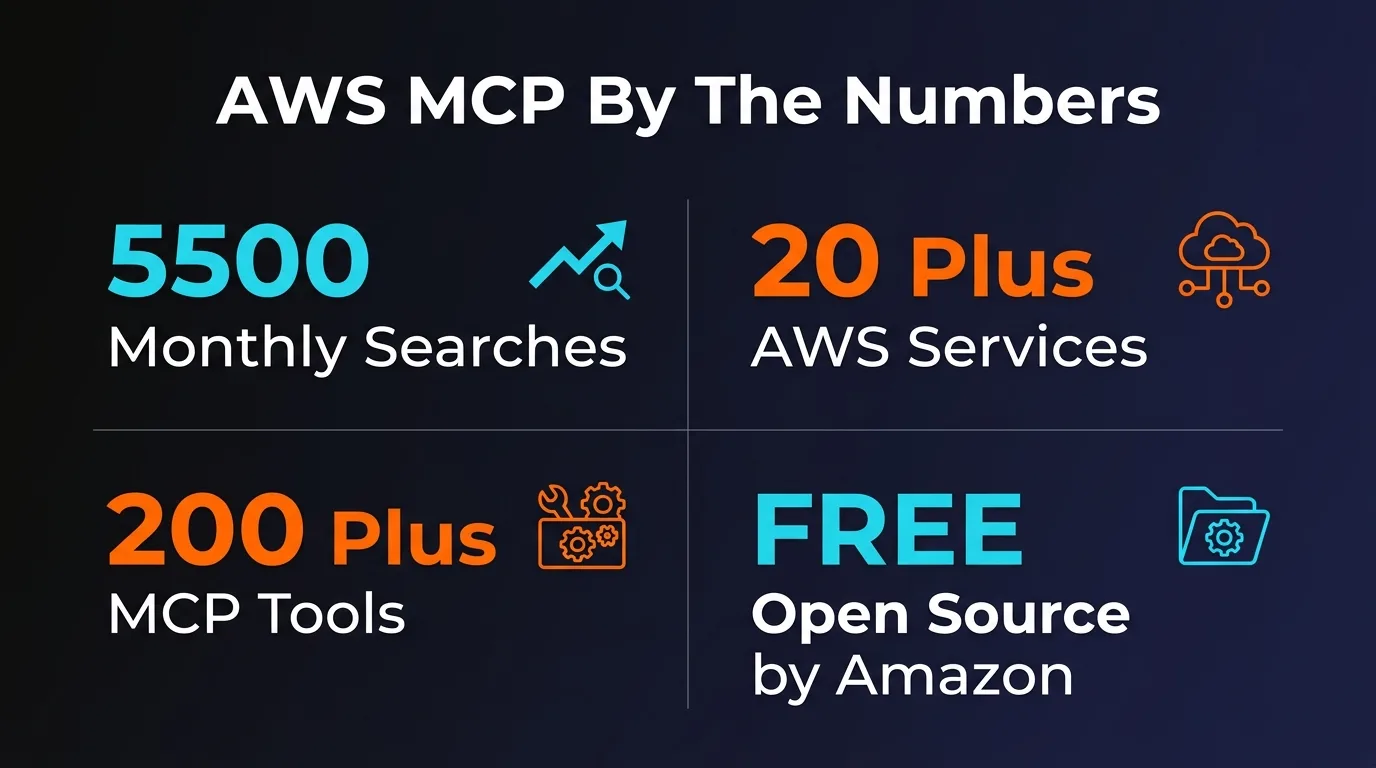
- 66 open-source MCP servers covering 18+ categories of AWS services, all Apache 2.0 licensed
- The managed AWS MCP Server (preview) gives AI agents access to 15,000+ AWS APIs through one endpoint
- Read-only by default with explicit opt-in for write operations — safety-first design
- Two new IAM condition keys let you differentiate AI-initiated actions from human actions in policies
- Compatible with Claude Desktop, Claude Code, Cursor, VS Code, Kiro, Cline, and Windsurf
- 5,100+ GitHub stars, actively maintained, updated daily by AWS Labs
- AWS leads cloud MCP support by a massive margin: 66 servers vs Azure's 1 vs Google Cloud's 4
Table of Contents
What Are AWS MCP Servers?
AWS MCP Servers are a collection of 66 official, open-source Model Context Protocol servers maintained by AWS Labs. They let AI coding assistants — Claude, Cursor, Kiro, Cline — interact directly with AWS services through natural language instead of you manually clicking through the console or writing CLI commands.
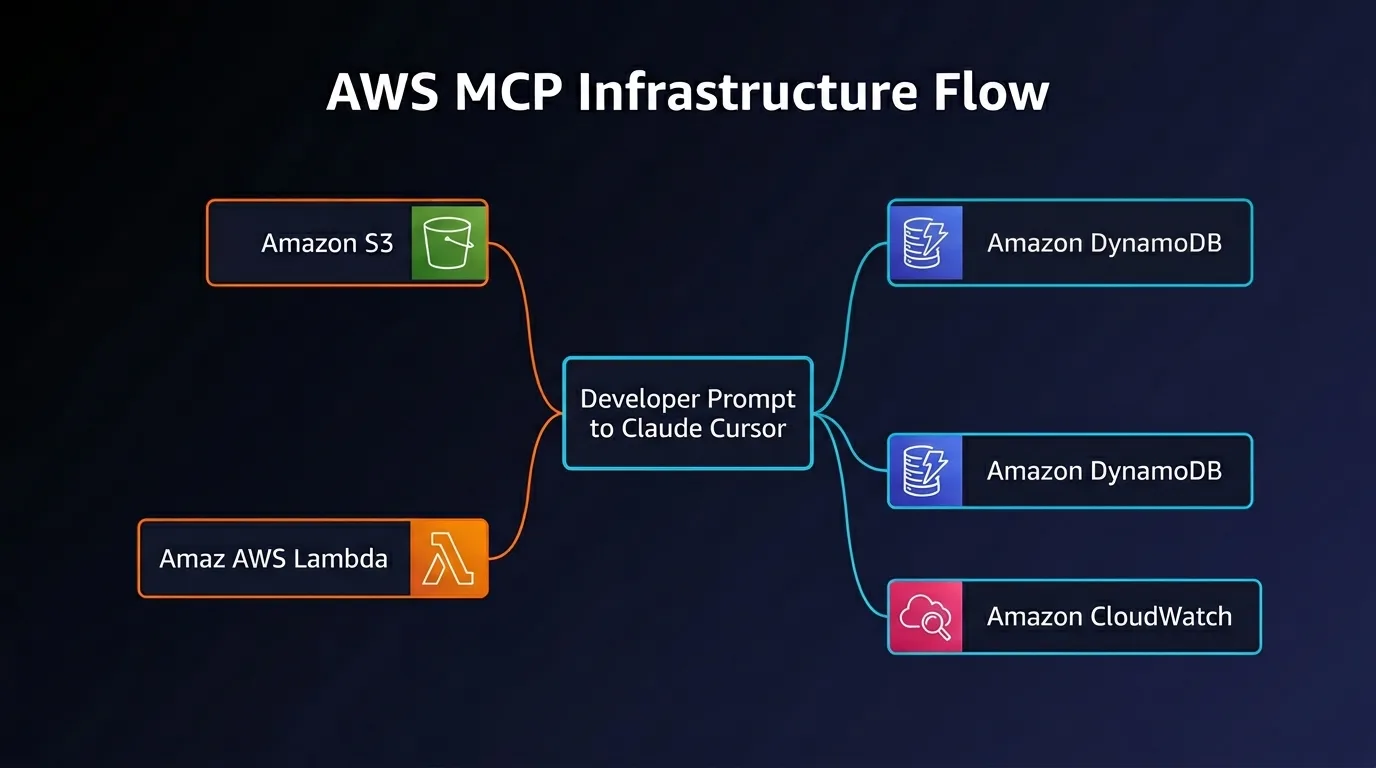
We have been testing these servers for several weeks now, and the scope is genuinely impressive. You can ask Claude to spin up a DynamoDB table, deploy a Lambda function, check your CloudWatch logs, estimate costs for a CDK stack, and manage EKS clusters — all without leaving your editor. The AI agent handles the API calls, and you approve the ones that matter.
There are two distinct offerings here. First, the 66 individual open-source servers that you run locally via uvx or Docker. Each one is specialized for a specific AWS service — one for DynamoDB, one for S3 Tables, one for EKS, and so on. Second, the managed AWS MCP Server (currently in preview), which is a single remote endpoint that consolidates access to over 15,000 AWS APIs. Think of it as the difference between installing individual apps and having one super-app that does everything.
The project launched in early 2025 with a handful of servers. By July 2025, the API MCP Server was publicly available. The managed unified server was announced at re:Invent in November 2025. As of March 2026, the repository has grown to 66 servers, pulled in 5,100+ GitHub stars, and is updated daily. AWS is clearly investing heavily here — this is not a side project.
Key Features and Server Categories
The 66 servers are organized into 18 role-based groupings. AWS clearly thought about how actual teams work — there is a FinOps grouping, a Solutions Architect grouping, a Container Orchestration grouping, and so on. You pick the servers relevant to your role and ignore the rest.
Here are the categories that stood out most during our testing:
Infrastructure as Code
CDK, CloudFormation, Terraform, and Cloud Control API servers. Generate IaC templates with built-in security scanning via cfn-lint and cfn-guard. The Cloud Control API server alone manages 1,200+ resource types.
Compute and Containers
EKS and ECS servers (both with fully managed previews), Lambda tool execution, Step Functions workflows, and Finch for local container builds with ECR integration.
Databases
Full coverage: DynamoDB, Aurora PostgreSQL/MySQL, Aurora DSQL, Redshift, DocumentDB, Neptune (graph), Keyspaces (Cassandra), Timestream, ElastiCache, Valkey, and Memcached. Twelve database servers total.
AI and ML (Bedrock)
Knowledge Bases retrieval with citations, Data Automation for document/image/video analysis, custom model import, AgentCore for building intelligent agents, and SageMaker for model training and deployment.
Monitoring and Observability
CloudWatch metrics/alarms/logs, Application Signals for performance monitoring, Managed Prometheus queries, and CloudTrail for auditing API activity. Natural language log queries are genuinely useful.
Cost Management
Cost Explorer for spending analysis ($0.01/call), Pricing API for pre-deployment estimates (free), and Billing/Cost Management for natural language billing queries. The Pricing server is a hidden gem.
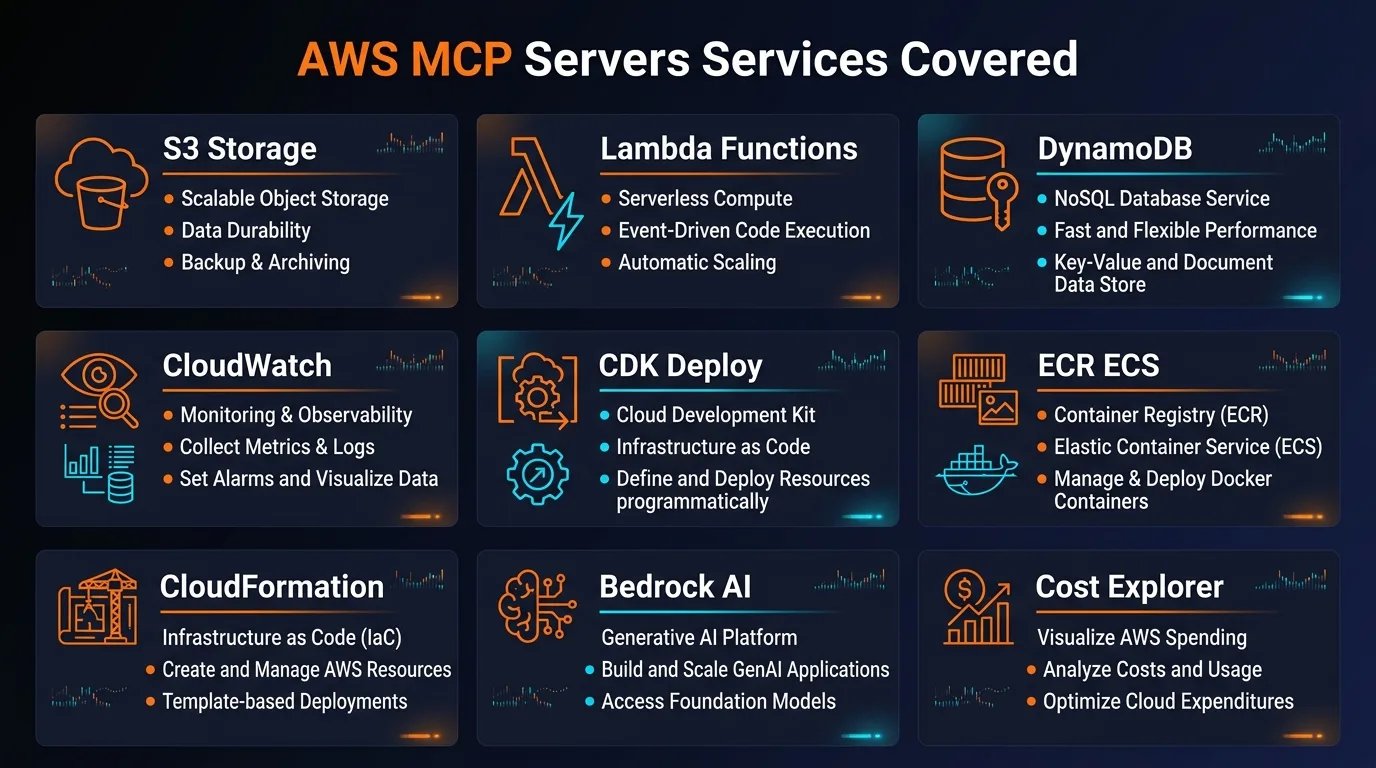
Beyond these, there are servers for Security/IAM, Serverless (SAM CLI integration), Messaging (SNS/SQS, Amazon MQ), Healthcare (HealthOmics, HealthImaging, HealthLake), IoT, Location Services, Data Processing, and Developer Tools like architecture diagram generation and code documentation. The healthcare servers in particular signal that AWS is targeting enterprise adoption hard.
How to Set Up AWS MCP Servers
Setup has three parts: install the prerequisites, configure your AWS credentials, and add the server configs to your MCP client. If you already have aws configure working, the MCP part takes about two minutes.
Prerequisites: Python 3.12+, the uv package manager (pip install uv), and configured AWS credentials (CLI profile, SSO, or environment variables). AWS SSO with temporary credentials is the recommended approach.
There are four installation methods. Here is how each one works:
Method 1: uvx (macOS / Linux — Recommended)
{
  "mcpServers": {
    "awslabs.aws-documentation-mcp-server": {
      "command": "uvx",
      "args": ["awslabs.aws-documentation-mcp-server@latest"],
      "env": {
        "FASTMCP_LOG_LEVEL": "ERROR"
      }
    }
  }
}
Method 2: uv tool run (Windows)
{
  "mcpServers": {
    "awslabs-core-mcp-server": {
      "command": "uv",
      "args": [
        "tool", "run",
        "--from", "awslabs.core-mcp-server@latest",
        "awslabs.core-mcp-server.exe"
      ],
      "env": {
        "FASTMCP_LOG_LEVEL": "ERROR",
        "AWS_PROFILE": "your-aws-profile",
        "AWS_REGION": "us-east-1"
      }
    }
  }
}
Method 3: Docker
{
  "mcpServers": {
    "awslabs-core-mcp-server": {
      "command": "docker",
      "args": [
        "run", "--rm", "--interactive",
        "--env", "FASTMCP_LOG_LEVEL=ERROR",
        "awslabs/core-mcp-server:latest"
      ]
    }
  }
}
Method 4: Managed AWS MCP Server (Preview — Remote)
{
  "mcpServers": {
    "aws-mcp": {
      "command": "uvx",
      "args": [
        "mcp-proxy-for-aws@latest",
        "https://aws-mcp.us-east-1.api.aws/mcp",
        "--metadata", "AWS_REGION=us-west-2"
      ]
    }
  }
}
Config file locations by client: Claude Desktop uses ~/Library/Application Support/Claude/claude_desktop_config.json on Mac or %APPDATA%\Claude\claude_desktop_config.json on Windows. Cursor uses ~/.cursor/mcp.json globally or .cursor/mcp.json per project. For Claude Code, use claude mcp add commands. VS Code uses the standard MCP extension settings.
One honest note on setup: if you do not already have AWS credentials configured, the initial setup can be frustrating. Community feedback consistently flags credential management as the number one stumbling block. But if aws configure already works on your machine, adding MCP servers is trivial.
Pricing
The MCP servers themselves are completely free. All 66 open-source servers are Apache 2.0 licensed. The managed AWS MCP Server preview has no additional charge. You pay standard AWS API pricing for whatever services your AI agent interacts with.
| Component | Cost |
|---|---|
| Open-Source MCP Servers (66) | Free |
| Managed AWS MCP Server (Preview) | Free (pay for underlying APIs) |
| AWS Pricing API | Free |
| AWS Cost Explorer API | $0.01 per request |
| S3, DynamoDB, Lambda, etc. | Standard AWS pricing |
| Bedrock API Calls | Standard Bedrock per-model pricing |
The important thing to understand: AWS Free Tier applies normally. You get 25 GB of DynamoDB storage, 1 million Lambda requests per month, 5 GB of S3 — all the standard free-tier allowances. The MCP servers add zero overhead. But be careful — an AI agent making rapid-fire API calls can burn through free-tier limits faster than you would manually. We recommend setting up billing alerts before giving an agent write access to any service.
Security and Safety
AWS took security seriously here, and it shows. The servers default to read-only mode. You have to explicitly pass an --allow-write flag or set READ_OPERATIONS_ONLY=true to control mutation access. All CLI commands are validated before execution, and input sanitization was significantly improved in the v1.0.0 release.
The standout security feature is the two new IAM condition keys for the managed server: aws:ViaAWSMCPService identifies calls made through a managed MCP server, and aws:CalledViaAWSMCP differentiates AI-initiated calls from direct human actions. This means you can write IAM policies that explicitly deny dangerous operations when performed by an AI agent — like blocking ec2:TerminateInstances when the call comes through MCP.
CloudTrail integration means every action through the managed server gets logged. You can audit exactly what your AI agent did, when it did it, and distinguish those actions from your own manual operations. For compliance-heavy environments, this is essential.
That said, there are real risks. Prompt injection is a concern if your AI agent reads untrusted data from CloudWatch logs or DynamoDB tables. LLM non-determinism means the agent could misinterpret a request and execute the wrong API call. The servers are single-tenant only — they are not designed for multi-tenant SaaS platforms. And there is a known issue (GitHub #1377) where the API MCP server does not respect AWS rate limits, so aggressive queries could trigger throttling.
Pros and Cons
Pros
- 66 servers — broadest MCP coverage of any cloud provider by far
- Completely free and open-source (Apache 2.0)
- Read-only by default with explicit write opt-in
- New IAM condition keys for AI-vs-human policy differentiation
- Full CloudTrail audit trail for compliance
- Managed server preview gives 15,000+ API access through one endpoint
- 18 role-based groupings make it easy to pick relevant servers
- Actively maintained — daily updates from AWS Labs
- Works with all major MCP clients (Claude, Cursor, VS Code, Kiro)
- Docker support for zero-Python-dependency installs
Cons
- Credential setup is the #1 stumbling block for new users
- Windows requires different syntax (uv tool run vs uvx)
- 60-second timeout — long operations fail with HTTP 424
- No rate limit awareness (GitHub issue #1377)
- AI agents can burn through AWS Free Tier limits quickly
- Managed server still in preview — not GA yet
- Not all 200+ AWS services have dedicated servers
- Prompt injection risk when reading untrusted data
- Single-tenant only — no multi-tenant support
- Developer experience described as "inconsistent" by community
Alternatives: AWS vs Azure vs Google Cloud
If you are comparing cloud MCP support, AWS is not just winning — it is in a different league entirely. Here is how the three major providers stack up:
| Provider | MCP Servers | Approach | Maturity |
|---|---|---|---|
| AWS | 66+ | Individual specialized servers per service + managed unified server | Most mature, broadest coverage |
| Azure | 1 | Single unified MCP server | Simpler setup, less granular |
| Google Cloud | 4 | Limited servers (BigQuery, Compute, GKE) | Earliest stage, limited |
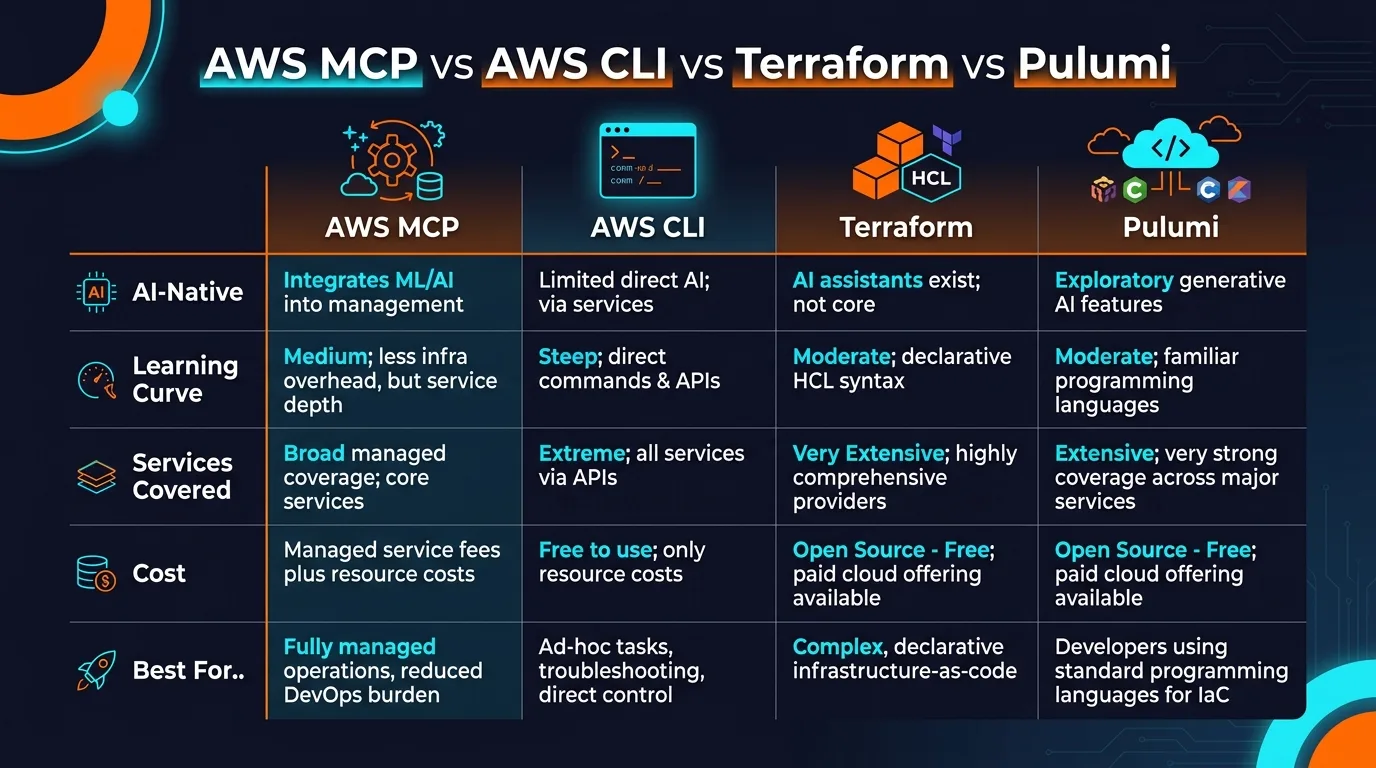
Azure's single unified server has one clear advantage: simplicity. You configure one server and get access to everything. AWS's approach requires you to configure individual servers for each service you need. But AWS's granularity means you can cherry-pick exactly what you want, use role-based groupings, and give each server its own IAM permissions. For production environments with security requirements, that granularity matters.
Google Cloud's 4 preview servers are too early-stage to seriously compete. If you are a GCP shop, you are stuck waiting. If you are multi-cloud, AWS MCP servers are the only ones mature enough for real workflows today.
Frequently Asked Questions
Are AWS MCP Servers free to use?
Yes, all 66 open-source servers are completely free under Apache 2.0. The managed server preview has no additional charge either. You only pay standard AWS API costs for the underlying services you interact with.
How many AWS services do the MCP servers cover?
66 individual servers cover 30+ services in depth. The managed server provides access to over 15,000 AWS APIs, and the Cloud Control API server manages 1,200+ resource types.
Which AI coding tools work with AWS MCP Servers?
Claude Desktop, Claude Code, Cursor, VS Code (with Copilot), Kiro, Cline, and Windsurf. Any MCP-compatible client can connect using the standard protocol.
Are AWS MCP Servers safe for production use?
They default to read-only, require explicit write opt-in, support CloudTrail logging, and offer IAM condition keys to restrict AI actions. Use least-privilege IAM roles and start with read-only mode.
What is the difference between the open-source and managed servers?
The 66 open-source servers run locally and each focus on a specific service. The managed server (preview) is a single remote endpoint hosted by AWS that consolidates 15,000+ APIs with built-in logging and IAM integration.
How does AWS compare to Azure and Google Cloud for MCP?
AWS leads with 66 servers. Azure has 1 unified server. Google Cloud has 4 in preview. No other cloud provider is close to matching AWS in breadth or maturity.
Do I need Python to use AWS MCP Servers?
You need Python 3.12+ and the uv package manager for local servers. Alternatively, use Docker containers to skip the Python requirement entirely.
Can AWS MCP Servers run up my bill?
Yes. AI agents make API calls quickly and can exceed Free Tier limits. Cost Explorer charges $0.01 per call. Set billing alerts, use read-only mode during exploration, and monitor CloudTrail logs.
Final Verdict
AWS MCP Servers represent the most comprehensive attempt by any cloud provider to make AI agents first-class citizens in cloud infrastructure management. With 66 specialized servers, 15,000+ APIs through the managed endpoint, and proper security controls like read-only defaults and IAM condition keys, AWS is not just participating in the MCP ecosystem — they are defining it.
The setup experience is not perfect. Credential management trips up newcomers, Windows users deal with syntax differences, and the 60-second timeout is genuinely frustrating for long-running operations. The developer experience has been called inconsistent, and the managed server is still in preview. These are real drawbacks.
But the overall value proposition is hard to argue with. These servers are free, open-source, actively maintained, and work with every major AI coding tool. The security story — read-only defaults, CloudTrail logging, IAM condition keys for AI-vs-human differentiation — is ahead of what any competitor offers. And with 18 role-based groupings covering everything from FinOps to Healthcare to Container Orchestration, there is a clear path for any team to adopt exactly what they need.
If you work with AWS and use any MCP-compatible coding tool, these servers should be on your radar. Start with the documentation server and the pricing server (both read-only, zero risk), then expand to the services your team uses daily. The managed server preview is worth watching closely for when it hits general availability.
Our rating: 9/10. The breadth is unmatched, the security model is thoughtful, and the price is right. Once the managed server goes GA and the developer experience gets polished, this will be the gold standard for cloud-AI integration.
Get Started with AWS MCP Servers
Explore all 66 servers on GitHub, read the official docs, or jump straight to the managed server preview.
Recommended AI Tools
played.fm
Sell your music and keep 100%: played.fm is a direct-to-fan store + sync marketplace with 0% commission, no gatekeepers, and no bans — a strong fit for AI musicians.
View Review →OpenCode
The open-source AI coding agent: terminal-first TUI, 75+ model providers, LSP context, subagents, and privacy-first design. Free software, ~180K GitHub stars.
View Review →Exa
The neural web search API for AI agents: embeddings-based retrieval, cited highlights, sub-180ms latency, and an MCP server. 20,000 free requests/month.
View Review →Google Antigravity
Google's agent-first IDE: run a fleet of AI agents from a Manager surface, on Gemini 3 Pro, Claude Sonnet 4.5, or OpenAI models. Free in public preview.
View Review →