Claude Agent SDK: Build Production AI Agents for Free (Complete Guide 2026)

AI Infrastructure Lead
Key Takeaways
- The Claude Agent SDK lets you use Claude Code as a library — build production AI agents in Python or TypeScript
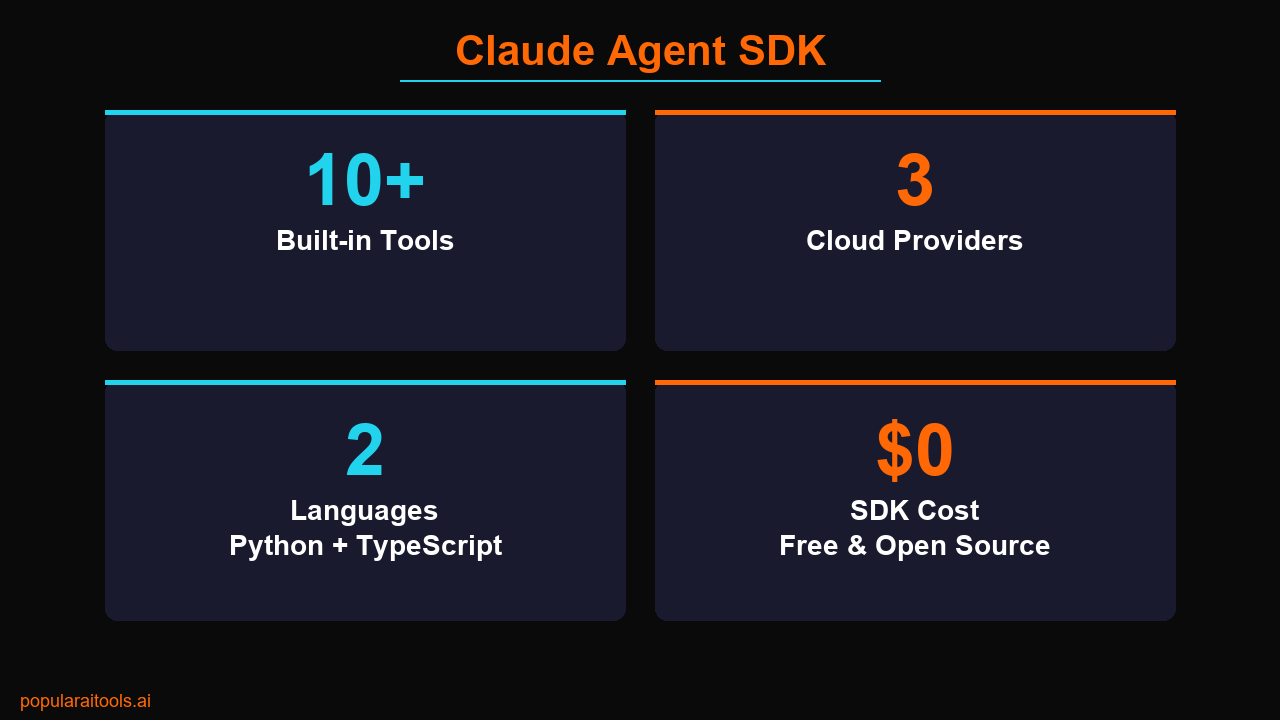
- 10+ built-in tools included: Read, Write, Edit, Bash, Glob, Grep, WebSearch, WebFetch, Monitor, and Agent (subagents)
- Free and open source — you only pay for API token usage, no SDK fees
- Full MCP support for connecting databases, APIs, and external services
- Works with Bedrock, Vertex AI, and Azure — not locked to the Anthropic API
- Hooks system for lifecycle automation — run custom logic before/after tool calls
What Is the Claude Agent SDK?
If you have been building with the Claude API, you know the pattern: send a message, get a response, parse it, maybe call a tool, send the result back. It works, but building a real agent — one that can read your codebase, run shell commands, search the web, and fix its own mistakes — requires hundreds of lines of orchestration code.
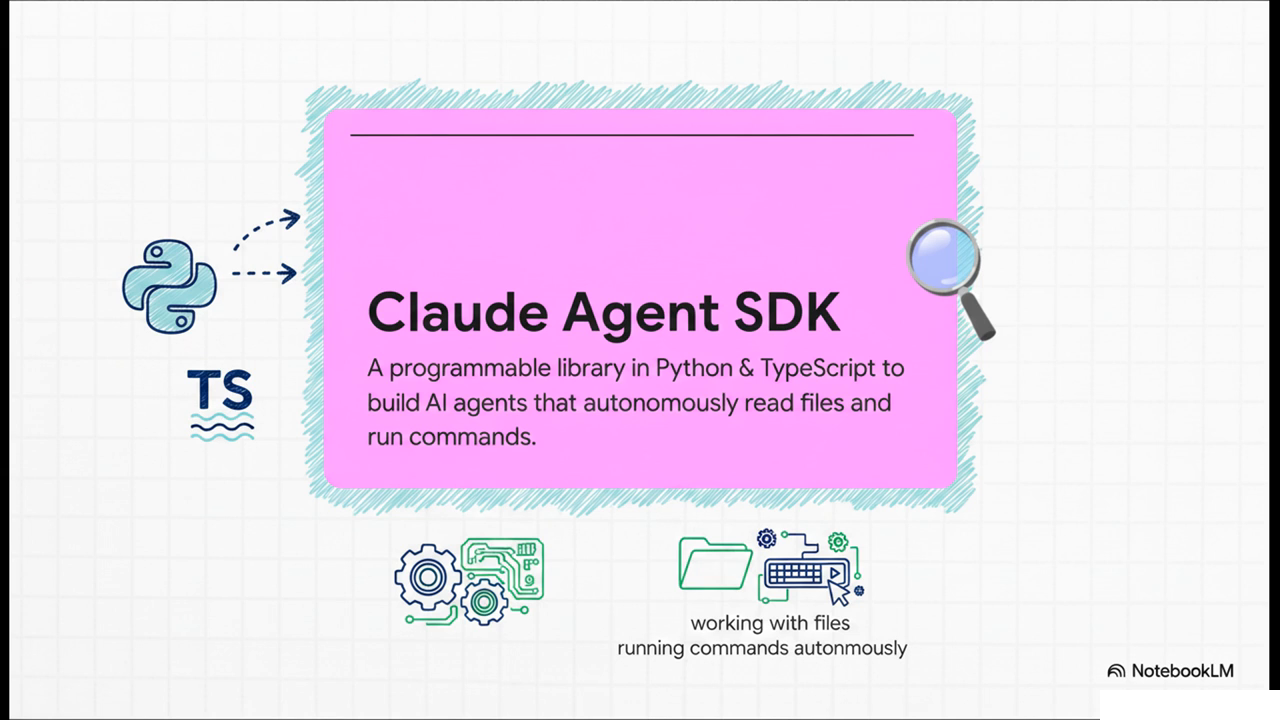
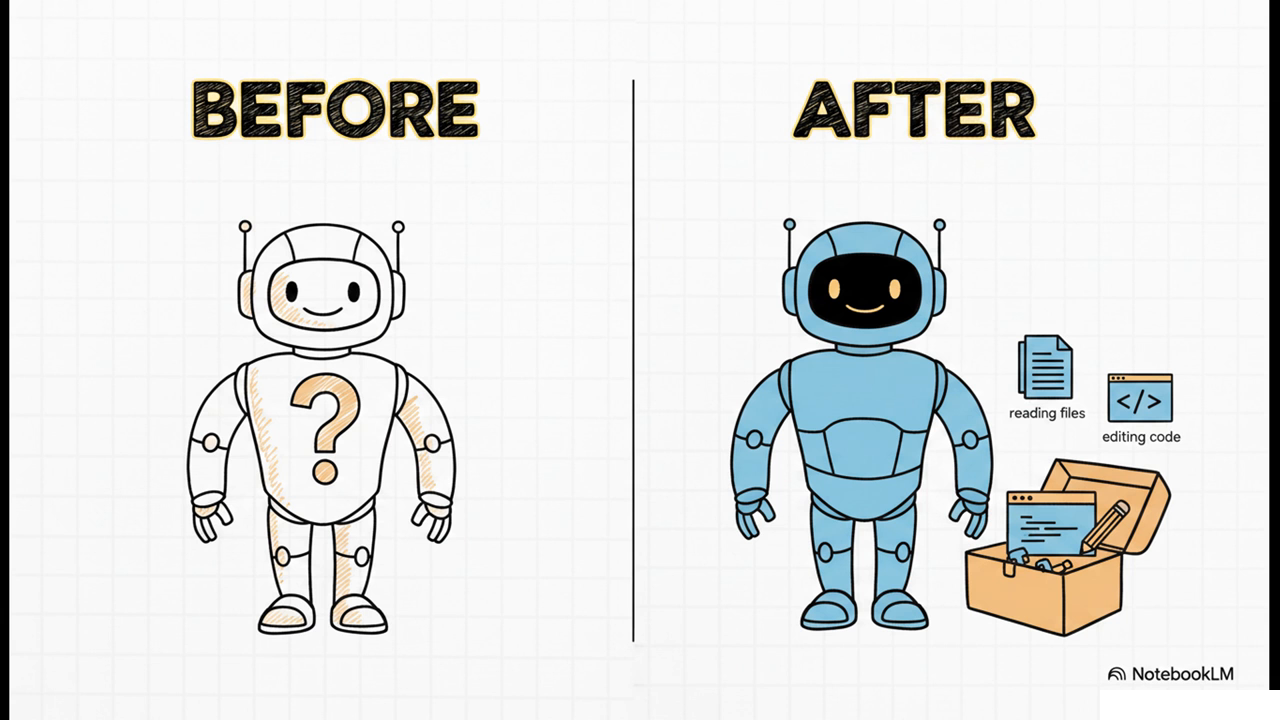
The Claude Agent SDK eliminates all of that. It packages everything that powers Claude Code (the CLI tool) into a library you can import into your own Python or TypeScript applications. One function call, one prompt, and you have a fully autonomous agent with 10+ built-in tools, MCP server connections, lifecycle hooks, and the ability to spawn subagents for parallel work.
Here is what makes this different from the standard Anthropic Python/TypeScript SDK: the Agent SDK is not a thin API wrapper. It is the same engine that runs Claude Code — file I/O, shell execution, web access, code editing, and multi-step reasoning are all built in. You are not building agent infrastructure. You are using the infrastructure Anthropic already built and tested at scale.
The SDK is free and open source. You pay only for the API tokens your agents consume. No license fees. No per-agent charges. No usage caps from the SDK side. If you have an Anthropic API key, you already have everything you need.
Key Features That Matter
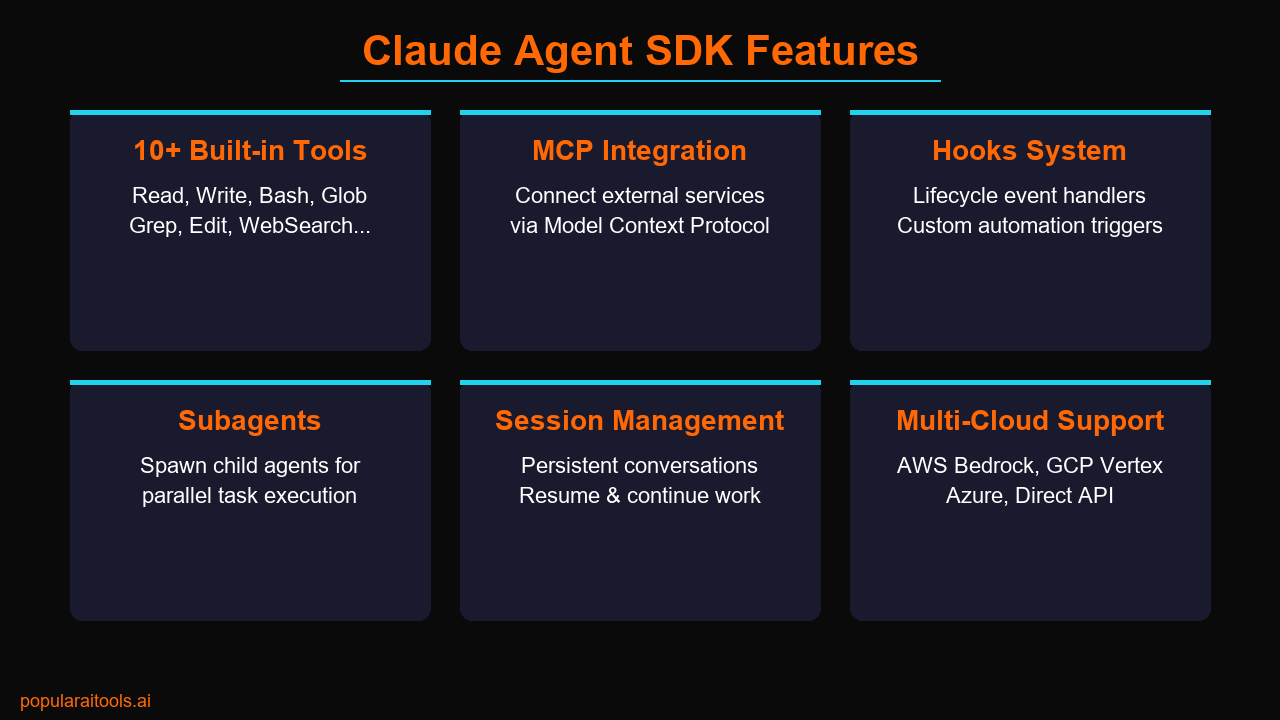
The Claude Agent SDK is not a minimal wrapper — it ships with a serious feature set. Here is what you get out of the box, and why each piece matters for building production agents.
Built-in Tools (10+)
Every agent you build gets immediate access to these tools without any configuration:
- Read — Read any file from the filesystem, including images, PDFs, and Jupyter notebooks
- Write — Create new files or completely rewrite existing ones
- Edit — Surgical string replacements in existing files (send only the diff, not the full file)
- Bash — Execute shell commands with configurable timeouts and background mode
- Glob — Fast file pattern matching across any codebase size
- Grep — Content search powered by ripgrep with regex, type filtering, and context lines
- WebSearch — Search the web and get current information beyond the training cutoff
- WebFetch — Fetch and process web page content with built-in HTML-to-markdown conversion
- Monitor — Stream stdout from background processes as event notifications
- Agent — Spawn subagents for parallel task execution with their own tool access
MCP Integration
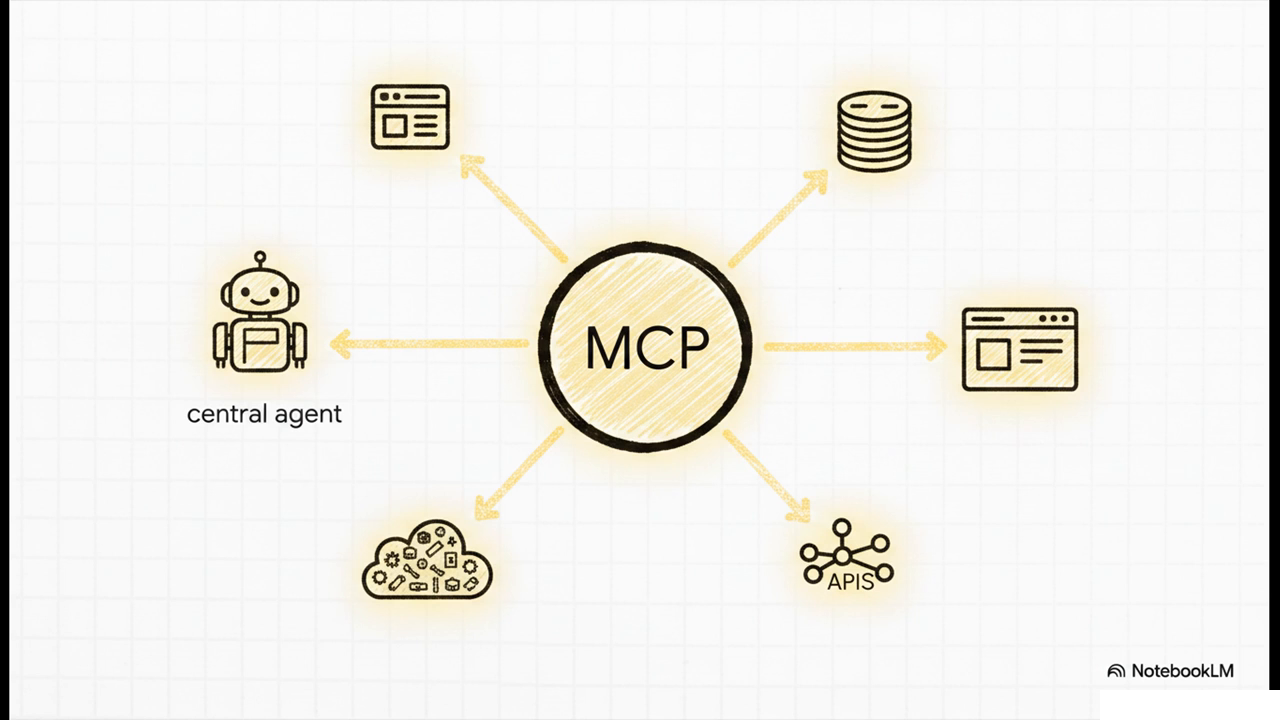
MCP (Model Context Protocol) is Anthropic's standard for connecting AI models to external data sources and tools. The Agent SDK has native MCP support, which means your agent can connect to any MCP server — databases, cloud APIs, SaaS platforms, custom services — and use those tools alongside the built-in ones. You configure MCP servers in the SDK options, and your agent sees them as additional tools it can call.
Hooks System
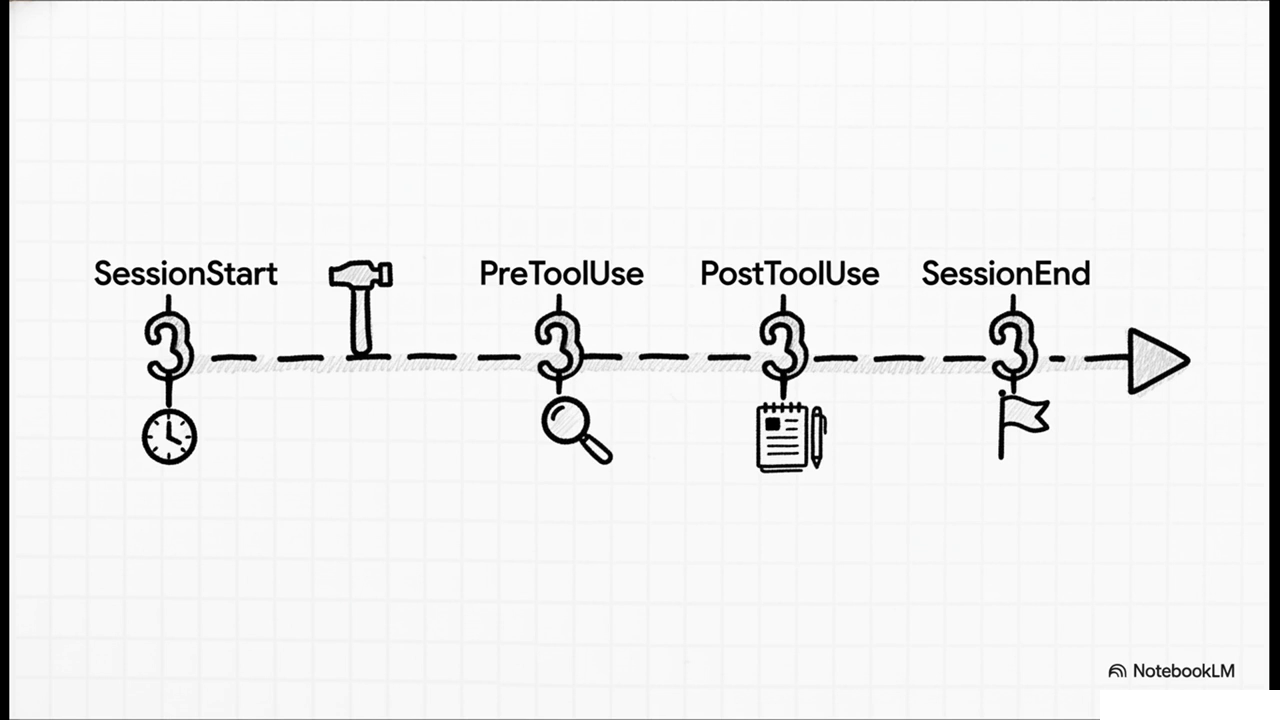
Hooks let you inject custom logic at specific points in the agent lifecycle. You can run code before or after tool calls, when a session starts, when the agent stops, before context compaction, and more. This is critical for production deployments where you need audit logging, permission checks, cost tracking, or custom validation.
For example, you can create a hook that blocks file writes to specific directories, logs every Bash command to an audit trail, or sends a Slack notification when the agent completes a task. Hooks execute as shell scripts or inline functions, and they can modify or abort the tool call.
Subagents
The Agent tool lets your primary agent spawn child agents that work in parallel. Each subagent gets its own context, its own tool access, and can work on a separate part of the problem. The parent agent coordinates the results. This is how you build agents that can, for example, analyze 10 files simultaneously, or research a topic from multiple angles, or run tests while writing code at the same time.
Session Management
Agents can maintain persistent sessions, which means they remember context across multiple interactions. You can resume a session, continue a conversation, or build long-running workflows where the agent picks up where it left off. Session IDs are returned after each interaction, and you can pass them back to continue.
Multi-Cloud Support
You are not locked into the Anthropic API. The Agent SDK works with AWS Bedrock, Google Vertex AI, and Azure. If your organization already has a cloud agreement with one of these providers, you can run Claude agents through that provider's infrastructure. Same SDK, same tools, different billing pathway.
Getting Started: Install to First Agent
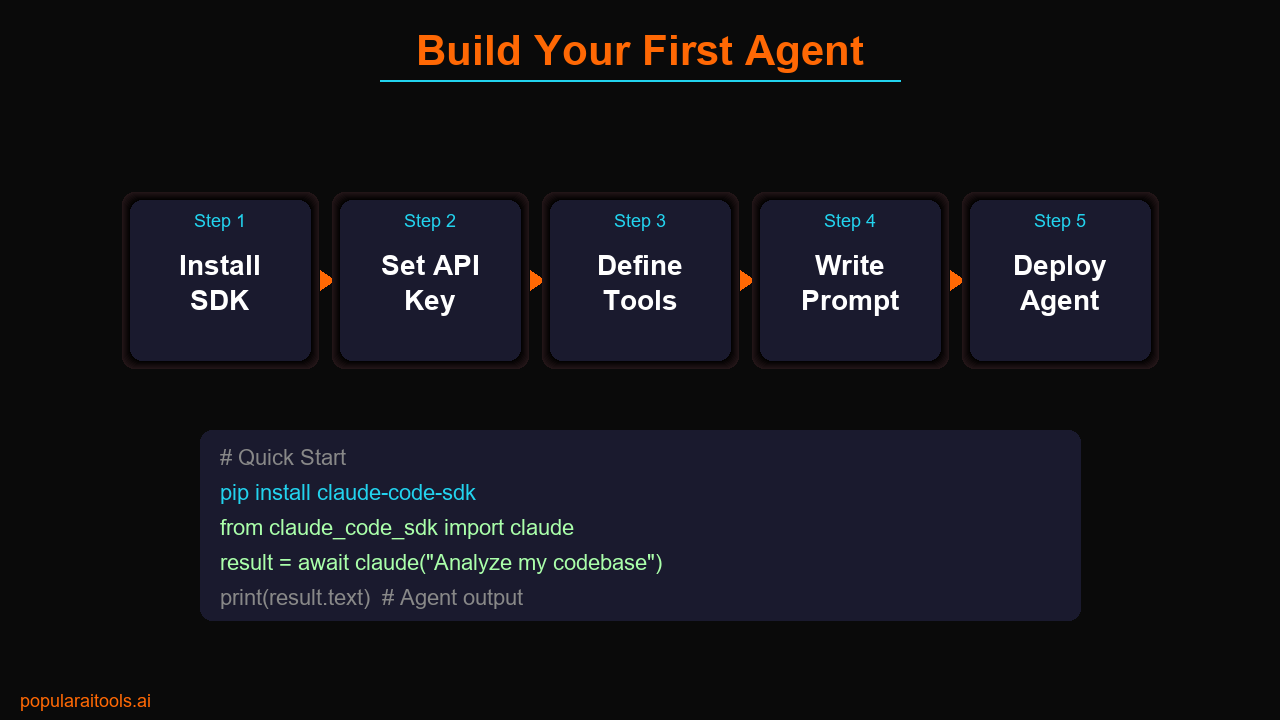
Step 1: Install the SDK
Choose your language:
# Python
pip install claude-code-sdk
# TypeScript
npm install @anthropic-ai/claude-code-sdk
You also need Claude Code installed globally (npm install -g @anthropic-ai/claude-code) since the SDK uses it as the runtime engine.
Step 2: Set Your API Key
# Set your Anthropic API key
export ANTHROPIC_API_KEY=sk-ant-your-key-here
Step 3: Build Your First Agent (Python)
import asyncio
from claude_code_sdk import claude, ClaudeCodeOptions, query

async def main():
    # Simple one-shot agent
    result = await query(
        prompt="Analyze this Python project. Find all TODO comments, "
               "check for security issues, and write a summary report.",
        options=ClaudeCodeOptions(
            max_turns=10,
            model="claude-sonnet-4-6-20260416",
        )
    )

    # Process the results
    for message in result:
        if message.type == "text":
            print(message.content)

asyncio.run(main())
That is it. The agent will autonomously navigate your project, read files, run grep searches, and produce a report. No tool definitions needed — the 10+ built-in tools are already available.
Step 3b: TypeScript Version
import { claude, type ClaudeCodeOptions } from "@anthropic-ai/claude-code-sdk";

const options: ClaudeCodeOptions = {
  maxTurns: 10,
  model: "claude-sonnet-4-6-20260416",
};

for await (const message of claude("Analyze this project and find all bugs", options)) {
  if (message.type === "text") {
    console.log(message.content);
  }
}
Building Real Agents (Code Examples)
The quickstart examples above are simple. Here is what production agents actually look like — with MCP servers, hooks, permissions, and real-world prompts.
Code Review Agent
This agent reviews a pull request, checks for security issues, and posts comments:
from claude_code_sdk import query, ClaudeCodeOptions

result = await query(
    prompt="""Review PR #42 on this repo. Check for:
    1. Security vulnerabilities (SQL injection, XSS, auth bypass)
    2. Performance regressions
    3. Missing error handling
    4. Breaking API changes
    Write your findings as a markdown report.""",
    options=ClaudeCodeOptions(
        max_turns=15,
        allowed_tools=["Read", "Grep", "Glob", "Bash"],
        system_prompt="You are a senior security engineer reviewing code.",
    )
)
Data Pipeline Agent with MCP
Connect your agent to a database via MCP and let it run analytics:
result = await query(
    prompt="Query our production database for user signups "
           "this month. Compare to last month. Generate a "
           "chart and save it to reports/monthly-signups.png",
    options=ClaudeCodeOptions(
        max_turns=20,
        mcp_servers={
            "postgres": {
                "command": "npx",
                "args": ["-y", "@modelcontextprotocol/server-postgres"],
                "env": {"DATABASE_URL": "postgres://..."}
            }
        }
    )
)
Multi-Agent Orchestration
Build a pipeline where one agent manages multiple subagents:
result = await query(
    prompt="""You are a project manager agent. You have 3 tasks:
    1. Use the Agent tool to spawn a subagent that audits
       all dependencies for security vulnerabilities
    2. Use the Agent tool to spawn a subagent that runs
       the test suite and reports failures
    3. Use the Agent tool to spawn a subagent that checks
       code quality metrics
    Wait for all three, then write a combined report.""",
    options=ClaudeCodeOptions(
        max_turns=30,
        model="claude-opus-4-7-20260416",
    )
)
Agent SDK vs CLI vs Client SDK
There are three ways to work with Claude for coding and agent tasks. Here is how they compare:
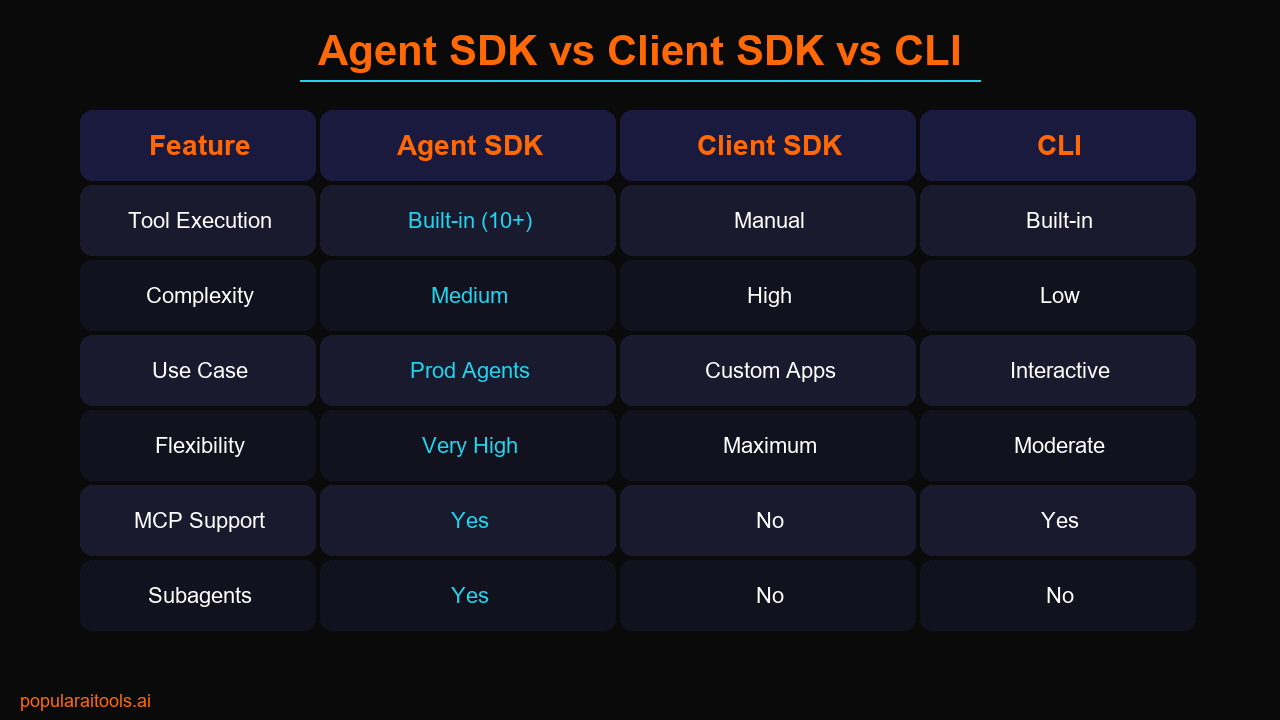
| Feature | Agent SDK | Client SDK | Claude Code CLI |
|---|---|---|---|
| Built-in Tools | 10+ (automatic) | None (DIY) | 10+ (automatic) |
| Use Case | Production agents | Custom apps | Interactive dev |
| Programmable | Yes (library) | Yes (library) | Limited (flags) |
| MCP Support | Yes | No | Yes |
| Subagents | Yes | No | No |
| Hooks | Yes | No | Yes |
| Complexity | Medium | High | Low |
When to use which:
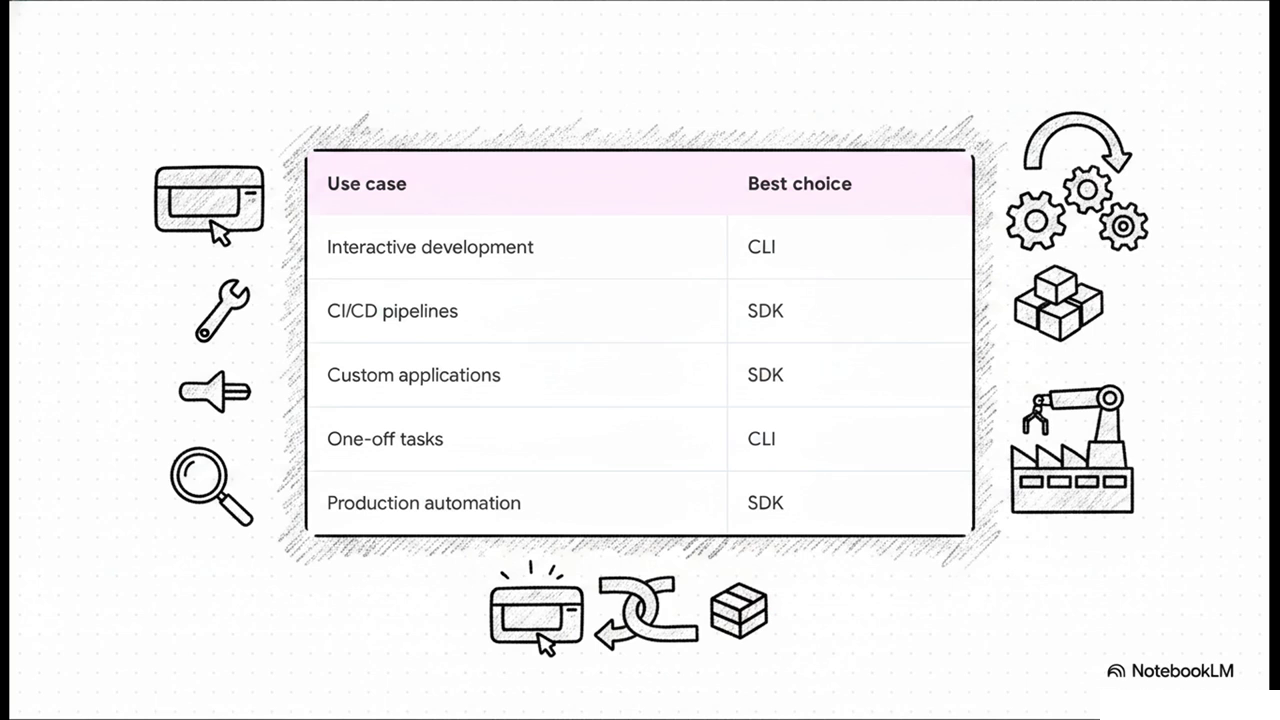
- Agent SDK — You are building an automated pipeline, CI/CD integration, or any system where an AI agent needs to work autonomously
- Client SDK — You need maximum control over every API call and want to build your own tool execution layer
- CLI — You are a developer working interactively, pair-programming with Claude in your terminal
Pricing: What It Actually Costs
The Agent SDK has a beautifully simple pricing model: the SDK is free, you pay for tokens.
| Component | Cost |
|---|---|
| SDK License | Free (open source) |
| Claude Sonnet 4.6 (input) | $3 / million tokens |
| Claude Sonnet 4.6 (output) | $15 / million tokens |
| Claude Opus 4.7 (input) | $15 / million tokens |
| Claude Opus 4.7 (output) | $75 / million tokens |
| Claude Haiku 4.5 (input) | $0.80 / million tokens |
In practice, a typical agent run that analyzes a medium codebase (reading 10-20 files, running a few commands, producing a report) costs between $0.05 and $0.50 depending on the model and context size. Haiku 4.5 is absurdly cheap for lightweight agents. Sonnet 4.6 is the sweet spot for most production use cases. Opus 4.7 is for complex multi-step reasoning where accuracy matters more than cost.
If you use Claude Code Routines to run agents on a schedule, the API costs are the same — there is no additional charge for the scheduling infrastructure if you are on a Pro or Max plan.
FAQ
What is the Claude Agent SDK?
The Claude Agent SDK is a free, open-source library from Anthropic that lets you use Claude Code as a library in your own Python or TypeScript applications. Instead of using Claude interactively in the CLI, you can programmatically build AI agents that read files, run commands, search the web, edit code, and orchestrate subagents — all autonomously.
Is the Claude Agent SDK free?
The SDK itself is completely free and open source. You only pay for the Claude API usage — the tokens your agents consume. There is no SDK license fee, no per-agent charge, and no usage cap from the SDK side.
What is the difference between the Agent SDK, Client SDK, and Claude Code CLI?
The CLI is the interactive terminal tool. The Client SDK gives you raw API access but requires you to build all tool execution yourself. The Agent SDK wraps Claude Code as a library — it includes 10+ built-in tools, MCP support, hooks, subagents, and session management out of the box.
Which Claude models work with the Agent SDK?
Claude Opus 4.7, Sonnet 4.6, and Haiku 4.5. It also works with AWS Bedrock, Google Vertex AI, and Azure — any provider that serves Claude models.
Can the Claude Agent SDK use MCP servers?
Yes. The SDK has full MCP support. You can connect any MCP server — databases, APIs, file systems, cloud services — and your agent will use those tools alongside the built-in ones.
What can I build with the Claude Agent SDK?
Autonomous coding agents, CI/CD review bots, data analysis pipelines, content generation systems, automated testing agents, DevOps automation, research assistants, and any workflow where an AI agent needs to read files, execute commands, or interact with external services.
Watch & Listen: Claude Agent SDK Deep Dive
Get the full breakdown in video or podcast format.
Claude Agent SDK vs Alternatives: Feature Comparison
| Feature | Claude Agent SDK | Claude Code CLI | Anthropic Client SDK | LangChain |
|---|---|---|---|---|
| Tool Execution | Built-in tool execution; Claude handles the tool loop automatically | Built-in; executes tools directly in the terminal | Manual; user must implement the tool loop and execution logic | Inferred: Abstraction layers for tool calling and agent loops |
| Complexity | Intermediate (SDK integration) | Low (Ready-to-use CLI) | High (Manual implementation of API responses/logic) | Inferred: Intermediate to High |
| Use Case | Production automation, CI/CD pipelines, custom applications | Interactive development, one-off tasks, daily development | Direct API access, fine-grained control over prompt flow | General LLM application development, multi-model workflows |
| MCP Support | Full support (Connect to external systems like databases, browsers) | Built-in (Shares capabilities with Agent SDK) | Not mentioned (Manual implementation required) | Inferred: Supported via community integrations |
| Language Support | Python, TypeScript | Command Line Interface (CLI) | Standard Anthropic Client languages (e.g., Python, TypeScript) | Inferred: Python, JavaScript/TypeScript |
Test Your Knowledge: Claude Agent SDK Flashcards
Click any card to reveal the answer.
Core Concepts
Tools & Features
Advanced Patterns
Video Explainer Slides
Key frames from the Claude Agent SDK video explainer.
AI Agent Development Framework Guide
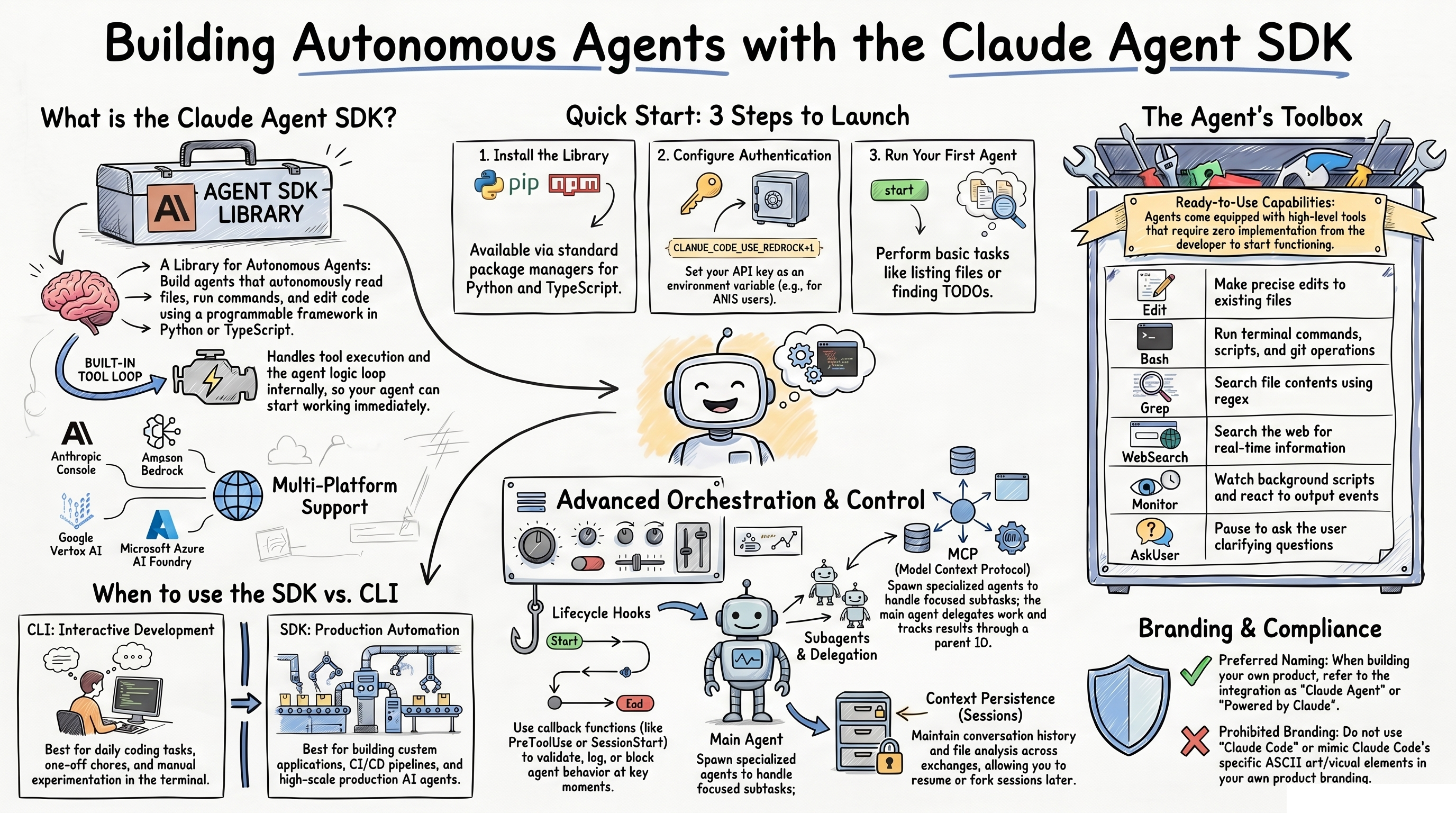
What to Build Next
The Claude Agent SDK opens up a category of software that was previously impossible to build without massive infrastructure investment. Here are some high-impact projects to start with:
- PR Review Bot — Trigger an agent on every pull request that does security review, style checking, and performance analysis
- Codebase Documentation Agent — Point it at your repo and generate comprehensive docs, API references, and architecture diagrams
- Automated Test Writer — An agent that reads your code and writes unit tests, integration tests, and edge case tests
- Monitoring and Incident Response — An agent that watches logs, detects anomalies, and creates incident reports with root cause analysis
- Content Pipeline — An agent that researches topics, writes drafts, generates images, and publishes to your CMS
The SDK documentation at docs.anthropic.com has full API references, and the GitHub repository has example agents to study. The barrier to entry is the lowest it has ever been for building production AI agents. The SDK is free. The tools are built in. The only limit is what you decide to build.
If you are exploring the broader AI coding tool landscape, check out our coverage of Claude Code, Cursor, Windsurf, and Claude Code Scheduled Tasks and Routines for the full picture of what is possible with AI-powered development in 2026.
Prefer Video or Audio?
Watch the full explainer or listen to the podcast version of this guide.
Recommended AI Tools
played.fm
Sell your music and keep 100%: played.fm is a direct-to-fan store + sync marketplace with 0% commission, no gatekeepers, and no bans — a strong fit for AI musicians.
View Review →OpenCode
The open-source AI coding agent: terminal-first TUI, 75+ model providers, LSP context, subagents, and privacy-first design. Free software, ~180K GitHub stars.
View Review →Exa
The neural web search API for AI agents: embeddings-based retrieval, cited highlights, sub-180ms latency, and an MCP server. 20,000 free requests/month.
View Review →Google Antigravity
Google's agent-first IDE: run a fleet of AI agents from a Manager surface, on Gemini 3 Pro, Claude Sonnet 4.5, or OpenAI models. Free in public preview.
View Review →