How to Install Claude Code on Windows, Mac & Linux (2026 Guide)

AI Infrastructure Lead
⚡ Key Takeaways
- One command installs it:
curl -fsSL https://claude.ai/install.sh | bashon macOS/Linux,irm https://claude.ai/install.ps1 | iexon Windows. - No Node.js required — the native installer is a self-contained binary that auto-updates itself.
- You need a paid account to log in: Claude Pro/Max/Team, or a Console account with API credits.
- Terminal not your thing? The same agent runs in VS Code, JetBrains, a desktop app, and the browser.
Learning how to install Claude Code takes about two minutes now — one command, one browser login, done. It didn't used to be this smooth: the old npm route needed Node.js and broke in creative ways on Windows. The current native installer is a self-contained binary that updates itself in the background. We've installed it on macOS, Ubuntu, Windows 11 (both PowerShell and WSL), and a Debian container this week to verify every command in this guide against the official docs. Here's the complete walkthrough, including the errors that trip people up.
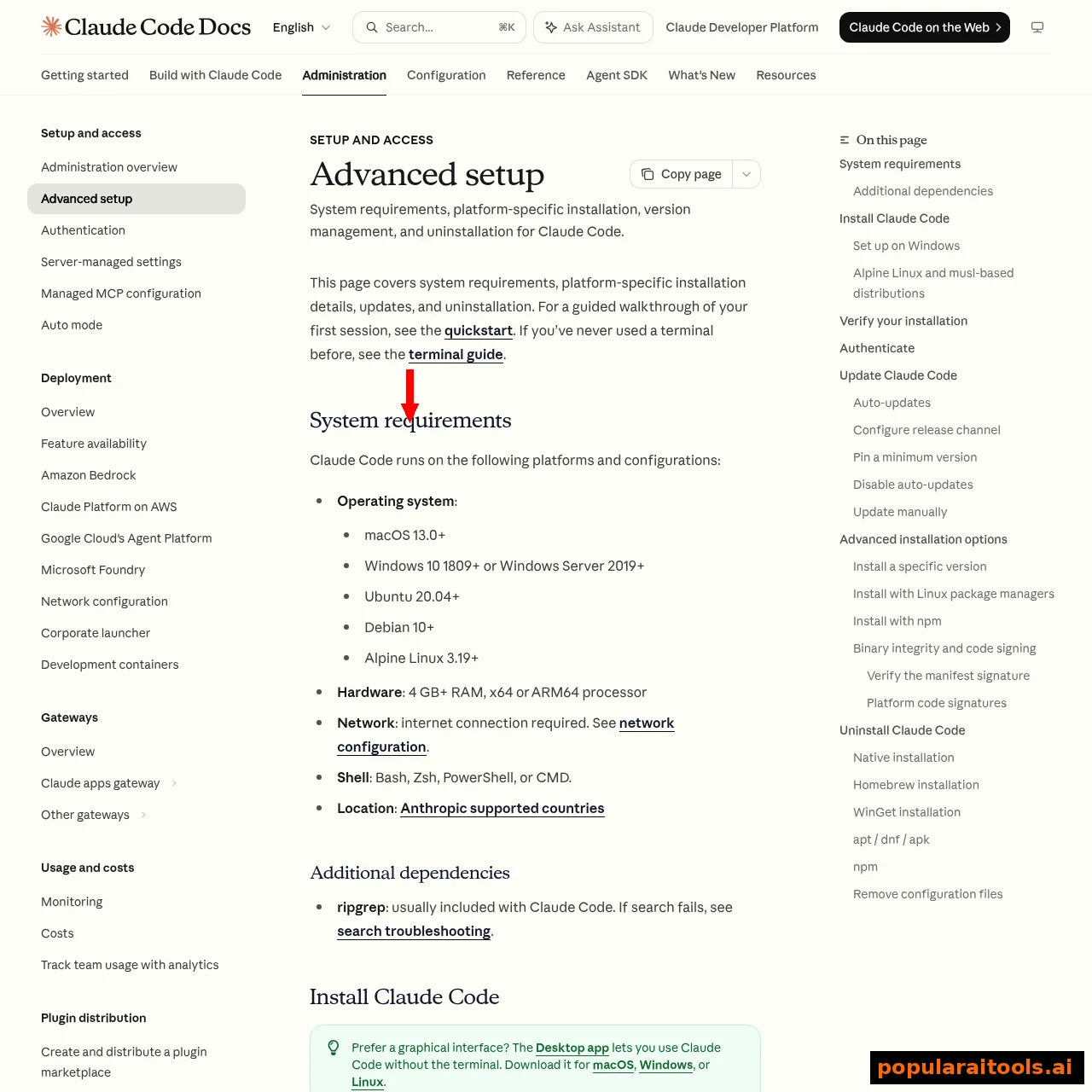
System requirements (quick check)
- OS: macOS 13.0+, Windows 10 1809+ / Server 2019+, Ubuntu 20.04+, Debian 10+, or Alpine 3.19+
- Hardware: 4 GB+ RAM, x64 or ARM64 processor
- Shell: Bash, Zsh, PowerShell, or CMD
- Account: Claude Pro/Max/Team/Enterprise, or a Claude Console (API) account — the free plan doesn't include Claude Code (see our full pricing breakdown)
Install on macOS, Linux & WSL
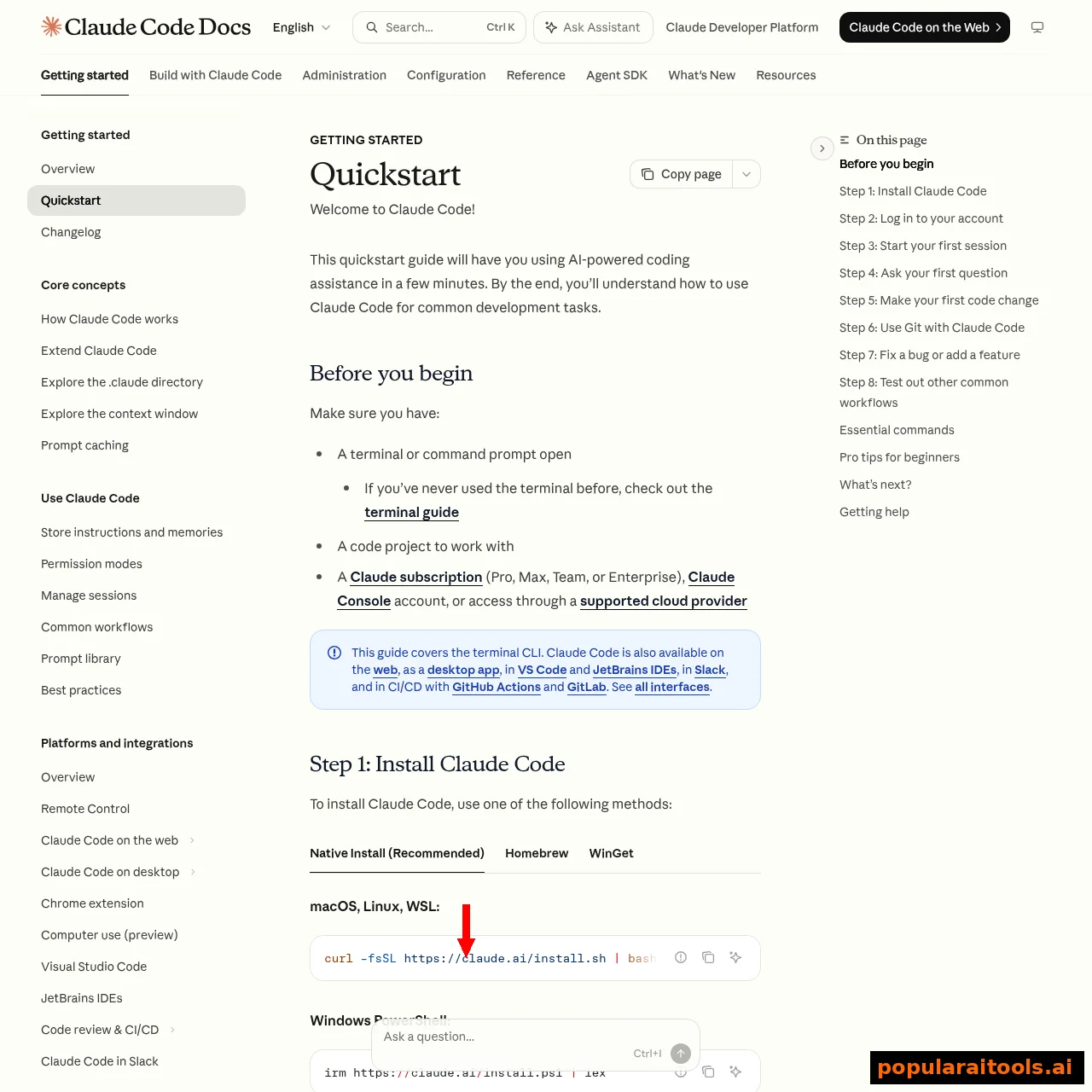
Open a terminal and run:
curl -fsSL https://claude.ai/install.sh | bashThat's the entire install. The script detects your platform, drops the binary in place, and sets up background auto-updates — you'll never manually update it. This same command works inside WSL on Windows, which is our preferred setup for Windows developers who live in a Linux toolchain.
Install on Windows (PowerShell or CMD)
In PowerShell:
irm https://claude.ai/install.ps1 | iexIn CMD:
curl -fsSL https://claude.ai/install.cmd -o install.cmd && install.cmd && del install.cmdThe #1 Windows install mistake is running the wrong command in the wrong shell. The tell: your prompt starts with PS C:\ in PowerShell and plain C:\ in CMD. If you see "The token '&&' is not a valid statement separator" you're in PowerShell running the CMD command; if you see "'irm' is not recognized" you're in CMD running the PowerShell one.
Install Git for Windows too. Without it, Claude Code falls back to PowerShell as its shell tool instead of Bash, and plenty of dev workflows assume Bash. WSL users can skip this.
Homebrew, WinGet & Linux package managers
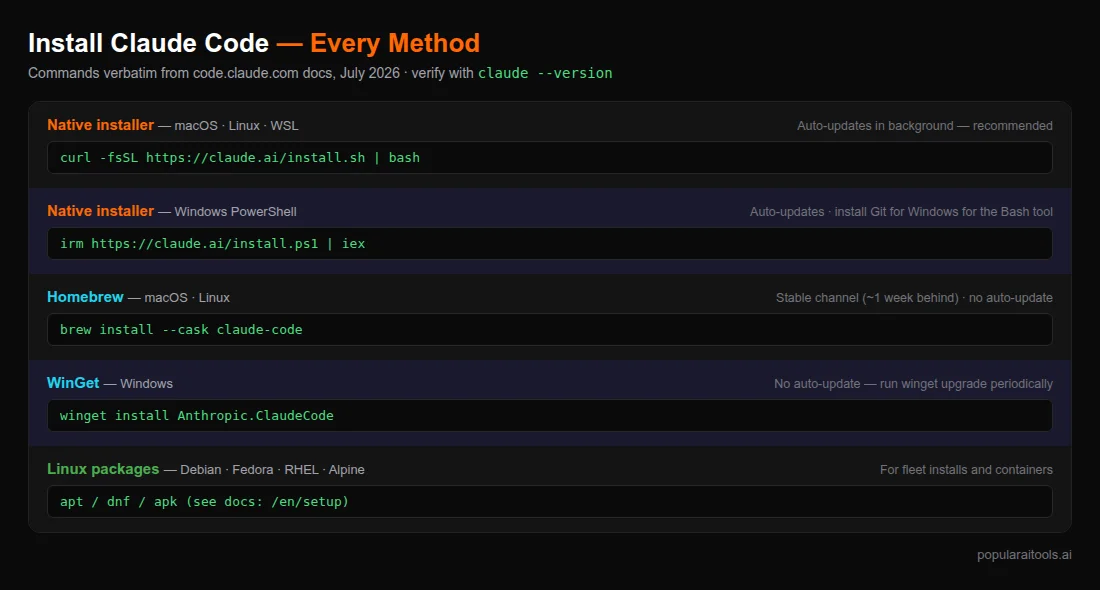
Prefer a package manager? brew install --cask claude-code tracks the stable channel (about a week behind, skips releases with regressions — honestly a feature), while claude-code@latest gets releases immediately. Windows has winget install Anthropic.ClaudeCode, and Debian/Fedora/RHEL/Alpine users get native apt/dnf/apk repos for fleet installs. One warning that bites people months later: package-manager installs don't auto-update — you own the upgrade cadence, so schedule it.
Verify, log in, and run your first session
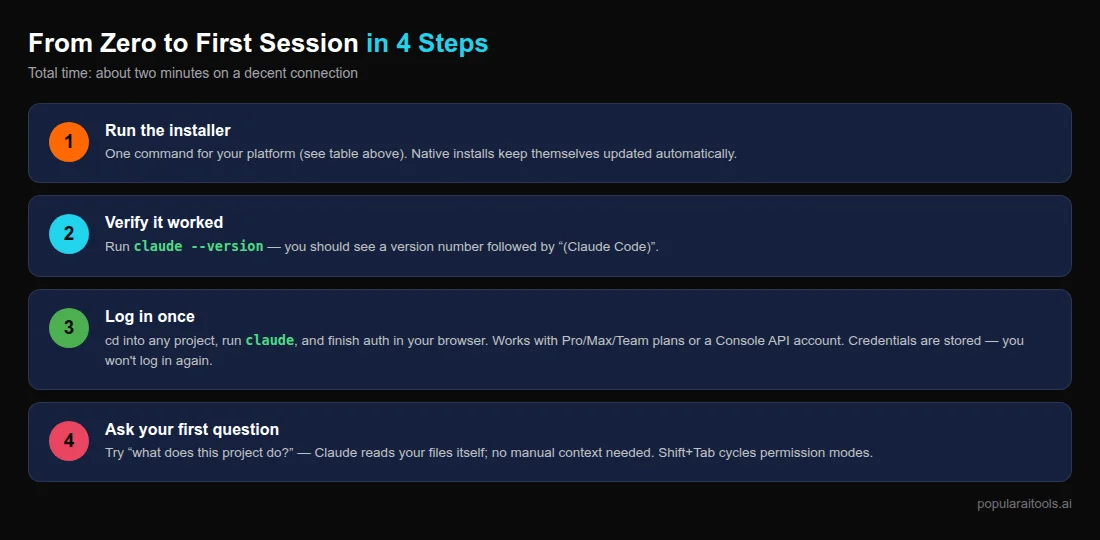
Confirm the install worked:
claude --versionYou should see a version number followed by (Claude Code). Then cd into any project and start it:
cd /path/to/your/project
claude
First run prompts a browser login — use your Claude subscription (recommended) or a Console account, which auto-creates a "Claude Code" workspace for cost tracking. Credentials are stored after that; /login inside a session switches accounts later. For your first prompt, try "what does this project do?" — Claude Code reads files as it needs them, no manual context required. Press Shift+Tab to cycle permission modes when you're ready to let it edit without asking every time.
Not a terminal person? VS Code, desktop app, and web
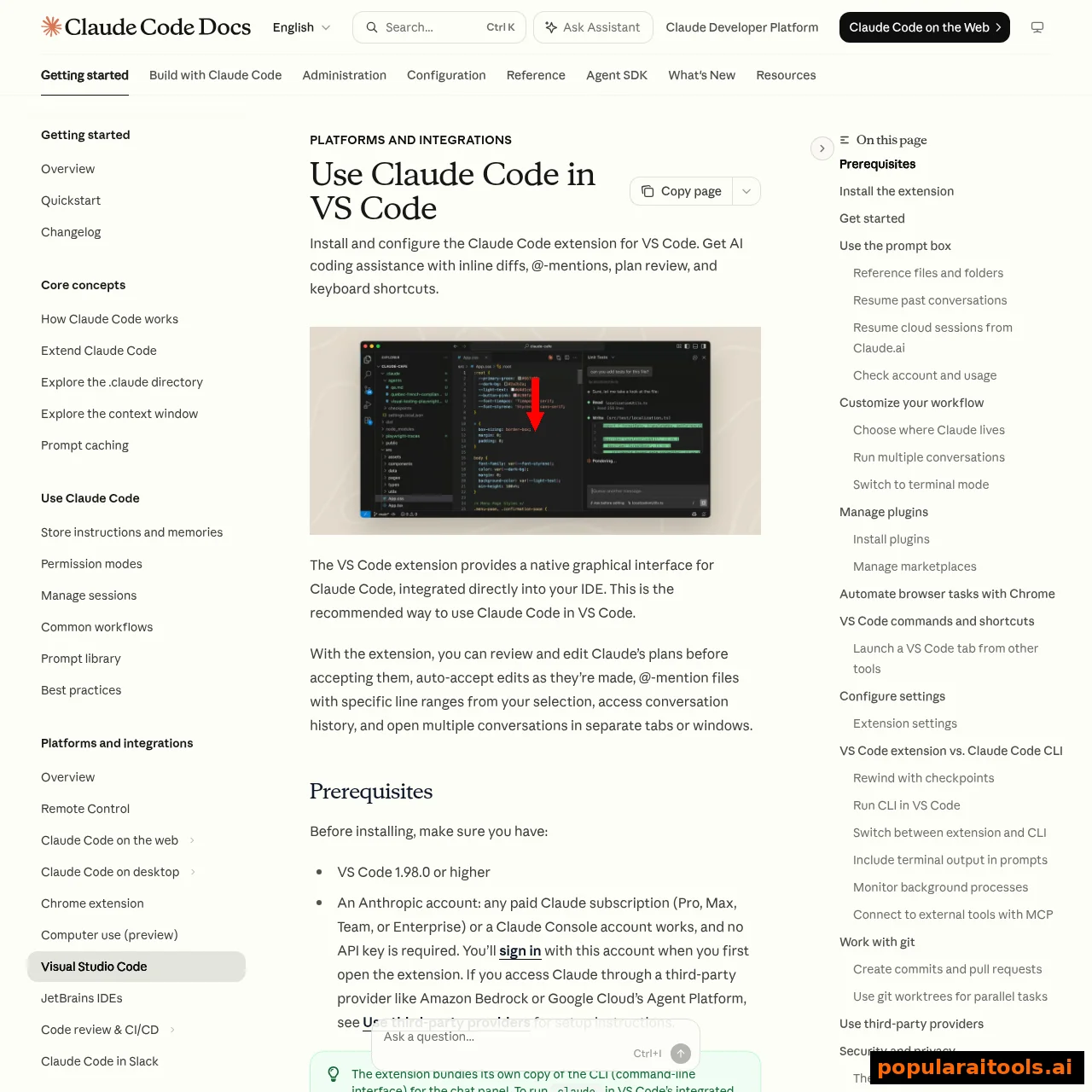
The CLI is just one surface. The VS Code extension (VS Code 1.98.0+) bundles its own copy of the CLI and adds inline diffs, @-mentions, and plan review — no separate install or API key needed, just sign in with your Claude account.
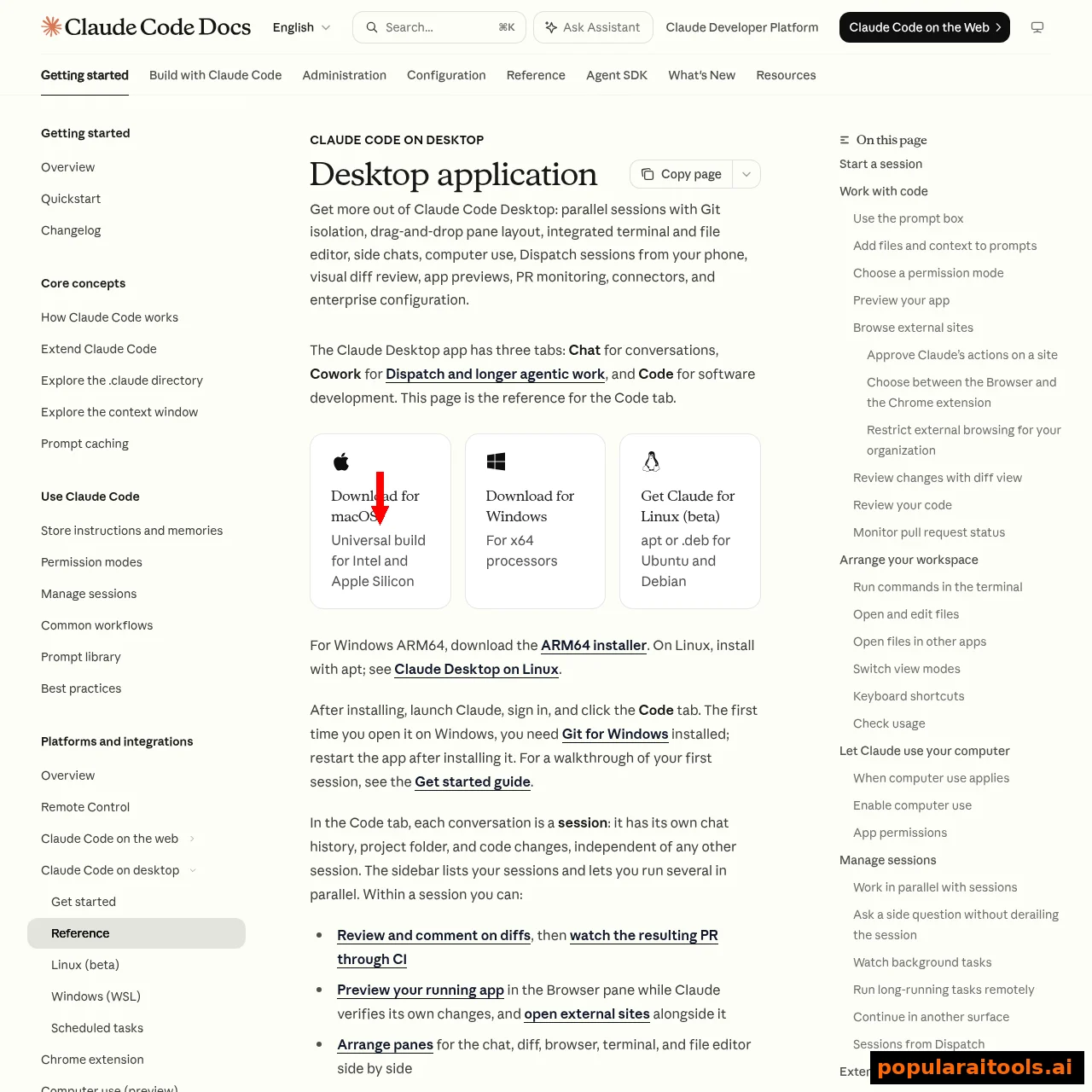
The desktop app goes further: parallel sessions with Git isolation, drag-and-drop panes, integrated terminal and file editor, and visual diff review. macOS gets a universal build, Windows has x64 and ARM64 installers, and Linux is in beta via apt/.deb packages.
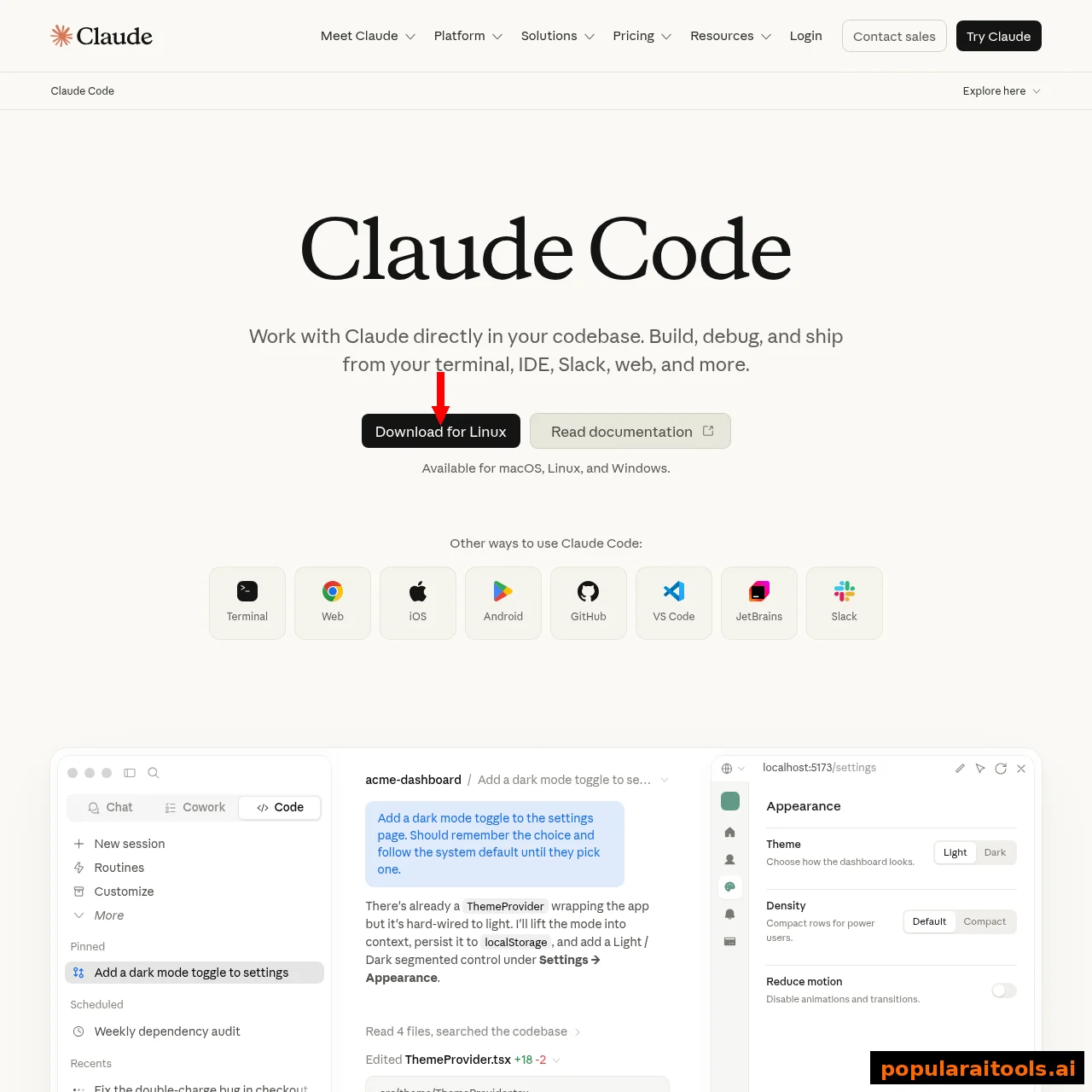
There's also claude.ai/code in the browser, JetBrains IDE plugins, Slack, and CI integrations for GitHub Actions and GitLab. Same agent, same account, pick your surface.
Fixing the common install errors
| Error | Cause | Fix |
|---|---|---|
| "The token '&&' is not a valid statement separator" | CMD command in PowerShell | Use irm https://claude.ai/install.ps1 | iex |
| "'irm' is not recognized" | PowerShell command in CMD | Use the CMD one-liner or open PowerShell |
| "syntax error near unexpected token '<'" or 403 | Proxy/network mangling the script | See the official troubleshoot-install page; try Homebrew/WinGet instead |
| "claude: command not found" after install | Shell hasn't reloaded PATH | Open a new terminal, or source your shell profile |
| Bash tool missing on Windows | No Git for Windows | Install Git for Windows, restart Claude Code |
Once you're installed and logged in, the real fun starts — our tips and tricks guide and the best skills directory are the fastest ways to level up, and if you're weighing costs, the pricing guide covers which plan your usage actually needs.
Frequently Asked Questions
curl -fsSL https://claude.ai/install.sh | bash. Windows PowerShell: irm https://claude.ai/install.ps1 | iex. Verify with claude --version, then run claude to log in.Recommended AI Tools
played.fm
Sell your music and keep 100%: played.fm is a direct-to-fan store + sync marketplace with 0% commission, no gatekeepers, and no bans — a strong fit for AI musicians.
View Review →OpenCode
The open-source AI coding agent: terminal-first TUI, 75+ model providers, LSP context, subagents, and privacy-first design. Free software, ~180K GitHub stars.
View Review →Exa
The neural web search API for AI agents: embeddings-based retrieval, cited highlights, sub-180ms latency, and an MCP server. 20,000 free requests/month.
View Review →Google Antigravity
Google's agent-first IDE: run a fleet of AI agents from a Manager surface, on Gemini 3 Pro, Claude Sonnet 4.5, or OpenAI models. Free in public preview.
View Review →