Littlebird AI Review 2026: Screen-Aware AI Assistant That Watches You Work

Head of AI Research
TL;DR — Littlebird AI Review
Littlebird AI is a screen-aware assistant that silently watches your active screen, builds a memory of your work, and uses that context to answer questions, transcribe meetings, and draft content. It is free, privacy-certified (SOC 2, GDPR, CCPA), and genuinely useful — but macOS-only, early-stage, and the always-on screen monitoring will not sit well with everyone.
Table of Contents
What is Littlebird AI?
Littlebird AI is a screen-aware artificial intelligence assistant that runs silently in the background on your Mac, monitoring whatever is on your active screen — documents, emails, browser tabs, Slack conversations, code editors, design tools — and building a secure, searchable memory of your work patterns. Launched in March 2026 to 674 upvotes on Product Hunt and a perfect 5-star rating from early adopters, Littlebird represents a new category of AI tool: one that understands your work not because you told it to, but because it watched you do it.
Unlike chatbots that start every conversation from zero, Littlebird carries context forward. Ask it "What did Sarah say about the Q2 budget in yesterday's meeting?" and it pulls the answer from a transcription you never had to start. Ask it to draft a follow-up email and it already knows the project history, the stakeholders, and the tone you use. The pitch is compelling: an AI that knows your work as well as you do.
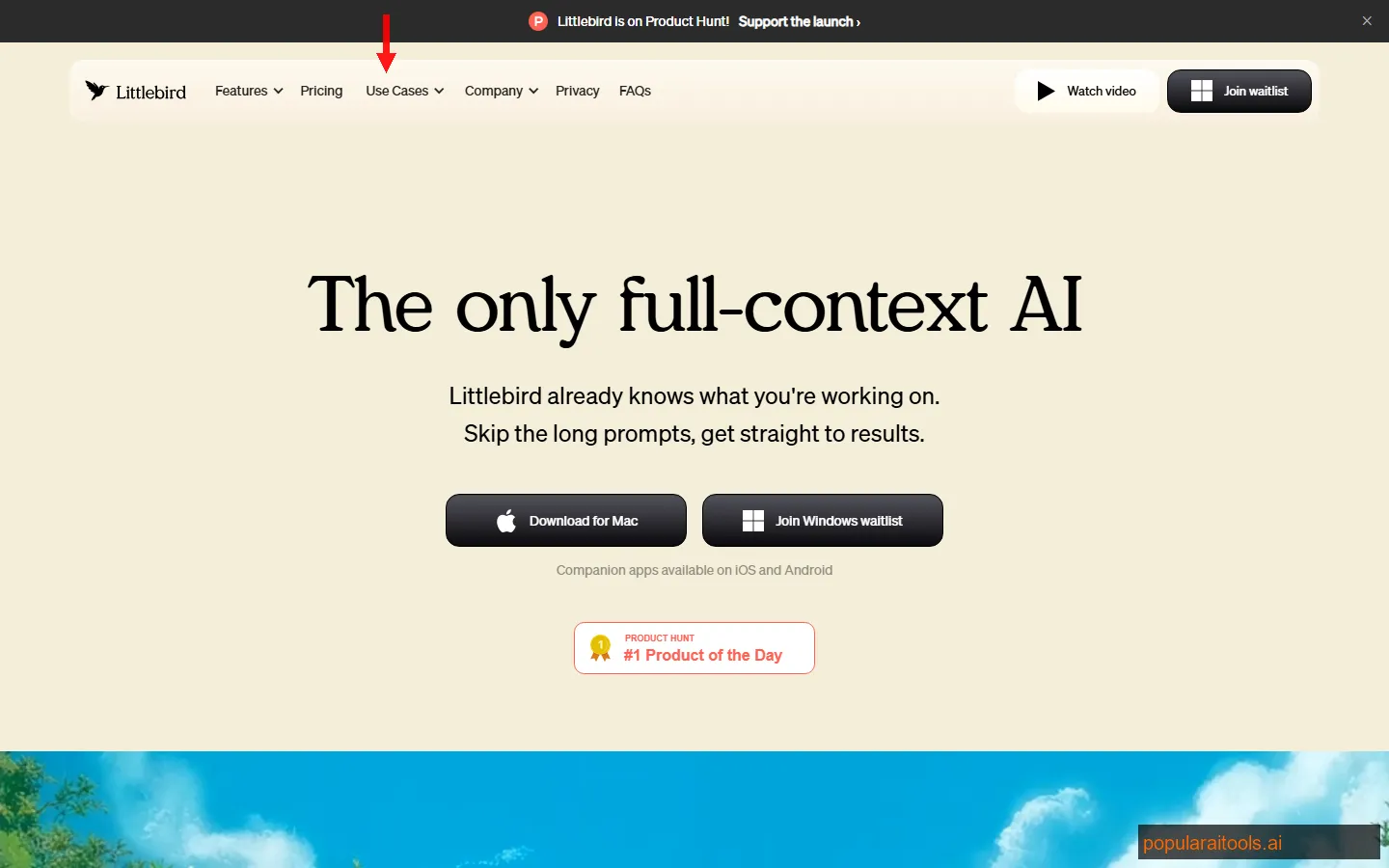
The tool is currently available exclusively on macOS, with a Windows version on the waitlist and iOS/Android companion apps planned. It is entirely free — no paid tiers, no credit limits, no feature gates. That pricing alone makes it worth testing, though the always-on screen monitoring is a legitimate concern we will address in detail below.
Key Features
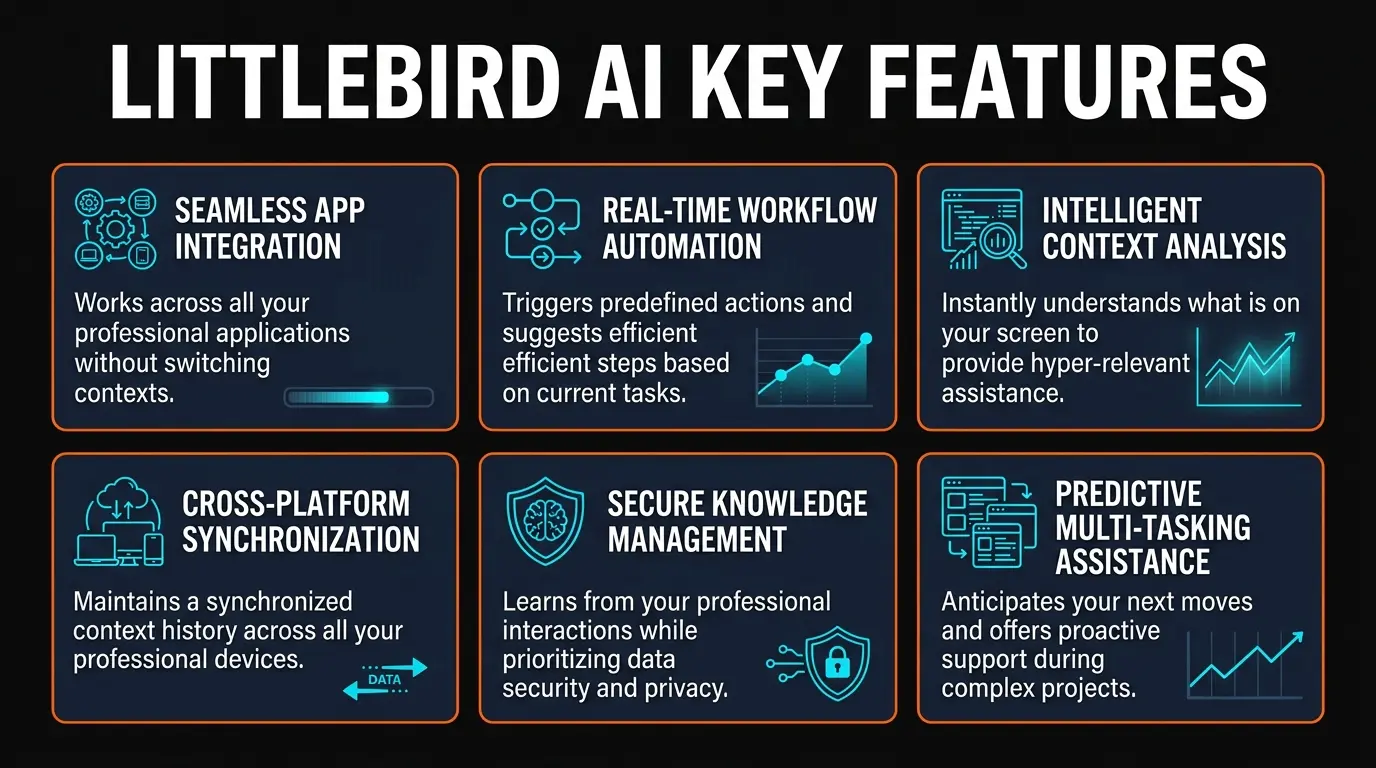
Littlebird AI bundles several capabilities that, individually, you might find in separate tools — but the integration through a shared screen-context layer is what makes the package distinctive. Here are the core features that define the experience.
Screen-Aware Context Engine
Passively monitors your active screen content in real time. Builds a persistent memory of documents, conversations, code, and web pages you work with — without requiring any manual input or tagging.
Chat with Work Context
Ask questions about anything you have worked on — across any app. Littlebird retrieves relevant context from its memory to provide answers grounded in your actual work history, not generic web results.
Automatic Meeting Transcription
Detects Zoom, Google Meet, Teams, and other meeting apps automatically. Transcribes conversations in real time and generates post-meeting summaries with action items — no bot invitations or manual recording required.
Routines (Proactive Insights)
Schedule recurring questions or summaries. Configure topics like "Summarize my unfinished tasks" or "What decisions were made today?" and Littlebird delivers answers on schedule — like cron jobs for your work knowledge.
Content Creation from Context
Draft emails, documents, project plans, and status updates that reference your actual work. Because Littlebird has seen what you have been working on, it can produce drafts that are specific and relevant rather than generic.
Privacy Controls
Minimized windows are excluded from monitoring. Private/incognito browser tabs are ignored. SOC 2 Type II certified, GDPR and CCPA compliant. Data is encrypted in transit and at rest. You can pause monitoring at any time.
How Littlebird AI Works
The setup process is minimal, and the tool is designed to deliver value passively — you install it, grant screen recording permissions, and let it run. Here is how the workflow unfolds in practice.
Step 1: Install and Grant Permissions
Download the macOS app from littlebird.ai and install it. On first launch, you will need to grant Screen Recording and Accessibility permissions in System Settings. This is the same permission level that tools like Loom, CleanShot, and Rewind require. The app sits in your menu bar and starts monitoring immediately.
Step 2: Work Normally
This is the key differentiator: there is no workflow change. You continue working in your usual apps — VS Code, Chrome, Figma, Slack, Google Docs, Notion, whatever. Littlebird processes the active screen content in the background, extracting text and building contextual associations. It does not record video or capture keystrokes. It reads what is visible on your active display.
Step 3: Chat with Your Work
Open the Littlebird chat (via menu bar or keyboard shortcut) and ask questions. The magic here is context retrieval — when you ask "What was the API rate limit Jake mentioned in the engineering channel?", Littlebird searches its memory of your Slack conversations and returns the specific answer. No manual notes required. The responses are grounded in what you actually saw on screen, not hallucinated from general training data.
Step 4: Let Meetings Transcribe Themselves
When you join a Zoom, Google Meet, or Teams call, Littlebird detects the meeting automatically and begins transcribing. There is no bot to invite, no recording to start. After the meeting ends, you get a summary with key decisions, action items, and a full transcript. For teams that live in meetings, this alone could justify installing the app.
Step 5: Configure Routines
Routines are the proactive layer. You set up scheduled queries — "Every Friday at 4pm, summarize the key decisions made this week" or "Every morning at 9am, list my unfinished tasks from yesterday." Littlebird runs these against your accumulated context and delivers the results as notifications. It turns passive screen awareness into active productivity intelligence.
Pricing
As of March 2026, Littlebird AI is completely free. There is a single pricing tier with no restrictions.
Littlebird AI
No paid tiers announced
- ✓ Screen-aware context engine
- ✓ Unlimited chat queries
- ✓ Meeting transcription + summaries
- ✓ Routines (proactive insights)
- ✓ Content creation from context
- ✓ SOC 2, GDPR, CCPA compliant
The free pricing is a strong acquisition play, but it raises a legitimate question: how does Littlebird plan to make money? The company has not disclosed future pricing. If you are evaluating this tool for a team, be aware that pricing could change. The standard playbook for VC-funded productivity tools is to launch free, build a user base, and introduce paid tiers once the product matures. That said, you lose nothing by trying it now.
Our take: Free is always the right price for a v1 product. But if Littlebird becomes central to your workflow, have a backup plan for the day they introduce paid plans. Lock-in risk is real with tools that hold your work memory.
Privacy and Security — The Elephant in the Room
Let us address this directly: Littlebird AI monitors everything on your active screen. That is a significant ask, regardless of the compliance certifications attached to it.
The company has invested in trust signals. SOC 2 Type II certification means an independent auditor has verified their security controls. GDPR and CCPA compliance means they have data deletion and access request processes in place. Data is encrypted both in transit and at rest. These are real, meaningful certifications — not marketing checkboxes.
That said, the privacy concerns are structural, not just procedural:
- Screen content is inherently sensitive. Your screen shows passwords (briefly), private messages, financial data, medical information, confidential business documents, and personal browsing. Even with minimized-window exclusion and private-tab filtering, the surface area of captured data is enormous.
- No per-app exclusion (yet). As of this review, you cannot tell Littlebird to ignore specific applications. You can pause monitoring entirely, but there is no granular control to exclude, say, your banking app or your medical portal while keeping everything else monitored.
- Data residency is unclear. The company does not specify where your screen context data is stored geographically or whether you can choose a data region. For European users, this matters.
- Corporate IT teams will have concerns. If you work at a company with a security team, expect pushback. Granting a third-party app continuous screen recording access is a hard sell, even with SOC 2 certification.
Our recommendation: if you are a solo founder, freelancer, or individual contributor who controls your own machine, the risk-reward calculation is favorable — especially at a free price point. If you are evaluating this for an enterprise team, you will need to involve your security and legal teams, and the current lack of granular app-level exclusions may be a dealbreaker.
Pros and Cons
Strengths
- ✓ Completely free. No hidden costs, no usage limits, no feature gates. You get the full product at zero dollars — an unbeatable entry point for any productivity tool.
- ✓ Zero workflow disruption. No tagging, no clipping, no manual note-taking. Install it and forget it — the context accumulates automatically as you work.
- ✓ Meeting transcription is seamless. Automatic detection, no bot invitations, real-time transcription with post-meeting summaries and action items. This feature alone rivals dedicated meeting tools.
- ✓ Routines are genuinely novel. Proactive, scheduled insights based on your work context. No other tool in this space offers this — it bridges the gap between reactive chat and proactive assistant.
- ✓ Strong compliance posture. SOC 2 Type II, GDPR, and CCPA certification is above average for an early-stage AI product. Most competitors at this stage offer a privacy policy and little else.
- ✓ Content creation with real context. Drafting emails and documents that reference your actual work is significantly more useful than generic AI writing tools that require you to provide all the context manually.
Weaknesses
- ✗ macOS only. No Windows support, no Linux, no web version. If your team is mixed-platform, Littlebird cannot be a team-wide solution. The Windows waitlist has no announced timeline.
- ✗ Always-on screen monitoring is invasive. Even with privacy certifications, the idea of a third-party app continuously reading your screen content is uncomfortable. Not everyone will accept this tradeoff, and that is a reasonable position.
- ✗ No granular app exclusions. You cannot exclude specific apps from monitoring — it is all or nothing (with the exception of minimized windows and private tabs). Banking apps, healthcare portals, and personal messaging apps will all be monitored.
- ✗ Early-stage product. Launched March 2026 with only 6 reviews. The product will change rapidly, features may break or be removed, and the free pricing is almost certainly temporary. You are an early adopter, not a mature product user.
- ✗ Lock-in risk. Your work memory lives inside Littlebird. There is no documented export feature. If you stop using the tool — or if they shut down — that accumulated context is gone.
- ✗ Unknown business model. Free forever is not a business model. The lack of disclosed monetization plans creates uncertainty about the product's long-term viability and what you might eventually pay.
Littlebird AI vs Alternatives
Littlebird AI exists in a growing category of AI productivity assistants. Here is how it stacks up against the three most relevant competitors — each taking a different approach to the same core problem of giving AI access to your work context.
| Feature | Littlebird AI | Rewind AI | Notion AI | Microsoft Copilot |
|---|---|---|---|---|
| Approach | Screen context + memory | Full screen recording | Workspace documents | Office 365 graph |
| Pricing | Free | $19.95/mo | $10/mo add-on | $30/user/mo |
| Meeting Transcription | ✓ Automatic | ✓ Via recording | ✗ Not built-in | ✓ Teams only |
| Proactive Insights | ✓ Routines | ✗ | ✗ | Partial (Viva) |
| Cross-App Context | ✓ Any screen app | ✓ Any screen app | ✗ Notion only | Office 365 only |
| Platform | macOS only | macOS only | Web, desktop, mobile | Windows, web, mobile |
| Best For | Context-aware productivity | Total screen recall | Writing + knowledge base | Enterprise Microsoft shops |
Littlebird AI vs Rewind AI
Rewind AI is the closest competitor. Both monitor your screen, both are macOS-only, and both aim to give AI access to your full work history. The difference is in approach: Rewind records and compresses everything for full replay — you can literally rewind your screen to any moment. Littlebird focuses on extracting actionable context rather than providing visual replay. Littlebird also adds meeting transcription and Routines, which Rewind lacks natively. However, Rewind is more mature, has a larger user base, and charges $19.95/month — so you are paying for stability and a proven track record. Littlebird is free but unproven.
Littlebird AI vs Notion AI
Notion AI takes a fundamentally different approach: it only knows about content inside your Notion workspace. There is no screen monitoring, no cross-app context. The advantage is that Notion AI is deeply integrated with your documents, databases, and wikis — it can search, summarize, and generate content within that ecosystem extremely well. The $10/month add-on price is reasonable. If your work already lives primarily in Notion, Notion AI is the safer, more focused choice. If you work across many apps and need cross-application context, Littlebird fills a gap that Notion AI cannot.
Littlebird AI vs Microsoft Copilot
Microsoft Copilot is the enterprise heavyweight. At $30/user/month, it integrates with the entire Microsoft 365 suite — Word, Excel, PowerPoint, Outlook, Teams — and uses the Microsoft Graph to understand your organizational data. It has meeting transcription (Teams only), email drafting, and document generation. For organizations already invested in Microsoft 365, Copilot is the natural choice. Littlebird cannot compete on enterprise features, integrations, or organizational context. But Littlebird sees your entire screen — including non-Microsoft apps — which gives it broader context for individual users who work across diverse toolsets.
Final Verdict
Littlebird AI is one of the most ambitious AI productivity tools to launch in 2026. The core idea — an AI that understands your work because it watched you do it — is powerful, and the execution is impressive for a v1 product. The meeting transcription is seamless, the Routines feature is genuinely novel, and the free pricing removes all friction from trying it.
But the always-on screen monitoring is a real concern that cannot be dismissed with compliance certifications alone. The macOS exclusivity limits its audience. The lack of granular privacy controls (per-app exclusions) is a notable gap. And the unknown business model means you are building a dependency on a tool whose future pricing is undisclosed.
We are giving Littlebird AI a 4.3 out of 5. The product delivers real value, the feature set is cohesive and well-integrated, and the price is unbeatable. The deductions come from platform limitations, privacy concerns, and early-stage risk. If you are a Mac user who works across many apps and wants an AI that actually understands your context, Littlebird is absolutely worth trying — just go in with eyes open about what you are sharing.
Who should use Littlebird AI:
- Solo founders and freelancers who need a memory layer across their tools
- Knowledge workers drowning in meetings who want automatic transcription
- Anyone who wants proactive daily/weekly summaries of their work
- Mac users who work across 5+ applications daily
Who should look elsewhere:
- Windows or Linux users (no support yet)
- Enterprise teams with strict security policies
- Anyone uncomfortable with continuous screen monitoring
- Users who primarily work within a single ecosystem (Notion AI or Copilot may be better fits)
Frequently Asked Questions
Build an AI Tool? Get It in Front of the Right Audience
PopularAiTools.ai reaches thousands of qualified AI buyers.
Submit Your AI Tool →Recommended AI Tools
played.fm
Sell your music and keep 100%: played.fm is a direct-to-fan store + sync marketplace with 0% commission, no gatekeepers, and no bans — a strong fit for AI musicians.
View Review →OpenCode
The open-source AI coding agent: terminal-first TUI, 75+ model providers, LSP context, subagents, and privacy-first design. Free software, ~180K GitHub stars.
View Review →Exa
The neural web search API for AI agents: embeddings-based retrieval, cited highlights, sub-180ms latency, and an MCP server. 20,000 free requests/month.
View Review →Google Antigravity
Google's agent-first IDE: run a fleet of AI agents from a Manager surface, on Gemini 3 Pro, Claude Sonnet 4.5, or OpenAI models. Free in public preview.
View Review →