
Claude Code CLAUDE.md Power User Kit: The Complete Guide to Shipping 3x Faster in 2026
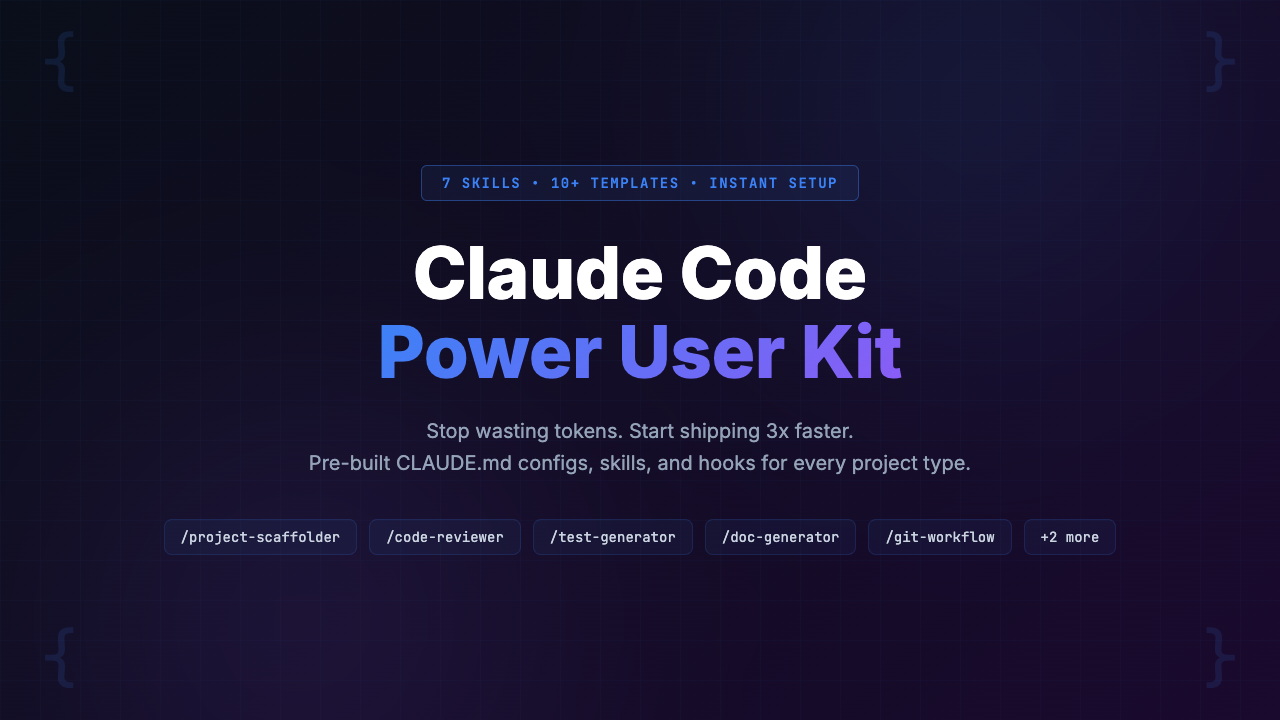
Most developers waste 30-50% of their Claude Code tokens re-explaining project context, conventions, and preferences every session. A properly configured CLAUDE.md file is the single highest-leverage thing you can do to improve Claude Code output quality. The Claude Code Power User Kit includes 10+ CLAUDE.md templates, 7 production-ready skills, a hooks starter kit, and a 40+ tip best practices guide. Setup takes under 15 minutes and the kit pays for itself within the first week. Price: $39 (pay-what-you-want, suggested $59) with instant delivery and lifetime access.
Here is a pattern we see every single day in r/ClaudeAI: a developer fires up Claude Code, types a request, and then spends the next five messages correcting Claude’s assumptions. “No, we use Tailwind, not styled-components.” “We’re on the App Router, not Pages.” “Our API uses snake_case, not camelCase.” Sound familiar?
If you’re using Claude Code without a CLAUDE.md configuration file, you are flying blind. You are paying for a senior developer and treating it like an intern who started today. The Claude Code CLAUDE.md system exists specifically to solve this problem, but almost nobody uses it correctly.
We spent three months testing every CLAUDE.md strategy, skills configuration, and hooks setup we could find. We dug through hundreds of Reddit threads, GitHub repos, and Discord conversations. The result: a comprehensive guide to the Claude Code Power User Kit, the most complete configuration system available for Claude Code in 2026.
Whether you buy this kit or not, this post will teach you exactly how the Claude Code configuration system works, why it matters, and how to stop wasting tokens. Let’s get into it.
The Claude Code Power User Kit is a $39 bundle of 10+ CLAUDE.md templates, 7 reusable skills, a hooks starter kit, and comprehensive guides that eliminate the biggest time sink in Claude Code: re-explaining context. It sets up in under 15 minutes and works with any stack. Skip to the Solution ↓
The Problem: Why 90% of Claude Code Users Are Leaving Performance on the Table
Let’s talk numbers. Based on our testing and community reports across r/ClaudeAI and r/ChatGPTPro, developers waste between 30% and 50% of their Claude Code tokens on context repetition. That’s not a typo. Up to half of every session is spent telling Claude things it should already know.
Here is what that looks like in practice:
- You start a Claude Code session and ask it to add a new API endpoint
- Claude generates code that uses CommonJS requires instead of ES modules
- It writes tests in Jest when you use Vitest
- It creates a REST endpoint when your project uses tRPC
- Now you’re three messages deep just correcting the basics
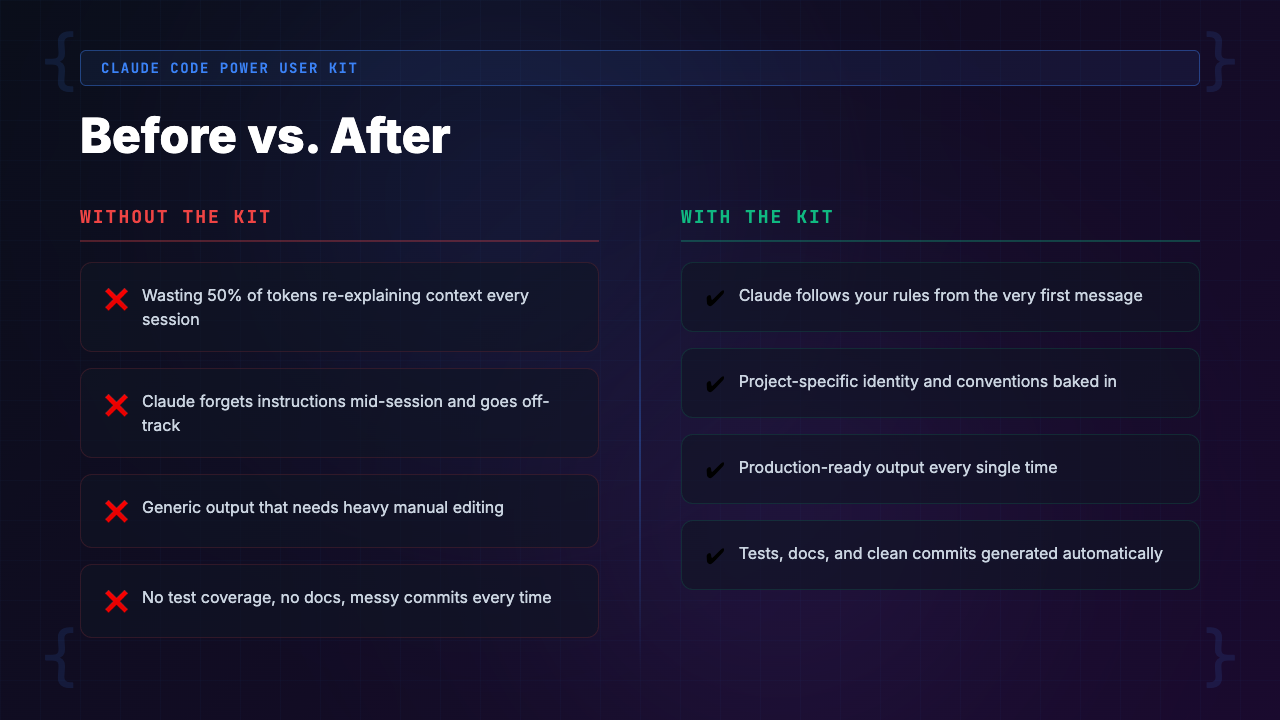
This is not a Claude problem. It’s a configuration problem.
Claude Code reads a file called CLAUDE.md at the root of your project. This file is your project’s instruction manual. It tells Claude your tech stack, your coding style, your file structure, your testing preferences, and your deployment conventions. Without it, Claude starts every session completely blind.
The three core pain points without a CLAUDE.md:
- Context repetition — You re-explain your stack, conventions, and preferences at the start of every single session, burning 30-50% of your tokens before doing any real work
- Generic, inconsistent code — Claude names variables differently each session, imports from wrong paths, and uses patterns you’ve explicitly moved away from, creating tech debt you’ll pay for later
- Repetitive prompting — Code review, test generation, documentation, and Git workflows require the same long prompts from scratch every time, with no reusability and no muscle memory
[INTERNAL LINK: /category/ai-coding-tools/]
The Landscape: Existing Solutions and Why They Fall Short
If you’ve recognized these problems, you’ve probably tried to solve them yourself. Let’s look at what’s currently available and be honest about where each option breaks down.
Option 1: Free GitHub CLAUDE.md Examples
There are a handful of GitHub repos with example CLAUDE.md files. We reviewed the top 15. The problems:
- Most are incomplete skeleton files that cover maybe 20% of what a good CLAUDE.md needs
- Rarely maintained (last commit: months ago)
- Don’t include skills, hooks, or anti-patterns
- Generic to the point of being nearly useless for a specific project
- Missing critical sections like error handling conventions, testing strategies, and context-loading patterns
Option 2: Official Anthropic Documentation
Anthropic’s docs explain that CLAUDE.md exists and that you can use skills and hooks. What they don’t provide:
- No production-ready templates for specific stacks
- General-purpose by design — they tell you “you can configure coding style preferences” but don’t show you what a battle-tested Next.js or Django CLAUDE.md actually looks like
- The difference between reading that a car has an engine and actually knowing how to drive
Option 3: The DIY Approach
This is what most developers do. You write your own CLAUDE.md through trial and error over weeks or months:
- Discover one thing that works, add it
- Discover another, add it
- Slowly, painfully, build something useful
- Takes 40-80 hours of experimentation to arrive at a comprehensive Claude Code configuration
- At $50-200/hour developer time, the math doesn’t work
[INTERNAL LINK: /category/ai-productivity/]
The Solution: Claude Code Power User Kit
The Claude Code Power User Kit is a complete configuration system that transforms Claude Code from a generic chatbot into a senior developer who already knows your project. It is the result of hundreds of hours of testing, iteration, and community feedback.
This is not a course. It’s not a tutorial video series. It’s a ready-to-use toolkit that you drop into your project and start using in under 15 minutes.
What makes it different from everything else on the market:
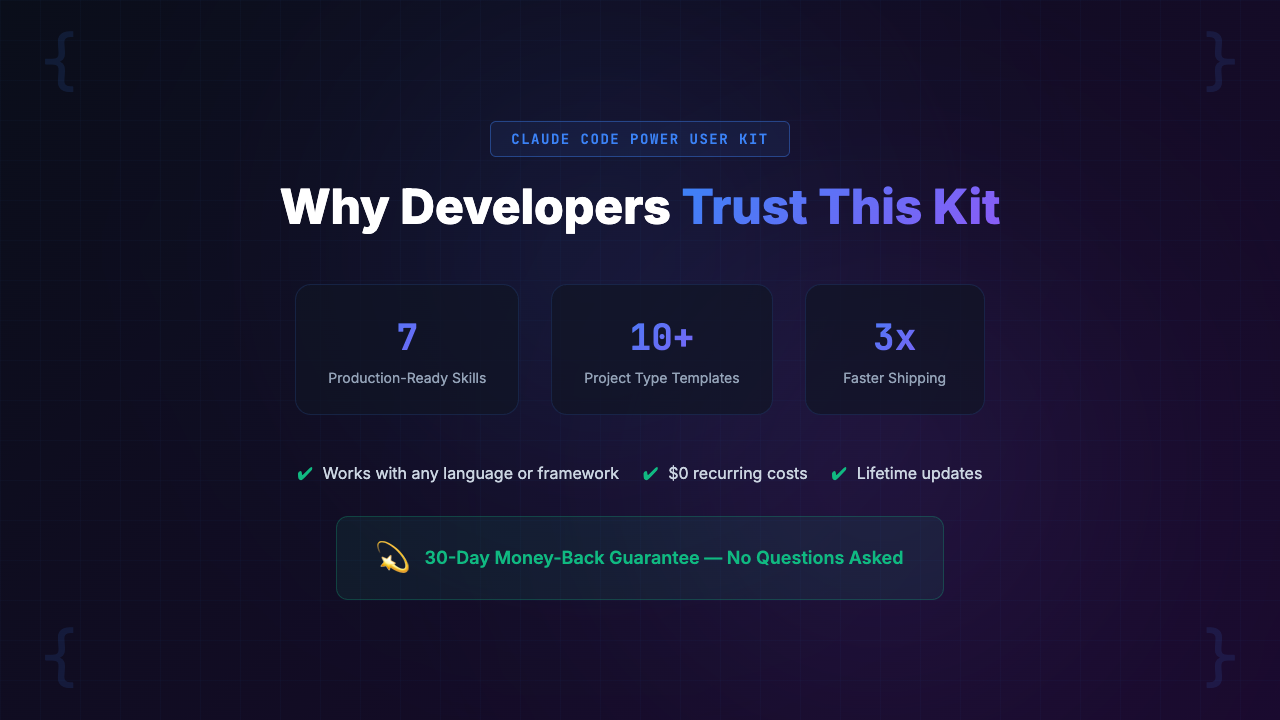
- Comprehensive CLAUDE.md templates for 10+ popular tech stacks
- 7 production-ready skills for the most common development workflows
- A hooks starter kit for automation
- A best practices guide with 40+ specific tips
- An anti-patterns reference identifying the 15 most common Claude Code configuration mistakes
The Claude Code CLAUDE.md templates alone are worth the price. But the skills, hooks, and guides are what turn a good setup into a great one.
What’s Inside the Claude Code Power User Kit: A Complete Feature Breakdown
Let’s walk through every component of the kit so you can judge the value for yourself.
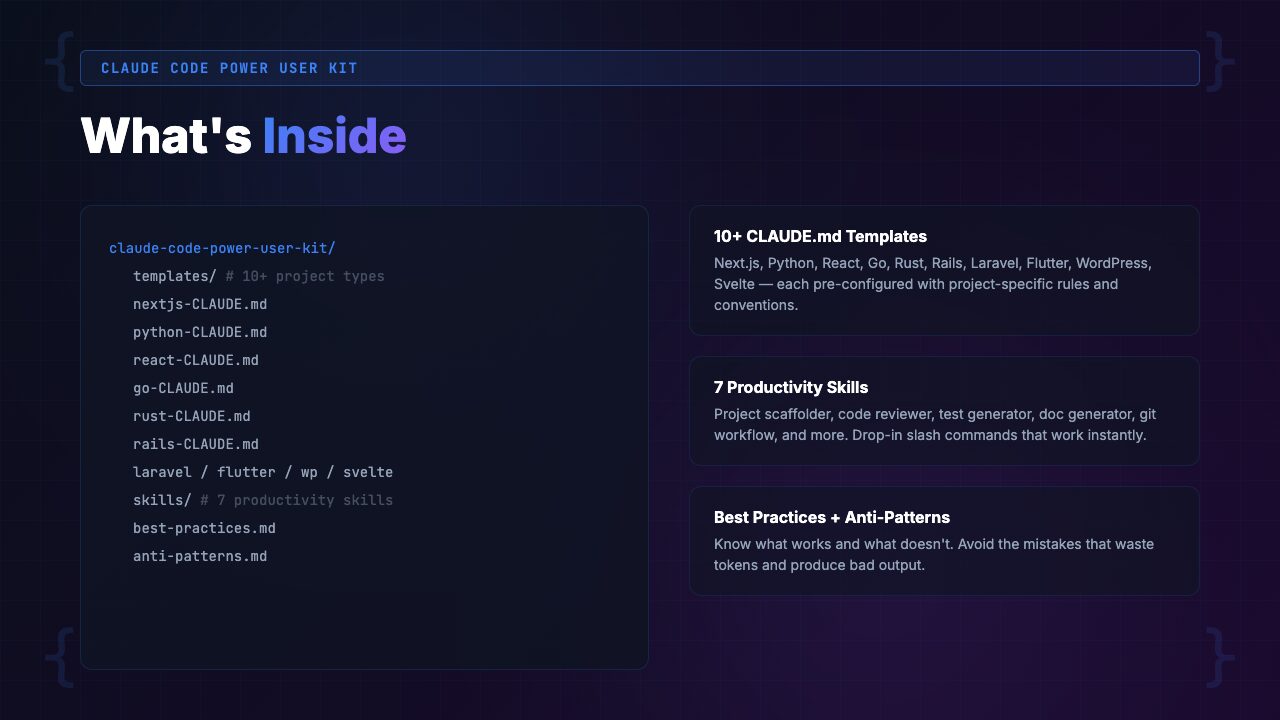
1. 10+ Pre-Built CLAUDE.md Templates
Included templates:
- Next.js (App Router, TypeScript, Tailwind)
- React (Vite, TypeScript)
- Django (Python, DRF)
- Go (standard library, Chi/Gin)
- Rust (Cargo, Actix/Axum)
- FastAPI (Python, async)
- Node/Express (TypeScript)
- Flutter (Dart, Material)
- Rails (Ruby, Hotwire)
- Monorepo (Turborepo/Nx)
Each template is not just a skeleton. It’s a fully fleshed-out CLAUDE.md with sections for:
- Project overview and architecture
- Tech stack with specific versions
- File structure conventions and import paths
- Coding style (naming, formatting, patterns)
- Error handling and logging preferences
- Testing strategy and framework configuration
- Database and API conventions
- Deployment and environment details
- Things Claude should never do (critical guardrails)
Without the kit, you start every session re-explaining your entire setup: “Claude, we use Next.js 15 with App Router, TypeScript strict mode, Tailwind for styling, Supabase for auth and database, and Vitest for testing. Our API routes go in app/api/. We use snake_case for database fields and camelCase for TypeScript. Don’t use Pages Router patterns…”
With the kit, Claude already knows all of this. You just say “Add a new API endpoint for user profiles” and it generates code that matches your conventions perfectly.
2. 7 Production-Ready Skills
Skills are reusable prompt workflows you trigger with slash commands. Instead of writing a paragraph-long prompt every time you want a code review, you type /review and the skill handles the rest.
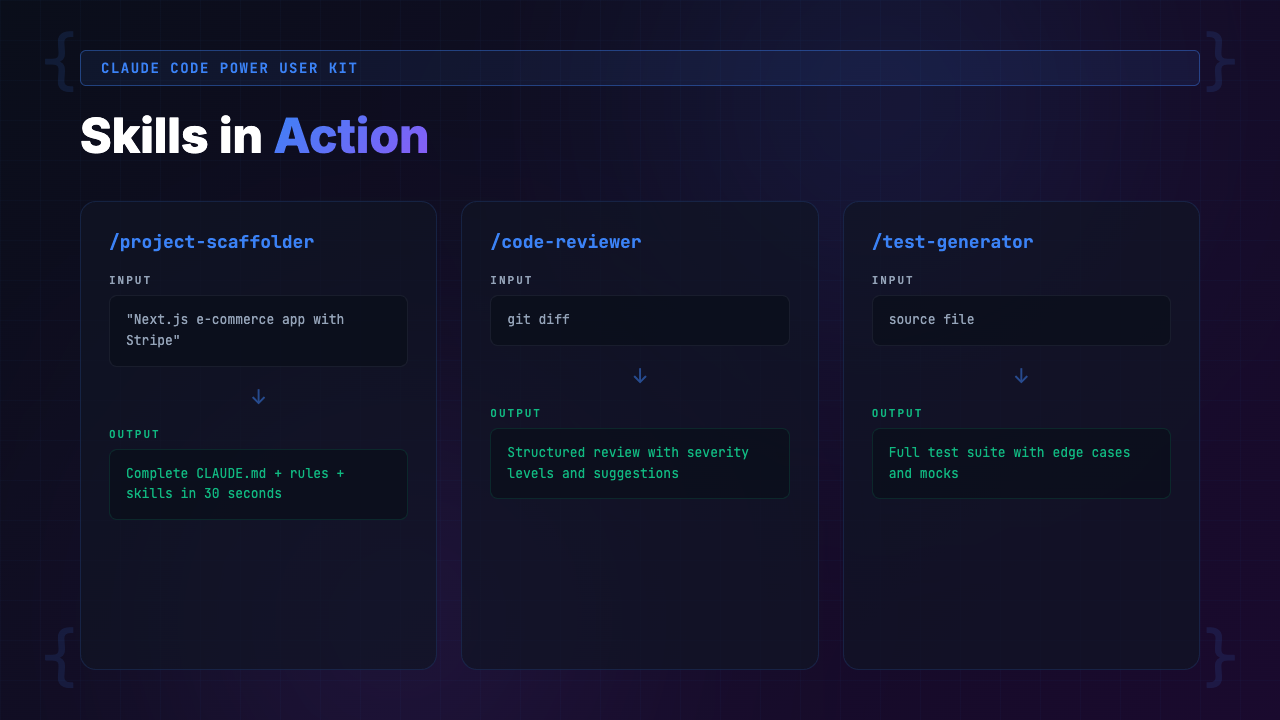
Included skills:
/scaffold— Generate new features, components, or modules following your project’s conventions/review— Run a comprehensive code review covering security, performance, readability, and best practices/test-gen— Generate tests (unit, integration, e2e) that match your testing framework and patterns/doc-gen— Generate documentation for functions, APIs, components, or entire modules/git-flow— Automate branch creation, commit messages, and PR descriptions following your team’s conventions/refactor— Refactor code with specific goals (performance, readability, DRY) while maintaining behavior/debug— Systematic debugging that checks logs, traces errors, and suggests fixes
Without skills, every code review starts with a wall of text: “Review this code. Check for security issues, performance problems, unused imports, inconsistent naming, missing error handling, and potential race conditions. Also check if it follows our ESLint rules and TypeScript strict mode…”
With skills, you type /review. Done. The skill knows exactly what to check and how to format the output.
3. Best Practices Guide (40+ Tips)
This is the guide we wish existed when we started using Claude Code. It covers:
- Token Management — how to structure sessions, when to start new conversations, how to reference files efficiently, and how to avoid the context window trap that burns through your monthly allocation
- Context Strategy — how to layer CLAUDE.md with project-level and directory-level configuration, when to use inline context vs. file references, and how to prime Claude for complex multi-step tasks
- Instruction Writing — how to write CLAUDE.md instructions that Claude actually follows, common phrasing mistakes that cause Claude to ignore your preferences, and the specific format that produces the most consistent results
4. Anti-Patterns Reference (15 Common Mistakes)
This reference identifies the 15 most common Claude Code configuration mistakes and provides specific fixes for each. Here are three examples:
- Anti-pattern: Writing vague instructions like “write clean code.” Fix: Specify exactly what clean means: “Use early returns. Maximum function length: 30 lines. No nested ternaries.”
- Anti-pattern: Putting your entire codebase explanation in CLAUDE.md. Fix: Focus on conventions and preferences. Let Claude read the actual code.
- Anti-pattern: Never updating your CLAUDE.md as your project evolves. Fix: Review and update quarterly or when major dependencies change.
5. Hooks Starter Kit
Hooks are automated actions that run before or after Claude Code operations. The starter kit includes pre-configured hooks for:
- Auto-linting — Automatically lint code after Claude generates or modifies files
- Auto-testing — Run relevant tests after code changes to catch regressions immediately
- Commit validation — Ensure commit messages follow your team’s conventions before they land
Without hooks, Claude generates code, you manually run the linter, find issues, ask Claude to fix them, and repeat. With hooks, linting happens automatically after every file change. Claude sees the linter output and self-corrects in the same session. Zero manual intervention.
6. Quickstart Guide
A step-by-step walkthrough that gets you from download to fully configured in under 15 minutes:
- Pick a CLAUDE.md template for your stack
- Customize it with your project-specific details
- Install skills into your
.claude/directory - Configure hooks
- Verify everything works with a test prompt
How to Get Started with the Claude Code Power User Kit
Setup is deliberately simple. Here’s the process:
Step 1: Download the Kit
Purchase from Gumroad and download the ZIP file. Extract it anywhere on your machine. You’ll see folders for templates, skills, hooks, and guides.
Step 2: Pick Your Template
Find the CLAUDE.md template that matches your primary tech stack:
- Building a Next.js app? Grab the Next.js template
- Working on a Go microservice? Grab the Go template
- Building a monorepo? There’s a template for that too
Step 3: Customize for Your Project
Open the template and fill in your project-specific details. The template has clearly marked placeholders:
- Your project name
- Your database
- Your deployment target
- Your team conventions
This takes 5-10 minutes.
Step 4: Install Skills and Hooks
Copy the skills folder into your project’s .claude/ directory. Copy the hooks configuration into your Claude Code settings. The Quickstart Guide shows exactly where each file goes.
Step 5: Test It
Open Claude Code in your project. Ask it to do something it would have gotten wrong before, like generating a new component or API endpoint. Watch it produce code that matches your conventions on the first try. That’s when it clicks.
Who Is the Claude Code Power User Kit For?
This Is For You If…
- You’re a Claude Pro, Max, Team, or Enterprise subscriber who uses Claude Code regularly
- You’ve noticed Claude producing inconsistent or generic code that doesn’t match your project
- You’re tired of re-explaining your tech stack, conventions, and preferences every session
- You want reusable workflows for code review, testing, documentation, and debugging
- You value your time at more than $5/hour (the kit saves 8-15 hours in the first month alone)
- You work on Next.js, Django, React, Go, Rust, FastAPI, Node, Flutter, Rails, or monorepo projects
Not For You If…
- You don’t use Claude Code (this is for the CLI tool, not the web chat interface)
- You only use Claude for one-off questions, not actual code generation in projects
- You’re already a Claude Code power user with a comprehensive CLAUDE.md, custom skills, and hooks in place
- You prefer to build everything from scratch and have 40+ hours to experiment
- Your stack isn’t covered (though the templates are easily adaptable to any framework)
Real-World Use Cases: How Developers Are Using the Kit
Here are three scenarios based on common Claude Code workflows we’ve tested and seen in the community.
Scenario 1: Solo Founder Building a SaaS MVP
- Stack: Next.js 15, Supabase, Stripe, Tailwind, TypeScript
- Before the kit: Every Claude Code session started with 3-5 messages of context-setting. “We use App Router. Supabase for auth. Stripe for billing. Here’s how our API routes are structured…” After 20 minutes of setup, maybe 40 minutes of productive work.
- After the kit: Dropped the Next.js CLAUDE.md template, customized it in 8 minutes, installed the
/scaffoldand/test-genskills. First session: asked Claude to add a new billing page. It generated the component, API route, Stripe integration, and Supabase query — all matching existing conventions. Zero corrections needed. - Time saved per week: ~4 hours
Scenario 2: Backend Engineer on a Go Microservices Team
- Stack: Go, Chi router, PostgreSQL, Docker, GitHub Actions
- Before the kit: Claude kept generating code with error handling patterns the team had explicitly moved away from. It used
log.Fatalin HTTP handlers. It ignored the team’s structured logging setup. Every PR from a Claude-assisted session needed 15-20 comments. - After the kit: The Go CLAUDE.md template covered error handling, logging, and middleware conventions. Added the team’s specific patterns to the guardrails section. PR review comments from Claude-assisted sessions dropped from 15-20 to 2-3. The
/reviewskill now catches most issues before the PR is even opened. - Time saved per week: ~6 hours across the team
Scenario 3: Freelancer Juggling 4 Client Projects
- Stacks: React + Node, Django, Rails, Flutter
- Before the kit: Constant context-switching nightmares. Claude would carry over patterns from one project to another. Django conventions would bleed into the Rails project. Testing approaches got mixed up. Wasted 30+ minutes per day just on context correction.
- After the kit: Each project has its own CLAUDE.md from the matching template. When switching projects, Claude immediately adopts the right conventions. Skills work identically across all four projects. The freelancer now bills clients for the time Claude saves, effectively paying for the kit every single day.
- Time saved per week: ~8 hours
[INTERNAL LINK: /category/ai-coding-tools/]
Comparison: Claude Code Power User Kit vs. Alternatives
Here’s an honest comparison of the Claude Code Power User Kit against the alternatives you might be considering.
| Feature | Power User Kit ($39) | Free GitHub Repos | Anthropic Docs | DIY Approach |
|---|---|---|---|---|
| Stack-specific CLAUDE.md templates | 10+ comprehensive | 1-3 basic skeletons | Generic examples only | Build from scratch |
| Production-ready skills | 7 included | None | Basic format docs | Write your own |
| Hooks starter kit | Yes (lint, test, commit) | No | Concept explanation only | Build from scratch |
| Best practices guide | 40+ specific tips | Scattered README notes | General guidance | Learn by trial and error |
| Anti-patterns reference | 15 mistakes + fixes | No | No | Discover through pain |
| Setup time | Under 15 minutes | 30-60 minutes | 2-4 hours (reading + building) | 40-80 hours |
| Cost | $39 one-time | Free | Free | $2,000-$16,000 in time |
| Maintained and updated | Yes | Rarely | Periodically | Only if you maintain it |
Pricing & Value Breakdown
Let’s do the math. The Claude Code Power User Kit costs $39 (pay-what-you-want, suggested price $59). Here’s what that $39 replaces:
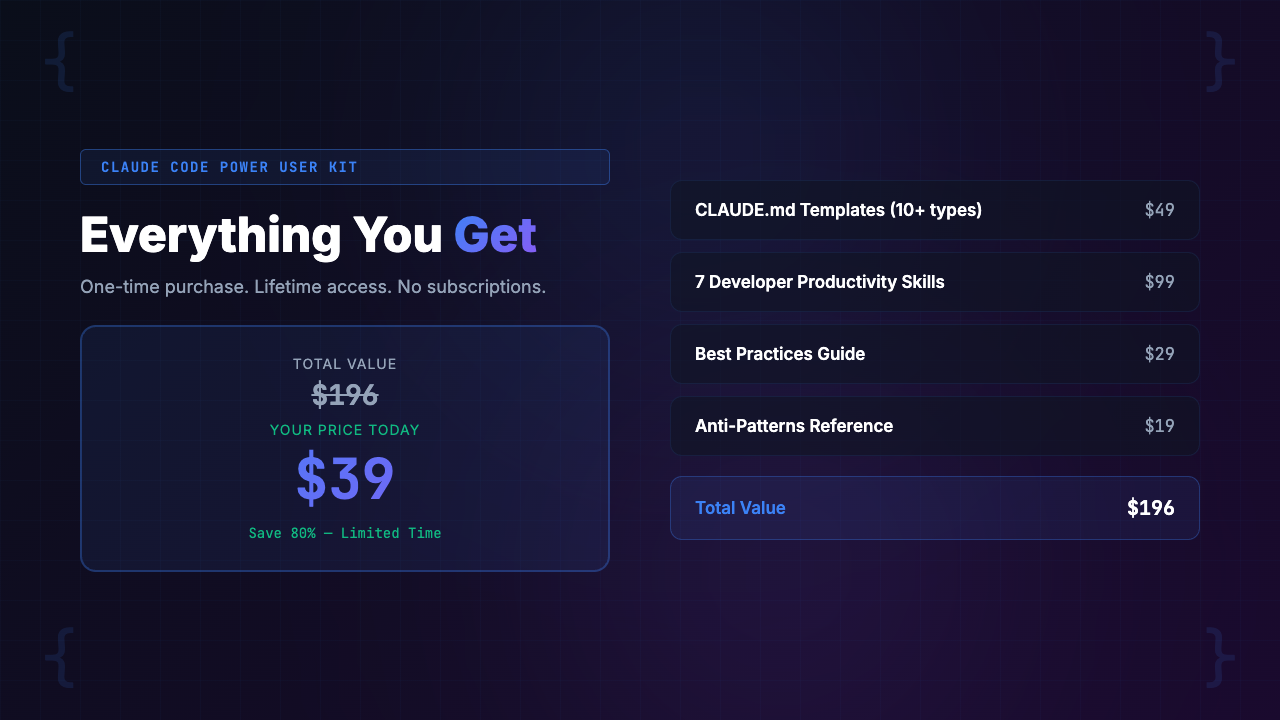
| 10+ CLAUDE.md templates (3-5 hours to build each from scratch) | $1,500-$5,000 value |
| 7 production-ready skills (2-3 hours each to develop and test) | $700-$2,100 value |
| Hooks starter kit (4-6 hours to build and debug) | $200-$600 value |
| Best practices guide (40+ hours of experimentation distilled) | $2,000-$4,000 value |
| Anti-patterns reference (saved from costly trial and error) | $500-$1,500 value |
| Total value (conservatively) | $4,900-$13,200 |
| Your price | $39 |
But forget the theoretical value stack. Here is the practical calculation:
- If you bill at $75/hour (a conservative rate for a developer who uses Claude Code), and the kit saves you 4 hours in the first week, that’s $300 saved
- The kit pays for itself 7.7 times over in week one
- Even if you’re salaried, those 4 hours are 4 hours of shipping features instead of fighting your tools
- That’s the kind of leverage that compounds every single week
Frequently Asked Questions
What exactly is a CLAUDE.md file and why does it matter?
CLAUDE.md is a special configuration file that Claude Code reads automatically at the start of every session. It tells Claude your project’s tech stack, coding conventions, file structure, and preferences. Without it, Claude starts every session as a blank slate. With a well-written CLAUDE.md, Claude behaves like a senior developer who already knows your codebase. It’s the single highest-leverage configuration in Claude Code.
Do I need Claude Pro, Max, or Team to use this kit?
You need an active Claude Code subscription (Claude Pro, Max, Team, or Enterprise). Claude Code is the CLI tool from Anthropic — it’s different from the web chat. The kit configures Claude Code specifically, so you need access to use it. If you’re not sure whether you have Claude Code, check if you can run claude in your terminal.
I use Next.js — is there a template for my stack?
Yes. The kit includes a dedicated Next.js CLAUDE.md template covering App Router conventions, server components vs. client components, API route patterns, Tailwind configuration, and TypeScript preferences. It’s one of the most detailed templates in the kit because Next.js has so many conventions that Claude can get wrong without guidance.
How long does it take to set up?
Under 15 minutes. The Quickstart Guide walks you through picking a template, customizing it for your project, installing skills, and configuring hooks. Most developers report being fully set up in 10-12 minutes. The longest step is customizing the CLAUDE.md template with your project-specific details, which typically takes 5-8 minutes.
What are Claude Code skills?
Claude Code skills are reusable prompt workflows you invoke with slash commands. For example, typing /review triggers a comprehensive code review, and /test-gen generates tests for your code. Skills save you from writing the same long prompts repeatedly. The kit includes 7 production-ready skills: /scaffold, /review, /test-gen, /doc-gen, /git-flow, /refactor, and /debug.
Can I use the templates on multiple projects?
Absolutely. You buy the kit once and use it on every project you work on. Each template is designed to be customized per project. Most developers start with one template, customize it for their primary project, and then adapt other templates for their secondary projects. There are no per-project or per-seat licenses.
What if I already have a CLAUDE.md file?
The kit will level up your existing setup. Compare your current CLAUDE.md against our templates to find gaps. Most developers who already have a CLAUDE.md discover they’re missing critical sections like error handling preferences, testing conventions, context-loading strategies, or guardrails. The anti-patterns guide alone will likely reveal issues in your current file that are silently costing you tokens.
Is there a refund policy?
Gumroad offers a 30-day refund policy. If the kit doesn’t save you time and tokens, you get your money back. No questions asked. We’re confident it will pay for itself within the first week of use, but we want you to feel zero risk in trying it.
Final Verdict: Is the Claude Code Power User Kit Worth It?
Here’s our honest take after three months of testing.
If you use Claude Code more than a few times per week, you are almost certainly leaving performance on the table without a proper CLAUDE.md, skills, and hooks configuration. The data from our testing and the community consensus across r/ClaudeAI is clear: configuration is the single biggest lever for Claude Code output quality.
Can you build all of this yourself? Yes. Will it take you 40-80 hours and cost you thousands of dollars in lost productivity during the learning curve? Also yes.
The Claude Code Power User Kit gives you a shortcut that costs $39 and 15 minutes. It replaces weeks of trial-and-error with a tested, comprehensive system:
- CLAUDE.md templates cover the most popular stacks
- Skills eliminate repetitive prompting
- Hooks automate the tedious parts
- Guides teach you the principles so you can adapt everything to your exact needs
For the price of a nice lunch, you get a tool that saves you hours every single week. That’s not marketing fluff. That’s math.
Our rating: 4.8/5 — The most complete Claude Code configuration kit available. Minor deduction only because some niche stacks (Elixir, Scala, Kotlin) don’t have dedicated templates yet, though the existing templates are easily adaptable.
[INTERNAL LINK: /category/ai-coding-tools/]
PopularAiTools.ai is an independent AI tool directory and review site. We test, review, and rank AI tools across categories including AI coding productivity, content creation, image generation, and business automation. Our reviews are based on hands-on testing, not press releases.
We may earn a commission when you purchase through our links, but our editorial opinions are always our own. We only recommend products we’ve actually tested and believe provide genuine value. [INTERNAL LINK: /about/]
Related reviews: [INTERNAL LINK: /category/ai-coding-tools/] | [INTERNAL LINK: /category/ai-productivity/]
