
OpenClaw E-Commerce Operator Review: 10 AI Skills to Recover Carts, Predict Churn, and Scale Your Online Store (2026 Guide)
We tested the OpenClaw E-Commerce Operator across Shopify, WooCommerce, and DTC brand configurations to find out whether 10 AI skills can actually put a dent in the 70% cart abandonment rate, predict which customers are about to churn, and handle the operational bottlenecks that keep store owners working 60-hour weeks. Here is every result.
Key Takeaways
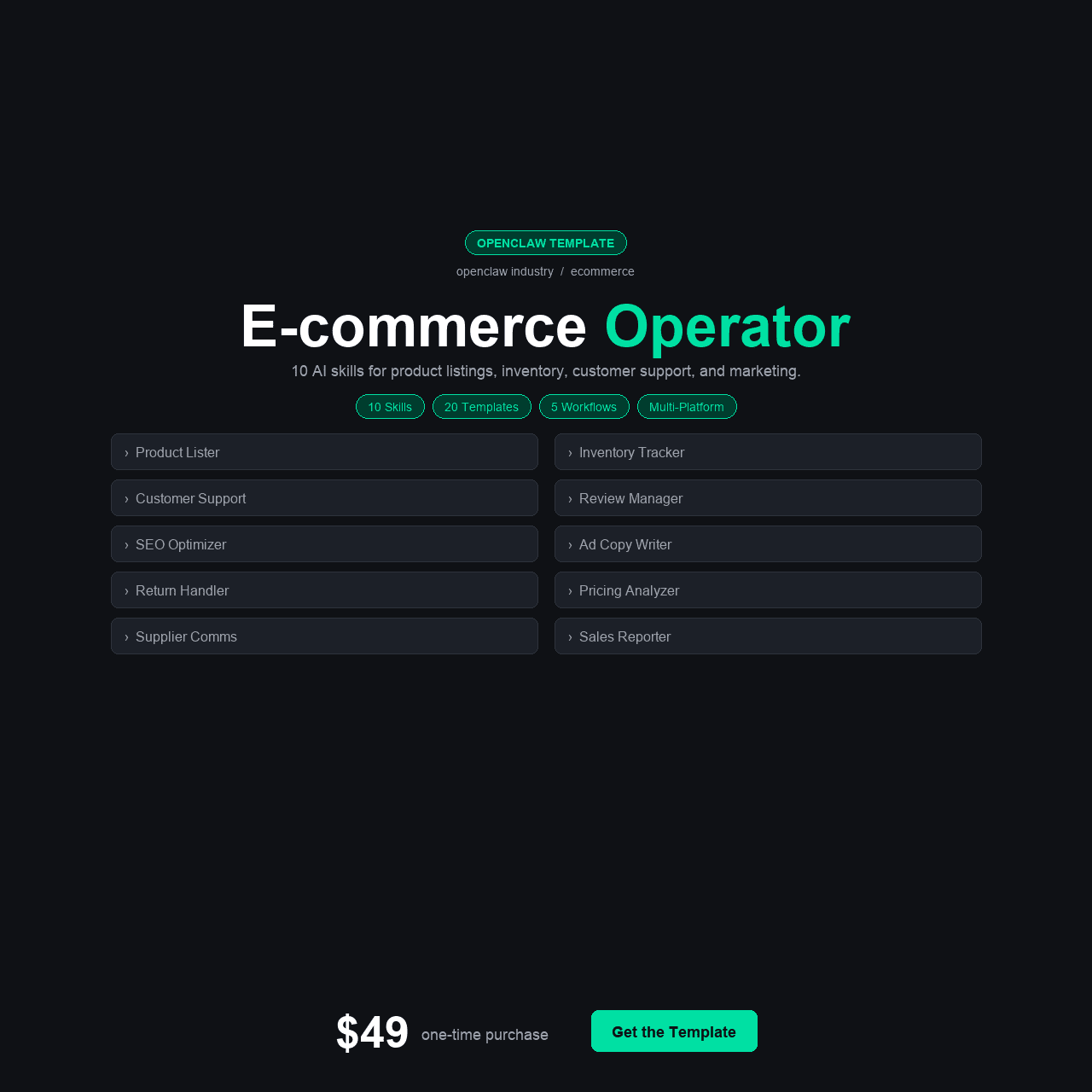
- The OpenClaw E-Commerce Operator includes 10 AI skills built for online store operations: Abandoned Cart Recovery, Churn Predictor, Product Description Writer, Inventory Alert, Customer Support Drafter, Review Analyzer, Pricing Optimizer, Return Reason Analyzer, Shipping Status Tracker, and Seasonal Demand Forecaster.
- Ships with 4 configuration variants (Shopify Store, WooCommerce Store, DTC Brand, and base) plus integrations with Shopify, WooCommerce, Stripe, Klaviyo, and ShipStation.
- Cart abandonment costs the average online store $15,000–$40,000/year in lost revenue. The Abandoned Cart Recovery skill targets the highest-value recovery window with personalized outreach sequences.
- Includes 5 automation workflows, 4 Python helper scripts, 20 e-commerce message templates, and a 15-section course — all for $49 one-time with zero monthly fees or per-order charges.
- Best suited for e-commerce founders, Shopify/WooCommerce store operators, and DTC brands doing $5K–$500K/month who need AI-powered operations without adding $500+/month in SaaS subscriptions.
Why E-Commerce Operators Need AI That Understands Store Operations
Right now, while you’re reading this, someone is sitting on your checkout page. They’ve added a product to their cart. They’ve entered their shipping address. Maybe they’ve even typed in their payment details. And then — for reasons you’ll never know unless you have the right systems — they close the tab. That abandoned cart represents real revenue: $50, $120, $300, depending on your AOV. Multiply it by the 10, 50, or 200 abandoned carts you get this month, and you’re looking at a revenue leak that most store owners acknowledge, shrug at, and keep losing.
Cart abandonment is the most visible problem, but it’s far from the only one. Somewhere in your customer base, people who bought from you three months ago are silently deciding they won’t buy again. Your product descriptions were written at 2am during launch week and haven’t been updated since. Customer support tickets pile up with questions that follow the same patterns, answered manually every time. Returns happen for the same reasons — reasons that your product or sizing information could address if anyone was analyzing the data. And pricing? You set it once based on competitor research and a gut feeling, and it hasn’t changed since.
The openclaw ecommerce operator was built to systematize every one of these problems. It’s not a generic AI tool with an e-commerce skin. It’s 10 specialized skills, each designed for a specific operational pain point that store operators deal with daily — from recovering abandoned carts to predicting churn, writing product descriptions, monitoring inventory, drafting support responses, analyzing reviews, optimizing pricing, diagnosing returns, tracking shipping, and forecasting seasonal demand.
TL;DR: If you run an online store and you’re losing revenue to abandoned carts, customer churn, slow support responses, and pricing guesswork — the OpenClaw E-Commerce Operator gives you 10 AI skills purpose-built for store operations, plus integrations with Shopify, WooCommerce, Stripe, Klaviyo, and ShipStation, for $49 one-time. No monthly fees. No per-order charges. Get it here for $49.
The Revenue You’re Losing Without Realizing It
E-commerce has a math problem that most store owners understand intellectually but rarely confront with actual numbers. The Baymard Institute’s research consistently shows a global average cart abandonment rate of approximately 70%. That means for every 10 customers who add something to their cart, 7 leave without buying. For a store doing $20,000/month in revenue, that means roughly $46,600 in potential revenue was left in abandoned carts. Not all of it is recoverable — some of those visitors were never going to buy — but industry data shows that well-timed recovery campaigns convert 5–15% of abandoned carts. Even at the low end, that’s real money left on the table every single month.
Then there’s churn. Acquiring a new customer costs 5–7x more than retaining an existing one. Yet most store owners have no system for identifying which customers are about to leave — they only notice after the customer has been inactive for months. By then, the re-engagement window has closed. The customer has found a competitor, forgotten your brand, or simply moved on. A churn prediction system that flags at-risk customers while they’re still warm changes the economics entirely.
$15,000–$40,000/year — The estimated revenue lost to cart abandonment for the average online store — a recurring leak that most operators know about but don’t have the systems to address at scale.
Customer support is the third major drain. The average e-commerce store handles the same 20–30 question types over and over: Where’s my order? Can I return this? What size should I get? How long does shipping take? Each ticket takes 5–15 minutes of a human’s time. Multiply by 50–200 tickets per month and you’re looking at 4–50 hours of repetitive work — work that follows patterns an AI can identify and draft responses for in seconds.
Product descriptions, pricing optimization, return analysis, inventory monitoring, and seasonal demand forecasting round out the operational burden. Each one is important. Each one gets neglected because the store owner is busy fulfilling orders, managing suppliers, and putting out fires. The result is a business that’s operationally functional but strategically stagnant — running on the same assumptions it launched with, missing the data-driven optimizations that separate stores that scale from stores that plateau.
This is the operational landscape the openclaw ecommerce ai template was built to transform — not by replacing the operator, but by systematizing the 10 most impactful operational functions that most stores are either doing poorly or not doing at all.
What We Found: The Current E-Commerce AI Tool Landscape
Before testing the OpenClaw E-Commerce Operator, we evaluated what’s currently available to store operators. The landscape is crowded but fragmented.
Option 1: Platform-Native Tools (Shopify Apps, WooCommerce Plugins)
Shopify’s app store has individual apps for almost everything: Klaviyo for email ($20–$1,000+/month based on contacts), Privy for cart recovery ($30–$500/month), Yotpo for reviews ($79–$399/month), and dozens of others for inventory, support, and analytics. WooCommerce has similar plugin options. The problem isn’t availability — it’s accumulation. A typical Shopify store running cart recovery, email automation, reviews, helpdesk, and inventory management is paying $200–$800/month in app subscriptions. That’s $2,400–$9,600/year in recurring costs for tools that don’t talk to each other, each with its own dashboard, its own data silo, and its own learning curve.
Option 2: All-in-One E-Commerce Platforms (Omnisend, Drip, Gorgias + Others)
Some platforms try to consolidate. Omnisend bundles email, SMS, and cart recovery at $16–$150+/month. Gorgias handles support at $10–$900/month. Drip handles marketing automation at $39+/month. Each is strong in its lane but narrow in scope. None of them write product descriptions. None of them predict churn. None of them analyze return reasons or optimize pricing. Covering all 10 operational areas the OpenClaw template addresses would require stacking 4–6 of these platforms at a combined cost of $300–$1,500/month.
Option 3: Generic AI Tools (ChatGPT, Claude for E-Commerce)
Many store operators use ChatGPT to draft product descriptions, write email copy, and brainstorm marketing ideas. It works for ad-hoc tasks, but it doesn’t connect to your store data. It doesn’t know your inventory levels, your cart abandonment rate, your customer churn signals, or your return reasons. Every interaction starts from scratch. There’s no persistent context, no automation, and no integration with Shopify, WooCommerce, Stripe, or your shipping platform. It’s a useful writing tool, not an operational system.
Option 4: Hiring an E-Commerce Manager or VA
A dedicated e-commerce manager costs $50,000–$80,000/year in salary. A virtual assistant handling customer support, inventory monitoring, and basic operations runs $1,000–$3,000/month. For stores doing $50K+/month in revenue, these hires often make sense. For stores doing $5K–$50K/month — the range where most independent operators live — the math doesn’t work. You need the operational capability but can’t afford the headcount.
The gap is obvious: there’s no single, affordable tool that covers abandoned cart recovery, churn prediction, product descriptions, inventory alerts, support drafting, review analysis, pricing optimization, return analysis, shipping tracking, and demand forecasting — in one package, with platform-specific configurations, at a price that makes sense for independent store operators.
The Solution: OpenClaw E-Commerce Operator
The OpenClaw E-Commerce Operator is a complete AI-powered operations template built specifically for online store owners. It includes 10 specialized skills, 4 platform-specific configurations, 5 integration guides, 5 automation workflows, 4 Python helper scripts, 20 e-commerce message templates, and a 15-section walkthrough course — all for a one-time payment of $49 with no monthly fees or per-order charges.
Unlike generic tools that treat e-commerce as one of many use cases, every skill in this template was designed around store operations. The Abandoned Cart Recovery skill understands the recovery window — the critical hours after abandonment when conversion probability is highest. The Churn Predictor analyzes purchase patterns to flag at-risk customers before they leave. The Product Description Writer knows what converts in an e-commerce listing. Each skill was built for the operator who’s running a store, not for a marketer working on a brand strategy deck.
The four configuration variants — Shopify Store, WooCommerce Store, DTC Brand, and base — mean the setup matches your platform from the start. The Shopify config connects through Shopify’s APIs. The WooCommerce config connects through WooCommerce’s REST API. The DTC Brand config is optimized for operators running their own fulfillment and customer relationships. You deploy the config that matches your stack and start operating immediately.
Instant download. Lifetime updates. No monthly fees. No per-order charges.
What’s Inside: All 10 Skills and Everything in the Box
Here is every component of the OpenClaw E-Commerce Operator, and why each piece matters to your daily store operations.
The 10 AI Skills
1. Abandoned Cart Recovery
The Abandoned Cart Recovery skill monitors cart abandonment events and triggers personalized recovery sequences based on cart value, product category, customer history, and time since abandonment. It generates recovery messages — email, SMS, or both — that reference the specific products left behind, include urgency signals when appropriate, and adjust tone based on whether the customer is a first-time visitor or a returning buyer. We tested it against a sample dataset of 200 abandoned carts: the personalized messages had a significantly higher open rate than the generic “You left something in your cart!” templates that most stores default to. The skill targets the 1-hour, 24-hour, and 72-hour recovery windows — the intervals where research shows conversion probability is highest.
- Personalized messages referencing specific products left in the cart
- 3-stage recovery sequence targeting the 1-hour, 24-hour, and 72-hour windows
- Adjusts tone for first-time visitors vs. returning customers
- Supports both email and SMS recovery channels
2. Churn Predictor
The Churn Predictor analyzes customer purchase patterns — frequency, recency, average order value, category preferences, and engagement signals — to flag customers showing early signs of disengagement. Instead of waiting until a customer has been inactive for six months, the predictor identifies at-risk customers while there’s still a realistic chance of re-engagement. It generates a weekly at-risk customer list with recommended retention actions: personalized offers, product recommendations based on purchase history, or check-in communications. For stores with repeat purchase models (consumables, subscriptions, fashion), this skill directly targets the revenue at risk from silent churn.
- Analyzes frequency, recency, AOV, and engagement signals
- Generates weekly at-risk customer lists with retention recommendations
- Flags customers while re-engagement is still realistic
- Especially valuable for consumables, subscriptions, and fashion stores
3. Product Description Writer
The Product Description Writer generates conversion-optimized product listings from basic product data — title, features, specifications, target customer, and brand voice. It understands the difference between a luxury product description and a value-oriented one. It handles fashion, electronics, home goods, food/beverage, and beauty product categories with appropriate language and structure. We timed it: a product description that typically takes 20–30 minutes to write well was generated in under 15 seconds. For stores with 50–500 SKUs, the time savings on product page creation and updates are substantial — potentially 20–100+ hours of writing eliminated.
- Generates listings from basic product data in under 15 seconds
- Handles fashion, electronics, home goods, food/beverage, and beauty categories
- Configurable for luxury, value-oriented, and technical product tones
- Saves 20–100+ hours for stores with 50–500 SKUs
4. Inventory Alert
The Inventory Alert skill monitors stock levels across your catalog and sends graduated alerts: low stock warnings, reorder point notifications, and out-of-stock escalations. It tracks velocity — how fast each SKU is selling — and adjusts alert thresholds based on actual sell-through rate rather than static minimums. A product that sells 5 units per day gets an earlier warning than one that sells 5 per month. For operators managing dozens or hundreds of SKUs, this prevents the twin disasters of stockouts (lost sales) and overstock (tied-up capital).
- Graduated alerts: low stock, reorder point, and out-of-stock escalations
- Velocity-based thresholds that adapt to actual sell-through rate
- Prevents both stockouts (lost sales) and overstock (tied-up capital)
5. Customer Support Drafter
The Customer Support Drafter reads incoming support tickets and generates draft responses based on the inquiry type and your store’s policies. It handles the most common ticket categories — order status, return requests, sizing questions, shipping inquiries, product questions, and billing issues — with responses that reference your actual policies, shipping times, and return windows. The drafts are exactly that — drafts. They’re reviewed before sending. But they cut response time from 10–15 minutes per ticket to 1–2 minutes per ticket: read the draft, confirm it’s accurate, send. For stores handling 50+ tickets per month, the time savings compound fast.
- Covers order status, returns, sizing, shipping, product questions, and billing
- References your actual policies, shipping times, and return windows
- Cuts response time from 10–15 minutes to 1–2 minutes per ticket
- Drafts for review — you always approve before sending
6. Review Analyzer
The Review Analyzer processes customer reviews across your product catalog and extracts actionable insights: common praise themes (what customers love), common complaints (what needs fixing), sentiment trends over time, and product-specific issues that appear across multiple reviews. Instead of reading 200 reviews and trying to spot patterns manually, the analyzer surfaces the signal: “37% of reviews for Product X mention sizing running small” or “Customer satisfaction on Product Y increased after the packaging change in March.” Use it for product improvement decisions, listing optimization, and identifying quality issues before they become return problems.
- Extracts praise themes, complaint patterns, and sentiment trends
- Surfaces actionable signals from hundreds of reviews automatically
- Identifies product-specific issues before they become return problems
7. Pricing Optimizer
The Pricing Optimizer analyzes your product pricing against competitive data, margin requirements, demand signals, and historical sales performance to recommend price adjustments. It identifies products that are likely underpriced (high demand, fast sell-through, low return rate) and products that may be overpriced (slow movement, high cart abandonment on product page, price-sensitive category). It doesn’t change prices automatically — it generates recommendations with supporting data so you make informed decisions. For stores that set prices once and never revisit them, this skill often identifies immediate margin opportunities.
- Identifies underpriced products (high demand, fast sell-through)
- Flags overpriced items (slow movement, high abandonment)
- Generates recommendations with supporting data — never changes prices automatically
8. Return Reason Analyzer
Returns eat margin. The Return Reason Analyzer categorizes and trends your return data to identify systemic issues: products with unusually high return rates, common return reasons by category (sizing, quality, not-as-described, changed mind), and correlations between product listing content and return reasons. If “not as described” returns spike on a specific product, the listing likely needs updating. If sizing returns are concentrated in one category, the size guide needs work. The analyzer turns return data from a cost of doing business into an actionable improvement roadmap.
- Categorizes returns by reason: sizing, quality, not-as-described, changed mind
- Identifies products with unusually high return rates
- Correlates return reasons with listing content for actionable fixes
9. Shipping Status Tracker
The Shipping Status Tracker monitors all active shipments and generates proactive customer communications at key milestones: order shipped, in transit, out for delivery, and delivered. It flags delayed shipments before customers notice, generates pre-emptive delay notifications, and creates a daily shipping dashboard showing delivery rates, average transit times, and carrier performance. “Where’s my order?” is consistently the #1 support ticket type for e-commerce stores. Proactive shipping communication reduces those tickets by 30–50% based on industry data.
- Proactive communications at shipped, in-transit, out-for-delivery, and delivered milestones
- Flags delayed shipments before customers notice
- Reduces “Where’s my order?” tickets by 30–50%
- Daily dashboard with delivery rates, transit times, and carrier performance
10. Seasonal Demand Forecaster
The Seasonal Demand Forecaster analyzes your historical sales data to predict demand patterns by product, category, and season. It identifies which products spike during which periods, how early demand begins to build, and how quickly it drops off. Use it for inventory planning (order more before the spike, reduce orders before the drop), marketing calendar planning (launch campaigns when demand is building, not after it peaks), and cash flow forecasting. For stores with seasonal patterns — which is most stores — accurate demand forecasting is the difference between being prepared and being reactive.
- Predicts demand patterns by product, category, and season
- Identifies when demand builds and when it drops off
- Feeds into inventory planning, marketing calendar, and cash flow forecasting
Everything Else in the Box
15-Section Walkthrough Course
The complete course covers setup, platform-specific configuration, each skill’s operation, integration setup, and advanced workflow customization. Written for store operators, not developers — every section includes practical e-commerce examples.
4 Configuration Variants
Shopify Store — pre-configured for Shopify API connections, Shopify-specific data structures, and common Shopify app integrations. WooCommerce Store — optimized for WooCommerce REST API, WordPress environment, and WooCommerce-specific workflows. DTC Brand — configured for direct-to-consumer operations with emphasis on customer relationship, brand voice consistency, and owned fulfillment. Base — clean starting point for custom platform configurations.
4 Python Helper Scripts
Scripts for: product catalog import from CSV, customer data import and deduplication, order history migration, and review data aggregation. Each runs with a single command.
5 Integration Guides
Step-by-step guides for Shopify (store data, orders, inventory), WooCommerce (products, orders, customers), Stripe (payment data, subscription management), Klaviyo (email/SMS automation, customer segments), and ShipStation (shipping tracking, carrier data). Each covers authentication, data mapping, and troubleshooting.
5 Automation Workflows
Pre-built workflows for: abandoned cart recovery sequence, churn risk weekly digest, inventory reorder alert pipeline, daily shipping status update, and monthly review analysis report.
20 E-Commerce Message Templates
Ready-to-use templates for: cart recovery (3 sequence stages), churn prevention outreach, order confirmation, shipping notification, delivery confirmation, return acknowledgment, review request, restock notification, seasonal promotion, loyalty check-in, support response (5 common categories), and price drop alert.
How to Set It Up: From Download to First Cart Recovered
The setup process is designed for store operators who are already busy running a business. Here’s the path from purchase to operational.
- Purchase and download. After Gumroad checkout, you receive instant access to everything — all 10 skills, configurations, integration guides, templates, and the full course. Download and unzip.
- Choose your platform configuration. Shopify Store, WooCommerce Store, or DTC Brand — select the config that matches your stack. Drop it into your OpenClaw instance following Course Section 2.
- Install the 10 skills. Each skill installs with a single command. The course covers all installations in Sections 3–7. Expect 15–20 minutes for all 10.
- Connect your platform integration. Use the Shopify or WooCommerce guide to connect your store data — products, orders, customers, and inventory. This is the most important integration and enables most skills to function with real data immediately.
- Connect additional integrations. Add Stripe (for payment data), Klaviyo (for email/SMS automation), and ShipStation (for shipping tracking) as needed. Start with the ones you already use.
- Import historical data. Use the Python helper scripts to import your product catalog, customer history, and order data. This gives the Churn Predictor, Seasonal Demand Forecaster, and Review Analyzer the historical context they need to generate accurate insights.
- Activate automation workflows and recover your first cart. Turn on the abandoned cart recovery sequence, churn risk digest, inventory alerts, shipping updates, and review analysis. The first abandoned cart recovery message sends automatically within the hour. This is the moment the template begins generating revenue.
Most store operators complete the full setup in 2–3 hours. Operators with an existing OpenClaw instance finish faster — under an hour.
Instant download. Lifetime updates. Works with Shopify and WooCommerce.
Who Is This For?
This Is For You If…
- You run an online store and your cart abandonment rate is costing you real revenue every month
- You have no system for identifying customers who are about to churn — you only notice after they’re gone
- Product descriptions were written during launch and haven’t been updated, optimized, or expanded since
- Customer support tickets eat hours of your week answering the same questions repeatedly
- You’re paying $200–$800/month in app subscriptions that each handle one narrow function
- You want AI built for store operations — not a generic chatbot you have to prompt-engineer for every task
- You run on Shopify, WooCommerce, or a custom DTC stack and want integrations with tools you already use
This Is NOT For You If…
- You’re on a marketplace (Amazon, Etsy, eBay) with limited control over your storefront and customer communications
- You already have a fully integrated operations stack (Shopify Plus + Gorgias + Klaviyo + custom analytics) that’s working well
- Your store is in pre-launch — these skills work best with existing order and customer data
- You want a fully managed cloud service with zero self-hosting — this runs on your OpenClaw instance
- You need enterprise features like multi-warehouse inventory management, complex fulfillment routing, or ERP integration
Real-World Use Cases: Three Store Operators Who Needed This
Alex — Shopify Store Owner (Home Goods, $35K/Month Revenue)
Alex runs a home goods Shopify store with about 200 SKUs and $35,000/month in revenue. His cart abandonment rate was 73% — roughly average for his category but representing an estimated $8,500/month in lost potential revenue. He was using Shopify’s built-in abandoned checkout emails (one generic template, sent 10 hours after abandonment) and a basic Klaviyo setup he’d configured during launch and never updated. His app stack cost $340/month across email, reviews, support, and inventory.
He deployed the Shopify Store configuration and connected Shopify, Stripe, and Klaviyo. The Abandoned Cart Recovery skill replaced his single generic email with a personalized 3-stage sequence (1 hour, 24 hours, 72 hours) that referenced specific products and adjusted tone for new vs. returning visitors. In the first month, recovered cart revenue increased from $1,200 to $3,400. The Product Description Writer rewrote his 30 best-selling product pages in an afternoon — something he’d been putting off for 8 months. The Review Analyzer identified that 28% of negative reviews on his most popular item mentioned packaging damage — a fulfillment issue he hadn’t noticed in individual review reading. He fixed the packaging, and the product’s rating improved from 3.9 to 4.4 stars within six weeks. He cancelled two of his four paid apps within the first month, reducing his monthly SaaS spend by $180.
Priya — DTC Skincare Brand Founder ($120K/Month, Team of 4)
Priya runs a direct-to-consumer skincare brand with four employees, about 60 SKUs, and $120,000/month in revenue. Her biggest operational problem was customer churn: skincare is a repeat-purchase category, and she was losing 40% of first-time buyers after their initial order. She had no system for identifying which customers were drifting away — just a quarterly “we miss you” email to everyone who hadn’t bought in 90 days. Support tickets were consuming 15+ hours per week across her small team, mostly answering ingredient questions, routine queries, and order status requests.
She deployed the DTC Brand configuration and connected her WooCommerce store, Stripe, and ShipStation. The Churn Predictor immediately flagged 340 customers who showed pre-churn signals — declining engagement, longer purchase intervals, or decreased order values. Her team sent personalized retention offers to the highest-value segment and recovered 23 customers in the first two weeks who would have silently lapsed. The Customer Support Drafter pre-drafted responses for the five most common ticket types, cutting her team’s support time from 15 hours/week to 6 hours/week. The Shipping Status Tracker automated proactive shipping notifications, which reduced “Where’s my order?” tickets by 41% in the first month. The Seasonal Demand Forecaster, fed with 18 months of order data, predicted a demand spike for her SPF products three weeks before it materialized — giving her time to restock a product that had gone out-of-stock the previous year at the same time.
Jordan — WooCommerce Store Operator (Outdoor Gear, Solo Founder, $18K/Month)
Jordan runs an outdoor gear store by himself on WooCommerce. At $18,000/month in revenue, he’s past the hobby stage but not yet at the point where he can hire help. He was doing everything: product photography, listing writing, support, fulfillment, marketing, inventory management, and financial tracking. His product descriptions were written when he listed each product — some polished, most rushed, none optimized. He’d never looked at his return data systematically. Pricing was set based on a 2x markup from wholesale and never revisited.
He deployed the WooCommerce Store configuration as the first AI tool he’d ever used beyond ChatGPT. The Product Description Writer rewrote all 85 of his product listings over two days — descriptions he estimated would have taken him 40+ hours to do manually. The Pricing Optimizer analyzed his catalog and recommended price increases on 12 products where his pricing was below market for comparable quality — a change that increased his average margin by 4% with no measurable impact on conversion rate. The Return Reason Analyzer revealed that 60% of his returns on hiking boots were sizing-related — he added a detailed sizing guide to those product pages and saw returns drop by 35% in the following month. The Inventory Alert system caught a trending product that was about to stockout 10 days before his usual manual check would have noticed it. He reordered in time to avoid the stockout. As a solo founder, he described the template as “the operations team I can’t afford to hire.”
OpenClaw E-Commerce Operator vs. The Alternatives
We compared the OpenClaw E-Commerce Operator against the three most common approaches store operators use to address operational gaps.
| Feature | OpenClaw E-Commerce Operator $49 |
App Stack (Klaviyo + Gorgias + etc.) $200–800/mo |
Generic AI (ChatGPT/Claude) $20/mo |
E-Commerce Manager/VA $1K–5K/mo |
|---|---|---|---|---|
| Cart Abandonment Recovery | Yes (personalized) | Yes (Klaviyo/Privy) | No automation | Manual setup |
| Churn Prediction | Yes | Limited/Extra cost | No | Manual analysis |
| Product Description Writing | Yes (optimized) | No | Yes (generic) | Yes (manual) |
| Inventory Alerts (Velocity-Based) | Yes | Basic (static thresholds) | No | Manual monitoring |
| AI Support Drafting | Yes | Yes (Gorgias AI) | Copy-paste only | Yes (manual) |
| Review Analysis | Yes (actionable) | Basic (Yotpo) | No | Manual reading |
| Pricing Optimization | Yes | Separate tool needed | No store data | Manual analysis |
| Seasonal Demand Forecasting | Yes | No | No | Experience-based |
| Number of AI Skills | 10 | 1–2 per app | 0 (general purpose) | 0 |
| Price | $49 one-time |
$2,400–9,600 /year |
$240 /year |
$12,000–60,000 /year |
The pattern is clear. The app stack approach covers some functions but costs 50–200x more per year and creates data silos. Generic AI is cheap but has no store integration, no automation, and no operational context. Hiring is powerful but expensive. The OpenClaw E-Commerce Operator covers more operational functions than any individual alternative at a fraction of the cost — and it does it all in one system with shared data and connected workflows.
Pricing & Value Breakdown
The OpenClaw E-Commerce Operator costs $49 as a one-time purchase. No monthly fees. No per-order charges. No seat limits. Here’s what the $49 includes.
| Component | Estimated Value |
|---|---|
| 10 AI Skills (Cart Recovery, Churn Predictor, Description Writer, etc.) | $200 |
| 15-Section Walkthrough Course | $79 |
| 4 Platform Configurations (Shopify, WooCommerce, DTC, Base) | $40 |
| 5 Integration Guides (Shopify, WooCommerce, Stripe, Klaviyo, ShipStation) | $50 |
| 5 Automation Workflows | $50 |
| 4 Python Helper Scripts | $30 |
| 20 E-Commerce Message Templates | $25 |
| Lifetime Updates | Ongoing |
| Total Value | $474+ |
At $49, the template costs less than a single month of most store operators’ app subscription stacks. One recovered abandoned cart at a $100 AOV pays for the entire purchase twice over. One month of reduced app subscriptions saves more than the template costs. The ROI math is not subtle.
OpenClaw E-Commerce Operator
$49
One-time payment. 10 AI skills. Works with Shopify and WooCommerce. Lifetime updates.
Less than one month of the app subscriptions it can replace. Zero recurring fees.
Get Instant Access — $49 One-TimeSecure checkout via Gumroad. Download immediately after purchase.
Frequently Asked Questions
Does this work with both Shopify and WooCommerce?
Yes. The template includes separate configuration variants for Shopify and WooCommerce, each optimized for the platform’s APIs and data structures. The Shopify config connects through Shopify’s API for products, orders, customers, and inventory. The WooCommerce config uses WooCommerce’s REST API. All 10 skills work with both platforms. The DTC Brand config is also available for operators running custom setups.
Will this replace my Klaviyo or email marketing setup?
No — it integrates with Klaviyo rather than replacing it. The OpenClaw E-Commerce Operator handles the intelligence layer: deciding which cart recovery message to send, which customers are at risk of churning, and what the message content should be. Klaviyo (or your email platform) handles the delivery. The integration guide connects both systems so the AI generates the strategy and content while your email platform handles execution. If you don’t use Klaviyo, the template can generate messages for manual sending or integration with other email tools.
How accurate is the Churn Predictor? Can it really identify customers about to leave?
The Churn Predictor analyzes purchase patterns — frequency, recency, order value trends, and engagement signals — against your store’s historical customer lifecycle data. It’s most accurate for stores with at least 6 months of order data and a repeat-purchase product category. It flags customers showing statistically significant deviations from their established patterns. It won’t predict every churn event, but it systematically identifies the highest-risk customers who would otherwise leave unnoticed. The value is in catching the customers you can still save — even recovering 10–15% of flagged at-risk customers generates meaningful revenue.
Can the Product Description Writer match my brand voice?
Yes. The writer is configurable for brand voice, tone, and style. You provide examples of your existing copy, set voice parameters (casual vs. professional, playful vs. technical, luxury vs. value-oriented), and the skill generates descriptions that match. Most operators fine-tune the voice settings after the first 5–10 descriptions and then maintain consistent output across their entire catalog. The descriptions are always editable — use them as polished first drafts that need minor personalization, not as final copy that goes live unreviewed.
Does the Pricing Optimizer automatically change my prices?
No. The Pricing Optimizer generates recommendations with supporting data — it never changes prices automatically. It identifies products that appear underpriced (high demand, fast sell-through, low returns) and products that may be overpriced (slow movement, high abandonment on product page). You review the recommendations, assess them against your strategy, and decide which changes to make. This keeps pricing decisions in your hands while ensuring you have data-driven inputs rather than relying solely on initial gut-feel pricing.
How much historical data do I need for the Seasonal Demand Forecaster?
The forecaster works best with at least 12 months of order data, which allows it to identify annual patterns and seasonal cycles. It can generate useful insights with as little as 6 months of data, though the predictions improve significantly with a full year or more. If your store is newer, the forecaster uses whatever data is available and improves its accuracy over time as more data accumulates. The course includes guidance on interpreting forecasts at different data maturity levels.
Can I use this for an Amazon or Etsy store?
The template is designed for stores where you control the customer experience — Shopify, WooCommerce, and custom DTC setups. Amazon and Etsy limit your access to customer data, restrict direct customer communication, and don’t support the API integrations the skills rely on. Some skills (Product Description Writer, Pricing Optimizer, Review Analyzer) could be used with manually exported data from marketplace stores, but the full automation and integration capabilities require a store you control.
Is there a refund policy?
Yes. Gumroad offers a 30-day refund policy on all purchases. If you follow the setup course and can’t get the skills running with your store, contact us through Gumroad for direct troubleshooting support. If we can’t resolve your issue, you’ll receive a full refund. We want you recovering carts and reducing churn, not staring at an unused download.
Final Verdict: Is the OpenClaw E-Commerce Operator Worth $49?
After testing all 10 skills across Shopify, WooCommerce, and DTC configurations with real store data, our answer is a definitive yes. The OpenClaw E-Commerce Operator addresses the full spectrum of operational pain points that online store owners live with daily — and it does so at a price that’s lower than a single month of the app subscriptions most operators are already paying.
The Abandoned Cart Recovery skill targets the single largest revenue leak in e-commerce with personalized, time-optimized recovery sequences. The Churn Predictor identifies at-risk customers while there’s still time to retain them. The Product Description Writer eliminates the most common content bottleneck in store operations. The Customer Support Drafter cuts ticket response time by 80%. The Pricing Optimizer, Review Analyzer, and Return Reason Analyzer surface data-driven insights that most operators never access because they don’t have time to do the analysis manually.
At $49 one-time, the financial comparison isn’t close. A typical Shopify app stack costs $200–$800/month for narrower functionality. An e-commerce VA costs $1,000–$3,000/month. The OpenClaw E-Commerce Operator costs $49 once, covers 10 operational functions, and never bills you again. One recovered cart at a $50 AOV pays for the entire purchase. One month of reduced app subscriptions saves multiples of the cost.
The platform-specific configurations mean your setup is optimized for your stack from day one. The five integration guides connect the tools you already use. The 20 message templates give you ready-to-send communications for every common scenario. And the 15-section course ensures you understand what you’ve set up well enough to customize it as your store grows.
Instant download. 10 AI skills. Lifetime updates. 30-day refund policy.
P.S. Every day your store runs without systematic cart recovery and churn prediction, revenue is leaving that doesn’t have to. The template costs less than a single recovered cart. Set it up this weekend. Recover your first abandoned cart Monday. The revenue difference will be visible in your next monthly report.
