10 AI Headshot Generators: Create Professional Close-up Photos with Ease
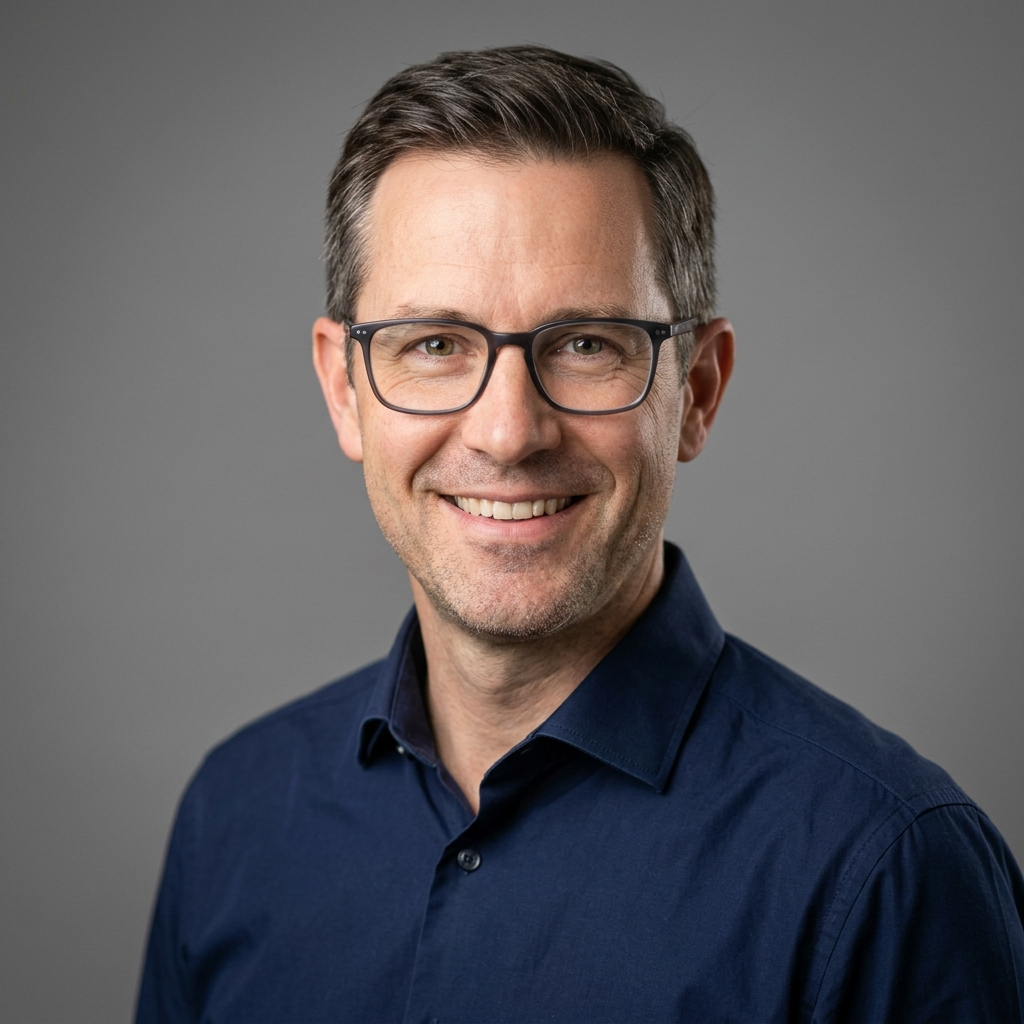
Head of AI Research

Professional headshots used to mean booking a studio, dressing up, and paying $300 to $800 for a session that took half a day. In 2026, AI headshot generators deliver studio-quality results from your couch in 15 minutes, often for less than $30. The technology has matured to the point where the best AI tools produce images that are indistinguishable from traditional photography, and recruiters, casting directors, and clients increasingly cannot tell the difference. This guide breaks down the 10 best AI headshot generators available right now, how they actually work, what makes one tool better than another for your specific use case, and how to get results that look like a real photographer took them.
We tested every major platform with the same input selfies across multiple skin tones, ages, and styles. We graded each tool on realism, likeness preservation, background quality, outfit variety, turnaround time, and price. Whether you need a LinkedIn portrait, an actor headshot, a corporate team photo, or a personal branding image, there is an AI tool built for your exact need. Let's get into it.
The 10 Best AI Headshot Generators in 2026
The AI headshot space has consolidated around a handful of dominant tools, each with a clear specialty. Here is the short list before we go deep on each:
| Tool | Best For | Starting Price | Turnaround | Realism Score |
|---|---|---|---|---|
| ProPhotos.ai | Overall winner, LinkedIn | $29 | 30-60 min | 9.5/10 |
| Aragon AI | Realistic skin and lighting | $35 | ~90 min | 9.4/10 |
| HeadshotPro | Teams and companies | $29 | ~2 hours | 9.2/10 |
| Secta Labs | Maximum image volume | $59 | 3-4 hours | 9.1/10 |
| Canva AI Headshots | Free, casual use | Free | Instant | 7.5/10 |
| BetterPic | 4K resolution output | $29 | ~60 min | 9.0/10 |
| Dreamwave.ai | Speed and variety | $29 | ~60 min | 8.8/10 |
| ProfilePicture AI | Stylized profiles | $15 | ~2 hours | 8.3/10 |
| PFPMaker | Free profile pictures | Free | Instant | 7.2/10 |
| Try It On AI | Outfit and wardrobe testing | $17 | ~3 hours | 8.0/10 |
1. ProPhotos.ai: Our Overall Pick for Pro Photos AI
ProPhotos.ai has quietly become the dominant force in the AI headshot space, generating over 12.6 million headshots for more than 50,000 paying customers as of 2026. The platform consistently produces the most realistic results across diverse face shapes, ethnicities, and lighting conditions. If you only test one tool from this list, this is the one.
What ProPhotos.ai Does Well
The standout feature is likeness preservation. Many AI headshot generators produce images that look like a slightly prettier sibling of the person who uploaded the selfies. ProPhotos returns headshots that look like the actual subject, with the same eye shape, jawline, and skin texture intact. The generator uses a custom-trained model that has been refined on millions of professional portrait datasets.
The output volume is generous. The standard package delivers 100+ images across a wide range of backgrounds (office interiors, neutral gray studio, outdoor city, soft beige). You also get costume variety: executive blazers, casual button-downs, doctor coats, and more.
What Could Be Better
Pricing tops out higher than competitors for the premium package, though the base tier is competitive. There is no live human review of outputs before delivery, which means occasional rendering glitches (a third hand, a strange ear) make it into the gallery. You typically discard 10-20% of generated images.
Best For
Job hunters polishing LinkedIn, real estate agents who need new marketing photos quickly, executives updating company bio pages, and anyone who wants the safest bet for realistic results without studying a million review sites.
2. Aragon AI: Best for Hyper-Realistic Skin and Lighting
Aragon AI is the closest competitor to ProPhotos and arguably produces even more refined results in specific lighting conditions. Aragon's adaptive imaging technology is its signature: the system analyzes your facial structure and applies lighting tailored to your bone geometry, similar to what a skilled portrait photographer does in a studio with continuous lights and modifiers.
Standout Features
- Skin realism: Pores, micro-texture, and natural shadow gradients are preserved, avoiding the plastic look that plagued early AI headshots.
- Posing variety: Aragon generates 40+ unique poses per session, including three-quarter angles and engaged-with-camera shots that look like a working professional photographer captured them.
- Photo studio aesthetic: The background separation looks like a real studio with rim lighting, not a Photoshop cutout.
Drawbacks
Aragon's turnaround takes longer than some competitors, occasionally pushing past two hours during peak demand. The pricing for the premium tier is among the steepest in the category, but you generally get what you pay for.
3. HeadshotPro: Best for Companies and Teams
HeadshotPro built its business around team headshot consistency. If you're an HR leader trying to give 30 distributed employees matching professional photos for the company "About" page, HeadshotPro solves a problem nobody else does as cleanly.
The Team Plan Advantage
The platform's team workflow includes:
- A shared dashboard where each employee uploads their own selfies privately.
- Pre-locked style settings so every team member gets the same background, color palette, and outfit category.
- Bulk billing and centralized admin controls.
- A 100% free tier for individuals who want to test the technology before paying for the premium output.
What's Worth Knowing
HeadshotPro's free generator is genuinely useful, not a stripped-down demo. You upload selfies, wait about 15 minutes, and receive a usable headshot at no cost and without entering a credit card. The paid tier unlocks 120+ variations across multiple styles and is among the most affordable in the premium category.
4. Secta Labs: Best for High-Volume Output
Secta Labs delivers 300+ images per session, the highest count among major platforms. If you want to A/B test multiple looks across LinkedIn, dating profiles, professional bio pages, and conference speaker pages, Secta gives you the raw material.
Image Quality Notes
The quality bar is high but slightly inconsistent across the massive output volume. Expect to manually curate down to the 40-50 you would actually publish. Secta excels at editorial and lifestyle backgrounds: rooftops, cafes, hotel lobbies, golden hour outdoor light. The look skews more "magazine editorial" than the conservative LinkedIn corporate aesthetic.
Privacy Approach
Secta deletes your training data after 30 days by default, which is more privacy-forward than several competitors. Photos are stored encrypted and never used to train future models without consent.
5. Canva AI Headshot Generator: Best Free Option
Canva integrated its AI headshot tool directly into the main editor, which makes it the most accessible option for anyone already using Canva for design work. Upload a selfie, pick your style, and Canva returns a polished portrait in seconds.
Strengths
- Instant generation with no waiting queue.
- Built-in editor lets you immediately drop the result into a resume, business card, or social media template.
- Genuinely free at the basic tier with paid upgrades only required for batch processing and 4K downloads.
Limits
The realism does not match dedicated AI headshot platforms. You can usually tell a Canva-generated headshot is AI-made under close inspection, particularly around the hairline and ears. Use Canva for casual profile pictures and Slack avatars, not for the lead image on your professional bio.
6. BetterPic: Best for 4K Print-Ready Output
BetterPic specializes in 4K resolution outputs that look correct even when blown up for print marketing materials, billboards, or trade show banners. Most AI headshot platforms output at 1024 x 1024 or 1536 x 1536, which is fine for digital use but breaks down in print at 8x10 or larger.
Use Cases Where Resolution Matters
- Conference speaker badges that print at 11x17.
- Real estate flyer photography.
- Magazine bylines.
- Book author photos.
- Large-format event displays.
BetterPic also offers an "expert review" upgrade where a human editor manually selects and retouches your top 20 images before delivery, removing the trial-and-error step of sorting through dozens of mediocre options.
7. Dreamwave.ai: Best for Speed and Style Variety
Dreamwave.ai has carved out a reputation for fast turnaround and a creative library of style packs. Want a vintage 1980s corporate look? Editorial fashion? Cinematic photo finish? Dreamwave's style presets cover ground that most competitors ignore.
Where Dreamwave Wins
Speed: results in under an hour during normal demand windows. The platform also tends to nail outdoor lifestyle shots better than studio-focused competitors. If you're a startup founder, podcaster, or creator who wants headshots that look like a magazine photographer captured them outdoors in good light, Dreamwave is worth trying.
Where It Falls Short
Likeness preservation is slightly looser than ProPhotos or Aragon. Expect to re-run the generator if your first batch drifts too far from your actual appearance.
8. ProfilePicture AI: Best Budget Option for Stylized Looks
ProfilePicture AI is the best entry point if you want professional-looking results for under $20. The platform leans into stylized profile pictures: artistic, on-brand, slightly fashion-forward. The realism is not as photorealistic as the top three platforms, but the aesthetic is intentional and looks polished.
Use cases include personal branding for creators, Twitter and X profile photos, podcast cover art, and Substack author photos where a slightly designed look is preferable to a sterile corporate portrait.
9. PFPMaker: Free Stable Diffusion-Based Tool
PFPMaker uses Stable Diffusion technology to generate profile pictures from a single uploaded photo. The output is free, fast, and decent for casual use. Background removal works well. The results have a recognizable Stable Diffusion signature that experienced viewers can identify, but for social media avatars and forum profile photos, it gets the job done at zero cost.
10. Try It On AI: Best for Wardrobe Experimentation
Try It On AI's unique angle is virtual wardrobe testing. You upload your selfies, then choose from a library of outfits (blazers, suits, scrubs, business casual) to see how you would look in each. This is genuinely useful if you're shopping for an interview wardrobe, planning a personal rebrand, or curious whether a particular look suits your face.
The headshot output is solid but not best-in-class for pure realism. Treat this tool as a styling experiment that happens to produce usable photos.
How AI Headshot Generators Actually Work
Understanding what's happening under the hood helps you get better results. Modern AI headshot generators typically use a two-stage approach: a fine-tuned diffusion model trained on your face, followed by a high-resolution upscaling and refinement pass.
Stage 1: Personalization
When you upload 10-20 selfies, the platform trains a small custom model (called a LoRA or DreamBooth fine-tune) that encodes your facial features. This typically takes 10-30 minutes of GPU time. The model learns your face structure, eye color, skin tone, and identifying features like freckles or moles.
Stage 2: Generation
Once your face model exists, the platform feeds it into a larger base diffusion model (often a custom variant of Flux or Stable Diffusion XL) with prompts like "professional headshot of [your face token], wearing a navy blazer, soft studio lighting, neutral gray background, looking at camera, sharp focus, photorealistic."
Stage 3: Refinement
The raw outputs get processed through face restoration models (CodeFormer or GFPGAN), upscaled to high resolution, and color-corrected. The best platforms layer additional safety checks to discard images with anatomical glitches before showing them to you.
How to Get the Best Results: A Selfie Upload Guide
The quality of your output is directly tied to the quality of your input. Follow these rules to dramatically improve your AI headshots.
Selfie Requirements That Matter
- Upload 15-20 selfies, not 5. More data points produce better likeness preservation.
- Vary the angles: straight on, three-quarter left, three-quarter right, slight tilt up, slight tilt down.
- Vary the expressions: neutral, slight smile, full smile, serious. Don't upload 20 of the same pose.
- Vary the backgrounds: indoor, outdoor, different rooms. This helps the model isolate your face from context.
- Vary the lighting: window light, overhead light, evening light. The model learns your face's tonal range.
- Same hair length and style across all photos. If you have long hair in 10 photos and short hair in 10, the model will produce muddled output.
What to Avoid
- Sunglasses, hats, or anything covering your face.
- Group photos where the algorithm cannot isolate you.
- Heavy filters or beauty modes that smooth your skin.
- Photos with other people partially in frame.
- Low-resolution selfies under 1024 x 1024.
- Photos where you are looking far off-camera.
Pricing Comparison: What You Actually Pay
| Tool | Entry Tier | Mid Tier | Premium | Photos Returned |
|---|---|---|---|---|
| ProPhotos.ai | $29 | $49 | $99 | 40-200 |
| Aragon AI | $35 | $59 | $89 | 40-200 |
| HeadshotPro | Free | $29 | $49 | 1-120 |
| Secta Labs | $59 | $99 | $199 | 300-500 |
| BetterPic | $29 | $45 | $75 | 60-200 |
| Dreamwave.ai | $29 | $49 | $79 | 80-200 |
Compare this to traditional studio photography in major US cities, where corporate headshot sessions average $300-$800, with results delivered in 5-10 business days. The economics of AI headshots are not subtle.
Real Use Cases: Who Should Use AI Headshots?
LinkedIn Profile Updates
Your LinkedIn photo gets seen more than any other professional image you own. Studies consistently show profiles with high-quality headshots receive 14x more views and 36x more messages than those without. AI headshot generators democratize access to professional-grade photography for the 900+ million LinkedIn users.
Real Estate Agent Marketing
Real estate is a face-driven business. Every yard sign, business card, and listing flyer features the agent's photo. Brokerages are increasingly turning to AI generators for consistent team imagery and quarterly photo refreshes without the scheduling overhead of group studio sessions.
Job Seekers and Career Transitions
If you've laid off, pivoting careers, or returning to work after time away, your old headshot probably doesn't reflect who you are now. AI generators provide a fast, low-stress way to update your image without booking an expensive studio session during an already stressful period.
Creators and Personal Brands
Podcasters, course creators, newsletter writers, and YouTubers need a strong author photo across many surfaces: cover art, social profiles, Substack header, course platforms. AI generators produce the consistent visual identity that solo creators rarely have time to commission from a photographer.
Speakers and Conference Attendees
Conference speaker bios require professional photos delivered on tight timelines. AI generators have become the default solution for the dozens of headshots speakers need to submit per year.
Ethics and Disclosure: When Should You Disclose AI Headshots?
This is a question more professionals are asking in 2026. The short answer: AI headshots are widely accepted in professional contexts, but disclosure norms are evolving.
Where AI Headshots Are Generally Fine
- LinkedIn profile photos.
- Personal websites and bio pages.
- Speaker bios for conferences.
- Company "About" pages and team grids.
- Marketing collateral and business cards.
- Author photos for books, newsletters, and podcasts.
Where You Should Disclose or Avoid
- Dating profiles: Match.com, Hinge, Bumble, and Tinder updated their terms in 2026 to require disclosure of AI-generated photos. Using undisclosed AI photos can result in account bans.
- Acting headshots: Casting directors expect a real likeness. Significant alteration through AI can hurt your reputation when you show up to a callback.
- Press and journalism: News outlets increasingly require traditional photography or clear AI disclosure for staff and contributor photos.
- Government IDs and official documents: Never use AI-generated images for passports, driver's licenses, or other identification.
Privacy: What Happens to Your Selfies?
You're handing over 15-20 photos of your face to a private company. Privacy practices matter. Here's what to look for in a platform's policy:
- Training data deletion windows: The best platforms delete your uploaded selfies and the trained personal model within 30 days. Avoid platforms that keep your data indefinitely.
- No future training: Confirm that your photos will not be used to train future versions of the platform's base model without your explicit consent.
- Encryption at rest: Look for SOC 2 compliance and encrypted storage.
- Geographic data residency: EU residents should confirm GDPR compliance and data residency.
- Account deletion: You should be able to delete your account and all associated data on demand.
ProPhotos, Aragon, BetterPic, and Secta Labs all publish clear privacy policies with default deletion timelines. Several free tools have less transparent practices, which is one reason free is not always better.
Beyond Headshots: The Wider AI Content Economy
AI headshot generators sit inside a much larger AI content economy that is reshaping how creators, freelancers, and professionals work. The same generative AI technology powering portrait generation is also transforming music production, video, voiceovers, and beyond. If you're building a personal brand or side business, AI tools are stacking advantages across every layer of your content pipeline.
For example, creators using AI headshots for their podcast cover art are often also producing AI-assisted background music. If you're curious how that side of the industry has evolved, our breakdown of how creators are earning $200/day with AI music in 2026 covers the workflow and platform landscape in depth. The economics mirror what's happening in AI headshots: tools that used to cost hundreds per output are now under $30 with results indistinguishable from professional production.
Detection technology is also advancing. Platforms are getting better at identifying AI-generated content, which raises real questions about disclosure norms. Spotify's evolving approach to AI music detection is a useful parallel for thinking about how social platforms may eventually treat AI-generated profile photos.
Common AI Headshot Mistakes to Avoid
Mistake 1: Choosing an Outfit That Doesn't Match Your Real Wardrobe
If your AI headshot shows you in a $5,000 Italian suit and you arrive at the interview in a Costco blazer, the disconnect is noticeable. Pick outfit styles that match what you actually wear.
Mistake 2: Overusing the Same Background
If every photo across LinkedIn, your website, and your speaker bio has the exact same blurred gray studio background, recruiters and clients can spot the AI pattern. Mix backgrounds.
Mistake 3: Ignoring Anatomical Glitches
Look closely at hands, ears, jewelry, glasses frames, and shirt collars. AI generators still produce subtle errors. Use the human eye test before publishing.
Mistake 4: Generating a Look That Isn't You
The temptation to use AI to slim your face, change your hair color, or make yourself look younger is real. Resist it. The point of a headshot is recognition. If you walk into a meeting and the other person doesn't recognize you from your photo, the photo failed its job.
Mistake 5: Not Testing Multiple Tools
Each platform has biases in lighting and style. Running the same selfies through two or three tools gives you a much wider library to choose from for a marginal extra cost.
Frequently Asked Questions
Are AI headshots good enough for LinkedIn?
Yes. As of 2026, the top AI headshot platforms (ProPhotos, Aragon, HeadshotPro, BetterPic) produce results that are indistinguishable from professional studio photography for most viewers. LinkedIn explicitly permits AI-generated profile photos as long as the image represents you and is not used to deceive.
How much do AI headshots cost compared to a real photographer?
AI headshots range from free (Canva, HeadshotPro free tier, PFPMaker) to $99 for premium packages with hundreds of images. Traditional professional headshot sessions in major US cities cost $300-$800 for a one-hour session yielding 5-15 final retouched images. The AI economics are 10-30x cheaper.
Will recruiters or hiring managers know my photo is AI?
The best platforms produce results that even photography professionals struggle to identify as AI-generated. Lower-quality free tools are more easily spotted. The key tells are unusual hand or ear rendering, overly smooth skin, and unnatural background separation. Use a top-tier tool and curate your output to avoid these signals.
Can I use AI headshots for acting or modeling?
Not recommended. Casting directors and agents expect headshots that represent your actual current appearance. AI tools tend to subtly enhance and idealize features, which causes problems at auditions when the in-person version doesn't match. Use traditional headshot photography for casting submissions.
How many selfies do I need to upload?
The minimum is usually 8-10 photos. The recommended count is 15-20. More photos with varied angles, lighting, and expressions produce significantly better likeness preservation in the final output.
Are my photos kept private and secure?
It depends on the platform. ProPhotos, Aragon, BetterPic, and Secta Labs all publish clear privacy policies with automatic deletion of training data within 30 days. Free tools tend to have less transparent practices. Read the privacy policy before uploading.
What's the best free AI headshot generator?
HeadshotPro's free tier is the most professional-grade free option, returning a usable headshot after about 15 minutes with no credit card required. Canva's free AI headshot tool is also strong for casual use cases. PFPMaker is a fast Stable Diffusion-based free option for profile pictures.
Can AI headshots replace traditional photography entirely?
For most use cases, yes. AI generators handle LinkedIn, real estate, corporate bio pages, speaker headshots, and personal branding extremely well. Traditional photography still wins for situations requiring authentic real-time capture: weddings, events, journalism, acting submissions, and any context where authenticity of the moment matters more than the polish of the result.
How long does an AI headshot session take?
From uploading selfies to receiving final images, expect 15 minutes (Canva, HeadshotPro free) to 4 hours (premium tiers during peak demand). Most paid services deliver within 60-90 minutes during normal traffic.
Can I edit or retouch the AI output further?
Yes. AI-generated headshots are standard image files (JPEG or PNG) that you can edit in Photoshop, Lightroom, Canva, or any image editor. Light touch-ups are common: minor color correction, slight crop adjustments, removing small artifacts.
Final Verdict: Which AI Headshot Generator Should You Use?
If you want the safest single recommendation, ProPhotos.ai is the highest-quality, most consistent paid platform for the majority of professional use cases. Aragon AI is the strongest alternative if you care most about realistic skin and studio lighting.
For teams and companies, HeadshotPro's workflow is unmatched. For maximum image volume, Secta Labs delivers 300+ photos per session. For free options, Canva and HeadshotPro's free tier are both genuinely usable.
The bigger picture: AI headshot generators are no longer a gimmick or a poor substitute for real photography. As of 2026, they are the default professional choice for most digital use cases. The cost savings versus traditional photography are enormous, the turnaround is measured in minutes rather than weeks, and the results pass the recruiter test on the dominant professional platforms. If you've been holding off on updating your professional image, there's no good reason to keep waiting. Pick a tool, upload your selfies, and have new headshots tonight.
Recommended AI Tools
played.fm
Sell your music and keep 100%: played.fm is a direct-to-fan store + sync marketplace with 0% commission, no gatekeepers, and no bans — a strong fit for AI musicians.
View Review →OpenCode
The open-source AI coding agent: terminal-first TUI, 75+ model providers, LSP context, subagents, and privacy-first design. Free software, ~180K GitHub stars.
View Review →Exa
The neural web search API for AI agents: embeddings-based retrieval, cited highlights, sub-180ms latency, and an MCP server. 20,000 free requests/month.
View Review →Google Antigravity
Google's agent-first IDE: run a fleet of AI agents from a Manager surface, on Gemini 3 Pro, Claude Sonnet 4.5, or OpenAI models. Free in public preview.
View Review →