AI Tools for Business in 2026: How to Save 20 Hours a Week Without Hiring

Senior AI Tools Analyst
Key Takeaways
- A complete AI tool stack across 8 business categories costs $497-$847/month — less than one part-time employee
- At 20 hours saved per week and a $50/hour rate, that is $48,000/year in recovered productivity
- You do not need technical skills — every tool here uses plain English inputs and drag-and-drop interfaces
- The full implementation takes 4 weeks — start with content and social media for the fastest ROI
- The biggest mistake is buying everything at once — start with 2-3 tools, master them, then expand
- 78% of small businesses using AI tools report saving 10+ hours per week (Salesforce 2026 SMB Report)
- AI does not replace your team — it eliminates the tasks that kept you from growing
Table of Contents

- The Problem: You Are Doing 3 Jobs and None of Them Well
- Customer Service: AI Chatbots That Actually Work
- Content Marketing: From 8 Hours to 45 Minutes
- Social Media Management: Set It and (Mostly) Forget It
- Email Marketing: Campaigns That Write Themselves
- Sales Outreach: AI-Powered Prospecting
- Accounting: Stop Dreading Month-End
- HR and Recruiting: Hire Smarter, Not Slower
- Project Management: Your AI-Powered Operations Hub
- The ROI Calculator: Prove It With Math
- Implementation Roadmap: 4 Weeks to Full Automation
- 5 Mistakes That Waste Your AI Budget
- Real Cost Breakdown: What You Will Actually Pay
- FAQ
Last quarter I tracked every hour I spent running my business. Not the strategic work. Not the client calls. The other stuff — the social media scheduling, the email follow-ups, the invoice chasing, the blog posts that needed writing, the customer questions that came in at 11 PM. It added up to 23 hours a week. That is almost a full-time employee doing nothing but busywork.
I replaced most of it with AI tools. Not vaporware demos or tools that require a developer to configure. Real, production-ready software that a non-technical business owner can set up in an afternoon and start seeing results before the free trial expires.
This guide covers exactly what I use, what it costs, how many hours each tool saves, and the implementation order that gets you the fastest return. No affiliate rankings. No "top 50 tools" listicle padding. Eight categories, one top pick in each, and the math to back it up.
The Problem: You Are Doing 3 Jobs and None of Them Well
According to the 2026 Salesforce Small Business Trends Report, the average small business owner with fewer than 10 employees spends 68% of their time on operational tasks that do not directly generate revenue. That is not a productivity problem. That is a structural one.
You are simultaneously the CEO, the marketing department, the customer service team, and the accountant. Hiring a virtual assistant costs $15-25 per hour. A part-time marketing person costs $2,000-4,000 per month. A bookkeeper is $500-1,500 per month. Add them up and you are looking at $4,500-7,500 monthly before the new hires produce a single dollar of revenue.
AI tools do not replace those people. They replace the need to hire them in the first place — at least until your revenue justifies it. Here is the stack that does it.
1. Customer Service: AI Chatbots That Actually Work
Top Pick: Intercom Fin
Hours saved per week: 4-6 | Cost: $29/month (Starter) to $99/month (Growth)
The old chatbots were glorified FAQ pages that frustrated more customers than they helped. Intercom Fin is different. It reads your entire help center, product documentation, and past support conversations, then handles customer questions with genuine understanding. Not keyword matching — actual comprehension of what the customer needs.
Fin resolves 60-70% of incoming queries without human intervention, according to Intercom's published case studies. For a small business getting 20-30 support tickets a day, that means 12-21 conversations handled entirely by AI. Each one would have taken you 5-10 minutes. That is 1-3.5 hours saved every single day.
Runners-up: Drift ($0 for basic, $2,500/month for premium — better for B2B sales conversations) and Tidio ($29/month — best value for e-commerce, includes live chat and chatbot in one). Tidio is the pick if you run a Shopify store. Drift is the pick if your average deal size is $10K+ and you need the bot to qualify leads, not just answer questions.
2. Content Marketing: From 8 Hours to 45 Minutes
Top Pick: Claude (Anthropic)
Hours saved per week: 5-8 | Cost: $20/month (Pro) to $100/month (Team)
Writing a single 2,000-word blog post used to take me 6-8 hours: research, outline, draft, edit, SEO optimization, meta descriptions. With Claude, that same post takes 30-45 minutes. Not because I let AI write it and hit publish. Because Claude handles the research synthesis, first draft, and structural suggestions while I focus on adding my expertise, unique angles, and voice.
Claude specifically excels at long-form business content because it handles nuance better than the alternatives. It does not produce the robotic, overly enthusiastic copy that plagues most AI content. Give it your brand voice guidelines and a detailed brief, and the output reads like a competent human wrote it. You still edit — but you are editing, not rewriting from scratch.
Runners-up: Jasper ($49/month Creator, $125/month Pro — best for marketing teams who need templates and brand voice controls) and Copy.ai ($49/month — strongest for sales copy, email sequences, and short-form content). Jasper wins if you have a team of 3+ people who all need to produce on-brand content. Copy.ai wins for high-volume sales copy.
3. Social Media Management: Set It and (Mostly) Forget It
Top Pick: Buffer AI Assistant

Hours saved per week: 3-5 | Cost: $6/month (Essentials) to $120/month (Agency)
Buffer's AI Assistant generates post ideas, writes captions, suggests optimal posting times, and repurposes a single piece of content across LinkedIn, X, Instagram, and Facebook — each formatted correctly for the platform. You paste in a blog post URL and it produces a week's worth of social content in under two minutes.
The real time savings are not in the writing. They are in the decision-making. Which platforms, what time, what format, what hashtags. Buffer's AI handles all of that based on your historical performance data. I went from spending 45 minutes per day on social media to 10 minutes reviewing and approving what Buffer drafted.
Runners-up: Hootsuite ($99/month Professional — best for teams managing 10+ social accounts with advanced analytics) and Later ($25/month — best for visual-first brands on Instagram and TikTok). Later is the pick for e-commerce and lifestyle brands. Hootsuite is the pick for agencies and businesses that need enterprise-grade reporting.
4. Email Marketing: Campaigns That Write Themselves
Top Pick: ActiveCampaign AI
Hours saved per week: 2-4 | Cost: $49/month (Starter) to $149/month (Pro)
ActiveCampaign's AI features go beyond generating subject lines. It builds entire automation workflows — welcome sequences, abandoned cart recovery, re-engagement campaigns — based on describing what you want in plain English. Tell it "create a 5-email onboarding sequence for new SaaS trial users that highlights our three main features" and it produces the entire flow with copy, timing, and conditional logic.
The predictive sending feature alone is worth the subscription. It analyzes each subscriber's behavior and sends your email at the exact time they are most likely to open it. ActiveCampaign reports a 25-40% improvement in open rates from predictive sending. For a list of 5,000 subscribers, that is hundreds of additional opens per campaign without you changing a single word of copy.
Runner-up: Mailchimp AI ($13/month Standard, $350/month Premium — best for businesses already in the Mailchimp ecosystem who want AI layered on top). Mailchimp's AI content optimizer and send time optimization are solid, but ActiveCampaign's automation builder is significantly more powerful for complex workflows.
5. Sales Outreach: AI-Powered Prospecting
Top Pick: Clay
Hours saved per week: 3-5 | Cost: $149/month (Starter) to $349/month (Explorer)
Clay is a data enrichment and outreach platform that turns a basic lead list into a fully personalized sales pipeline. Give it a list of company names and it pulls in employee counts, tech stacks, recent funding rounds, job postings, and social media activity. Then it uses AI to write personalized outreach emails for each prospect based on that enriched data.
The time savings are dramatic. Manually researching a prospect, finding their email, and writing a personalized cold email takes 15-20 minutes. Clay does it in seconds. If you are sending 50 outreach emails per week, that is 12-16 hours of research and writing compressed into 30 minutes of reviewing AI-generated drafts.
Runners-up: Apollo ($49/month Basic, $99/month Professional — best for businesses that need a combined CRM and outreach tool with a massive contact database) and Instantly ($37/month Growth, $97/month Hypergrowth — best for high-volume cold email with built-in deliverability optimization). Apollo is the pick if you need the database. Instantly is the pick if you already have leads and need to send at scale.
6. Accounting: Stop Dreading Month-End
Top Pick: QuickBooks AI
Hours saved per week: 1-3 | Cost: $30/month (Simple Start) to $200/month (Advanced)
QuickBooks has been layering AI into its platform aggressively since 2025. The standout feature is Intuit Assist, an AI assistant that answers natural language questions about your finances. Ask it "how much did I spend on advertising last quarter compared to the quarter before?" and it pulls the exact numbers with a comparison chart. No more digging through reports.
Automatic categorization has also improved significantly. QuickBooks AI now correctly categorizes 90%+ of transactions without manual intervention, learns from your corrections, and flags anomalies that might indicate duplicate charges or billing errors. For a business processing 200-500 transactions per month, that eliminates 2-4 hours of manual bookkeeping.
Runners-up: Xero ($15/month Starter, $78/month Premium — best for businesses with international operations and multi-currency needs) and FreshBooks ($19/month Lite, $60/month Premium — best for freelancers and service-based businesses that need time tracking integrated with invoicing). Xero wins on multi-currency. FreshBooks wins on simplicity for solo service providers.
7. HR and Recruiting: Hire Smarter, Not Slower
Top Pick: Greenhouse AI
Hours saved per week: 2-4 (during active hiring) | Cost: Custom pricing, typically $100-300/month for small teams
Hiring is the most time-consuming intermittent task for small businesses. When you need someone, you need them yesterday, but the process — writing job descriptions, screening resumes, scheduling interviews, sending follow-ups — eats 10-20 hours per hire. Greenhouse AI compresses that dramatically.
The AI generates job descriptions from a brief bullet list, screens and ranks applicants against your criteria, suggests interview questions tailored to each candidate's background, and automates the scheduling back-and-forth. For a small business making 2-4 hires per year, Greenhouse pays for itself in the first hire through time savings alone.
Runners-up: Lever (custom pricing — best for companies prioritizing diversity hiring with built-in bias detection) and Workable ($149/month Starter — best value for small businesses hiring frequently with AI-powered candidate sourcing). Workable is the pick for businesses with ongoing hiring needs. Lever is the pick for companies where equitable hiring practices are a strategic priority.
8. Project Management: Your AI-Powered Operations Hub
Top Pick: Notion AI
Hours saved per week: 2-3 | Cost: $10/month (Plus) + $10/month (AI add-on)
Notion AI is not just a project management tool with AI bolted on. It is an AI-native workspace where every document, database, and project board has intelligence built in. Ask it to summarize a 30-page meeting notes database into action items. Ask it to draft a project brief from a client conversation transcript. Ask it to find every task across all your projects that is overdue and generate a priority list.
The compound effect is what makes Notion AI special. Because it lives inside your project management system, the AI has context that standalone tools do not. It knows your project timelines, team assignments, historical velocity, and documentation. That context makes its suggestions significantly more useful than generic AI assistants.
Runners-up: Monday.com ($12/month/seat Basic, $20/month/seat Pro — best for teams that need visual project tracking with AI-powered workflow automation) and ClickUp ($10/month/member Business — best for businesses that want everything in one platform including docs, whiteboards, and time tracking). Monday wins on visual project boards and automations. ClickUp wins on feature density per dollar.
The ROI Calculator: Prove It With Math
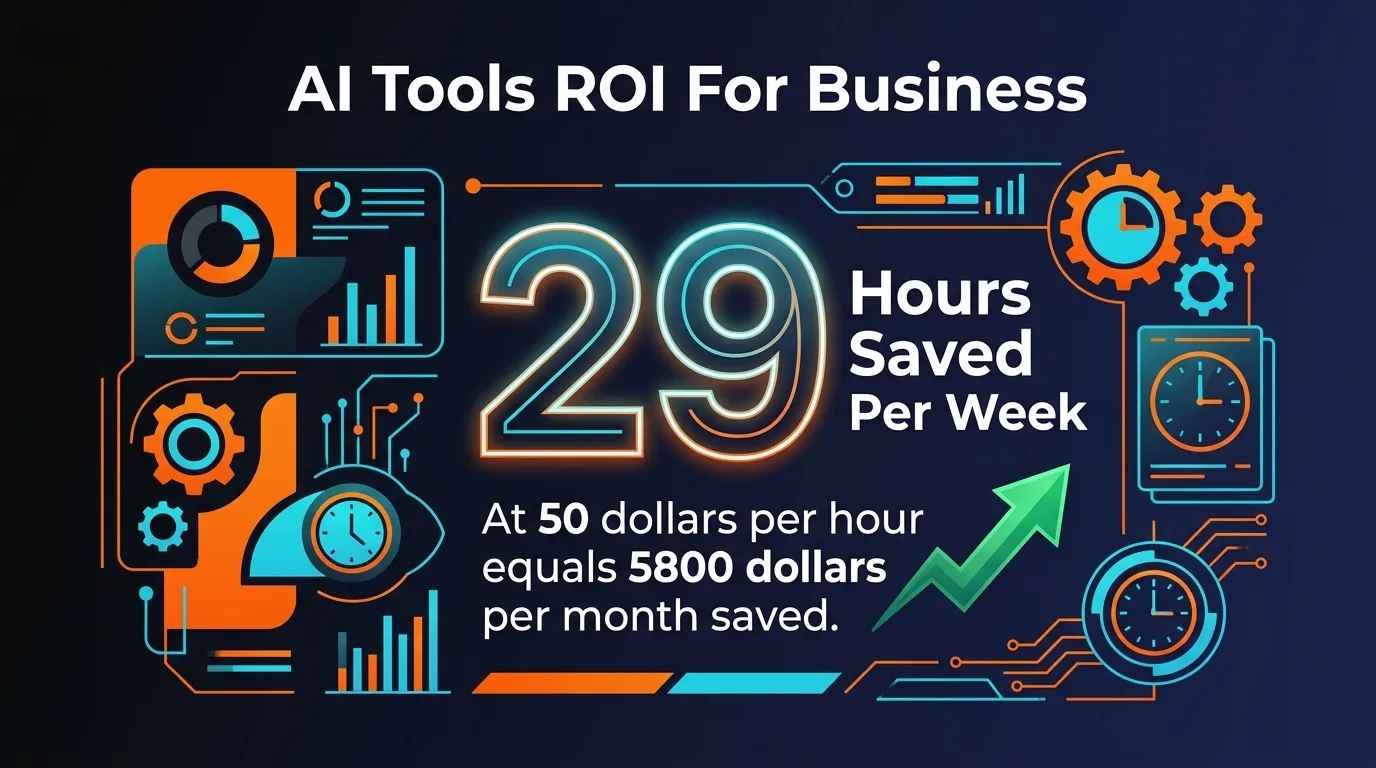
The formula is simple: hours saved per week x your effective hourly rate = weekly value recovered. Here is what the math looks like across all eight categories.
The Bottom Line
Even at the high end of tool costs ($1,342/month), you are recovering $5,800/month in productive time — a 4.3x return on investment. At the low end ($393/month), you are looking at a 14.8x return. And this assumes a modest $50/hour effective rate. If your time is worth $100/hour, double every number in the Value column.
Implementation Roadmap: 4 Weeks to Full Automation
Do not try to implement all eight tools in a single weekend. That is the fastest way to get overwhelmed, use nothing properly, and decide AI tools are overhyped. Here is the order that maximizes ROI while minimizing overwhelm.
Week 1: Content + Social Media (Biggest Time Win)
- Sign up for Claude Pro ($20/month) — generate your first blog post and repurpose it into social content
- Set up Buffer ($6/month) — connect your social accounts and schedule the first week of posts
- Create your brand voice document — 5 bullet points on tone, vocabulary, and audience
- Expected savings: 9-13 hours in the first week
Week 2: Customer Service + Email (Revenue Protection)
- Deploy Intercom Fin ($29/month) — upload your FAQ, product docs, and common support threads
- Set up ActiveCampaign ($49/month) — build your welcome sequence and one promotional automation
- Test the chatbot yourself — ask it 20 questions your customers commonly ask and refine
- Expected savings: 7-10 hours per week once configured
Week 3: Sales + CRM (Revenue Growth)
- Set up Clay ($149/month) or Apollo ($49/month) — import your lead list and enrich 50 contacts as a test
- Generate and send your first batch of AI-personalized outreach emails
- Create follow-up sequences based on response patterns
- Expected savings: 3-5 hours per week
Week 4: Operations (Accounting + HR + PM)
- Migrate to QuickBooks AI ($30/month) or enable AI features in your current accounting tool
- Set up Notion AI ($20/month) as your central operations hub
- Only set up Greenhouse if you have active hiring needs — otherwise save this for later
- Expected savings: 5-10 hours per week
5 Mistakes That Waste Your AI Budget
After helping dozens of business owners implement AI tools, I see the same mistakes on repeat. Avoid these and you will get to positive ROI dramatically faster.
Mistake 1: Subscribing to Everything on Day One
The excitement of discovering AI tools leads people to sign up for 6-8 subscriptions in a single sitting. Three months later, they are paying $800/month and using two of them. Start with two tools. Master them. Add the next two only after the first pair is generating measurable value.
Mistake 2: Publishing AI Output Without Editing
AI-generated content is a draft, not a finished product. Raw AI copy reads like AI copy — your audience can tell, Google can tell, and your brand authority suffers. Always add your expertise, real examples, specific data, and personal voice. The AI saves time on the first 80%. You provide the 20% that makes it worth reading.
Mistake 3: Choosing the Most Expensive Tier Immediately
Enterprise features sound impressive in a demo. But if you have 500 email subscribers, you do not need the $350/month Mailchimp tier. Start with the lowest paid plan that removes the limitations you actually hit. Upgrade when the tool's free tier or starter plan genuinely constrains your output.
Mistake 4: Ignoring the Training Period
AI tools get better with use. Your chatbot improves as it handles more conversations and you correct its mistakes. Your email AI improves as it sees which subject lines your audience responds to. Give each tool 2-4 weeks before judging its effectiveness. The week-one output is always the worst it will ever be.
Mistake 5: Automating the Wrong Tasks First
Automating low-value tasks feels productive but delivers minimal ROI. If you spend 30 minutes a week on invoicing but 8 hours on content creation, start with content. The implementation roadmap above is ordered by ROI-per-hour-invested for a reason. Follow the sequence.
Real Cost Breakdown: What You Will Actually Pay
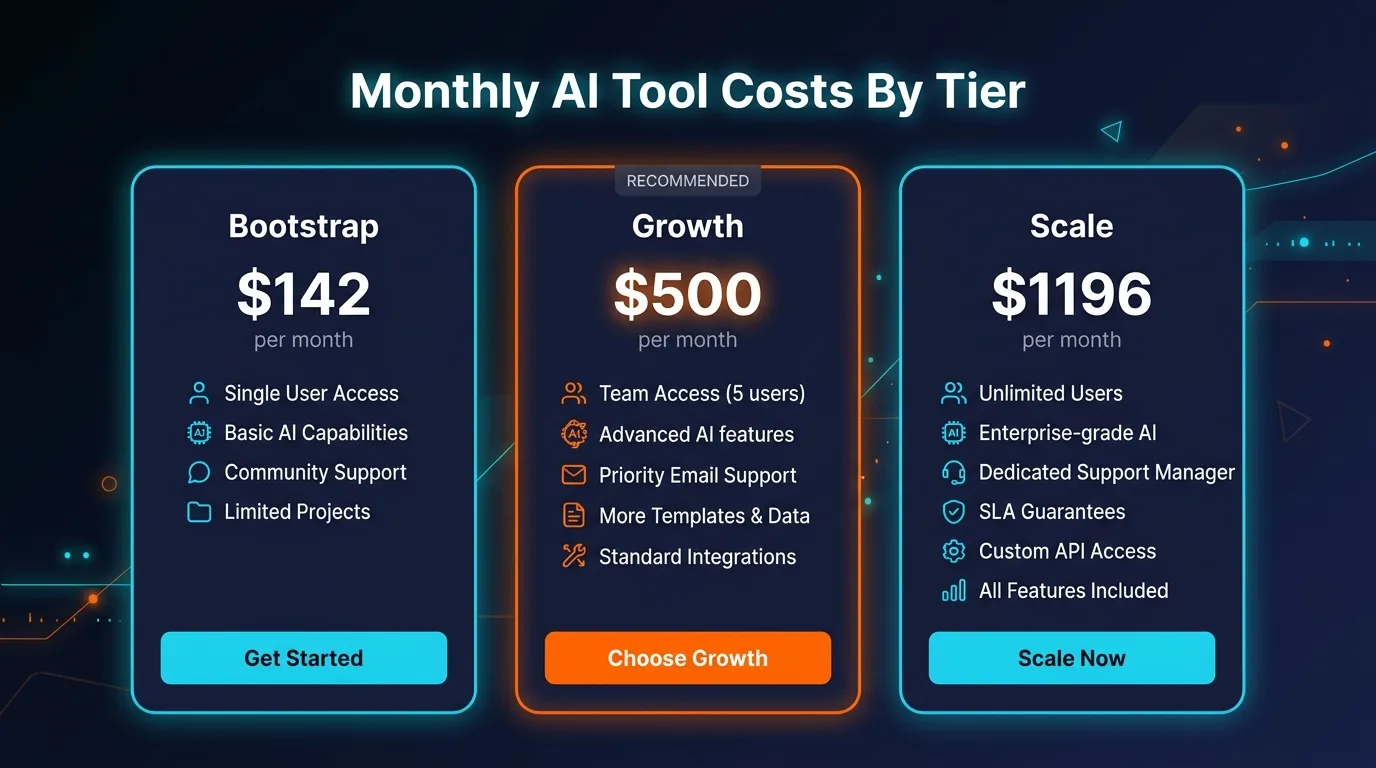
Here are three realistic budget scenarios based on business size and needs.
The Bootstrap stack at $142/month is genuinely all most solo operators and early-stage businesses need. It covers every category except HR (which you only need when actively hiring) and delivers 80% of the time savings at 12% of the Scale cost. Start here. Graduate to Growth when your revenue supports it.
The Compound Effect: Why This Works Better Than Hiring
Hiring a part-time employee to cover marketing, customer service, and admin costs $2,500-5,000 per month including payroll taxes and benefits. That person works 20 hours a week, needs training, takes vacation, calls in sick, and might quit in six months.
An AI tool stack costs $142-1,196 per month, works 24/7, never needs a sick day, scales instantly, and improves over time as it learns from your data. When you eventually do hire, your new employee inherits a business that runs on systems instead of scrambling. They spend their time on high-value work because the grunt work is already handled.
That is the real advantage. AI tools do not just save you 20 hours a week. They change the structure of your business from one that depends on your personal bandwidth to one that runs on automated workflows. That is the difference between a job and a business.
Frequently Asked Questions
What are the best AI tools for small business in 2026?
The best AI tools for small business in 2026 span eight categories: customer service (Intercom Fin), content marketing (Claude), social media management (Buffer AI), email marketing (ActiveCampaign AI), sales outreach (Clay), accounting (QuickBooks AI), HR and recruiting (Greenhouse AI), and project management (Notion AI). Combined, these tools can save a typical small business owner 20+ hours per week.
How much money can AI tools save my business?
At 20 hours saved per week with a $50/hour equivalent rate, that is $4,000 per month or $48,000 per year in recovered productivity. Even after subtracting total tool costs of roughly $500-800 per month, you net $38,000 to $42,000 annually. Most businesses see positive ROI within the first month.
How long does it take to implement AI tools in a business?
A full AI tool stack can be implemented in four weeks. Week one focuses on content and social media automation for the fastest ROI. Week two adds customer service and email marketing. Week three integrates sales and CRM. Week four completes the stack with accounting, HR, and project management. Most businesses start seeing time savings by the end of week one.
Do I need technical skills to use AI business tools?
No. Every tool in this guide is designed for non-technical business owners. Most offer drag-and-drop interfaces, pre-built templates, and natural language inputs. You type what you want in plain English and the tool does the rest. Setup typically takes 15-30 minutes per tool, and most offer free trials so you can test before committing.
What is the total monthly cost to automate a business with AI?
A complete AI tool stack costs between $142 (bootstrap) and $1,196 (full scale) per month. Most small businesses land in the $400-600 range. The breakdown covers content AI, social media scheduling, customer service chatbot, email marketing, sales automation, accounting, project management, and HR tools when actively hiring.
Will AI tools replace my employees?
AI tools do not replace employees — they replace the tasks that prevent you from hiring in the first place. For small businesses with 1-10 employees, AI handles the repetitive work that would otherwise require hiring a virtual assistant, social media manager, or bookkeeper. Your existing team becomes more productive because AI handles the grunt work while humans focus on strategy and relationships.
What are the biggest mistakes businesses make with AI tools?
The five most common mistakes are: subscribing to too many tools at once, publishing raw AI output without editing, choosing the most expensive tier immediately, ignoring the training period (AI tools improve with use), and automating low-value tasks first instead of starting with the highest-ROI categories like content and social media.
Is it worth paying for AI tools or are free versions enough?
Free versions are enough to validate a tool for your workflow. However, paid tiers are almost always worth it for serious business use. Free versions limit output volume, remove advanced features, and add branding. The jump from free to the first paid tier usually offers 10x more value. Budget $100-200/month to start and scale up as you confirm ROI.
Start Saving 20 Hours This Week
You do not need all eight tools to start. Sign up for Claude Pro and Buffer today — that is $26/month — and you will save 9-13 hours in your first week. The math does itself from there.
Bookmark this page. Come back to it as you implement each phase of the roadmap.
Recommended AI Tools
played.fm
Sell your music and keep 100%: played.fm is a direct-to-fan store + sync marketplace with 0% commission, no gatekeepers, and no bans — a strong fit for AI musicians.
View Review →OpenCode
The open-source AI coding agent: terminal-first TUI, 75+ model providers, LSP context, subagents, and privacy-first design. Free software, ~180K GitHub stars.
View Review →Exa
The neural web search API for AI agents: embeddings-based retrieval, cited highlights, sub-180ms latency, and an MCP server. 20,000 free requests/month.
View Review →Google Antigravity
Google's agent-first IDE: run a fleet of AI agents from a Manager surface, on Gemini 3 Pro, Claude Sonnet 4.5, or OpenAI models. Free in public preview.
View Review →