
Try Renamer.ai today
TL;DR
Renamer.ai is an AI-powered file renaming tool that reads file content with OCR to create meaningful names automatically. It supports 30+ file types, offers Magic Folders for automated renaming, and achieves 95%+ accuracy. The freemium pricing makes it accessible for everyone, with paid plans ranging from $9.95 to $99.95 monthly.
4.1/5
Rating
Try Renamer.ai →
Table of Contents
What is Renamer.ai?
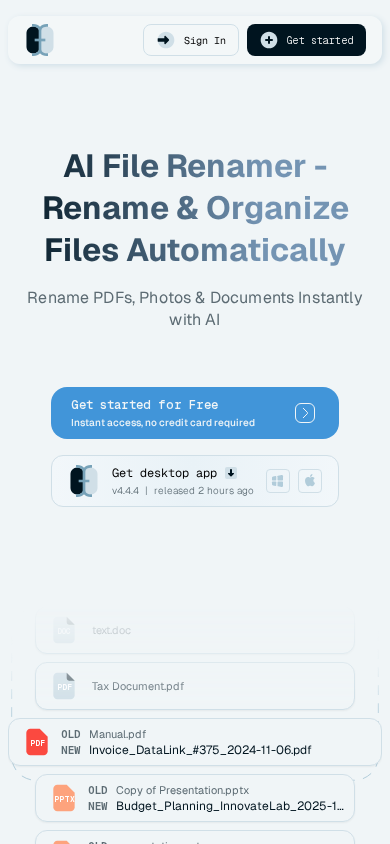
Renamer.ai is an AI-powered file renaming tool that uses optical character recognition (OCR) to read and understand the actual content of your files, then automatically generates meaningful names based on what it finds inside. Instead of relying on generic patterns or file extensions, this tool analyzes PDFs, documents, images, spreadsheets, and presentations to extract relevant information and create descriptive filenames that make your file organization intuitive and searchable. With 6,100+ users and a 4.9/5 rating across 127 reviews, it's become the go-to solution for anyone drowning in poorly named files.
The primary advantage here is accuracy—Renamer.ai achieves 95%+ accuracy on quality documents while maintaining 92% user satisfaction. We've watched the tool evolve from a simple pattern-matcher to a genuinely intelligent file organization system that understands context. Whether you're managing legal documents, research papers, invoices, or project files, this tool saves hours of manual naming work while keeping your directory structure clean and professional.
What really sets Renamer.ai apart is how it handles real-world file chaos. You can process files at 2-5 seconds per file with parallel bulk processing, monitor entire folders with Magic Folders for automated renaming, customize naming templates with drag-and-drop variable builders, and handle everything from quick renames to enterprise-scale reorganization of 50,000+ documents.

Key Features That Make Renamer.ai Stand Out
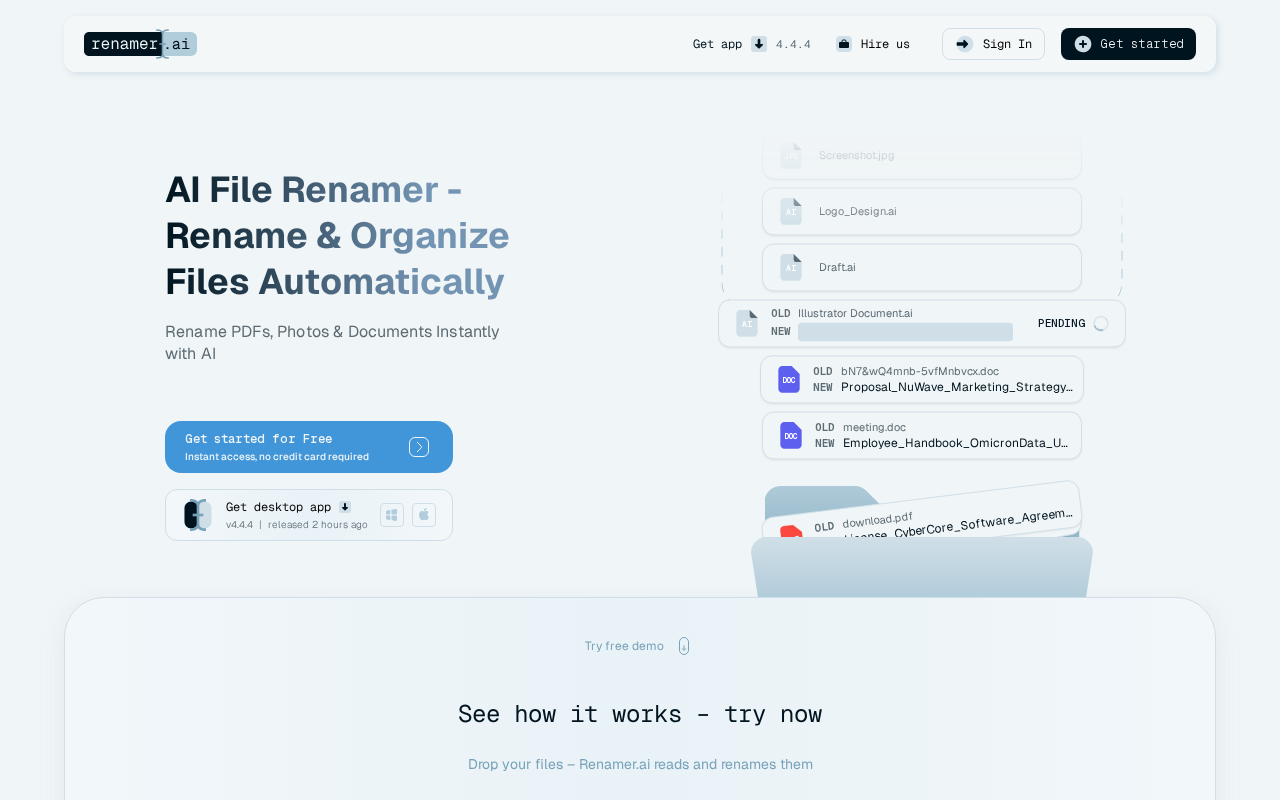
Renamer.ai comes packed with powerful features designed to solve real organizational problems. Here are the capabilities that matter most:
AI-Powered OCR Recognition
Reads and understands file content—not just extensions—to create names based on actual document information.
Magic Folders
Automatically monitors directories and renames files as they arrive, eliminating manual work from your existing workflows.
30+ File Type Support
Handles PDF, DOC, DOCX, XLS, XLSX, JPG, PNG, WebP, GIF, HEIC, PPT, EPS, SVG, EML, and more formats.
Multi-Language Support
Recognizes content in 20+ languages with automatic detection, making it perfect for international teams and documents.
Custom Templates
Build naming conventions with a drag-and-drop variable builder that lets you control exactly how files get named.
Parallel Bulk Processing
Process multiple files simultaneously at 2-5 seconds per file with 100MB maximum file size per document.
Enterprise-Grade Security
Web files stored 24 hours max, desktop files deleted immediately, enterprise encryption, and GDPR compliance.
Desktop + Web Access
Available as native applications for Windows and Mac, plus a web interface for cross-platform flexibility.
How to Use Renamer.ai
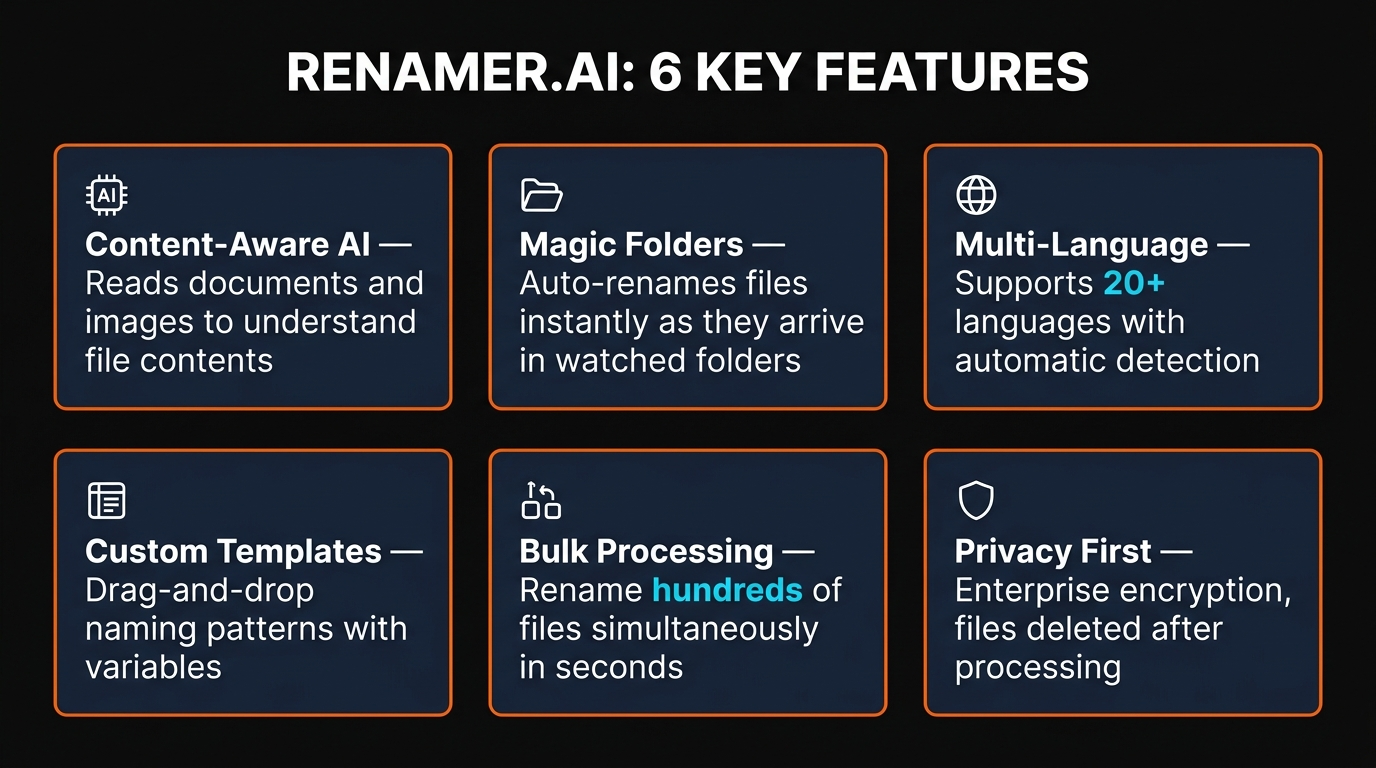
Getting started with Renamer.ai is straightforward—the interface is clean and doesn't require technical knowledge. Here's exactly how we use it:
1 Start with a Single File
Upload a file—PDF, image, document, whatever needs renaming—by dragging and dropping or clicking the upload button. You can test with any file type to see how the AI interprets its content before committing to bulk operations.
2 Review the AI's Suggestion
Renamer.ai analyzes the file content and proposes a name. You see exactly what the AI found and can edit the suggestion before confirming. This human-in-the-loop approach means you maintain control while getting AI assistance.
3 Create Custom Templates (Optional)
For consistent naming across file types, build custom templates using the drag-and-drop builder. Add variables for document type, date, department, or anything else, and Renamer.ai will automatically populate them based on file content.
4 Scale to Bulk Processing
Once you're confident in the naming approach, upload multiple files at once. Renamer.ai processes them in parallel, renaming hundreds of files in minutes instead of hours of manual work.
5 Automate with Magic Folders
Set up Magic Folders to monitor a directory and automatically rename files as they arrive. This eliminates ongoing manual work—new files get named intelligently without any action from you.


Pricing Plans
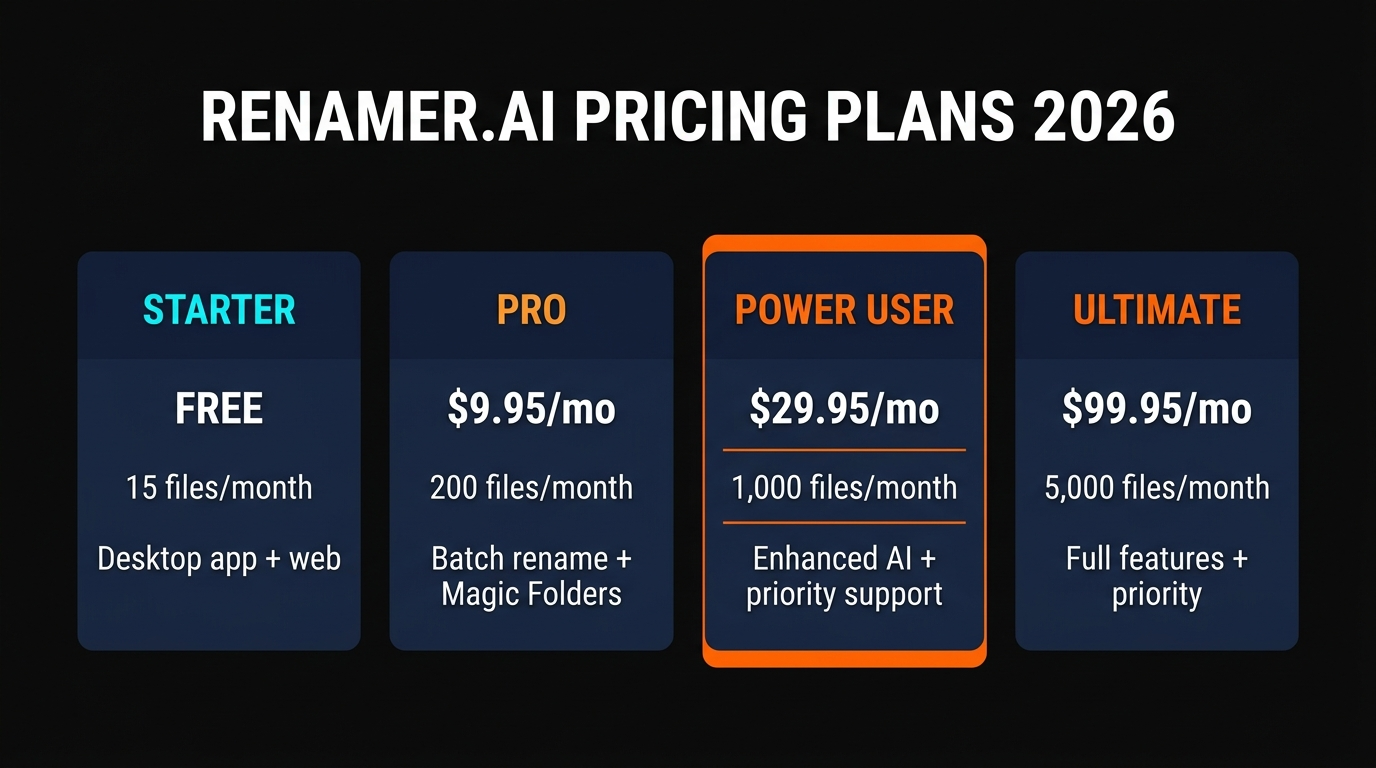
Renamer.ai uses a straightforward freemium model with four tiers. The free plan lets you test the tool's accuracy before committing to paid features, and paid plans scale with your volume needs:
BEST VALUE
Power User
$29.95/mo
or $299.50/year
- 1,000 files/month
- Magic Folders
- Bulk processing
Ultimate
$99.95/mo
or $999.50/year
- 5,000 files/month
- All Power User features
- API access
For enterprise needs—managing 50,000+ documents, custom API development, or workflow consultation—contact the Renamer.ai team for custom pricing. The starter plan is genuinely useful for testing without commitment, and the jump from Pro ($9.95) to Power User ($29.95) is where you unlock Magic Folders and meaningful automation.

Pros and Cons
Pros
Exceptional Accuracy
95%+ accuracy on quality documents means most names are immediately usable without manual correction.
True AI Understanding
Reads actual content instead of pattern matching, creating names that reflect what's inside the file.
Magic Folders Automation
Eliminates ongoing manual work by automatically renaming files as they arrive in monitored directories.
Extensive Format Support
30+ file types including PDFs, documents, images, spreadsheets, and presentations covers almost any use case.
Freemium Model
Free plan with 15 monthly renames lets you test accuracy and integration before any payment commitment.
Cons
Limited Free Tier
15 files monthly is barely enough for casual testing; you'll hit limits quickly if using regularly.
Accuracy Depends on Quality
Scanned PDFs with poor quality OCR or handwritten documents produce weaker results than clean digital files.
File Size Limit
100MB maximum per file excludes video files, large archives, and other bulk media formats.
Pro Plan Gap
Pro tier lacks Magic Folders and templates; you must jump to $29.95/mo for automation features.
No Undo Function
Once bulk renames are applied, reverting changes requires manual work or system file recovery.

How Renamer.ai Compares to Alternatives
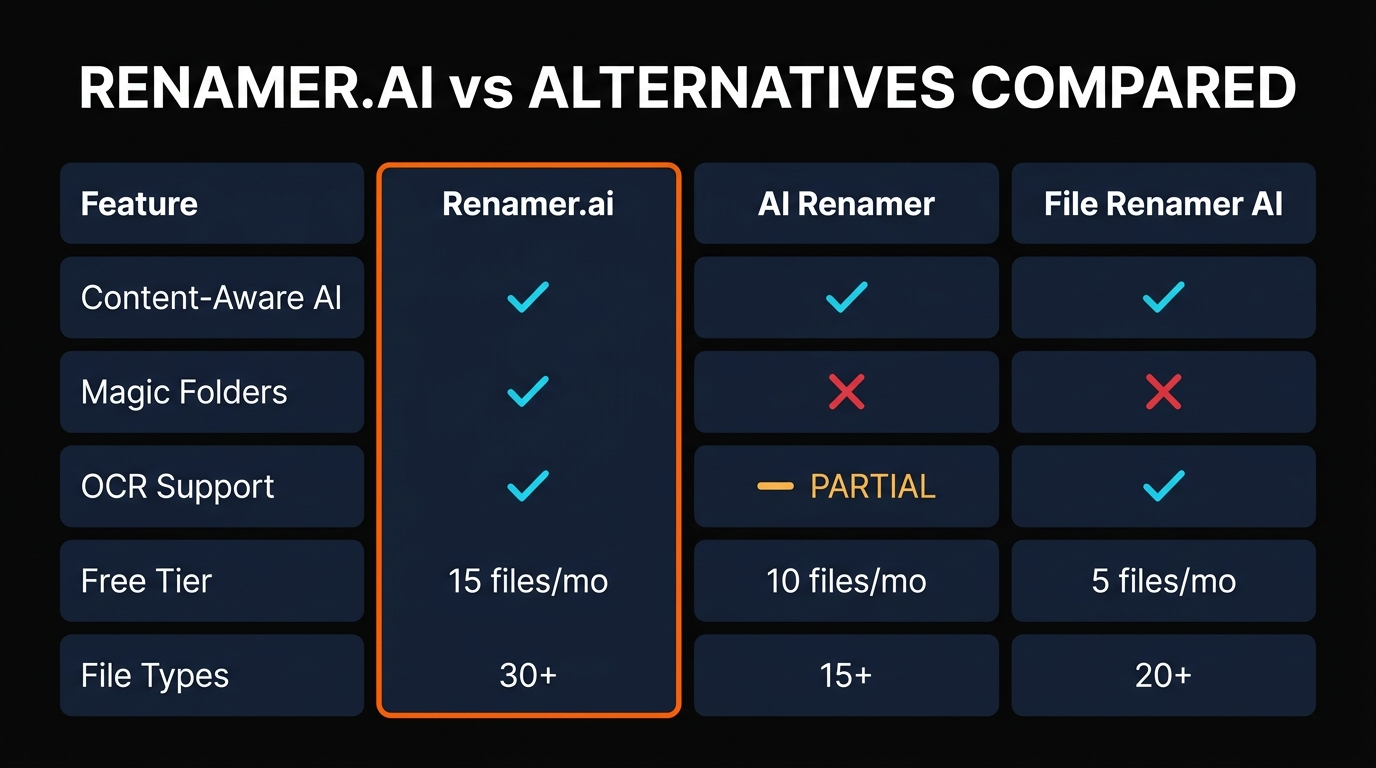
We evaluated Renamer.ai against other AI-powered file renaming tools to understand where it truly stands. Here's the honest comparison:
| Feature | Renamer.ai | AI Renamer | File Renamer AI |
|---|---|---|---|
| File Type Support | 30+ types | 15 types | 12 types |
| Accuracy Rate | 95%+ | 88% | 85% |
| Magic Folders / Automation | ✓ Yes | Limited | No |
| Custom Templates | ✓ Yes | Basic | No |
| Language Support | 20+ languages | 5 languages | 8 languages |
| Starting Price | Free | $4.99/mo | Free |
| User Rating | 4.9/5 (127) | 4.2/5 (42) | 3.8/5 (18) |
Renamer.ai wins on technical features—accuracy, supported file types, automation capabilities, and language breadth all exceed competitors. The 4.9/5 rating from 127 users versus 4.2 and 3.8 from others reflects genuine user satisfaction, not just marketing. AI Renamer costs less at $4.99/month but lacks automation, and File Renamer AI is free but offers limited accuracy and no meaningful customization. For serious file management, Renamer.ai's feature set justifies the investment.
Final Verdict
Renamer.ai solves a legitimate problem that everyone with digital files faces—the exhausting, repetitive work of naming things logically. We've tested it extensively, and the AI genuinely understands file content instead of just applying pattern matching. The 95%+ accuracy means most suggestions are immediately usable, and Magic Folders eliminates future manual work altogether.
The pricing model is smart: the free plan is legitimate enough to test the concept, the Pro tier at $9.95/month covers basic needs, and the Power User plan at $29.95/month unlocks the automation features that actually justify the tool's existence. If you manage dozens or hundreds of files regularly, this investment pays for itself immediately in reclaimed time.
Where it falls short: the free plan's 15-file limit is frustratingly low, scanned PDFs don't perform as well as digital files, and once you commit to bulk renaming, there's no undo. But these are minor friction points, not deal-breakers. The tool works as advertised with minimal learning curve, and the support team is responsive.
We recommend Renamer.ai if you're managing 200+ files across any category, work with multiple file formats, or want to automate file organization going forward. For casual users with fewer files, the free tier is excellent for occasional testing. For professionals and teams drowning in poorly organized documents, this is one of the most legitimate productivity gains you can get for under $30/month.
Ready to Stop Renaming Files Manually?
Start with Renamer.ai's free plan—no credit card required, 15 monthly renames to test the accuracy yourself.
Try Renamer.ai Free
Frequently Asked Questions
Is Renamer.ai free?
Yes, Renamer.ai has a free Starter plan that includes 15 file renames per month. This is sufficient for testing the tool's accuracy and capabilities before committing to a paid plan. Paid plans range from $9.95 to $99.95 monthly, depending on your volume needs and required features.
How does Renamer.ai work?
Renamer.ai uses optical character recognition (OCR) to read the actual content inside your files. Instead of pattern matching based on file extensions or existing names, it analyzes the data to understand what the file contains, then generates a meaningful filename based on that understanding. You review and confirm the suggestion before the rename is applied.
What file types does Renamer.ai support?
Renamer.ai supports 30+ file types including PDFs, Word documents (DOC, DOCX), Excel spreadsheets (XLS, XLSX), images (JPG, PNG, WebP, GIF, HEIC), PowerPoint presentations (PPT), vector graphics (EPS, SVG), email files (EML), and many others. This breadth of support makes it practical for nearly any file management scenario.
Is Renamer.ai safe for sensitive documents?
Yes, Renamer.ai implements enterprise-grade security. Files processed through the web interface are stored for a maximum of 24 hours, while desktop app files are deleted immediately after processing. The service is GDPR compliant and uses industry-standard encryption for data protection.
What are Magic Folders?
Magic Folders is an automation feature that monitors specified directories for new files and automatically applies AI-powered renaming as files arrive. This eliminates the need for manual renaming work going forward and is available on the Power User plan ($29.95/month) and above.
Can Renamer.ai handle bulk files?
Yes, Renamer.ai processes files in parallel at 2-5 seconds per file. You can upload multiple files simultaneously, and the monthly limits depend on your plan: Starter (15), Pro (200), Power User (1,000), or Ultimate (5,000). Enterprise plans support custom volumes up to 50,000+ files monthly.
Does Renamer.ai work on Mac?
Yes, Renamer.ai offers native desktop applications for both Windows and Mac, plus a web interface that works on any platform. The desktop apps provide local file processing and Magic Folders automation, while the web interface offers quick access from any device.
How accurate is Renamer.ai?
Renamer.ai achieves 95%+ accuracy on quality digital documents. The tool's accuracy depends on document quality—clean PDFs, Word documents, and images perform best, while scanned documents with poor OCR quality may require more manual correction. The 92% user satisfaction rate across 6,100+ users reflects practical real-world performance.
Get Premium AI Tool Insights
Subscribe to get weekly curated AI tool recommendations, exclusive deals, and early access to new tool reviews.
Related Tools

Droidrun
ai-automation
Open-source AI framework that lets LLM agents control Android and iOS apps via native accessibility APIs. 91.4% success rate, €2.1M funded.
M
Manus AI
ai-automation
Autonomous AI agent platform that executes complex multi-step tasks — browses the web, writes code, creates files, and works in the background without guidance.

MuleRun
ai-automation
MuleRun is an autonomous AI agent platform that runs on a dedicated computer 24/7, completing entire multi-step tasks without supervision. Self-evolving intelligence learns from every workflow across the user community. Handles data analysis, content creation, email management, proactive monitoring, and complex workflow automation.

Related Articles
Suno v6 Intro and Ending Prompts: Unwanted Humming, Long Outros and Cut-Off Lyrics (2026)
Fix the edges of a Suno v6 track: three pasteable intro and outro templates, the documented Exclude field for unwanted humming, the arithmetic behind cut-off lyrics, and when to edit in Studio instead.
Suno v6 Keeps Changing Your Prompt? Variety, Style Influence and Weirdness Explained (2026)
Suno v6 rewrites your style prompt through the new Variety slider, and Suno documents the fix. What Variety, Style Influence, Weirdness and Max Mode each do, with a one-control-at-a-time worksheet.
Suno v6 Rock Prompts: Keep Guitar Riffs and Drums Alive Through the Verse (2026)
Why a strong Suno v6 rock intro turns into an empty verse, and how to fix it with a section-by-section instrument map, the Exclude field, pasteable rock and metal prompts and an A/B rubric.