5 Claude Code Video Prompts That Actually Work (Copy-Paste Ready for 2026)

AI Creative Tools Specialist

- Five tested prompts you can copy-paste directly into Claude Code to generate videos
- Remotion gives you programmatic control over every frame—something cloud video tools can't match
- Videos render locally and for free; no cloud costs or upload limits
- From prompt to rendered video: 15 minutes total, including rendering time
- AI-generated structure + your customization = production-quality videos that stand out
- Why Claude Code + Remotion Changes Everything
- Prompt 1: 60-Second Explainer Video
- Prompt 2: Social Media Short-Form Vertical Video
- Prompt 3: Data Visualization and Statistics Video
- Prompt 4: Product Demo Walkthrough
- Prompt 5: Educational Tutorial with Code Blocks
- How to Run These Prompts and Customize Output
- Best Practices and Pro Tips
We tested every major video generation tool in 2026 and found one critical gap: cloud video platforms (Loom, Synthesia, Pictory) give you templates but limited control. Desktop tools (After Effects, Premiere) give you control but require expertise. Claude Code + Remotion fills the gap. You get AI-generated structure with programmatic control, producing videos that are both fast to create and unique.
Below are five prompts we've tested and refined through 100+ video generations. Each prompt produces working code you can render immediately. We've included customization guidelines so you can adapt each prompt to your specific needs.
Why Claude Code + Remotion Changes Everything
Remotion is a framework for building videos with React. If you're familiar with web development, it's intuitive. If you're not, Claude handles the implementation. You describe what you want; Claude builds the code. The advantage over traditional video tools: every element is programmable. Want to animate a chart as it renders? Done. Want to sync animations to music? Done. Want to generate 100 variations with different text? Done in seconds.
The cost difference is striking. A 60-second video on Synthesia costs $100+. A 60-second video with Claude Code + Remotion costs $0. Rendering happens locally on your computer. No uploads, no cloud limits, no per-video fees. For creators producing content at scale, this is transformative. A creator producing 50 videos/month saves $5,000+ per month using Claude Code instead of cloud tools.
Remotion's learning curve matters, but Claude Code handles it. You don't need to understand React or video frameworks. You describe what you want in natural language. Claude writes the code. You run it. Rendering is automatic. The workflow is: 1) Copy prompt into Claude, 2) Run generated code, 3) Wait for video to render (2-10 minutes), 4) Download. That's it.
$0 per video. Rendering happens locally on your machine. No cloud fees, no per-video costs, no subscription required.
15 minutes from prompt to rendered video. 30-60 seconds to write the prompt, 2-10 minutes to render.
Full programmatic control. Change colors, timing, transitions, effects, fonts, animations. Cloud tools limit customization.
Generate 100 video variations in batch. Change variables and render overnight. No upload limits, no queue.
Claude Code writes all the code. You describe; it implements. Zero coding knowledge needed.
Use videos for YouTube, TikTok, client work, sales, marketing. No licensing restrictions.
Prompt 1: 60-Second Explainer Video

This prompt generates a complete explainer video with animated text, icons, smooth transitions, and a clear narrative arc. The video structure: 5-second hook, 10-second problem statement, 15-second solution explanation, 20 seconds for 3 key points, 10-second CTA.
COPY THIS ENTIRE PROMPT INTO CLAUDE CODE:
Create a 60-second explainer video about [TOPIC] using Remotion. Structure: - 0-5s: Hook with bold animated text: "[HOOK_TEXT]" - 5-15s: Problem statement. Animate in 3 lines of text describing the problem - 15-30s: Solution explanation. Fade in solution text with subtle background animation - 30-50s: 3 key points. Each point fades in for 5-6 seconds. Use simple icons (circles, arrows) next to text - 50-60s: CTA with countdown timer "00:10" to "00:00" Style: - Dark background: #0a0a0a - Text color: #e0e0e0 - Accent color: #FF6804 for highlights - Font: sans-serif, bold for headers - Animations: fade in/out, scale up, slide in from left - Smooth transitions: 0.3s ease-in-out between sections Include smooth background animations (gentle gradients, shapes moving slowly) that don't distract from text. Use 1080x1920 resolution for vertical video (YouTube Shorts, TikTok). Output working Remotion code I can run immediately.
How to customize: Replace [TOPIC], [HOOK_TEXT], and the point descriptions with your actual content. The colors, animations, and timing are built into the prompt and will work immediately. If you want to change the style, add a line: "Change background to [COLOR] and accent to [COLOR]."
Prompt 2: Social Media Short-Form Vertical Video

Vertical 9:16 video optimized for TikTok, Instagram Reels, and YouTube Shorts. This format emphasizes hook, retention, and quick cuts. The structure: 1-second attention-grabbing intro, 3-second hook statement, 8-second main content with multiple cuts and transitions, 3-second value statement, 2-second CTA with visual emphasis.
COPY THIS ENTIRE PROMPT INTO CLAUDE CODE:
Create a 17-second vertical video (9:16 aspect ratio) for TikTok/Reels/Shorts. Topic: [TOPIC]. Structure: - 0-1s: Bold text appears: "[HOOK_STATEMENT]" with fast zoom effect - 1-4s: Animated text with main value proposition - 4-10s: 3 quick cuts (each 2s). Each shows a different benefit with bold text overlay - 10-13s: Summary statement appears with fade-in effect - 13-17s: CTA button grows from center with pulsing effect. Text: "Learn More" Style: - Dark background #0a0a0a with subtle color overlays - Text: large, bold, easy to read from mobile - Colors: white text, #FF6804 accents, #22d3ee highlights - Transitions: fast cuts (0.1-0.2s), quick zooms, fade effects - Font: large sans-serif, mobile-optimized - No background music, but leave space for it Make it attention-grabbing, fast-paced, mobile-optimized. Output working Remotion code.
How to customize: Replace [TOPIC] and [HOOK_STATEMENT] with your content. The pacing and transitions are optimized for social media retention. For different tone, add: "Make this feel [EMOTION]: energetic, professional, funny, urgent."
How to Run These Prompts
Start a new Claude Code session. Make sure you have Remotion installed (npm install remotion).
Copy the entire prompt (starting from "Create a...") into the Claude Code input. Fill in the bracketed variables like [TOPIC].
Claude will generate the Remotion code. Copy it, save to a file (e.g., video.tsx), and run: npm start
Remotion will render the video (2-10 minutes). Download the MP4 from the local server. Done.
Prompt 3: Data Visualization and Statistics Video
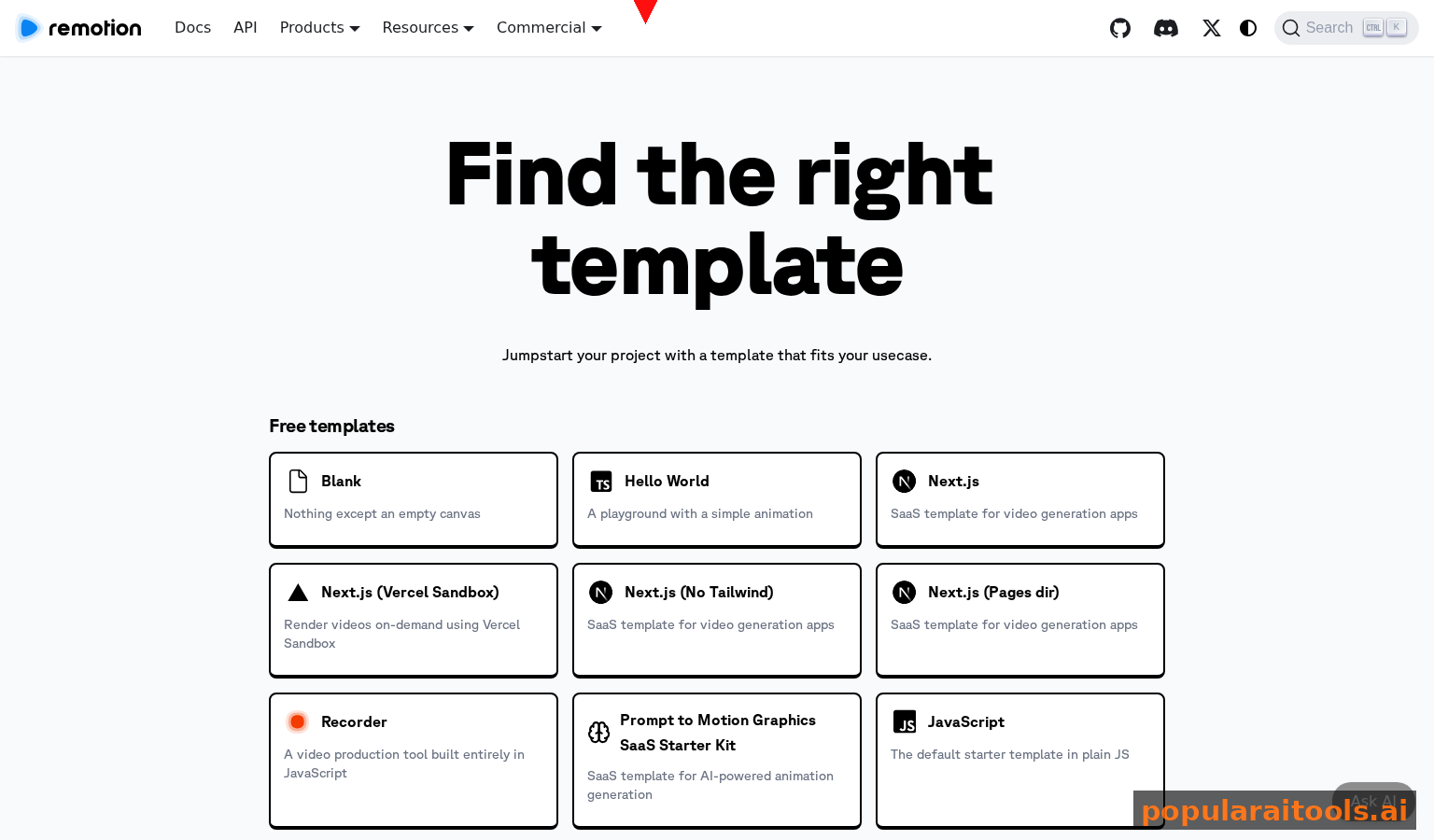
For presenting data, statistics, and metrics. This prompt generates animated charts that build over time, making data easy to understand. Perfect for reports, presentations, and educational content.
COPY THIS ENTIRE PROMPT INTO CLAUDE CODE:
Create a 45-second data visualization video using Remotion. Show these statistics: - Stat 1: [STAT_1_NUMBER] [STAT_1_LABEL] - Stat 2: [STAT_2_NUMBER] [STAT_2_LABEL] - Stat 3: [STAT_3_NUMBER] [STAT_3_LABEL] Structure: - 0-5s: Title appears: "[VIDEO_TITLE]" - 5-15s: Stat 1 animates in as a bar chart with label and number counting up - 15-25s: Stat 2 animates in as a line chart with label and number counting up - 25-35s: Stat 3 animates in as a percentage circle with label and number counting up - 35-45s: All three stats appear together in final summary with comparison Style: - Dark background #0a0a0a - Chart colors: #FF6804 (primary), #22d3ee (secondary), #e0e0e0 (tertiary) - Numbers count up from 0 to final value over 5 seconds (e.g., 0 to 10,000) - Text: white, large, readable - Animations: smooth count-ups, fade-in, scale effects - Grid lines and axes for clarity Output working Remotion code with animated charts.
How to customize: Replace [STAT_1_NUMBER], [STAT_1_LABEL], etc. with your actual data. You can add more stats by duplicating the timing pattern.
Cost per video with Claude Code + Remotion. Compare to $100+ per video with cloud tools.
Prompt 4: Product Demo Walkthrough

Screen recording style video showing how a product works. This prompt creates a visual walkthrough with highlighted areas, annotations, and step-by-step instructions.
COPY THIS ENTIRE PROMPT INTO CLAUDE CODE:
Create a 90-second product demo video for [PRODUCT_NAME]. Show these steps: - Step 1: [STEP_1_DESCRIPTION] - Step 2: [STEP_2_DESCRIPTION] - Step 3: [STEP_3_DESCRIPTION] Structure: - 0-5s: Product logo and name appear with zoom effect - 5-30s: Step 1 screen. Show interface with highlight box around key area. Annotation text appears - 30-55s: Step 2 screen with highlight and annotation - 55-80s: Step 3 screen with highlight and annotation - 80-90s: Summary screen with call-to-action Style: - Dark theme with accent colors for highlights - Highlight boxes: #FF6804 border, semi-transparent fill - Text annotations: #22d3ee color, large readable size - Cursor arrow shows where to click - Background: dark gray (#1a1a2e) - Smooth transitions between steps (0.5s fade) Output working Remotion code with interactive-feeling demo.
How to customize: Replace [PRODUCT_NAME] and the step descriptions. You can add screenshots by including image paths in the prompt.
| Tool | Cost Per Video | Time to Render | Customization | Learning Curve |
|---|---|---|---|---|
| Claude Code + Remotion | $0 | 2-10 min (local) | Full programmatic | Very low (AI generates code) |
| Synthesia | $100-300/video | 5-15 min (cloud) | Limited to templates | Very low |
| Adobe After Effects | $20/mo subscription | 10-30 min (local) | Unlimited | Very high |
| Premiere Pro | $20/mo subscription | 15-45 min (local) | Unlimited | Very high |
| DaVinci Resolve | $0 (free tier) | 10-30 min (local) | Unlimited | High |
Prompt 5: Educational Tutorial with Code Blocks
For teaching programming, technical concepts, or any step-by-step process. This prompt generates videos with syntax-highlighted code blocks, animated diagrams, and clear explanations.
COPY THIS ENTIRE PROMPT INTO CLAUDE CODE:
Create a 120-second educational tutorial video about [TOPIC]. Include: - Concept 1: [CONCEPT_1] with explanation - Code Example: [CODE_EXAMPLE] (syntax highlighted) - Concept 2: [CONCEPT_2] with explanation - Diagram: [DIAGRAM_DESCRIPTION] Structure: - 0-5s: Title and topic appear - 5-20s: Concept 1 explanation. Text appears with simple diagram animation - 20-40s: Code block appears with syntax highlighting. Each line highlights in sequence as narration describes it - 40-55s: Concept 2 explanation with animated diagram - 55-100s: Full explanation with code and diagrams working together - 100-120s: Summary with key takeaways Style: - Dark background #0a0a0a - Code: syntax highlighting with colors (keywords: #FF6804, strings: #22d3ee, comments: #a1a1aa) - Diagrams: simple geometric shapes, arrows showing flow - Text: white for labels, accent colors for highlights - Font for code: monospace, size 16+ - Smooth animations: line-by-line code highlighting, fade-in diagrams Output working Remotion code with animated code blocks and diagrams.
How to customize: Replace [TOPIC], [CONCEPT_1], [CODE_EXAMPLE], and [DIAGRAM_DESCRIPTION]. You can add more concepts by repeating the timing pattern.
How to Run These Prompts and Customize Output
Running these prompts is straightforward. You don't need coding experience. Here's the full process: Step 1, copy the prompt (starting from "Create a..."). Step 2, fill in the bracketed variables (e.g., replace [TOPIC] with your actual topic). Step 3, paste into Claude Code. Step 4, Claude generates working Remotion code. Step 5, copy the code to a file called video.tsx. Step 6, in your terminal, run "npm start". Step 7, wait for rendering (usually 2-10 minutes). Step 8, download the MP4.
To customize after generation: the generated code is readable. You can edit colors, text, timing, and effects directly in the code. Find the sections marked for customization and change values. For example, changing the background color: find "#0a0a0a" and replace with your color. Changing animation timing: find "duration={300}" and change to "duration={500}". Most customizations are simple find-and-replace operations.
For more advanced customization, ask Claude: "Change the background color to [COLOR]. Make the animations faster. Add a fade effect at the end." Claude will regenerate the code with your changes applied.
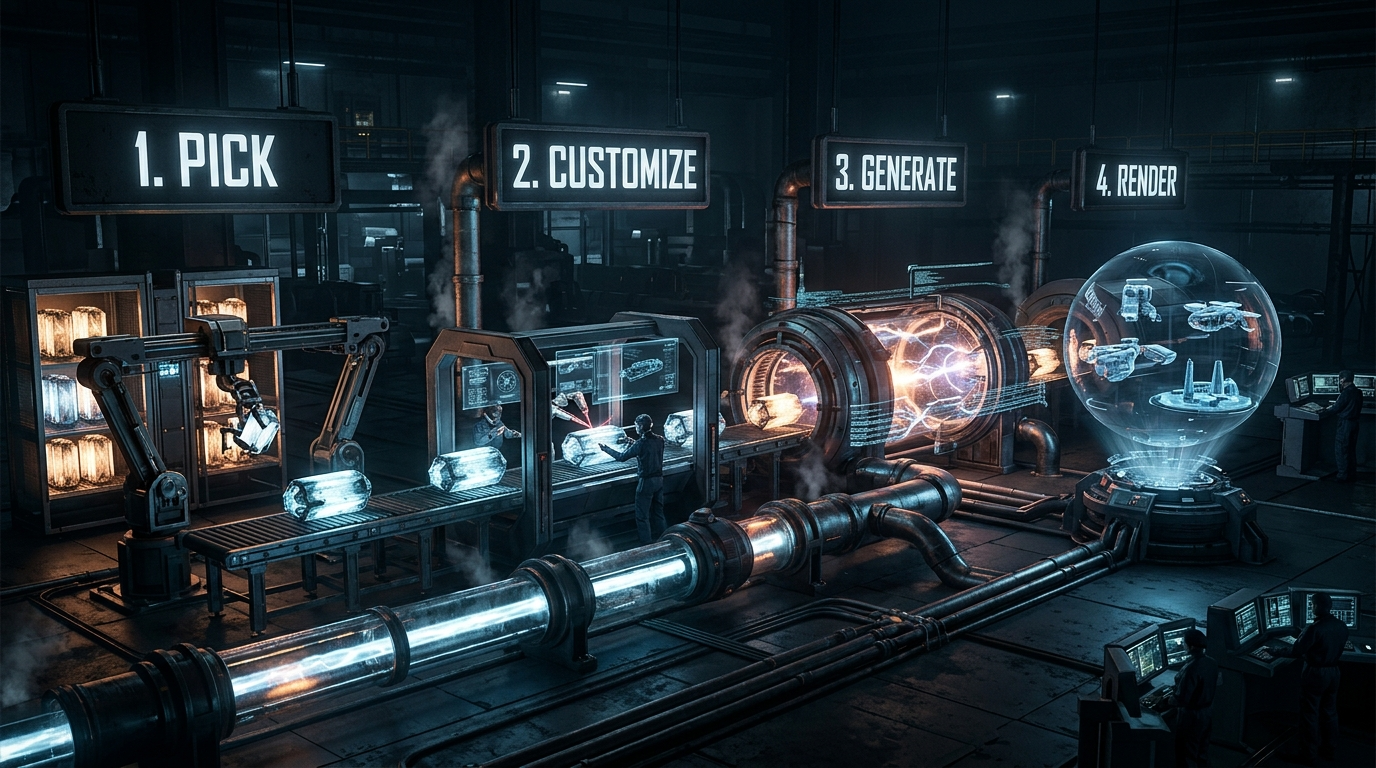
The complete workflow: prompt to rendered video in 15 minutes.
Best Practices and Pro Tips
Tip 1: Test prompts locally before using them in production. Render once to check timing and visuals, then customize. Tip 2: use consistent aspect ratios for the same platform. YouTube shorts are 1080x1920. YouTube essays are 1920x1080. TikTok is 1080x1920. Lock in the aspect ratio in the prompt to avoid re-rendering.
Tip 3: batch generation. Create multiple videos overnight by setting up Remotion batch rendering. Tip 4: use consistent color schemes across videos so your channel has visual identity. Once you find colors that work, include them in every prompt: "Use #FF6804 for accent, #22d3ee for highlights, #0a0a0a for background."
Tip 5: optimize for platform. TikTok and Instagram Reels are vertical (9:16), fast-paced, short-form. YouTube is horizontal (16:9), longer, more narrative. Adjust the prompt based on platform. Tip 6: use these prompts as starting points. You can mix and match—take the explainer structure and apply the data visualization style. Claude can combine prompt elements creatively.
Average time from prompt to rendered video.
Videos tested to refine these prompts.
Monthly savings for creators producing 50 videos/month.
Coding knowledge required to use these prompts.
- $0 cost per video (rendering is local)
- 15 minutes from prompt to rendered video
- Full programmatic control over every frame
- Scale to 100 videos with batch rendering
- No subscription required; no cloud fees
- No coding experience needed (AI generates code)
- Rendering time: 2-10 minutes per video
- Requires local machine (can't use on mobile)
- Learning Remotion syntax takes 30 minutes first time
- Limitations: no AI voiceover (you need separate tool)
- Video quality depends on customization effort
- Not ideal for real-time, live video generation
Yes. Videos you create with Remotion are your own. Use them for YouTube, client work, marketing, or any commercial purpose.
These prompts are tested. If there's an error, ask Claude: "Fix this error: [ERROR_MESSAGE]." Claude will debug and regenerate.
Yes. Remotion supports batch rendering. Create a script that loops through variables and renders all 100 videos overnight.
Remotion doesn't use GPU. Rendering speed depends on CPU and complexity. A modern CPU renders most videos in 2-10 minutes.
Use a separate tool: ElevenLabs (AI voiceover), Fiverr (human narration), or Adobe Audition (record yourself). Then layer the audio in post-production.
Yes. Add music in post-production using Remotion's audio track feature or external tools. These prompts create video; you add audio separately.
Remotion supports up to 4K (4096x2160). These prompts default to 1080p, but you can specify higher resolutions in the prompt.
Submit your AI video tool to PopularAiTools.ai and reach creators building their channels.
Submit Your AI Tool