Grammarly
Freemiumai-writing

Grammarly Review 2026: Features, Pricing, Pros & Cons
Updated March 2026 · 12 min read · By PopularAiTools.ai
TL;DR
Grammarly remains the gold standard for AI-powered writing assistance in 2026. With real-time grammar checking, GrammarlyGO AI writing, plagiarism detection, and cross-platform integration, it's the most comprehensive writing tool available. The Premium plan at $12/month is worth it for anyone who writes regularly — though the English-only limitation may push multilingual writers elsewhere. Rating: 4.6/5
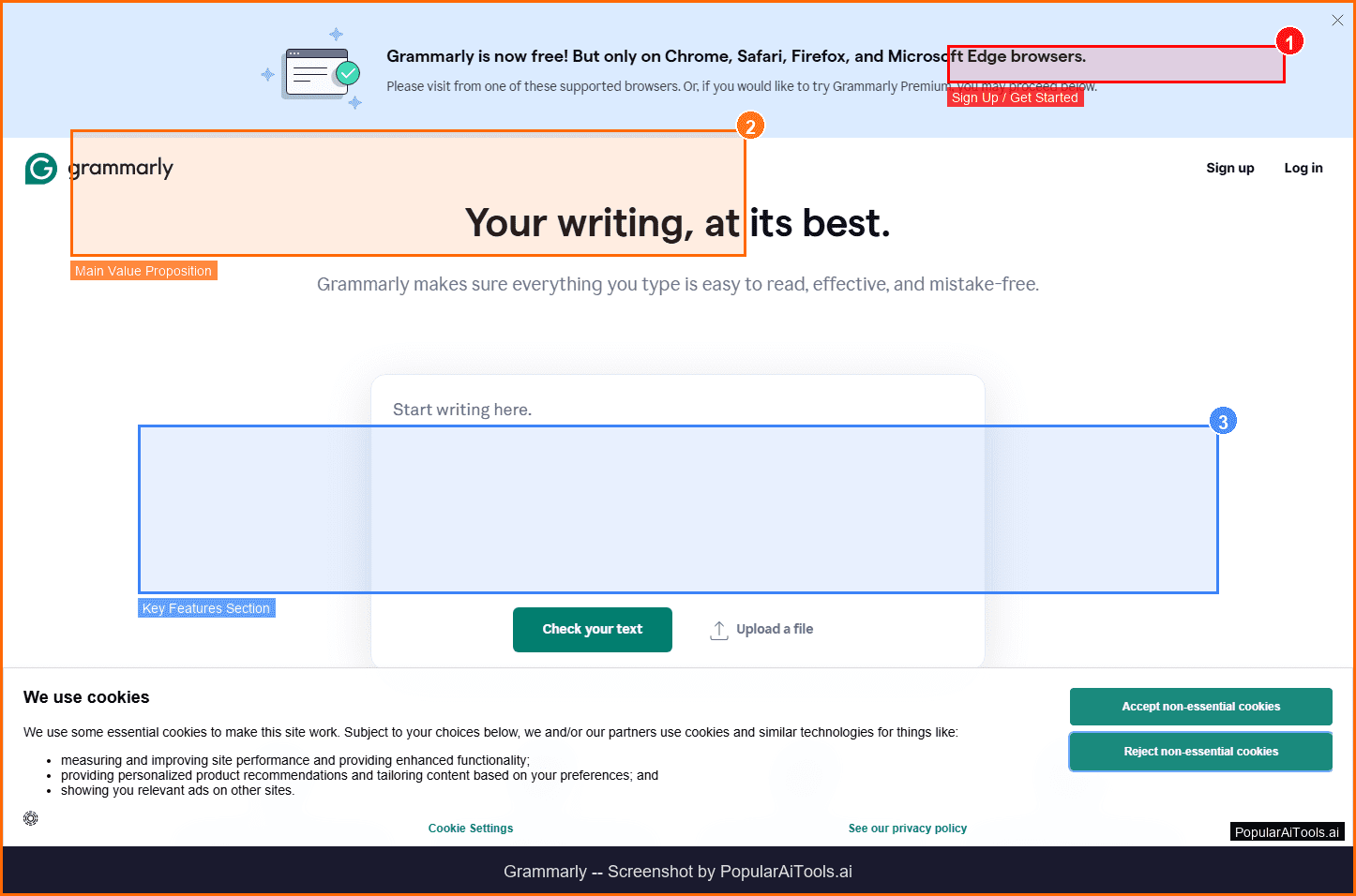
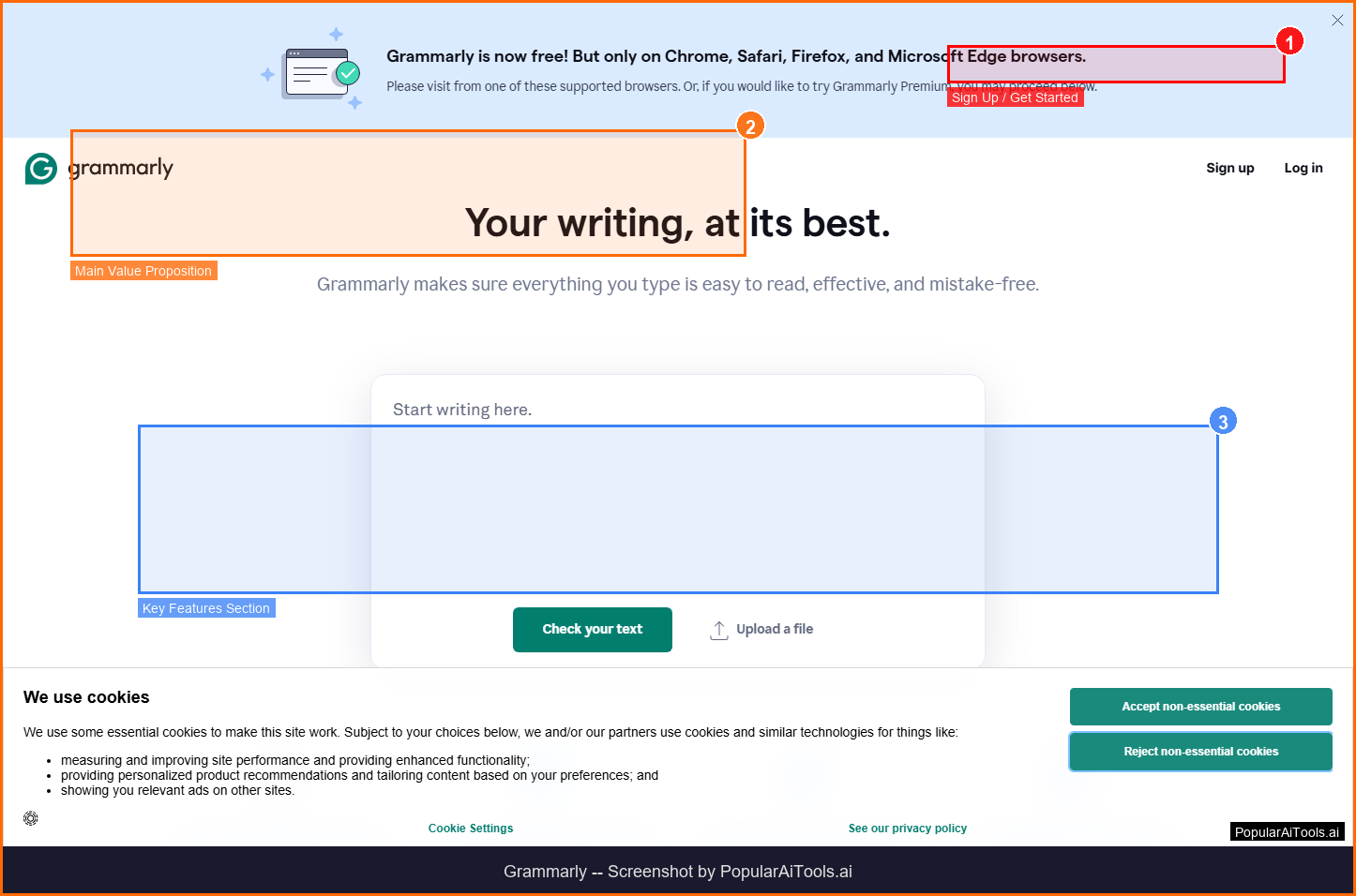
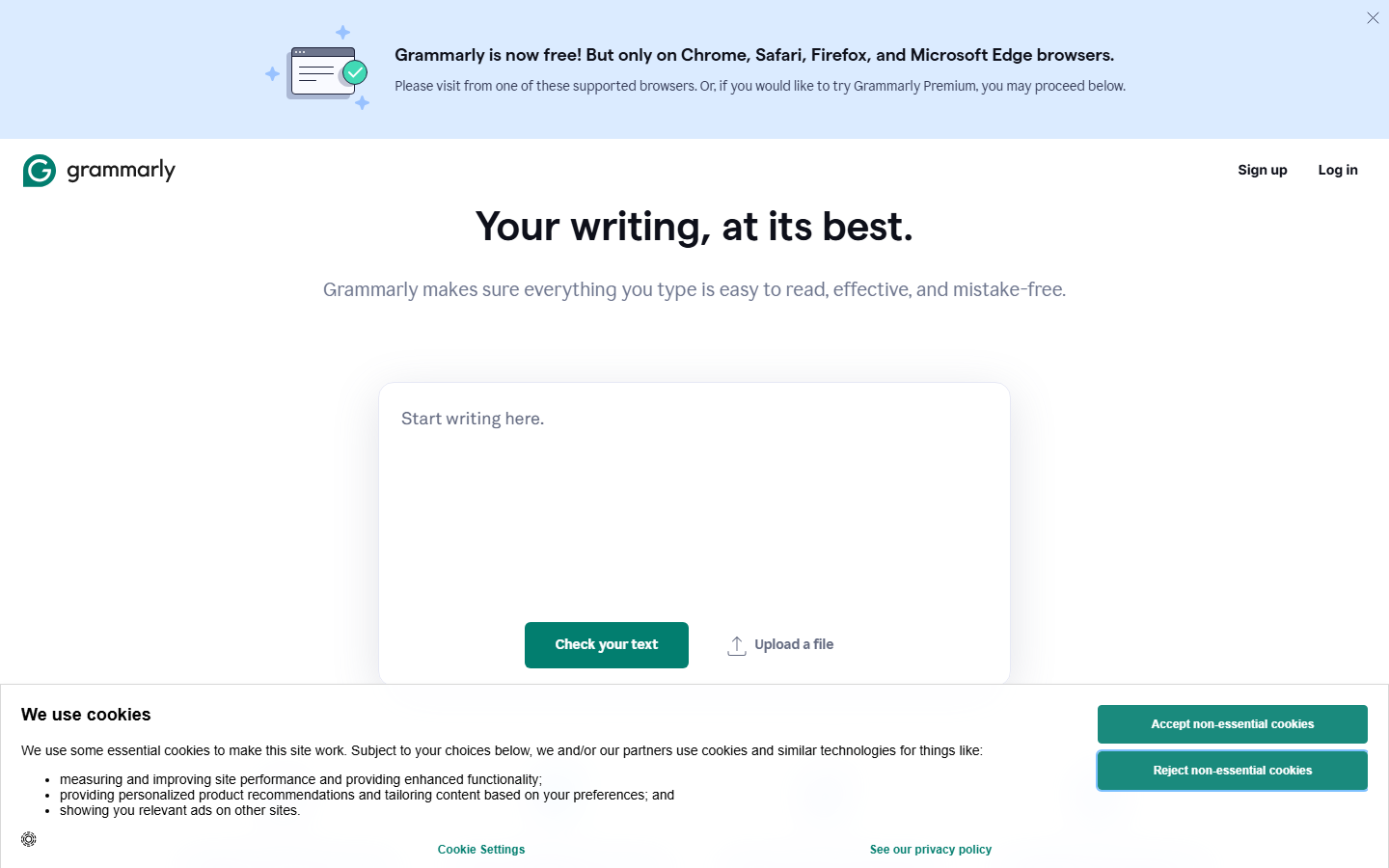
The Grammarly homepage — key features and navigation highlighted
What is Grammarly?
Grammarly is an AI-powered writing assistant that helps millions of people communicate more effectively every day. Originally launched as a basic grammar checker, it has evolved into a comprehensive writing platform that catches errors, suggests improvements, and even generates content through its GrammarlyGO AI feature.
What makes Grammarly stand out in 2026 is its seamless integration across virtually every platform you write on. Whether you're composing an email in Gmail, drafting a document in Google Docs, posting on LinkedIn, or writing code comments in VS Code, Grammarly works in the background — offering real-time suggestions without interrupting your workflow.
The tool goes far beyond simple spell-checking. Grammarly analyzes your writing for clarity, engagement, delivery tone, and correctness. It can detect if your message sounds too aggressive, suggest more concise alternatives to wordy phrases, and even flag passages that might be considered plagiarized. With over 30 million daily active users and integration into 500,000+ applications, Grammarly has become the de facto standard for AI writing assistance.
In 2026, Grammarly introduced significant upgrades to its AI capabilities through GrammarlyGO, which can now generate full drafts, rewrite entire paragraphs in different tones, and provide context-aware suggestions that understand the purpose of your writing. It's no longer just a safety net for typos — it's a genuine writing partner.
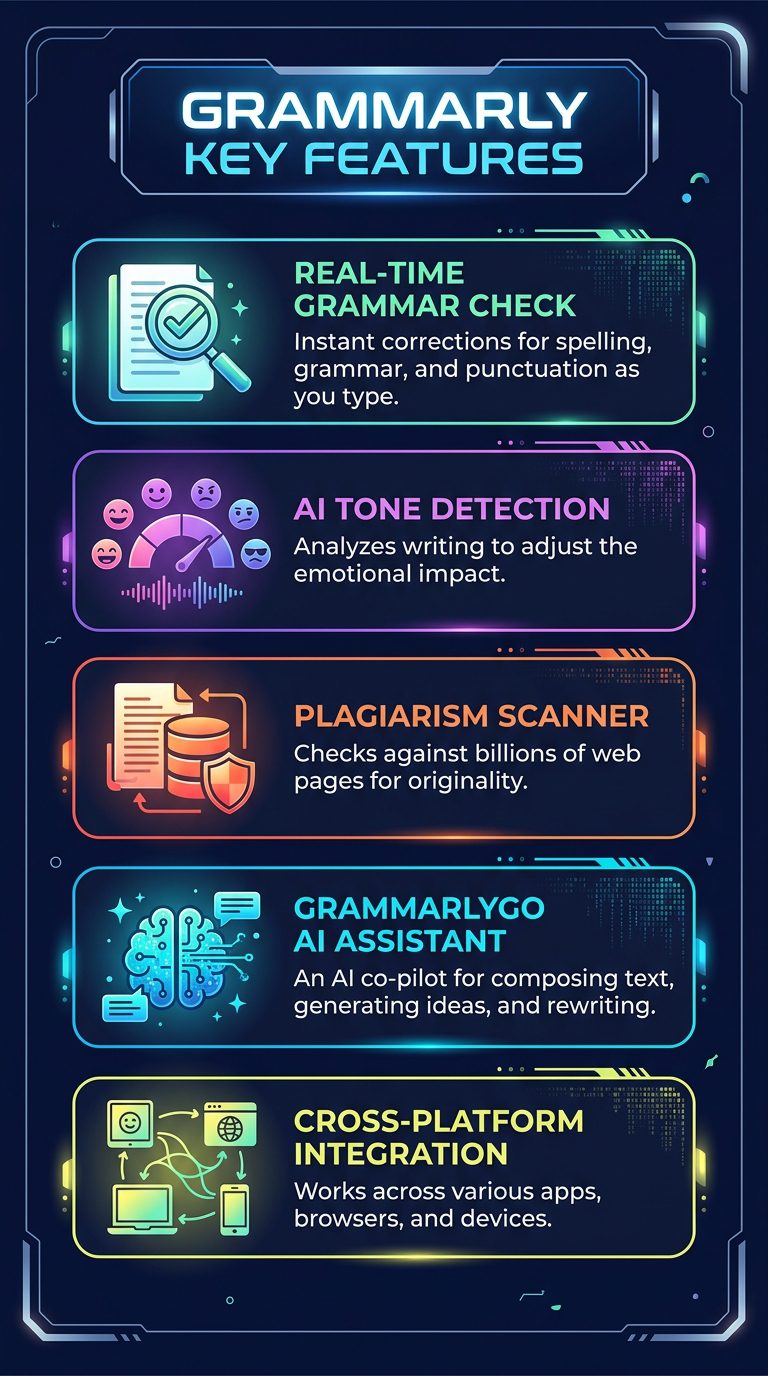
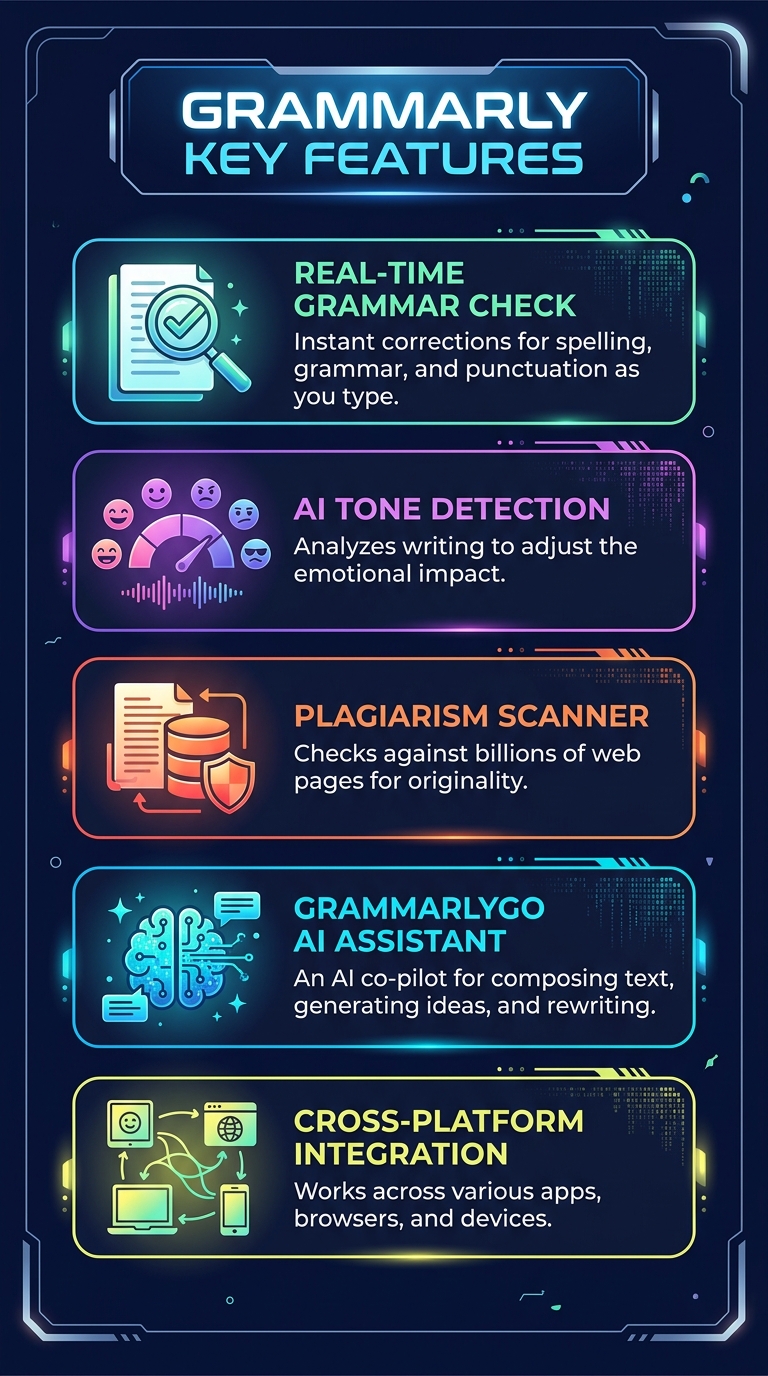
Grammarly's 5 core features at a glance
Key Features
1. Real-Time Grammar, Spelling & Punctuation Check
Grammarly's core engine catches grammatical errors, misspellings, and punctuation mistakes as you type. Unlike basic spell-checkers, it understands context — so it knows the difference between "their," "there," and "they're" in context. The accuracy rate sits around 95% for standard English grammar, making it one of the most reliable checkers available. Suggestions appear as subtle underlines that you can accept with a single click or dismiss if you prefer your original phrasing.
2. AI-Powered Tone Detection & Adjustment
Every piece of writing carries a tone, and Grammarly's tone detector analyzes yours in real time. It can identify whether your message sounds confident, friendly, formal, diplomatic, or even passive-aggressive. The Premium plan takes this further with tone adjustment suggestions — transforming a blunt email into a diplomatic one, or making casual copy sound more professional. This feature alone saves hours of agonizing over whether that Slack message to your boss sounds right.
3. GrammarlyGO AI Writing Assistant
GrammarlyGO is Grammarly's generative AI feature, and it's significantly more capable in 2026 than when it first launched. You can ask it to compose replies, brainstorm ideas, rewrite text in a different tone, summarize long documents, or generate first drafts from a brief prompt. The Free plan includes 100 AI prompts per month, Premium bumps that to 1,000, and Business plans get 2,000 per member. Unlike standalone AI chatbots, GrammarlyGO works contextually within whatever application you're already using.
4. Plagiarism Detection
Available on Premium and Business plans, Grammarly's plagiarism checker scans your text against billions of web pages and academic databases. It highlights passages that match existing content and provides source links so you can properly cite or rewrite. For content creators, students, and professionals who need to ensure originality, this feature provides essential peace of mind. The scanner runs automatically or on-demand, and results typically appear within seconds.
5. Full-Sentence Rewrites & Clarity Suggestions
Beyond catching errors, Grammarly Premium analyzes entire sentences for clarity and conciseness. If a sentence is too wordy, convoluted, or unclear, it offers a complete rewrite that preserves your meaning while improving readability. This is particularly valuable for non-native English speakers or anyone who tends to write in long, complex sentences. The suggestions are context-aware, meaning they consider the surrounding text before recommending changes.

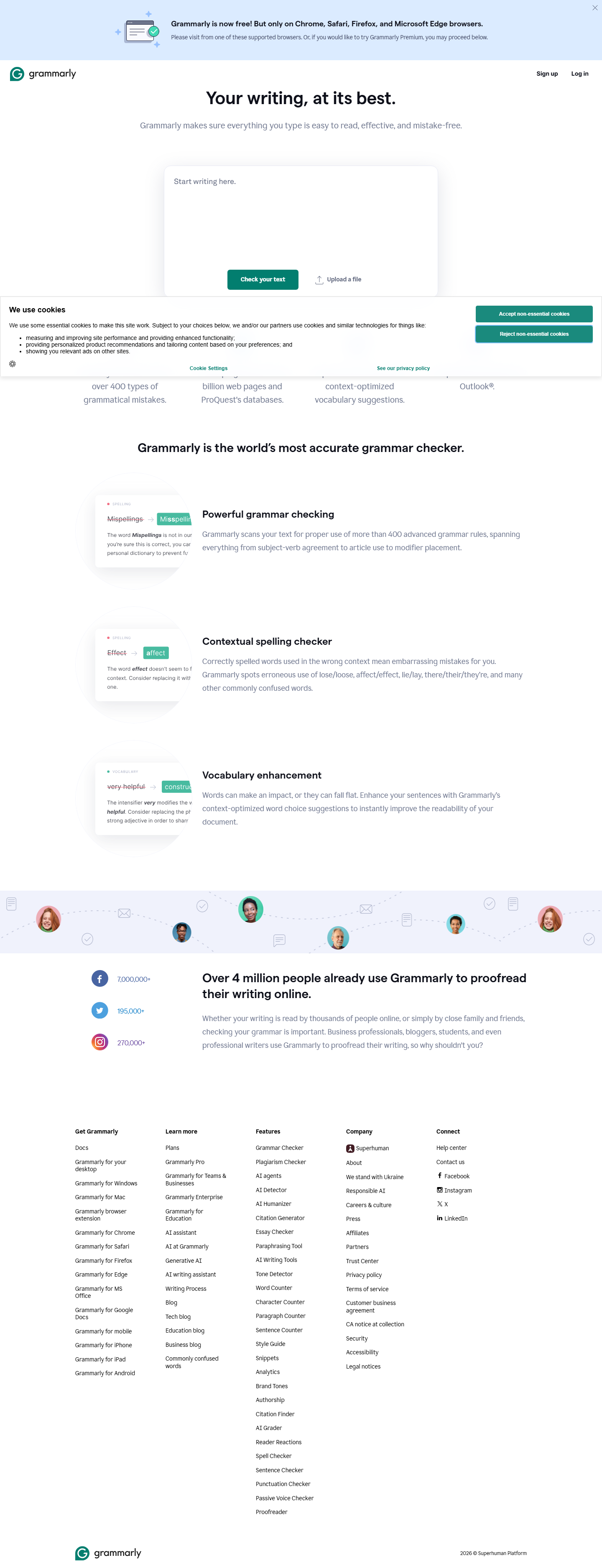
Grammarly's features page highlighting its AI writing capabilities
6. Cross-Platform Integration
Grammarly works everywhere you write. Browser extensions for Chrome, Firefox, Safari, and Edge. Desktop apps for Windows and macOS. Mobile keyboards for iOS and Android. Plugins for Microsoft Word, Google Docs, and Outlook. Even an API for developers. This ubiquity is Grammarly's secret weapon — once installed, it quietly improves your writing across every digital touchpoint without requiring you to copy-paste text into a separate tool.
7. Brand Tones & Style Guides (Business)
The Business plan includes custom style guides and brand tone settings that ensure everyone on your team writes consistently. You can define preferred terminology, banned words, tone parameters, and formatting rules. Grammarly then enforces these guidelines across all team members' writing. For marketing teams, agencies, and enterprises, this eliminates the inconsistency that plagues multi-author content.
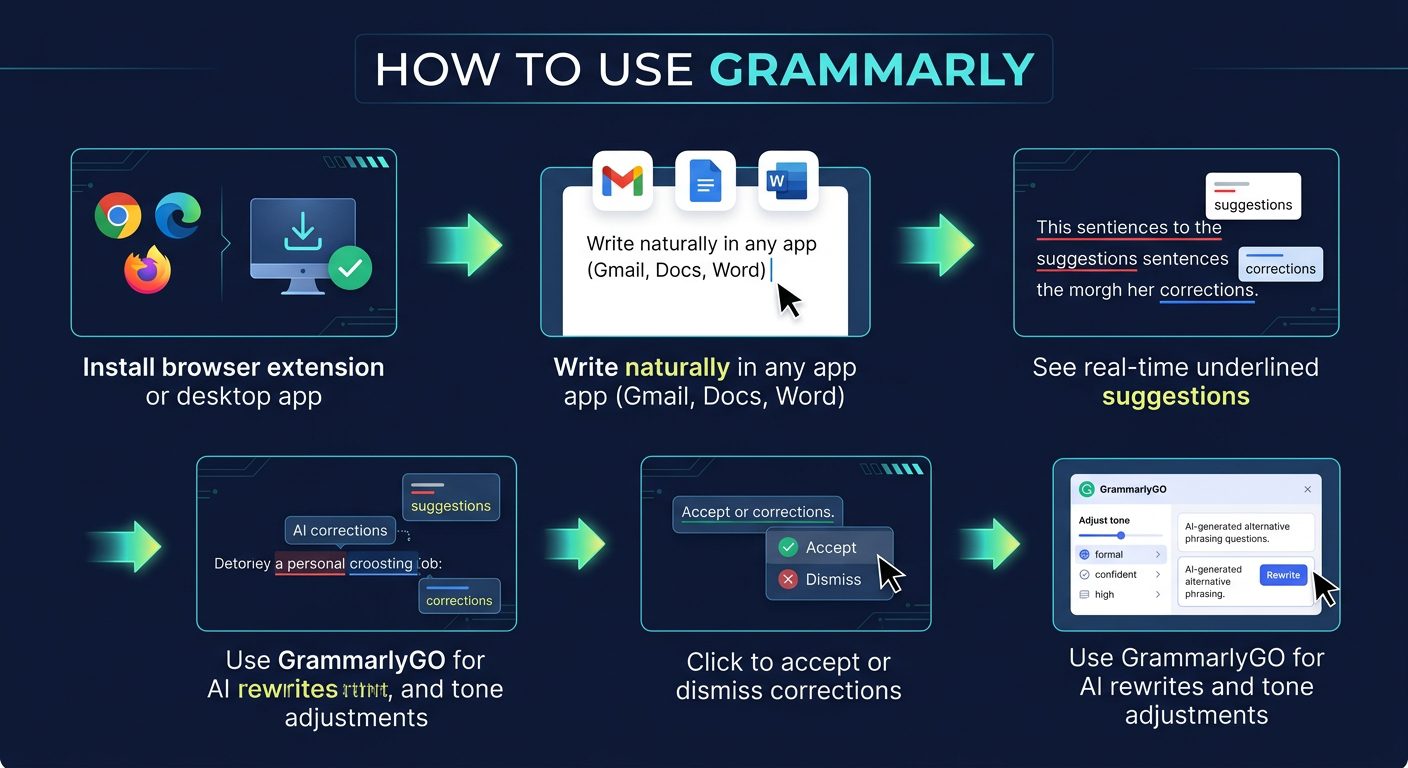
How Grammarly fits into your daily writing workflow
How to Use Grammarly (Step-by-Step)
Step 1: Create Your Account
Visit grammarly.com and sign up with your email, Google, or Apple account. The free plan activates immediately — no credit card required.
Step 2: Install the Browser Extension
Download the Grammarly extension for your preferred browser (Chrome, Firefox, Safari, or Edge). This is the fastest way to get Grammarly working across Gmail, Google Docs, social media, and virtually any text field on the web.
Step 3: Set Your Writing Goals
Configure your audience (general, knowledgeable, expert), formality level (informal, neutral, formal), domain (academic, business, general, creative), and intent (inform, describe, convince, tell a story). These settings help Grammarly calibrate its suggestions to match your needs.
Step 4: Write Naturally
Start writing in any supported application. Grammarly will underline issues in real time — red for critical errors, blue for clarity improvements, purple for vocabulary enhancements, and green for engagement suggestions. Click any underline to see the suggestion and accept or dismiss it.
Step 5: Use GrammarlyGO for AI Assistance
When you need more than corrections, activate GrammarlyGO by clicking its icon or using the keyboard shortcut. Ask it to generate text, rewrite passages, change tone, or summarize content. It understands your context and produces responses that match your document's style.
Pricing Plans
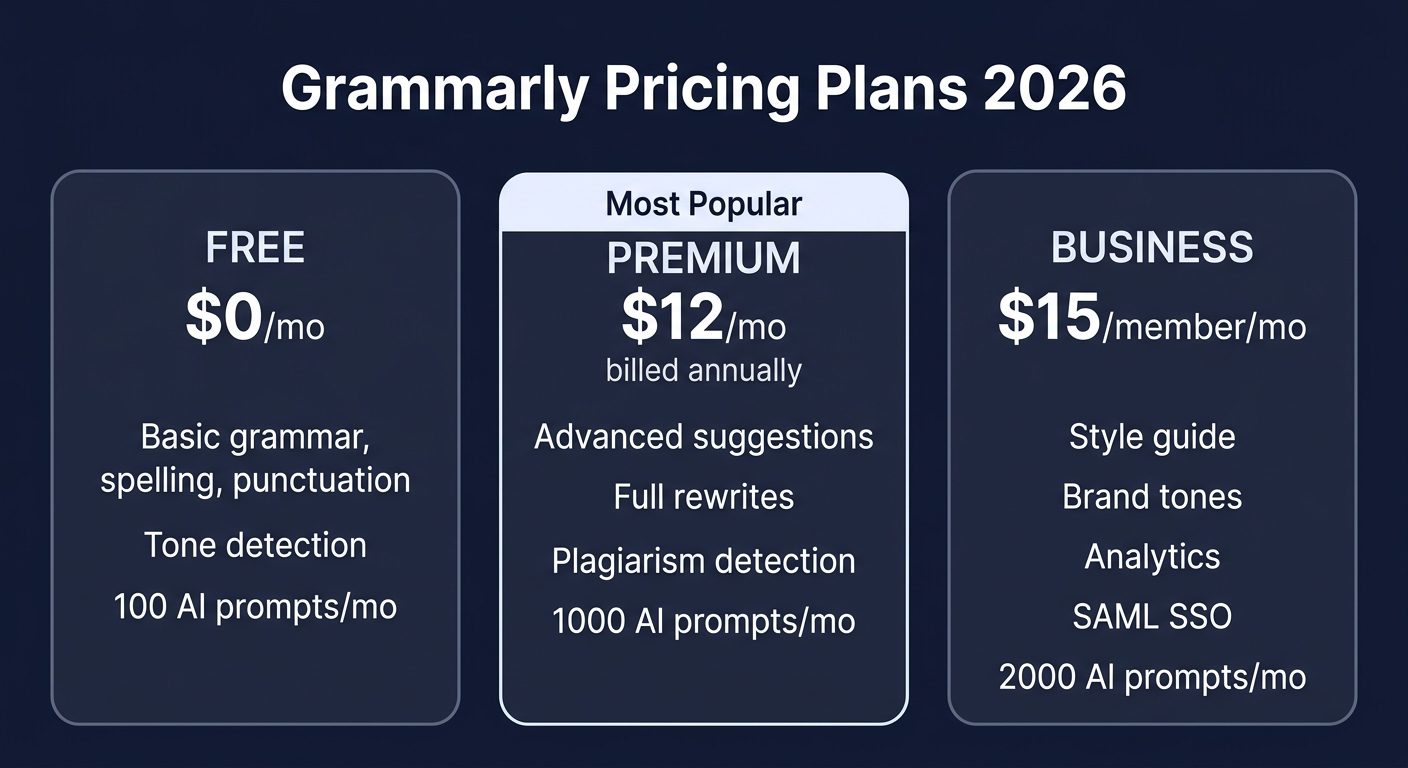
Grammarly's 2026 pricing tiers compared
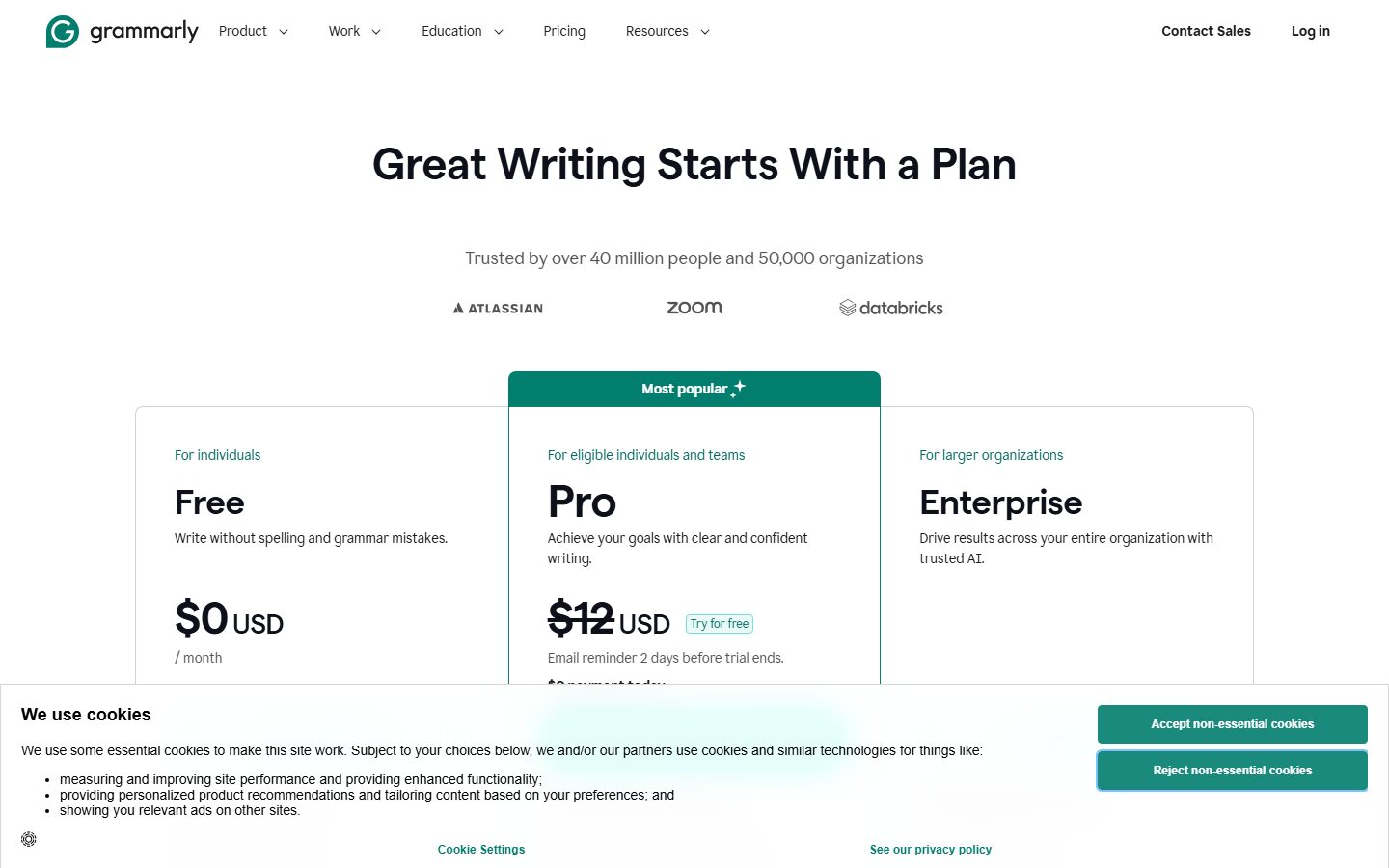
Grammarly's official pricing page (March 2026)
The Premium plan at $12/month (billed annually) represents the sweet spot for most individual users. If you pay monthly, the price jumps to $30/month — so the annual commitment saves you 60%. Students can often find discounted rates through their educational institutions. The Business plan becomes cost-effective at 3+ team members, where the centralized billing, style guides, and analytics justify the per-seat pricing.
Pros and Cons
Pros
- ✓ Industry-leading accuracy for grammar and spelling (95%+)
- ✓ Works seamlessly across 500,000+ apps and websites
- ✓ GrammarlyGO AI generates genuinely useful content
- ✓ Excellent free tier — more than enough for casual use
- ✓ Real-time suggestions don't interrupt your flow
- ✓ Plagiarism detection covers billions of sources
- ✓ Clean, intuitive interface across all platforms
Cons
- ✗ English only — no multilingual support
- ✗ Premium pricing can be steep ($12/mo annually, $30/mo monthly)
- ✗ Requires internet connection — no offline mode
- ✗ Occasionally misses context-specific nuances
- ✗ Can be overzealous with suggestions in creative writing
- ✗ Privacy concerns — your text is processed on Grammarly's servers
Best Grammarly Alternatives
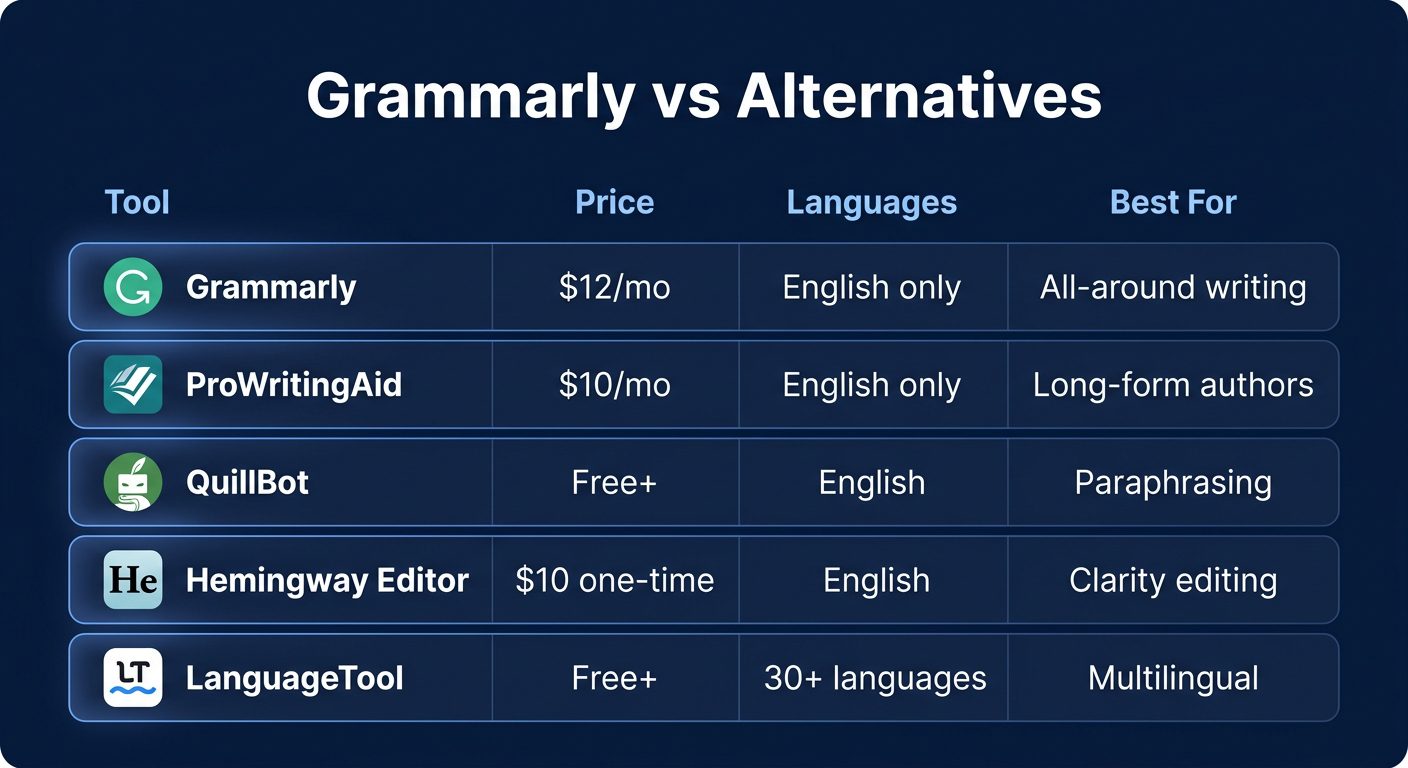
How Grammarly stacks up against top alternatives
ProWritingAid is the top choice for authors and long-form writers. It offers deeper analysis reports on writing style, pacing, and structure than Grammarly, plus a lifetime license option ($399) that saves money over time. However, its real-time checking isn't quite as smooth as Grammarly's.
QuillBot excels at paraphrasing with eight different modes (Standard, Formal, Creative, Academic, and more). Its free tier is remarkably generous, offering grammar checking and paraphrasing capabilities that rival Grammarly Premium. The trade-off is fewer integrations and a less polished user experience.
Hemingway Editor takes a minimalist approach — it focuses exclusively on making your writing clear and bold. No AI generation, no plagiarism checking — just ruthless clarity optimization. At $10 one-time, it's the cheapest option and pairs well with Grammarly for a complete writing toolkit.
LanguageTool is the clear winner for anyone writing in multiple languages. With support for 30+ languages and 95% grammar detection accuracy, it fills the gap that Grammarly's English-only limitation creates. The free plan is generous, and Premium starts at just $4.99/month.
Final Verdict: Is Grammarly Worth It?
After extensive testing in 2026, Grammarly remains the best all-around writing assistant available. The free plan is genuinely useful for basic grammar and spelling — and honestly, most casual writers won't need to upgrade. But if you write professionally, the Premium plan at $12/month is a smart investment that pays for itself in time saved and quality improved.
The biggest limitation is still the English-only restriction. If you write in multiple languages, LanguageTool is the better choice. And if you're a novelist or long-form author who needs deep style analysis, ProWritingAid offers more value per dollar.
But for the 90% of users who write primarily in English across email, documents, social media, and professional communications, Grammarly is the tool to beat. GrammarlyGO's AI capabilities have matured significantly, the cross-platform integration is unmatched, and the accuracy continues to improve with each update.
Our Rating: 4.6 / 5
Build an AI Tool? Get It in Front of the Right Audience
PopularAiTools.ai reaches thousands of qualified AI buyers monthly.
Submit Your AI Tool →Frequently Asked Questions
Is Grammarly free?
Yes, Grammarly offers a robust free plan that includes basic grammar, spelling, and punctuation checking, tone detection, and 100 AI prompts per month through GrammarlyGO. For most casual writers, the free plan is sufficient.
Is Grammarly Premium worth the price?
If you write professionally or regularly create content, yes. Premium adds plagiarism detection, full sentence rewrites, tone adjustments, and 1,000 monthly AI prompts. At $12/month (annual billing), it typically pays for itself in productivity gains within the first month.
Does Grammarly work with Google Docs?
Yes, Grammarly integrates directly with Google Docs through the browser extension. Suggestions appear inline as you type, just like they do in any other text field. The integration supports all Grammarly features including GrammarlyGO.
Can Grammarly detect AI-generated text?
Grammarly's plagiarism checker can flag text that appears verbatim from existing sources, but it does not currently include a dedicated AI content detector. For AI detection specifically, you would need a separate tool like Originality.ai or GPTZero.
Does Grammarly support languages other than English?
No, Grammarly currently only supports English (American, British, Canadian, and Australian variants). If you need multilingual support, consider LanguageTool, which supports 30+ languages with similar accuracy.
Is Grammarly safe to use? Does it read my data?
Grammarly processes your text on its servers to provide suggestions, which means your writing passes through their infrastructure. Grammarly states it does not sell user data and offers enterprise-grade encryption. However, sensitive documents (legal, medical, classified) should be handled with caution.
What is GrammarlyGO and how does it work?
GrammarlyGO is Grammarly's generative AI feature that can compose, rewrite, and ideate text. It works contextually within whatever app you're using — simply click the GrammarlyGO icon or use a keyboard shortcut to generate content, change tone, or get writing suggestions. Free users get 100 prompts/month.
Can I use Grammarly offline?
No, Grammarly requires an active internet connection to function. All text analysis happens on Grammarly's cloud servers, so offline use is not currently supported. If you frequently work without internet, consider a desktop-based tool like Hemingway Editor as a backup.
Get Premium AI Tool Insights
Subscribe to get weekly curated AI tool recommendations, exclusive deals, and early access to new tool reviews.
Related Tools
Related Articles
Suno v6 Intro and Ending Prompts: Unwanted Humming, Long Outros and Cut-Off Lyrics (2026)
Fix the edges of a Suno v6 track: three pasteable intro and outro templates, the documented Exclude field for unwanted humming, the arithmetic behind cut-off lyrics, and when to edit in Studio instead.
Suno v6 Keeps Changing Your Prompt? Variety, Style Influence and Weirdness Explained (2026)
Suno v6 rewrites your style prompt through the new Variety slider, and Suno documents the fix. What Variety, Style Influence, Weirdness and Max Mode each do, with a one-control-at-a-time worksheet.
Suno v6 Rock Prompts: Keep Guitar Riffs and Drums Alive Through the Verse (2026)
Why a strong Suno v6 rock intro turns into an empty verse, and how to fix it with a section-by-section instrument map, the Exclude field, pasteable rock and metal prompts and an A/B rubric.