Devin AI Review 2026: We Gave the Autonomous Coding Agent Real Tasks

Head of AI Research

TL;DR — Devin AI Review
Devin AI is not another coding assistant — it is an autonomous software engineer that takes tickets from Jira or Slack and delivers pull requests. We gave it real migration tasks, data engineering work, and bug fixes. It handled the repetitive stuff remarkably well, but the ACU-based pricing is confusing and costs add up fast on complex tasks. This is a fundamentally different tool from Cursor or Copilot. If your team is drowning in migration backlogs or repetitive engineering work, Devin is worth serious evaluation.
Table of Contents
What is Devin AI?
Devin AI is an autonomous AI software engineer built by Cognition AI. Unlike Cursor, Copilot, or Windsurf — which sit inside your editor and help you write code in real time — Devin operates independently. You assign it a ticket from Linear, Jira, or Slack, and it goes off on its own to understand the codebase, write the code, run tests, create a pull request, and iterate on review feedback.
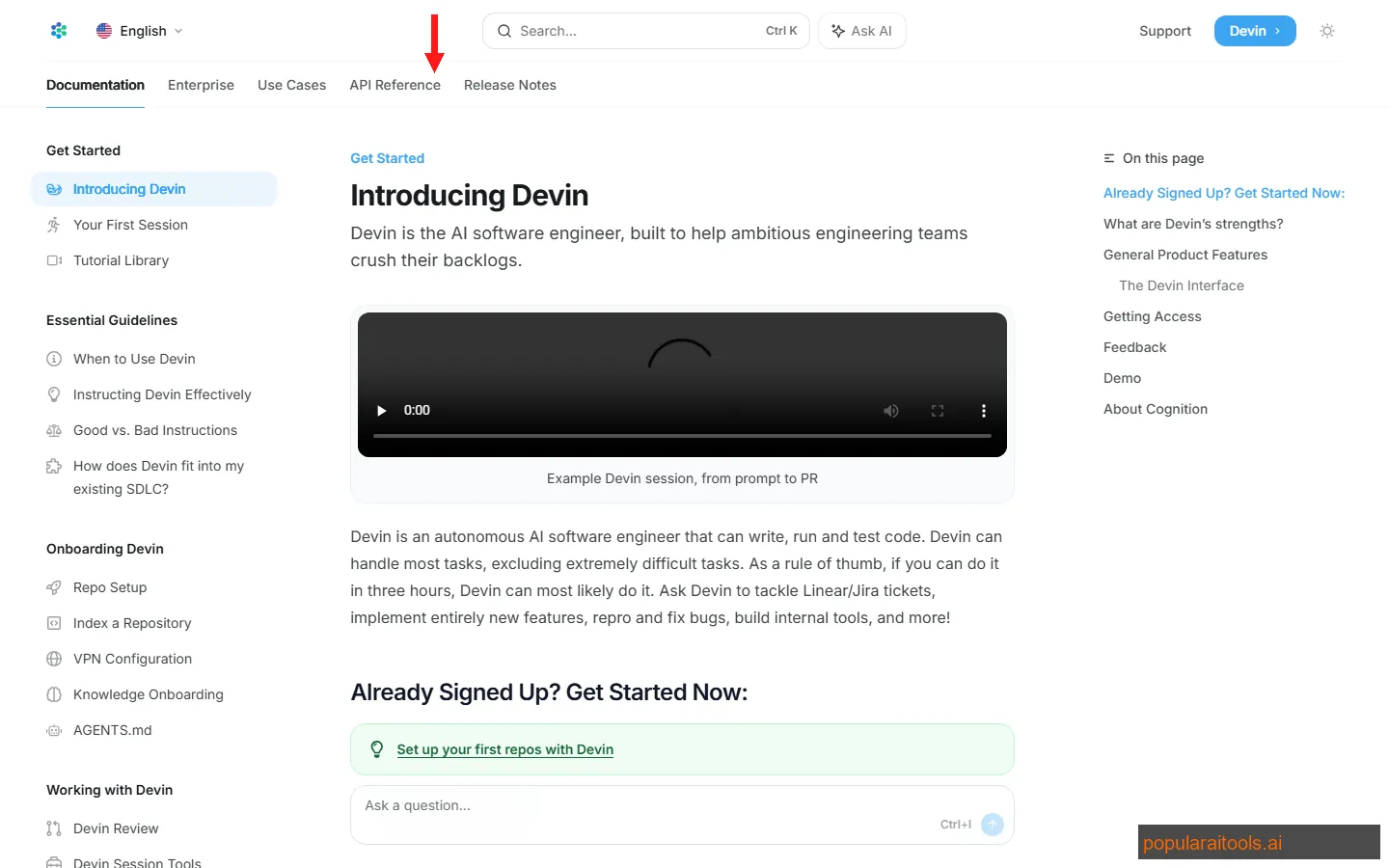
Think of it less as a coding assistant and more as a junior engineer who never sleeps. You describe what needs to happen in natural language, and Devin figures out the implementation. It has its own IDE, shell, and browser — a full development environment that runs in the cloud while you work on something else.
We spent three weeks testing Devin on real tasks across two production codebases: a Next.js monorepo and a Python data pipeline. We gave it migration tickets, data engineering tasks, bug fixes, and refactoring work. The results were genuinely interesting — and honestly mixed in ways that matter.
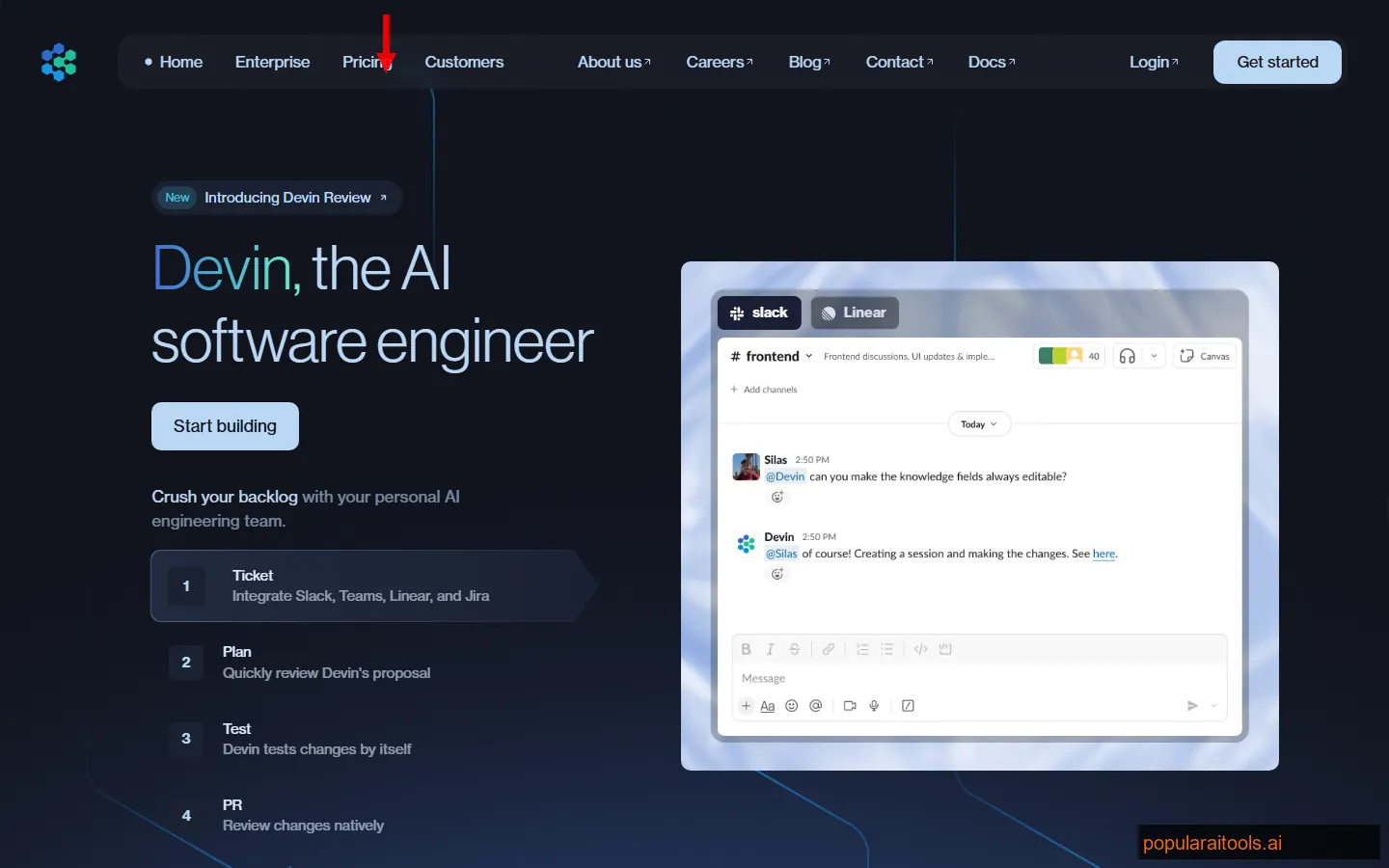
The paradigm shift here is real. With Cursor, you are the developer and AI is your copilot. With Devin, you are the project manager and AI is the developer. That distinction changes everything about when and how you should use it — and who should be evaluating it in your organization.
Key Features
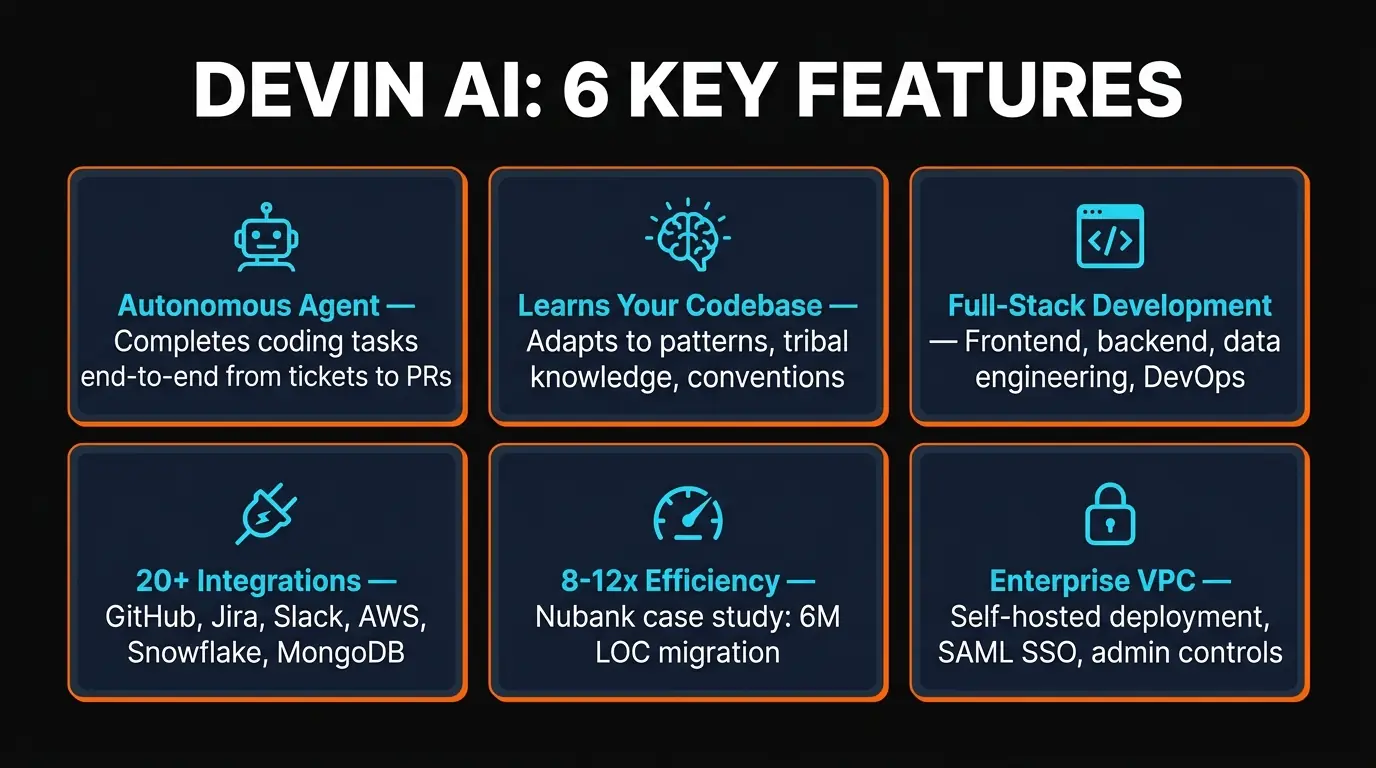
Here are the six capabilities that define what Devin can actually do — and what sets it apart from the IDE-based assistants:
Ticket-to-PR Automation
Devin reads tickets from Linear, Jira, or Slack, understands the requirements, navigates the codebase, writes the implementation, runs tests, and opens a PR. The entire workflow is autonomous — you review the output, not the process.
Full Development Environment
Devin has its own IDE, shell, and browser running in the cloud. It can install dependencies, run build scripts, execute tests, browse documentation, and debug issues — just like a human developer at their workstation.
Codebase Learning
Devin indexes your entire codebase and learns patterns, conventions, and tribal knowledge over time. You can create playbooks and knowledge docs that teach it your team's specific practices. This is where the fine-tuning story gets interesting.
Large-Scale Migration
This is Devin's sweet spot. Code migrations, framework upgrades, API version bumps, dependency updates across hundreds of files — the repetitive, well-defined work that human engineers dread. Nubank used it on a 6M+ LOC migration.
20+ Integrations
GitHub, GitLab, Linear, Jira, Slack, Teams, AWS, Azure, GCP, Snowflake, MongoDB, PostgreSQL, Stripe, Datadog, Sentry — Devin plugs into the tools your team already uses. Trigger tasks from Slack, get PRs on GitHub.
CI/CD and DevOps
Devin does not just write code — it can set up pipelines, configure deployments, optimize Docker builds, and fix failing CI runs. It understands infrastructure context through its AWS, Azure, and GCP integrations.
How Devin Works: Step-by-Step
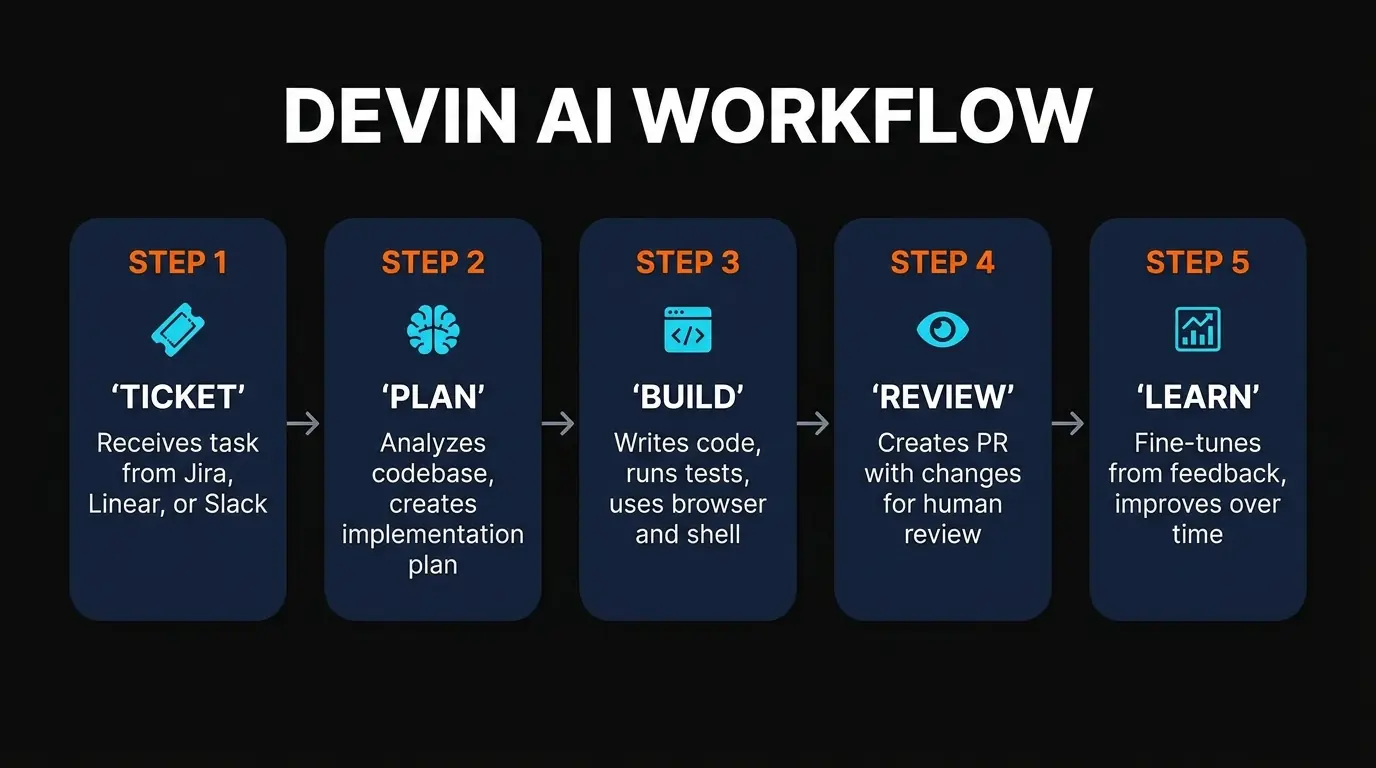
The workflow is fundamentally different from IDE-based assistants. Here is what the actual process looks like when you hand Devin a task:
Tag @Devin in Slack, assign a Linear/Jira ticket, or describe the task directly in Devin's web interface. Be specific — "Migrate all API routes from Express to Hono" works better than "update the backend." The more context you provide upfront, the better the output.
Devin reads the ticket, explores the relevant parts of your codebase, checks documentation (using its built-in browser), and creates an implementation plan. You can see this plan in the Devin dashboard and intervene if the approach is wrong before any code is written.
Devin writes the code in its own IDE, runs the test suite, checks for linting issues, and fixes problems it finds. If tests fail, it reads the error output, diagnoses the issue, and tries a different approach. This loop continues until the implementation passes.
Once Devin is satisfied with the implementation, it opens a pull request on GitHub or GitLab with a detailed description of what changed and why. The PR includes the full diff, test results, and a summary of the approach taken.
Leave comments on the PR just like you would for a human engineer. Devin reads the feedback, makes the requested changes, and pushes updated commits. This review cycle continues until you approve and merge. The quality of this feedback loop surprised us — it handled most of our review comments correctly on the first try.
Pricing Plans
Devin's pricing is built around ACUs (Agent Compute Units) — a billing metric that bundles compute time, model inference, and tool usage into a single number. This sounds simple but gets confusing fast, because the ACU cost per task varies wildly depending on complexity.
Core
- ✓ Pay-as-you-go
- ✓ Unlimited users
- ✓ 10 concurrent sessions
- ✓ All integrations
- ✓ Knowledge and playbooks
Team
- ✓ Everything in Core
- ✓ Unlimited concurrent sessions
- ✓ Team analytics dashboard
- ✓ Priority support
- ✓ Advanced fine-tuning
Enterprise
- ✓ Everything in Team
- ✓ VPC deployment
- ✓ SAML SSO
- ✓ Admin controls and audit logs
- ✓ Dedicated support and SLAs
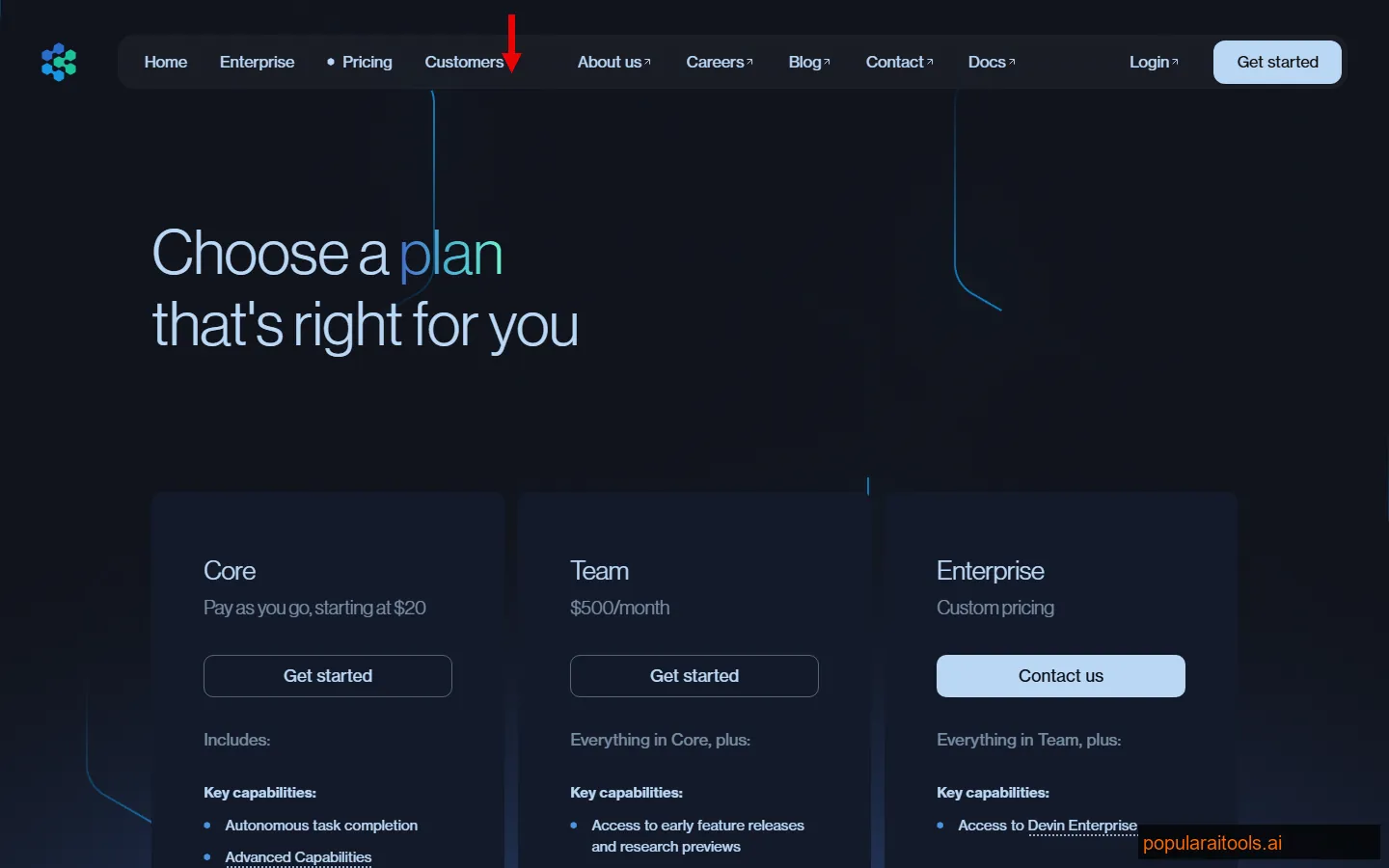
Our honest take on pricing: The ACU model is Devin's biggest friction point. A simple bug fix might cost 2-3 ACUs ($4.50-$6.75 on Core), but a complex migration across 50 files could burn 30+ ACUs ($67.50+). Until you have run a few dozen tasks, you genuinely cannot predict your monthly bill. The Team plan at $500/month with 250 included ACUs is where the math starts to work — if your team is consistently feeding Devin 10-15 tasks per week, the per-task cost drops to a level that makes the ROI obvious.
For context: a senior engineer costs $150-250K/year fully loaded. If Devin handles even 20% of your team's ticket volume at $500/month, the economics are compelling. But if your usage is sporadic, the Core plan's per-ACU costs will feel expensive compared to a $20/month Cursor subscription.
Pros and Cons
Strengths
- ✓ Truly autonomous. Devin does not need you hovering over it. Assign a ticket, go to lunch, come back to a PR. No other tool delivers this level of independence on real engineering tasks.
- ✓ Migration powerhouse. Code migrations, framework upgrades, API version bumps — this is where Devin absolutely shines. The Nubank case study (6M+ LOC) is not marketing fluff; we saw similar results on smaller scales.
- ✓ Learns your codebase. The knowledge and playbook system means Devin gets better over time. Teach it your patterns once, and it applies them consistently across every task. This compounding effect is powerful.
- ✓ Deep integrations. 20+ integrations means Devin fits into existing workflows. Trigger from Slack, track in Linear, PR on GitHub, monitor in Datadog — it meets your team where they already work.
- ✓ Review feedback loop works. Devin responds to PR comments like a competent junior developer. It understood most of our feedback on the first try and made appropriate changes.
- ✓ Backlog clearing machine. If you have 200 tickets of repetitive work sitting in your backlog, Devin can chew through them while your team focuses on architecture and product decisions.
Weaknesses
- ✗ ACU pricing is genuinely confusing. You will not know what a task costs until it is done. We had two similar-looking migration tasks where one cost 5 ACUs and the other cost 28. Budgeting is a guessing game until you build enough history.
- ✗ Struggles with ambiguity. Give Devin a clear, well-defined task and it excels. Give it a vague requirement like "improve the onboarding flow" and the results range from mediocre to unusable. It needs specificity that human engineers can work without.
- ✗ Web-based IDE is limited. Devin's built-in IDE is functional but nowhere near as rich as Cursor or VS Code. If you need to intervene mid-task, the editing experience is frustrating compared to what you are used to.
- ✗ Fine-tuning requires real investment. The playbook system is powerful but creating good playbooks takes hours of documentation work. Teams that skip this step get mediocre results and blame the tool.
- ✗ Autonomy is a double-edged sword. Devin can go down the wrong path for 20 minutes before you notice. Unlike Cursor where you see every change in real time, Devin's async nature means mistakes cost more to catch and correct.
- ✗ $500/month minimum for teams is steep. Small teams and solo developers will find the Team plan hard to justify unless they have consistent, high-volume task queues. The Core plan's pay-as-you-go model helps but ACU costs add up.
Devin vs Cursor vs Copilot: Full Comparison
This comparison is the one everyone asks about, but it is slightly misleading. Devin and Cursor/Copilot are not direct competitors — they solve different problems. But since teams need to decide where to allocate budget, here is how they stack up:
| Feature | Devin AI | Cursor Pro ($20) | GitHub Copilot ($20) |
|---|---|---|---|
| Category | Autonomous agent | AI-native IDE | IDE plugin |
| How You Use It | Assign tickets, review PRs | Code alongside AI in editor | Autocomplete + chat in editor |
| Autonomy Level | Fully autonomous | Semi-autonomous (agents) | Assisted (Codex is async) |
| Pricing Model | ACU-based ($2-2.25/unit) | Flat $20-200/mo | Flat $20-39/mo |
| Task Management | Linear, Jira, Slack native | Marketplace plugins | GitHub Issues native |
| Code Migrations | Purpose-built for this | Agent can handle it | Manual with AI assist |
| Real-Time Coding | Not designed for this | Best-in-class | Strong |
| Best For | Ticket-to-PR automation | Daily coding productivity | Teams on GitHub |
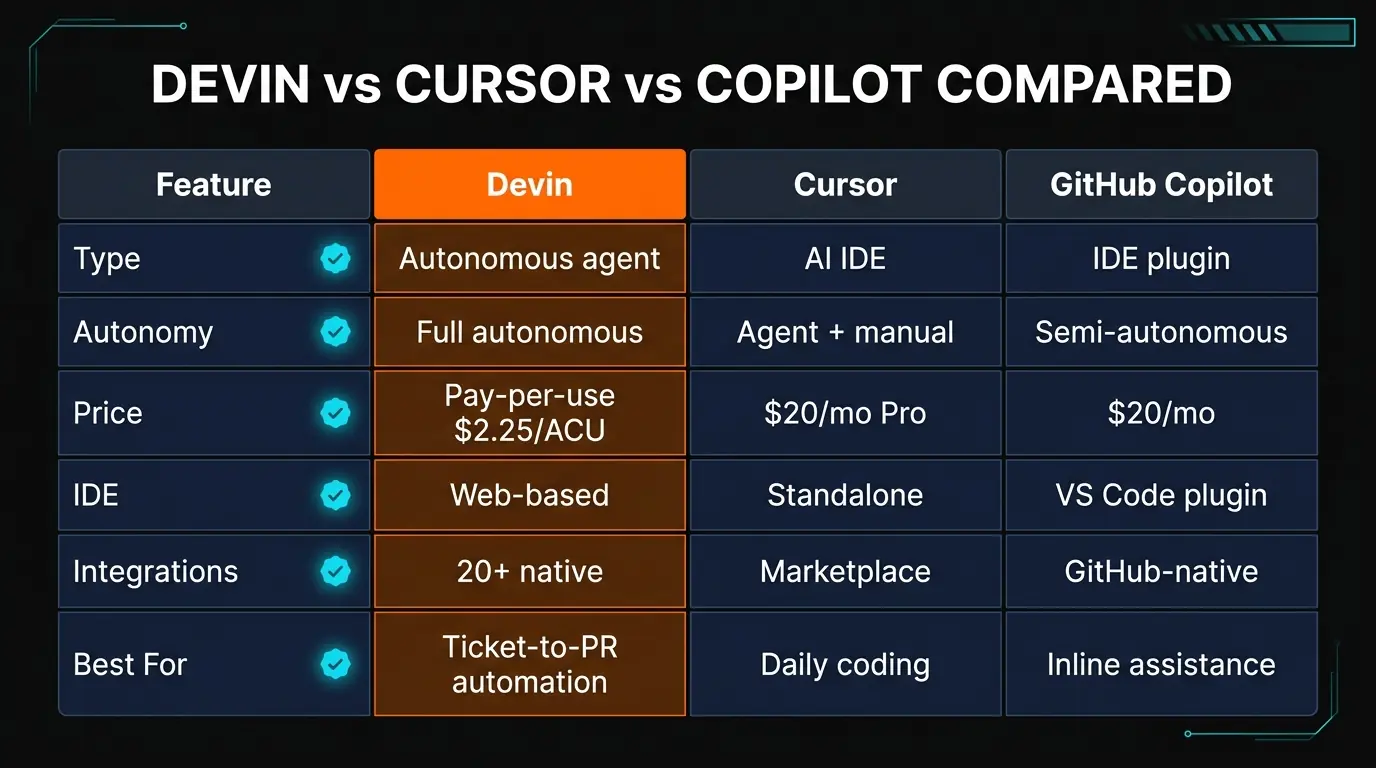
The real answer: Most teams should use both Devin and a coding IDE (Cursor or Copilot). They are complementary, not competing. Use Cursor for your daily coding sessions where you need real-time AI assistance. Use Devin for the backlog of well-defined tickets that do not need a human sitting at the keyboard. Trying to pick one over the other misses the point.
Real-World Results: Nubank Case Study
The most compelling evidence for Devin comes from Nubank, one of the world's largest digital banks. They deployed Devin to assist with migrating a monolithic codebase of over 6 million lines of code. The numbers they reported are striking:
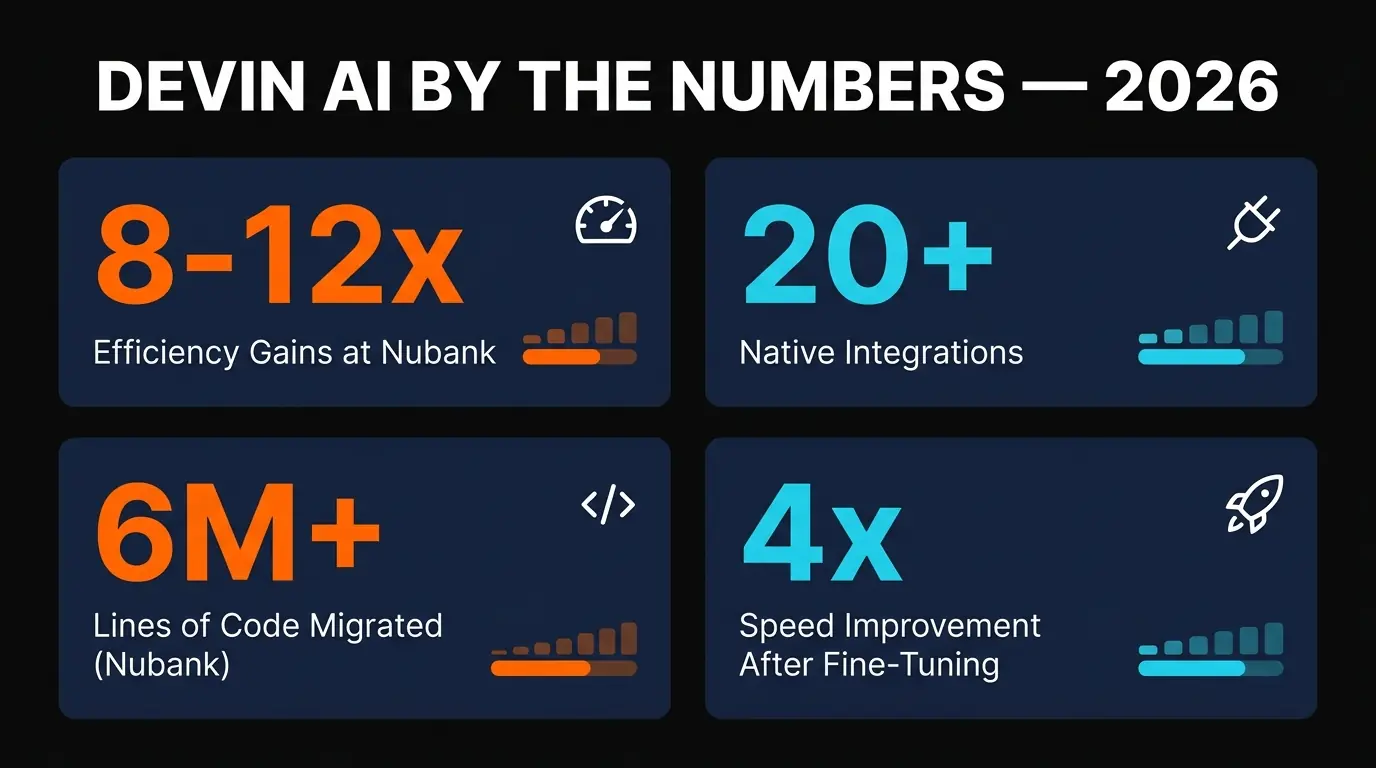
The key detail in the Nubank story is the fine-tuning. Their initial results were good but not exceptional. After investing time in creating detailed playbooks and teaching Devin their codebase conventions, performance improved by 4x. This matches our experience — Devin out of the box is a capable generalist, but Devin fine-tuned on your specific patterns becomes a specialist that knows your codebase better than most new hires.
The 20x cost savings figure deserves context. Nubank was comparing the cost of Devin ACUs against the cost of equivalent engineering hours for repetitive migration work. At enterprise scale with thousands of similar tasks, the math is overwhelming. For smaller teams, the savings ratio will be lower but still significant if you are sitting on migration or refactoring backlogs.

Final Verdict
Devin AI is the most capable autonomous coding agent available in 2026. It is also one of the hardest to evaluate, because it does not fit neatly into the categories most developers use to compare tools.
If you are looking for an AI assistant that helps you code faster inside your editor, Devin is not the answer — get Cursor or Copilot instead. But if your team has a backlog of well-defined engineering tasks that eat up senior developer time — migrations, refactoring, data pipeline work, dependency updates, boilerplate — Devin can handle a significant chunk of that work autonomously.
The rating of 4.0/5 reflects the tension between Devin's impressive capabilities and its real friction points. The ACU pricing model is genuinely confusing and makes budgeting difficult. The fine-tuning investment is non-trivial. The web-based IDE is a downgrade from modern editors. And the async nature means mistakes take longer to catch than they would with a real-time coding assistant.
But when Devin hits its stride — and especially after fine-tuning — it delivers results that no IDE plugin can match. Taking a Linear ticket and producing a reviewed, tested PR without any human writing a single line of code is not just a party trick. For the right team with the right workload, it is a genuine step change in engineering throughput.
Who should use Devin: Engineering teams with consistent backlogs of well-defined tasks — migration projects, data engineering, repetitive refactoring, infrastructure work. Teams with 5+ engineers where at least 20-30% of the ticket queue is addressable by an autonomous agent. Companies already invested in Linear/Jira/Slack workflows.
Who should skip it: Solo developers, small teams without clear ticket queues, anyone expecting a replacement for their daily coding editor, and teams that primarily do greenfield product development where requirements are ambiguous.
Build an AI Tool? Get It in Front of the Right Audience
PopularAiTools.ai reaches thousands of qualified AI buyers.
Submit Your AI Tool →Frequently Asked Questions

Recommended AI Tools
played.fm
Sell your music and keep 100%: played.fm is a direct-to-fan store + sync marketplace with 0% commission, no gatekeepers, and no bans — a strong fit for AI musicians.
View Review →OpenCode
The open-source AI coding agent: terminal-first TUI, 75+ model providers, LSP context, subagents, and privacy-first design. Free software, ~180K GitHub stars.
View Review →Exa
The neural web search API for AI agents: embeddings-based retrieval, cited highlights, sub-180ms latency, and an MCP server. 20,000 free requests/month.
View Review →Google Antigravity
Google's agent-first IDE: run a fleet of AI agents from a Manager surface, on Gemini 3 Pro, Claude Sonnet 4.5, or OpenAI models. Free in public preview.
View Review →