Model Context Protocol (MCP) Guide 2026: The USB-C Standard for AI Tools

AI Infrastructure Lead

Key Takeaways
- MCP is the universal standard for connecting AI models to external tools and data sources — built by Anthropic, adopted by OpenAI, Microsoft, and dozens of other providers.
- 1,600+ servers already exist for databases, APIs, file systems, cloud services, browsers, and more.
- Build once, use everywhere. A single MCP server works with Claude, ChatGPT, VS Code, Cursor, and any other MCP-compatible client.
- Three core primitives — Tools (actions), Resources (data), and Prompts (templates) — cover virtually every integration need.
- Getting started takes minutes, not weeks. Install an existing server or build your own with the Python or TypeScript SDK.
Table of Contents
What Is Model Context Protocol?
We have been tracking AI development tools for years, and every once in a while something shows up that genuinely changes the game. Model Context Protocol — MCP — is one of those things.
At its core, MCP is an open-source standard that gives AI models a universal way to connect to external tools and data sources. It was created by Anthropic (the team behind Claude) and released publicly so the entire AI ecosystem could adopt it.
The analogy that sticks: MCP is like USB-C for AI. Before USB-C, every device had its own charging cable and connector. You needed a drawer full of cables just to keep your devices running. MCP solves the same problem for AI integrations. Instead of building a custom connector for every tool, database, and API your AI needs to access, you build one MCP server and it works with every MCP-compatible client — Claude, ChatGPT, VS Code, Cursor, and dozens more.
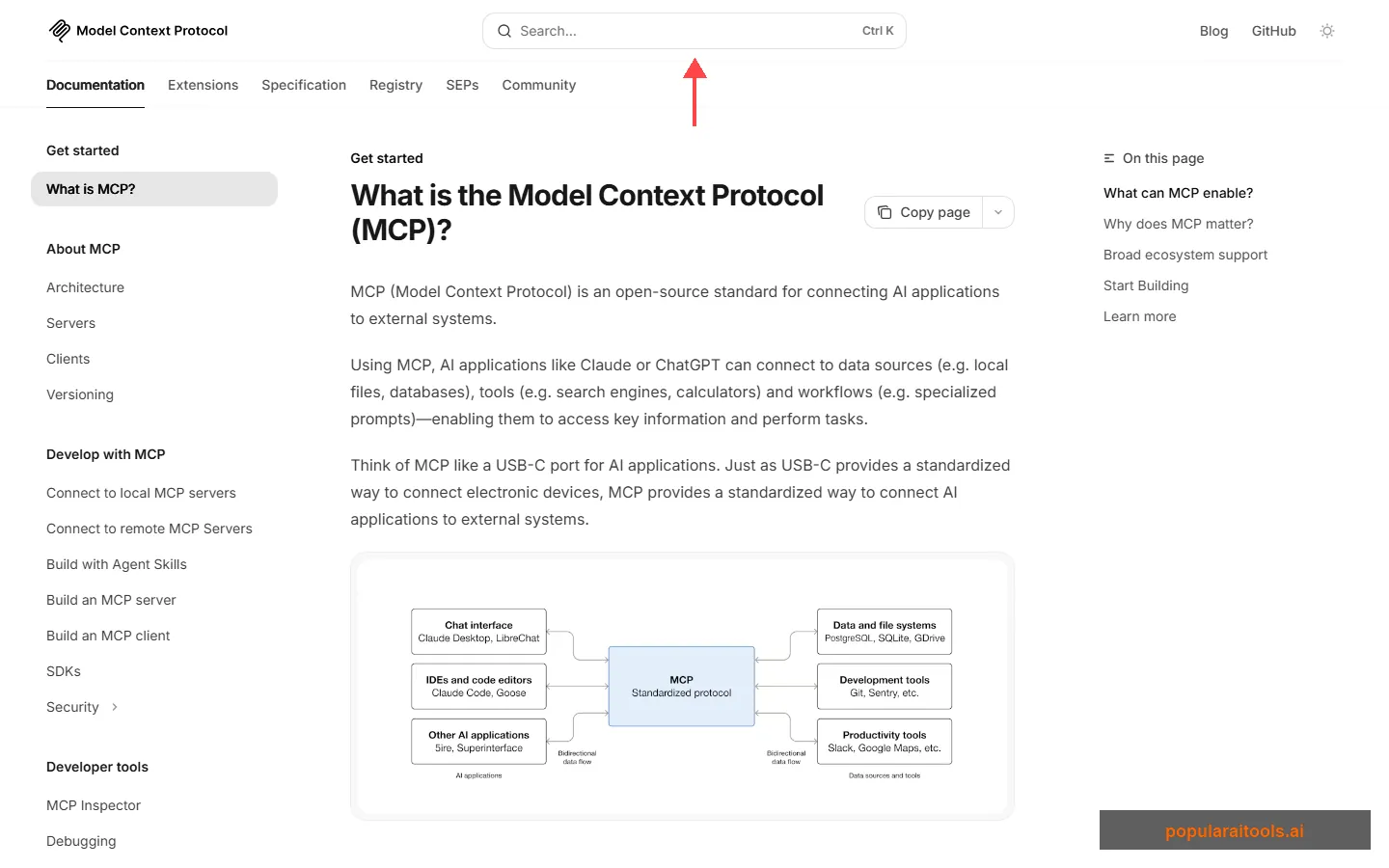
Before MCP existed, if you wanted Claude to read files from your computer, you needed a custom file integration. If you wanted it to query a Postgres database, that required a different integration. GitHub? Another one. Every AI provider implemented these connections differently, and developers were stuck rebuilding the same bridges over and over.
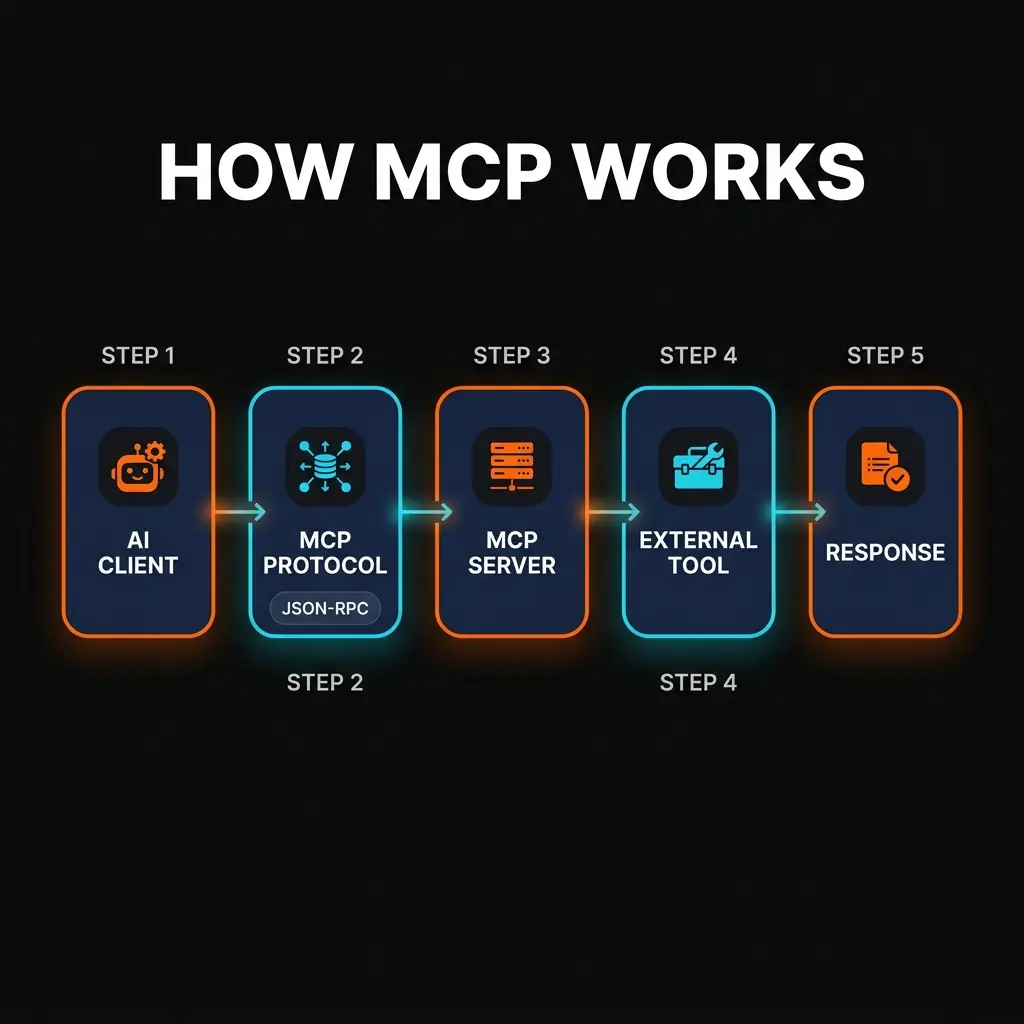
MCP eliminates that waste. You define a server once — describing its tools, resources, and prompts using a standard JSON-RPC protocol — and any MCP client can discover and use it automatically. The server handles the connection to the external system. The client handles the AI interaction. The protocol handles everything in between.
Why MCP Matters in 2026
We will be direct: if you are building anything with AI in 2026 and you are not using MCP, you are doing unnecessary work. Here is why this protocol has gone from "interesting side project" to "industry standard" in under two years.
The Integration Problem Was Real
Every AI application eventually needs to reach outside its own context window. It needs to read files, query databases, call APIs, search the web, or interact with third-party services. Before MCP, each of these connections required custom code on both sides — the AI application and the external service. That approach does not scale. A company using five different AI tools across their organization would need to maintain five separate integrations for each external service.
Multi-Provider Support Changed Everything
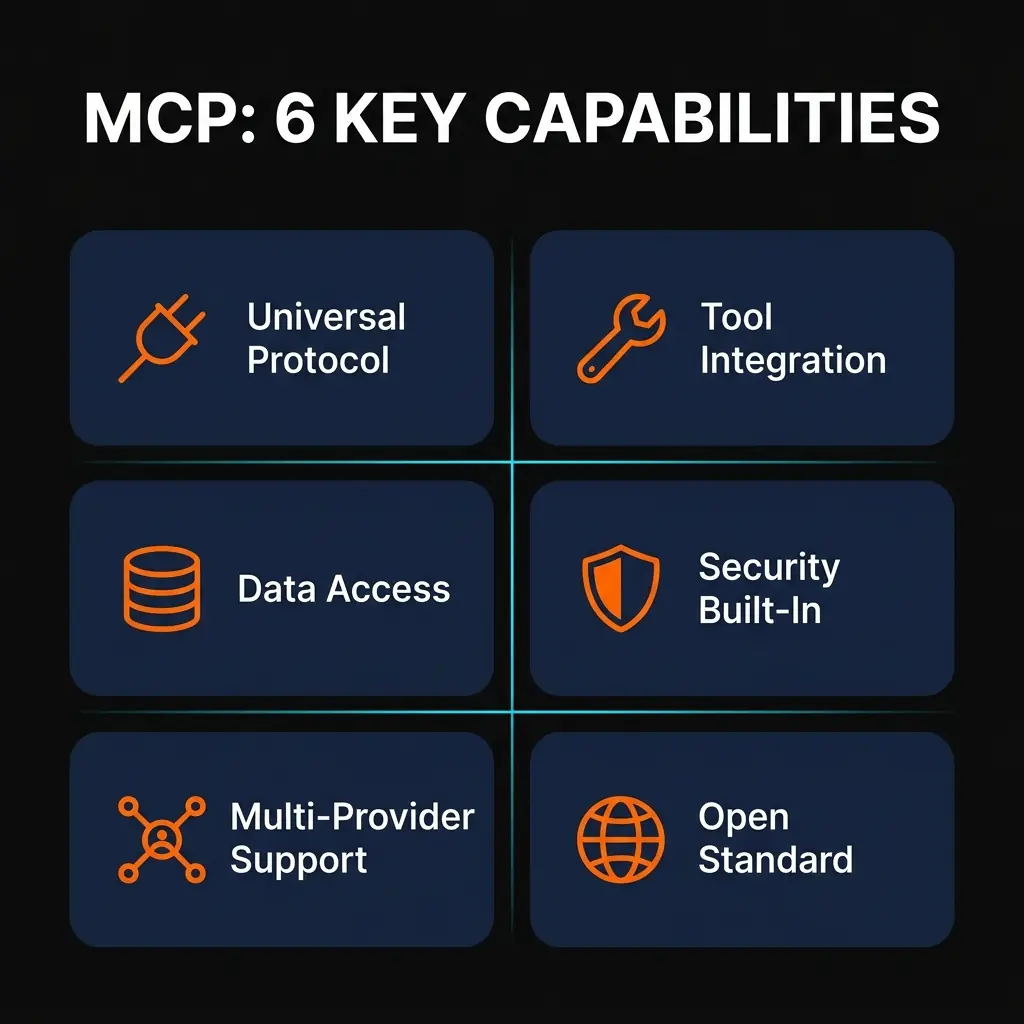
What pushed MCP from "Anthropic's protocol" to "the industry protocol" was adoption. OpenAI added MCP support to ChatGPT. Microsoft integrated it into VS Code for GitHub Copilot. Cursor, Windsurf, and other AI-first code editors built it in. When your competitors adopt your open standard, that is when you know you built the right thing.
For developers, this means a single MCP server you build today works with every major AI platform. No vendor lock-in. No rewriting integrations when you switch providers.
The Ecosystem Exploded
The network effects have been massive. With over 1,600 MCP servers available — covering everything from Slack and GitHub to Postgres, Redis, Google Drive, Sentry, and Blender — most common integrations already exist. You install them; you do not build them. If you do need something custom, the SDKs for Python and TypeScript make it straightforward to build a new server in an afternoon.
How MCP Works: Architecture Deep Dive
Understanding MCP's architecture is not strictly necessary to use it — plenty of people just install servers and go. But if you want to build your own servers or troubleshoot issues, knowing how the pieces fit together will save you significant time.
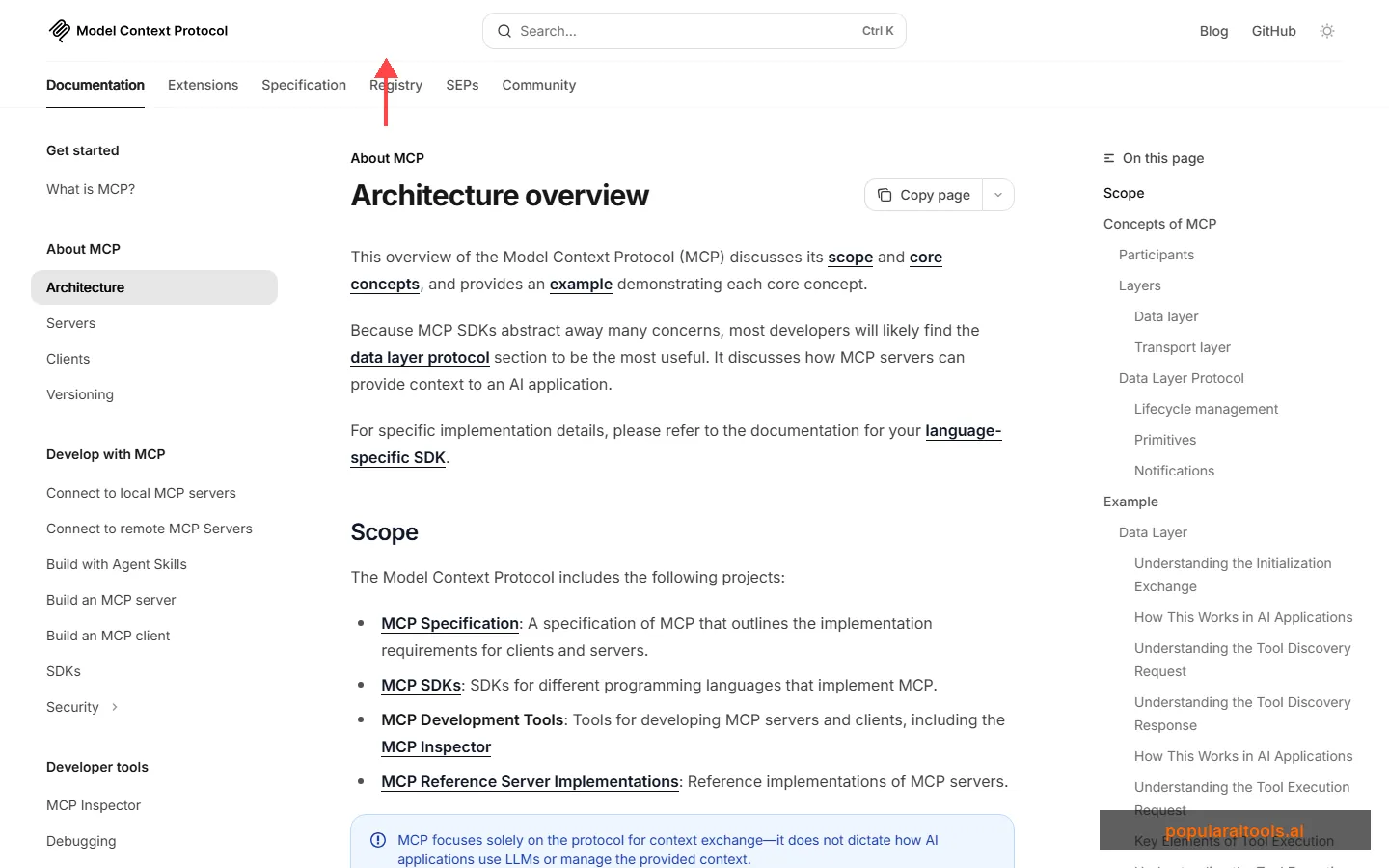
The Three Participants
Every MCP interaction involves three participants:
MCP Host — The AI application running the show. This is Claude Desktop, VS Code, ChatGPT, or whatever AI tool you are using. The host coordinates everything and manages connections to one or more MCP servers.
MCP Client — A component inside the host that maintains a dedicated connection to a single MCP server. If you have three servers configured, the host creates three separate client instances.
MCP Server — The program that provides tools, resources, and prompts to clients. Servers can run locally on your machine (using stdio transport) or remotely on the internet (using Streamable HTTP transport).
The Two Layers
MCP is split into two layers:
The Data Layer defines the actual protocol — JSON-RPC 2.0 messages that handle lifecycle management (handshake, capability negotiation, teardown) and the core primitives (tools, resources, prompts). Every message between client and server follows this format.
The Transport Layer handles how those messages physically travel between client and server. Two transport mechanisms are supported:
- Stdio transport — For local servers. Uses standard input/output streams with zero network overhead. This is what you get when Claude Desktop or Claude Code launches a local MCP server.
- Streamable HTTP transport — For remote servers. Uses HTTP POST for client-to-server messages and Server-Sent Events (SSE) for streaming responses. Supports OAuth, bearer tokens, and API keys for authentication.
The Three Core Primitives
MCP servers expose their capabilities through three primitives. This is the part that matters most to anyone building or using MCP.
The power here is composability. A single MCP server for a Postgres database might expose tools for running queries, resources for reading the schema, and prompts with few-shot examples for writing efficient SQL. The AI client discovers all of these automatically during the connection handshake and knows exactly what it can do.
The Connection Lifecycle
When an MCP client connects to a server, they go through a structured handshake:
- Initialize — Client sends an
initializerequest declaring its capabilities and protocol version. - Negotiate — Server responds with its own capabilities (which primitives it supports, whether it sends change notifications, etc.).
- Ready — Client sends
notifications/initializedand the connection is live. - Discover — Client calls
tools/list,resources/list, andprompts/listto learn what the server offers. - Execute — AI calls tools, reads resources, and uses prompts as needed during conversations.
This entire process is transparent to the end user. You configure a server, restart your AI client, and the new tools just appear.
Setting Up Your First MCP Server
The fastest way to experience MCP is to install an existing server. We will walk through two approaches: using a pre-built server (5 minutes) and building a custom one (30 minutes).
Option A: Install a Pre-Built Server (Recommended Start)
Let us add the official filesystem server to Claude Desktop. This gives Claude the ability to read, write, and search files on your computer.
Step 1: Open Claude Desktop settings
Navigate to Settings > Developer > Edit Config to open your claude_desktop_config.json file.
Step 2: Add the filesystem server
Add this to your config file:
{
  "mcpServers": {
    "filesystem": {
      "command": "npx",
      "args": [
        "-y",
        "@modelcontextprotocol/server-filesystem",
        "/Users/you/Desktop",
        "/Users/you/Documents"
      ]
    }
  }
}
Replace the paths with directories you want Claude to access.
Step 3: Restart Claude Desktop
Close and reopen Claude Desktop. You should now see file-related tools available in the tools menu. Ask Claude to "list the files on my Desktop" to verify it works.
Option B: Build a Custom MCP Server
The official quickstart walks you through building a weather server from scratch. Here is the condensed version using the Python SDK.
Step 1: Install the MCP Python SDK
pip install mcp[cli]Step 2: Create your server file
from mcp.server.fastmcp import FastMCP

# Create server
mcp = FastMCP("My Weather Server")

@mcp.tool()
async def get_forecast(city: str) -> str:
    """Get weather forecast for a city."""
    # Your API call logic here
    return f"Weather for {city}: 72°F, sunny"

@mcp.tool()
async def get_alerts(state: str) -> str:
    """Get weather alerts for a US state."""
    # Your alert logic here
    return f"No active alerts for {state}"

if __name__ == "__main__":
    mcp.run(transport="stdio")
Step 3: Test with the MCP Inspector
mcp dev weather_server.pyThis launches the MCP Inspector — a visual tool that lets you test your server's tools, resources, and prompts before connecting to a real client.
Step 4: Add to Claude Desktop
{
  "mcpServers": {
    "weather": {
      "command": "python",
      "args": ["path/to/weather_server.py"]
    }
  }
}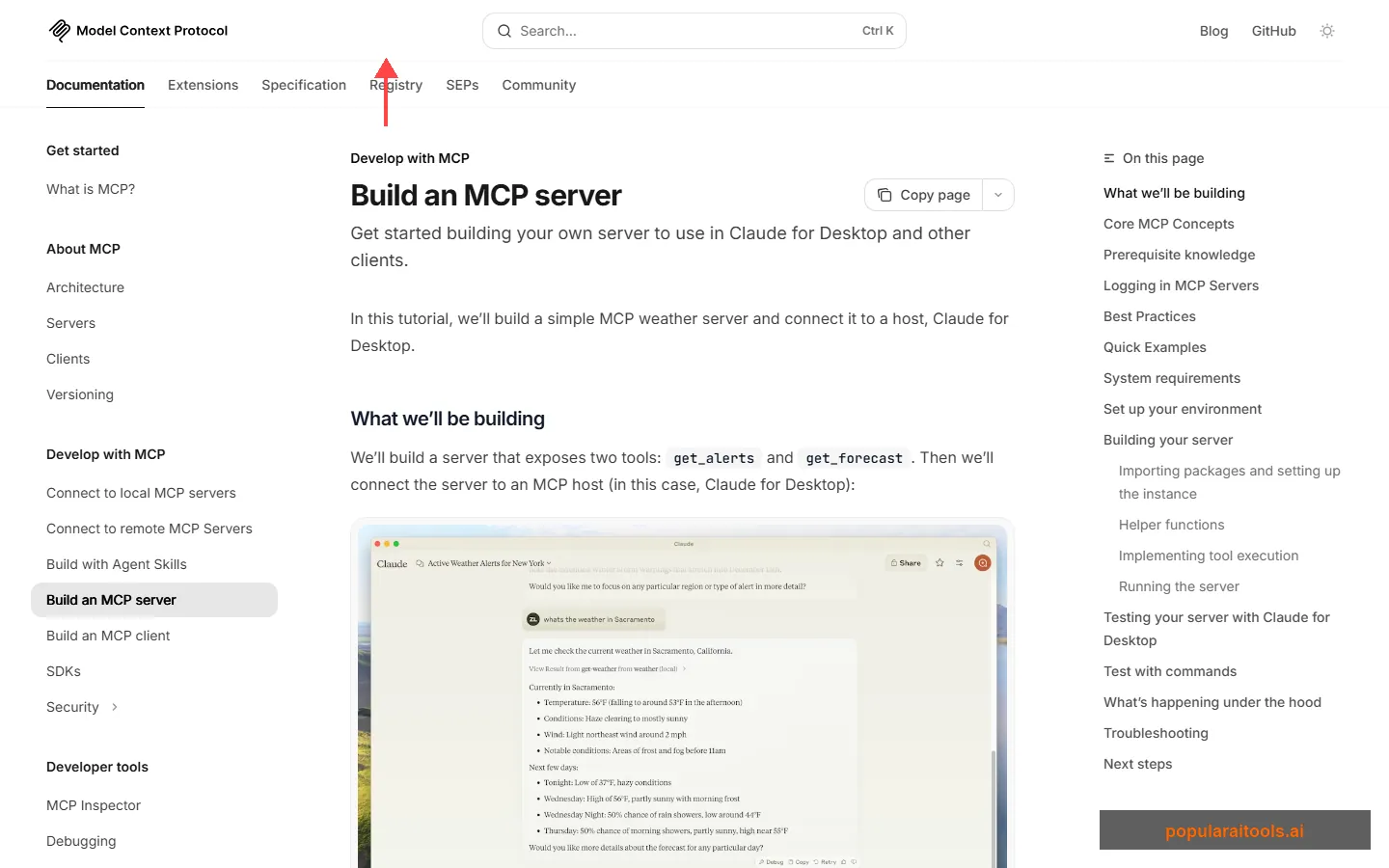
The @mcp.tool() decorator is doing the heavy lifting. It automatically generates the JSON Schema for your function's parameters, handles the JSON-RPC communication, and registers the tool for discovery. You write a Python function; MCP handles the protocol.
Best MCP Servers in 2026
The MCP ecosystem has grown fast. Here are the servers we find ourselves using most frequently — and the ones our readers keep asking about. For a much larger directory of MCP servers, skills, and agents, check out our Claude Code Ecosystem Directory with over 1,800 entries.
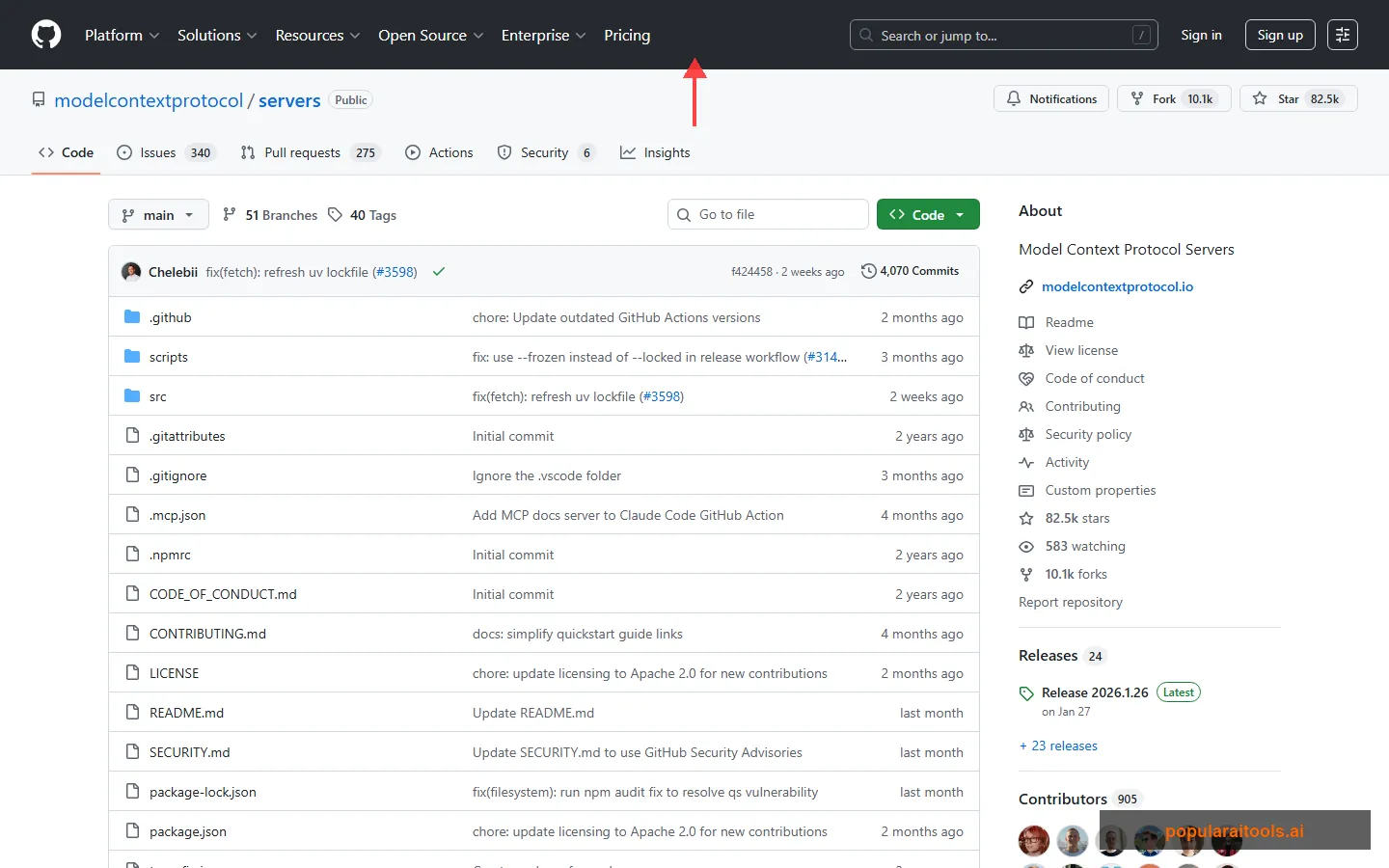
This is just scratching the surface. Companies like Sentry, Cloudflare, Supabase, Vercel, and Stripe have all published their own official MCP servers. The community has built hundreds more. If a service has an API, there is probably an MCP server for it — or you can build one in a few hours.
MCP vs Custom API Integration
We regularly hear from developers asking "why not just call APIs directly?" It is a fair question. Here is the honest comparison.
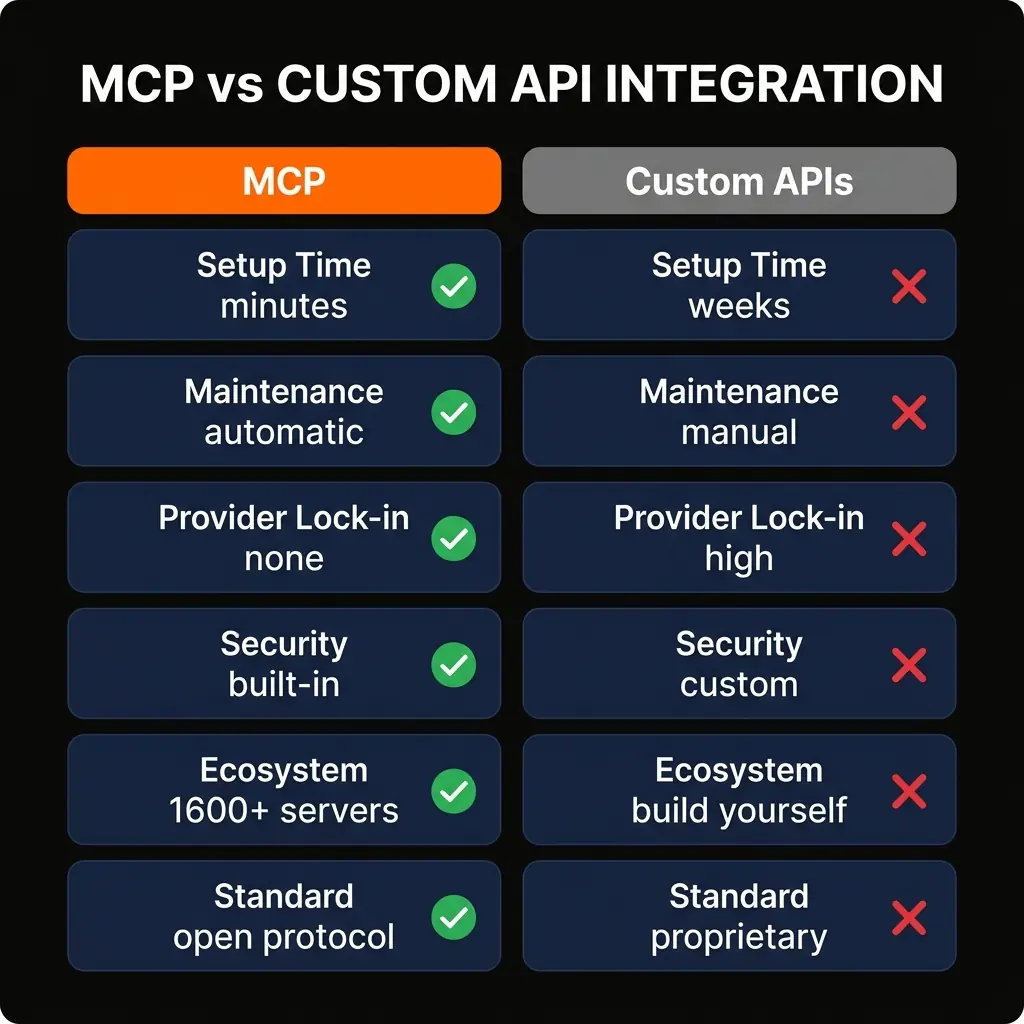
To be clear: custom integrations still make sense in some situations. If you need extremely low latency, have a proprietary protocol that does not fit MCP's primitives, or need fine-grained control over every byte of the interaction, a direct API integration may be the right call. But for 90% of use cases — connecting AI to databases, SaaS tools, file systems, and web services — MCP is the faster, cheaper, and more maintainable path.
MCP by the Numbers
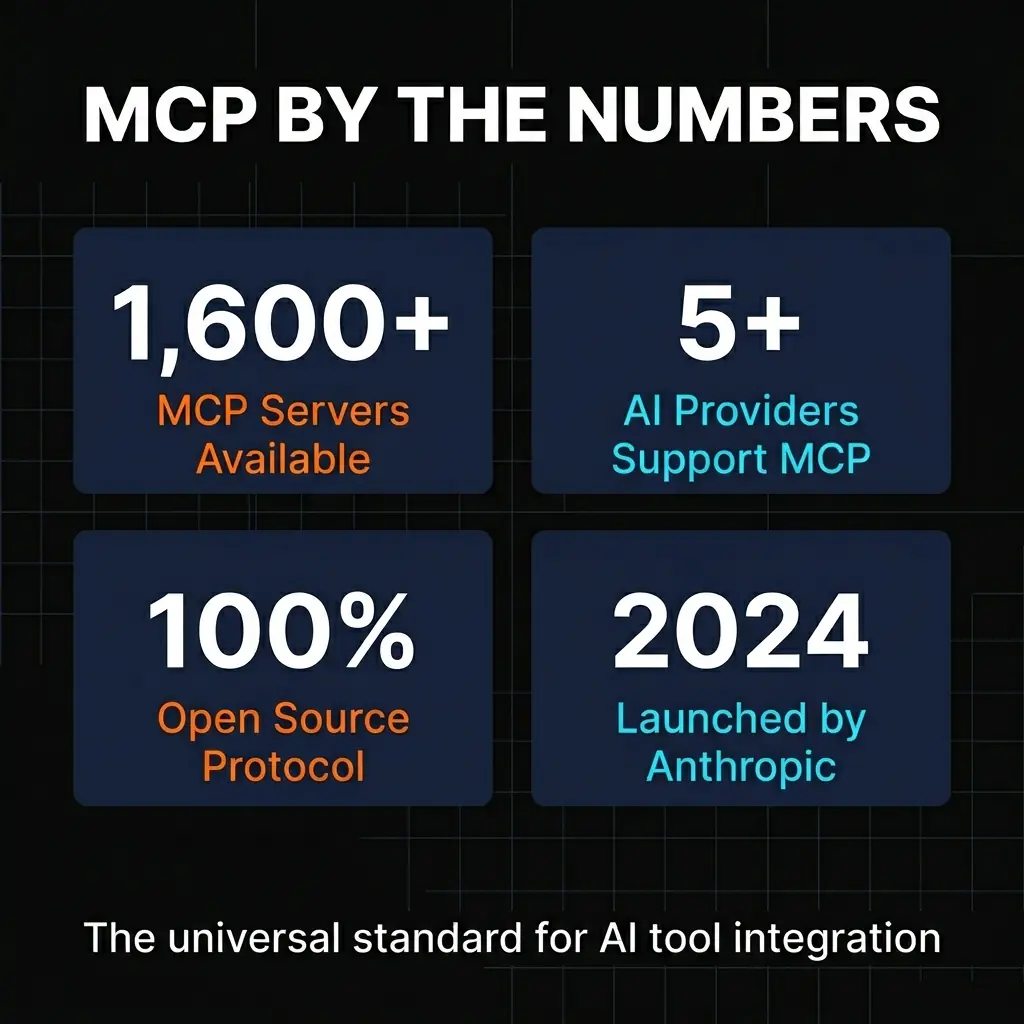
The growth of MCP since its launch in late 2024 has been rapid. Here is where things stand as of March 2026.
1,600+
MCP Servers Available
50+
MCP-Compatible Clients
100%
Open Source
2024
Launched by Anthropic
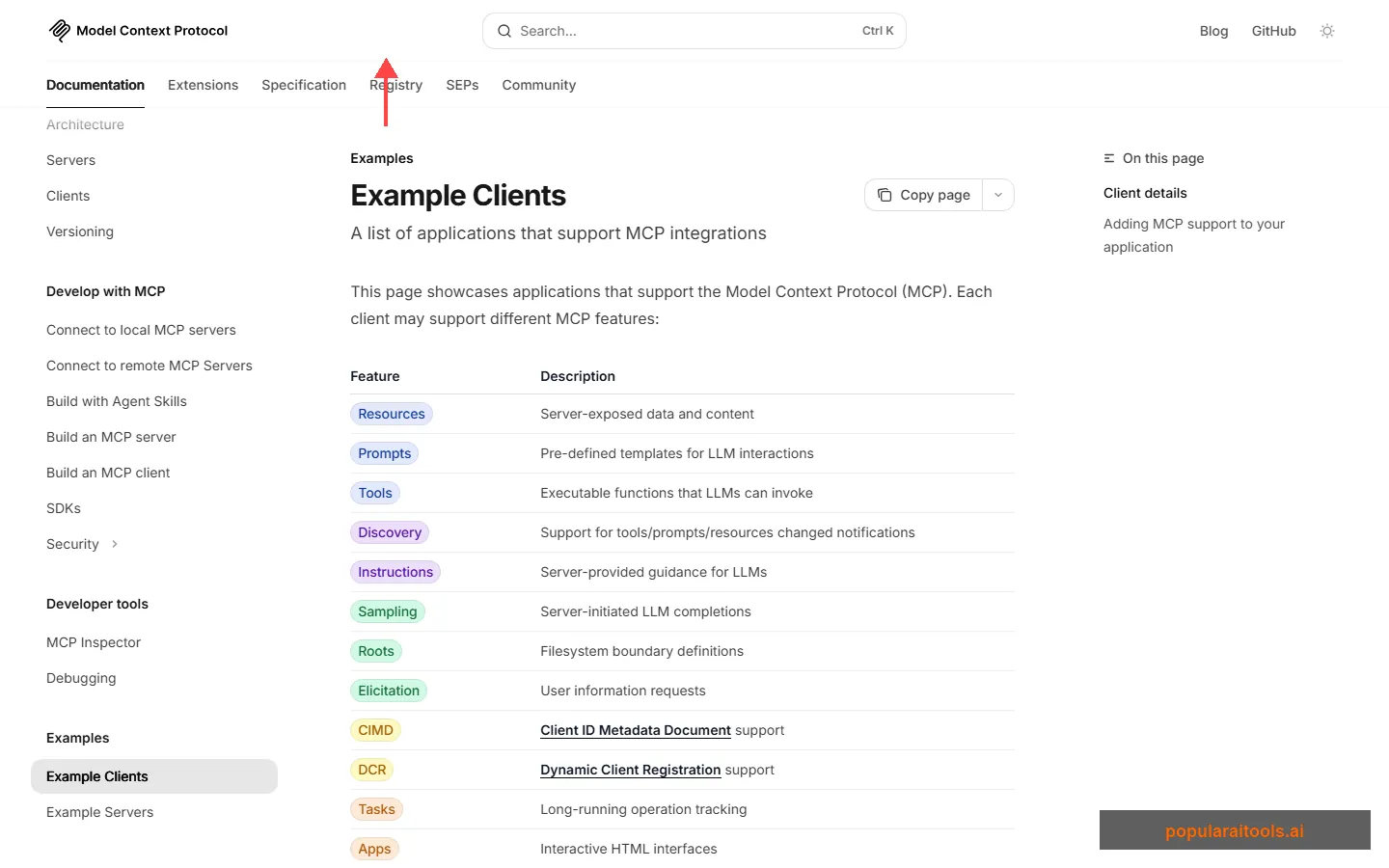
Some notable MCP clients that demonstrate the protocol's breadth of adoption:
- Claude Desktop & Claude Code — Anthropic's own products, naturally the first adopters with full feature support.
- ChatGPT — OpenAI added MCP support, validating the protocol as an industry standard rather than a single-vendor play.
- Visual Studio Code — GitHub Copilot uses MCP for tool integration, bringing the protocol to millions of developers.
- Cursor — One of the most popular AI-first code editors, with deep MCP integration for coding workflows.
- Windsurf (Codeium) — Another AI coding tool that went all-in on MCP for tool connectivity.
- MCPJam, 5ire, AgenticFlow — The long tail of independent clients building on MCP.
Who Should Use MCP
MCP is not a niche tool for a specific type of developer. It is a foundational protocol that benefits almost anyone working with AI. That said, here is where we see the highest impact.
Software Developers
If you use AI coding tools like Cursor, Claude Code, or GitHub Copilot, MCP servers extend what those tools can do. Add a database server and your AI can query your schema directly. Add the Git server and it understands your repository history. Add Sentry and it can pull in error context when you are debugging. These are not hypothetical features — they are what developers use daily.
Data Teams
MCP servers for PostgreSQL, SQLite, and other databases let analysts query data through natural language conversations. Instead of writing SQL from scratch, you describe what you want and the AI writes the query, executes it through the MCP server, and returns the results. The schema resource ensures the AI understands your table structure accurately.
DevOps & Platform Teams
Servers like Cloudflare, Vercel, and Sentry turn AI assistants into operational dashboards. Deploy workers, check error rates, manage infrastructure — all through conversation. When something breaks at 2 AM, having an AI that can pull Sentry errors, check deployment logs, and roll back changes through MCP is more than a convenience.
Enterprise Teams
For organizations using multiple AI tools across departments, MCP eliminates the integration fragmentation problem. Instead of building separate integrations for each team's preferred AI tool, you build one MCP server per service and every team benefits regardless of which AI client they use.
MCP Server Builders
If you maintain a SaaS product or API, building an MCP server for it is one of the highest-leverage things you can do. It instantly makes your product accessible to every MCP-compatible AI client. Companies like Sentry, Cloudflare, and Supabase have already done this, and their users benefit enormously. The Claude Code Skills guide covers related patterns for extending AI capabilities.
Explore the Full MCP Ecosystem
Browse 1,800+ MCP servers, skills, agents, and tools in our curated directory.
Browse the Ecosystem DirectoryFrequently Asked Questions
Wayne MacDonald
Wayne covers AI development tools, protocols, and workflows at PopularAiTools.ai. He has been testing MCP servers since the protocol's launch and maintains the Claude Code Ecosystem Directory.
Recommended AI Tools
played.fm
Sell your music and keep 100%: played.fm is a direct-to-fan store + sync marketplace with 0% commission, no gatekeepers, and no bans — a strong fit for AI musicians.
View Review →OpenCode
The open-source AI coding agent: terminal-first TUI, 75+ model providers, LSP context, subagents, and privacy-first design. Free software, ~180K GitHub stars.
View Review →Exa
The neural web search API for AI agents: embeddings-based retrieval, cited highlights, sub-180ms latency, and an MCP server. 20,000 free requests/month.
View Review →Google Antigravity
Google's agent-first IDE: run a fleet of AI agents from a Manager surface, on Gemini 3 Pro, Claude Sonnet 4.5, or OpenAI models. Free in public preview.
View Review →