Build a Multi-Agent Claude Code System in 2026 (Full Walkthrough)

AI Infrastructure Lead
⚡ Key Takeaways
- Anthropic cut off third-party harnesses (OpenClaude, Hermes) from Claude Pro/Max on April 4, 2026 — but Claude Code, their own product, is still fully covered.
- You can build a three-agent orchestrator system (lead + content + research) in about 20 minutes by describing it in plain English to Claude Code.
- Telegram is the interface, tmux keeps the processes alive, and a shared memory folder gives every agent the same long-term context.
- Total cost: $20/month for Pro, or $100–$200/month for Max. No per-token bills, no vendor lock-in, no rug-pull risk.
- The architecture scales to any number of specialist agents — email, CRM, booking, social — using the same folder-plus-markdown pattern.
- Why the Anthropic ban actually helps you
- The three-agent architecture at a glance
- Shared memory: the soul of the system
- Step 1: build the single-agent foundation
- Step 2: wire up the Telegram bot
- Step 3: upgrade to multi-agent with one prompt
- Step 4: test delegation end-to-end
- Step 5: the heartbeat loop
- Scaling: adding email, CRM, and more
- FAQ
Why the Anthropic ban actually helps you
On April 4, 2026, Anthropic quietly cut off a chunk of the AI agent ecosystem. If you were running OpenClaude, Hermes, or any other third-party harness on a Claude Pro or Max subscription, your tokens stopped working overnight. The official line is that these harnesses have to use the paid API instead — which, for anyone running a real agent workload, means bills in the thousands per month.
I watched roughly 135,000 users on the OpenClaude Discord scramble in real time. Some threw their hands up. Some rebuilt on the API and watched their margins evaporate. A few of us did something simpler: we rebuilt our agent stacks on top of Claude Code — Anthropic's own product — because that one is still fully covered by your subscription. They can't ban their own tool.
This walkthrough covers exactly what I did: a three-agent system with a lead orchestrator, a content specialist, and a research specialist. They share memory, talk to each other through a file-based task queue, and wake up on a heartbeat to proactively ping you on Telegram when something important shifts. Total cost: your Claude subscription. Setup time: about 20 minutes if you already have Claude Code installed.
The three-agent architecture at a glance
Before we write a single file, here's the shape of what we're building. It looks intimidating on a whiteboard but it's just folders, markdown, and two Python scripts — all generated by Claude Code from plain-English prompts.

Interface: Telegram. You text the system the way you'd text a person. No web UI, no dashboard, no custom frontend.
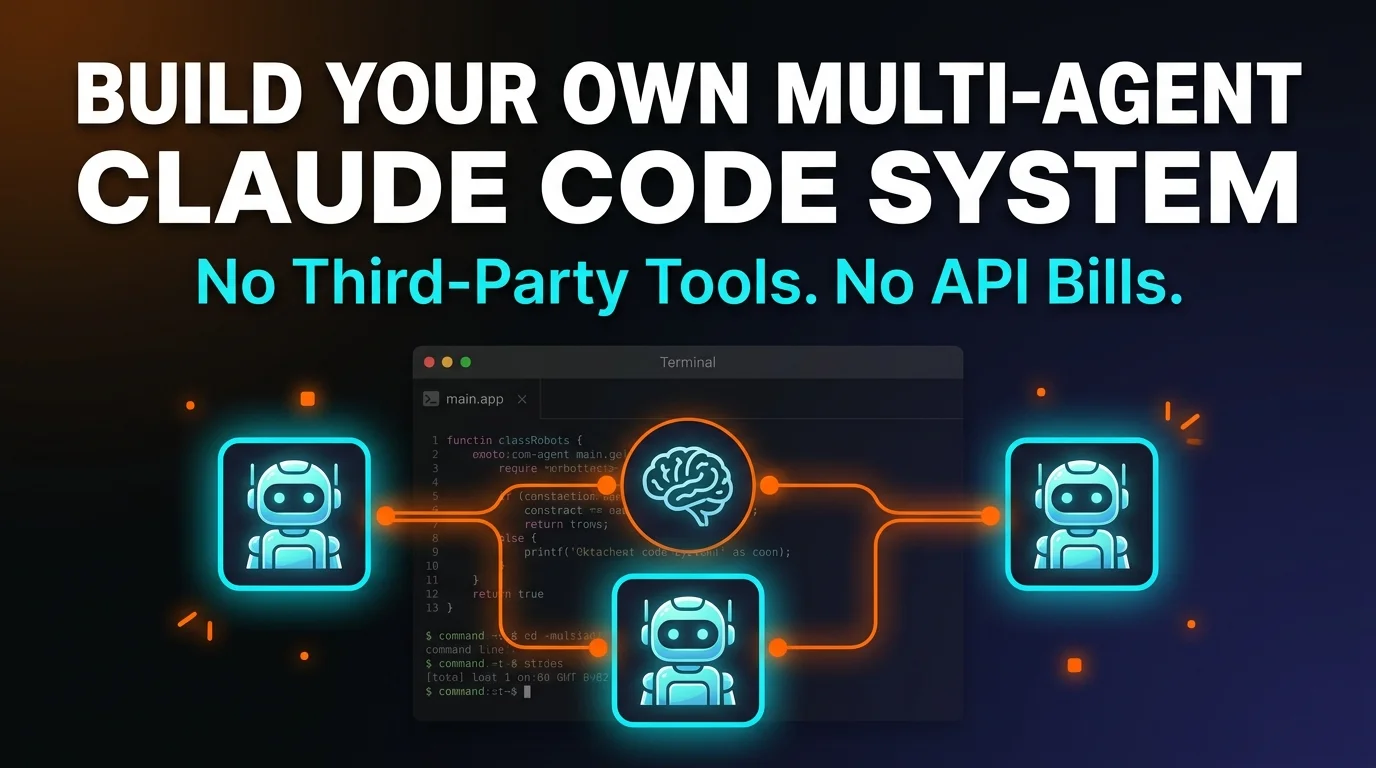
Lead agent (orchestrator): reads your message, checks shared memory, and decides: can I handle this directly, or does it need a specialist? If it's a content task (LinkedIn post, newsletter, script), it drops a JSON task file into the shared tasks folder and dispatches the content agent. If it's research (web search, competitor analysis), it fires off the research agent.
Content agent: picks up writing jobs, reads the same memory files the lead agent sees, and produces output in your voice. It knows who you are because the user.md file sits in the shared folder.
Research agent: handles web lookups, digests results, and either returns findings directly or hands them off to the content agent for a second pass. For a two-step request — "research X and write a hook about it" — the lead agent chains them automatically.
Runtime: tmux holds three panes open at all times — the Telegram bot, the task manager, and the heartbeat loop. They never close, even when you walk away from the computer. Everything runs locally.

Shared memory: the soul of the system
Every agent reads the same memory folder before responding. This is where the magic happens — your content agent knows what your research agent just found because both of them loaded memory.md at the top of their context. There are three core files plus two subfolders:
soul.md
The agent's personality. Direct, no fluff, proactive. Every agent inherits the same baseline tone, then layers its specialist role on top in its own CLAUDE.md.
user.md
Long-term facts about you. Name, company, ICP, writing voice, recurring projects. Starts empty and auto-updates whenever you mention something worth keeping.
memory.md
Rolling conversation log. Short-term context for the current thread. Gets pruned or summarized into user.md when it grows too big.
memory/ (logs)
One markdown file per day. Every exchange — yours and the agent's — appended in order. Human-readable, grep-able, never leaves your disk.
tasks/
The inter-agent mailbox. Lead agent writes JSON task files here. Content and research agents poll the folder, claim a task, and write their response back as a reply file.
CLAUDE.md (per agent)
Role-specific rules. The lead agent's file tells it how to delegate. The content agent's file defines tone and formats. Claude Code reads this automatically.
The key thing to understand: each agent folder gets symlinked to the same shared memory directory. When the content agent boots, it resolves its memory/ symlink and pulls the exact same files the lead agent just wrote to. There's no message bus, no Redis, no queue service — just the filesystem and Claude Code's native CLAUDE.md loading.
Step 1: build the single-agent foundation
You start with one agent, get it talking, and only then split into specialists. This avoids debugging multi-agent coordination before the basics work.
Open a terminal and create an empty folder — I called mine second-brain. Then cd into it and launch Claude Code. If you've never installed it, grab it from the official docs. I usually run it inside Cursor for the file explorer and integrated terminal, but the stock CLI works fine.
Paste in the bootstrap prompt. Describe what you want in plain English: the memory system (soul.md, user.md, memory.md, memory/, tasks/), a Telegram bot that reads those files on every message and calls Claude via subprocess, a heartbeat script that runs every 30 minutes, and a start script that launches everything in tmux. Claude Code will generate all of it and ask you a couple of clarifying questions — answer them and approve the file writes.
mkdir second-brain && cd second-brain
claude

# then in Claude Code, paste:
# "Build me a single-agent system with shared memory (soul.md, user.md,
#  memory.md), a Telegram bot that reads memory before each reply, a
#  heartbeat script that runs every 30 min, and a start.sh that launches
#  everything in tmux. Use subprocess to call Claude — no API keys."
This is the part that surprises people: you don't write any Python. You describe the behavior, Claude Code generates the code, and if something breaks you describe the problem back to it in plain English. Describe → build → test → fix. That's the whole loop.
Step 2: wire up the Telegram bot
Telegram is the interface because it's free, it's on every device you own, and the bot API is the simplest one on the planet. You need two pieces of information: a bot token and your own user ID.
For the token, open Telegram, find @BotFather, type /newbot, pick a name, and copy the token BotFather hands you. For your user ID, search contacts for @userinfobot and copy the ID it spits out. Paste both into Claude Code when it asks.
Hardcoding your user ID as an allowlist is critical. Without it, anyone who stumbles on your bot can send messages and burn your subscription quota. The generated bot.py should check update.message.from_user.id against your ID on every incoming message and silently drop the rest.
Once the bot is wired up, install the Python deps in an isolated venv, then run ./start.sh. Claude Code should have generated a tmux session with two panes — the bot and the heartbeat. Send a test message. If nothing comes back, look at the tmux pane to see where it's hanging. A common first-run issue: Claude Code's own Telegram plugin workers grabbing the bot token. Kill any lingering processes matching "telegram" and try again.
Sanity check: message your bot "still there?" and wait for a reply. If you get one, the bot is reading memory, calling Claude via subprocess, and writing back to Telegram successfully. The foundation is live.
Step 3: upgrade to multi-agent with one prompt
This is the moment where most tutorials drown in complexity — and where Claude Code cuts through it. One prompt turns the single agent into a three-agent orchestrator.
Open a new terminal tab, cd back into the project, and launch Claude Code again. The prompt spells out exactly what you want: create an agents/ directory with three folders — lead/, content/, research/. Each gets its own CLAUDE.md with role-specific instructions. The lead agent's file tells it explicitly to delegate content tasks and research tasks by writing JSON files into the shared tasks folder.
You also ask Claude Code to add a third tmux pane for the task manager loop, create symlinks so every agent folder can see the shared memory, and run a smoke test end-to-end. Approve the file writes, wait 30–60 seconds, and the system upgrades itself in place.
# second prompt, inside Claude Code:
# "Upgrade to multi-agent. Create agents/lead, agents/content, agents/research.
#  Each gets a CLAUDE.md. Lead agent must delegate by writing JSON task files
#  to shared/tasks. Add a third tmux pane for task_manager.py with auto-restart.
#  Symlink shared/memory into every agent folder. Build, smoke-test, verify."
Kill the old tmux session with tmux kill-server, then run ./start.sh again. You should see three panes: bot.py polling Telegram, heartbeat.py sleeping until its next tick, and task_manager.py watching the shared tasks folder. That's your full multi-agent runtime.
Step 4: test delegation end-to-end
The first test should hit a single specialist. Message your bot: "Write me a LinkedIn post about why I built my own agent system instead of using third-party frameworks."
Watch the tmux task_manager pane. You should see the lead agent dispatch the task to content, the content agent pick it up, generate the post, and write the reply back. Telegram should ping within 30–60 seconds depending on your network and the length of the response.

Now hit it with something that needs both specialists: "Research the top 5 reactions to Anthropic's third-party ban, then write me a 30-second YouTube script intro in my voice." The lead agent should route this to research first, wait for findings, then pass them into content. Two agents, one prompt, one coordinated output.
If the research agent comes back empty-handed, it's usually because it doesn't have a web search tool wired up. You can either give it a Brave Search API key, a Tavily key, or use Claude Code's built-in WebSearch tool. I use Tavily — it's what the PopularAiTools research skill runs on and it returns cleaner results than generic search.
What works on day one
- ✓Single-agent chat. Memory, Telegram, persistence — all functional after the first prompt.
- ✓Delegation. Lead → content → reply chain works the first time if you specify the task file format clearly.
- ✓Shared memory. Every agent sees what others have written, no sync logic required.
- ✓tmux persistence. Close your terminal, walk away, come back, it's still alive.
Things you'll iterate on
- ✗Writing voice. The content agent will sound generic until you populate user.md with examples and ICP notes.
- ✗Web search. The research agent needs a search tool wired up or it returns "no results."
- ✗Token management. Long conversations will eventually exceed context — add a summarization step in memory.md pruning.
- ✗Plugin conflicts. Claude Code's own Telegram hooks can grab your bot token. Kill them on startup.
Step 5: the heartbeat loop
The heartbeat is what turns a passive chatbot into something that feels alive. Every 30 minutes, it wakes up, reads your memory files and recent logs, and asks Claude one question: "Is there anything worth notifying me about?" If yes, it sends a Telegram message. If no, it stays quiet and logs the decision so it doesn't spam you with the same thing twice in 24 hours.
I've had mine fire with things like "you haven't followed up with the client from Thursday's call," "the article you planned to post today hasn't been published," and "there's been no activity in the research agent log for 6 hours — are you blocked?" These aren't scheduled reminders. They're Claude looking at context and deciding, unprompted, that something needs surfacing.

The dedupe logic matters. Without it, the heartbeat will surface the same reminder every cycle until you act on it. The simplest version is a JSON file at shared/heartbeat_log.json keyed by a hash of the notification content. Before sending, check the log — if the same hash fired in the last 24 hours, skip it.
Scaling: adding email, CRM, and more
Three agents is just the starting point. The architecture scales linearly because every new agent is a folder with two markdown files. No framework, no config hell, no new dependencies.
| Agent | Job | Typical trigger |
|---|---|---|
| Email agent | Draft replies, triage inbox, summarize threads | "Draft a reply to the Mailchimp thread" |
| CRM agent | Update pipeline stages, log notes, flag stalls | "Move Acme to proposal sent" |
| Scheduler agent | Book meetings, resolve conflicts, send invites | "Find a 30-min slot with Sarah next week" |
| Finance agent | Reconcile expenses, tag transactions, flag anomalies | "Categorize last week's Stripe payouts" |
| Social agent | Draft posts, track engagement, reply to comments | "Turn yesterday's newsletter into an X thread" |
Each of these slots into the same task queue and reads the same memory files. Your email agent knows what your scheduler has on the calendar. Your content agent knows what your research agent just dug up. No glue code required — it all flows through the shared folder.
You can also swap interface adapters. Telegram is the easy default, but you can add WhatsApp, Slack, Discord, or a local web UI with one more Claude Code prompt. The adapter just needs to convert incoming messages into the same internal format the lead agent already reads. Keep looking at tool discovery on PopularAiTools.ai's tools directory if you want integrations someone else has already built.
Why this survives the next policy change
The biggest lesson from the April 2026 ban isn't "Anthropic is the villain." It's that building critical infrastructure on third-party wrappers creates a single point of failure that someone else controls. OpenClaude was a great piece of software right up until it wasn't.
The system in this walkthrough sits directly on Anthropic's own product. There's nothing between you and Claude except the CLI Anthropic ships and maintains. If they change the terms of Pro/Max, that affects you — but it affects every paying Claude user the same way, which makes the blast radius predictable. You aren't the one holding a burning match when a company decides its terms of service need an update on a Friday afternoon.
You also own every file. The agents are markdown. The glue code is Python. The memory is a folder. If you want to fork, audit, rewrite, or migrate, you can. No proprietary binary format, no vendor graph you can't inspect, no credentials living in someone else's environment.
Frequently asked questions
Bottom line: if you were running an AI agent stack on someone else's harness and watching it die on April 4, the lesson isn't "build less." It's "build on primitives you control." Claude Code is the primitive. The rest is 100 lines of Python and five markdown files. Spin it up in an afternoon, test it with your actual workflows, and own the whole thing.
Recommended AI Tools
played.fm
Sell your music and keep 100%: played.fm is a direct-to-fan store + sync marketplace with 0% commission, no gatekeepers, and no bans — a strong fit for AI musicians.
View Review →OpenCode
The open-source AI coding agent: terminal-first TUI, 75+ model providers, LSP context, subagents, and privacy-first design. Free software, ~180K GitHub stars.
View Review →Exa
The neural web search API for AI agents: embeddings-based retrieval, cited highlights, sub-180ms latency, and an MCP server. 20,000 free requests/month.
View Review →Google Antigravity
Google's agent-first IDE: run a fleet of AI agents from a Manager surface, on Gemini 3 Pro, Claude Sonnet 4.5, or OpenAI models. Free in public preview.
View Review →