
Try Writefull today
Writefull Review: Features, Pricing, Pros & Cons
By David Walker · 14 min read · PopularAiTools.ai
TL;DR
Writefull is an AI-powered academic writing assistant built specifically for researchers, students, and institutions. Trained on millions of journal articles, it provides language editing, paraphrasing, and LaTeX support through Overleaf and Microsoft Word integrations. The free tier offers limited access, while Premium at $150/year unlocks unlimited features. It is a specialized tool that excels in academic contexts but is not designed for general-purpose writing. Rating: 4.3/5
Exclusive Discount
Use coupon code PopularAiTools at checkout for a special discount on Writefull Premium.
Try Writefull With Discount →
Writefull Review — AI-powered writing assistance for academics and researchers
What is Writefull?
Writefull is an AI-powered writing assistant designed specifically for academic and research writing. Unlike general-purpose grammar tools such as Grammarly or ProWritingAid, Writefull focuses exclusively on helping researchers, students, and publishers produce publication-ready manuscripts. Its language models are trained on millions of peer-reviewed journal articles, which means suggestions are calibrated to the conventions, vocabulary, and style of scholarly communication.
Founded by a team of researchers in linguistics and AI based in the Netherlands, Spain, and the UK, Writefull has carved out a distinct niche in the writing assistant market. It integrates directly with the platforms academics use most — Microsoft Word and Overleaf (the popular online LaTeX editor) — and offers standalone tools through Writefull X, its browser-based widget suite, and Writefull Revise, its document-level editing tool.
What sets Writefull apart is its academic DNA. While mainstream grammar checkers often flag technical terms as errors or suggest simplifications that strip away precision, Writefull understands the language of research. It knows that “heteroscedasticity” is a real word, that passive voice is sometimes appropriate in methods sections, and that citation formatting matters. For anyone who has struggled with generic writing tools mangling their scientific prose, this specialization is a genuine relief.
As of 2026, Writefull is used by students and researchers at more than 1,500 institutions worldwide and is trusted by top academic publishers and copyediting services. The tool handles everything from basic grammar correction to paraphrasing, title generation, abstract writing, and even LaTeX code generation.
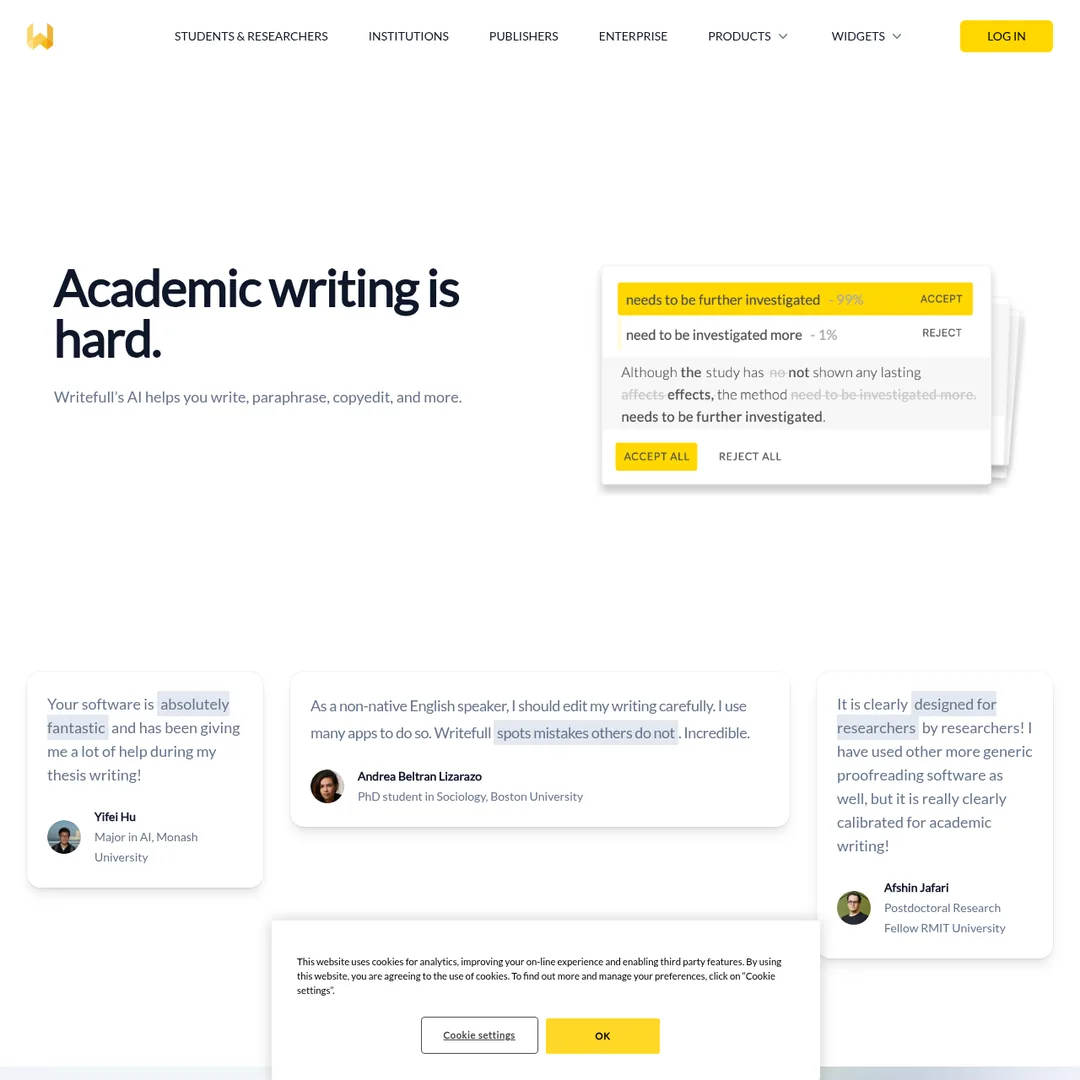
The Writefull homepage — designed for the academic writing audience
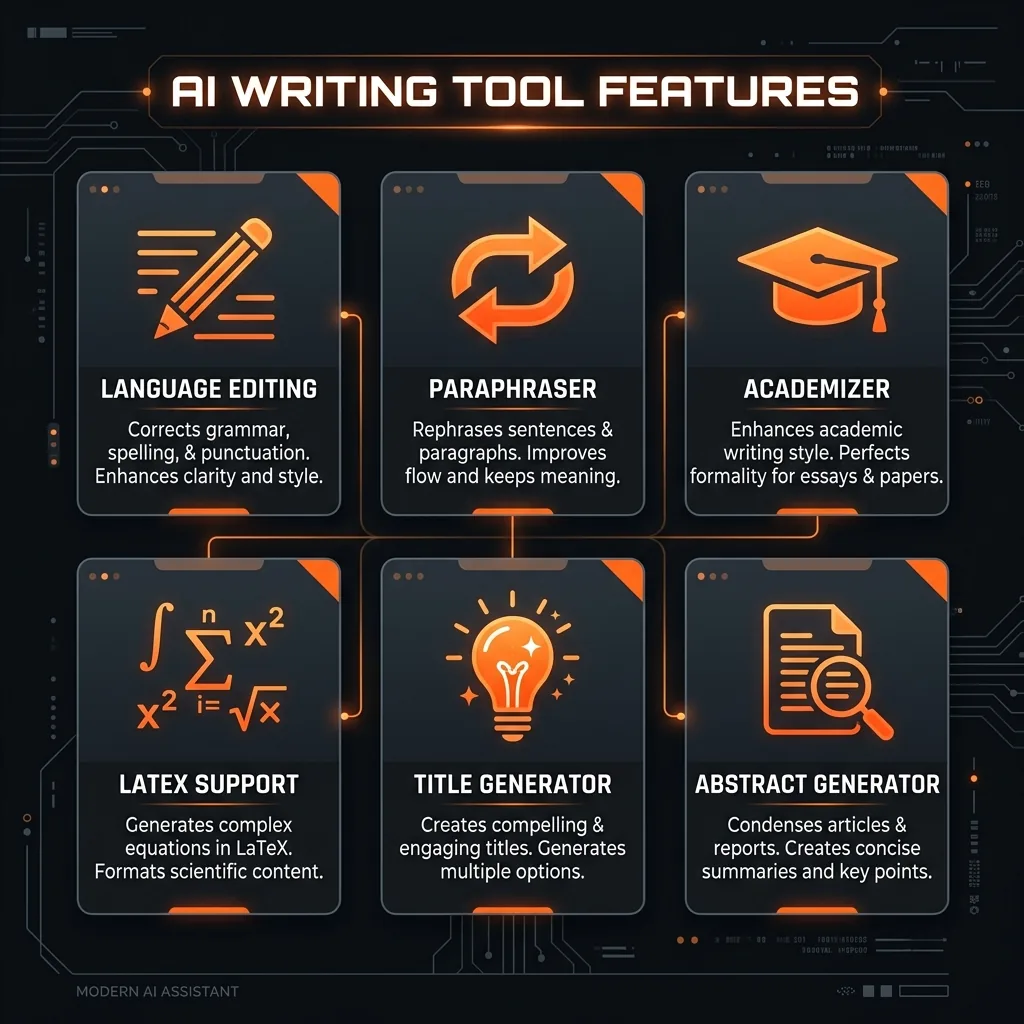
Writefull's core features at a glance
Key Features
1. AI-Powered Language Editing
Writefull's core feature is its language editing engine, trained on published journal articles rather than generic web text. It checks grammar, spelling, punctuation, vocabulary, phrasing, and style — all within the context of academic writing. The tool provides two types of language edits: Writefull Language Edits for English academic texts and GPT Language Edits for texts in other languages and genres. Premium users can also use GPT Language Edits with custom prompts, allowing them to specify particular editing preferences or style requirements. The accuracy is notably strong for technical and scientific vocabulary, where other tools typically stumble.
2. Paraphraser
The Paraphraser offers alternative phrasings for selected text at three different levels of variation. This is particularly useful when you need to avoid self-plagiarism, rework a sentence that feels clunky, or express the same idea differently across sections of a long paper. Unlike generic paraphrasing tools, Writefull's version maintains academic register and avoids colloquial replacements that would be out of place in a journal article.
3. Academizer
One of Writefull's most distinctive features, the Academizer converts informal sentences into formal academic language. If you draft rough notes or ideas in casual English, the Academizer transforms them into publication-appropriate prose. It adjusts vocabulary, sentence structure, and tone in a single step. This is a feature you will not find in mainstream writing tools, and it saves considerable time for researchers who think in one register but need to write in another.
4. Title and Abstract Generator
Crafting the right title can make or break a paper's visibility in search results and citation databases. Writefull generates title suggestions based on your abstract, and conversely, can generate an abstract based on your full paper. Both generators draw on patterns from millions of published papers, so the outputs follow established academic conventions for structure and phrasing.
5. Overleaf Integration with LaTeX Support
For researchers who write in LaTeX, Writefull's Overleaf integration is a standout feature. It provides language editing directly within LaTeX code, generates tables and equations through TeXGPT, and even helps debug LaTeX compilation errors through Error Assist. The tool understands LaTeX syntax well enough to distinguish between your actual text and formatting commands, so it does not try to “correct” your code. Exclusive Overleaf features include Supercomplete (sentence completion), Table Generator, and Equation Generator.
Writefull for Overleaf — language editing directly in your LaTeX editor
6. Microsoft Word Integration
The Writefull for Word add-in brings the full suite of features into Microsoft Word. You get language editing, paraphrasing, style changes, explanations, summaries, and more — all accessible from a sidebar without leaving your document. The Ask AI feature functions as an academic assistant within Word, providing insights and suggestions contextually. For researchers who prefer Word over LaTeX, this integration ensures they do not miss out on any functionality.
Writefull for Word — academic writing assistance within Microsoft Word
7. Writefull Revise
Writefull Revise is a standalone document editing tool that provides a comprehensive language check before submission. You upload your manuscript, and it returns a revised version with Track Changes enabled, along with an overall language quality score. This is ideal for a final pass before submitting to a journal. The tool identifies errors, suggests improvements, and shows a clear before-and-after view so you maintain full control over what changes to accept.
Writefull Revise — upload your manuscript for a comprehensive language check
8. Writefull X (Browser-Based Widgets)
Writefull X provides access to key writing widgets — Title Generator, Abstract Generator, Paraphraser, and Academizer — directly in your browser without installing any software. This is convenient for quick tasks or for researchers who work across multiple devices. The free tier provides limited access, while Premium and institutional plans unlock unlimited usage.
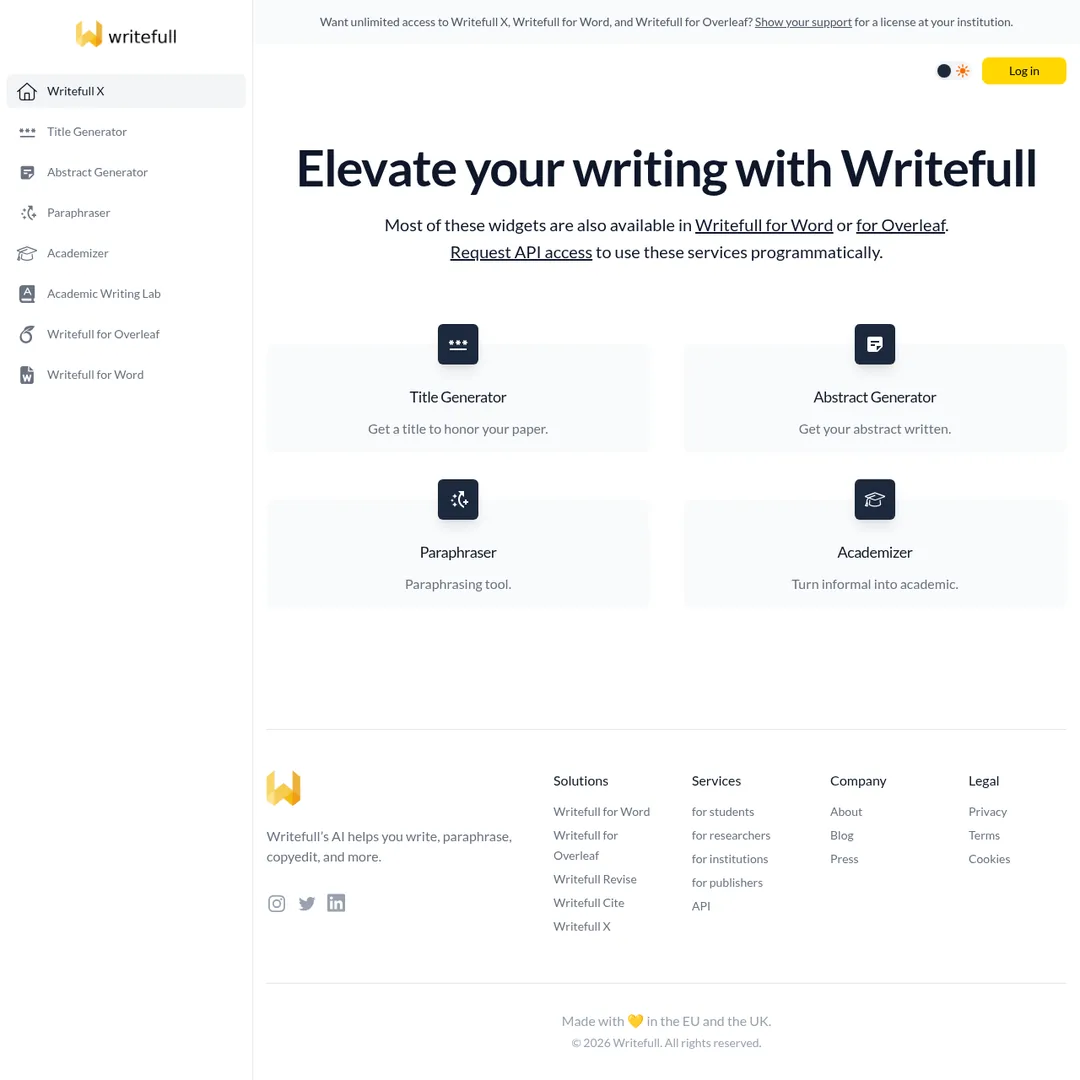
Writefull X — access key writing widgets directly in your browser
9. Additional Features
Change Style: Adjusts your writing tone to suit different audiences — concise, punchy, scientific, and more.
Explain: Select a portion of text and get a detailed clarification, useful for understanding dense passages.
Summarize: Condenses selected text into concise summaries, ideal for creating abstracts or overview sections.
Split/Join: Splits long sentences for clarity or joins short sentences for better flow.
Synonyms in Context: Suggests alternative words with a suitability score, ensuring replacements fit naturally.
Writefull Cite: Available for institutional plans, helping manage citations and references.

How to Use Writefull (Step-by-Step)
Step 1: Create Your Account
Visit writefull.com and sign up for a free account. You can start with the free tier to test the core features before upgrading. Remember to use coupon code PopularAiTools for a discount on Premium.
Step 2: Choose Your Platform
Decide where you want to use Writefull. If you write in LaTeX, enable Writefull for Overleaf through your Overleaf Account Settings under Integrations. If you use Microsoft Word, install the Writefull for Word add-in. For quick tasks, use Writefull X in your browser.
Step 3: Write or Upload Your Text
Start writing in your chosen platform and Writefull will provide real-time language suggestions. Alternatively, use Writefull Revise to upload a completed manuscript for a full document-level language check.
Step 4: Review and Accept Suggestions
Writefull underlines issues and offers corrections in context. Click on each suggestion to see the proposed change, and accept or dismiss as needed. For Revise, download the edited document with Track Changes to review all modifications.
Step 5: Use AI Widgets for Additional Tasks
Leverage the Paraphraser for alternative phrasings, the Academizer to formalize casual text, or the Title and Abstract Generators to create key paper components. These widgets save significant time during the drafting and revision process.
Exclusive Discount
Use coupon code PopularAiTools at checkout for a special discount on Writefull Premium.
Try Writefull With Discount →Pricing Plans
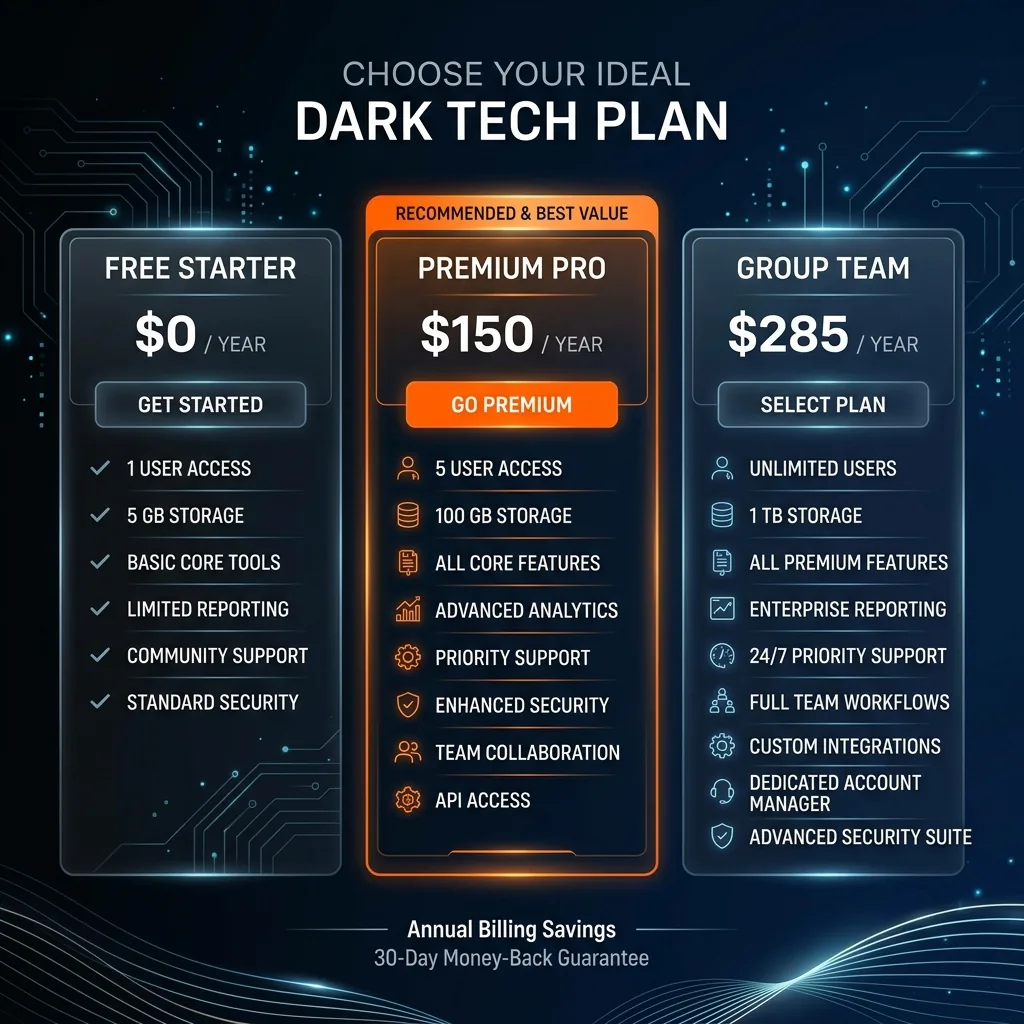
Writefull pricing tiers — from free to institutional
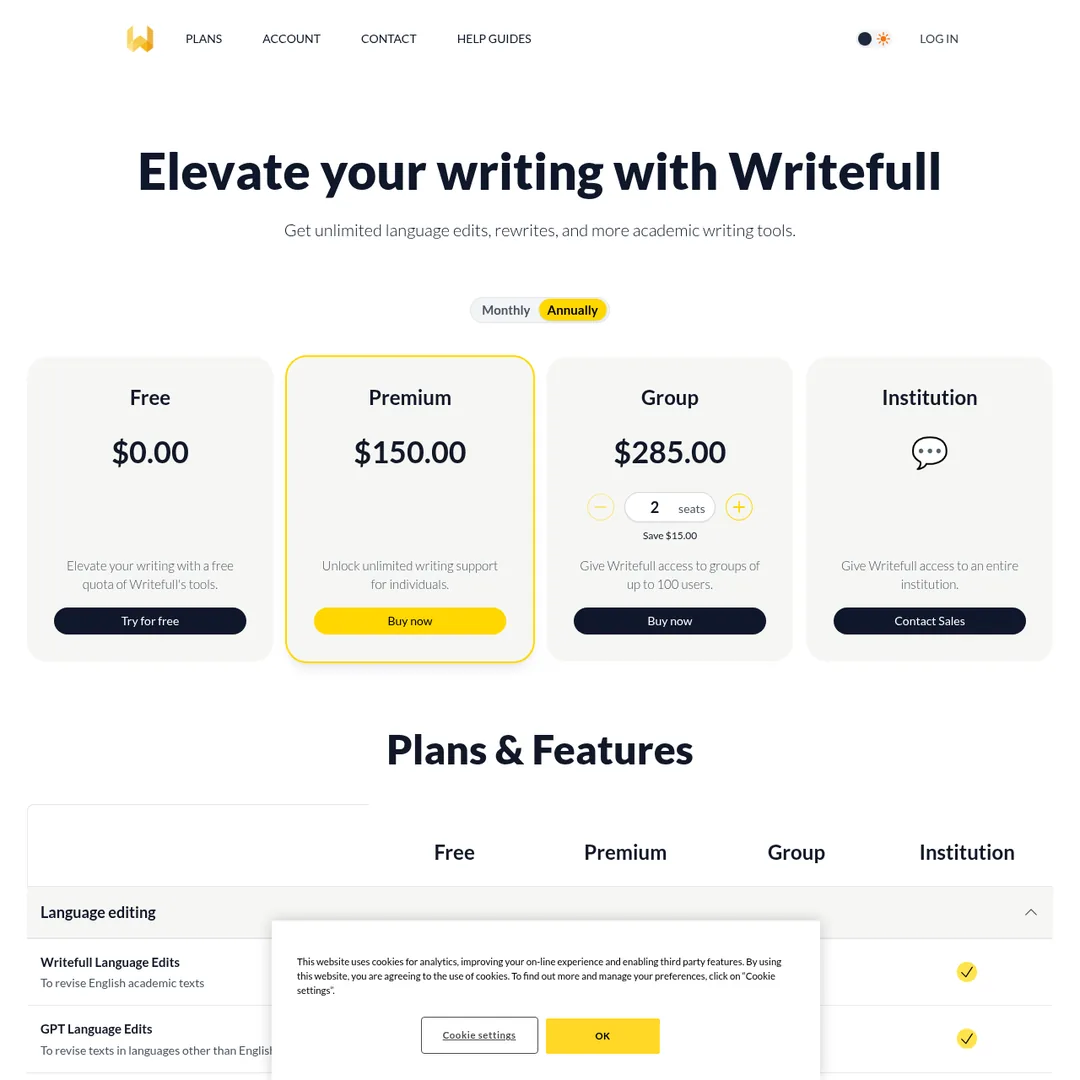
Writefull's pricing page — detailed plan comparison
Writefull offers a freemium model with four tiers:
Free Plan — $0
Includes limited access to Writefull Language Edits, GPT Language Edits, rewriting features (Change Style, Paraphraser, Explain, Summarize, Split/Join, Synonyms in Context), Title Generator, Abstract Generator, and limited access to Writefull X. Good for trying out the tool and occasional use.
Premium Plan — $150/year (Recommended)
Unlocks unlimited access to all writing features including Writefull Language Edits, GPT Language Edits, GPT Language Edits with custom prompts, all rewriting features, Supercomplete in Overleaf, unlimited TeXGPT and Ask AI, full access to Writefull X, Writefull Revise, and Writefull Cite. Also includes unlimited LaTeX tools (Table Generator, Equation Generator, Error Assist). This is the best value for individual researchers and students who use Writefull regularly.
Group Plan — $285/year (for groups up to 100 users)
Identical features to Premium but designed for research groups, labs, and small departments. Offers a $15 savings compared to individual plans and supports up to 100 users under a single license.
Institution Plan — Custom Pricing
Designed for entire universities and research institutions. Contact Writefull for custom pricing. Over 1,500 institutions worldwide currently have Writefull access for their students and researchers.
Important: Use coupon code PopularAiTools when subscribing to get an exclusive discount on Premium and Group plans. Claim your discount here.

Pros and Cons
Pros
- Academic specialization — Trained on millions of journal articles, providing suggestions that match scholarly conventions
- Overleaf integration — Seamless LaTeX support that understands code vs. text, with exclusive features like TeXGPT and Table Generator
- Academizer feature — Unique tool for converting informal text to academic register, not available in competing products
- Privacy-focused — Encrypted connections, no text stored, no data used for training
- Writefull Revise — Excellent pre-submission tool with Track Changes for full manuscript review
- Free tier available — Allows testing all core features before committing to a paid plan
- Institutional adoption — Trusted by 1,500+ universities, meaning many students get free access through their institution
- Fast processing — Revises text in seconds with minimal latency
Cons
- Academic focus only — Not suitable for general, creative, or business writing
- Limited free tier — Free usage quotas run out quickly for regular users
- No plagiarism detection — Unlike Grammarly and Paperpal, Writefull does not check for plagiarism
- No Google Docs integration — Available on Word and Overleaf, but missing Google Docs support
- Technical terms occasionally flagged — Some users report specialized terminology being incorrectly flagged
- No citation generator for individuals — Writefull Cite is only available on institutional plans
- No translation support — Cannot translate text between languages, unlike some competitors
- Annual pricing only — No monthly subscription option makes it a bigger commitment for short-term users
Best Writefull Alternatives
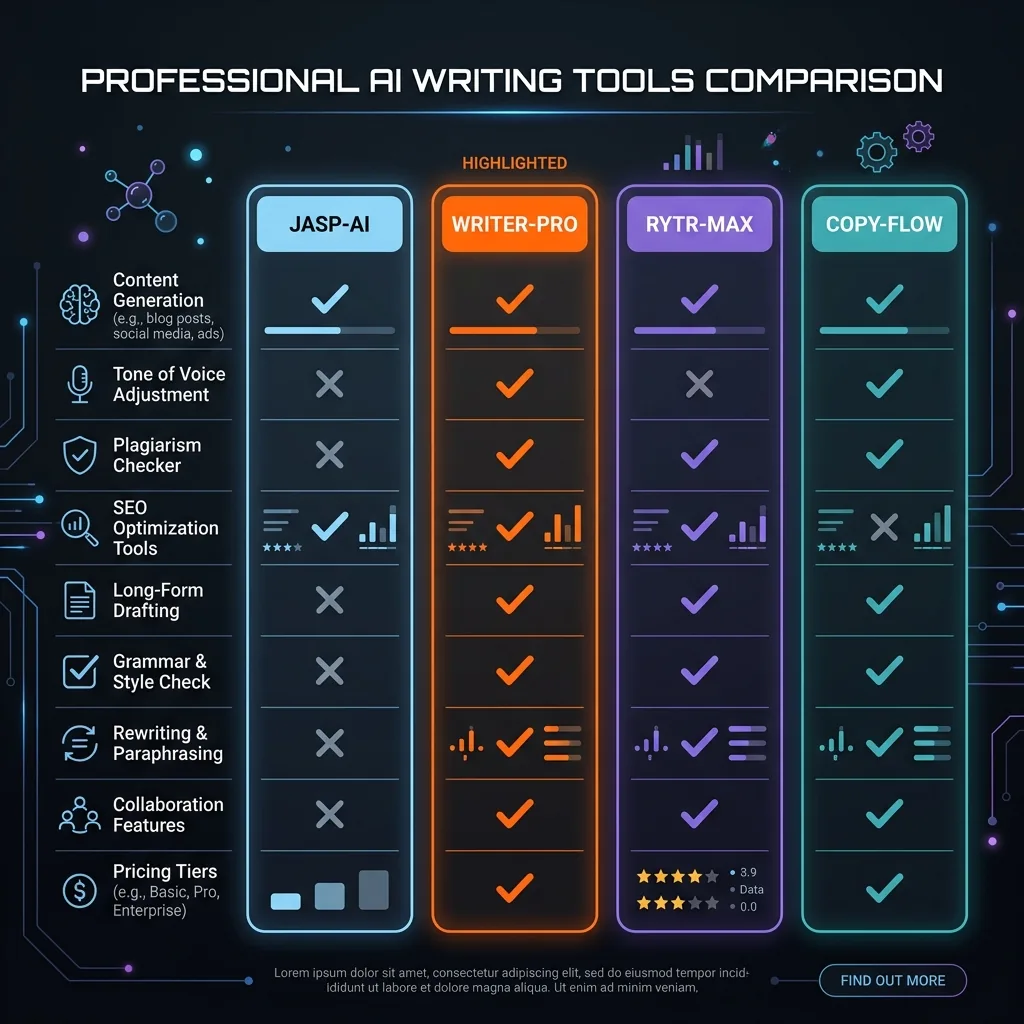
How Writefull compares to the top alternatives
Grammarly
Grammarly is the most widely used writing assistant with over 30 million daily active users. It excels at general-purpose writing across email, social media, documents, and more. Its GrammarlyGO AI feature, plagiarism detection, and cross-platform availability (including Google Docs, which Writefull lacks) make it the more versatile tool. However, Grammarly does not have Overleaf integration, an Academizer, or the same level of academic specialization. Choose Grammarly if you need a do-everything writing tool; choose Writefull if academic writing is your primary focus.
ProWritingAid
ProWritingAid targets long-form and creative writers with deep style analysis reports covering readability, sentence variation, pacing, and more. It is typically cheaper than both Grammarly and Writefull at around $120/year. It offers plugins for Word, Google Docs, and Scrivener. However, it has no academic-specific features, no Overleaf support, and its learning curve is steeper. Best for fiction writers and content creators, not academic researchers.
Paperpal
Paperpal is Writefull's closest competitor, also focused on academic writing. It offers more features overall — including plagiarism detection, pre-submission checks, literature search, citation generation, and translation in 50+ languages. Paperpal is generally considered more accurate for language corrections, though it costs more at around $300/year for paid plans. If you need a comprehensive academic writing suite and do not require native Overleaf integration, Paperpal is worth considering.
LanguageTool
LanguageTool is an open-source grammar checker supporting over 30 languages. Its free tier is generous, and it integrates with most platforms including Google Docs and LibreOffice. While it lacks academic specialization, it is the best option for multilingual researchers who write in languages other than English. Starting at around $60/year for Premium, it is also the most affordable option.

Final Verdict
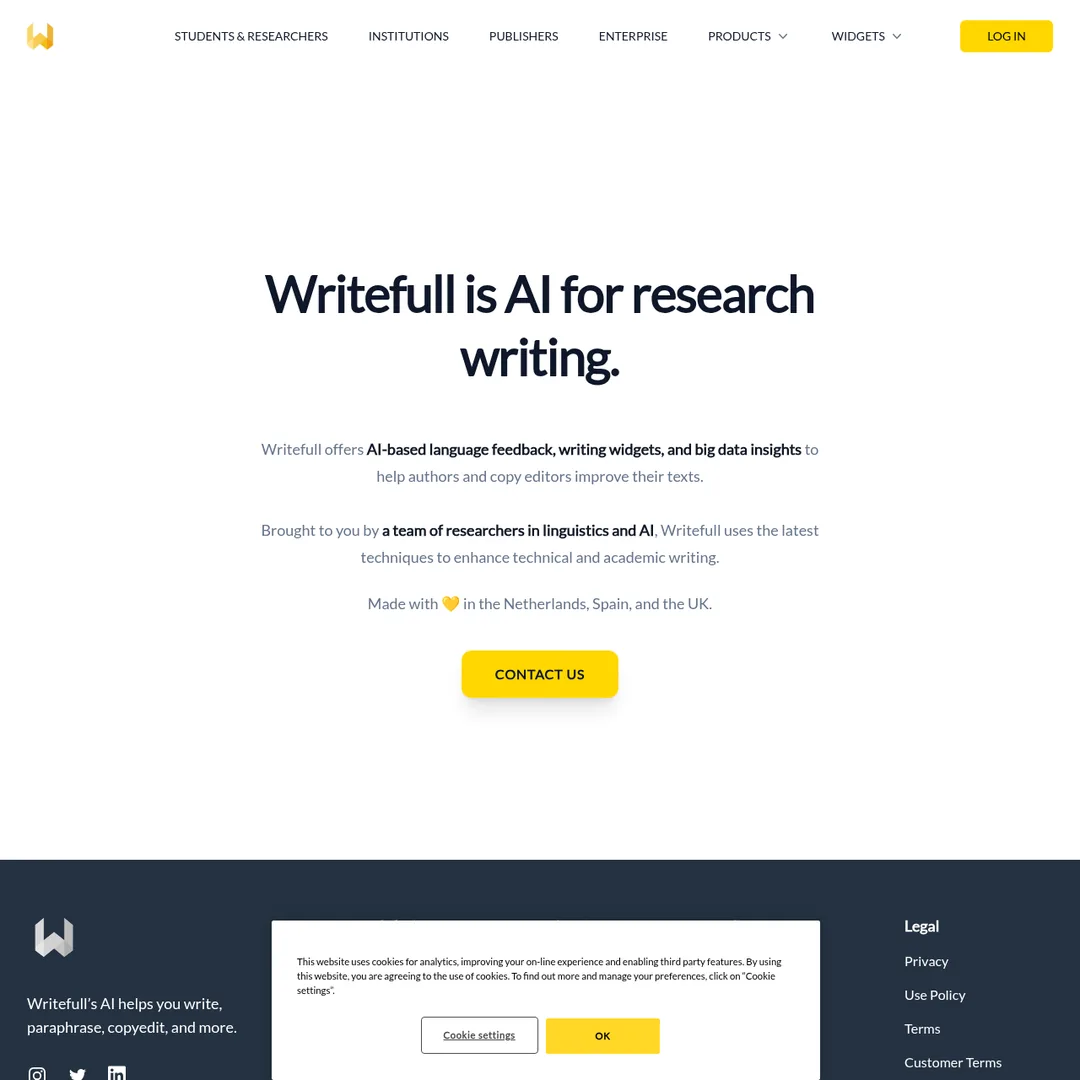
Writefull — built by researchers, for researchers
Our Rating: 4.3/5
Writefull earns its place as one of the best AI writing tools specifically designed for academic and research writing. Its language models trained on published journal articles, native Overleaf integration, and unique features like the Academizer give it distinct advantages over general-purpose writing tools. For PhD students, postdocs, and researchers who primarily write in LaTeX or Word, Writefull delivers focused, accurate assistance that generic tools cannot match.
That said, Writefull is not trying to be everything for everyone. It does not check for plagiarism, does not integrate with Google Docs, does not support translation, and limits citation features to institutional plans. If you need a broader toolset, Grammarly or Paperpal may be better choices. But if your writing life revolves around journal articles, conference papers, theses, and dissertations, Writefull is an excellent and affordable investment at $150/year.
Bottom line: Writefull is the best AI writing assistant for academics who want tools specifically calibrated for scholarly communication, and the Overleaf integration alone makes it indispensable for LaTeX users.
Exclusive Discount
Use coupon code PopularAiTools at checkout for a special discount on Writefull Premium.
Try Writefull With Discount →Frequently Asked Questions
Is Writefull free to use?
Yes, Writefull offers a free tier with limited access to all core features including language editing, paraphrasing, and AI widgets. However, the free usage quotas are limited, and regular users will want to upgrade to Premium ($150/year) for unlimited access. Many students also get free access through their institution's license.
Is Writefull safe? Does it store my text?
Writefull uses encrypted connections to process your text, and the company states that none of your texts or searches are stored or used for model training. This privacy-first approach is important for researchers who work with unpublished research and confidential data.
Can I use Writefull for non-academic writing?
While Writefull's GPT Language Edits can handle non-English and non-academic text, the tool is specifically optimized for academic writing. For business emails, creative writing, or general content, you would be better served by Grammarly or ProWritingAid. Writefull's strength lies in its academic specialization, which is also its limitation for other writing contexts.
How does Writefull compare to Grammarly for academic writing?
Writefull is purpose-built for academic writing with models trained on journal articles, while Grammarly is a general-purpose tool. Writefull handles technical vocabulary better, offers native Overleaf integration, and includes academic-specific features like the Academizer and Writefull Revise. Grammarly offers plagiarism detection, broader platform support, and GrammarlyGO for general AI assistance. For pure academic writing, Writefull is the better choice; for versatility, Grammarly wins.
Does Writefull work with Overleaf?
Yes, and this is one of Writefull's strongest features. You can enable Writefull directly within Overleaf through Account Settings, then access language editing, TeXGPT for generating LaTeX code, Table Generator, Equation Generator, and Error Assist — all within your LaTeX editor. No Chrome extension required; it is a native integration.
Does Writefull offer student discounts?
Writefull does not publicly list student discounts, but many students get free or discounted access through their institution's Writefull license. Check with your university library or IT department to see if your institution has a Writefull subscription. Additionally, you can use our exclusive coupon code PopularAiTools for a discount on Premium plans.
Will using Writefull get flagged by AI detectors?
Writefull's language editing features primarily correct and improve your existing text rather than generating new content from scratch. This means your writing style remains your own, and the edits are unlikely to trigger AI detection tools. However, using generative features like the Abstract Generator or TeXGPT will produce AI-generated text, which could be flagged. Always review and personalize any AI-generated content before submission.

Get Premium AI Tool Insights
Subscribe to get weekly curated AI tool recommendations, exclusive deals, and early access to new tool reviews.
Related Tools
Related Articles
Ollama + Claude Code: How to Run It 99% Cheaper (Or Free)
Two proven methods to run Claude Code for free or nearly free. Use local models with Ollama for unlimited private usage, or point Claude Code at OpenRouter free cloud models. Step-by-step setup with config files and honest trade-offs.
How to Automate Social Media Posts From Google Drive With Blotato
Build a hands-free social media pipeline: drop photos into Google Drive and let Blotato auto-post to LinkedIn, Instagram, Facebook, and TikTok using Make.com, n8n, or Claude Code.
How to Run OpenClaw Free Forever: 3 Methods With Local and Free Models
Run OpenClaw with zero monthly costs using Ollama local models, Atomic Chat, or free APIs on OpenRouter. Step-by-step setup for Gemma 4, GLM 4.7, and Qwen 3.6 Plus.