Open Claude: How to Use Claude Code With Any AI Model

AI Infrastructure Lead
⚡ Key Takeaways
- Open Claude is an open-source fork of Claude Code that works with any AI model — GPT-5, Gemini, Qwen, GLM5, and 300+ others
- It connects through OpenRouter, so you pay per token instead of a monthly subscription
- Installation takes about 10 minutes on Mac, Windows, or Linux
- You need Node.js + Bun installed, plus an OpenRouter API key with ~$5 in credits
- Anthropic is issuing DMCA takedowns on repos — availability may change
After Anthropic accidentally leaked Claude Code's source code via their npm registry, developers did what developers do — they forked it, stripped out the Anthropic lock-in, and made it work with any model provider. The result is Open Claude, and it gives you the full Claude Code experience with GPT-5, Gemini, Qwen, or any of the 300+ models available through OpenRouter.
We tested it, got it running, and put together this complete setup guide. Here's everything you need to know.

What is Open Claude?
Open Claude is a community-built, open-source version of Claude Code that replaces Anthropic's model backend with OpenRouter. This means you get all the agentic coding features of Claude Code — file editing, terminal commands, project understanding, multi-file refactoring — but powered by whatever model you choose.
It came out of the Claude Code source code leak, where a map file in Anthropic's npm registry exposed the full TypeScript source. Developers on GitHub immediately started building open-source replicas, and Open Claude is the most polished of those efforts.
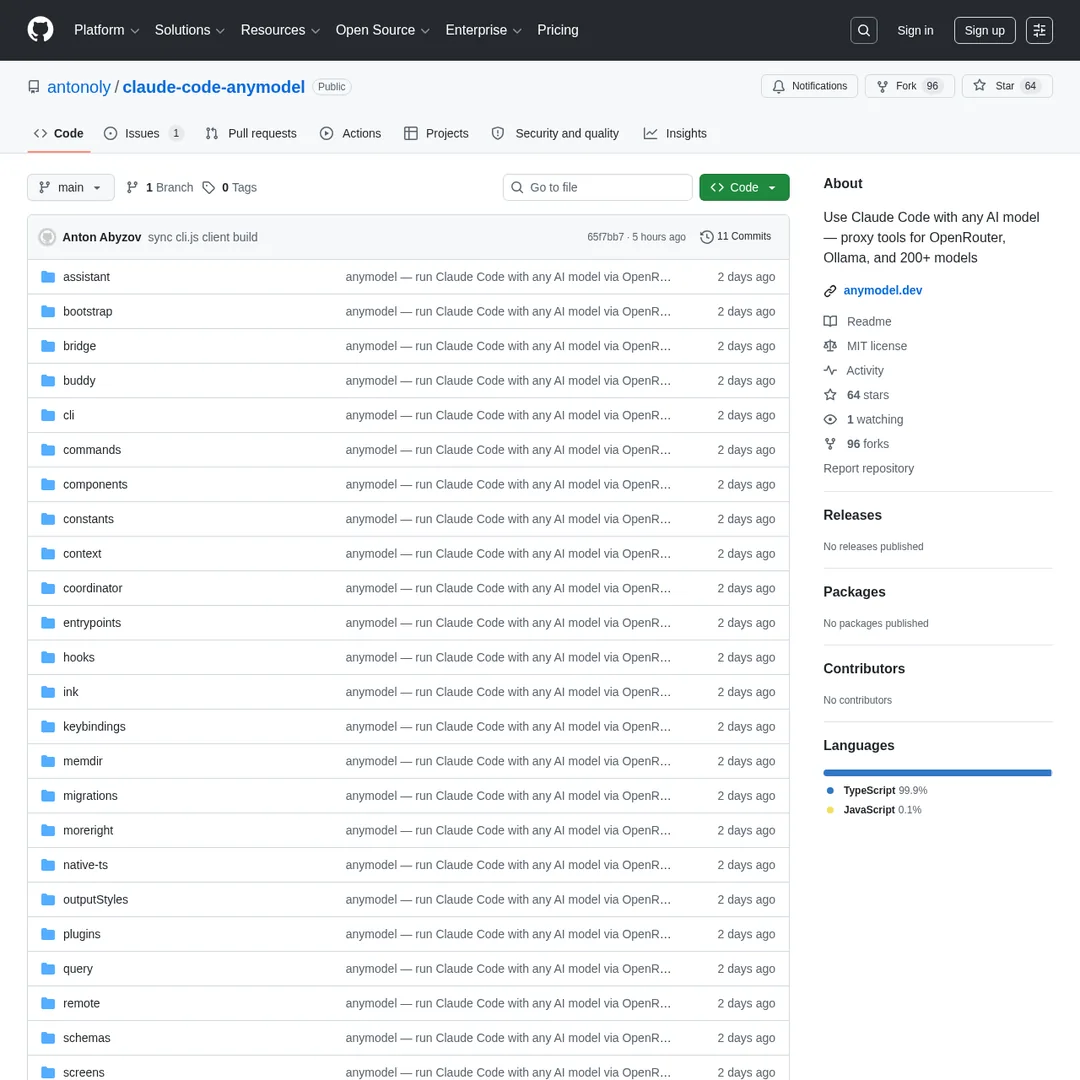
One of the Open Claude repositories on GitHub — Screenshot by PopularAiTools.ai
Why Use Open Claude Instead of Claude Code?
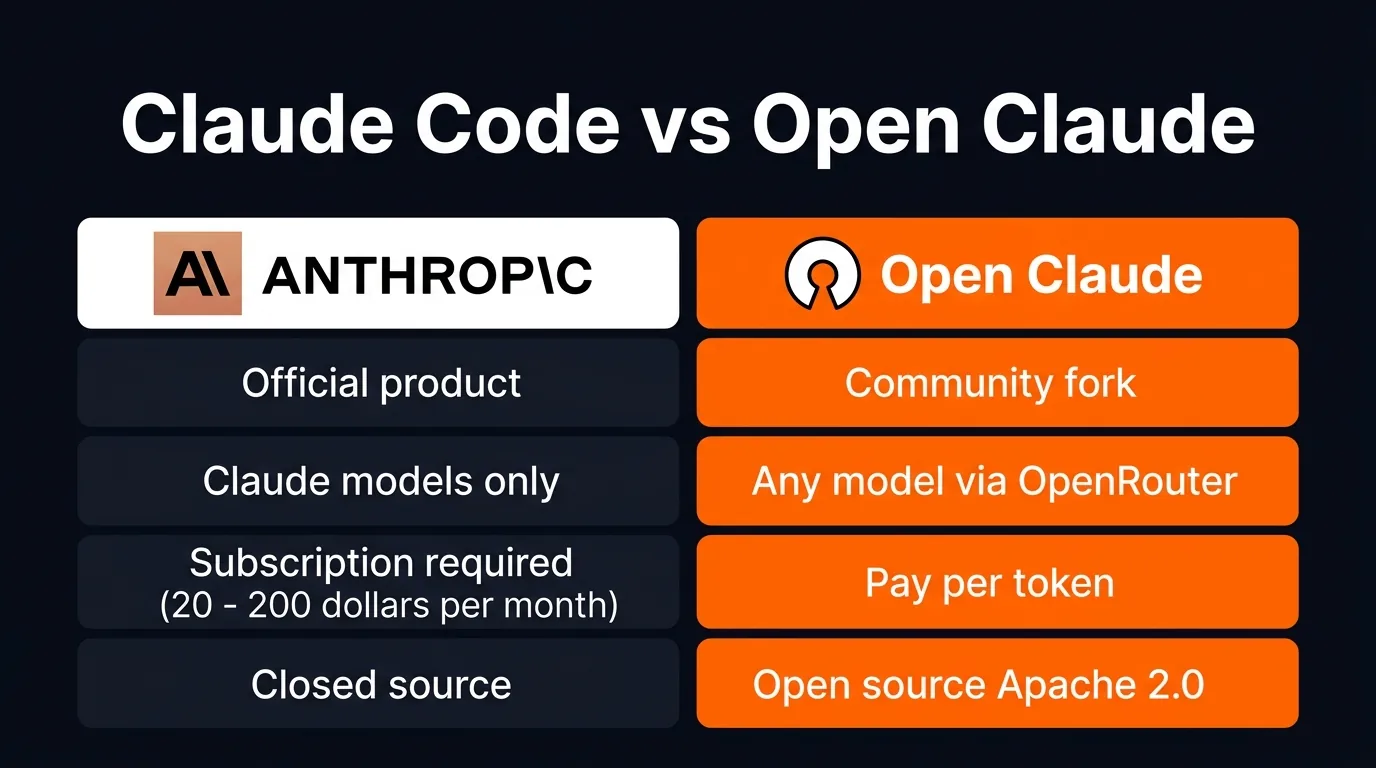
Claude Code vs Open Claude — the key differences
The main reasons people are switching:
- Model freedom — You're not locked into Claude models. Use GPT-5.4 for one project, Gemini for another, a cheap model for boilerplate, and Opus for architecture
- No subscription — Pay per token via OpenRouter instead of $20-$200/month. Heavy users might spend more, light users spend far less
- No usage limits — No 5-hour session caps, no peak hour throttling. You're limited only by your OpenRouter credits
- Open source — You can inspect the code, modify it, and contribute back
The trade-off is obvious: you lose official Anthropic support, updates, and the polish of the official product. And there's the DMCA question (more on that below).
Prerequisites
Before you start, you need two things installed:
1. Node.js (LTS version) — Head to nodejs.org, find your OS, and grab the LTS download. Run the installer or use the command they provide.
2. Bun — Go to bun.sh and run the install command for your OS:
Mac/Linux:
curl -fsSL https://bun.sh/install | bash
Windows:
powershell -c "irm bun.sh/install.ps1 | iex"
3. OpenRouter API key — Create an account at openrouter.ai, add ~$5 to your wallet, and generate an API key.
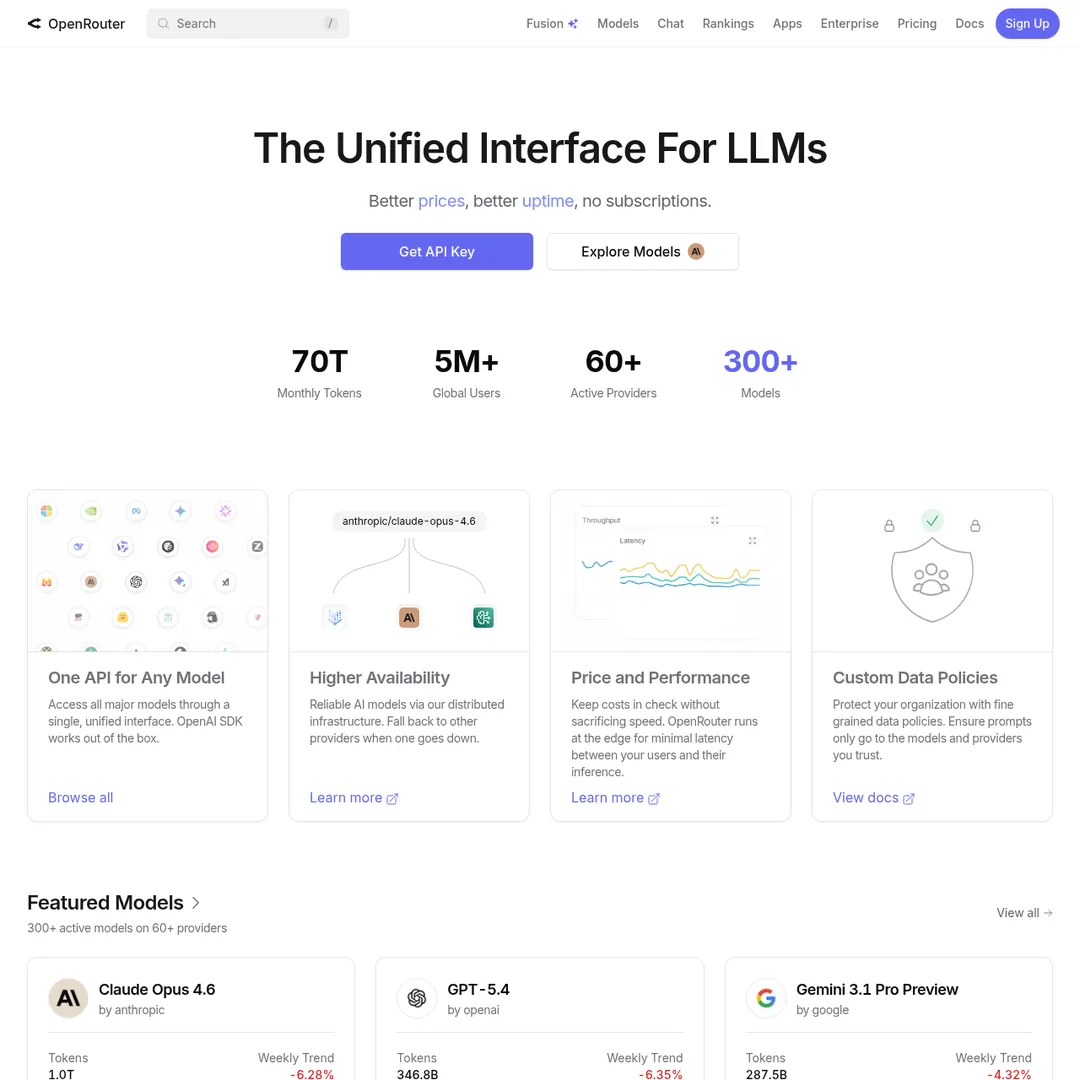
OpenRouter — the unified API that connects Open Claude to 300+ models
Step-by-Step Installation
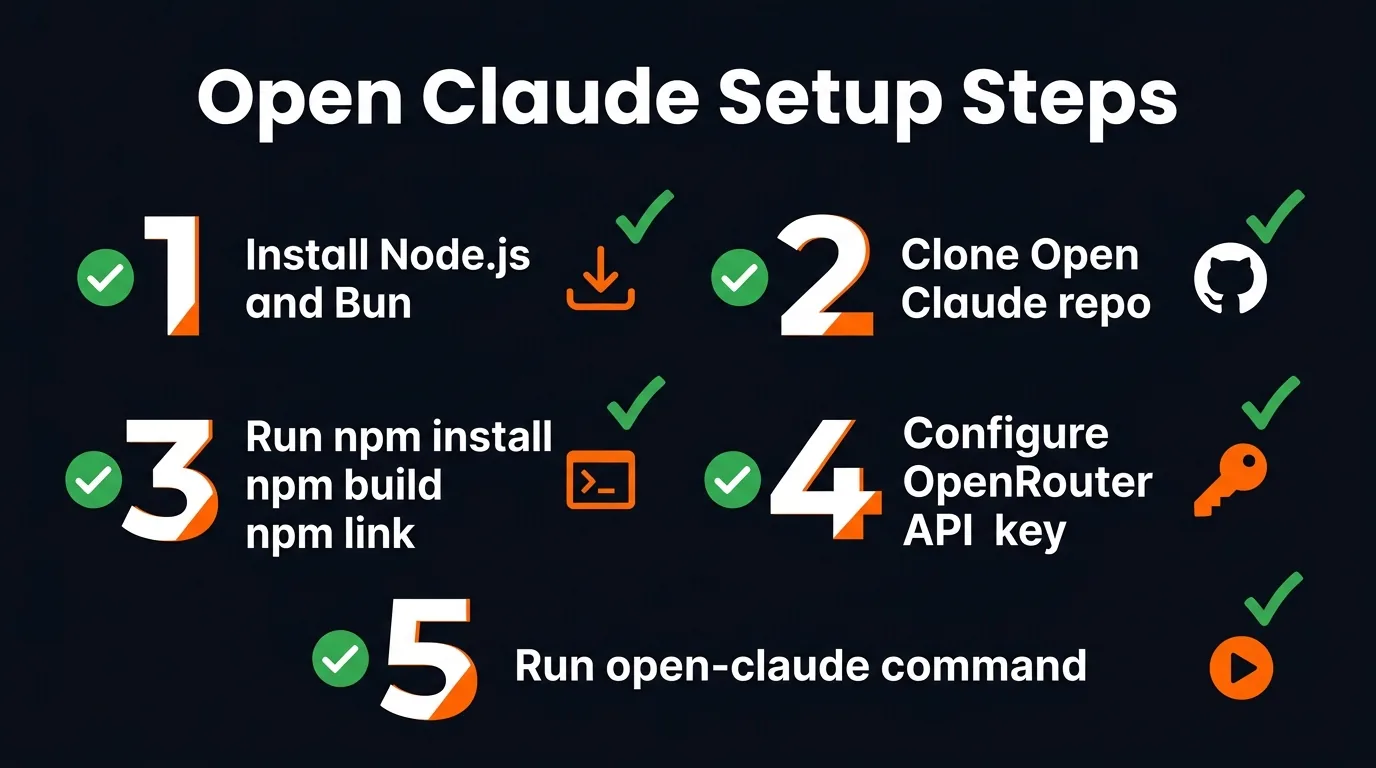
The full installation flow at a glance
Step 1: Download the Source Code
Go to the Open Claude repository on GitHub (search for "claude-code-anymodel" or similar — repos move around due to DMCA). Download the source code as a ZIP file.
Step 2: Place It Somewhere Permanent
Unzip the source code and put it somewhere stable on your machine:
- Mac:
/Applications/open-claude/ - Windows:
C:\Program Files\open-claude\ - Linux:
/opt/open-claude/
Don't put it on your Desktop or in Downloads — this needs to stay put.
Step 3: Build and Link
Open the folder in VS Code (or Cursor, or any IDE with a terminal), then run:
npm install && npm run build && npm link
This does three things: installs dependencies, builds the project, and creates a symlink so you can run the open-claude command from any folder on your computer.
Step 4: Configure Environment Variables
Open a terminal in the project folder where you want to work (not the Open Claude installation folder — your actual project). Set these environment variables:
Mac/Linux:
export OPENAI_API_KEY="your-openrouter-api-key"
export OPENAI_BASE_URL="https://openrouter.ai/api/v1"
export OPENAI_MODEL="google/gemini-3-flash-preview"
Windows (PowerShell):
$env:OPENAI_API_KEY="your-openrouter-api-key"
$env:OPENAI_BASE_URL="https://openrouter.ai/api/v1"
$env:OPENAI_MODEL="google/gemini-3-flash-preview"
Important: These variables need to be set each time you open a new terminal session. They're not saved permanently.
Step 5: Run It
open-claude
That's it. You should see the agent boot up, confirm your model provider, and be ready for prompts. It'll ask for file edit permissions on first use — select "allow for session" to avoid repeated prompts.
Configuring OpenRouter and Choosing a Model
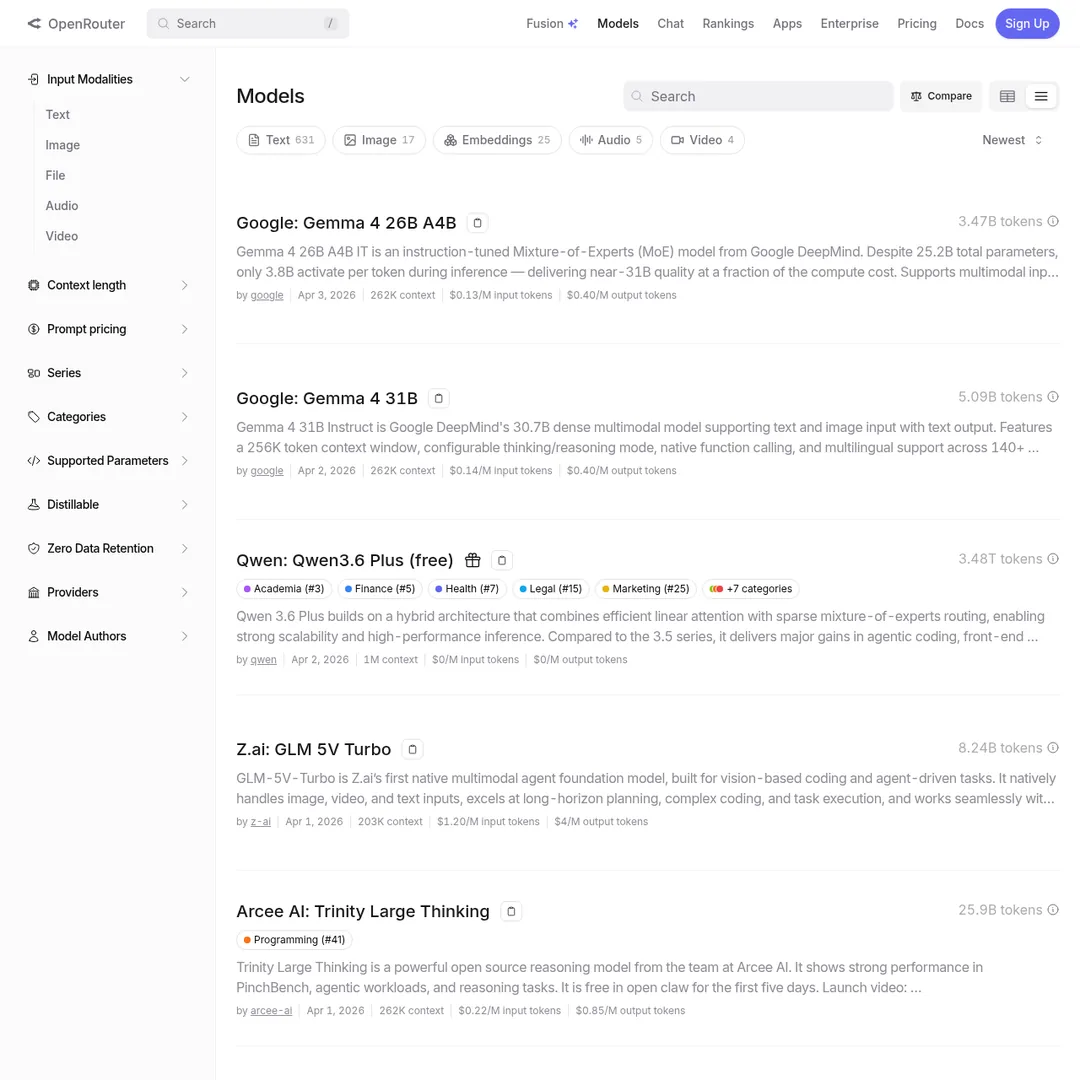
OpenRouter's model browser — 300+ models to choose from
OpenRouter is a platform that aggregates LLM providers behind a single API. You fund your account, get an API key, and then route requests to any model. The pricing is transparent — you pay the model provider's rate plus a small OpenRouter fee.
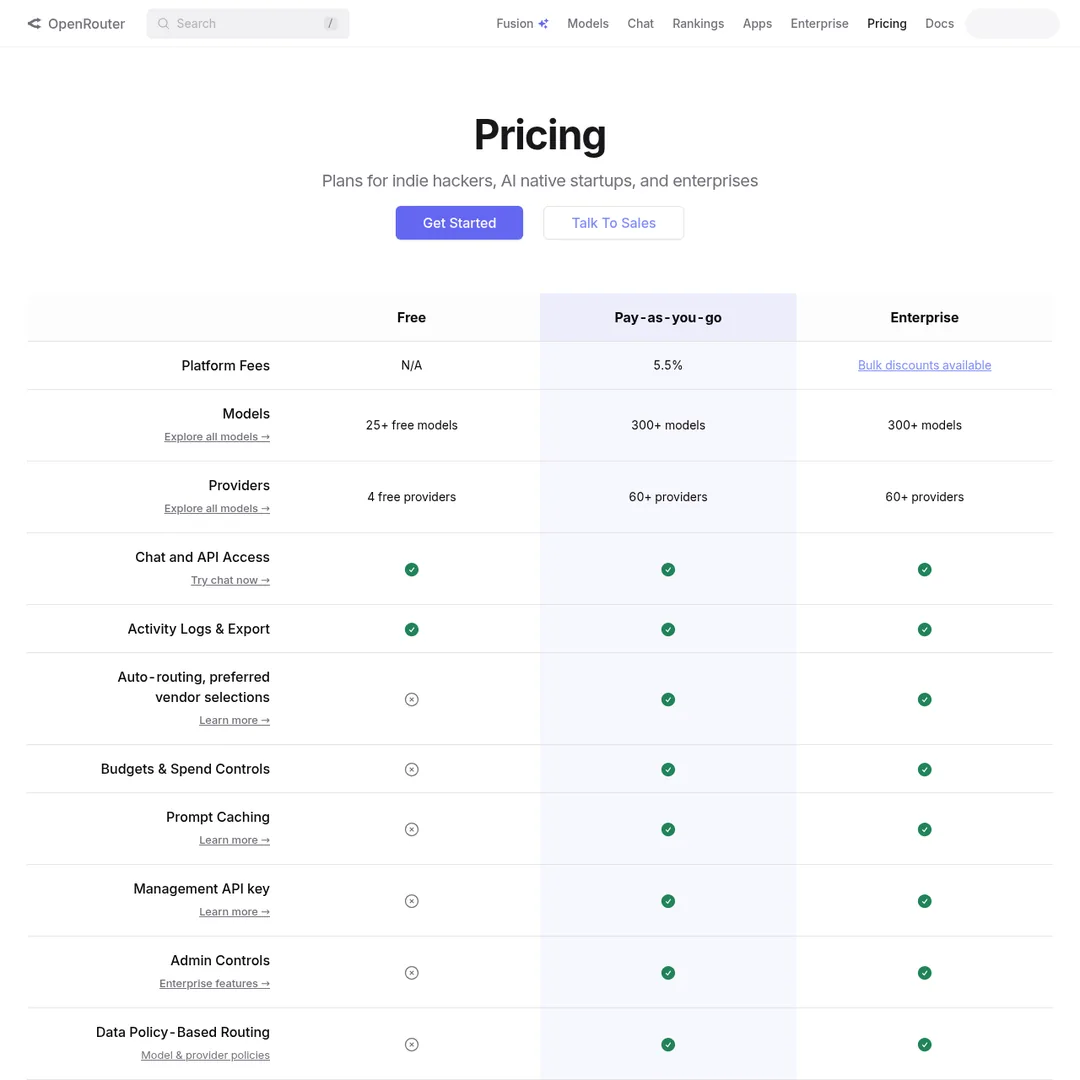
OpenRouter's pricing — pay only for what you use
To pick a model, browse openrouter.ai/models and find one that fits your needs. Copy the model ID (e.g., google/gemini-3-flash-preview) and set it in your OPENAI_MODEL environment variable.
How to Switch Models
Switching is straightforward:
- Exit your current Open Claude session
- Go to OpenRouter and find the model you want
- Copy the model ID
- Update your
OPENAI_MODELexport with the new ID - Re-run the export commands
- Start Open Claude again
You can switch models per project — use a cheap model for boilerplate, a strong one for complex architecture, and a free one for formatting.
Best Models for Coding With Open Claude
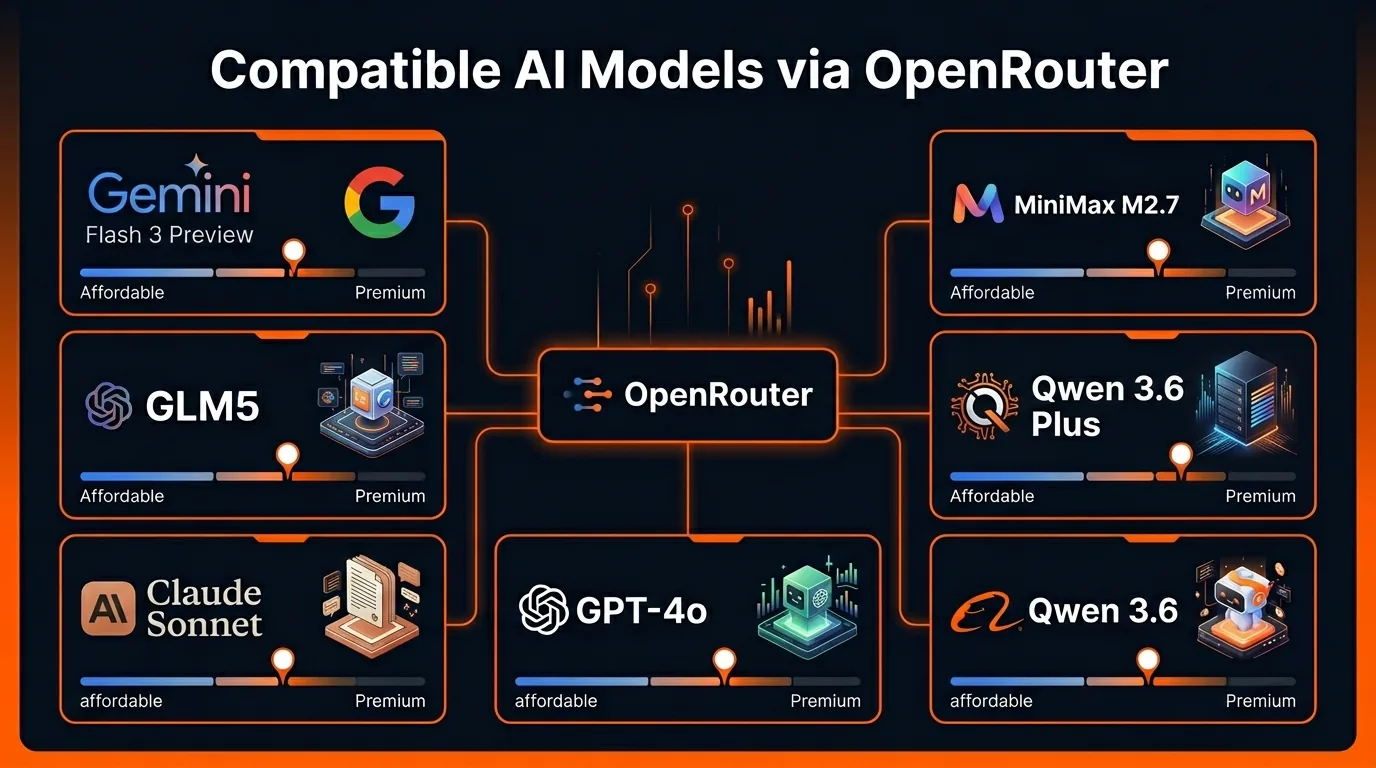
The best model options for coding with Open Claude
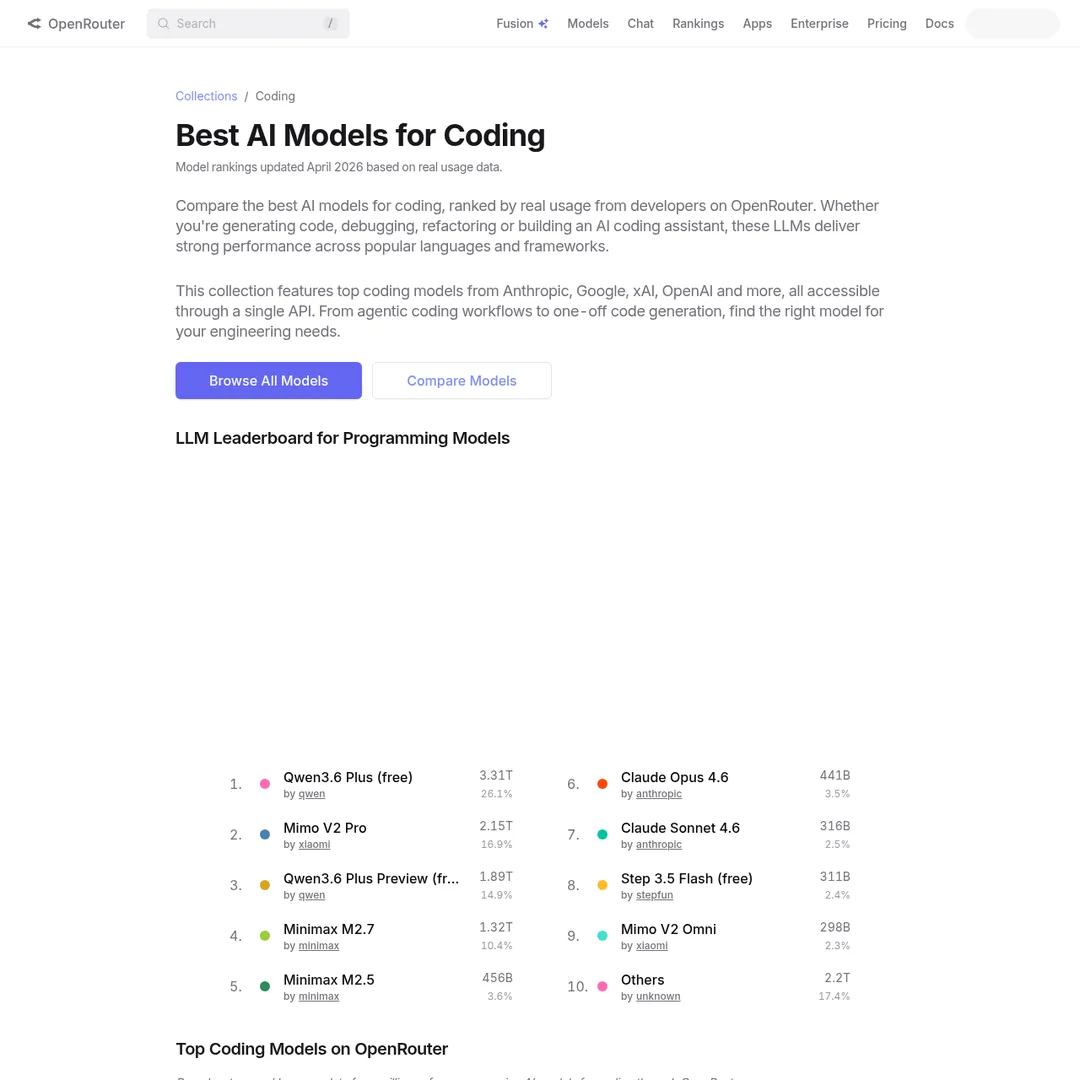
OpenRouter's curated coding models collection
Our recommendation: start with Gemini Flash 3 Preview for most work. It's fast, cheap, and handles coding tasks well. Switch to a premium model only when you hit a task that genuinely needs it.
The DMCA Situation: What You Need to Know
Here's the elephant in the room. Anthropic is actively issuing DMCA takedown requests on GitHub repos that contain their leaked source code. Some repos have already been frozen or removed entirely.
The community is responding by:
- Distributing source code as ZIP files outside of GitHub
- Creating "clean room" implementations that rewrite functionality without copying code
- Maintaining mirrors on platforms outside US DMCA jurisdiction
The claude-code-anymodel repo takes a different approach — it's described as a proxy layer rather than a direct fork, which may give it more legal resilience. But nothing is guaranteed.
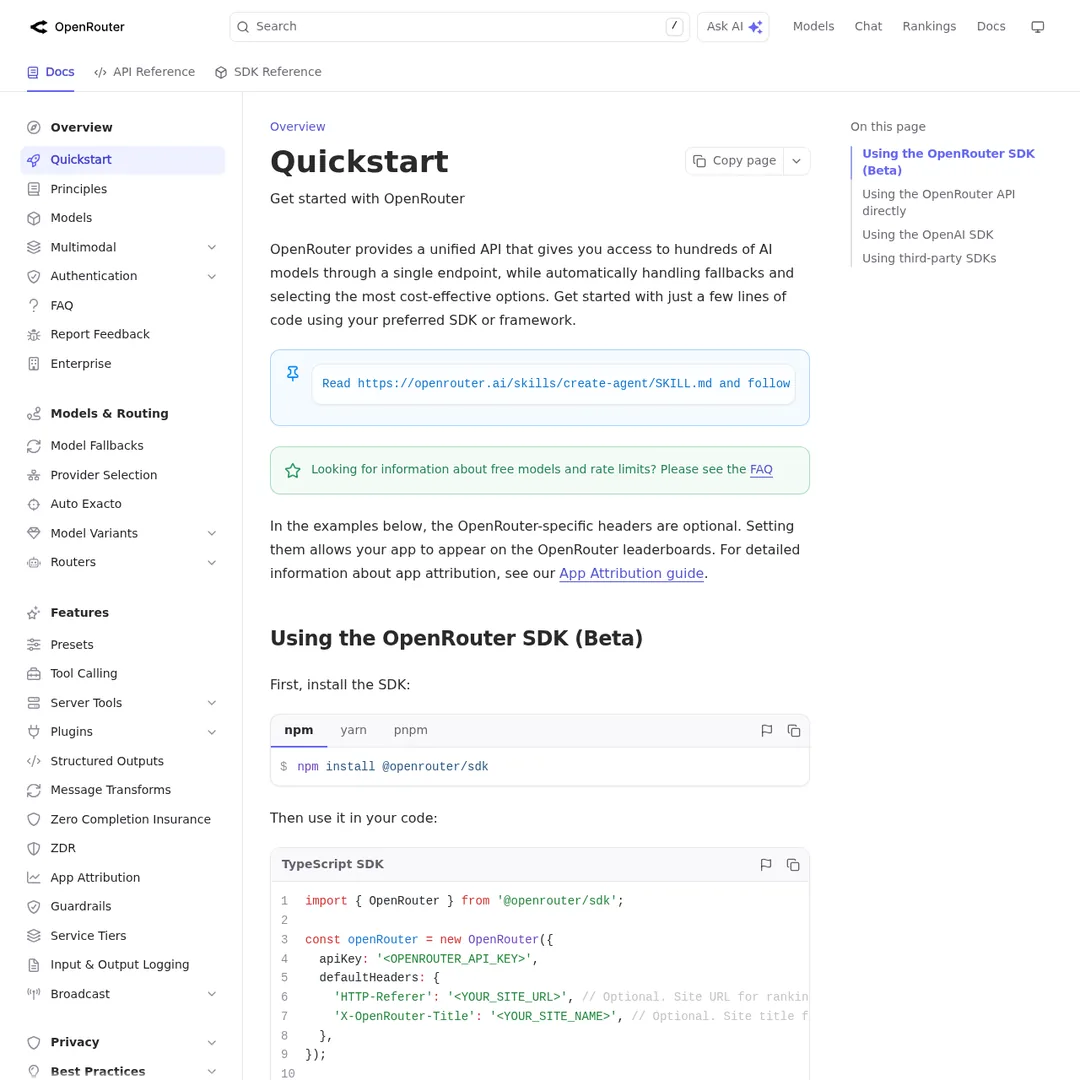
OpenRouter's API docs — useful reference for customizing your setup
Our take: If you want stability and official support, stick with Claude Code. If you want model flexibility and pay-per-token pricing, Open Claude is worth exploring — just be aware that repos may move or disappear.
Also worth watching: tools like OpenCode are building similar multi-provider agentic coding tools from scratch (not forked from leaked code), which avoids the legal gray area entirely.
The Bottom Line
Open Claude proves that the agentic coding workflow Claude Code pioneered isn't locked to one company's models. The genie is out of the bottle. Whether through Open Claude, clean-room alternatives like OpenCode, or Anthropic eventually opening up model selection themselves — the future is multi-model agentic coding.
For now, Open Claude is the fastest way to get there. Ten minutes of setup, $5 in OpenRouter credits, and you're running Claude Code with any model you want.
Build an AI Tool? Get It in Front of the Right Audience
PopularAiTools.ai reaches thousands of qualified AI buyers.
Submit Your AI Tool →Frequently Asked Questions
What is Open Claude?
Open Claude is an open-source fork of Anthropic's Claude Code that allows you to use any AI model provider instead of being locked to Anthropic's models. It connects through OpenRouter, giving you access to 300+ models including GPT-5, Gemini, Qwen, GLM5, and more.
Is Open Claude free?
The Open Claude software itself is free and open source. However, you need an OpenRouter account with credits to pay for the AI model API calls. Models are pay-per-token, with some free options available. Budget around $5 to get started.
Which models work best with Open Claude?
Good affordable options include Gemini Flash 3 Preview, MiniMax M2.7, and GLM5. For higher quality, you can use GPT-5.4, Claude Sonnet, or Qwen 3.6 Plus. OpenRouter also offers free model routing for basic tasks.
Will Open Claude get taken down by Anthropic?
Anthropic has been issuing DMCA takedowns on repositories that directly mirror their leaked source code. Some Open Claude repos have already been frozen or removed. The community continues to maintain forks, but availability may vary.
What are the prerequisites to install Open Claude?
You need Node.js (LTS version) and Bun installed on your system. You also need an OpenRouter API key with funded credits. The installation works on Mac, Windows, and Linux.
How is Open Claude different from Claude Code?
Claude Code is Anthropic's official product that only works with Claude models and requires a $20-$200/month subscription. Open Claude is a community fork that works with any model via OpenRouter, uses pay-per-token pricing, and is open source.

Recommended AI Tools
played.fm
Sell your music and keep 100%: played.fm is a direct-to-fan store + sync marketplace with 0% commission, no gatekeepers, and no bans — a strong fit for AI musicians.
View Review →OpenCode
The open-source AI coding agent: terminal-first TUI, 75+ model providers, LSP context, subagents, and privacy-first design. Free software, ~180K GitHub stars.
View Review →Exa
The neural web search API for AI agents: embeddings-based retrieval, cited highlights, sub-180ms latency, and an MCP server. 20,000 free requests/month.
View Review →Google Antigravity
Google's agent-first IDE: run a fleet of AI agents from a Manager surface, on Gemini 3 Pro, Claude Sonnet 4.5, or OpenAI models. Free in public preview.
View Review →