OpenClaw Starter Kit: Set Up Your AI Business Assistant in 60 Minutes (2026 Guide)

Senior AI Tools Analyst
Key Takeaways
- The OpenClaw Business Starter Kit takes you from zero to running AI assistant in about 60 minutes
- Includes 4 industry-specific configurations so you skip trial-and-error entirely
- Ships with 3 production-ready skills: System Health, Security Audit, and Onboarding Wizard
- Docker setup included for reliable, isolated deployment
The Setup Problem Nobody Talks About
OpenClaw has 60,000+ stars on GitHub. Hundreds of thousands of people use it. But I spent 4 hours on my first setup attempt and still couldn't get it to connect to Claude properly.
The documentation assumes you already know Docker, environment variables, and how to debug connection strings. Most YouTube tutorials are either outdated or skip critical steps because the creator assumes their audience is technical. If you're a business owner who just wants an AI assistant that remembers your company context, you're stuck piecing together answers from GitHub issues at 11pm.
I've set up OpenClaw for about a dozen businesses at this point. The same problems come up every time: API key misconfiguration, Docker networking issues, permission errors on Windows, and the "Connection closed" message that tells you nothing useful. The OpenClaw Business Starter Kit was built to eliminate all of those problems in a single afternoon.
What's Inside the Kit
The kit is a single download with everything organized into folders. No hunting for files, no "check the appendix." Here's the structure:
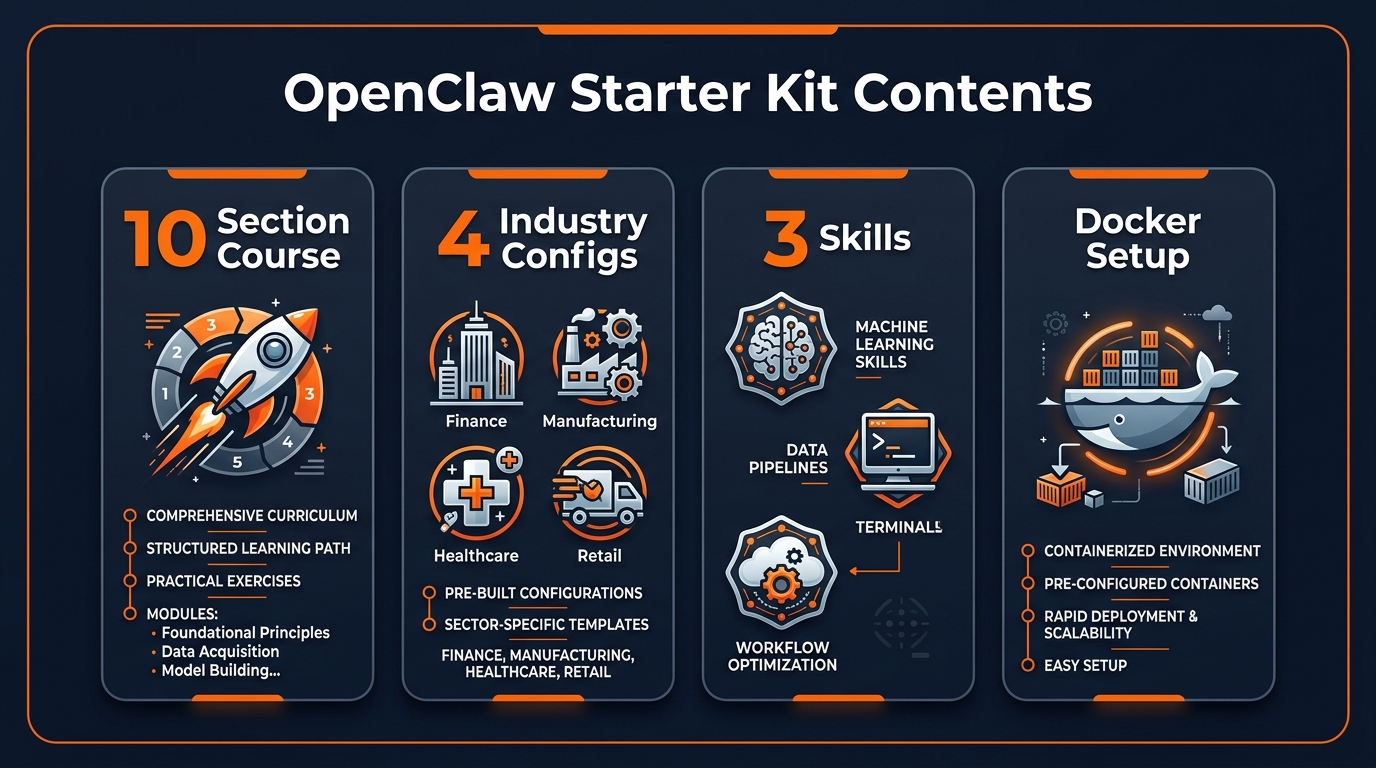
- 10-section walkthrough course — plain-English guide covering installation, configuration, messaging integration, security, and your first custom automation. Each section ends with a verification checkpoint.
- 4 industry-specific configurations — pre-built OpenClaw configs for e-commerce, marketing agencies, consulting practices, and SaaS businesses.
- 3 OpenClaw skills — System Health, Security Audit, and Onboarding Wizard. Ready to install.
- Docker production setup — docker-compose.yml with health checks, auto-restart, and sensible defaults.
- Security hardening checklist — 10 steps to lock down your installation.
- Troubleshooting guide — top 10 actual issues with specific fixes.
- Quick-start guide — 5-minute fast track if you want running first, details later.
4 Industry Configurations
This is where the kit saves the most time. Instead of explaining your business from scratch to an AI every single conversation, these configs pre-load industry context:
E-commerce Stores
Product catalog handling, order status queries, return policy automation, customer support templates, inventory alerts.
Marketing Agencies
Client brief parsing, content calendar management, reporting templates, multi-account context switching.
Consulting Practices
Client intake processing, proposal generation, meeting prep, deliverable tracking, follow-up sequences.
SaaS Businesses
Feature request triage, bug report classification, customer onboarding flows, churn analysis prompts.
You pick the config closest to your business, copy it in, and your AI assistant already has the right context. No more "I'm an AI assistant, how can I help you today?" — it actually knows your industry.
3 Built-In OpenClaw Skills
Skills are reusable capabilities you install once. These three ship with the kit:
System Health Monitor
Checks your OpenClaw installation status, verifies all connections (API, database, messaging), and alerts you if anything goes down. Think of it as a built-in diagnostic tool. I run it every morning — takes 3 seconds and gives me peace of mind.
Security Audit
Scans your config for exposed API keys, overly broad permissions, and other risks. Returns a prioritized list with exact fix instructions. Caught two exposed keys in my own setup that I'd missed for weeks.
Onboarding Wizard
An interactive setup assistant that asks about your business and configures OpenClaw to match. Walks you through model selection, context setup, and first automation. This alone saves 2+ hours compared to doing it manually.
Setup Walkthrough
The full course has 10 sections, each ending with a checkpoint. Here's the path:
- Download & Install — get OpenClaw on your machine (Mac, Windows, or Linux)
- API Configuration — connect to Claude, GPT-4o, or a local model via Ollama
- Industry Config — pick your config, customize the business details
- Skills Installation — drop in the 3 included skills
- Messaging Setup — connect Telegram, Discord, or Slack
- Security Hardening — run the audit, fix everything flagged
- First Automation — build a real workflow for your business
- Docker Deployment — move to production with the included compose file
- Monitoring — set up health checks and alerts
- Scaling — add more skills, connect more services, grow
If you want the fast track, there's a separate quick-start guide that gets you running in 5 minutes. Come back to the full course later.
Docker Production Deployment
Running OpenClaw directly on your machine works for testing. For anything production — especially if clients or team members will use it — you need Docker. The included docker-compose.yml handles:
- Isolated containers so OpenClaw can't touch your other stuff
- Health checks that restart the service if it crashes
- Automatic restart on system reboot
- Sensible resource limits so it doesn't eat your RAM
- Volume mounts for persistent data
One docker compose up -d and you're live. I've been running this exact config for 3 months without a single manual restart.
Who Should Buy This
Good Fit
- Small business owners who want AI automation without hiring a developer
- Solopreneurs tired of re-explaining their business to ChatGPT every session
- Non-technical professionals who want a clear, proven path
- Anyone who values their time over $59
Not a Fit
- Experienced developers who already have OpenClaw running
- People looking for a managed SaaS (this is self-hosted)
- Anyone expecting a "click and it works" hosted solution
The OpenClaw Business Starter Kit is $59+ on Gumroad — one-time purchase, no subscription. Gumroad's 30-day refund policy applies.
If you're looking for a free alternative, check out OpenClaw Zero which runs entirely on local models with zero API costs. Or browse our OpenClaw skills directory for free individual skills you can install right now.
Build an AI Tool? Get It in Front of the Right Audience
PopularAiTools.ai reaches thousands of qualified AI buyers.
Submit Your AI Tool →FAQ
What is the OpenClaw Business Starter Kit?
A complete self-guided setup course with pre-built configurations, 3 OpenClaw skills, and Docker deployment files that gets your AI business assistant running in under 60 minutes.
Do I need to be a developer to use it?
No. The kit is written in plain English with step-by-step instructions. If you can follow a recipe, you can follow this guide.
Which industries does it support?
Ships with configs for e-commerce, marketing agencies, consulting, and SaaS. You can customize any config for other industries.
Does it work on Windows?
Yes. Mac, Windows, and Linux are all supported with platform-specific setup instructions.
Can I use it with Claude Code instead of OpenClaw?
The skills are designed for OpenClaw, but the course's architectural patterns and security practices apply to Claude Code too.
What if I get stuck?
The troubleshooting guide covers the top 10 setup issues with specific symptoms, diagnosis steps, and fixes. Plus Gumroad offers a 30-day money-back guarantee.
Recommended AI Tools
Grammarly
Updated March 2026 · 12 min read · By PopularAiTools.ai
View Review →Google Imagen
Updated March 2026 · 11 min read · By PopularAiTools.ai
View Review →CapCut
Updated March 2026 · 12 min read · By PopularAiTools.ai
View Review →Picsart
Updated March 2026 · 11 min read · By PopularAiTools.ai
View Review →