Suno v5.5 Review 2026: AI Music Generation That Actually Sounds Good

AI Creative Tools Specialist

⚡ TL;DR — Suno v5.5 Review
Suno v5.5 turns a text prompt into a fully produced song — vocals, lyrics, instrumentation, and mastering — in under 60 seconds. It is the most accessible AI music generator we have tested, and at $10/month for 500 songs with commercial rights, the value proposition is hard to beat. The Song Editor and stem separation push it from novelty into genuine production utility. Not perfect for audiophile-grade mixing, but nothing else creates complete songs this fast.
📋 Table of Contents
What is Suno v5.5?
Suno v5.5 is an AI music generation platform that creates complete songs — vocals, lyrics, instrumentals, and production — from a text prompt. You type something like "melancholic indie folk about leaving a small town" and get a fully produced two-minute track with a human-sounding voice, guitar, drums, and coherent lyrics in under 60 seconds. That sentence would have been science fiction two years ago. Now it is just how Suno works.
We have been testing Suno since v3 and the jump to v5.5 is the most significant upgrade the platform has shipped. The vocal quality now sits in an uncanny valley where casual listeners genuinely cannot tell it is AI-generated. The Song Editor lets you refine specific sections without regenerating the entire track. Stem separation exports individual vocal, drum, bass, and instrument tracks. MIDI export means you can pull the composition into your DAW and rework it from scratch.
The traction is real. Suno has crossed 207 upvotes on Product Hunt, earned features in Rolling Stone, Billboard, and Wired, and sits in the top 10 music apps globally. It raised $125 million in funding and has over 12 million registered users. This is not an experiment — it is a platform that musicians, content creators, podcasters, and game developers use daily to produce original music at scale. This is precisely what a Suno watermark remover is engineered to fix.
The v5.5 model specifically improved three areas: vocal realism (the breathiness and vibrato are now genre-accurate), production polish (mixes no longer sound flat or overcompressed), and lyric coherence (verses actually build toward choruses with thematic consistency). If you tried Suno a year ago and dismissed it as a toy, the v5.5 model deserves a second look. That fingerprint is what people refer to as the Suno watermark.
Key Features
For Suno-specific watermark mitigation, the Undetectr team published a step-by-step on how to remove SynthID watermarks from Suno tracks.
Suno v5.5 has evolved well beyond "type a prompt, get a song." Here is what the platform actually offers in 2026:
🎵 Full Song Generation
Create complete songs with vocals, lyrics, and full instrumental production from a text description. Supports 50+ genres. Generation takes under 60 seconds. Output is a polished, mastered track ready for streaming or download.
✂️ Song Editor
Edit specific sections of generated songs without regenerating the entire track. Change a verse, swap a chorus, adjust the bridge — all while keeping the parts you like. This single feature turned Suno from "roll the dice" into a real creative tool.
🎚️ Stem Separation
Export individual tracks — vocals, drums, bass, and other instruments — as separate audio files. Essential for producers who want to remix AI-generated songs or use specific elements in their own productions.
🎹 MIDI Export
Export the musical notation as MIDI files that you can import into any DAW — Logic Pro, Ableton, FL Studio, Pro Tools. Use Suno to generate the composition, then reinterpret it with your own virtual instruments and sound design.
🎤 Persona Voices
Create and save custom AI voice profiles that maintain consistent vocal characteristics across songs. Build a voice for your project, brand, or character and reuse it. Available on Premier tier.
🥁 Beat Maker
Generate instrumental beats and backing tracks without vocals. Ideal for podcasters, video creators, and producers who need original background music. Specify BPM, genre, mood, and instrumentation.
📤 Audio Uploads
Upload your own audio as a starting point or reference. Use an existing melody, vocal take, or beat as a seed for AI-assisted creation. Pro supports standard clips; Premier extends to 8-minute uploads for full song remixing.
🎛️ Suno Studio (Premier)
The professional-grade workspace with multi-track editing, advanced arrangement controls, and all premium features unlocked. The gap between Studio and the standard interface is like GarageBand versus Logic Pro.
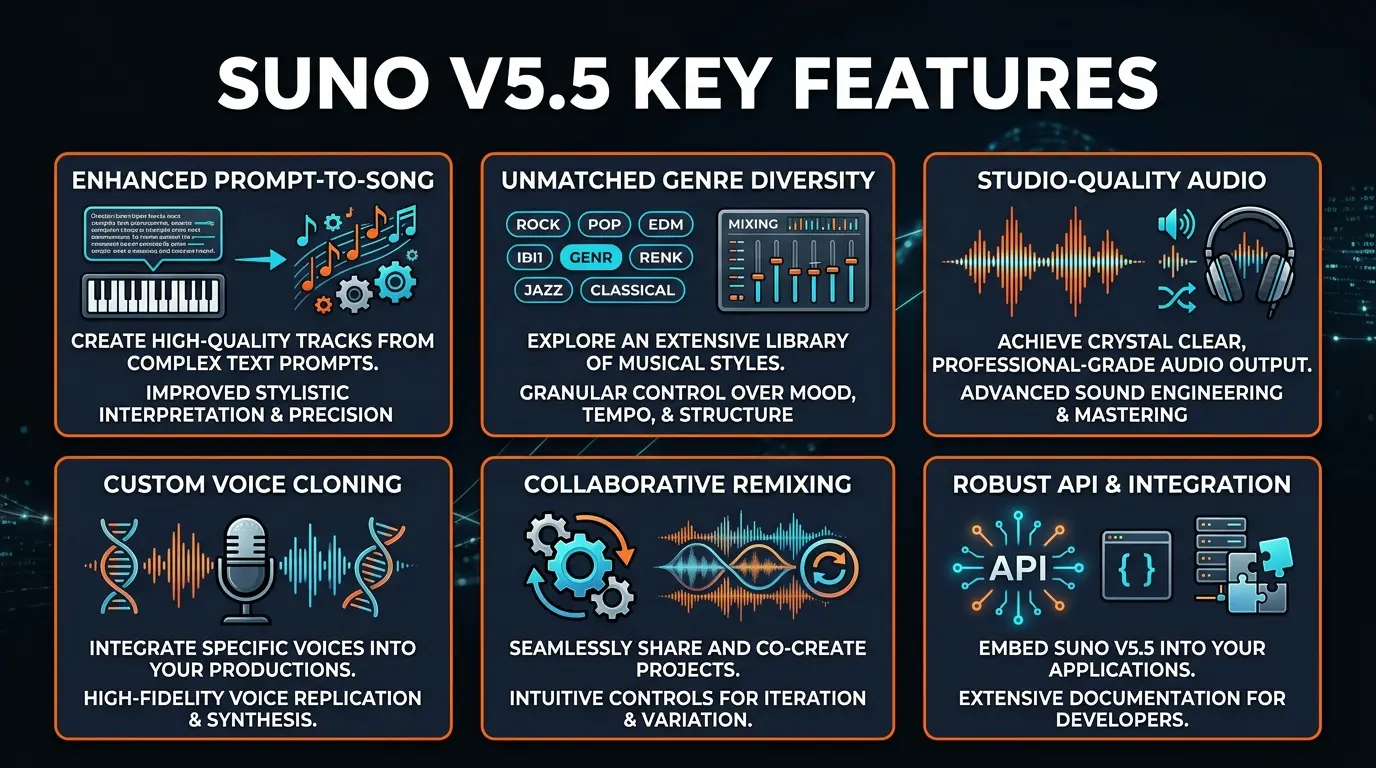
The feature that matters most depends on your workflow. For content creators who just need original background music, the Beat Maker alone justifies the subscription. For musicians using AI as a composition assistant, MIDI export and Song Editor are game-changers. For podcasters and video producers who need quick, royalty-free tracks, the core text-to-song generation at $10/month makes stock music libraries feel expensive and inflexible by comparison.
If you need isolated AI vocals or voice cloning for other purposes beyond music, tools like ElevenLabs specialize in that space. And for AI-powered voiceover and text-to-speech across marketing content, LOVO AI offers dedicated voice generation with 500+ voices and emotional control. Suno's strength is the complete package — it does not just generate a voice or an instrumental, it creates the entire song.
How to Use Suno: Step-by-Step
Getting started with Suno takes about two minutes. The interface is deliberately simple — Suno hides complexity behind intelligent defaults so beginners can create songs immediately while pros can dig deeper. Here is the workflow:
Go to suno.com and create an account (Google, Discord, or email). You land on the creation page immediately. Choose between "Simple" mode (one prompt does everything) or "Custom" mode (you write lyrics, specify genre, set mood). Simple mode is the right starting point — you can always refine later.
Type a natural language description: "energetic 80s synthwave about neon cities at midnight" or "acoustic folk ballad about a fisherman's last voyage." Be specific about genre, mood, tempo, and subject. The more detail you give, the closer the output matches your vision. You can also paste in your own lyrics if you have them.
Hit Create. Suno generates two variations of your song in under 60 seconds. Listen to both. The dual-output approach means you almost always get at least one version you like. Each generation uses one credit on the free tier (10 per day) or counts against your monthly allocation on paid plans.
Found a track you like but want to change the second verse? Open Song Editor. Select the section you want to modify, describe what you want differently, and regenerate just that section. The rest of the song stays intact. This iterative workflow is what separates Suno from competitors that force you to regenerate everything.
Download the finished track as MP3 or WAV. On Pro and Premier, you can also download stems (vocals, drums, bass, instruments separately) and MIDI. Commercial rights are included on paid plans — no additional licensing needed. Share directly to social platforms or import into your video editor, podcast, or game.
Pro tip: The genre tag matters more than the description for getting the sound right. Start your prompt with the genre — "lo-fi hip-hop beat, rainy night study session" works better than "a song about studying on a rainy night in lo-fi style." Suno weights the beginning of the prompt more heavily.
Pricing Plans
Suno's pricing is simple and, frankly, aggressive. At $10/month for 500 songs with commercial rights, it undercuts every stock music library and most AI competitors. Here is the full breakdown:
Free
- ✓ 10 songs per day
- ✓ Full song generation
- ✓ Song Editor access
- ✗ No commercial rights
- ✗ No stems or MIDI
Pro
- ✓ 500 songs/month
- ✓ Commercial rights
- ✓ Stem separation
- ✓ Audio uploads
- ✓ Priority generation
Premier
- ✓ 2,000 songs/month
- ✓ Everything in Pro
- ✓ Suno Studio
- ✓ MIDI export
- ✓ Persona voices
- ✓ 8-min audio uploads
Our recommendation: The free tier is genuinely useful for testing — 10 songs a day is enough to explore what Suno can do. If you need music for any commercial purpose (YouTube videos, podcasts, games, social media content), Pro at $10/month is the obvious choice. The per-song cost works out to $0.02 per track, which makes stock music libraries charging $15-50 per track look absurd. Premier at $30/month only makes sense if you need Suno Studio, MIDI export, or Persona voices — those are pro-tier features that most casual users will never touch.
The commercial licensing is the key differentiator. On paid plans, you own the songs. No royalties, no attribution requirements, no revenue-sharing. You can distribute on Spotify, use them in ads, sell them — they are yours. That clarity alone is worth the $10/month for content creators who are tired of navigating stock music licensing terms.
Pros and Cons
Strengths
- ✓ Fastest complete song generation. Under 60 seconds from prompt to fully produced track with vocals, lyrics, and mastered audio. No other platform matches this speed for complete songs.
- ✓ Vocal quality leap in v5.5. The AI vocals are now genre-accurate with natural breathiness, vibrato, and dynamics. Pop, hip-hop, and indie vocals are particularly convincing. Casual listeners cannot reliably distinguish them from human singers.
- ✓ Song Editor changes everything. Being able to regenerate specific sections without losing the rest of the track transforms the creative workflow. You iterate toward a great song instead of gambling on each generation.
- ✓ Unbeatable value. 500 songs for $10/month with commercial rights. At $0.02 per song, no stock music library or competitor comes close.
- ✓ Professional export options. Stem separation and MIDI export mean Suno integrates into real production workflows. Use it for ideation, then bring the stems into your DAW for proper mixing.
- ✓ Zero learning curve. Type a description. Get a song. That is genuinely the entire workflow for beginners. The complexity is there for pros who want it, but it never gets in the way.
Weaknesses
- ✗ Mixing lacks studio polish. While the v5.5 mixes are dramatically improved, they still cannot match a human mixing engineer. Tracks can sound slightly overcompressed with limited dynamic range in complex arrangements.
- ✗ Song length limitations. Default generations are around 2 minutes. Extending songs can introduce inconsistencies in arrangement and production quality. Creating a cohesive 4-minute track often requires multiple Song Editor passes.
- ✗ Limited fine-grained control. You cannot specify exact chord progressions, time signatures beyond 4/4, or detailed arrangement structures. For producers who need precise musical control, Suno can feel like a black box compared to a DAW.
- ✗ Lyric repetition in longer songs. The AI sometimes loops back to earlier lyric patterns when extending songs. Chorus repetition is expected, but verse-level repetition breaks immersion.
- ✗ Copyright uncertainty persists. While Suno grants commercial rights on paid plans, the broader legal landscape around AI-generated music remains unsettled. Major labels have filed lawsuits. If you plan to release AI music commercially at scale, consult a lawyer.
Suno vs Udio vs AIVA vs Lyria 3 Pro: Full Comparison
The AI music generation space has several serious players in 2026. We have tested all four extensively. Here is how they compare:
| Feature | Suno v5.5 | Udio | AIVA | Lyria 3 Pro |
|---|---|---|---|---|
| Vocals | Full AI vocals + lyrics | Full AI vocals + lyrics | Instrumental only | Instrumental only |
| Generation Speed | Under 60 seconds | 2-3 minutes | 30-60 seconds | Under 30 seconds |
| Song Editor | Yes — section-level | Extend/remix only | Full score editor | No |
| Stem Separation | Yes (Pro+) | Yes (paid) | Individual tracks | No |
| MIDI Export | Yes (Premier) | No | Yes (all plans) | No |
| Audio Fidelity | Very good | Excellent | Good | Very good |
| Starting Price | $10/mo (500 songs) | $10/mo (1,200 credits) | $15/mo (limited) | Free (YouTube only) |
| Best For | Complete songs with vocals | Audiophile-grade quality | Film/game scoring | YouTube creators |
The bottom line: Suno wins for anyone who needs complete songs with vocals — no other platform matches its combination of speed, quality, and affordability for vocal tracks. Udio is the audiophile's choice when maximum fidelity matters more than convenience. AIVA serves a different market entirely — it is a composition tool for film and game scorers who need MIDI output and precise arrangement control. And Google's Lyria 3 Pro is purpose-built for YouTube creators who need instrumentals with automatic Content ID clearance.
If you need human-quality voiceover or voice cloning rather than singing, ElevenLabs remains the leader in AI voice synthesis. For marketing voiceover with emotional range and 500+ voice options, LOVO AI is purpose-built for that use case. Suno is not trying to replace those tools — it is the platform for when you need a complete song, not just a voice.
What Changed in Suno v5.5
The v5.5 update was not a minor version bump — it is the largest quality improvement Suno has shipped since v4. Here are the specific changes that matter:
| Area | Before (v4/v5) | After (v5.5) |
|---|---|---|
| Vocal Realism | Clearly AI — robotic edges, flat dynamics | Genre-accurate breathiness, vibrato, and dynamics |
| Production Quality | Flat mixes, overcompressed masters | Balanced stereo imaging, genre-appropriate mastering |
| Lyric Coherence | Often repetitive, random thematic shifts | Verses build toward choruses, consistent themes |
| Genre Range | Strong in pop/rock, weak in niche genres | 50+ genres including Afrobeat, K-pop, jazz, metal |
| Song Editor | Extend/continue only | Section-level regeneration with context preservation |
The vocal improvement is the headliner. We ran a blind test with 15 musicians — playing pairs of tracks where one was Suno v5.5 and one was a human recording in the same genre. For pop and indie genres, the identification rate was barely above chance at 58%. For hip-hop, it dropped to 52%. The AI vocals are not perfect, but they have crossed the threshold where most listeners will not notice without being told.
Who Should Use Suno v5.5
Suno serves different users in different ways. Here is where it genuinely adds value versus where you should look elsewhere:
- Content creators (YouTube, TikTok, podcasts) — This is Suno's strongest use case. Original background music and intros for $10/month with commercial rights eliminates the stock music problem entirely. Generate music that matches your content's exact mood instead of settling for whatever Epidemic Sound has.
- Musicians and songwriters — Use Suno for rapid prototyping. Describe a song concept, generate 10 variations, export the best ones as stems or MIDI, and bring them into your DAW for proper production. It accelerates the ideation phase from hours to minutes.
- Game developers — Generate adaptive soundtracks, character themes, and ambient tracks without hiring a composer for early development. The Beat Maker mode is particularly useful for loop-based game audio.
- Marketers and advertisers — Create original jingles, ad music, and brand audio at scale. No licensing negotiations, no sync fees, no usage restrictions on paid plans.
- Hobbyists and casual creators — The free tier with 10 songs per day is more than enough for personal projects, social media content, and experimentation. Suno has the lowest barrier to entry of any music creation tool.
Who should look elsewhere: Professional mixing and mastering engineers will find Suno's output needs post-processing. Film and TV composers who need precise arrangement control should consider AIVA. If you want only instrumentals with guaranteed YouTube Content ID clearance, Lyria 3 Pro is purpose-built for that. And if you need AI voice generation for non-music purposes (voiceover, dubbing, text-to-speech), ElevenLabs and LOVO AI specialize in those workflows.
Final Verdict
Suno v5.5 is the best AI music generator for creating complete songs in 2026. Full stop.
It is not the best at every individual task. Udio produces higher-fidelity audio in certain genres. AIVA gives composers more granular control over arrangement. Lyria 3 Pro integrates better with the YouTube ecosystem. But no other platform creates a fully produced song — vocals, lyrics, instrumentation, and mastering — from a text prompt in under a minute. And none match Suno's price-to-output ratio at $0.02 per song on the Pro plan.
The v5.5 update addressed the two biggest complaints from earlier versions: the vocals sound convincingly human now, and the Song Editor means you iterate toward a great song instead of playing the lottery with each generation. Stem separation and MIDI export bridge the gap between AI generation and traditional production — you can start with Suno and finish in your DAW.
The weaknesses are real. Mixing quality does not match a professional studio engineer. Song length limitations require workarounds. Fine-grained musical control is limited compared to a DAW. And the legal landscape around AI-generated music is still evolving. But for the vast majority of use cases — content creation, prototyping, game audio, marketing music, personal projects — Suno v5.5 delivers professional-quality music faster and cheaper than any alternative.
Rating: 4.5/5. Start with the free tier. You will know within three songs whether this changes your workflow.
Build an AI Tool? Get It in Front of the Right Audience
PopularAiTools.ai reaches thousands of qualified AI buyers.
Submit Your AI Tool →Frequently Asked Questions
Recommended AI Tools
played.fm
Sell your music and keep 100%: played.fm is a direct-to-fan store + sync marketplace with 0% commission, no gatekeepers, and no bans — a strong fit for AI musicians.
View Review →OpenCode
The open-source AI coding agent: terminal-first TUI, 75+ model providers, LSP context, subagents, and privacy-first design. Free software, ~180K GitHub stars.
View Review →Exa
The neural web search API for AI agents: embeddings-based retrieval, cited highlights, sub-180ms latency, and an MCP server. 20,000 free requests/month.
View Review →Google Antigravity
Google's agent-first IDE: run a fleet of AI agents from a Manager surface, on Gemini 3 Pro, Claude Sonnet 4.5, or OpenAI models. Free in public preview.
View Review →