Lyria 3 Pro Review 2026: Google DeepMind AI Music Creation

AI Creative Tools Specialist

⚡ TL;DR — Google Lyria 3 Pro Review
Google DeepMind's Lyria 3 Pro generates structured, multi-section AI music tracks up to 3 minutes long with noticeably better coherence than anything Google has shipped before. The audio quality is genuinely impressive — clean mixes, proper dynamics, and tracks that actually sound like they were composed with intent. The catch: access is still tightly coupled to Google's ecosystem, standalone tooling is limited, and creative control lags behind Suno v5.5. If you want the cleanest-sounding AI music available today and you are already inside Google's world, Lyria 3 Pro delivers. If you need a full-featured music creation platform, Suno is still the more practical choice.
📋 Table of Contents
What is Google Lyria 3 Pro?
Google Lyria 3 Pro is the latest AI music generation model from Google DeepMind, launched on March 26, 2026, and racking up 238 upvotes on Product Hunt within its first days. It is the third generation of Google's Lyria family and the most musically capable AI model Google has released to date. We spent the past week generating dozens of tracks across multiple genres to see whether it lives up to the hype.
The short answer: it does, mostly. Lyria 3 Pro produces full-length tracks up to 3 minutes with real musical structure — verses, choruses, bridges, outros — that actually make sense as compositions. Previous AI music tools often felt like they were generating a good 30-second loop and then repeating it with minor variations. Lyria 3 Pro moves forward. Tracks evolve. Instruments build and recede. Dynamics shift between sections. It feels like the model understands what a song is, not just what music sounds like.
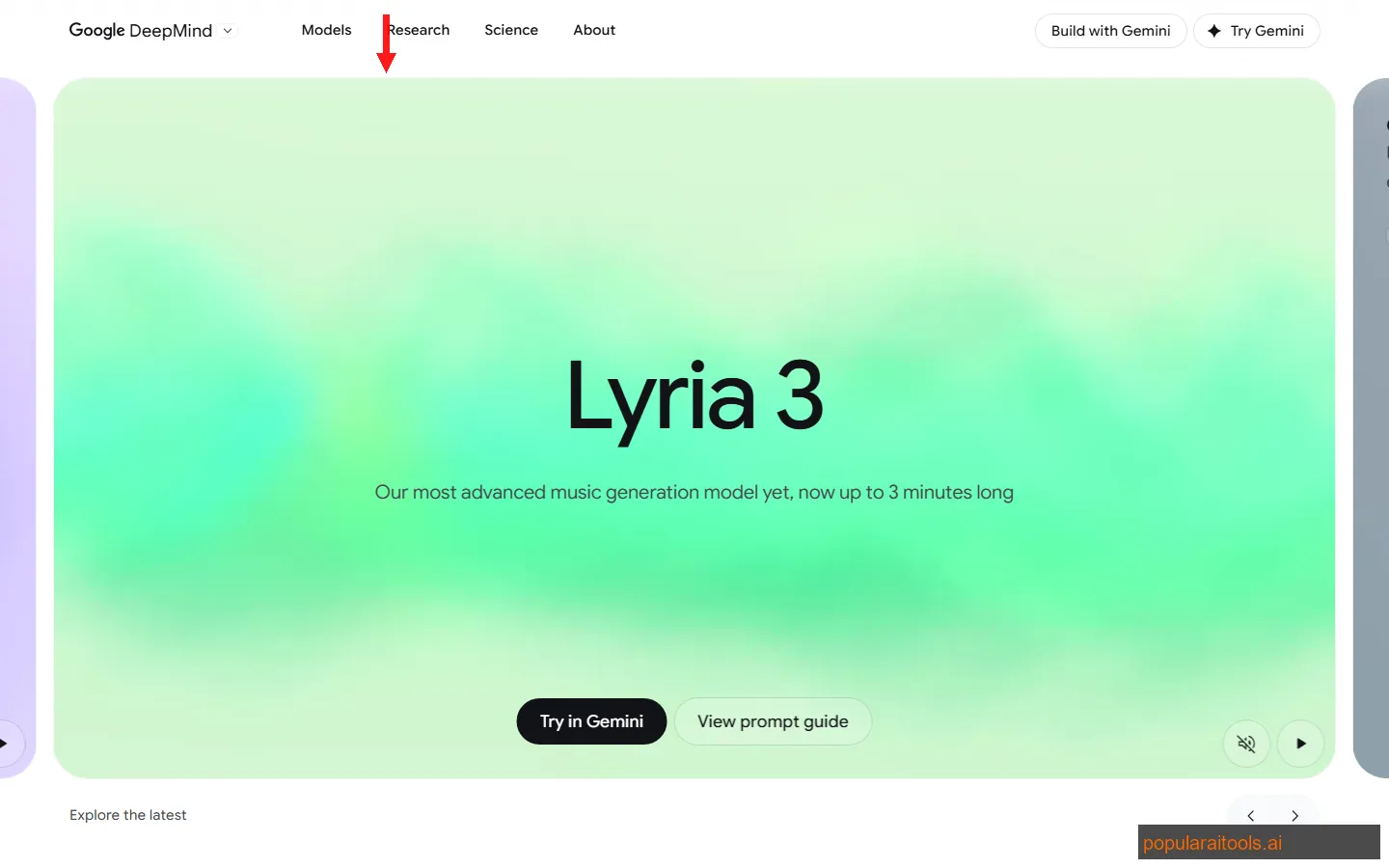
Lyria 3 Pro is part of Google's broader push into AI-powered creative tools. It powers YouTube's Dream Track feature, which lets creators generate background music and soundtracks directly within YouTube Studio. But it also exists as a standalone model accessible through Google's AI Test Kitchen, where you can generate music from text prompts without the YouTube integration.
What makes Lyria 3 Pro different from competitors like Suno v5.5 and Udio is the approach to structure. Where Suno excels at creative freedom and Udio at raw sound quality, Lyria 3 Pro focuses on compositional coherence. Google trained this model with what they call "structured creative elements" — the model learns not just audio patterns but musical form. The result is tracks that feel composed rather than generated. That distinction matters more than you might think when you are trying to use AI music for anything beyond placeholder background audio.
Every track generated by Lyria 3 Pro includes SynthID watermarking — DeepMind's inaudible fingerprinting technology that marks AI-generated audio without degrading quality. This is Google's answer to the growing concern about AI music being passed off as human-made content. Whether you see that as responsible deployment or a limitation depends on your perspective. We see it as a pragmatic move that will likely become industry standard.
Key Features
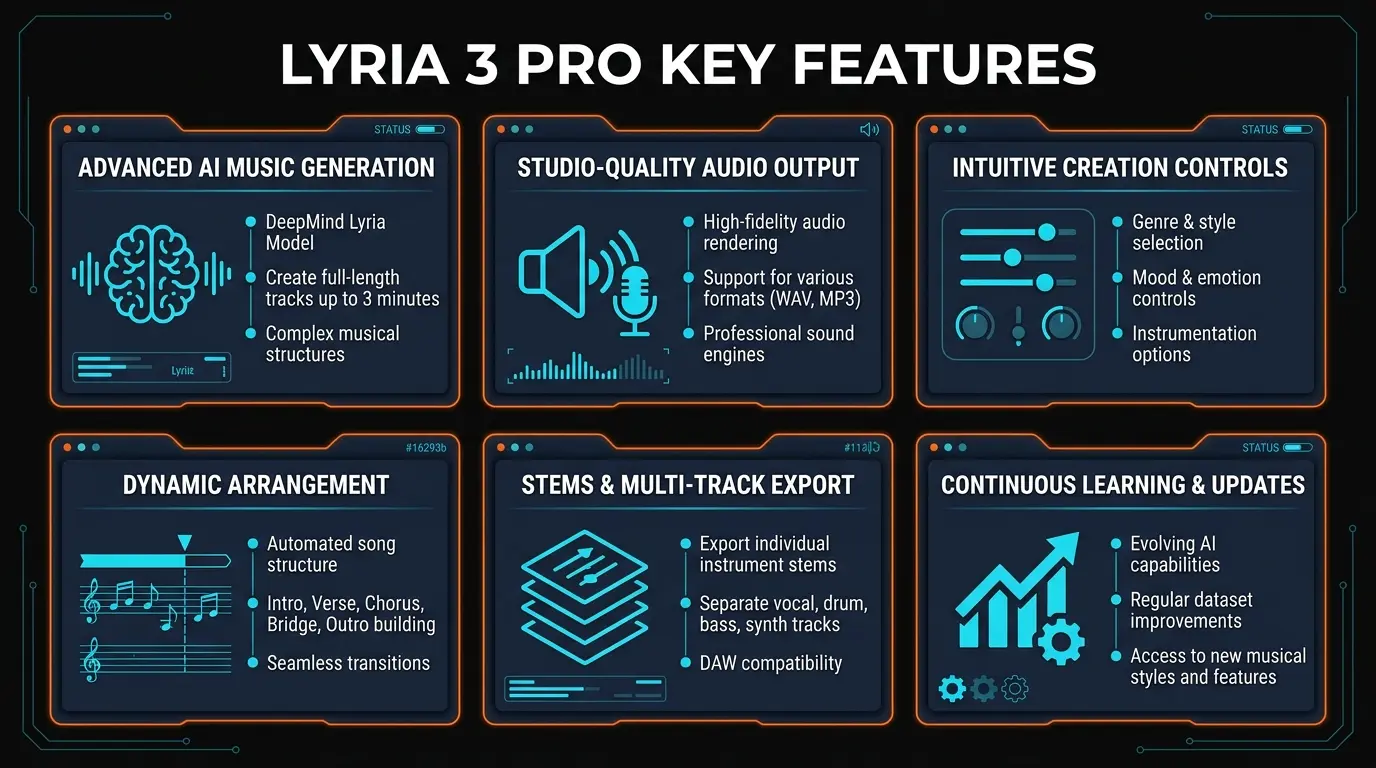
Here are the six capabilities that define Lyria 3 Pro and set it apart from other AI music generators we tested in 2026:
🎵 3-Minute Full Compositions
Generate complete tracks up to 3 minutes with proper verse-chorus-bridge structure. The model maintains musical coherence across the full duration — no awkward loops or abrupt transitions that plague shorter AI music clips.
🎧 Structured Creative Elements
Lyria 3 Pro understands musical form at a compositional level. Specify mood, tempo, instrumentation, and genre in your prompt, and the model builds a track with intentional dynamics — crescendos, breakdowns, build-ups — not just texture.
🔊 High-Fidelity Audio Output
Output quality is noticeably cleaner than Lyria 2. Better instrument separation, less muddiness in the mid-range, and dynamics that actually breathe. We A/B tested against Suno v5.5 and the raw audio fidelity is a step ahead.
🔒 SynthID Watermarking
Every generated track carries an inaudible SynthID watermark. You cannot hear it, but detection tools can identify it as AI-generated. This is baked into the model — there is no way to disable it. Google frames it as responsible AI; some creators see it as a limitation.
🎥 YouTube Dream Track Integration
Lyria 3 Pro powers YouTube's Dream Track, letting creators generate royalty-concern-free background music, intros, and transitions directly within YouTube Studio. No external tools, no export-import workflow — generate and drop into your timeline.
🎨 Multi-Genre Versatility
We tested pop, electronic, ambient, cinematic, lo-fi, jazz, classical, and hip-hop. The model handled all of them competently, excelling at electronic and cinematic genres. Jazz and classical had more nuance than we expected from any AI music tool.
How to Use Lyria 3 Pro: Step-by-Step
There are two ways to use Lyria 3 Pro right now: through YouTube's Dream Track or through Google's AI Test Kitchen. Here is the workflow we recommend for getting the best results:
For YouTube creators: open YouTube Studio and navigate to the Audio Library where Dream Track is integrated. For standalone generation: visit Google's AI Test Kitchen at aitestkitchen.withgoogle.com and sign in with your Google account. Both are free to start.
Be specific about genre, mood, tempo, instrumentation, and duration. "Upbeat electronic track, 120 BPM, synth leads, punchy drums, euphoric build-up into a drop, 2 minutes" produces dramatically better results than "happy electronic music." The more musical vocabulary you use, the more Lyria 3 Pro has to work with.
Lyria 3 Pro typically generates a track in 30-60 seconds depending on length. You get a full preview with waveform visualization. Listen all the way through — the strength of this model is in how the track develops over time, not just the opening bars.
If the output is close but not perfect, adjust your prompt and regenerate. We found that adding descriptors like "more aggressive drums" or "softer piano in the bridge section" helped fine-tune the output. Generate 3-4 variations of the same prompt — there is meaningful variation between generations.
In Dream Track, the generated audio drops directly into your YouTube project timeline. From AI Test Kitchen, download the audio file for use in your projects. All downloads include the SynthID watermark — this cannot be removed.
Pro tip: Lyria 3 Pro responds well to specific musical references without naming artists. Instead of "something like Daft Punk," try "French house, filtered disco samples, vocoder vocals, four-on-the-floor beat, 124 BPM." The model interprets genre descriptors and production techniques better than artist name-drops, which it intentionally avoids for copyright reasons.
We also found that specifying the track's purpose improves results. "Background music for a tech product launch video" produces different (and more appropriate) output than just "upbeat electronic." The model seems to understand context and adjusts energy levels, frequency balance, and arrangement complexity accordingly.
For creators who need AI-generated voiceovers to pair with Lyria 3 Pro tracks, tools like LOVO AI and ElevenLabs are the current leaders — we covered the full landscape in our best AI voice generators roundup. Pairing Lyria 3 Pro's instrumental output with a dedicated voice AI tool gives you a complete audio production pipeline without touching a DAW.
Pricing
Google's pricing for Lyria 3 Pro is not straightforward because the model is distributed across multiple access points rather than offered as a single product:
AI Test Kitchen
- ✓ Basic Lyria 3 Pro access
- ✓ Text-to-music generation
- ✓ Up to 3-minute tracks
- ✗ Limited daily generations
YouTube Dream Track
- ✓ Integrated in YouTube Studio
- ✓ Direct timeline placement
- ✓ YouTube-licensed output
- * Premium may unlock higher limits
Google One AI Premium
- ✓ Higher generation limits
- ✓ Priority processing
- ✓ Includes Gemini Advanced
- ✓ 2TB Google storage
The honest take: Pricing is both a strength and a weakness. Free access through AI Test Kitchen makes it easy to try. But the generation limits on the free tier are restrictive enough that serious music creators will either need Google One AI Premium or will find Suno's $10/month Pro plan more practical. Google has not published official API pricing for developers who want to build on top of Lyria 3 Pro, which is frustrating if you are building a product that needs programmatic music generation.
Compared to Suno Pro at $10/month (500 songs) or Udio Standard at $10/month, Google's pricing structure is harder to evaluate because the generation limits are not clearly published. You get a certain number of daily generations that resets, but Google does not make the exact numbers easy to find. This opacity is a recurring theme with Google's AI products.
Pros and Cons
Strengths
- ✓ Best-in-class audio fidelity. The raw output quality is the cleanest we have heard from any AI music generator. Instrument separation is excellent, the stereo field is well-utilized, and mixes sound balanced without post-processing.
- ✓ Real compositional structure. Tracks have genuine musical arcs — they build, they breathe, they resolve. This is where Lyria 3 Pro meaningfully advances over Lyria 2 and most competitors. A 3-minute track does not feel like a 30-second loop stretched out.
- ✓ YouTube Dream Track integration. For YouTube creators, generating background music without leaving the editor is a genuine workflow improvement. No export, no file management, no licensing headaches.
- ✓ Responsible AI approach. SynthID watermarking and transparent AI labeling show Google is thinking about the long-term implications of AI music. As regulation increases, this positions Lyria 3 Pro well.
- ✓ Free tier exists. You can test Lyria 3 Pro without paying anything. The free access is limited, but it is enough to evaluate whether the model works for your use case before committing to Google One AI Premium.
Weaknesses
- ✗ Google ecosystem lock-in. Lyria 3 Pro does not exist as a standalone platform the way Suno or Udio do. You access it through Google's properties, which means your workflow is tied to Google's decisions about where and how to surface the model.
- ✗ Limited creative control. No reference track upload, no stem separation, no ability to extend or modify specific sections of a generated track. Suno v5.5 offers significantly more hands-on creative tools. With Lyria 3 Pro, you prompt and accept — or regenerate entirely.
- ✗ Opaque generation limits. Google does not clearly publish how many tracks you can generate per day on the free tier or what the exact limits are on Google One AI Premium. This makes it hard to plan production workflows around the tool.
- ✗ Vocal generation is mediocre. While Lyria 3 Pro can produce vocals, they sound synthetic compared to instrumental output. For quality AI vocals, you are better off using ElevenLabs or LOVO AI and layering them over a Lyria 3 Pro instrumental.
- ✗ No API for developers. As of March 2026, there is no public API for Lyria 3 Pro. Developers building music features into their apps cannot programmatically access the model. This is a major gap compared to competitors that offer REST APIs.
Lyria 3 Pro vs Suno v5.5 vs Udio vs AIVA: Full Comparison
We have tested all four of these AI music generators extensively in 2026. Here is how they compare across the metrics that actually matter:
| Feature | Lyria 3 Pro | Suno v5.5 | Udio | AIVA |
|---|---|---|---|---|
| Max Track Length | 3 minutes | 4 minutes | 2 minutes | 3+ minutes |
| Audio Quality | Excellent — best fidelity | Very good | Excellent | Good — MIDI-based |
| Creative Control | Limited — prompt only | Excellent — extend, remix, stems | Good — extend, inpaint | Excellent — MIDI editor |
| Vocal Generation | Basic — synthetic quality | Excellent — natural vocals | Very good | No vocals |
| Pricing (Entry) | Free (limited) | Free (10 songs/day) | Free (limited) | Free (3 downloads/mo) |
| API Access | Not available | Yes — REST API | Yes — REST API | Yes — REST API |
| Best For | YouTube creators, high-fidelity instrumentals | All-around music creation with vocals | Audiophile-quality, niche genres | Film scoring, classical composition |
The bottom line: Suno v5.5 is still the most complete AI music platform — it does everything well and gives you the most creative control at $10/month. Lyria 3 Pro wins on pure audio quality and is the obvious choice if you are a YouTube creator who wants seamless integration. Udio is the audiophile's pick for raw sound quality in niche genres. AIVA is the best option for composers who want MIDI-level control and classical/cinematic scoring. If audio fidelity is your top priority and you do not need vocals or creative editing tools, Lyria 3 Pro is the answer. If you need a do-everything music platform, Suno remains the default recommendation.
Final Verdict
Google Lyria 3 Pro is the best-sounding AI music model we have tested in 2026. That is not hyperbole — the audio fidelity, instrument separation, and dynamic range genuinely surpass what we heard from Suno v5.5 and Udio in side-by-side comparisons. When Lyria 3 Pro generates a cinematic orchestral piece or an electronic track with a proper build-up and drop, the output sounds professional. Not "good for AI" professional. Just professional.
The structured creative elements are the real innovation here. Previous AI music models generated textures — they produced sounds that fit a genre but did not tell a story. Lyria 3 Pro generates compositions. The difference between a 3-minute texture and a 3-minute composition is enormous when you are using the output in a real project. A texture loops. A composition moves forward. Lyria 3 Pro moves forward.
But we cannot ignore the practical limitations. The Google ecosystem lock-in is frustrating. There is no standalone Lyria 3 Pro app, no API, no plugin for your DAW. You access it through Google's interfaces on Google's terms. The creative control tools are minimal compared to Suno's extend, remix, and stem separation features. Vocal generation is a weak point. And the opaque generation limits make it hard to rely on for production workflows.
Who should use Lyria 3 Pro: YouTube creators who want high-quality background music without leaving their editor. Podcast producers who need instrumentals and intros. Content creators who prioritize audio quality over creative control. Anyone already deep in the Google ecosystem who wants AI music without adding another subscription.
Who should look elsewhere: Musicians who want to iterate and shape their compositions with fine-grained tools — Suno v5.5 or AIVA will serve you better. Developers who need API access for programmatic music generation. Anyone who needs reliable, high-volume generation with clear usage limits. Creators who need high-quality AI vocals as part of their tracks — pair Lyria 3 Pro instrumentals with ElevenLabs or LOVO AI for the vocal layer.
At 4.2 out of 5, we are rating Lyria 3 Pro high for audio quality and compositional intelligence but docking it for ecosystem lock-in, limited creative control, and the lack of a public API. If Google opens Lyria 3 Pro up as a standalone platform with proper creative tools and developer access, this easily becomes a 4.6. For now, it is the best-sounding AI music model that you cannot fully control — which is both its greatest strength and its most frustrating limitation.
Build an AI Tool? Get It in Front of the Right Audience
PopularAiTools.ai reaches thousands of qualified AI buyers.
Submit Your AI Tool →Frequently Asked Questions
Recommended AI Tools
played.fm
Sell your music and keep 100%: played.fm is a direct-to-fan store + sync marketplace with 0% commission, no gatekeepers, and no bans — a strong fit for AI musicians.
View Review →OpenCode
The open-source AI coding agent: terminal-first TUI, 75+ model providers, LSP context, subagents, and privacy-first design. Free software, ~180K GitHub stars.
View Review →Exa
The neural web search API for AI agents: embeddings-based retrieval, cited highlights, sub-180ms latency, and an MCP server. 20,000 free requests/month.
View Review →Google Antigravity
Google's agent-first IDE: run a fleet of AI agents from a Manager surface, on Gemini 3 Pro, Claude Sonnet 4.5, or OpenAI models. Free in public preview.
View Review →