Suno V6 Mini vs Wild: 2026 Guide

AI Creative Tools Specialist

Key takeaways
- V6 Mini is the accessible, fast exploration option; V6 and Wild serve different creative intentions.
- Choose between following a defined brief and exploring unexpected directions before comparing candidates.
- Plan access, credits and downloads are separate constraints.
- WaveQuake offers a one-time studio option, with different included features and working-library limits.
In this article
- 1. Start with the three documented roles
- 2. Separate creative exploration from final production
- 3. Check plan access and download allowances
- 4. Compare candidates with a task-specific sheet
- 5. Repair the selected song instead of restarting blindly
- 6. Consider WaveQuake when the purchase model matters
- 7. Estimate the real project workload
- 8. Choose a route, then preserve the approved files
- Frequently asked questions
Suno V6 Mini versus Wild is not a simple question of which label is “better.” The useful choice depends on the stage of the song. A quick idea, an approved lyric and an experimental arrangement call for different kinds of output.
Suno’s current model family includes V6 Mini, V6 and V6 Wild. This guide compares their documented purposes and the practical limits around using the results. It also considers WaveQuake when a one-time music studio fits the project better than a recurring plan.
This is a documentation-based workflow comparison, checked on 19 November 2026. It does not present a new blind listening test, invented scores or claims that one model always produces superior music. The suggested comparison sheets are tools for evaluating your own recordings.
1. Start with the three documented roles
Suno’s current-model guide describes V6 as the controlled option for interpreting a clear idea and Wild as an exploratory variant that can move in less predictable directions. Mini offers a faster, accessible route for creating and exploring songs.
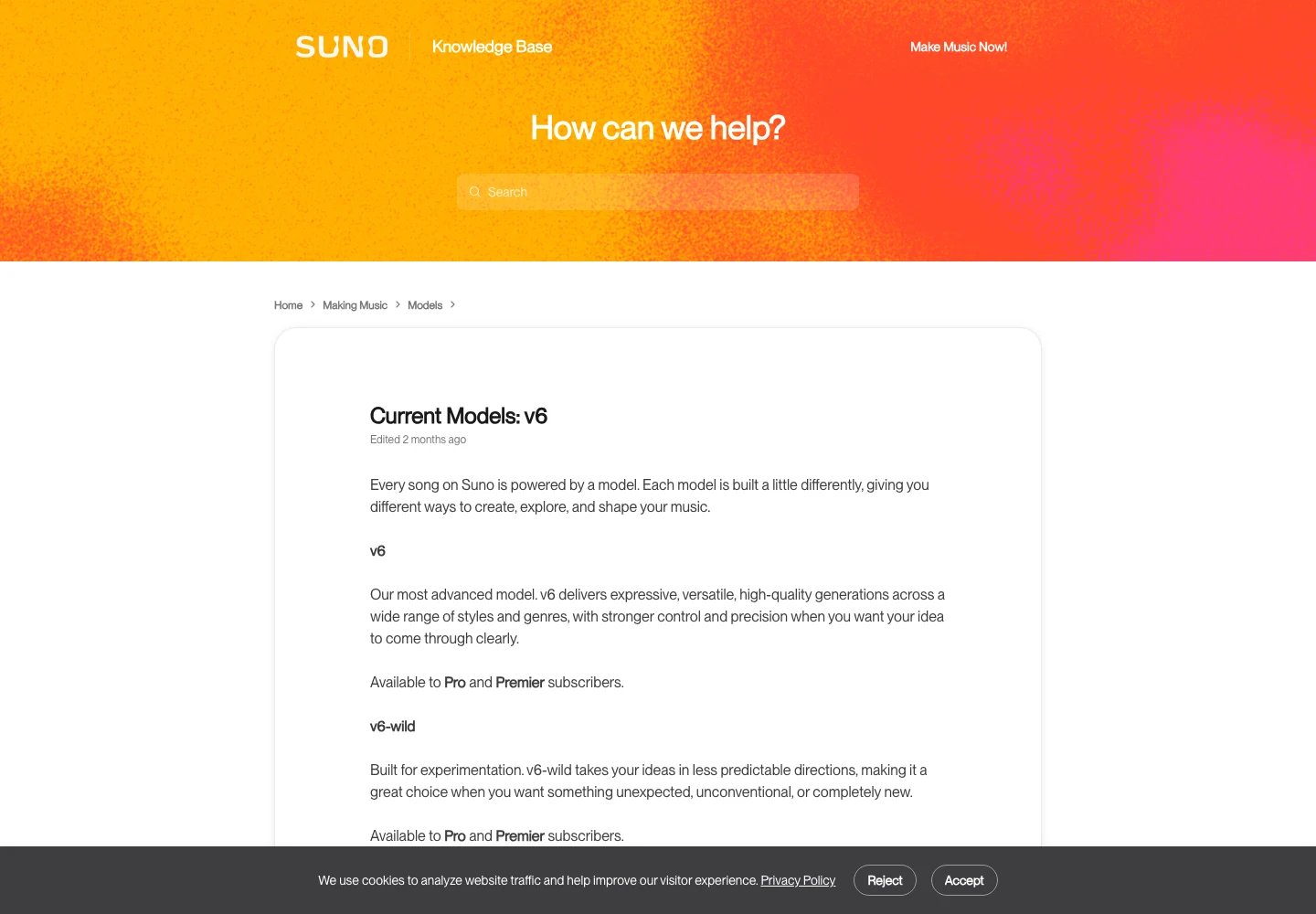
Think about the decision you need to make next. If you are still discovering the song’s feel, an unexpected arrangement may be useful. If a client has approved a lyric and a restrained musical brief, a surprising departure may create more revision work than value.
| Model | Documented emphasis | Useful evaluation question |
|---|---|---|
| V6 Mini | Fast, accessible creation | Does this idea deserve further development? |
| V6 | Control and interpretation | Does the performance follow the defined brief? |
| V6 Wild | Exploration and surprise | Did the variation reveal a worthwhile direction? |
This table summarises intended roles, not measured quality rankings. Mini can produce a recording you prefer, and Wild can produce a result that misses the project entirely. Listen to the actual candidates instead of treating the model name as the verdict.
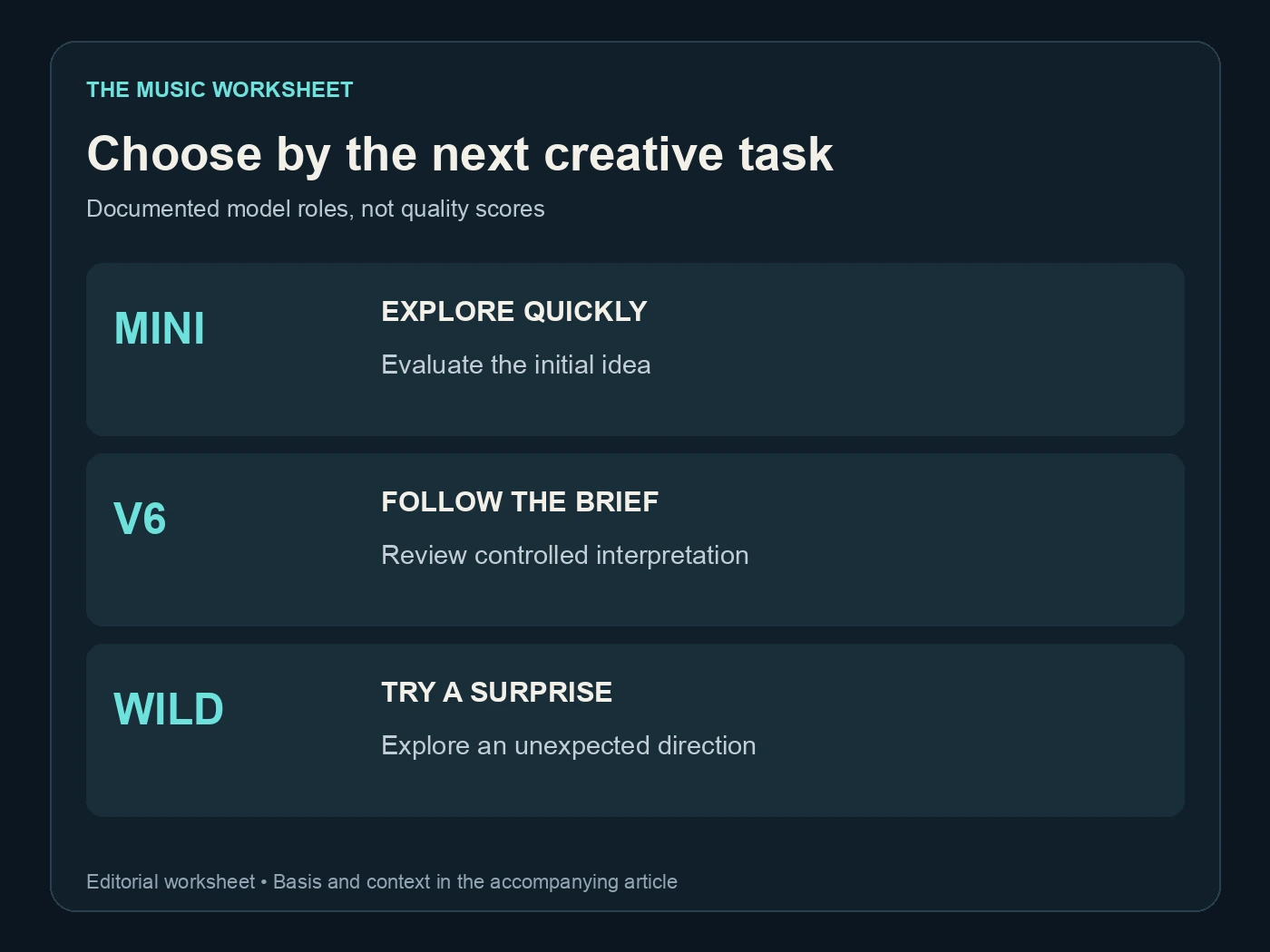
2. Separate creative exploration from final production
An exploratory session should answer a small question: does the hook work, which instrumental palette fits, or how much energy should the chorus have? Keep the brief short enough that you can identify what changed between candidates.
Once you select a direction, write down the attributes worth preserving. That might include a dry lead vocal, sparse opening, steady groove and a larger final chorus. A selected direction is more useful than a folder of unlabelled generations that all sound vaguely promising.
Suno’s V6 FAQ explains the family’s current behaviour and creation options. Check it alongside the live interface because older tutorials may describe controls, models or plan access that have since changed.
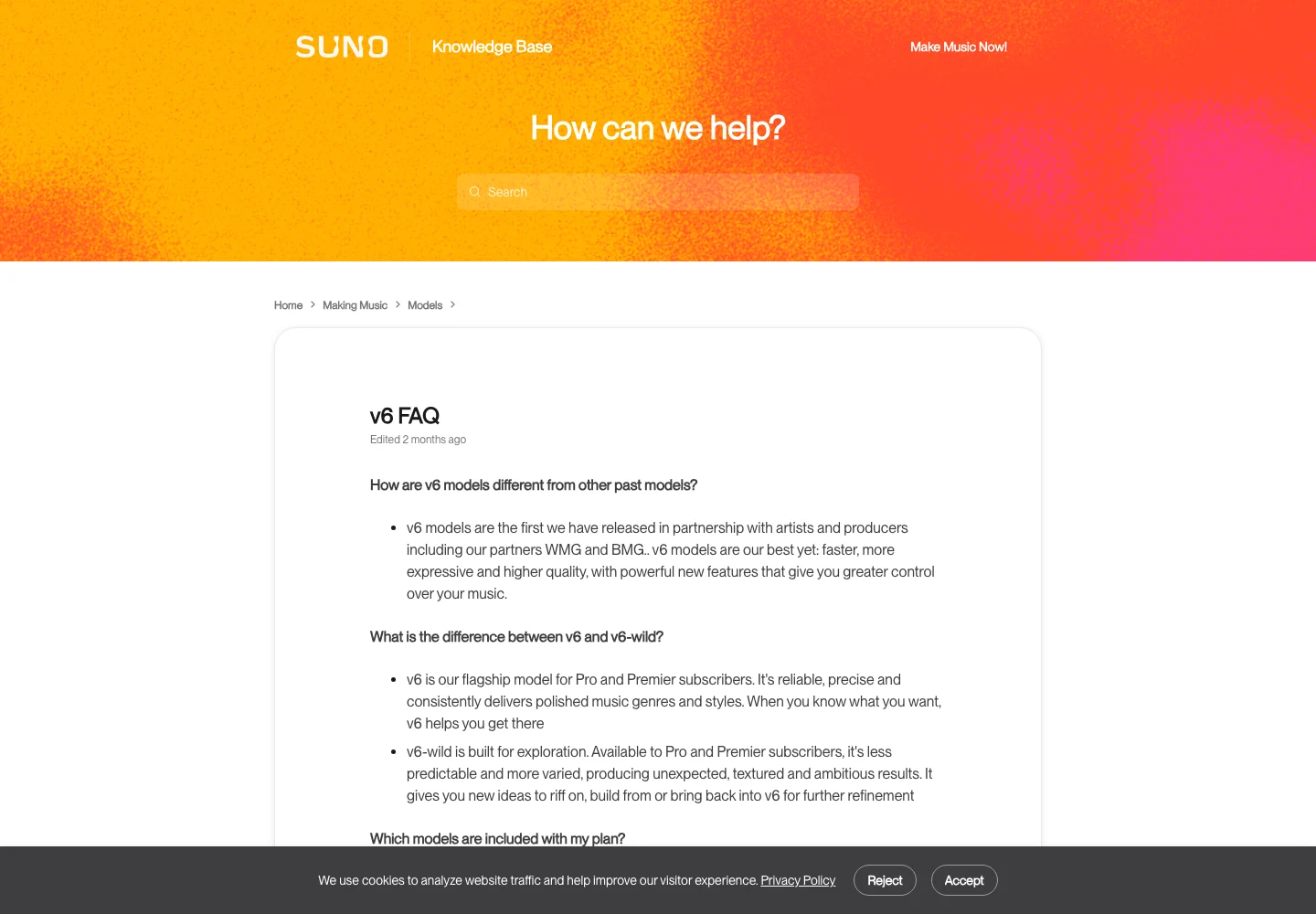
For a controlled comparison, keep the lyric and core musical brief fixed while changing the model. If you also rewrite the chorus, change the style and add a reference, you may like the result without knowing which decision helped. That can be fine creatively, but it is not a clean model comparison.
Our Suno prompt guide helps make the comparison brief specific.
3. Check plan access and download allowances
The current Suno pricing page lists Free, Pro, Premier and Platinum. Mini is available across plans, while the paid plans include the broader V6 family. Product entitlements should be checked on the current plan page rather than inferred from an older help screenshot.
The table below records the monthly-billing offer and listed monthly download allowances as checked for this article. Annual billing has different effective monthly prices and an upfront annual charge. Taxes, add-ons and any account-specific offer can change the amount paid.
| Plan | Listed monthly price | Monthly song credits | Listed monthly downloads |
|---|---|---|---|
| Free | $0 | 50 per day | 0 |
| Pro | $10 | 2,500 | 20 |
| Premier | $30 | 10,000 | 60 |
| Platinum | $120 | 15,000 | 120 |
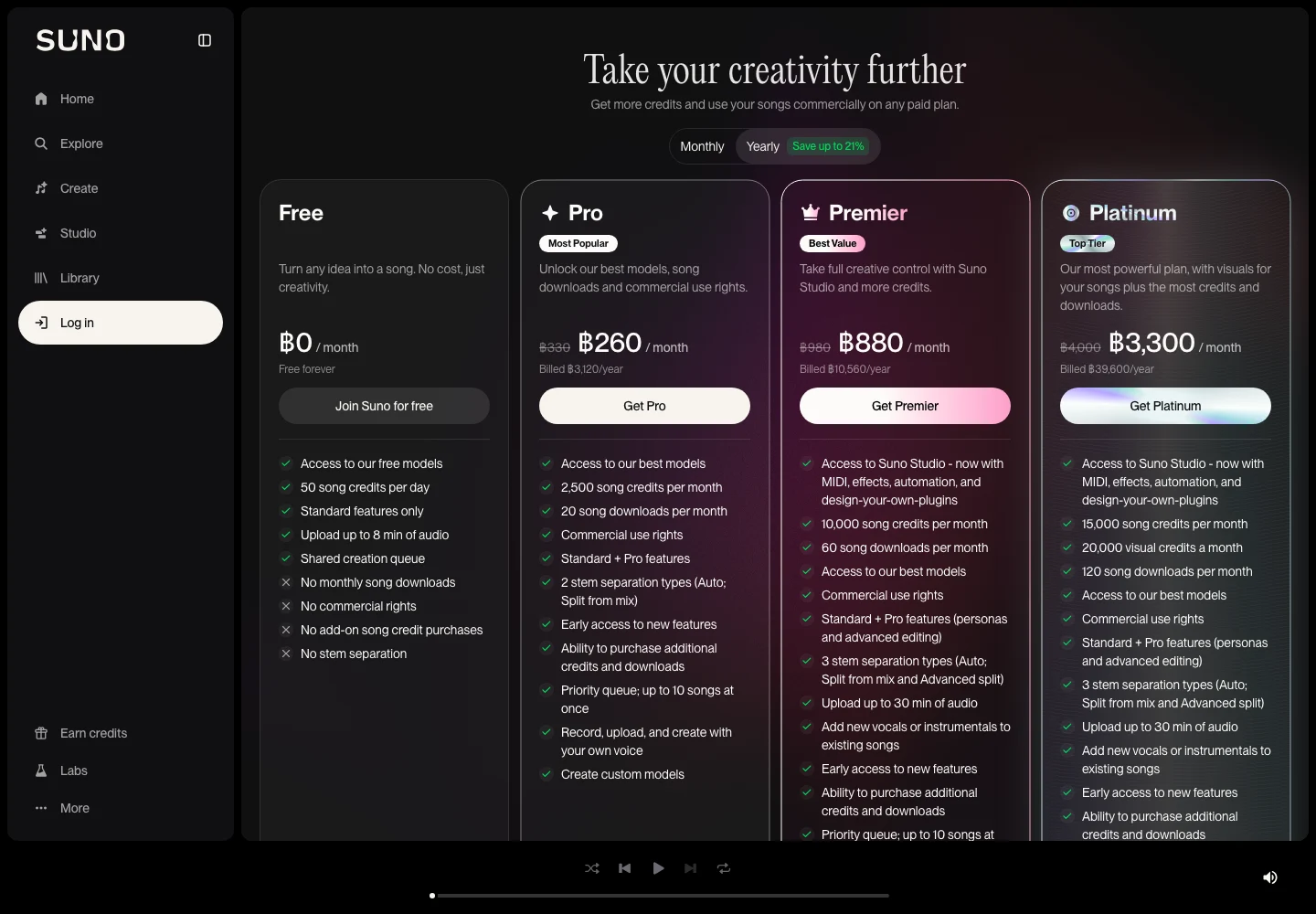
Free’s daily credit allocation is shown in the same column for comparison but is not a monthly total. Do not multiply it into a promise about usable downloads: creation credits and download allowances are different limits. The current Free plan also does not include commercial-use rights.
Read the download and feature details for your intended workflow. Studio access is listed for Premier and Platinum, while other editing features have their own plan entitlements. The fact that a model can generate a song does not establish that every editing or export operation is included on your account.
4. Compare candidates with a task-specific sheet
Choose criteria before listening. A lyric-led commission might prioritise intelligibility, phrase accuracy and emotional delivery. A background track might prioritise consistency, room for speech and the absence of distracting transitions. Those are different tests, so a single universal score can hide the decision that matters.
Use a simple pass, revise or reject judgment for each criterion. Record a short reason with a timestamp when something needs work. “The chorus arrives clearly at 0:52” is more actionable than an unexplained rating out of ten.
| Review criterion | Suggested checks per candidate | Example note |
|---|---|---|
| Opening and direction | 1 | Establishes the intended mood |
| Important lyric passages | 2 | Name and hook are understandable |
| Section transitions | 2 | Verse and chorus connect naturally |
| Ending | 1 | Final phrase resolves cleanly |
| Complete recording | 1 | No overlooked interruption |
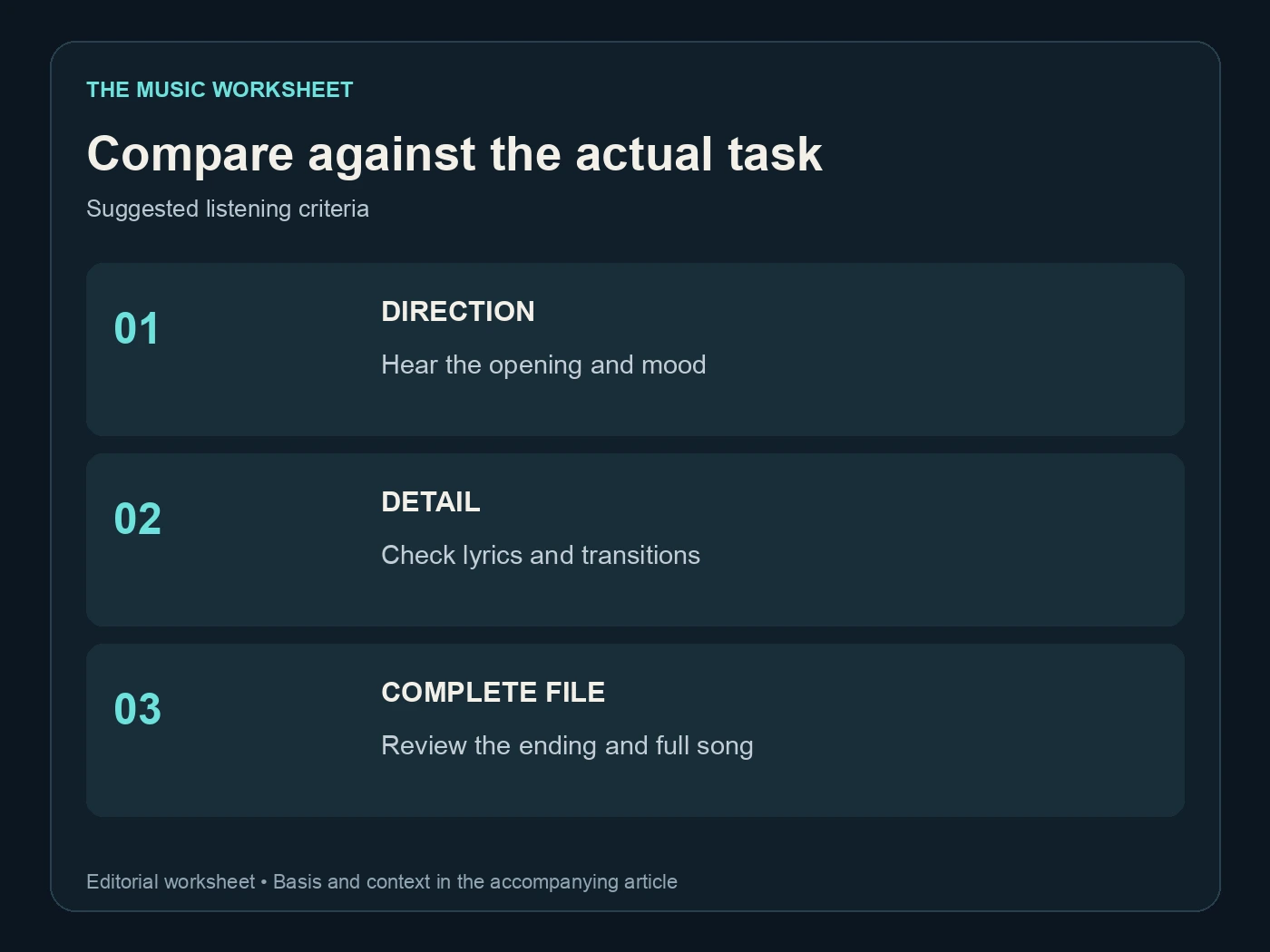
The counts are a proposed review procedure, not a benchmark methodology or product guarantee. If your song has more critical passages, add them. A candidate should not pass simply because it performed well in the first thirty seconds.
If you ask another person to compare outputs, avoid telling them which model produced each one until after they describe what they hear. Keep the files at reasonably comparable listening levels. The goal is to select the performance that serves the project, not to defend a model choice you already made.
The V6 creative-controls guide explains the broader experimentation workflow.
5. Repair the selected song instead of restarting blindly
Once a candidate is close, identify whether the problem is local or structural. A mispronounced word may call for a targeted edit. A chorus that never develops the central idea may require a lyric or arrangement revision before another generation.
Suno’s Song Editor guide describes selecting regions, changing lyrics and generating replacements. Use the tools available on your plan, then review the resulting passage in context. A successful replacement operation does not prove that the transition sounds natural.
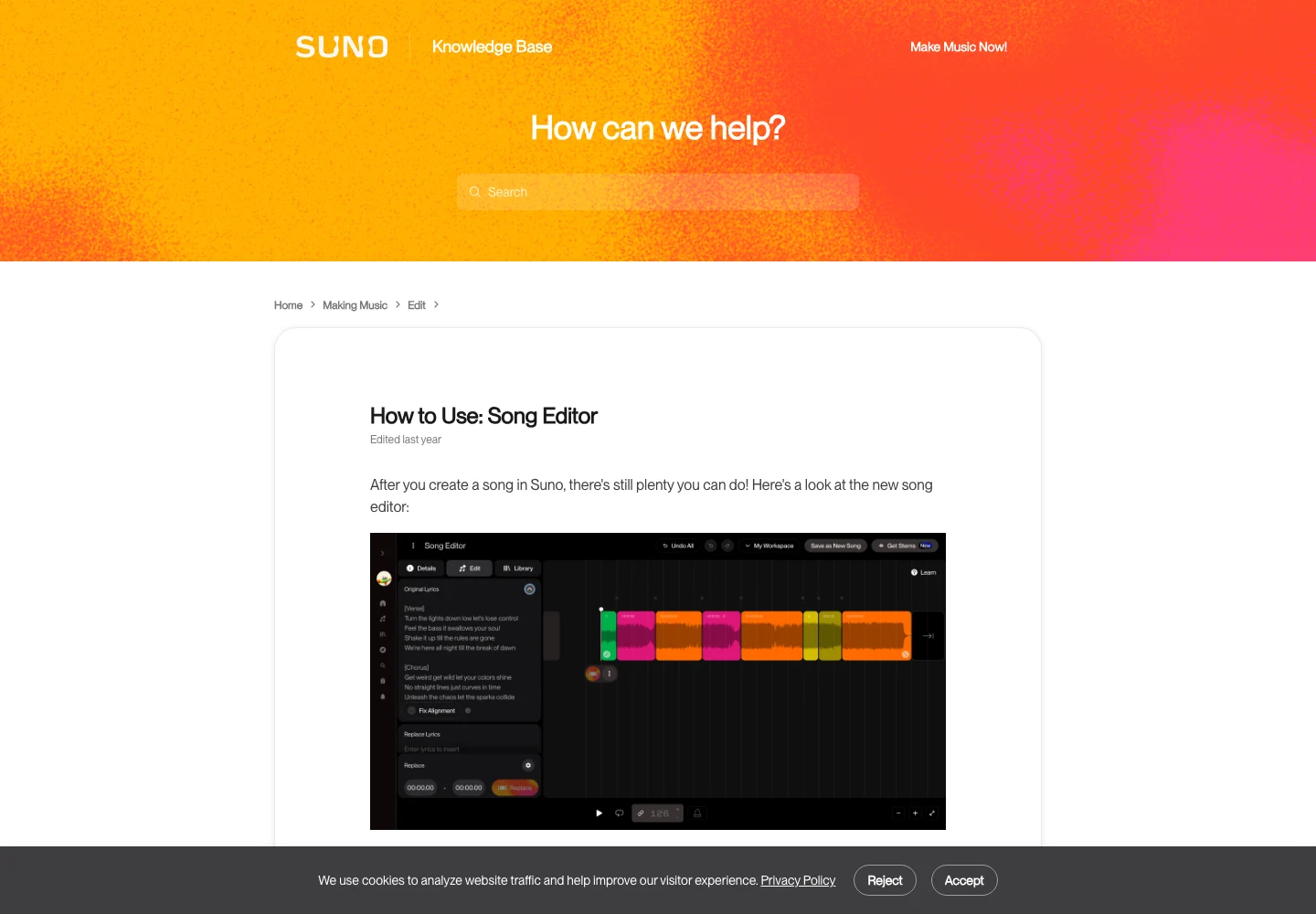
Keep the selected original while comparing repairs. A new version can fix the target line while changing vocal character or arrangement elsewhere in the edited region. Record what improved and what changed so the decision is based on the complete result.
Do not assume that a new generation from the same words will reproduce the same performance. A reusable prompt preserves instructions, not the exact audio. Save the actual recording you want to keep and treat later candidates as separate versions.
6. Consider WaveQuake when the purchase model matters
WaveQuake combines writing and music creation in a studio with a one-time purchase offer. Its public workflow includes Songwriter for lyric development and Soundprint for turning a reference direction into an editable musical brief.
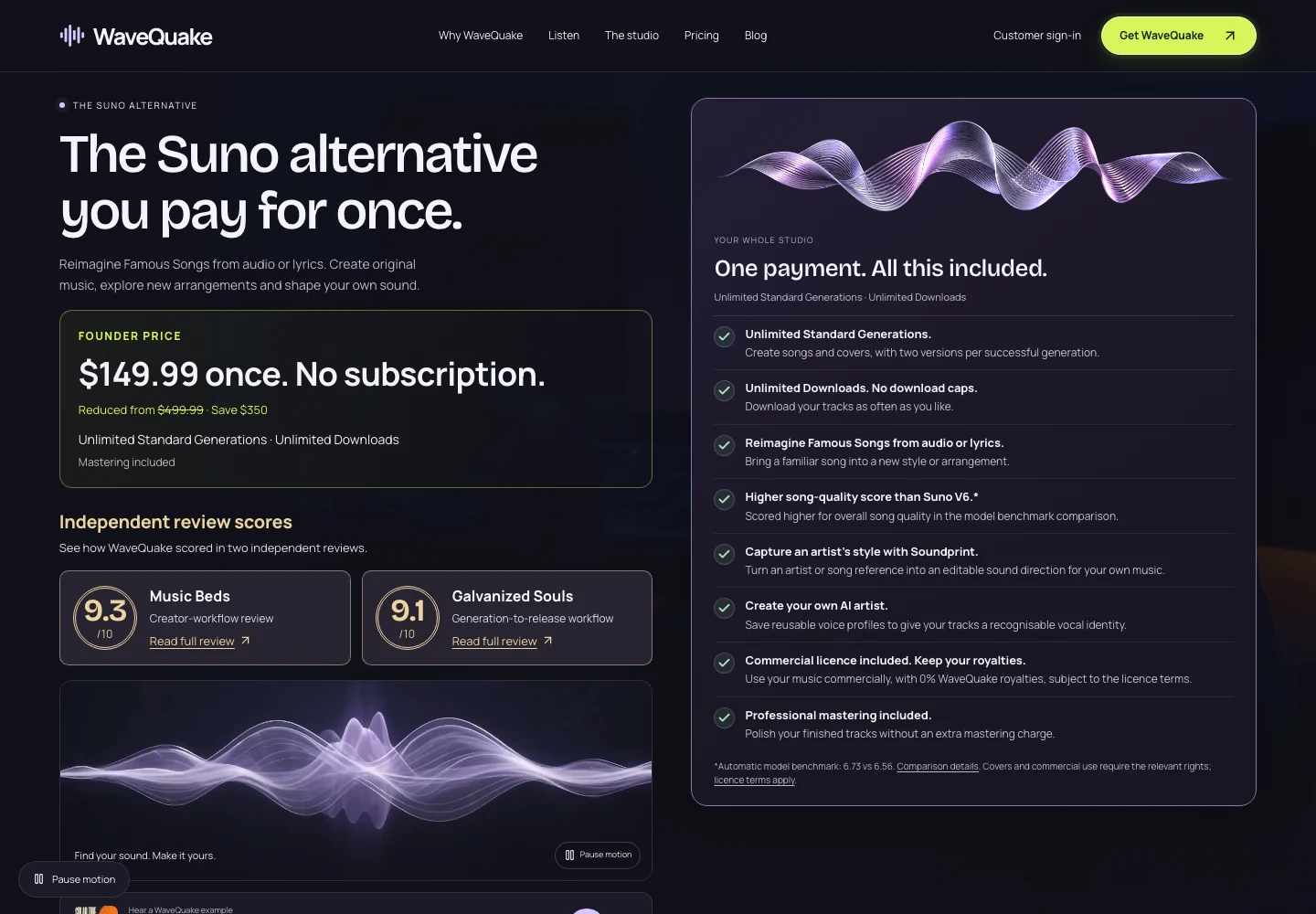
The current pricing page lists a $149.99 founder purchase, unlimited Standard Generations and two versions per successful generation. It also lists unlimited downloads of retained files, 10 GB of working storage, 30-day retention and two active jobs with a shared queue.
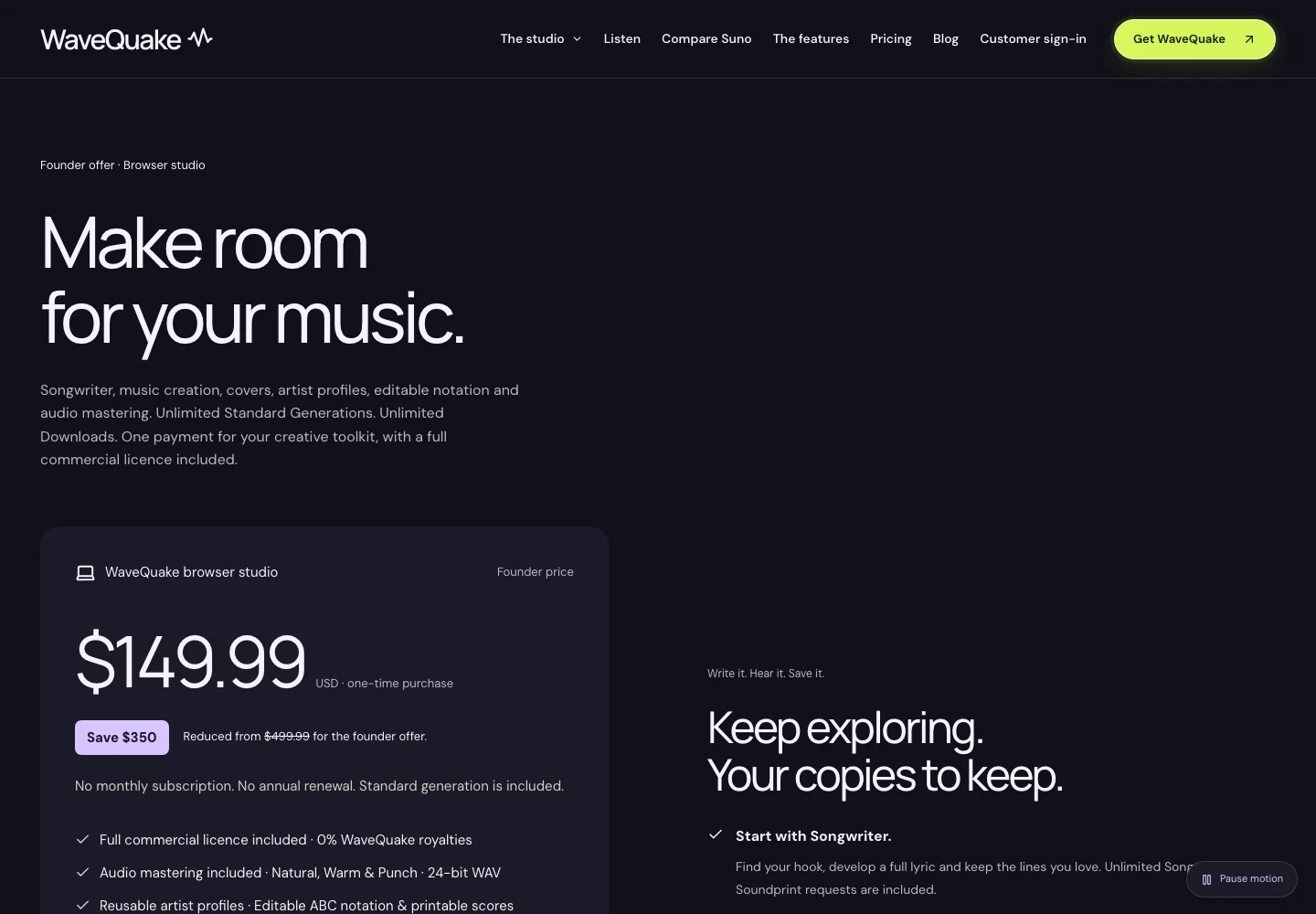
Those details make the offer concrete. Unlimited Standard Generations does not mean unlimited permanent storage or unlimited use of every voice-related add-on. Voice conversion uses purchased minutes, and useful files should be downloaded into your own archive before relying on them for a future project.
For someone developing a collection over time, a one-time studio can be worth considering alongside recurring music plans. For someone who needs a particular Suno editing or Visuals workflow, that feature may matter more than the purchase model. Compare the work you actually intend to do, including exports, editing and storage.
WaveQuake’s commercial-use page describes its license and zero-percent royalty share. Check the applicable terms and permissions for any uploaded material. Neither a paid plan nor a one-time license automatically grants rights to a third party’s recording.
For projects starting with permitted audio, the WaveQuake audio-to-song guide covers that separate route.
7. Estimate the real project workload
Start with the number of finished recordings needed, then allow for selection and revision. Ten generated candidates are not ten approved songs. Some may explore the same idea, some may need edits and some may be discarded after a full listen.
Keep generation, download and editing costs separate in your planning sheet. A large credit balance may be less useful if the project needs more downloads than the plan includes. A low purchase cost may also be less important than the time needed to repair unsuitable output.
For an illustrative three-song project, you might reserve one session for writing, one for comparing arrangements and one for final review per song. That gives nine work sessions, without assuming any particular session length or generation success rate. Adjust the plan after the first song reveals the actual workload.
If video is part of the project, account for that separately too. Suno Visual Credits are distinct from Song Credits. A music-model comparison should not quietly treat video generation as included in every music allowance.
8. Choose a route, then preserve the approved files
Use Mini when fast exploration and accessible creation match the next decision. Use V6 when a defined brief and controlled interpretation are central. Try Wild when an unexpected direction is a useful part of the process. Consider WaveQuake when its writing workflow and one-time studio offer fit the production plan.
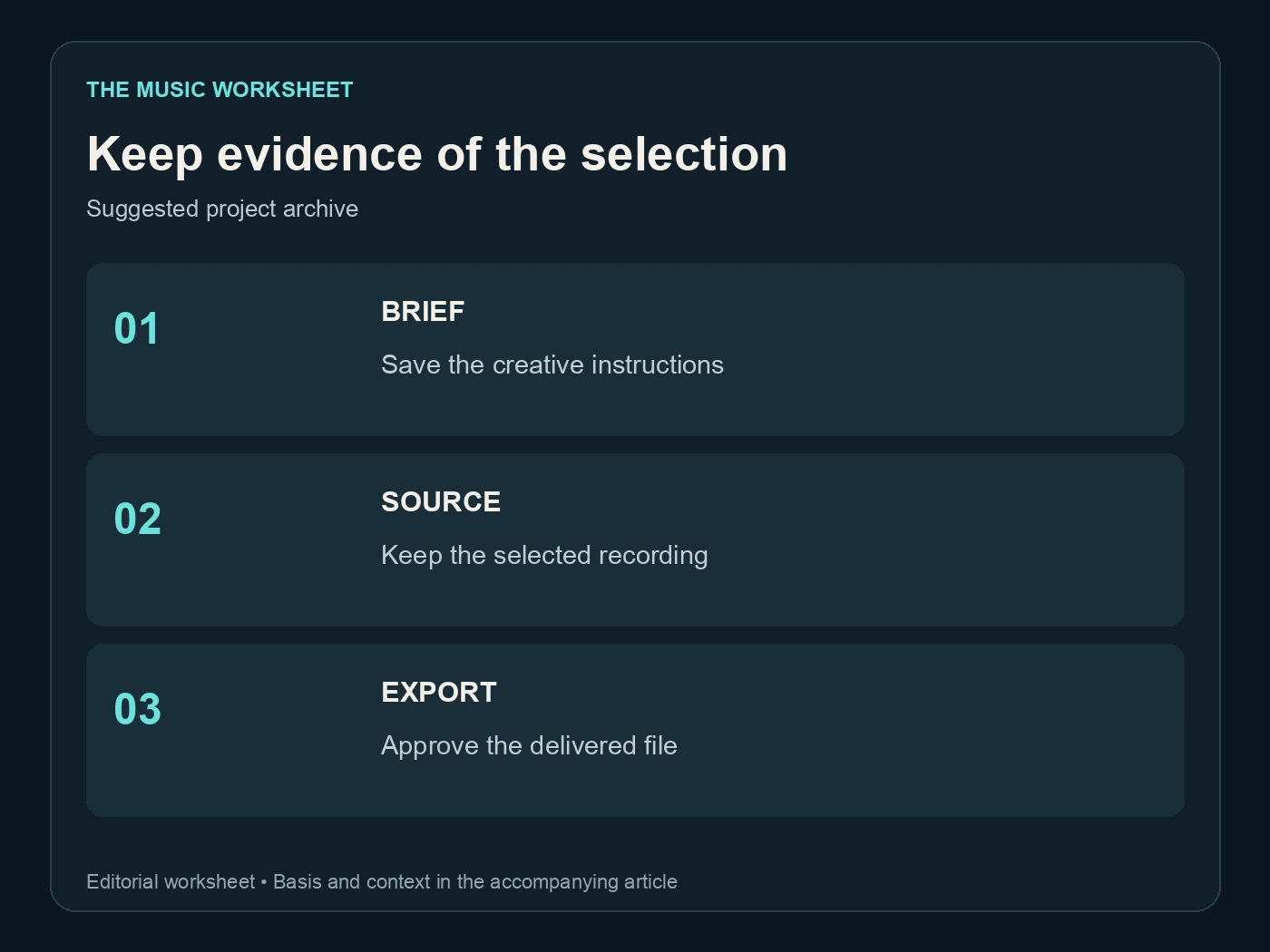
After selection, save the source recording, lyric version, relevant project notes and final export. Reopen the delivered file and listen through it. The model decision is only one part of producing a recording that is ready for its intended use.
If you prepare a song for distribution with Undetectr, keep that output identifiable and compare it with the approved source. Audio preparation, commercial permissions and distributor acceptance are separate questions. No model choice or processing step guarantees all of them.
Return to the comparison sheet after a completed project. The useful lesson is which route helped you finish acceptable work under your actual constraints. That evidence is more valuable for the next song than a general claim that one model wins every category.
Related reading
- Suno V6 versus V5.5
- Suno prompt guide
- Suno V6 creative controls
- WaveQuake covers and audio-to-song
- WaveQuake Soundprint workflow
Frequently asked questions
Is Suno V6 Wild better than Mini?
It serves a different creative purpose. Wild emphasises exploration, while Mini is an accessible, fast creation option. Compare the actual recordings against the task instead of assuming a universal quality ranking.
Which model should I use for an approved lyric?
Start by considering the controlled V6 route and the features available on your plan. Whatever model you choose, check the complete lyric, pronunciation and performance in the returned audio.
Can Free users download Suno songs in the current offer?
The pricing page checked on 19 November 2026 lists zero monthly downloads for Free. Verify the current account terms rather than relying on older free-download tutorials.
Are generation credits the same as download allowances?
No. They govern different parts of the workflow. Check both before estimating how many finished files you can deliver from a plan.
What is the current WaveQuake purchase model?
Its public pricing page lists a $149.99 one-time founder offer with unlimited Standard Generations. Working storage, retention, active jobs and voice conversion have separate details that should be reviewed before purchase.
Was this comparison based on a new listening benchmark?
No. It compares current official documentation and offers a practical review procedure. The tables do not present invented scores or measured model success rates.
Recommended AI Tools
played.fm
Sell your music and keep 100%: played.fm is a direct-to-fan store + sync marketplace with 0% commission, no gatekeepers, and no bans — a strong fit for AI musicians.
View Review →OpenCode
The open-source AI coding agent: terminal-first TUI, 75+ model providers, LSP context, subagents, and privacy-first design. Free software, ~180K GitHub stars.
View Review →Exa
The neural web search API for AI agents: embeddings-based retrieval, cited highlights, sub-180ms latency, and an MCP server. 20,000 free requests/month.
View Review →Google Antigravity
Google's agent-first IDE: run a fleet of AI agents from a Manager surface, on Gemini 3 Pro, Claude Sonnet 4.5, or OpenAI models. Free in public preview.
View Review →