Suno v6 vs v5.5: What Actually Changed (2026)

AI Creative Tools Specialist
⚡ Key Takeaways
- v6 sounds better than v5.5, and it is not close on speed. Vocals sit in the mix instead of straining, arrangements got real instrumental breaks, and a full song now lands in 10 to 20 seconds.
- v5.5 is gone for new generations. Suno retired every prior model at the v6 launch on 9 September 2026. Your library stays; the model picker does not.
- It is three models now. v6 to finish, v6-wild to explore, v6-mini for free. The free one lands close to the old paid model.
- The rules changed more than the sound did. Licensed training data, new Terms of Service, and download caps of 7 lifetime (Free), 20 a month (Pro) and 60 a month (Premier).
- Distribution is still the hard part. A better model does not change what DistroKid and Spotify scan for. Undetectr is already tested with Suno V6, and we cover the workflow below.
- Suno v6 arrived and v5.5 left the same day
- The three v6 models and who each one is for
- v5.5 vs v6 head to head: what actually improved
- The new rules: download caps, licensed training and the ToS
- Does Undetectr work with Suno v6?
- A v6 workflow that survives distribution
- Which v6 model should you use?
- FAQ
If you make music on Suno, your model picker changed under your feet this week. Suno v6 launched on 9 September 2026 as a family of three models, built for the first time on licensed music, and every earlier model, Suno v5.5 included, was retired for new generations the same day. That is a bigger shift than a version bump, because the sound, the plans, the download rules and the Terms of Service all moved at once.
We went through Suno's launch material, the new Terms, the first published like-for-like tests, and a few hundred creator reactions across r/SunoAI and YouTube to answer the questions that matter: is v6 actually better than v5.5, which of the three models should you reach for, what do the new caps cost you in practice, and does any of it change how you get an AI track past distributor screening. That last one is where Undetectr comes in, and it has already been tested against v6.
Suno v6 arrived and v5.5 left the same day
Suno's own framing in its launch post is that v6 is "a new generation of music models developed with our industry partners, including Warner Music Group, BMG and Believe." It is the first model Suno calls licensed. The company had been signalling this for a month: an August policy post warned that "when the new models launch, all prior models will be retired," and a 5 September email to users said the same thing in plainer words.
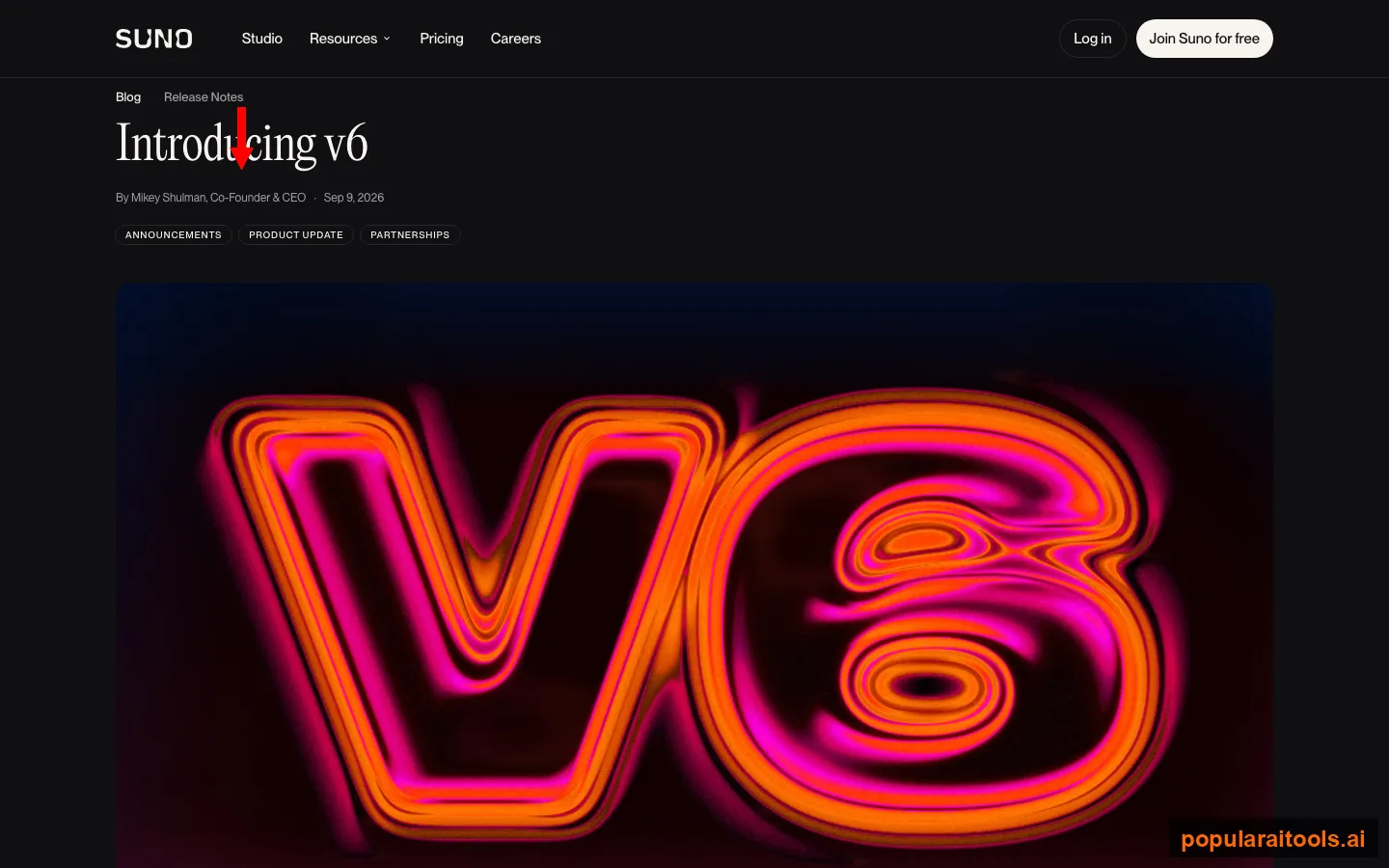
Three things to hold onto from that post. Your library is safe: every song stays playable and shareable, and old songs can still seed covers and remixes. The retirement is total: there is no legacy toggle for v5.5, v5 or v4.5. And the licensing angle is the whole story from Suno's side. The launch video from the official Suno Music channel, which pulled 40,000 views in its first day, opens on exactly that point: "All three new V6 models were built in partnership with artists and the music industry with a huge jump in audio quality control and what you can actually ask to do."
The community was less moved by the partnership language. The most upvoted thread on r/SunoAI that day was not about the model at all. It was a memo Warner Music Group's CEO sent about the deal, and the top comment, at 76 upvotes, set the tone: "Protect our artists. Sure, right. If you mean pocketing the majority of the profit for the company and throwing some scraps to your roster, sure." Creators wanted to know whether the music got better. The labels wanted to talk about who gets paid. Both are true at once, and the sections below take them one at a time.
The three v6 models and who each one is for
Suno has never shipped a model family before. The picker copy is Suno's own: v6 is "Powerful. Versatile. Refined. Our best model yet." v6-wild is "Best for experimental ideas." v6-mini is "A free, more efficient version of premium v6 models." Underneath the marketing, the split is clean and it maps onto a real workflow.
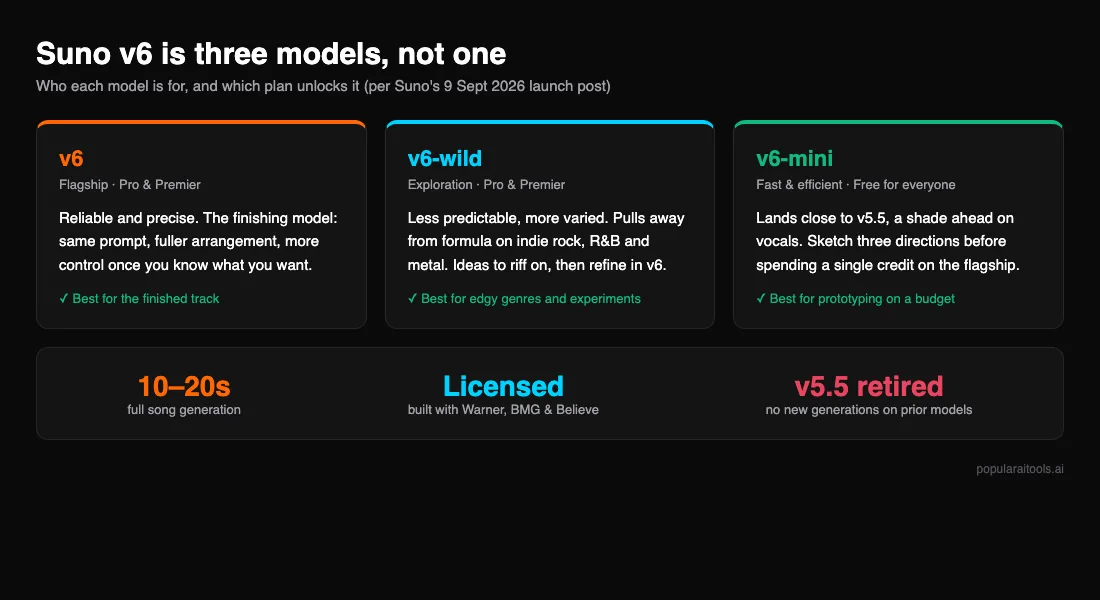
v6 (Pro and Premier)
The finishing model. Same prompt, same voice clone, and it returns a fuller arrangement with more control. Suno's line is "when you know what you want, v6 helps you get there," and the early tests back that up. Spend credits here only on takes worth keeping.
v6-wild (Pro and Premier)
The exploration model. Less predictable, more textured, and it pulls away from formula on the genres that live on attitude: indie rock, R&B and metal. Its vocal behaviour is the least consistent of the three, so treat the voice as something you will fix downstream.
v6-mini (free for everyone)
The sketchpad. In side-by-side listening it landed close to v5.5 and a shade ahead on the vocal, which makes the free model a real prototyping tool rather than a demo of an old one. Try three directions here before you spend anything.
The official launch walkthrough makes the same recommendation we would: "If you're someone who loved the creativity, personality, and variation of Suno's older models, V6 Wild is probably the first model I'd try, and V6 Mini is the new model available to free users." One creator on r/SunoAI who went straight to covers reported them "improved (or is it just me?)" on the new models, which is a fair summary of the early consensus: better, not transformed.
What carries over: Voices, Custom Models and My Taste all work on v6. What is new across all three models is how much direction they take in a single request. Suno's examples include editing one section in plain language ("change the chorus so it's sung by a gospel choir"), building a mashup from several of your own songs in one prompt, and changing a single lyric without rebuilding the track. That is the feature set that separates v6 from a quality bump.
v5.5 vs v6 head to head: what actually improved
v5.5 shipped on 26 March 2026 with Voices, Custom Models and My Taste, and for six months it was the best distribution-grade output on the platform: clean 44.1 kHz audio, fewer artifacts than v5, and predictable arrangements that were easy to edit. We reviewed it at the time in our Suno v5.5 review. Its weaknesses were consistent too: it strained on wide vocal range, its instrumental breaks were short or missing, and it was slow.
The most useful evidence on v6 so far is a like-for-like test run before v5.5 disappeared: one lyric, one Voices clone trained the same morning, seven style prompts pasted byte for byte into both models, 27 audio files. It cannot be reproduced now, which makes it the record. v6 took all seven genres. Across 21 scoring criteria v6 won 16, five were ties, and v5.5 won none.
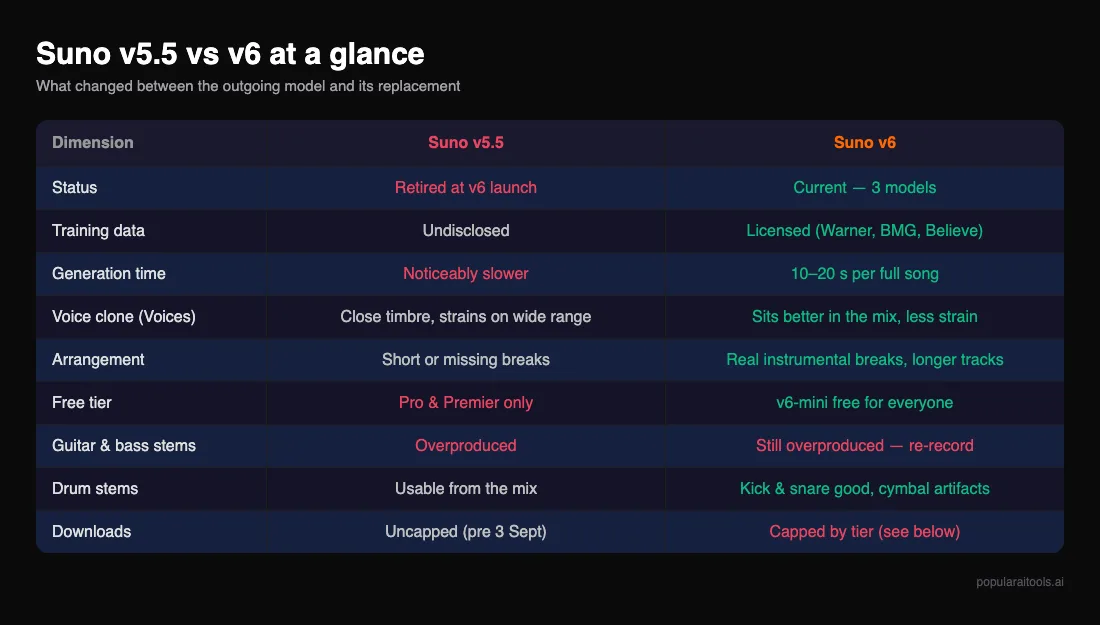
Vocals are the big step. On v5.5 an uploaded voice stayed close to the sample's timbre but got pushed and strained the moment a genre asked for range. On v6 the same clone sits where it belongs for the whole track. The honest caveat is that v6 also travels further from the sample: it transforms your voice to fit the genre rather than reproducing it. Sparse, quiet arrangements are where you hear the most of the real voice; dense ones bend it. If it matters that a track sounds like you, record a clone per genre family rather than one clone for everything.
Speed is the widest gap. v6 returns a full song in 10 to 20 seconds. v5.5 was noticeably slower on the same prompt. In a scored table that was a 5 against a 9, and it changes how you work: iterating three directions on v6-mini costs you a minute, not a coffee break.
Arrangements got longer and got their breaks back. On Auto duration v6 ran longer than v5.5 in five of seven genres, in one case by almost a minute (3:34 against 2:39 on an indie folk prompt), and it honoured the arrangement instruction in the prompt more often. Pop was the only clean sweep on all three criteria; metal and pop were the two where v6 clearly won on structure.
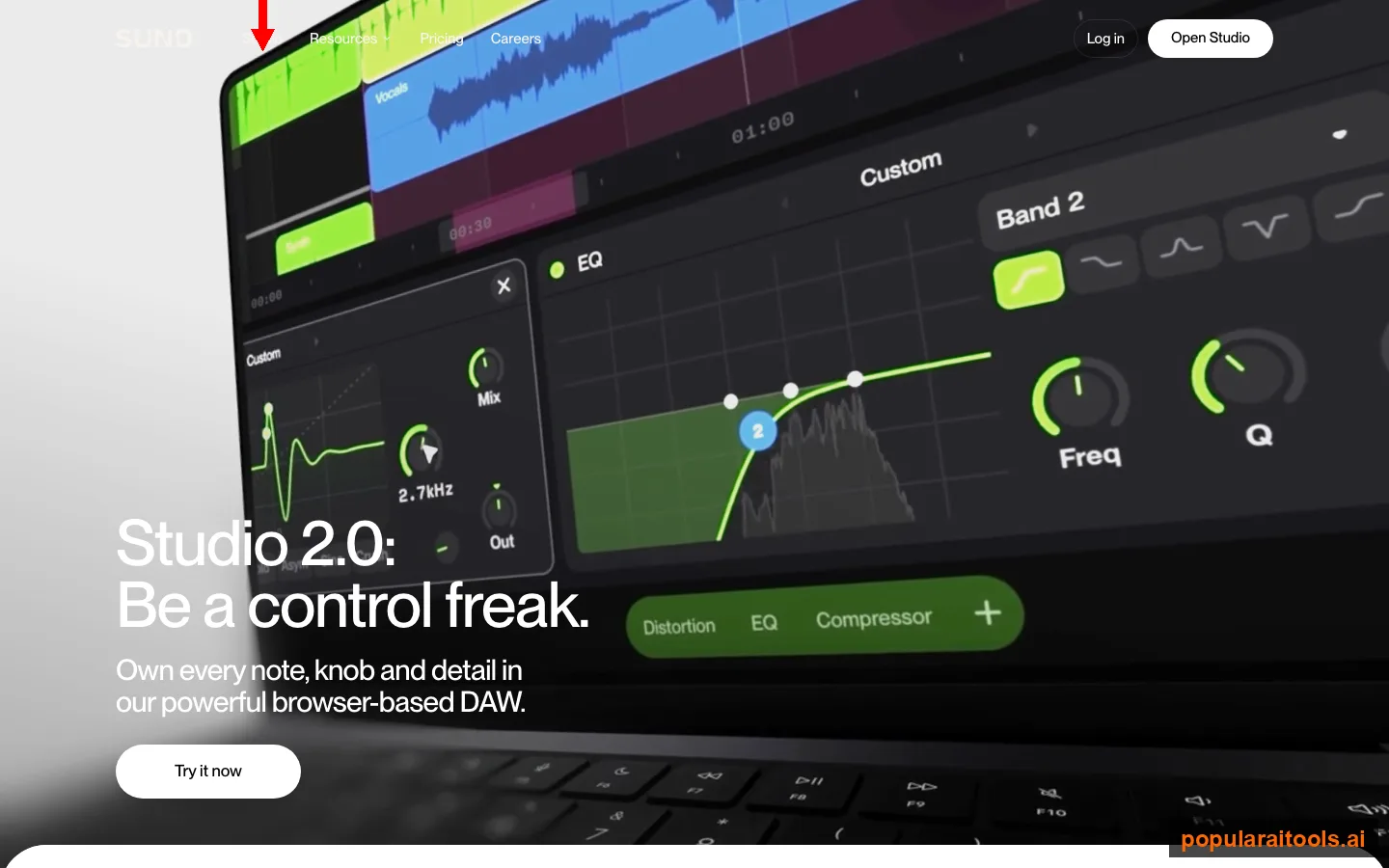
Stems did not move, and that is the ceiling. Split a v6 track in Studio and the drum stem is the surprise: crisp, kick and snare clearly separated, some artifacts on the cymbals. Guitar is not usable as delivered. It is highly compressed and buried in effects that are baked into the generated audio, so Studio's effect removal cannot reach them. Bass is the weakest stem in the set. If you play, feed Suno your own clips to steer the track, take the generated stem as a sketch, and record the part yourself. We cover the split modes in our artifact removal guide.
One genre note that has held across four model generations: blues rock and anything with a raw, distorted male vocal still produce more artifacts than the rest of the set, on v6 as well as v5.5. It is the request Suno struggles with most. Not everyone is convinced the new model is a step forward at all. A minority thread on r/SunoAI called v6 "basically Minimax Music on steroids," and if you loved the rougher personality of v4.5, v6-wild is the model that keeps some of it.
The new rules: download caps, licensed training and the ToS
Three things moved around the model, and for a working creator they matter as much as the sound. All three landed on 3 September 2026, six days before v6, and Suno laid them out in its downloads and Terms update.
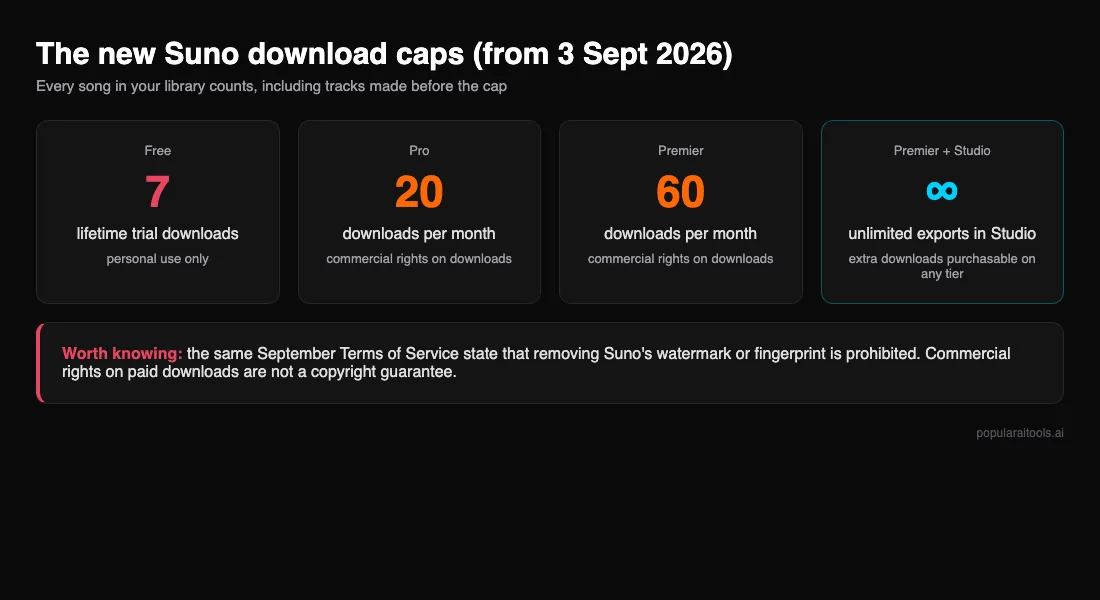
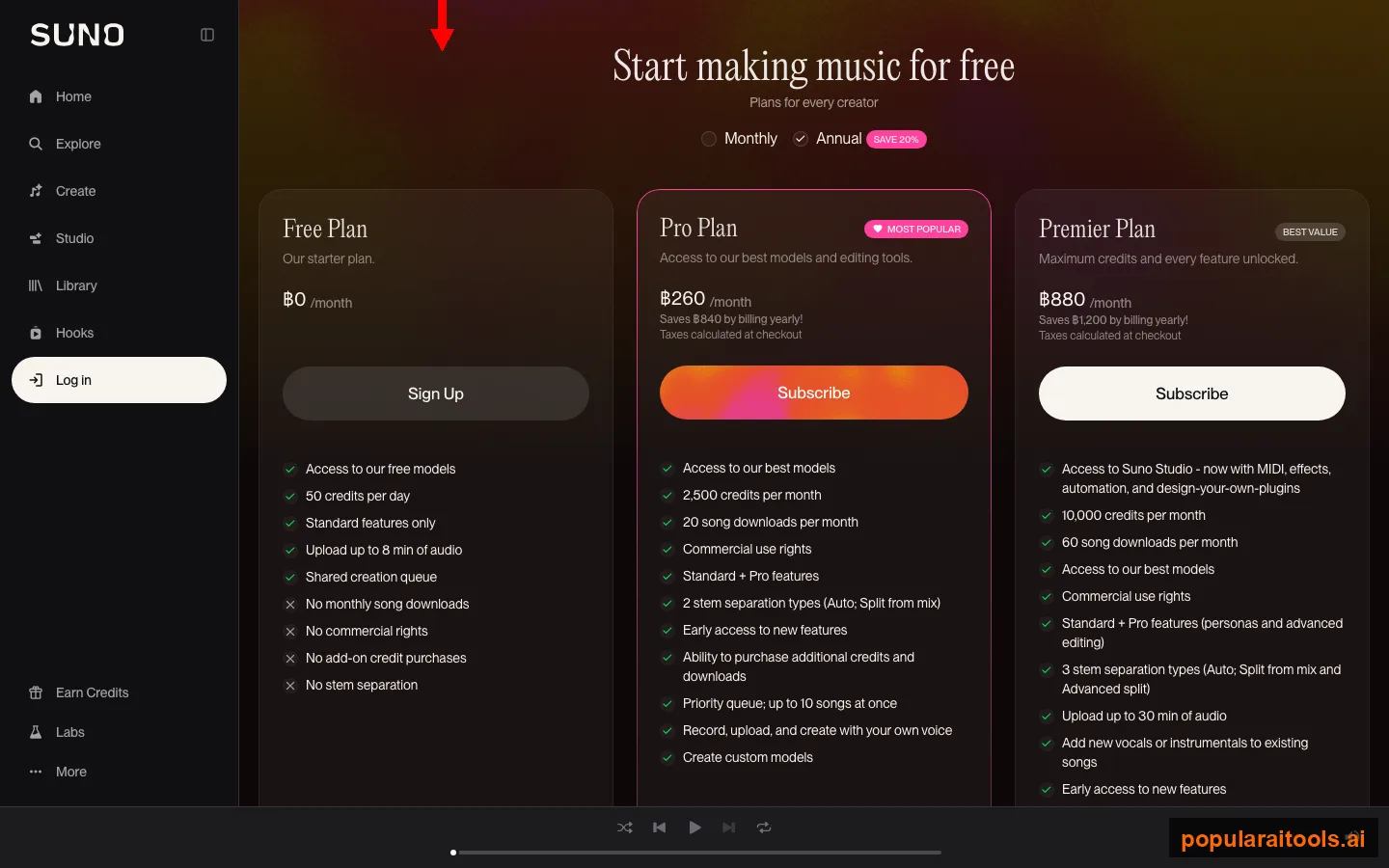
Download caps. Free accounts get 7 lifetime downloads for personal use. Pro gets 20 a month, Premier 60, and Premier subscribers using Suno Studio have unlimited exports inside Studio. Extra downloads can be bought. The part that stings: every song in your library counts, including tracks generated before the cap existed. Suno's stated reason is that limiting downloads "will make it harder for bad actors to mass-export music." In practice it means each download has to be a keeper, which is exactly why the sketch-on-mini, finish-on-v6 pattern below is worth adopting.
Commercial rights. The new Terms say that as a paying subscriber you have commercial rights to any song you download within your tier, and that songs downloaded on paid plans "remain yours to use commercially or personally." Two things that is not: it is not a copyright guarantee, and it does not cover free-tier downloads, which stay personal use. The Terms also state that removing Suno's watermark or fingerprint is prohibited. That clause is worth reading in full before you build a business on the platform, and it is the reason the section below is careful about what Undetectr does and does not do.
Licensed training. Suno says v6 was "developed in partnership with the music industry" and names Warner, BMG and Believe. The training set itself is not published. Creators on r/SunoAI read the label memo with open scepticism; one top comment called it "just another blatant move to strong arm and maintain control over the music industry." Whatever you think of the deal, the practical effect for you is upstream of your workflow: it changes who Suno pays, not what a distributor's screening model looks for when your track arrives.
Does Undetectr work with Suno v6?
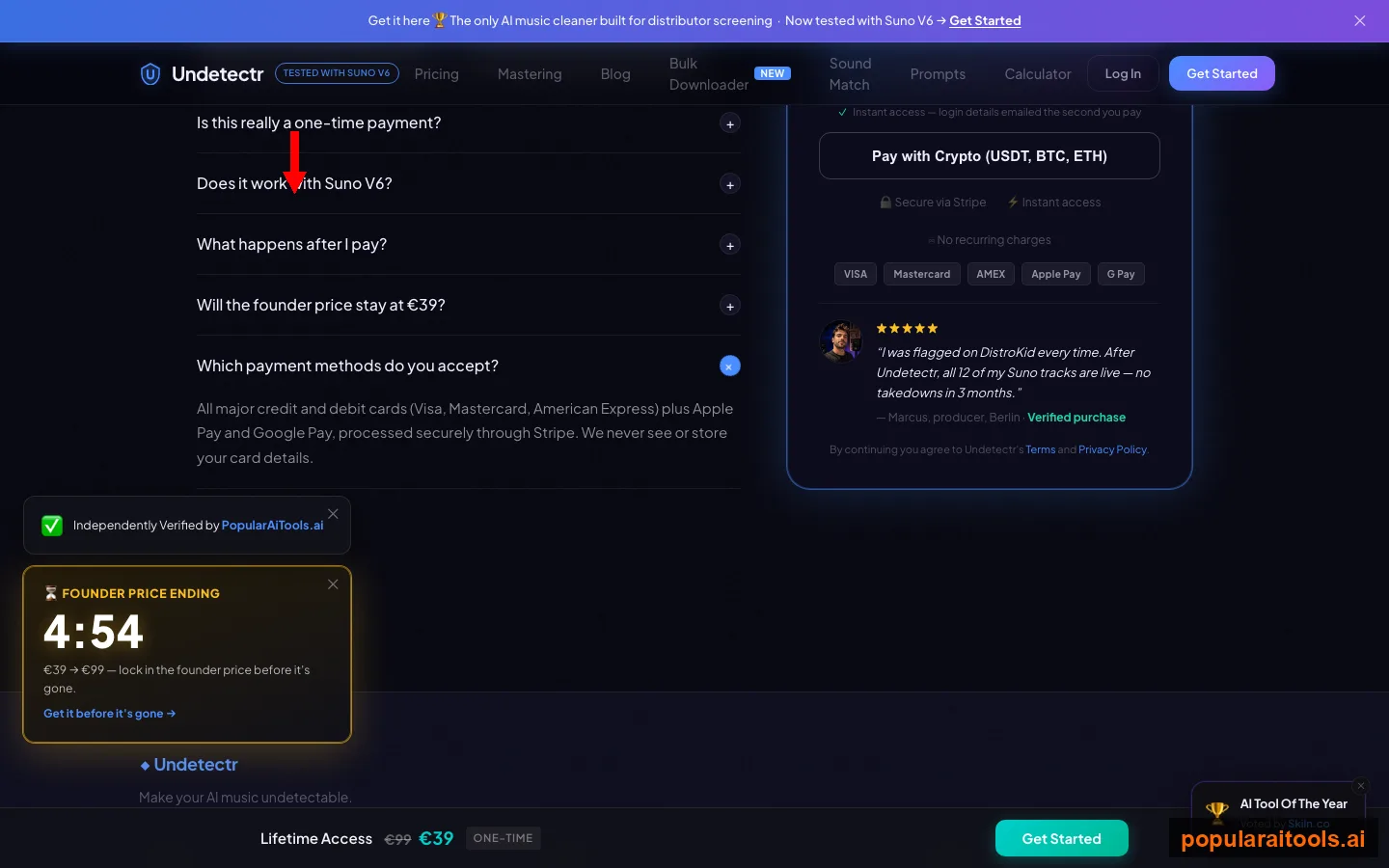
Yes. Undetectr states on its homepage that it is now tested with Suno V6, and its description of itself is precise: "the only AI music cleaner built for distributor screening." That framing matters. A new Suno model changes how your track sounds. It does not change what DistroKid, Spotify and Apple Music scan for when an AI-generated file is uploaded, and it is that screening layer, not the generator, that produces the rejections and takedowns we documented in why AI music gets rejected by DistroKid and Spotify.
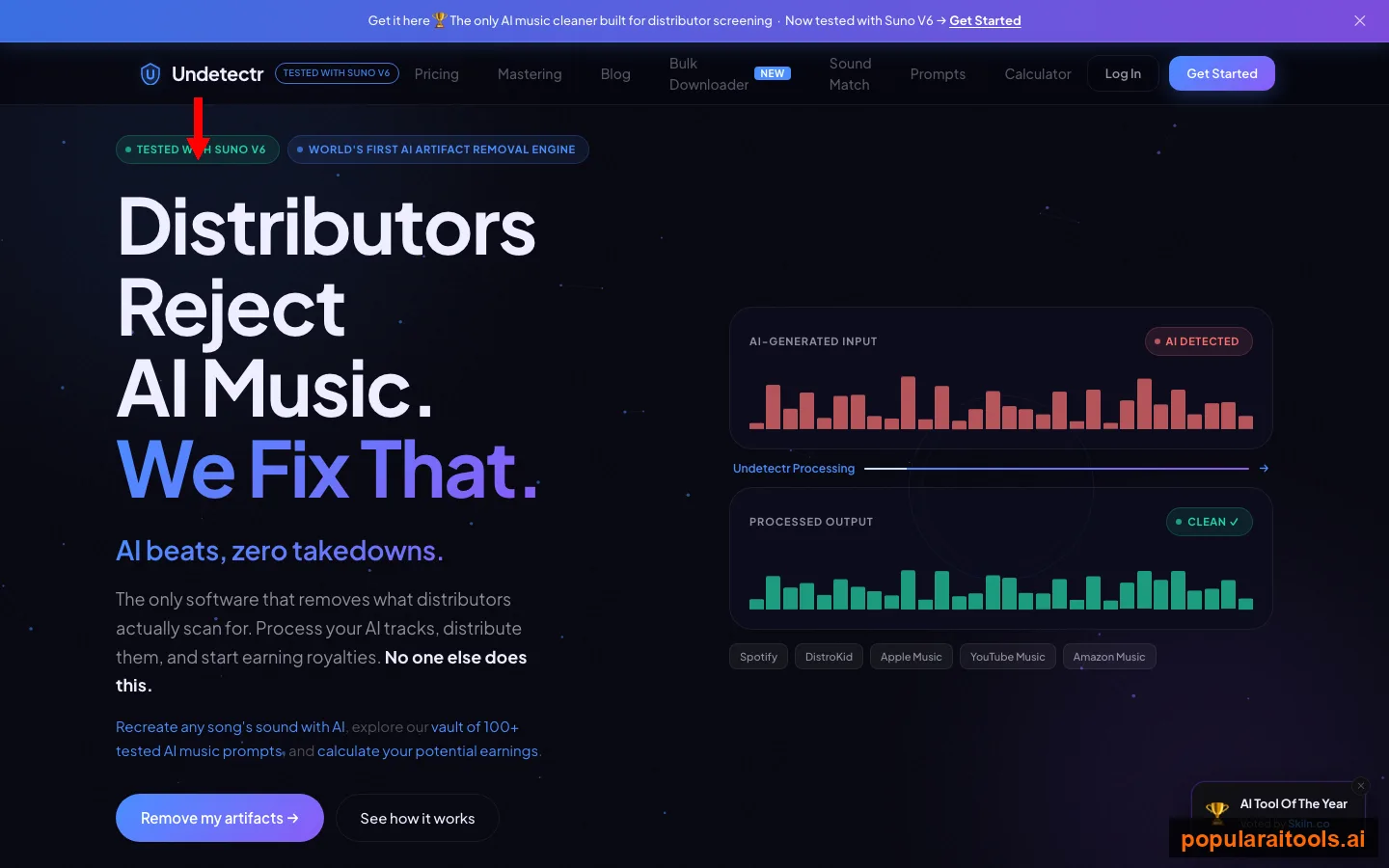
What it does: you drop an MP3, WAV or FLAC from any AI generator, Suno, Udio or otherwise, and it processes the file to normalise the spectral artifacts that AI-detection models key on. What it costs: a one-time payment, no subscription. What it is not: a way around Suno's Terms. The value is on the distributor side of the fence, where a clean file means one upload and royalties on every stream instead of a takedown loop that eats your monthly download cap on re-uploads. The background on how those detection systems work is in our detection arms race piece and Can Spotify detect AI music?
A v6 workflow that survives distribution
Put the three models, the download cap and the screening problem together and a workflow falls out of it. It is the one we would use for any v6 track heading to a store.
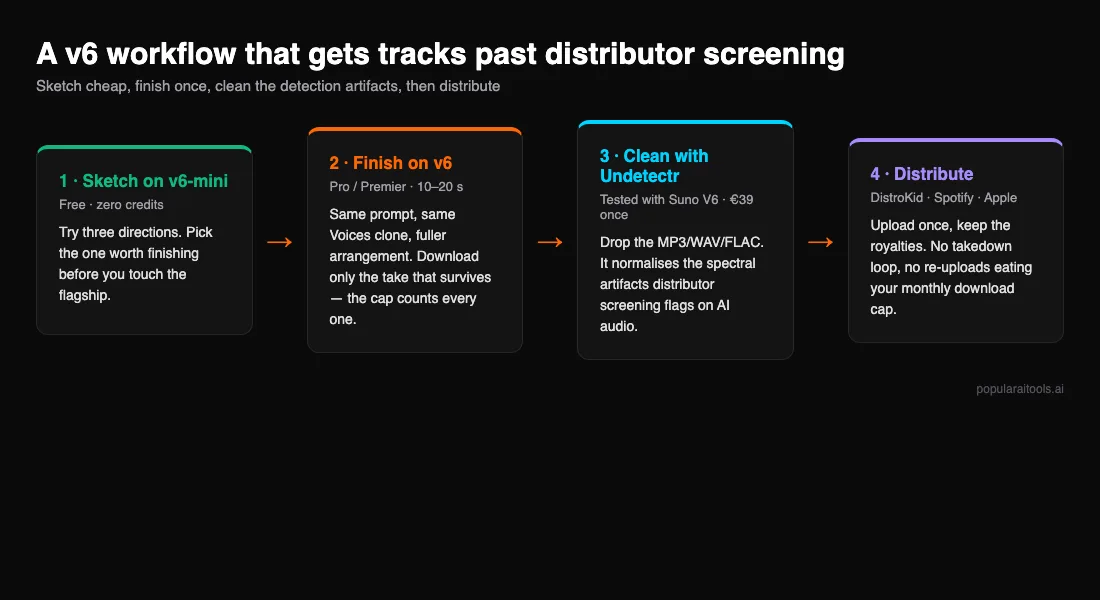
- Sketch on v6-mini. It is free, it lands close to v5.5, and it costs nothing to try three directions. Do not download anything yet; a Free account has 7 downloads for life.
- Finish on v6 (or v6-wild for attitude). Same prompt, same Voices clone, and keep Audio Influence in mind: at the default 25% the model roams, and raising it pulls the clone closer to your sample. Generate until you have the take, then download that one. On Pro that is one of 20 for the month.
- Decide what to do about the stems. Drums can stay. Guitar and bass are sketches; re-record them or accept them as production texture, but do not expect them to survive a critical listen. Our artifact removal guide covers the Studio split modes.
- Run the final file through Undetectr. Drop the MP3, WAV or FLAC and take the processed output. This is the step that addresses what the distributor's screening model looks at, and it is the one most creators skip until their first rejection email.
- Distribute once. Follow our Suno and Udio distribution guide for the DistroKid and Spotify steps, and keep the Suno to Spotify walkthrough handy for the metadata. One clean upload beats three rejected ones, and it does not burn your download cap on re-exports.
Which v6 model should you use?
There is no v5.5 decision left to make. The question is which v6 model, and whether to pay at all.
| You are… | Use | Why |
|---|---|---|
| On the free plan or watching credits | v6-mini | Close to v5.5, a shade ahead on vocals, costs nothing to iterate. |
| Making indie rock, R&B, metal or anything that runs on attitude | v6-wild | Won those genres on character. Least predictable vocal, so plan to fix it downstream. |
| Finishing a track you have already sketched | v6 | More control, fuller arrangement, and your credits go to the takes that survive. |
| A trained singer who wants it to sound like you | v6, then swap the vocal | Generate the song, isolate the vocal stem, and sing it yourself or use a dedicated cloner trained on your samples. |
Our take: v6 is the first Suno release where the free model is good enough to make the paid decision on evidence rather than hope. Sketch on mini until you have something worth finishing, upgrade for the finish, and treat every download as a deliberate act. And whichever model you pick, the file that leaves Suno still has to get past a screening system that has not read the press release. Clean it before you upload it. If you are weighing the money side of all this, our AI music earnings guide puts real numbers on it.
- Suno v5.5 Review 2026: AI Music Generation That Actually Sounds Good
- How to Make AI Music Undetectable: Complete Technical Guide
- Your AI Music Is Getting Rejected by DistroKid and Spotify: Here Is How to Fix It
- How to Get Your Suno and Udio Music on Spotify in 2026
- Suno AI Prompts Guide: 100+ That Actually Work
- How to Make Money with Suno AI: Complete Guide 2026
Frequently Asked Questions
Recommended AI Tools
played.fm
Sell your music and keep 100%: played.fm is a direct-to-fan store + sync marketplace with 0% commission, no gatekeepers, and no bans — a strong fit for AI musicians.
View Review →OpenCode
The open-source AI coding agent: terminal-first TUI, 75+ model providers, LSP context, subagents, and privacy-first design. Free software, ~180K GitHub stars.
View Review →Exa
The neural web search API for AI agents: embeddings-based retrieval, cited highlights, sub-180ms latency, and an MCP server. 20,000 free requests/month.
View Review →Google Antigravity
Google's agent-first IDE: run a fleet of AI agents from a Manager surface, on Gemini 3 Pro, Claude Sonnet 4.5, or OpenAI models. Free in public preview.
View Review →