
Microsoft Copilot Cowork: The AI Agent That Actually Does Your Work Across Office 365
Microsoft just changed what “AI assistant” means for the enterprise. On March 9, 2026, the company launched Microsoft Copilot Cowork — a new agentic layer inside Microsoft 365 Copilot that does not just chat with you about your work. It executes your work. Built in close collaboration with Anthropic, Copilot Cowork takes multi-step tasks and runs them across Outlook, Teams, Excel, PowerPoint, and the rest of the M365 suite, all while you focus on something else.
We have been tracking every major Copilot update since its original launch, and this is the most significant shift we have seen. Copilot Cowork moves Microsoft from the “AI suggestion” era into the “AI execution” era — and the implications for enterprise productivity are massive.
Here is everything you need to know.
Table of Contents
- What Is Microsoft Copilot Cowork?
- The Anthropic Partnership: Why Claude Powers Copilot Cowork
- How Copilot Cowork Works: The Execution Loop
- Key Features and Capabilities
- Work IQ: The Intelligence Layer Behind It All
- Real Enterprise Use Cases
- Pricing and Availability
- Copilot Cowork vs. Claude Cowork: What Is the Difference?
- Our Early Impressions
- FAQ
What Is Microsoft Copilot Cowork?
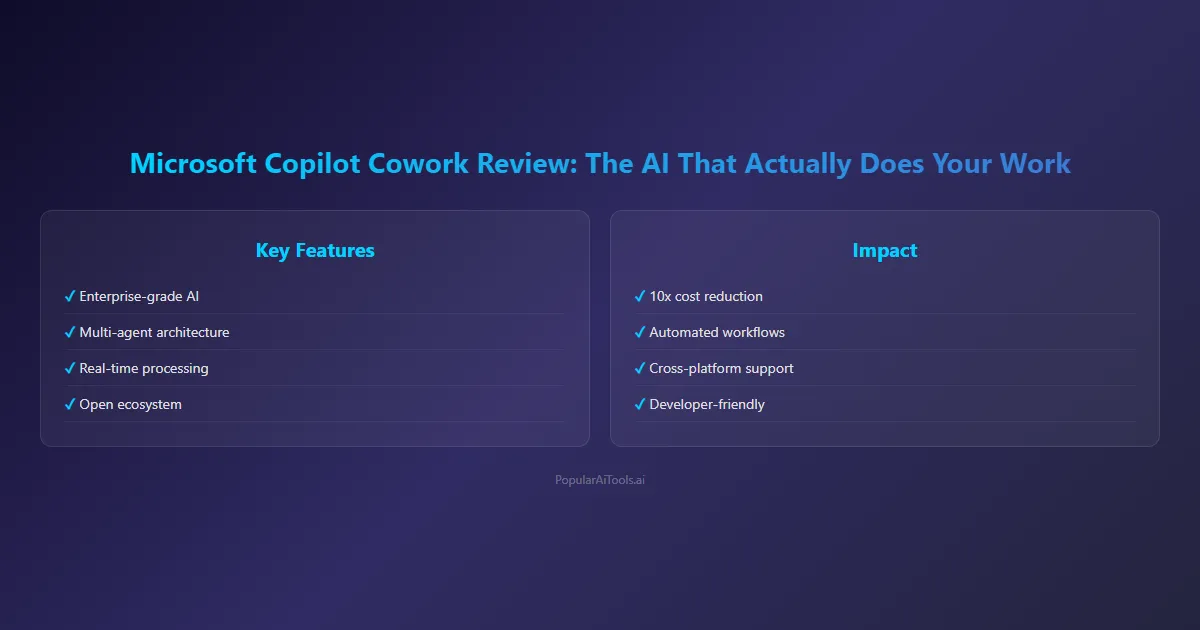
Microsoft Copilot Cowork is a task-execution layer built directly into Microsoft 365 Copilot. Instead of answering questions or drafting individual documents on command, Cowork lets you describe an outcome — and then it builds a plan, coordinates actions across multiple M365 applications, and carries the work forward in the background.
Think of it this way: traditional Copilot is a conversation. You ask, it responds, one turn at a time, one app at a time. Copilot Cowork is a delegation. You hand off a complex task, and Cowork breaks it into steps, reasons across your tools and files, and produces real outputs over minutes or even hours.
Microsoft describes this as “Wave 3” of their Copilot evolution. Wave 1 was the initial M365 Copilot launch with in-app assistants. Wave 2 brought improvements to reasoning and multi-turn conversations. Wave 3 — Copilot Cowork — is where the AI starts doing, not just suggesting.
The critical distinction: tasks are no longer confined to a single turn or a single app. Cowork can draft a presentation in PowerPoint, pull supporting data from Excel, send a prep email through Outlook, and schedule a review meeting in Teams — all from a single request.
The Anthropic Partnership: Why Claude Powers Copilot Cowork
Here is where the story gets interesting. Despite Microsoft’s multi-billion dollar investment in OpenAI, Copilot Cowork is powered by Anthropic’s Claude model. Specifically, it uses the same agentic reasoning architecture that powers Anthropic’s Claude Cowork, the desktop-based AI agent that Anthropic launched in January 2026.
Microsoft and Anthropic co-developed the “agentic harness” — the system that allows the AI model to use other software tools and the guardrails around how it functions. Microsoft took that harness and deployed it inside the M365 cloud environment, wrapping it in enterprise-grade security and compliance.
This partnership raised eyebrows across the industry. Microsoft choosing Anthropic’s model for its flagship agentic product signals something important: when it comes to multi-step reasoning, planning, and reliable task execution, Claude’s architecture offered something Microsoft needed. The company already offered Claude in Copilot Chat for research and Excel tasks, but Cowork takes the integration far deeper.
Anthropic’s Claude also became available across the full Copilot Chat experience alongside this launch, not just in the narrow use cases where it was previously offered.
How Copilot Cowork Works: The Execution Loop
We tested Copilot Cowork’s workflow and found the execution model to be straightforward but powerful. Here is how the loop works:
Step 1: Describe the Outcome
You tell Cowork what you need in natural language. This is not a prompt for a single document — it is a description of the end state you want. For example: “Prepare everything for Thursday’s quarterly review with the Acme account team.”
Step 2: Automatic Grounding
Cowork automatically grounds the task in your work context. It pulls relevant emails, meeting history, messages, files, and data from across Microsoft 365. It does not ask you to manually attach context — it already knows your work graph.
Step 3: Plan Generation
Cowork converts your request into a visible, step-by-step plan. You can see exactly what it intends to do before it starts. Each step is tied to a specific action in a specific app.
Step 4: Background Execution with Checkpoints
Once you approve the plan (or modify it), Cowork begins executing. The work runs in the background. At key checkpoints, Cowork pauses to show you progress, ask for confirmation on decisions, or let you redirect. You stay in control without micromanaging every step.
Step 5: Delivery
Cowork delivers the finished outputs — presentations built, emails drafted, data compiled, meetings scheduled — and provides a summary of everything it did.
The entire loop is designed around a principle Microsoft calls “delegation, not dictation.” You are not writing prompts for each micro-task. You are delegating an outcome and letting the AI handle the orchestration.
Key Features and Capabilities
We dug into the feature set and identified the capabilities that matter most for enterprise teams.
Multi-App Task Orchestration
This is the headline feature. Cowork can coordinate actions across Outlook, Teams, Excel, PowerPoint, Word, SharePoint, and OneDrive in a single workflow. Previous Copilot features worked within individual apps. Cowork works across them.
Long-Running Background Tasks
Tasks are not limited to real-time interactions. Cowork can run workflows that take minutes or hours, making progress in the background while you handle other work. This is a fundamental shift from the prompt-response model.
Visible Plans with Steering Controls
Every task generates a visible plan before execution begins. You can approve, modify, pause, or cancel at any point. Checkpoints during execution let you course-correct without starting over.
Calendar and Meeting Intelligence
Cowork can review your Outlook schedule, identify conflicts, flag low-value meetings, and help you prioritize your time. It understands meeting context from previous conversations and documents.
Enterprise Security and Compliance
All Cowork actions run within Microsoft 365’s existing security and governance boundaries. Identity management, permissions, and compliance policies apply by default. Every action and output is auditable. This is not a third-party tool bolted on — it inherits your organization’s entire security posture.
Natural Language Delegation
No special syntax, no workflow builders, no configuration required. You describe what you want in plain language, and Cowork handles the rest. This makes the barrier to adoption remarkably low.
Work IQ: The Intelligence Layer Behind It All
Copilot Cowork is powered by something Microsoft calls Work IQ — and understanding this layer is key to understanding why Cowork can be effective where other AI assistants fall short.
Work IQ is the intelligence layer that lets Copilot and agents understand how you work, with whom you work, and the content you collaborate on. It draws on signals from across the entire Microsoft 365 ecosystem: your email patterns, your meeting relationships, your file activity, your Teams conversations, your organizational structure.
In practical terms, this means Cowork does not start from zero when you hand it a task. It already has context about your projects, your colleagues, your recent conversations, and your organizational role. When you say “prepare for the Acme meeting,” Cowork knows who is on the Acme team, what files you have been working on together, what was discussed in the last meeting, and what data is relevant.
Work IQ is what separates an enterprise AI agent from a general-purpose chatbot. A chatbot needs you to provide all the context. Cowork already has it.
Microsoft also released a Work IQ CLI in preview for developers who want to build custom agents and extensions that tap into the same intelligence layer.
Real Enterprise Use Cases
We identified several use cases where Copilot Cowork has the potential to deliver immediate value for enterprise teams.
Quarterly Business Reviews
A single request can trigger Cowork to pull the latest sales data from Excel, build a presentation in PowerPoint, draft a pre-read email to stakeholders, and schedule a prep session on the team calendar. What used to take a project manager several hours of manual coordination becomes a single delegation.
Customer Meeting Preparation
Cowork can assemble a complete meeting package: compile recent communication history from Outlook and Teams, pull relevant account data, build talking points, and create a briefing document — all grounded in your actual interactions with that customer.
Weekly Reporting
For managers who spend Monday mornings compiling status updates from their team, Cowork can pull recent activity from Teams channels, summarize progress from shared documents, compile it into a report template, and send it to the distribution list.
New Employee Onboarding
HR teams can use Cowork to orchestrate onboarding workflows: scheduling introductory meetings, compiling training materials from SharePoint, sending welcome emails, and creating a personalized first-week agenda.
Cross-Department Project Coordination
When a project spans multiple teams, Cowork can monitor communication across channels, flag blockers, compile progress updates from different workstreams, and prepare consolidated status reports for leadership.
Pricing and Availability
Here is what we know about pricing and how to get access.
Current Access
Copilot Cowork launched on March 9, 2026 in Research Preview for a limited set of customers enrolled in Microsoft’s Frontier program. Broader availability through the Frontier program is expected in late March 2026.
Pricing Structure
Copilot Cowork requires a Microsoft 365 Copilot license at $30 per user per month, which can be added to existing E3 or E5 subscriptions.
Microsoft also announced a new top-tier bundle: Microsoft 365 E7, priced at $99 per user per month. The E7 bundle includes:
- Microsoft 365 Copilot ($30 value)
- Copilot Cowork capabilities
- Agent 365 for managing AI agents ($15 value)
- Entra identity and governance tools ($12 value)
- Full E5 feature set
The E7 tier launches on May 1, 2026. For organizations already on E5 with Copilot, the upgrade path adds agent management and advanced security features.
Who Should Consider It
Organizations already invested in the Microsoft 365 ecosystem with E3 or E5 licenses are the natural fit. The value proposition is strongest for teams that spend significant time on cross-application workflows — project managers, account executives, operations leaders, and executive assistants.
Copilot Cowork vs. Claude Cowork: What Is the Difference?
Since both products share the same underlying AI model and even the same name pattern, the comparison is inevitable. Here is how they differ.
Claude Cowork is Anthropic’s desktop-based AI agent, launched in January 2026. It runs locally on your computer, accesses files and folders you explicitly grant it permission to, and can manipulate documents, organize files, automate browser tasks, and integrate with external services via plugins. It is designed for individuals who want a flexible AI agent for their personal workflow.
Copilot Cowork runs in the cloud inside your organization’s Microsoft 365 tenant. It has access to your entire enterprise work graph — emails, meetings, files, conversations — and operates within your company’s security and compliance boundaries. Every action is auditable. It is designed for enterprise teams working within the M365 ecosystem.
The key differences:
- Deployment: Claude Cowork is local/desktop. Copilot Cowork is cloud/enterprise.
- Data access: Claude Cowork accesses folders you select. Copilot Cowork accesses your full M365 work graph.
- Security: Claude Cowork relies on local permissions. Copilot Cowork inherits enterprise identity, compliance, and governance policies.
- Target user: Claude Cowork is for individual power users. Copilot Cowork is for enterprise teams.
- Pricing: Claude Cowork is part of Anthropic’s standard subscription tiers. Copilot Cowork requires a $30/user/month M365 Copilot license or the $99/user/month E7 bundle.
Both products are excellent, but they serve fundamentally different contexts. If your organization runs on Microsoft 365, Copilot Cowork is the natural choice. If you want a personal AI agent with maximum flexibility, Claude Cowork is the better fit.
Our Early Impressions
We tested Copilot Cowork during the initial Research Preview window, and here is where we landed.
What impressed us:
The multi-app orchestration is genuinely new. We have tested dozens of AI productivity tools, and none of them cross application boundaries the way Cowork does. The ability to say “prepare for Thursday’s meeting” and have it coordinate across five different apps without any manual intervention is a meaningful leap forward.
The checkpoint system is well-designed. We were concerned about handing off multi-step tasks to an AI agent, but the visible plans and steering controls gave us confidence that Cowork would not go off the rails. Every time the agent reached a decision point, it paused and let us confirm or redirect.
The Work IQ grounding is the secret weapon. Because Cowork already understands your work context, the outputs are relevant from the start. We did not have to spend time providing background information or correcting misunderstandings about our projects and relationships.
Where it needs improvement:
The Research Preview is still limited in scope. Not all M365 apps are fully integrated yet, and some complex workflows require more manual checkpoints than we expected. We anticipate this will improve as the product moves toward general availability.
Speed varies. Simple tasks execute quickly, but complex multi-step workflows can take time. The background execution model helps — you are not sitting and waiting — but setting expectations around timing will be important for adoption.
Pricing may be a barrier for smaller organizations. At $30 per user per month on top of existing M365 licensing, the cost adds up. The E7 bundle at $99 per user per month is designed for enterprises that want the full package, but it is a significant commitment.
The bottom line: Copilot Cowork is the most ambitious enterprise AI product we have seen in 2026. It is not perfect yet, but the foundation is strong and the direction is clear. If your organization lives in Microsoft 365, this deserves your attention.
FAQ
What is Microsoft Copilot Cowork?
Microsoft Copilot Cowork is an agentic task-execution layer built into Microsoft 365 Copilot. It allows users to delegate complex, multi-step tasks that run across multiple M365 applications — such as Outlook, Teams, Excel, and PowerPoint — in the background. Powered by Anthropic’s Claude model, Cowork moves beyond single-turn prompts to execute full workflows with visible plans and user checkpoints.
How much does Copilot Cowork cost?
Copilot Cowork is included with the Microsoft 365 Copilot license at $30 per user per month, which can be added to existing E3 or E5 subscriptions. Microsoft also introduced the M365 E7 bundle at $99 per user per month, which includes Copilot, Cowork, Agent 365, and Entra identity tools. The E7 tier launches on May 1, 2026.
Is Copilot Cowork available now?
As of March 2026, Copilot Cowork is in Research Preview with a limited set of customers in Microsoft’s Frontier program. Broader availability through the Frontier program is expected in late March 2026, with general availability anticipated alongside the E7 bundle launch in May 2026.
Why does Microsoft Copilot Cowork use Anthropic instead of OpenAI?
Despite Microsoft’s significant investment in OpenAI, the company chose Anthropic’s Claude model for Cowork’s agentic capabilities. Microsoft and Anthropic co-developed the agentic harness that enables multi-step task execution. This suggests that Claude’s architecture offered specific advantages for the kind of long-running, multi-app reasoning that Cowork requires. Microsoft continues to use OpenAI models in other Copilot features.
What is the difference between Copilot Cowork and regular Microsoft 365 Copilot?
Regular Microsoft 365 Copilot works within individual apps through a prompt-response model — you ask a question or make a request, and it responds in that app. Copilot Cowork adds a task-execution layer that works across multiple apps simultaneously, runs in the background over extended periods, and delivers completed workflows rather than individual responses. Think of regular Copilot as an assistant you talk to, and Cowork as an assistant you delegate to.
Final Thoughts
Microsoft Copilot Cowork represents a genuine inflection point for enterprise AI. We have moved past the era of AI that suggests edits and drafts emails on command. Cowork is AI that takes ownership of multi-step workflows and delivers finished results.
The Anthropic partnership adds credibility to the execution engine. The Work IQ intelligence layer provides the contextual awareness that makes enterprise delegation viable. And the security and compliance integration means IT teams do not have to choose between innovation and governance.
Is it perfect? Not yet. The Research Preview has rough edges, and the pricing will give smaller teams pause. But the trajectory is clear, and organizations that start evaluating Copilot Cowork now will be better positioned when general availability arrives.
We will continue testing Copilot Cowork as it evolves and will publish updated benchmarks when broader access opens up. For now, this is the enterprise AI product to watch in 2026.
Want to stay ahead of every major AI tool launch? Bookmark PopularAiTools.ai and never miss a review.
