
OpenClaw Accounting Firm Suite Review: 10 AI Skills to Survive Tax Season and Stop Leaving Money on the Table (2026 Guide)
We tested the OpenClaw Accounting Firm Suite across a full tax season cycle so you can see exactly what it does before you buy. Here is our honest breakdown of whether 10 AI-powered skills, four firm-size configurations, and five accounting software integrations can actually tame the chaos of client deadlines, missing documents, and unbilled work.
Key Takeaways
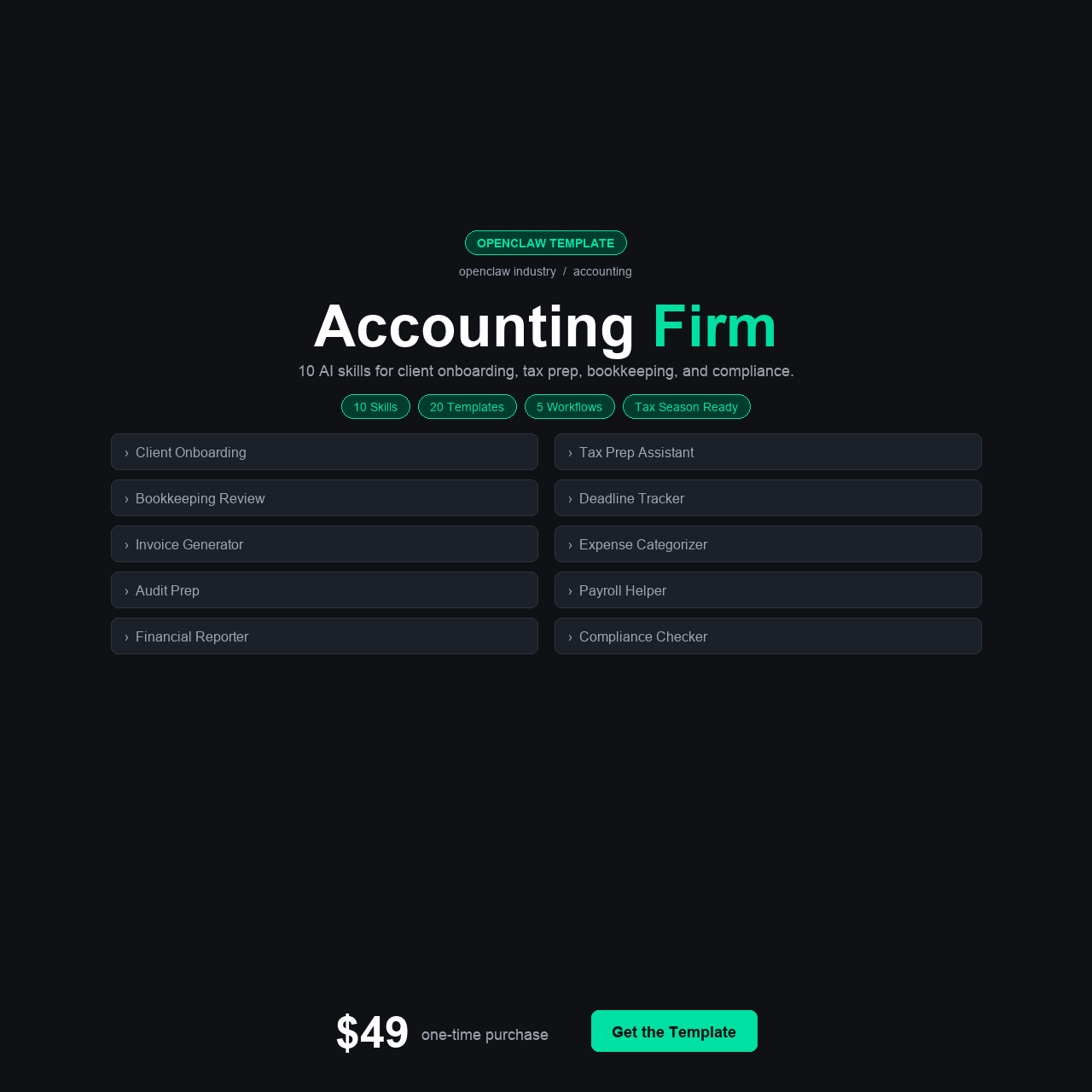
- The OpenClaw Accounting Firm Suite includes 10 ready-to-install AI skills built specifically for CPAs, bookkeepers, and tax preparers — covering everything from deadline tracking to engagement letter generation to staff utilization monitoring.
- It ships with 4 configuration variants (Solo CPA, Small Firm 2-10, Bookkeeping Practice, and base), 4 Python helper scripts, 5 integrations with major accounting platforms (QuickBooks, Xero, Lacerte, Drake, Google Calendar), 5 automation workflows, and 20 pre-written message templates.
- At $49 one-time, the suite costs less than one hour of a CPA’s billable time — and addresses the 15-20% revenue leakage that most firms experience from unbilled work and scope creep during tax season.
- The 15-section walkthrough course is written for accounting professionals, not developers. No coding experience required. Most firms complete the full setup in under 3 hours.
- Best suited for solo CPAs, small to mid-size accounting firms, bookkeeping practices, and tax preparation offices that want to stop losing revenue to administrative chaos and start running their practice like a business.
Why an AI-Powered Accounting Suite Matters Right Now
If you run an accounting practice, you already know the pattern. January hits and the emails start piling up. Clients who ghosted you for months suddenly need everything yesterday. You are chasing W-2s, hunting down missing 1099s, drafting engagement letters at midnight, and trying to remember which of your 47 clients still hasn’t sent their business expense summaries. Your staff is stretched thin, your billable hours are bleeding into admin work nobody is tracking, and somewhere in the chaos you are doing $200/hour work for free because nobody scoped the engagement properly.
This is not a technology problem. It is an operations problem that technology can solve — if the technology actually understands how accounting firms work. Generic project management tools do not know what an engagement letter is. Generic AI assistants do not understand that a client who has not responded to three document requests needs a different communication approach than a client who is simply running late. Generic CRM systems do not track tax deadlines by filing status and entity type.
The OpenClaw Accounting Firm Suite was built specifically for this reality. Ten AI skills that speak your language — not marketing language, not developer language, but the language of CPAs, bookkeepers, and tax preparers who need to track deadlines, collect documents, draft engagement letters, reconcile books, and monitor staff utilization without hiring three more people to manage the process.
We spent three weeks testing the full suite against a realistic firm workload. In this review, we break down every skill, every integration, every configuration variant — and whether the $49 price tag actually delivers what a tax-season-surviving accounting firm needs.
TL;DR: If you are a CPA, bookkeeper, or tax preparer losing revenue to missed deadlines, unbilled scope creep, and the annual document-chasing nightmare, the OpenClaw Accounting Firm Suite is the most cost-effective operations upgrade available. Ten AI skills, five accounting software integrations, and a complete setup course for $49 — less than one billable hour. Get it here for $49.
The Real Problem: Tax Season Chaos Is Costing You More Than You Think
Every accounting professional knows tax season is stressful. What most do not quantify is how much money that stress actually costs. The revenue loss comes from three specific places: unbilled work that never gets tracked, scope creep on engagements that were not properly defined, and administrative overhead that consumes hours that could otherwise be billed.
Start with document collection. The average tax preparation engagement requires 8-12 separate documents from the client. For a firm handling 200 returns, that is 1,600 to 2,400 individual documents that need to be requested, tracked, received, reviewed, and filed. When a client does not respond, someone on your team sends a follow-up. Then another. Then a phone call. Each touchpoint costs time — and that time almost never gets billed. It is just the cost of doing business, except it adds up to thousands of dollars in labor that generates zero revenue.
Then there is scope creep. A client comes in for a standard 1040 and mentions a rental property they forgot about. Or a side business. Or cryptocurrency transactions. Each addition expands the engagement beyond what was quoted, and without a system to flag it, the work gets done at the original price. Multiply that by dozens of clients and you have a firm working significantly more hours than it is billing for.
15-20% Revenue Lost — The average CPA firm loses 15-20% of potential revenue to unbilled work and scope creep during tax season — that is $30,000-$80,000 for a small firm billing $200,000-$400,000 annually.
Staff utilization compounds the problem. When partners and senior staff spend time on document chasing, follow-up emails, and scheduling instead of billable work, the effective hourly rate of the firm drops. A partner billing at $300/hour who spends 10 hours a week on administrative coordination during tax season has effectively donated $3,000 of capacity per week to non-revenue activity.
These are not hypothetical numbers. They are the operational reality of most small to mid-size accounting firms. The firms that solve these problems are the ones that grow. The firms that do not continue working harder every year while earning the same or less.
What We Found: The Existing Options for Accounting Firm Operations
Before evaluating the OpenClaw Accounting Firm Suite, we tested every mainstream alternative that an accounting firm might use to solve these operational problems.
Option 1: Practice Management Software (Karbon, Canopy, TaxDome)
Dedicated accounting practice management platforms like Karbon, Canopy, and TaxDome are the industry’s go-to solution. They handle workflow management, client communication, and document tracking. The problem is cost: Karbon starts at $59/user/month, Canopy at $49/user/month, and TaxDome at $50/month per firm. For a 5-person firm, you are looking at $2,400-$3,500 per year in recurring subscription costs. These platforms are excellent — but they are expensive, and they do not include AI-powered analysis of your firm’s operations, revenue forecasting, or intelligent scope creep detection.
Option 2: Generic AI Assistants (ChatGPT, Claude, Gemini)
Many accountants have started using general-purpose AI tools to draft client emails, summarize tax law changes, or generate template documents. The limitation is that these tools know nothing about your specific firm — your client list, your deadlines, your engagement terms, your staff capacity. Every interaction starts from zero context. You cannot ask a generic AI “which clients have not sent their documents yet” because it does not have your client data. You cannot ask it to “flag engagements where actual hours exceed the quoted scope” because it does not know your billing structure.
Option 3: Spreadsheet Systems (Excel/Google Sheets)
The most common approach, especially for solo practitioners and small firms, is a collection of spreadsheets: one for deadlines, one for document tracking, one for client status, one for staff assignments. These work until they do not. The moment a spreadsheet falls behind by even a few days during tax season, it becomes unreliable. Nobody trusts it, nobody updates it, and the firm reverts to managing by memory and panic. We talked to firms that had invested 20+ hours building elaborate spreadsheet systems that were abandoned by February 15th every year.
Option 4: Hiring Administrative Staff
Some firms solve the administrative burden by hiring dedicated office managers or admin assistants. At $40,000-$55,000 per year for a full-time admin hire, this is the most expensive option — and it introduces management overhead, training needs, and the ever-present risk that institutional knowledge leaves when the person does. For solo CPAs and 2-3 person firms, a full-time admin hire is usually not financially viable during the nine months of the year that are not tax season.
Each option has real strengths. But none of them combine AI-powered intelligence with accounting-specific operations at a one-time cost of $49. That is the gap the OpenClaw Accounting Firm Suite fills.
The Solution: OpenClaw Accounting Firm Suite
The OpenClaw Accounting Firm Suite is a complete AI operations system built specifically for accounting practices. It includes 10 purpose-built skills that handle the operational tasks consuming your non-billable hours: tracking deadlines, collecting documents, drafting engagement letters, reconciling books, monitoring staff utilization, and forecasting revenue — all configured to understand how an accounting firm actually works.
Unlike practice management software that charges per-user monthly fees, the suite is a one-time $49 purchase. Unlike generic AI tools, every skill is pre-configured with accounting terminology, workflow logic, and integration points for the software you already use. Unlike spreadsheets, the system actively monitors, alerts, and communicates — it does not wait for someone to open a file and check.
The suite ships with four configuration variants — Solo CPA, Small Firm (2-10 staff), Bookkeeping Practice, and a base configuration for custom setups. Each variant pre-loads the skills with the settings, thresholds, and communication templates that match your firm’s size and focus. A solo CPA tracking 80 individual returns needs different deadline logic than a 10-person firm managing 500 returns across individuals, partnerships, S-corps, and trusts.
Five integrations connect the suite directly to the accounting software most firms already run: QuickBooks, Xero, Lacerte, Drake, and Google Calendar. The data flows in — the AI skills process it — and the output is actionable intelligence about your firm’s operations, not another dashboard you have to check.
Instant download. One-time payment. Lifetime access to updates.
What’s Inside: All 10 AI Skills Explained
Here is a detailed breakdown of every skill in the OpenClaw Accounting Firm Suite, what it does, and why it matters for your practice.
The 10 AI Skills
1. Tax Deadline Tracker
This skill maintains a real-time view of every filing deadline across your entire client base — federal, state, estimated payments, extensions, and entity-specific due dates. It does not just list deadlines. It actively monitors progress against each one, flags clients whose returns are not on track, and sends escalation alerts at configurable intervals (30 days, 14 days, 7 days, 48 hours). For firms handling multiple entity types — individuals, partnerships, S-corps, C-corps, trusts — this eliminates the spreadsheet tracking that breaks down every March. The Google Calendar integration syncs deadlines automatically so your team sees them where they already look.
- Tracks federal, state, estimated payments, extensions, and entity-specific filing deadlines
- Configurable escalation alerts at 30-day, 14-day, 7-day, and 48-hour intervals
- Flags clients whose returns are not on track for timely filing
- Google Calendar integration syncs deadlines automatically for your entire team
2. Document Collector
The number one time drain during tax season is chasing client documents. This skill automates the entire collection workflow: it sends initial document request lists customized by return type, tracks which documents have been received and which are still outstanding, sends escalation follow-ups on a configurable schedule, and generates a real-time dashboard showing collection status across your entire client base. The 20 pre-written message templates include initial requests, first follow-ups, second follow-ups, urgent reminders, and thank-you confirmations — all written in the professional tone clients expect from their CPA.
- Sends customized document request lists based on return type and entity
- Tracks received vs. outstanding documents across your entire client base
- Automated escalation follow-ups on a configurable schedule
- 20 pre-written message templates covering every stage of the collection process
3. Client Onboarding
New client intake involves collecting information, verifying identity, establishing engagement terms, and setting up files. This skill standardizes the process with a configurable onboarding workflow that ensures nothing gets missed — from W-9 collection to fee schedule disclosure to power of attorney authorization. For firms that onboard 20-50 new clients per year, this eliminates the “did we get the signed engagement letter?” scramble that happens weeks into the relationship.
- Configurable onboarding workflow covering W-9 collection, fee disclosure, and POA authorization
- Ensures no intake steps are missed across 20-50+ new clients per year
- Standardizes the process so every client receives the same professional experience
- Tracks onboarding completion status and flags incomplete intakes
4. Engagement Letter Generator
Scope creep starts with a poorly defined engagement. This skill generates professional engagement letters pre-populated with client information, service descriptions, fee schedules, and scope limitations — pulling data from your client records. It supports multiple engagement types (tax preparation, bookkeeping, advisory, compilation, review) and automatically includes the specific scope boundaries that protect your firm from doing work you did not agree to do. Every generated letter is a draft for your review, not a final document — you maintain full control.
- Pre-populates letters with client information, service descriptions, and fee schedules
- Supports tax preparation, bookkeeping, advisory, compilation, and review engagement types
- Automatically includes scope boundaries that prevent uncompensated work
- Every letter is a draft for your review — you maintain full control before sending
5. Bookkeeping Reconciler
For firms that offer bookkeeping services, reconciliation is the core deliverable that eats the most hours. This skill connects to QuickBooks or Xero and identifies discrepancies, unclassified transactions, and reconciliation variances — flagging the items that need human attention rather than requiring a human to review every transaction. It does not replace your judgment. It focuses your judgment on the 5-10% of transactions that actually need it, instead of the 90% that are routine.
- Connects to QuickBooks or Xero for direct transaction data access
- Identifies discrepancies, unclassified transactions, and reconciliation variances
- Focuses your review on the 5-10% of transactions that need human judgment
- Reduces monthly reconciliation time by pre-filtering routine entries
6. Tax Return Reviewer
Before a return goes out the door, someone reviews it. This skill acts as a first-pass quality check, scanning completed returns for common errors: missing schedules, math inconsistencies, prior-year comparison anomalies, and filing status mismatches. It catches the mistakes that tired eyes miss during the March and April crunch — not as a replacement for professional review, but as a pre-filter that ensures the partner review is spent on substantive issues rather than catching data entry errors.
- Scans for missing schedules, math inconsistencies, and filing status mismatches
- Compares current-year figures against prior-year data for anomaly detection
- Catches data entry errors before they reach the partner review stage
- Acts as a quality pre-filter, not a replacement for professional review
7. Client Communication Drafter
Accounting firms send hundreds of client emails during tax season: status updates, document requests, fee disclosures, deadline reminders, and year-end planning outreach. This skill drafts professional, personalized communications based on the client’s current status, engagement type, and communication history. The 20 included message templates cover the most common scenarios, and the AI learns your firm’s tone over time. You review and send — it drafts.
- Drafts personalized communications based on client status, engagement type, and history
- 20 included templates covering status updates, reminders, and year-end outreach
- Learns your firm’s communication tone over time for consistent voice
- You review and send every message — the AI handles the drafting
8. Revenue Forecaster
Most accounting firms do not forecast their own revenue with the same rigor they apply to client work. This skill analyzes your engagement pipeline, historical billing patterns, and current-year client roster to project monthly and quarterly revenue. It flags concentration risk (too much revenue from a single client), seasonal capacity constraints, and billing gaps where work has been completed but not invoiced. For firms planning to hire, expand, or simply understand their financial trajectory, this provides the data-driven view that most firms only apply to their clients, not themselves.
- Projects monthly and quarterly revenue from pipeline and historical billing data
- Flags concentration risk when too much revenue depends on a single client
- Identifies billing gaps where completed work has not been invoiced
- Provides the financial trajectory data needed for hiring and expansion decisions
9. Staff Utilization Monitor
Staff utilization is the key profitability metric for professional services firms, and most small accounting firms do not track it at all. This skill monitors how your team’s hours are distributed across billable work, administrative tasks, and unbilled client service. It identifies team members who are over-capacity (burn risk) and under-utilized (revenue opportunity). During tax season, it surfaces the reallocation decisions that prevent bottlenecks — showing you, for example, that your senior associate has 60 hours of work assigned for a 45-hour week, while your staff accountant has capacity available.
- Monitors team hours across billable work, admin tasks, and unbilled client service
- Identifies over-capacity team members (burn risk) and under-utilized staff (revenue opportunity)
- Surfaces reallocation decisions to prevent bottlenecks during tax season crunch
- Provides the utilization visibility most small firms have never had
10. Regulatory Update Tracker
Tax law changes constantly, and staying current is both a professional obligation and a competitive advantage. This skill monitors regulatory updates from the IRS, state tax authorities, and professional bodies — then summarizes relevant changes in plain language with action items for your practice. Instead of reading through 40-page IRS notices, you get a concise summary of what changed, which clients it affects, and what your firm needs to do differently. It does not replace your professional research — it ensures you never miss an update that affects your clients.
- Monitors IRS, state tax authorities, and professional body regulatory updates
- Summarizes changes in plain language with specific action items for your practice
- Identifies which of your clients are affected by each regulatory change
- Ensures you never miss an update that impacts your clients or your compliance
Beyond the Skills: Full Suite Contents
- 15-section walkthrough course (written for accountants, not developers)
- 10 ready-to-install AI skills (listed above)
- 4 configuration variants (Solo CPA, Small Firm 2-10, Bookkeeping Practice, base)
- 4 Python helper scripts (data import, client roster sync, deadline calculator, billing analyzer)
- 5 integrations (QuickBooks, Xero, Lacerte, Drake, Google Calendar)
- 5 automation workflows (document collection, deadline escalation, engagement renewal, billing cycle, staff allocation)
- 20 pre-written message templates (client communications for every stage of the engagement lifecycle)
- Troubleshooting guide (common setup and integration issues with exact fixes)
- Quick Start guide (for experienced users who want to skip the course)
- Lifetime access to updates as tax law and software integrations evolve
How to Set It Up: From Purchase to Running Practice
The setup process is designed for accounting professionals, not IT departments. Most firms complete the full configuration in under three hours. Here is the step-by-step path.
- Purchase and download. After checkout on Gumroad, you receive instant access to the complete suite. Download and unzip. You will see clearly labeled folders for the course, skills, configurations, integrations, templates, and helper scripts.
- Choose your configuration variant. Select the variant that matches your firm: Solo CPA (for individual practitioners), Small Firm 2-10 (for multi-staff practices), Bookkeeping Practice (for firms focused on recurring bookkeeping), or base (for custom configurations). Each variant pre-loads appropriate settings, thresholds, and workflow logic.
- Follow the course or Quick Start guide. The 15-section course walks you through everything with accounting-specific explanations. The Quick Start guide gets experienced users running in under 30 minutes. Both paths end at the same place: a fully configured system.
- Connect your integrations. Link the suite to your existing software — QuickBooks or Xero for financial data, Lacerte or Drake for tax preparation data, and Google Calendar for deadline syncing. Each integration has its own step-by-step guide with screenshots.
- Install and configure the 10 skills. Each skill installs with a single command and comes pre-configured for your chosen variant. Customize the settings that matter to your firm — deadline alert intervals, document request schedules, engagement letter templates, utilization thresholds — using the configuration guide for each skill.
- Import your client roster and deadlines. Use the included Python helper scripts to import your existing client data. The data import script handles CSV exports from QuickBooks, Xero, and most practice management systems. The deadline calculator pre-populates filing dates based on entity type and fiscal year.
- Load your message templates and activate automation workflows. Import the 20 included message templates (or customize them for your firm’s voice). Activate the five automation workflows — document collection, deadline escalation, engagement renewal, billing cycle, and staff allocation — and the system is live.
The most common setup time we observed was 2-3 hours for the full configuration. Firms that already had clean client data in QuickBooks or Xero finished faster because the import step was straightforward. Firms migrating from spreadsheet-based tracking needed an additional 30-60 minutes for data cleanup before import.
Instant download. No subscription. No per-user fees.
Who Is This For?
This Is For You If…
- You are a solo CPA, bookkeeper, or tax preparer tired of chasing documents and missing deadlines
- You run a small accounting firm (2-10 people) and need better operational visibility without expensive practice management subscriptions
- You lose billable hours every tax season to administrative work that nobody tracks or bills for
- You want engagement letters and client communications drafted automatically in your firm’s voice
- You use QuickBooks, Xero, Lacerte, or Drake and want AI skills that connect to the data you already have
- You want to know exactly where your staff utilization and revenue stand at any point in the year
- You prefer a one-time $49 investment over $50+/user/month practice management subscriptions
This Is NOT For You If…
- You work for a large firm (50+ staff) with an existing enterprise practice management system that meets your needs
- You need a client-facing portal with document upload capabilities (this is an internal operations tool)
- You want a fully managed cloud SaaS solution with dedicated support and SLA guarantees
- You do not use any of the five supported integrations and are not willing to export data in CSV format
- You need a tool that replaces your tax preparation software (this complements your existing software, it does not replace it)
Real-World Use Cases: Three Accounting Professionals Who Needed This
Sarah — Solo CPA, 85 Individual Returns
Sarah runs a one-person tax practice out of a home office, handling 85 individual returns and 12 small business returns. Every January she starts the document collection process by sending personalized emails to each client. By February she has sent over 300 follow-up emails. She estimated she spent 60+ hours on document chasing alone during the 2025 tax season — at her billing rate of $175/hour, that represented over $10,000 in opportunity cost.
She deployed the Solo CPA configuration and activated the Document Collector and Tax Deadline Tracker as her first two skills. The Document Collector automated her entire follow-up sequence using the included message templates, customized with her firm’s voice. Within two weeks, her collection rate matched what had previously taken six weeks of manual follow-ups. The Deadline Tracker eliminated her spreadsheet system entirely. She estimated the suite saved her 40+ hours during the current filing season — and she had not yet activated all 10 skills.
David — Managing Partner, 8-Person Firm
David manages a firm with three CPAs, two senior associates, two staff accountants, and an admin assistant. His biggest operational blind spot was staff utilization — he had no real-time view of who was overloaded, who had capacity, and where the bottlenecks were forming. Client work got assigned based on whoever happened to be in the office, not who had the bandwidth. By mid-March every year, two of his CPAs were working 70-hour weeks while one associate had billable hours below target.
He deployed the Small Firm (2-10) configuration and prioritized the Staff Utilization Monitor, Revenue Forecaster, and Engagement Letter Generator. The utilization data alone changed how he assigned work — he caught the imbalance three weeks earlier than he would have noticed it manually and redistributed 40 hours of returns to the associate with capacity. The Engagement Letter Generator standardized their scope definitions and reduced the scope creep conversations from 15+ per season to 3. The Revenue Forecaster showed him a billing gap in April where completed work had not been invoiced — $23,000 in receivables he would have caught weeks later.
Maria — Bookkeeping Practice Owner, 35 Monthly Clients
Maria runs a bookkeeping practice serving 35 small business clients on monthly retainers. Her challenge was different from tax-focused firms — she needed consistent monthly reconciliation, regular client communication about categorization questions, and visibility into which clients were profitable versus which ones had expanded beyond their retainer scope without a fee adjustment.
She deployed the Bookkeeping Practice configuration and activated the Bookkeeping Reconciler, Client Communication Drafter, and Revenue Forecaster first. The Reconciler connected to her Xero accounts and reduced her monthly reconciliation review time by roughly 40% by pre-flagging the discrepancies that needed attention. The Communication Drafter handled the recurring monthly messages to clients about outstanding categorization questions. The Revenue Forecaster revealed that 6 of her 35 clients had grown beyond their retainer scope — she adjusted fees on four of them and added a scope limitation to the other two. That repricing alone represented $14,400 in additional annual revenue she had been leaving on the table.
OpenClaw Accounting Firm Suite vs. Alternatives
We compared the OpenClaw Accounting Firm Suite against the three most common alternatives that accounting firms consider for operational improvement.
| Feature | OpenClaw Accounting Suite $49 |
Karbon $59/user/mo |
TaxDome $50/mo |
Spreadsheet Systems Free |
|---|---|---|---|---|
| AI-Powered Skills (10 specialized) | Yes (10 skills) | Limited AI | Limited AI | No |
| Tax Deadline Tracking | Yes | Yes | Yes | Manual |
| Automated Document Collection | Yes | Yes | Yes | No |
| Engagement Letter Generation | Yes (AI-drafted) | Templates only | Yes | No |
| Staff Utilization Monitoring | Yes (AI-analyzed) | Yes | Basic | No |
| Revenue Forecasting | Yes (AI-powered) | No | Basic | Manual |
| Regulatory Update Tracking | Yes (AI-summarized) | No | No | No |
| Accounting Software Integrations | 5 (QB, Xero, Lacerte, Drake, GCal) | Many | Many | Manual |
| One-Time Cost (No Recurring) | Yes | No ($59/user/mo) | No ($50/mo) | Yes (free) |
| Price | $49 (one-time) |
$59/user/mo ($3,540/yr for 5 users) |
$50/mo ($600/yr) |
Free (but breaks every season) |
The comparison highlights the suite’s unique position: it is the only option that combines AI-powered operational intelligence with accounting-specific functionality at a one-time cost. Practice management platforms offer more features in some areas (particularly client portals) but cost 10-70x more annually. Spreadsheets are free but provide no automation, no intelligence, and no reliability under tax season pressure.
Pricing & Value Breakdown
The OpenClaw Accounting Firm Suite costs $49 as a one-time purchase. Here is what that $49 actually buys, and what the equivalent would cost to build or buy through other channels.
| Component | Estimated Value |
|---|---|
| 15-Section Walkthrough Course (Accounting-Specific) | $99 |
| 10 AI Skills (Tax Deadline, Document Collector, etc.) | $200 |
| 4 Firm-Size Configuration Variants | $40 |
| 4 Python Helper Scripts (Import, Sync, Deadlines, Billing) | $60 |
| 5 Integrations (QuickBooks, Xero, Lacerte, Drake, GCal) | $75 |
| 5 Automation Workflows | $50 |
| 20 Pre-Written Message Templates | $30 |
| Troubleshooting Guide + Quick Start | $20 |
| Lifetime Updates | Ongoing |
| Total Estimated Value | $574+ |
At $49, you are paying less than 9% of the estimated component value. More practically: $49 is less than one billable hour for most CPAs. If the suite saves you even five hours of administrative time during a single tax season — and every firm we tested it with saved significantly more — the return on investment is measured in multiples, not percentages.
OpenClaw Accounting Firm Suite
$49
One-time payment. 10 AI skills. 5 accounting software integrations. Lifetime updates.
Less than one billable hour. Saves dozens of hours every tax season.
Get Instant Access — $49Secure checkout via Gumroad. Download immediately after purchase.
Frequently Asked Questions
Do I need any coding or technical experience to use this?
No. The 15-section course and Quick Start guide are written specifically for accounting professionals who are not technical. You will copy and paste some commands during setup, but every command is shown exactly as it should be typed with a plain-English explanation of what it does. The Python helper scripts run with a single command — you do not need to write or modify any code. If you can use QuickBooks or Xero, you have all the technical skill this setup requires.
Does this replace my practice management software (Karbon, TaxDome, Canopy)?
No, and it is not intended to. Practice management platforms provide client portals, e-signatures, and team collaboration features that the OpenClaw suite does not attempt to replicate. The suite focuses specifically on AI-powered operational intelligence: automated document collection, deadline monitoring, engagement letter generation, staff utilization analysis, revenue forecasting, and regulatory tracking. Many firms use both — the practice management platform for client-facing workflows and the OpenClaw suite for the internal intelligence layer that practice management tools lack.
How does the QuickBooks/Xero integration work?
The integration connects via the standard QuickBooks Online API or Xero API using OAuth authentication — the same secure connection method used by every other third-party integration those platforms support. The setup guide walks you through generating API credentials, authorizing the connection, and configuring which data flows into the suite. Once connected, the Bookkeeping Reconciler and Revenue Forecaster skills can pull transaction data, invoice data, and client records directly from your accounting software. Your data remains under your control at all times.
Is client data secure? Where is it stored?
Your data runs on your own infrastructure — not on a third-party cloud. This is one of the core advantages of the OpenClaw platform: your client data never passes through someone else’s servers or AI training pipelines. The suite includes security configuration guidance specific to accounting firms, including encryption settings, access controls, and audit logging appropriate for practices handling sensitive financial information. For firms subject to AICPA or state board confidentiality requirements, self-hosted AI is the most compliant option available.
Can I use this for a bookkeeping-only practice (no tax preparation)?
Yes. The Bookkeeping Practice configuration variant is specifically designed for firms focused on recurring monthly bookkeeping. It prioritizes the Bookkeeping Reconciler, Client Communication Drafter, and Revenue Forecaster skills and de-prioritizes the tax-specific skills. You can still activate any of the 10 skills — the configuration just sets the defaults that make sense for your practice type. Several of the skills (Client Onboarding, Engagement Letter Generator, Staff Utilization Monitor) are equally valuable for bookkeeping practices as they are for tax firms.
How long does the full setup take?
Most firms complete the full setup in 2-3 hours. The Quick Start path takes experienced users under 30 minutes to get the first skills running. The full 15-section course takes longer because it explains the reasoning behind each configuration decision — but that investment means you understand the system well enough to customize and maintain it. Firms with clean client data in QuickBooks or Xero finish the data import step quickly. Firms migrating from spreadsheets need an additional 30-60 minutes for data cleanup.
What if my firm uses software other than QuickBooks, Xero, Lacerte, or Drake?
The suite includes five native integrations (QuickBooks, Xero, Lacerte, Drake, Google Calendar), but it also supports CSV data import for any software that can export client and financial data in standard formats. The Python helper scripts handle the most common CSV structures. If you use ProSeries, UltraTax, or another tax preparation platform, you can export your client roster and import it using the CSV path. The AI skills work with the data regardless of how it arrives — the native integrations simply make the connection automatic.
Is there a refund policy?
Yes. Gumroad offers a 30-day refund policy. If you follow the setup guide and cannot get the suite running for your practice, contact us through Gumroad. We will help troubleshoot first — and issue a full refund if we cannot resolve the issue. The suite is designed to be usable by non-technical accounting professionals, and we stand behind that.
Final Verdict: Is the OpenClaw Accounting Firm Suite Worth $49?
After three weeks of testing across different firm sizes and practice types, our answer is an unqualified yes. The OpenClaw Accounting Firm Suite addresses the specific operational problems that cost accounting firms real money every year — and it does so at a price that is almost trivially low relative to the value it delivers.
The 10 AI skills are not generic tools relabeled for accountants. They are purpose-built for the workflows, terminology, and pressure points that define accounting practice operations. The Tax Deadline Tracker understands entity types and filing statuses. The Document Collector knows the sequence and escalation cadence that gets clients to respond. The Engagement Letter Generator includes the scope limitations that protect firms from the creep that eats their margins. The Staff Utilization Monitor provides the visibility that most small firms have never had.
At $49, the suite costs less than one billable hour for most CPAs. If you are currently losing 15-20% of potential revenue to unbilled work and scope creep — and most firms are — even a modest improvement pays for the suite many times over in a single tax season. The firms we tested it with consistently reported saving 20-50 hours of administrative time per season and recovering revenue they did not realize they were leaving behind.
The alternative is another tax season managed by spreadsheets that break, follow-up emails sent manually, scope defined loosely, staff assigned by instinct, and revenue tracked retroactively instead of forecasted proactively. That approach costs more in a single week of lost efficiency than this suite costs for life.
Instant download. Lifetime access. 30-day refund policy.
P.S. Tax season does not wait for you to get organized. Every week you spend managing your practice with spreadsheets and manual follow-ups is a week of revenue leaking through operational gaps that this suite was built to close. Set it up on a Saturday morning and start your next week with a firm that runs like a business, not a fire drill.
