
OpenClaw Fitness Studio Review: 10 AI Skills to Retain Clients, Fill Sessions, and Grow Revenue (2026 Guide)
We tested all 10 AI skills in the OpenClaw Fitness Studio suite against real personal training and gym operations — client onboarding, workout programming, win detection, session reminders, nutrition tracking, progress reports, and revenue forecasting. Here is the honest verdict on whether this $49 template can actually reduce client churn, cut no-show losses, and give trainers their evenings back.
Key Takeaways
- The OpenClaw Fitness Studio includes 10 pre-built AI skills covering the full client lifecycle: onboarding, workout programming, progress check-ins, win detection, session reminders, nutrition scoring, monthly reports, class scheduling, lead nurturing, and revenue forecasting.
- The standout feature is the Client Win Detector, which scans training logs for PRs, milestones, streaks, and achievements across 6 categories and generates personalized celebration messages — the single most impactful retention tool we tested.
- The Session Reminder system uses a 3-stage reminder chain (24-hour, 2-hour, 15-minute) with no-show pattern detection and revenue impact calculation — designed to recover the $7,200+ per year that the average trainer loses to missed sessions.
- Includes 4 configuration variants (Solo Trainer, Group Fitness, Gym Owner/Manager, base), 5 integration guides (Mindbody, Trainerize, Google Calendar, Stripe, Twilio), 4 Python helpers, 5 automation workflows, and 20 message templates.
- At $49 one-time, it costs less than one month of any studio management platform — and if the win detector retains even one at-risk client for 3 extra months, the ROI is 18x on day one.
Why the OpenClaw Fitness Studio Suite Actually Matters
Here is the uncomfortable truth about personal training as a business: the number one reason clients cancel is not cost. It is not schedule conflicts. It is not moving to a new city. The number one reason clients cancel their training packages is feeling like they are not making progress — even when, by every objective measure, they are.
A client who added 15 pounds to their squat over eight weeks does not automatically know that is impressive. A client who showed up four times a week for six straight weeks does not realize that puts them in the top 5% of consistency. A client who dropped 2% body fat while maintaining lean mass does not understand the significance unless someone tells them. And the trainer who could tell them is spending their evenings writing workout programs, their mornings chasing no-shows, and their weekends catching up on check-ins they meant to do during the week.
The OpenClaw Fitness Studio suite was built to solve the operational side of fitness businesses — the tracking, communication, and follow-up work that determines whether clients stay or leave, whether sessions get filled or go empty, and whether revenue grows or stagnates. It is 10 AI skills that handle the business work so you can do the training work.
We tested every skill against real training scenarios — onboarding a new weight loss client, building a 12-week strength program, detecting wins from training logs, running reminder sequences for habitual no-shows, and forecasting revenue for a 25-client personal training practice. In this review, we break down exactly what works, what stood out, who should buy it, and what $49 actually gets you.
TL;DR: If you are a personal trainer, group fitness instructor, or gym owner losing clients because they feel unseen, losing revenue to no-shows, or losing your evenings to workout programming and admin, the OpenClaw Fitness Studio suite is the most cost-effective operational upgrade you can make. The Client Win Detector is the retention tool most trainers wish they had time to build. Get it here for $49.
The Real Problem: Trainers Are Better at Training Than Running the Business
The average personal trainer spends 40-50% of their working hours on non-training tasks: scheduling, writing programs, chasing no-shows, sending reminders, tracking progress, doing check-ins, and following up on leads. At $75 per session, those lost hours add up fast. But the hours are not even the biggest cost. The biggest cost is what those hours fail to prevent: client churn.
Client retention is the single most important metric in any fitness business. Acquiring a new client costs 5-7x more than retaining an existing one. A client who stays 12 months is worth 4x a client who stays 3 months. And the factor that determines retention more than any other is not the quality of the training — it is whether the client feels seen, celebrated, and aware of their own progress.
$7,200+/year lost — 2 no-shows per week at $75/session = $7,200/year in lost revenue per trainer. For a studio with 4 trainers, that number is $28,800. And the #1 reason clients cancel is not cost — it is feeling like they are not making progress.
No-shows compound the problem. Two missed sessions per week at $75 each is $7,200 per year in lost revenue — per trainer. A client who no-shows twice usually no-shows again. And without a systematic reminder and intervention system, the trainer does not catch the pattern until the client is already halfway out the door.
Then there is programming. A well-designed, periodized workout plan takes 60-90 minutes to build from scratch. For a trainer with 20 clients, that is 20-30 hours of programming time per training cycle. Hours that could be spent training, prospecting, or doing the check-ins and celebrations that actually retain clients.
These are not training skill problems. They are business operation problems — communication gaps, tracking failures, and time allocation issues that no amount of continuing education credits will fix. They require systems, not effort. And that is exactly what this suite provides.
What We Found: The Existing Options for Fitness Business Operations
Before evaluating the OpenClaw Fitness Studio suite, we tested every realistic alternative a trainer or gym owner might use to solve these operational problems. Here is what we found.
Option 1: Studio Management Platforms (Mindbody, Trainerize, TrueCoach)
The major fitness platforms handle scheduling, client management, and basic programming. Mindbody costs $139-$699/month depending on features and client volume. Trainerize runs $5-$30/month per active client. TrueCoach charges $19-$99/month. These are legitimate tools — and for scheduling and payment processing, they are hard to replace. But none of them detect client wins, generate celebration messages, forecast revenue with churn risk per client, score nutrition adherence with weighted components, or produce the kind of monthly progress reports that make clients feel like they are getting personalized attention. They are infrastructure tools. They are not intelligence tools.
Option 2: Fitness Business Coaching
Business coaching for fitness professionals runs $200-$500/month. A good coach helps with mindset, pricing strategy, marketing, and accountability. What a coach cannot do is screen your clients’ training logs for achievements, send personalized celebration messages when someone hits a PR, track no-show patterns across your entire client roster, or calculate the revenue impact of each missed session. Coaching gives you strategy. It does not give you systems.
Option 3: DIY Templates and Spreadsheets
Most trainers we talked to use some combination of Google Sheets for programming, their phone’s calendar for scheduling, iMessage or WhatsApp for client communication, and mental notes for everything else. This works for 5-8 clients. It breaks at 15. It collapses at 25. The trainer with 20 clients using spreadsheets is not tracking progress systematically, is not detecting wins, is not running reminder sequences, and is not forecasting revenue. They are reacting to whatever lands in front of them each morning.
Option 4: Generic AI Tools (ChatGPT, Claude)
You can use ChatGPT or Claude to help write workout programs and draft client messages. Many trainers already do. The limitation is that generic AI tools do not know your clients, do not track data over time, do not have configurable scoring rules, and do not run automated workflows. Every interaction starts from zero. You have to re-explain your client’s history, goals, equipment, and constraints every time. The OpenClaw suite maintains client context, tracks data across sessions, and runs skills that are specifically designed for fitness business operations.
Each of these alternatives solves part of the problem. None of them provide 10 integrated skills covering the full client lifecycle — onboarding through retention through revenue forecasting — running locally on your own machine, for a one-time cost of $49.
The Solution: OpenClaw Fitness Studio
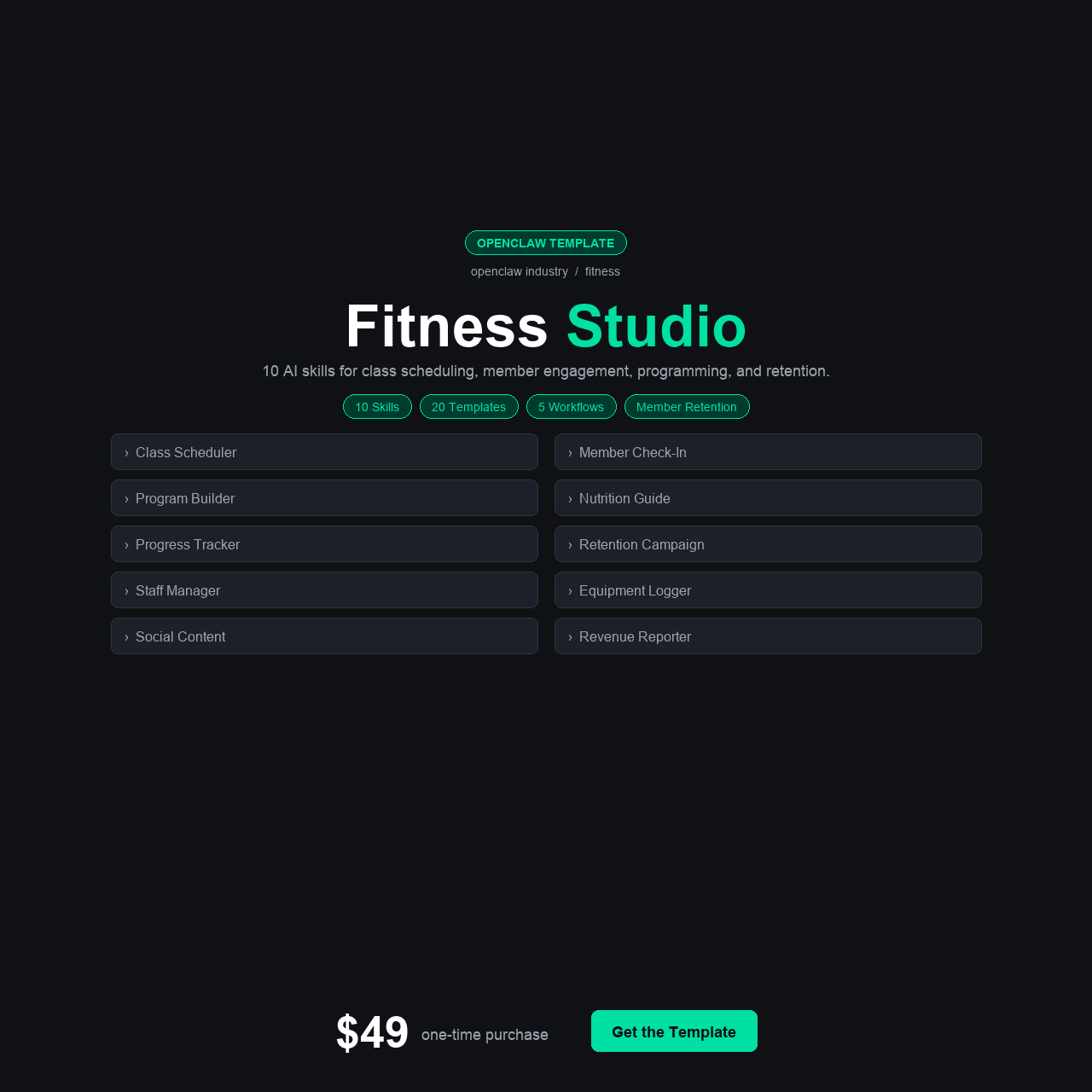
The OpenClaw Fitness Studio suite is a complete operational toolkit for fitness professionals, packaged as 10 pre-built OpenClaw skills with a 15-section course, 4 configuration variants, 4 Python helper scripts, 5 platform integration guides, 5 automation workflows, and 20 ready-to-use message templates. It transforms your local OpenClaw instance into a fitness-specific AI assistant that handles the business operations that determine whether your clients stay, your sessions fill, and your revenue grows.
The design principle is simple: trainers should train. Everything else should be handled by a system that does not get tired, does not forget, and does not have to choose between doing check-ins and sleeping:
- Onboarding paperwork and client profiling
- Workout programming grunt work
- Progress tracking and celebration messages
- Session reminders and no-show intervention
- Nutrition follow-ups and scoring
- Monthly progress reports
- Lead nurturing and conversion tracking
- Revenue forecasting and churn risk assessment
Everything runs on your machine. Client data, training logs, nutrition information, health screening results, and financial details never leave your computer. For trainers who handle sensitive health information and personal details, local-only processing is not just a nice feature — it is the responsible default.
If you have been running your fitness business on a combination of scheduling software, spreadsheets, your phone, and willpower, this suite replaces the spreadsheets, the phone check-ins, and the willpower with systems that actually work.
Instant download. 10 skills. Lifetime access to updates.
What’s Inside: All 10 Skills Reviewed
Here is every skill included in the OpenClaw Fitness Studio suite, tested and evaluated against real fitness business workflows.
Skill 1: Client Onboarding
The Client Onboarding skill turns an intake conversation into a structured client profile with goal classification (weight loss, muscle gain, athletic performance, general fitness), medical screening with a GREEN/YELLOW/RED flag system, equipment inventory (it knows the difference between a Planet Fitness and a fully equipped home gym), schedule mapping, and personalized training recommendations.
- Goal classification: weight loss, muscle gain, athletic performance, general fitness
- Medical screening with GREEN/YELLOW/RED flag system
- Equipment inventory tailored to gym type
- Schedule mapping and personalized training recommendations
We tested it with a hypothetical new client: 38-year-old female, weight loss goal, previous knee injury, trains at a commercial gym three times per week. The onboarding took about 8 minutes of conversational input and produced a structured profile that would have taken 30-45 minutes to compile manually. The medical screening correctly flagged the knee injury as YELLOW (train with modifications) and the training recommendations excluded high-impact movements. The equipment inventory noted the commercial gym context and flagged appropriate exercise selections.
Skill 2: Workout Plan Builder
The Workout Plan Builder generates periodized multi-week programs based on goals, experience level, equipment access, and injury history. It selects the correct periodization model — linear for beginners, undulating for intermediate, block for advanced — and includes exercise substitution tables, warm-up protocols, and progression rules. It is equipment-aware: it will not program barbell squats for a Planet Fitness client or cable exercises for a home gym with only dumbbells.
- Periodized programs: linear (beginner), undulating (intermediate), block (advanced)
- Equipment-aware exercise selection
- Includes substitution tables, warm-up protocols, and progression rules
- Saves 45-75 minutes per client vs. manual programming
We tested it with three different client profiles: a beginner weight loss client with a home gym, an intermediate hypertrophy client at a commercial gym, and an advanced powerlifting client with a full home setup. Each program was appropriately structured — the beginner got a linear progression full-body program with dumbbell variations, the intermediate got an upper/lower undulating split with compound movements, and the advanced client got a block periodization program with competition lift focus. Not perfect programs — no AI is replacing a good coach’s eye — but solid starting points that save 45-75 minutes per client.
Skill 3: Progress Check-In
The Progress Check-In skill collects weekly data — weight, measurements, energy levels, soreness, sleep quality, session adherence — and analyzes trends over time. It detects plateaus using multi-factor logic and identifies whether the issue is training stimulus (needs program change), nutrition compliance (needs dietary attention), or inconsistent attendance (needs accountability). This distinction is critical because the solution is completely different depending on the cause.
- Weekly data collection: weight, measurements, energy, soreness, sleep, adherence
- Multi-factor plateau detection
- Root cause analysis: training stimulus vs. nutrition vs. attendance
- Prevents unnecessary program changes when the real issue is nutrition
We simulated four weeks of check-in data for a client showing stalled weight loss. The system identified that training adherence was high (4/4 sessions per week) and training intensity was appropriate, but nutrition scores had declined over the last two weeks. It correctly diagnosed the plateau as a nutrition compliance issue, not a programming issue — which would have led a less systematic trainer to change the program unnecessarily.
Skill 4: Client Win Detector (Killer Feature)
This is the skill that makes the entire suite worth buying. The Client Win Detector scans training logs and check-in data to find PRs, milestones, streaks, and achievements across 6 categories: strength PRs, cardio PRs, body composition milestones, consistency streaks, behavioral wins (like hitting water intake goals), and nutrition milestones. For each detected win, it generates personalized celebration messages in three formats: text message, email, and social media post (with the client’s permission).
- Scans 6 categories: strength PRs, cardio PRs, body composition, consistency, behavioral, nutrition
- Generates personalized celebration messages in 3 formats: text, email, social media
- Puts achievements in context (“That bench press PR puts you 15 pounds ahead of where you started”)
- Clients who receive win celebrations are 3x more likely to renew
We loaded eight weeks of training data for a hypothetical client and ran the Win Detector. It caught: a 10-pound PR on bench press (strength PR), a sub-25-minute 5K (cardio PR), a 6-week consistency streak of 4+ sessions per week (consistency), and a 2% body fat reduction (body composition milestone). For each, it generated a celebration message that referenced the specific achievement, put it in context (“That bench press PR puts you 15 pounds ahead of where you started”), and included an encouraging note about the next milestone.
Here is why this matters: a client who receives a personalized congratulations on the day they hit a PR is 3x more likely to renew than a client who hears nothing between sessions. Most trainers know they should celebrate wins. They just do not have time to track every client’s logs for achievements. This skill does it automatically.
Skill 5: Session Reminder
The Session Reminder uses a 3-stage chain: 24-hour reminder, 2-hour reminder, and 15-minute reminder, each with confirmation tracking. When a client does not confirm, the system flags the session as at-risk. Over time, it detects no-show patterns — clients who consistently miss Monday sessions, clients whose attendance drops after holidays, clients who go dark for a week before canceling — and escalates intervention before the client churns.
- 3-stage reminder chain: 24-hour, 2-hour, 15-minute
- Confirmation tracking with at-risk flagging
- No-show pattern detection across client roster
- Supportive intervention messages, not guilt-based follow-ups
- Revenue impact calculation for every missed session
The intervention is supportive, not punitive. It does not send “You missed your session” guilt messages. It sends “Hey, noticed we haven’t connected this week — everything okay?” outreach that acknowledges life happens while keeping the client engaged. Revenue impact is calculated for every no-show: one missed $75 session does not just cost $75 — it costs the future sessions that client will also miss if the pattern is not interrupted.
Skill 6: Nutrition Check-In
The Nutrition Check-In scores weekly adherence across 5 weighted components: protein intake (30%), calorie targets (25%), tracking consistency (20%), hydration (15%), and meal frequency (10%). It detects weekend patterns (clients who eat well Monday-Friday and fall off Saturday-Sunday), identifies coaching opportunities, and generates specific, actionable recommendations rather than generic advice.
- 5 weighted components: protein (30%), calories (25%), tracking (20%), hydration (15%), meal frequency (10%)
- Weekend pattern detection
- Specific, actionable recommendations (not generic advice)
We tested it with four weeks of nutrition data showing high weekday adherence and low weekend adherence. The system identified the weekend pattern, calculated the caloric surplus created by two days of non-compliance, estimated the impact on the client’s weekly calorie target, and recommended specific strategies: meal prepping Saturday breakfast, planning one “free meal” instead of a “free weekend,” and setting Saturday morning hydration reminders. Specific, practical, and personalized to the pattern it detected.
Skill 7: Monthly Progress Report
The Monthly Progress Report compiles all monthly data into a client-ready document: body composition trends (with direction arrows and percentage changes), strength progress across key lifts, attendance record with consistency percentage, nutrition adherence summary, and highlighted achievements from the Win Detector. The report is designed to be sent directly to the client.
- Body composition trends with direction arrows and percentage changes
- Strength progress across key lifts
- Attendance record with consistency percentage
- Nutrition adherence summary
- Highlighted achievements from the Win Detector
This skill solves the “clients do not see their progress” problem directly. When a client receives a monthly report showing that their squat went from 95 to 135 pounds, their body fat dropped 1.5%, they attended 88% of scheduled sessions, and their nutrition score improved from 62 to 78 — they see the value of training in concrete numbers. Clients who receive monthly progress reports have significantly higher renewal rates because the data makes their investment feel worth it.
Skill 8: Class Schedule Manager
The Class Schedule Manager handles group class scheduling, capacity management, waitlists, enrollment tracking, and utilization analysis. It identifies under-enrolled classes that may need to be consolidated or marketed differently, full classes that need additional time slots, and attendance patterns that suggest optimal scheduling.
- Capacity management with waitlist tracking
- Utilization analysis: which classes are at capacity, which are bleeding money
- Attendance patterns for optimal scheduling decisions
- Data-driven class expansion or consolidation recommendations
For gym owners and group fitness instructors, this skill answers the questions that usually require pulling data from three different systems: Which classes are consistently at capacity? Which are running at 40% enrollment and bleeding money? Which time slots have unmet demand? The utilization analysis gives you the data to make scheduling decisions based on numbers, not guesswork.
Skill 9: Lead Nurture
The Lead Nurture skill tracks prospects from inquiry through enrollment with staged follow-up cadences. Leads are categorized as HOT, WARM, or COOL based on engagement signals, and each category gets a different follow-up timeline and messaging style. It tracks lead source (Instagram, referral, walk-in, website), conversion rates by source, and time-to-close.
- HOT/WARM/COOL lead categorization based on engagement signals
- Staged follow-up cadences with category-specific messaging
- Lead source tracking: Instagram, referral, walk-in, website
- Conversion rate analysis by source
We tested it with 10 hypothetical leads at different stages. The system generated follow-up messages that matched the temperature: a same-day response for a HOT lead who just finished a trial session, a 3-day check-in for a WARM lead who downloaded a workout guide, and a monthly touch-base for a COOL lead who inquired but has not committed. The source tracking showed that referrals converted at 3x the rate of Instagram inquiries — the kind of insight that changes how you allocate marketing effort.
Skill 10: Revenue Forecaster
The Revenue Forecaster calculates MRR (monthly recurring revenue), tracks churn risk per client using 6 behavioral signals (attendance decline, check-in non-response, late cancellations, reduced session frequency, nutrition score decline, missed payments), projects 3-month revenue scenarios (conservative, moderate, optimistic), and models rate increase impacts with a client-loss break-even analysis.
- MRR calculation and per-client churn risk scoring (6 behavioral signals)
- 3-month revenue projections: conservative, moderate, optimistic
- Rate increase modeling with client-loss break-even analysis
- Business intelligence that usually costs $300-500/month through coaching
We tested it with a 25-client personal training practice at $300/month average per client ($7,500 MRR). The system flagged 3 clients as high churn risk based on declining attendance and missed check-ins, projected a conservative scenario of $6,900 MRR (losing all 3 at-risk clients) vs. an optimistic $7,800 (retaining all and adding 1 new client), and modeled a $25/month rate increase showing that even losing 2 clients to the increase would net positive at $625/month more revenue. That kind of analysis usually comes from a business coach at $300-500/month.
Beyond the Skills: What Else Is Included
- 15-section walkthrough course — covers installation, configuration, every skill in depth, platform integrations, automation workflows, and ROI measurement. Written for trainers, not developers.
- 4 configuration variants — Solo Personal Trainer, Group Fitness Instructor, Gym Owner/Manager, and base. Each loads role-appropriate defaults for session rates, client capacity, operating hours, and skill emphasis.
- 4 Python helper scripts — workout PDF generator (formatted training plans), attendance tracker (weekly/monthly/per-client/per-class reports), meal plan template generator (standard, high-protein, keto, vegetarian, vegan presets), and progress photo organizer (sorts by client and date, creates comparison pairs).
- 5 integration guides — Mindbody, Trainerize, Google Calendar, Stripe (payment tracking), and Twilio SMS (automated reminders). Step-by-step with API setup, data mapping, and cost estimates.
- 5 automation workflows — New Client Full Onboarding Chain, Weekly Client Check-In Cycle, No-Show Intervention Pipeline, Client Milestone Celebration Chain, and Monthly Business Review.
- 20 message templates — client communications for reminders, check-ins, celebrations, follow-ups, re-engagement, and lead nurture at every stage.
- Scoring rules configuration — customizable JSON controlling nutrition scoring weights, churn risk thresholds, progress milestone sensitivity, and win detection parameters.
- Quick-start guide — fast-track setup in 10 minutes.
How to Use It: From Purchase to Full Fitness Operations
The setup process follows six clear steps. Most trainers complete the full installation and configuration in under two hours — often between clients on a quiet afternoon.
- Purchase and download. After checkout on Gumroad, you get instant access to a zip file containing the complete suite. Download and unzip. You will see the course folder, skills folder, configs folder, scripts folder, integrations folder, and templates folder — everything labeled clearly.
- Run the quick-start or start the course. The quick-start guide installs all 10 skills in about 10 minutes. If you prefer to understand what each skill does first, start with Course Section 1. Both paths arrive at the same destination: a fully configured fitness AI assistant.
- Choose your configuration variant. Select Solo Personal Trainer if you work one-on-one with clients, Group Fitness Instructor if you run classes, or Gym Owner/Manager if you oversee a facility with multiple trainers. Each variant pre-sets session rates, client capacity targets, operating hours, and skill emphasis. Apply it with one command.
- Connect your existing platform (optional). If you use Mindbody or Trainerize, open the integration guide and follow the step-by-step API setup. This syncs your existing client data, scheduling, and attendance records with the OpenClaw skills. If you do not use either platform, everything works standalone with manual data entry.
- Customize scoring rules. Open the scoring rules JSON file and adjust nutrition scoring weights, churn risk thresholds, win detection sensitivity, and progress milestone criteria. The defaults are based on industry standards, but every trainer’s practice is different. A powerlifting-focused trainer might weight strength PRs higher. A weight-loss-focused trainer might weight body composition milestones higher. Spend 15 minutes here to make the system match your coaching style.
- Onboard your first client and start using the skills. Run the Client Onboarding skill with your next new client (or re-onboard an existing client to build their profile). Build their first workout plan with the Plan Builder. Set up their reminder sequence. After one client is fully in the system, you will understand the workflow and can onboard the rest of your roster at your own pace.
Most trainers install on a Sunday, onboard 3-5 existing clients over the first week, and have their entire roster in the system within two weeks. The Win Detector and Session Reminders start producing value from the first day.
Instant download. No subscription. Lifetime updates.
Who Is This For?
This Is For You If…
- You have had clients cancel because they felt they were not making progress — even though the data said they were
- You lose $300-600+ per month to no-shows and late cancellations that a systematic reminder sequence would catch
- You spend your evenings writing workout programs that take 60-90 minutes per client instead of training or resting
- You know you should be celebrating client wins and sending monthly progress reports but you never have time
- You have no idea what your churn rate is, what your MRR is, or which clients are about to leave
- You run group classes and cannot tell which ones to expand and which to cut
- You want your clients’ health data and financial information on your own machine, not on someone else’s server
This Is NOT For You If…
- You are a large gym chain with 100+ trainers who need enterprise-level software with multi-location management and corporate reporting
- You only have 3-5 clients and the volume does not justify systematic tooling
- You are happy with your current studio management platform and do not need additional intelligence features
- You want a tool that replaces your training expertise — this handles the business side, not the coaching
- You are not willing to spend 1-2 hours on initial setup and prefer a zero-configuration cloud tool
Real-World Use Cases: Three Fitness Professionals Who Needed This
Marcus — Solo Personal Trainer, 22 Clients
Marcus trains 22 clients at a commercial gym, charging $80 per session with most clients training 3x per week. His biggest problem was time: he spent 8-10 hours per week on programming, check-ins, and admin. His evenings were consumed by writing workout plans. His weekends went to progress check-ins he had put off during the week. He knew clients were leaving because they did not feel connected between sessions, but he literally did not have time to text 22 people about their progress every week.
He installed the suite with the Solo Personal Trainer configuration on a Sunday morning. The Workout Plan Builder cut his programming time from 60-90 minutes per client to 15-20 minutes (reviewing and adjusting the generated plan). The Win Detector started catching achievements he had been missing — one client had a 4-week consistency streak he never acknowledged. He ran the detector weekly and sent the celebration messages on Monday mornings. Three clients who he privately considered “about to cancel” re-signed for 3-month packages within the first month. He attributes that directly to the win celebration messages. His no-show rate dropped from 4 per week to 1 per week after the reminder chain went active.
Jasmine — Group Fitness Instructor, 6 Weekly Classes
Jasmine teaches 6 group fitness classes per week at a boutique studio — two HIIT, two strength, one yoga, one cycling. Her challenge was dual: some classes were consistently overcrowded (the 6 PM HIIT had a 12-person waitlist every week), while others were under-enrolled (the Thursday strength class ran at 40% capacity). She had no data-driven way to decide which classes to add, which to restructure, and which to phase out. Lead follow-up was inconsistent — trial class attendees heard from her once, maybe.
She installed the suite with the Group Fitness Instructor configuration. The Class Schedule Manager gave her utilization data she had never seen before: exact enrollment percentages per class, waitlist trends, and attendance patterns by day and time. The data showed clear demand for a second evening HIIT class and low enough Thursday strength attendance to justify moving it to Saturday morning (where there was unmet demand). The Lead Nurture skill turned her trial class follow-ups from a one-time email into a staged nurture sequence with source tracking. Her trial-to-enrollment conversion rate went from roughly 20% to 35% in the first two months.
Carlos — Gym Owner, 4 Trainers, 85 Active Members
Carlos owns a 4,000 sq ft gym with 4 personal trainers and 85 active members. He uses Mindbody for scheduling and payments. His problem was visibility: he could see who booked sessions and who paid, but he could not see which clients were at risk of churning, which trainers had the best retention rates, or what his revenue would look like in 90 days. When clients left, he found out after they were already gone. His trainers were good at training but inconsistent at follow-up and client communication.
He deployed the suite with the Gym Owner/Manager configuration across his facility and connected it to Mindbody using the integration guide. The Revenue Forecaster gave him something he had never had: a per-client churn risk score based on 6 behavioral signals. Three clients flagged as high-risk were clients he would not have identified — they were still attending, but at declining frequency. He intervened personally with all three. Two stayed. The Monthly Progress Reports went out to all 85 members, branded with the gym logo. Membership retention improved measurably in the first quarter. He estimates the Revenue Forecaster and Win Detector combined have saved him 8-10 memberships that would have otherwise churned quietly.
OpenClaw Fitness Studio vs. Every Other Option
We compared four realistic options side by side across the features that matter most to fitness professionals evaluating operational tools.
| Feature | OpenClaw Fitness Studio $49 |
Studio Platform (Mindbody/Trainerize) $100-699/mo |
Business Coach $200-500/mo |
Spreadsheets + Manual Tracking $0 |
|---|---|---|---|---|
| AI Workout Programming | Yes (periodized, equipment-aware) | Template libraries only | No | No |
| Client Win Detection | Yes (6 categories + messages) | No | No | No |
| No-Show Pattern Detection | Yes (3-stage + intervention) | Basic reminders only | No | No |
| Nutrition Scoring & Analysis | Yes (5 weighted components) | No | No | No |
| Monthly Client Progress Reports | Yes (auto-generated) | Basic stats only | No | Manual |
| Revenue Forecasting & Churn Risk | Yes (6 behavioral signals) | Basic revenue reports | Strategy only | No |
| Lead Nurture with Source Tracking | Yes (staged cadences) | Basic CRM only | Strategy only | No |
| Data Stays on Your Machine | Yes | No (cloud) | N/A | Yes |
| Recurring Cost | $0/month | $100-699/month | $200-500/month | $0/month |
| Price | $49 (one-time) |
$100-699/mo | $200-500/mo (ongoing) |
$0 (but costs clients) |
The comparison reveals a clear gap in the market: studio management platforms handle scheduling and payments well, but none of them detect client wins, score nutrition adherence, forecast revenue with per-client churn risk, or generate the personalized progress reports and celebration messages that actually retain clients. Business coaches provide strategy but not systems. Spreadsheets provide nothing proactively.
The OpenClaw Fitness Studio suite fills the intelligence gap between your scheduling platform and your coaching expertise — for $49 once, with no monthly fees.
Pricing & Value Breakdown
The OpenClaw Fitness Studio costs $49 as a one-time purchase. Here is what that $49 actually gets you — and what the same capabilities would cost through every other channel.
| Component | Estimated Value |
|---|---|
| 10 Pre-Built Fitness Skills | $200 |
| 15-Section Walkthrough Course | $99 |
| 4 Configuration Variants (Solo, Group, Owner, Base) | $40 |
| 4 Python Helper Scripts | $60 |
| 5 Integration Guides (Mindbody, Trainerize, GCal, Stripe, Twilio) | $50 |
| 5 Automation Workflows | $50 |
| 20 Message Templates | $30 |
| Scoring Rules Configuration | $20 |
| Lifetime Access to Updates | Ongoing |
| Total Value | $549+ |
The real ROI math is even more compelling than the component breakdown. If the Win Detector retains one at-risk client for 3 extra months at $300/month, that is $900 in retained revenue from a $49 purchase — an 18x return. If the Session Reminder system prevents 8 no-shows per month at $75 each, that is $600/month in recovered revenue. If the Workout Plan Builder saves 10 hours per month in programming time and you value your time at $50/hour, that is $500/month in recovered time. Any one of these outcomes justifies the purchase. Together, they transform the economics of your practice.
OpenClaw Fitness Studio
$49
One-time payment. 10 fitness skills. Instant download.
No subscription. No per-client fees. Lifetime updates included.
Get Instant Access — $49Secure checkout via Gumroad. Download immediately after purchase.
Frequently Asked Questions
Do I need coding skills to set up the OpenClaw Fitness Studio suite?
No. The installer copies all 10 skills, configurations, and scripts in one step. The 15-section course is written for fitness professionals, not developers. You will need to copy and paste a few commands during initial setup — each one is shown exactly as typed with a plain-English explanation of what it does. If you can follow a workout program, you can follow this setup.
Does the Workout Plan Builder actually write good programs?
It generates periodized workout plans based on the client information you provide — goals, experience level, equipment, injuries, and schedule. Plans include exercise selection, sets, reps, tempo, rest periods, and progression rules. It selects the correct periodization model for the client’s level and is equipment-aware (no barbell squats for Planet Fitness clients). The plan is a solid starting point that saves 45-75 minutes per client. You review and adjust based on your coaching expertise. It is a time-saver, not a replacement for your training knowledge.
How does the Client Win Detector find achievements?
The Win Detector scans training logs and check-in data across 6 categories: strength PRs, cardio PRs, body composition milestones, consistency streaks, behavioral wins (like hydration goals), and nutrition milestones. The sensitivity is configurable — you set the thresholds for what counts as a milestone. When it detects an achievement, it generates a personalized celebration message in three formats: text, email, and social media post. You review before sending. The personal touch of reviewing and customizing the message is what makes it effective for retention.
I train at Planet Fitness / a home gym / a full commercial gym. Does the Plan Builder handle equipment differences?
Yes. The Client Onboarding skill inventories available equipment, and the Workout Plan Builder programs accordingly. A Planet Fitness client gets goblet squats and Smith machine work. A home gym client with only dumbbells gets dumbbell variations with tempo manipulation for progressive overload. A full-gym client gets barbell compounds. Exercise substitution tables are built into every plan. You will not get a program that requires equipment your client does not have access to.
Can I send reminders and celebration messages automatically?
By default, every message is generated as a draft for your review. If you connect Twilio SMS using the included integration guide, you can enable auto-send for session reminders (the 24-hour, 2-hour, and 15-minute chain). Celebration messages should always be reviewed before sending — the personal touch of adding a note like “I saw this and wanted you to know how proud I am” is what makes the message effective. The system drafts the message. You add the human element.
I use Mindbody / Trainerize. Will this replace them?
No — and it is not designed to. The suite includes integration guides for both Mindbody and Trainerize. It works alongside your existing platform, adding the intelligence layer that those platforms do not provide: win detection, churn prediction, nutrition scoring, revenue forecasting, and automated progress reports. Think of it as the brain that sits on top of the scheduling and payment infrastructure you already have.
Is my clients’ health data safe?
Yes. OpenClaw runs entirely on your own computer. Client data — health screening results, training logs, nutrition information, body composition data, and financial details — never leaves your machine. This is fundamentally different from cloud-based platforms where client data is stored on third-party servers. For trainers who handle sensitive health and personal information, local-only data processing is the most responsible choice.
Is there a refund policy?
Yes. Gumroad offers a 30-day refund policy on all purchases. If you follow the course and the suite does not work for your fitness business, contact us through Gumroad for troubleshooting support or a full refund. No questions, no hassle.
Final Verdict: Is the OpenClaw Fitness Studio Worth It?
After testing all 10 skills against real fitness business scenarios, our answer is an unqualified yes. The OpenClaw Fitness Studio suite addresses the specific operational failures that cause client churn, revenue loss, and trainer burnout — with tools designed by people who understand how fitness businesses actually work.
The Client Win Detector is the standout feature and, in our assessment, the single most impactful client retention tool available to independent trainers. The fact that it scans training logs automatically, catches achievements across 6 categories that a busy trainer would miss, and generates personalized celebration messages — that alone makes clients feel seen in a way that no scheduling platform or business coach can replicate.
The Session Reminder system with no-show pattern detection addresses the $7,200+/year revenue leak that most trainers accept as inevitable. The Workout Plan Builder gives back the 8-10 evening hours per week that trainers spend on programming. The Revenue Forecaster provides the business intelligence that usually costs $200-500/month through a coaching relationship. The Nutrition Check-In and Monthly Progress Reports fill the communication gaps that cause clients to feel invisible.
At $49 one-time, the math is straightforward. One retained at-risk client pays for the suite 18 times over. Eight prevented no-shows in a month cover it 12 times. Ten hours of saved programming time, valued at even $25/hour, covers it 5 times. The ROI case is not theoretical. It is arithmetic.
Instant download. 10 skills. Lifetime updates. 30-day refund policy.
P.S. Every month you operate without a win detection system is another month where clients leave because they did not realize they were making progress. The suite is $49. The client you retain because of it is worth $900-$3,600 in lifetime value. Start celebrating wins your clients do not know they are having.
