
OpenClaw Freelancer Command Center Review: 10 AI Skills to Protect Your Revenue and Stop Scope Creep (2026 Guide)
We tested the OpenClaw Freelancer Command Center across a realistic freelance workload — proposals, invoices, scope changes, and pipeline chaos included. Here is our honest breakdown of whether 10 AI skills built for independent professionals can actually protect your revenue, stop scope creep, and give you the operational visibility that separates freelancers who grow from freelancers who burn out.
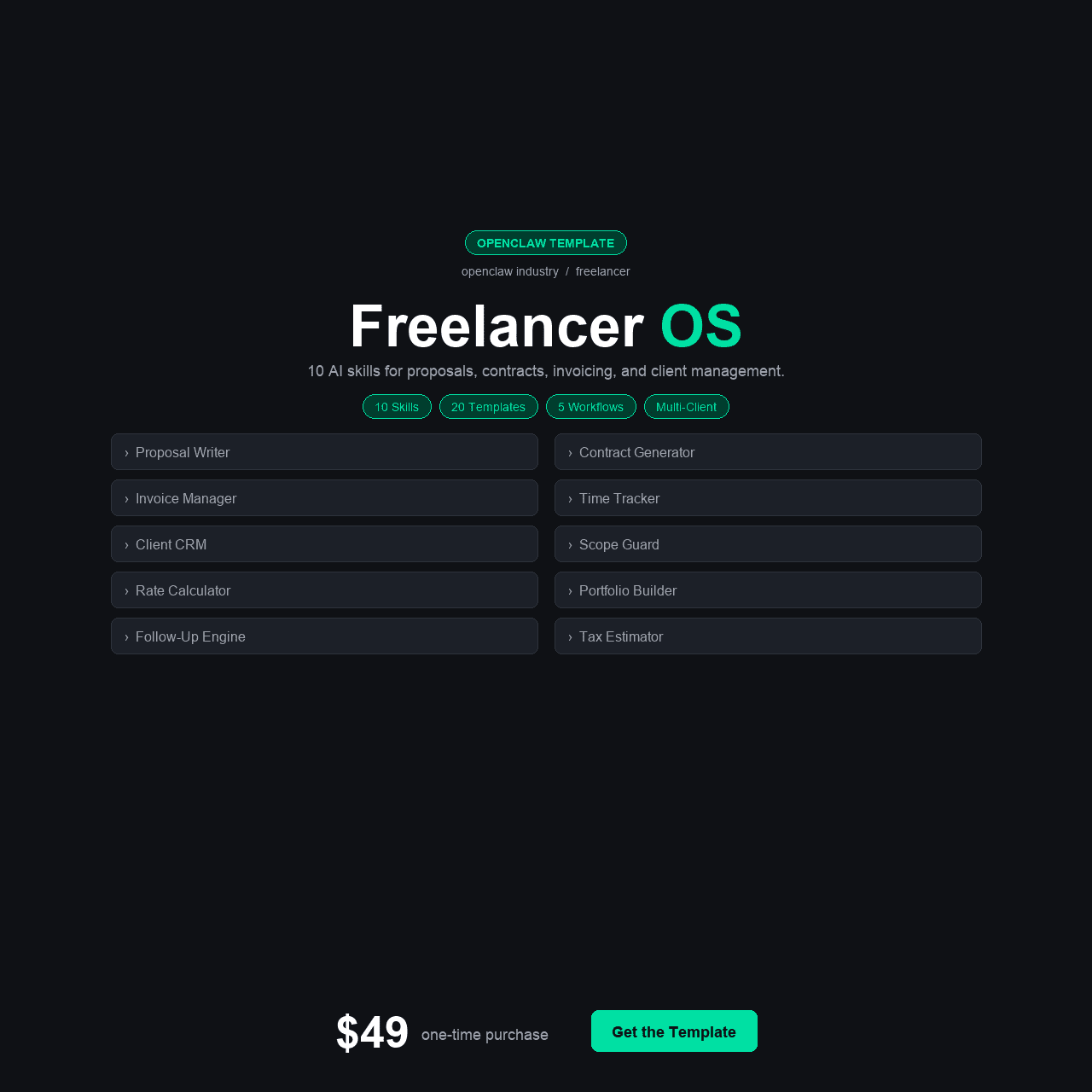
Key Takeaways
- The OpenClaw Freelancer Command Center includes 10 AI skills purpose-built for freelancers and independent consultants — covering scope creep detection, proposal generation, invoice tracking, pipeline management, rate calculation, contract analysis, and revenue forecasting.
- It ships with 4 configuration variants (Solo Freelancer, Agency of One, Small Agency 2-5, and base), 4 Python helper scripts, 5 integrations (FreshBooks, HoneyBook, Stripe, Google Calendar, Toggl), 5 automation workflows, and 20 pre-written message templates.
- At $49 one-time, the suite directly addresses the $12,000-$20,000 per year that the average freelancer loses to scope creep, undercharging, and inconsistent follow-up.
- The 15-section walkthrough course is written for freelancers and solopreneurs, not developers. Most users complete the full setup in under 2 hours.
- Best suited for freelancers, independent consultants, creative professionals, and small agencies (2-5 people) who want to run their practice like a business instead of a series of emergencies.
Why Freelancers Need an Operations System, Not Just More Hustle
If you are a freelancer, you already know the feeling. A client asks for “one small change” that turns into three hours of work. You send an invoice and it sits unpaid for 45 days because nobody is tracking it. You finish a project, celebrate for a day, and then panic because your pipeline is empty and you forgot to follow up with the three leads who inquired last month. You look at your annual revenue and realize you worked more hours than last year but somehow earned less.
This is not a talent problem. Freelancers who struggle financially are often extremely good at what they do. The problem is operational: they are running a business without any of the systems that businesses use to protect revenue, manage scope, track time, forecast cash flow, and maintain a consistent pipeline. They are doing the work of a project manager, sales team, finance department, and operations manager — on top of the actual client work — with nothing but a calendar app and a spreadsheet.
The OpenClaw Freelancer Command Center was built for exactly this situation. Ten AI skills that handle the business operations that most freelancers are too busy (or too overwhelmed) to manage themselves: detecting scope creep before it eats your profit, generating proposals that protect your boundaries, tracking invoices so money does not slip through the cracks, and forecasting revenue so you stop living month to month.
We tested the full suite against a realistic freelance workload over four weeks. In this review, we cover every skill, every integration, every configuration — and whether $49 can actually change how you run your freelance business.
TL;DR: If you are a freelancer losing money to scope creep, late invoices, undercharging, and an inconsistent pipeline, the OpenClaw Freelancer Command Center gives you the operational systems that separate growing freelancers from struggling ones — for less than the cost of one hour of undercharged work. Get it here for $49.
The Real Problem: Freelancers Are Leaving Thousands on the Table Every Year
The financial leaks in a freelance business are different from those in a traditional company, but they are just as real. They come from three specific places: scope creep that expands engagements beyond what was quoted, rates that have not been updated to reflect your actual market value, and pipeline inconsistency that creates feast-or-famine revenue cycles.
Scope creep is the most insidious. It starts small — a client asks you to “also take a look at” something adjacent to the project. Then another request. Then a revision round that was not in the original scope. Each individual ask feels small enough that pushing back seems petty. But across 10-15 projects per year, those “small” additions accumulate into hundreds of hours of uncompensated work. A freelancer billing at $100/hour who gives away an average of 5 extra hours per project across 12 projects has donated $6,000 in labor — and that is a conservative estimate.
Undercharging compounds the problem. Most freelancers set their rates early in their career and raise them slowly, if at all. The market moves. Their skills improve. Their value increases. But without a systematic way to benchmark rates against current market data and project complexity, they continue quoting at last year’s rate for this year’s work. A freelancer who should be charging $125/hour but quotes $95 because they have not recalculated is losing $30 on every hour billed — $24,000 per year on 800 billable hours.
$12,000 – $20,000/year — The average freelancer loses $12,000-$20,000 per year to scope creep, undercharging, and inconsistent follow-up — money that was earned but never collected, or never charged in the first place.
Pipeline inconsistency is the third revenue killer. Freelancers tend to stop marketing when they are busy and start marketing when they are desperate. This creates a cycle: three months of full utilization followed by a month of scrambling for leads, followed by panic-accepting projects at below-market rates just to keep cash flowing. The freelancers who escape this cycle are the ones who maintain consistent pipeline activity regardless of current workload — which requires a system, not willpower.
These three problems are solvable. They are not solved by working harder. They are solved by having systems that track, alert, calculate, and forecast — the same systems that every successful business operates with and most freelancers lack entirely.
What We Found: The Existing Options for Freelancer Operations
Before testing the OpenClaw Freelancer Command Center, we evaluated every major tool category that freelancers use to manage their business operations.
Option 1: Freelancer-Focused Platforms (HoneyBook, Dubsado, Bonsai)
All-in-one freelancer platforms like HoneyBook ($39/month), Dubsado ($40/month), and Bonsai ($29/month) offer proposals, contracts, invoicing, and basic project management in a single package. They are well-designed and genuinely useful. The limitation is that they are workflow tools, not intelligence tools. They help you send invoices — they do not analyze whether your rates should be higher. They let you track projects — they do not detect when scope has crept beyond your agreement. They manage your calendar — they do not forecast whether your pipeline will sustain your revenue target next quarter. And at $350-$480 per year in recurring fees, they represent a significant ongoing cost for capabilities that stop the moment you stop paying.
Option 2: Generic AI Assistants (ChatGPT, Claude, Gemini)
Many freelancers have started using general-purpose AI to draft proposals, write emails, and brainstorm ideas. These tools are useful for content generation but useless for operations management. You cannot ask ChatGPT “which of my current projects are over scope” because it does not have your project data. You cannot ask it to track your invoices because it has no access to your billing system. Every interaction starts from zero context. Generic AI helps you write faster — it does not help you run your business better.
Option 3: Cobbled-Together Tool Stacks (Notion + Toggl + Stripe + Sheets)
The most common approach for operationally-minded freelancers is a custom stack of tools: Notion or Asana for project tracking, Toggl for time logging, Stripe or PayPal for invoicing, Google Sheets for financial tracking, and a CRM or spreadsheet for pipeline management. The tools work individually, but the stack creates friction: data lives in five different places, nothing talks to anything else, and maintaining the whole system becomes its own part-time job. We talked to freelancers who spent 3-5 hours per week just updating their tool stack — hours that were never billed to anyone.
Option 4: Doing Nothing (The Default)
The most common approach for freelancers, if we are being honest, is no operational system at all. Projects are managed in email threads. Invoices are sent when remembered. Scope is defined loosely and rarely enforced. Rates are set once and changed reluctantly. Pipeline management consists of saying yes to whatever comes in and hoping it keeps coming. This approach works until it does not — and when it stops working, the freelancer has no data to understand why revenue dropped, which clients are profitable, or where the time actually went.
None of these options combine AI-powered intelligence with freelancer-specific operations at a one-time cost. That is the gap the OpenClaw Freelancer Command Center fills.
The Solution: OpenClaw Freelancer Command Center
The OpenClaw Freelancer Command Center is a complete AI operations system built specifically for independent professionals. It includes 10 purpose-built skills that handle the operational tasks most freelancers neglect or manage badly: detecting scope creep in real time, generating proposals with built-in scope boundaries, tracking invoices to prevent revenue leakage, calculating rates based on market data, managing the pipeline so you never face an empty calendar, and forecasting revenue so you can plan instead of panic.
Unlike monthly subscription platforms, the Command Center is a one-time $49 purchase. Unlike generic AI tools, every skill is pre-configured for freelancer workflows, terminology, and pain points. Unlike cobbled-together tool stacks, the system is integrated — data flows between skills so your scope tracking informs your invoicing, your time logging informs your rate calculations, and your pipeline data feeds your revenue forecasts.
Four configuration variants match the suite to your specific situation: Solo Freelancer (for individual practitioners handling everything themselves), Agency of One (for freelancers who subcontract but operate under their own brand), Small Agency (2-5 team members), and a base configuration for custom setups. Each variant adjusts the skills for the operational reality of that business model — because a solo freelancer tracking 6 active clients has different needs than a small agency managing 15 clients with subcontractors.
Five integrations connect the Command Center to tools most freelancers already use: FreshBooks and HoneyBook for invoicing and client management, Stripe for payment tracking, Google Calendar for scheduling, and Toggl for time logging.
Instant download. One-time payment. Lifetime access to updates.
What’s Inside: All 10 AI Skills Explained
Here is a detailed breakdown of every skill in the OpenClaw Freelancer Command Center, what it does, and how it protects your revenue.
The 10 AI Skills
1. Scope Creep Detector
This is the skill that most freelancers need the most and have never had. The Scope Creep Detector monitors your active projects against their original scope definitions — the deliverables, revision rounds, and boundaries documented in your proposal or contract. When a client request falls outside the agreed scope, the skill flags it immediately with a clear explanation of what was originally agreed versus what is being requested. It does not automatically say no to the client. It gives you the awareness to make an informed decision: absorb the additional work, negotiate an amendment, or push back with specific contract language. Most freelancers absorb scope creep because they do not realize it is happening until the project is over. This skill makes it visible in real time.
- Monitors active projects against original scope definitions from your proposal or contract
- Flags out-of-scope requests with a clear comparison of agreed vs. requested work
- Gives you the awareness to negotiate amendments or push back with contract language
- Makes scope creep visible in real time instead of after the project is over
2. Proposal Generator
Writing proposals is one of the most time-consuming pre-revenue activities in freelancing. This skill generates professional, detailed proposals based on your service offerings, rate structure, and the specific requirements discussed with the prospect. Each proposal includes clear scope definitions, deliverable lists, timeline milestones, revision limits, and payment terms — the exact elements that prevent the scope creep problems the Detector catches. The 20 included message templates cover proposal language for common freelance scenarios: web design, copywriting, consulting, development, design, and marketing. You review and customize each proposal before sending — the AI drafts the structure, you add the specifics.
- Generates proposals with clear scope definitions, deliverables, timelines, and revision limits
- Includes payment terms and milestone-based billing structures
- 20 templates covering web design, copywriting, consulting, development, and marketing
- You review and customize every proposal before sending
3. Invoice Tracker
Unpaid invoices are a cash flow problem that most freelancers manage reactively — they notice an invoice is overdue when the bank balance drops. This skill connects to FreshBooks, HoneyBook, or Stripe and monitors every outstanding invoice: when it was sent, when payment was due, how many days it is overdue, and the total outstanding balance across all clients. It sends automated follow-up reminders on a configurable schedule (7 days, 14 days, 30 days overdue) and generates weekly accounts receivable summaries. For freelancers who have historically “forgotten” about unpaid invoices for weeks, this skill alone recovers revenue that would otherwise require awkward manual follow-ups or simply get written off.
- Connects to FreshBooks, HoneyBook, or Stripe for real-time invoice monitoring
- Tracks every outstanding invoice with send date, due date, and days overdue
- Automated follow-up reminders on a configurable schedule (7, 14, 30 days)
- Weekly accounts receivable summaries showing total outstanding balance
4. Pipeline Manager
The feast-or-famine cycle exists because freelancers stop marketing when busy and start when desperate. The Pipeline Manager maintains a persistent view of your business development funnel: leads in, proposals sent, proposals pending, deals closed, and projected revenue by month. It alerts you when your pipeline falls below the threshold needed to sustain your target monthly revenue — not after your calendar is empty, but weeks before. It also tracks follow-up cadence and flags leads that have gone cold, giving you the prompt to reach out before the opportunity evaporates.
- Persistent view of your full funnel: leads, proposals sent, pending, and closed deals
- Alerts when pipeline falls below the threshold needed for target monthly revenue
- Tracks follow-up cadence and flags cold leads before opportunities evaporate
- Projects revenue by month based on pipeline data and close probability
5. Rate Calculator
Most freelancers set their rates based on what they charged last year, what feels comfortable, or what they think the market will bear. This skill takes a data-driven approach: it calculates your effective hourly rate based on actual time logged (via Toggl integration), compares it against market benchmarks for your skill set and geography, factors in your utilization rate and overhead costs, and recommends rate adjustments. It also calculates project-specific rates based on complexity, timeline, and client type. A freelancer who discovers their effective hourly rate is $65 when their target is $100 has a specific, quantified problem to solve — not a vague feeling that they should charge more.
- Calculates your effective hourly rate based on actual time logged via Toggl
- Compares your rate against market benchmarks for your skill set and geography
- Factors in utilization rate and overhead costs for accurate rate analysis
- Recommends project-specific rates based on complexity, timeline, and client type
6. Client Communication Drafter
Client communication is where freelancers spend the most time on non-billable work. This skill drafts professional communications for every stage of the client relationship: initial inquiry responses, project update emails, revision request confirmations, milestone completion notifications, payment reminders, and project wrap-up messages. It maintains tone consistency across all communications and adapts to your voice over time. The 20 included templates cover the scenarios that recur in every freelance business. You review each draft before sending — but the 15-30 minutes per email becomes 2-3 minutes of review.
- Drafts communications for every stage: inquiries, updates, milestones, and wrap-ups
- Maintains tone consistency and adapts to your voice over time
- 20 templates covering the most common freelance communication scenarios
- Reduces email drafting from 15-30 minutes to 2-3 minutes of review
7. Contract Analyzer
Freelancers regularly sign contracts they have not fully read — or read but not fully understood. This skill analyzes client contracts and highlights critical terms: payment schedules, intellectual property clauses, non-compete restrictions, scope definitions, termination conditions, and liability limitations. It flags unusual or one-sided terms and explains what they mean in plain language. It does not replace legal counsel for complex agreements — but for the standard project contracts that most freelancers sign monthly, it provides a structured review that catches the terms most freelancers miss. A single caught IP assignment clause or unfavorable termination term can save thousands.
- Highlights critical terms: payment schedules, IP clauses, non-competes, and termination conditions
- Flags unusual or one-sided terms and explains them in plain language
- Provides structured first-pass review for standard project contracts
- A single caught unfavorable clause can save thousands in lost rights or revenue
8. Time Logger
Time tracking is the foundation of profitable freelancing, and most freelancers do it poorly or not at all. This skill integrates with Toggl (or works standalone) to provide structured time logging with project and task categorization. More importantly, it analyzes your logged time to identify patterns: which clients consume the most unbilled time, which project types consistently exceed estimates, and where your time goes on non-billable activities. This data feeds directly into the Rate Calculator (revealing your true effective rate) and the Scope Creep Detector (showing when project hours are exceeding scope).
- Integrates with Toggl or works standalone for structured time logging
- Identifies which clients consume the most unbilled time
- Reveals which project types consistently exceed hour estimates
- Feeds data directly into the Rate Calculator and Scope Creep Detector
9. Project Health Monitor
Freelancers tend to realize a project is in trouble when the deadline is tomorrow and the work is not done. The Project Health Monitor provides an early warning system: it tracks each active project against its timeline, budget, scope, and client communication status. It flags projects that are falling behind schedule, approaching budget limits, or showing signs of client disengagement (long response times, missed milestones). The traffic light system — green, yellow, red — gives you a glanceable dashboard of your entire workload. Yellow means action now. Red means the project needed attention last week.
- Tracks each project against timeline, budget, scope, and client communication status
- Flags projects falling behind schedule or approaching budget limits
- Detects signs of client disengagement like long response times or missed milestones
- Traffic light dashboard (green/yellow/red) for glanceable workload overview
10. Revenue Forecaster
Financial planning as a freelancer usually means checking your bank balance and hoping. This skill changes that by projecting your revenue 30, 60, and 90 days forward based on: signed contracts with known payment schedules, proposals in the pipeline with estimated close probability, recurring retainer revenue, and historical patterns from past months. It highlights months where projected revenue falls below your target, giving you time to increase pipeline activity, follow up on pending proposals, or upsell existing clients. For freelancers who have ever been surprised by a bad month, the Revenue Forecaster replaces surprise with foresight.
- Projects revenue 30, 60, and 90 days forward based on contracts and pipeline data
- Factors in signed contracts, pending proposals, retainers, and historical patterns
- Highlights months where projected revenue falls below your target
- Replaces bank-balance guessing with data-driven financial foresight
Beyond the Skills: Full Suite Contents
- 15-section walkthrough course (written for freelancers, not developers)
- 10 ready-to-install AI skills (listed above)
- 4 configuration variants (Solo Freelancer, Agency of One, Small Agency 2-5, base)
- 4 Python helper scripts (client data import, revenue calculator, time analysis, proposal template builder)
- 5 integrations (FreshBooks, HoneyBook, Stripe, Google Calendar, Toggl)
- 5 automation workflows (invoice follow-up, pipeline alerts, project health checks, weekly revenue digest, scope alert notifications)
- 20 pre-written message templates (proposals, client updates, follow-ups, payment reminders, project wrap-ups)
- Troubleshooting guide and Quick Start guide
- Lifetime access to updates
How to Set It Up: From Purchase to Protected Revenue
The setup is designed for freelancers who would rather be doing client work than configuring software. Most users complete the full setup in under two hours.
- Purchase and download. After checkout on Gumroad, you get instant access to the complete suite. Download and unzip. You will find clearly labeled folders for the course, skills, configurations, integrations, templates, and helper scripts.
- Choose your configuration variant. Select the variant that fits your business: Solo Freelancer (handling everything yourself), Agency of One (solo with subcontractors), Small Agency (2-5 team members), or base (custom setup). Each variant pre-loads settings calibrated for your operational reality.
- Follow the course or Quick Start guide. The 15-section course walks you through every step using freelancer-specific examples. The Quick Start guide gets experienced users running in under 20 minutes. Both lead to the same outcome: a fully configured system.
- Connect your integrations. Link the Command Center to your existing tools — FreshBooks or HoneyBook for invoicing, Stripe for payments, Google Calendar for scheduling, Toggl for time tracking. Each integration has its own step-by-step guide with screenshots.
- Install and configure the 10 skills. Each skill installs with a single command and comes pre-configured for your variant. Customize the settings that matter to your business — rate targets, scope alert thresholds, pipeline minimums, invoice follow-up cadence — using each skill’s configuration guide.
- Import your current projects and client data. Use the included Python helper scripts to import your active projects, client roster, and historical data. The more data you import, the more immediately useful the Revenue Forecaster and Rate Calculator become.
- Activate automation workflows and go live. Turn on the five automation workflows — invoice follow-up, pipeline alerts, project health checks, weekly revenue digest, and scope alert notifications. The system is now running. Tomorrow morning you will have a clear view of your project health, pipeline status, and revenue forecast.
Setup typically takes 1.5-2 hours. Freelancers who already use FreshBooks, HoneyBook, or Toggl move through the integration step quickly because the data is already organized. Freelancers starting from scratch can begin with the skills that do not require historical data (Proposal Generator, Contract Analyzer, Client Communication Drafter) and build up the data-dependent skills over the first few weeks.
Instant download. No subscription. No per-user fees.
Who Is This For?
This Is For You If…
- You are a freelancer, independent consultant, or creative professional who has experienced scope creep eating into your profits
- You have unpaid invoices right now that you have not followed up on because you lost track
- You experience the feast-or-famine revenue cycle because pipeline management happens only when you are desperate
- You suspect you are undercharging but do not have the data to know by how much or what to charge instead
- You spend 5+ hours per week on non-billable admin work (proposals, emails, invoicing, follow-ups) that could be streamlined
- You use FreshBooks, HoneyBook, Stripe, or Toggl and want AI-powered insights from data you are already generating
- You want a one-time $49 investment instead of another $30-40/month subscription
This Is NOT For You If…
- You work for a large agency (10+ people) with dedicated project management and finance teams already in place
- You need a client-facing portal with online booking, e-signatures, and project collaboration (this is an internal operations tool)
- You are looking for a fully managed cloud platform with customer support and SLA guarantees
- You are a part-time freelancer doing fewer than 5 projects per year and do not need systematic operations tools
- You want a tool that finds clients for you (this manages your pipeline, it does not generate leads)
Real-World Use Cases: Three Freelancers Who Needed This
Aisha — Freelance Brand Designer, 3 Years In
Aisha does brand identity work — logos, brand guidelines, packaging design — for 15-20 clients per year at rates between $3,000 and $8,000 per project. Her revenue last year was $72,000, but she estimated she worked enough hours to bill $95,000 at her stated rate. The gap was scope creep: clients asking for “just one more concept,” extra revision rounds beyond what was agreed, and whole deliverables (social media templates, email headers) that got added to projects without corresponding fee increases.
She deployed the Solo Freelancer configuration and prioritized the Scope Creep Detector and Proposal Generator. Within two weeks, the Detector flagged a client request that would have been an unscoped $1,200 addition to a $5,000 project. She used the alert as the basis for a scope amendment conversation and the client agreed to the additional fee without friction. The Proposal Generator standardized her scope definitions — every new proposal now included explicit revision limits and deliverable boundaries. Over three months, she estimated the combination recovered approximately $8,000 in revenue she would have previously given away.
James — Independent Management Consultant
James does strategy and operations consulting for mid-size companies, billing at $200/hour with typical engagements lasting 2-4 months. His problem was not scope creep — his contracts were well-defined. His problem was pipeline management and invoice tracking. He had three unpaid invoices totaling $18,000 that had been outstanding for 30+ days because he was too busy with current engagements to follow up. His pipeline had zero leads for Q2 because he had not done any business development during Q1.
He deployed the Agency of One configuration and prioritized the Invoice Tracker, Pipeline Manager, and Revenue Forecaster. The Invoice Tracker immediately surfaced his three overdue invoices and sent the first automated follow-ups. Two were paid within 10 days. The Pipeline Manager showed him that at his current trajectory, Q2 revenue would be 40% below his target — giving him six weeks to activate his network rather than discovering the gap after his current engagements ended. The Revenue Forecaster became his weekly financial planning tool, replacing the mental math he had been doing (poorly) about future cash flow.
Elena — Small Web Development Agency (3 People)
Elena runs a 3-person web development shop handling 8-12 projects simultaneously. Her operational challenge was visibility: she could not see at a glance which projects were on track, which were over budget, or which clients were at risk. She was managing by gut feeling and catching problems only when they became crises. She also suspected her team’s effective hourly rate was well below their stated rate but had no data to confirm it.
She deployed the Small Agency (2-5) configuration and activated all 10 skills. The Project Health Monitor gave her the dashboard she had been missing — red/yellow/green status for every active project. The Rate Calculator, connected to her team’s Toggl data, confirmed her suspicion: their effective rate was $82/hour against a target of $115/hour due to untracked admin time and scope expansion on fixed-bid projects. The Time Logger revealed that her team was spending 22% of their time on non-billable communication and project management. She restructured her proposals to include admin hours in the scope and raised her project minimums by 15%. The Contract Analyzer caught an unfavorable IP clause in a new client’s agreement that would have assigned all derivative works to the client — a clause her team would have missed without the structured review.
OpenClaw Freelancer Command Center vs. Alternatives
We compared the OpenClaw Freelancer Command Center against the three most common alternatives freelancers consider for business operations.
| Feature | OpenClaw Freelancer CC $49 |
HoneyBook $39/mo |
Bonsai $29/mo |
DIY Tool Stack (Notion+Toggl+etc.) $15-40/mo |
|---|---|---|---|---|
| AI Scope Creep Detection | Yes | No | No | No |
| AI Proposal Generation | Yes | Templates only | Templates only | No |
| Invoice Tracking + Auto Follow-Up | Yes (AI-powered) | Yes | Yes | Manual |
| Rate Benchmarking + Calculation | Yes (data-driven) | No | No | No |
| Pipeline Management + Alerts | Yes (AI-monitored) | Basic | Basic | Manual |
| Contract Analysis | Yes (AI-reviewed) | No | Templates only | No |
| Revenue Forecasting | Yes (30/60/90 day) | No | No | Manual |
| Project Health Monitoring | Yes (traffic light) | Basic status | Basic status | Manual |
| One-Time Cost (No Recurring) | Yes | No ($39/mo) | No ($29/mo) | No ($15-40/mo) |
| Price | $49 (one-time) |
$39/mo ($468/yr) |
$29/mo ($348/yr) |
$15-40/mo ($180-480/yr) |
The comparison reveals the Command Center’s unique position: it is the only option that combines AI-powered scope protection, rate analysis, and revenue forecasting with operational management — at a one-time cost. Platforms like HoneyBook and Bonsai excel at invoicing and client management but lack the intelligence layer that identifies scope creep, calculates optimal rates, and forecasts revenue gaps. DIY tool stacks are flexible but fragmented, require constant manual maintenance, and provide no AI analysis.
Pricing & Value Breakdown
The OpenClaw Freelancer Command Center costs $49 as a one-time purchase. Here is what that investment actually buys, and what equivalent capabilities would cost through other channels.
| Component | Estimated Value |
|---|---|
| 15-Section Walkthrough Course (Freelancer-Specific) | $99 |
| 10 AI Skills (Scope Detector, Proposal Generator, etc.) | $200 |
| 4 Configuration Variants (Solo, Agency of One, Small Agency, base) | $40 |
| 4 Python Helper Scripts | $60 |
| 5 Integrations (FreshBooks, HoneyBook, Stripe, GCal, Toggl) | $75 |
| 5 Automation Workflows | $50 |
| 20 Pre-Written Message Templates | $30 |
| Troubleshooting Guide + Quick Start | $20 |
| Lifetime Updates | Ongoing |
| Total Estimated Value | $574+ |
At $49, you are paying less than 9% of the estimated component value — and less than one month of any subscription-based alternative. If the Scope Creep Detector catches a single unscoped addition in your first month of use, the suite has paid for itself. If the Rate Calculator shows you are undercharging by $15/hour, the ROI on 800 annual billable hours is $12,000 in additional revenue from a $49 investment. The math is not subtle.
OpenClaw Freelancer Command Center
$49
One-time payment. 10 AI skills. 5 platform integrations. Lifetime updates.
Less than one hour of undercharged work. Protects thousands in annual revenue.
Get Instant Access — $49Secure checkout via Gumroad. Download immediately after purchase.
Frequently Asked Questions
Do I need technical skills to set this up?
No. The 15-section course is written specifically for freelancers and creative professionals who are not technical. You will copy and paste some commands during setup, each shown exactly as typed with plain-English explanations. The Python helper scripts run with a single command. If you can navigate the settings of FreshBooks, HoneyBook, or Toggl, you have all the technical skill required. Most users complete setup in under 2 hours.
Does this replace HoneyBook, Bonsai, or Dubsado?
Not directly. Platforms like HoneyBook and Dubsado provide client-facing features — proposals, contracts, e-signatures, client portals, and online booking. The OpenClaw Freelancer Command Center focuses on the AI intelligence layer that those platforms lack: scope creep detection, rate benchmarking, revenue forecasting, contract analysis, and project health monitoring. Many freelancers use both — the client-facing platform for external workflows and the Command Center for internal operational intelligence. If you are choosing between the two, ask yourself: is your bigger problem client-facing workflow (choose HoneyBook/Bonsai) or operational visibility and revenue protection (choose the Command Center)?
How does the Scope Creep Detector actually work?
The Scope Creep Detector compares incoming client requests against the original scope definition stored in the system — typically imported from your proposal or contract. When a request matches a pattern outside the agreed deliverables, revision limits, or timeline, the skill flags it with a specific explanation of what was agreed versus what is being requested. You then decide how to handle it: absorb the work, negotiate a scope amendment, or push back with contract language. The system makes scope creep visible — it does not make the business decision for you.
What if I do not use FreshBooks, HoneyBook, Stripe, or Toggl?
The suite includes native integrations for those five platforms, but it also supports CSV data import for any system that can export client, project, and financial data. The Python helper scripts handle common CSV formats. If you use Wave, QuickBooks Self-Employed, Harvest, or another platform, you can export your data and import it. The AI skills work with the data regardless of its source — native integrations just automate the connection.
Is this useful for freelancers who work on retainer?
Yes, and retainer freelancers often get more value from the suite than project-based freelancers. The Scope Creep Detector monitors whether retainer clients are consistently requesting work beyond their agreed hours or deliverables. The Rate Calculator evaluates whether your retainer rate reflects the actual work being done. The Revenue Forecaster treats retainer revenue as a predictable base and shows you how much additional project revenue you need to hit your targets. Retainer scope creep is particularly costly because it compounds every month — the suite catches it early.
Can I use this if I run a small agency with 2-5 people?
Yes. The Small Agency (2-5) configuration variant is specifically designed for multi-person teams. It extends the skills to cover team utilization, multi-project health monitoring, and aggregate revenue forecasting. The Project Health Monitor shows status across all active projects regardless of who is assigned. The Rate Calculator evaluates team-wide effective rates. The Pipeline Manager tracks opportunities for the agency as a whole, not just individual freelancers.
Does the Contract Analyzer replace a lawyer?
No, and it is not intended to. The Contract Analyzer provides a structured first-pass review that highlights critical terms (payment schedules, IP clauses, non-competes, termination conditions, liability) and explains them in plain language. For standard project contracts, this catches the terms most freelancers miss. For complex agreements, unusual terms, or high-value engagements, you should still consult a lawyer — but the Analyzer gives you an informed starting point for that conversation rather than walking in blind.
Is there a refund policy?
Yes. Gumroad offers a 30-day refund policy. If you follow the setup guide and cannot get the Command Center running for your freelance business, contact us through Gumroad. We will help troubleshoot first — and issue a full refund if we cannot resolve the issue. The suite is designed to be usable by freelancers with no technical background, and we stand behind that.
Final Verdict: Is the OpenClaw Freelancer Command Center Worth $49?
After four weeks of testing against a realistic freelance workload, our answer is yes — and the ROI case is one of the strongest we have seen across any of the OpenClaw industry suites.
The reason is simple: the financial leaks that the Command Center addresses are directly quantifiable. If you are losing $12,000-$20,000 per year to scope creep, undercharging, and pipeline gaps, even a modest improvement generates returns that are orders of magnitude larger than the $49 investment. The Scope Creep Detector catching two unscoped additions per quarter at an average value of $500 each recovers $4,000 per year. The Rate Calculator showing you are undercharging by $10-15/hour changes your annual revenue trajectory by thousands. The Pipeline Manager preventing a single empty month avoids a $5,000-$10,000 revenue gap.
The Command Center does not replace the skills that make you valuable to clients. It protects the revenue those skills generate. It is the difference between being a talented freelancer who works hard and earns less than they should, and being a talented freelancer who also runs a tight business — same talent, better outcomes.
The 10 skills are not generic productivity tools repackaged for freelancers. The Scope Creep Detector understands project scope boundaries. The Proposal Generator includes the specific terms that prevent scope expansion. The Contract Analyzer knows which clauses cost freelancers money. These are tools built by people who understand the specific ways freelancers lose revenue — because those are the specific problems they solve.
Instant download. Lifetime access. 30-day refund policy.
P.S. Every project where scope creeps unchecked, every invoice that sits unpaid because nobody followed up, and every month your pipeline runs dry is money you earned but never collected. The Command Center takes less time to set up than writing a single proposal. Do it this weekend and start next week with a business that protects its own revenue.
