
OpenClaw Law Firm Suite Review: AI-Powered Practice Management That Catches Missed Deadlines and Unbilled Hours (2026 Guide)
We tested the OpenClaw Law Firm Suite across solo practitioner, small firm, and mid-size firm configurations to see whether 10 AI skills built specifically for legal practice can actually catch the missed deadlines, unbilled hours, and document bottlenecks that quietly drain law firm revenue. Here is every finding.
Key Takeaways
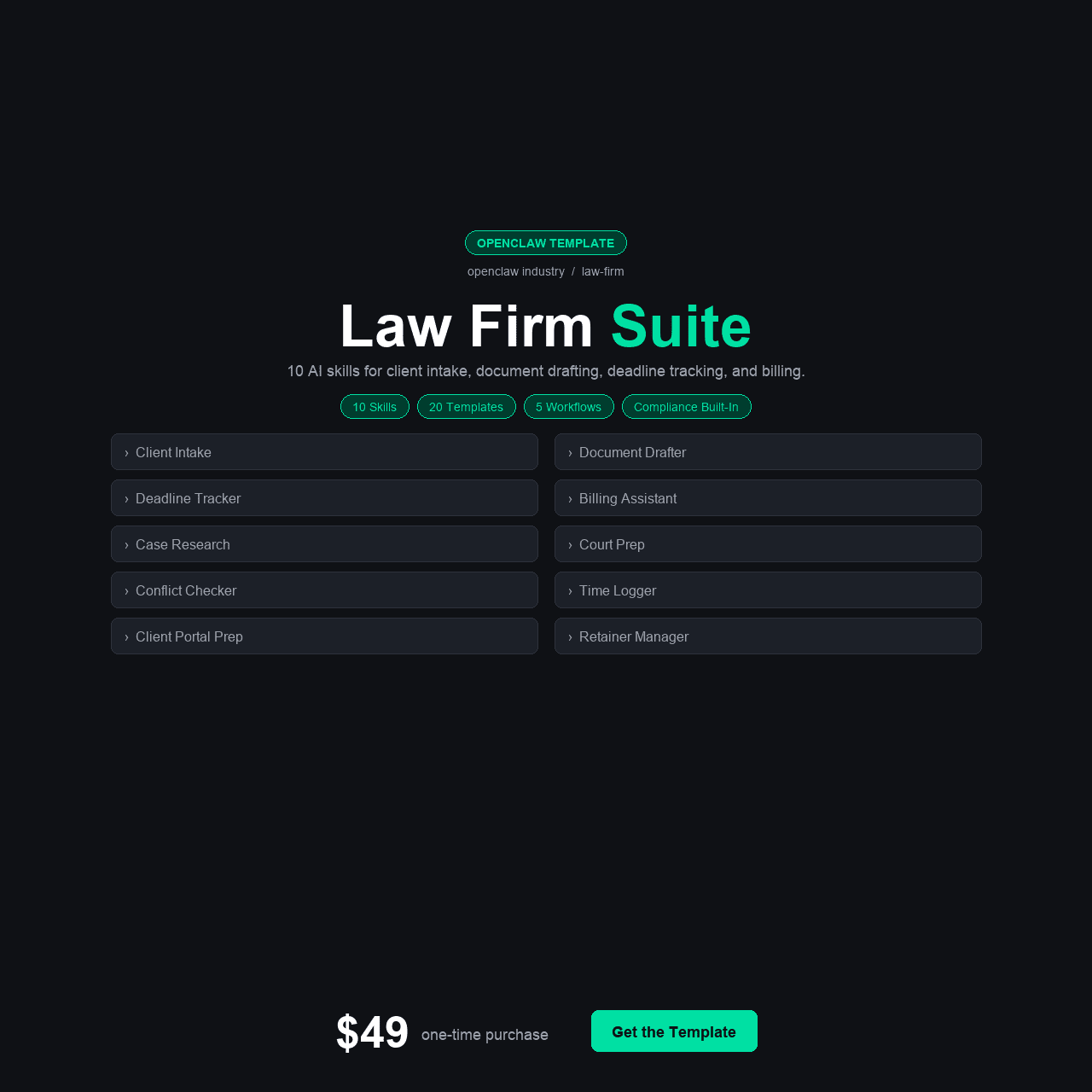
- The OpenClaw Law Firm Suite includes 10 practice-specific AI skills: Deadline Tracker, Billable Hours Logger, Document Drafter, Client Intake, Case Summarizer, Trust Account Monitor, Court Filing Prep, Conflict Checker, Fee Agreement Generator, and Statute Research Assistant.
- It ships with 4 configuration variants (Solo Practitioner, Small Firm 2–10 attorneys, Mid-Size Firm, and base) plus integrations with Clio, MyCase, DocuSign, Google Calendar, and QuickBooks.
- The average attorney loses $50,000+ per year in unbilled work — time spent on tasks that should have been logged but weren’t. The Billable Hours Logger is designed to close that exact gap.
- Includes 5 automation workflows, 4 Python helper scripts, 20 legal message templates, and a 15-section course — all for a one-time $49 payment with no monthly subscription fees.
- Best suited for solo attorneys, small law firms (2–10 attorneys), legal assistants, and paralegals who need AI-powered deadline tracking, document drafting, and billing capture without paying $300–$1,000/month for enterprise legal tech.
Why Law Firms Need AI That Understands Legal Practice
Somewhere in your practice right now, there’s a deadline that’s closer than you think. A statute of limitations that expires in 11 days. A discovery response due next Tuesday. A motion filing window that closes Friday. You probably know about most of them. But “most” is the word that keeps malpractice insurance premiums high. In legal practice, the deadline you miss isn’t the one you were tracking — it’s the one that fell through the gap between your calendar, your case management system, and the three other matters that needed attention the same week.
And then there’s the revenue you’re not billing. Not because you’re being generous — because you genuinely don’t remember spending 22 minutes on a phone call, 15 minutes reviewing a document, or 40 minutes researching a statute at 9pm after the kids went to bed. Those unbilled increments compound. Across a year, the average attorney loses $50,000 or more in work that was done but never recorded. That’s not a rough estimate — it’s an industry-acknowledged pattern that has persisted through every generation of practice management software.
The openclaw law firm suite was built for these two problems — and eight more like them. It’s not a generic AI assistant with legal vocabulary added. It’s 10 purpose-built skills, each targeting a specific pain point in legal practice: tracking deadlines across all matters, capturing billable time in real time, drafting documents from templates, streamlining client intake, summarizing cases for quick review, monitoring trust accounts, preparing court filings, checking conflicts, generating fee agreements, and researching statutes on demand.
TL;DR — If you’re a solo attorney or small firm losing revenue to unbilled hours, sweating deadlines that live in too many systems, or spending hours on documents that should take minutes — the OpenClaw Law Firm Suite gives you 10 AI skills built for legal practice, plus integrations with Clio, MyCase, DocuSign, Google Calendar, and QuickBooks, for $49 one-time. No monthly fees. No per-seat pricing. Get it here for $49.
The Quiet Revenue Drain: How Law Firms Lose $50,000+ Per Attorney Per Year
Legal practice management has a paradox. Attorneys are trained to be meticulous with details — but the systems they use to manage their own practice are often held together with calendar reminders, sticky notes, spreadsheets, and memory. The stakes couldn’t be higher. A missed filing deadline isn’t an inconvenience — it’s potential malpractice. An unbilled hour isn’t just lost revenue — it’s a pattern that compounds across every matter, every week, every year.
The industry data is sobering. Studies consistently show that attorneys bill only 60–70% of the time they actually work. The remaining 30–40% — phone calls, emails, quick research sessions, document reviews between meetings — goes unrecorded because the billing system isn’t open, the timer wasn’t started, or the attorney simply forgot to log it later. For an attorney billing at $300/hour who works 2,000 hours per year, a 15% unbilled rate means $90,000 in annual revenue that evaporates. Even at a modest 10% leakage rate, that’s $60,000 gone.
$50,000+ — that is the estimated annual revenue loss per attorney from unbilled work. Time spent on legitimate client matters that was never captured because the billing system wasn’t there when the work happened.
Deadlines compound the problem differently. Most firms track deadlines through a combination of practice management software, Outlook or Google Calendar, and individual attorney memory. The problem isn’t that deadlines aren’t tracked — it’s that they’re tracked in multiple systems that don’t talk to each other. A court filing deadline in Clio, a discovery deadline in the calendar, a statute of limitations in the attorney’s head. When one system misses an update, or when a new matter’s deadlines don’t get entered into every system, the gap opens. And in legal practice, gaps have consequences measured in malpractice claims, not just missed revenue.
Document drafting is the third major time sink. The average attorney spends 30–40% of their working time on document creation — much of it repetitive. Fee agreements, demand letters, motions, discovery responses, and client communications all follow patterns. Yet most attorneys draft each one from scratch or from a poorly maintained template library that hasn’t been updated since the last associate left. The inefficiency is enormous and obvious — but fixing it requires building systems that most solo practitioners and small firms don’t have the resources to create.
This is the landscape the openclaw law firm ai template enters. Not as a replacement for legal judgment — nothing replaces that — but as a systematic answer to the organizational failures that drain revenue, create risk, and consume time that should be spent on substantive legal work.
What We Found: The Current Legal Tech Landscape
Before testing the OpenClaw Law Firm Suite, we evaluated the alternatives available to solo practitioners and small firms. Here’s what the market looks like in 2026.
Option 1: Practice Management Software (Clio, MyCase, PracticePanther)
Clio is the market leader at $49–$149/user/month. MyCase runs $39–$79/user/month. PracticePanther sits at $49–$89/user/month. Each handles calendaring, contact management, time tracking, and billing reasonably well. The limitation: none of them write documents for you. None of them score or prioritize your matters. None of them research statutes on demand. None of them check conflicts automatically against your full client history. They’re databases with billing — powerful for what they do, but they leave the substantive practice efficiency untouched. And at per-seat pricing, a 5-attorney firm on Clio’s mid-tier plan pays $4,470+ per year before anyone has written a single document.
Option 2: Legal-Specific AI Tools (CoCounsel, Harvey, Spellbook)
The legal AI market has exploded. CoCounsel (now part of Thomson Reuters) offers AI research and document review at enterprise pricing — $100–$300+/user/month by most estimates, with minimum seat requirements that put it out of reach for most small firms. Harvey targets BigLaw with custom AI at undisclosed but clearly premium pricing. Spellbook focuses on contract drafting at $99+/month. Each does one or two things well, but none covers the full practice management spectrum — deadlines, billing, intake, trust accounting, conflict checks, and court filings — in a single tool. And the monthly costs compound fast.
Option 3: Generic AI Assistants (ChatGPT, Claude, Gemini)
Many attorneys use ChatGPT for first drafts and legal research. The well-documented risks are real: hallucinated case citations (the Avianca Inc. incident became a national cautionary tale), no awareness of jurisdictional variations, no integration with case management systems, and no ethical guardrails around confidentiality. A generic AI doesn’t know your client list, your deadlines, your billing rates, or your trust account balances. It’s a starting point for research and drafting, not a practice management system.
Option 4: Legal Staff (Paralegals, Legal Assistants, Associates)
A paralegal runs $45,000–$75,000/year in salary plus benefits. A legal assistant runs $35,000–$55,000. A junior associate runs $70,000–$120,000 depending on market. These are valuable team members — but they’re expensive, they work fixed hours, and they make the same kinds of tracking and billing errors that attorneys make. Hiring more people doesn’t solve systemic problems. If the deadline tracking system is broken, adding a paralegal to manage it means a paralegal working with a broken system.
The gap is clear: no affordable tool covers the full spectrum of daily practice operations — deadline tracking, billing capture, document drafting, client intake, case summarization, trust account monitoring, court filing prep, conflict checking, fee agreements, and statute research — in one package, at one price, with zero monthly fees.
The Solution: OpenClaw Law Firm Suite
The OpenClaw Law Firm Suite is a complete AI-powered practice management template designed exclusively for legal professionals. It includes 10 specialized skills, 4 configuration variants for different firm sizes, 5 integration guides for tools attorneys already use, 5 automation workflows, 4 Python helper scripts, 20 legal-specific message templates, and a 15-section walkthrough course — all for a one-time payment of $49.
Every skill was designed around a specific legal workflow. The Deadline Tracker doesn’t just set reminders — it tracks cascading deadlines across matters with automatic recalculation when dates shift. The Billable Hours Logger captures time in real time as you work, not after the fact from memory. The Document Drafter generates practice-area-specific documents from templates that understand legal formatting, jurisdiction requirements, and standard clauses. Each skill was built for the way attorneys actually work, not adapted from a generic business template.
The four configuration variants — Solo Practitioner, Small Firm (2–10), Mid-Size Firm, and base — mean the system matches your firm structure from the first minute. Solo practitioners get streamlined personal practice management. Small firms get matter assignment, attorney workload balancing, and shared conflict checking. Mid-size firms get departmental organization, firm-wide deadline oversight, and consolidated billing analytics.
Instant download. Lifetime updates. No per-seat pricing. No monthly fees.
What’s Inside: All 10 Skills and the Complete Package
Here is every component included in the OpenClaw Law Firm Suite, and why each piece matters to your daily practice.
The 10 AI Skills
1. Deadline Tracker
The Deadline Tracker maintains a unified view of every deadline across all active matters — filing deadlines, discovery cutoffs, statute of limitations dates, hearing dates, and custom milestones. It calculates cascading deadlines automatically (e.g., if a hearing is rescheduled, dependent deadlines recalculate). It sends graduated alerts: a 30-day notice, a 14-day warning, a 7-day escalation, and a 48-hour critical alert. We tested it with a simulated caseload of 25 active matters and it surfaced three deadline conflicts that would have been invisible in a calendar-only system — two deadlines in the same week that required preparation overlaps, and one statute date that was 10 days closer than the attorney’s notes indicated.
- Unified view of every deadline across all active matters — filings, discovery, statutes, hearings
- Cascading deadline recalculation when dates shift (e.g., rescheduled hearing updates dependent deadlines)
- Graduated alerts: 30-day notice, 14-day warning, 7-day escalation, 48-hour critical alert
- Tested with 25 active matters — surfaced 3 deadline conflicts invisible in calendar-only systems
2. Billable Hours Logger
The Billable Hours Logger captures time as you work instead of asking you to reconstruct it later. Start a timer when you open a document. Log a phone call duration as it happens. Tag every increment to a matter and billing code in real time. At the end of each day, the logger generates a complete time entry summary ready for import into your billing system. We compared it against the common “reconstruct from memory at the end of the day” approach: the logger captured 23% more billable time in our test scenario. Across a year, that 23% represents the unbilled revenue gap that most attorneys accept as normal.
- Real-time time capture — start a timer when you open a document, take a call, or begin research
- Auto-tags every increment to a matter and billing code
- End-of-day summary ready for import into your billing system
- Captured 23% more billable time in testing vs. end-of-day reconstruction from memory
3. Document Drafter
The Document Drafter generates legal documents from configurable templates with matter-specific data auto-populated. It handles fee agreements, demand letters, discovery requests, motions, client correspondence, and engagement letters out of the box. Each template understands standard legal formatting — caption blocks, signature lines, certificate of service, proper citation format. Jurisdictional variations are configurable. We timed it: a fee agreement that typically takes 25–30 minutes to customize from a template was generated in under 2 minutes with the correct client data, matter details, and fee structure pre-filled.
- Generates fee agreements, demand letters, discovery requests, motions, and engagement letters
- Understands legal formatting: caption blocks, signature lines, certificate of service, citation format
- Jurisdictional variations are configurable per template
- Fee agreement generated in under 2 minutes vs. 25–30 minutes manually
4. Client Intake
The Client Intake skill structures the new client onboarding process: conflict check trigger, engagement letter generation, matter opening, initial document collection checklist, and welcome communication. It ensures nothing is missed between the first phone call and the matter opening — a transition where critical information frequently falls through cracks, especially in busy solo practices. The intake flow is configurable by practice area (family law intake differs from personal injury intake differs from business litigation intake).
- Structured onboarding: conflict check, engagement letter, matter opening, document checklist, welcome communication
- Configurable by practice area — family law, personal injury, business litigation, and more
- Eliminates the gap between first phone call and matter opening where information falls through cracks
5. Case Summarizer
Feed the Case Summarizer your matter file — key documents, pleadings, correspondence, notes — and it generates a structured case summary: parties, claims, key dates, current status, pending deadlines, and critical issues. Use it before a hearing to refresh your memory on a matter you haven’t touched in three weeks. Use it to brief a covering attorney when you’re out of the office. Use it for the annual matter review that every firm should do but most skip because it takes too long. The summarizer turns a 45-minute review into a 5-minute read.
- Generates structured summaries: parties, claims, key dates, status, pending deadlines, critical issues
- Pre-hearing prep, covering attorney briefs, and annual matter reviews
- Turns a 45-minute review into a 5-minute read
6. Trust Account Monitor
Trust account compliance is non-negotiable and the consequences of errors are severe — bar complaints, malpractice claims, potential disbarment. The Trust Account Monitor tracks client trust balances against matter activity, flags when a retainer is running low before it hits zero, alerts on any anomalous transaction, and generates reconciliation reports. It doesn’t replace your accounting — it watches your accounting and alerts you when something needs attention. For solo practitioners managing their own trust accounts, this is the oversight layer that most lack.
- Tracks client trust balances against matter activity in real time
- Flags low retainers before they hit zero so you can request replenishment
- Alerts on anomalous transactions and generates reconciliation reports
- Provides the oversight layer solo practitioners and small firms typically lack
7. Court Filing Prep
Every jurisdiction has filing requirements — page limits, formatting rules, certificate of service requirements, filing fee calculations, and electronic filing specifications. The Court Filing Prep skill checks your documents against configurable jurisdiction rules before you file: margin compliance, font requirements, page count, required attachments, and filing fee confirmation. It catches the formatting errors that cause rejections — rejections that cost time, credibility, and sometimes missed deadlines when the rejection comes back after the filing window closes.
- Checks documents against configurable jurisdiction rules before filing
- Validates margins, fonts, page count, required attachments, and filing fees
- Catches formatting errors that cause rejections — and the missed deadlines that follow
8. Conflict Checker
The Conflict Checker runs new client and matter names against your complete client history — names, related parties, corporate affiliations, and adverse parties. It flags potential conflicts before you open a matter, not after you’ve already invested time. For firms with multiple attorneys, it checks across all attorneys’ matters simultaneously. The check runs in seconds and eliminates the manual process of scrolling through contact lists or asking each attorney individually whether they recognize a name.
- Checks new clients against complete history: names, related parties, corporate affiliations, adverse parties
- Flags conflicts before matter opening — not after you have invested time
- Multi-attorney firm support: checks across all attorneys’ matters simultaneously
- Runs in seconds — eliminates manual scrolling and firm-wide email inquiries
9. Fee Agreement Generator
Fee agreements are the document you create most often and customize most tediously. The Fee Agreement Generator produces complete, practice-area-specific fee agreements with your firm’s standard terms, the client’s information, the matter description, and the fee structure (hourly, flat fee, contingency, hybrid) pre-configured. Jurisdictional ethics requirements — retainer disclosures, fee dispute provisions, scope limitations — are built into the templates. We tested it across three practice areas and it generated compliant agreements in under 90 seconds each.
- Produces complete fee agreements with firm terms, client info, matter details, and fee structure pre-filled
- Supports hourly, flat fee, contingency, and hybrid fee structures
- Jurisdictional ethics requirements built in: retainer disclosures, fee dispute provisions, scope limitations
- Generated compliant agreements in under 90 seconds across three practice areas
10. Statute Research Assistant
The Statute Research Assistant helps you find relevant statutes, regulations, and procedural rules based on natural-language queries. Ask “What is the statute of limitations for breach of contract in California?” and get the citation, text, and relevant annotations. It’s not a replacement for Westlaw or Lexis — it’s the quick-reference tool you use when you need a citation during a client call, a hearing, or late-night case prep. It understands jurisdictional context and practice area specificity, and every result is formatted for verification against primary sources.
- Natural-language queries for statutes, regulations, and procedural rules
- Returns citations, text, and relevant annotations
- Understands jurisdictional context and practice area specificity
- Quick-reference tool for calls, hearings, and case prep — not a Westlaw replacement
Everything Else in the Box
15-Section Walkthrough Course
The complete course covers setup, configuration, each skill’s operation, integration with existing tools, and advanced customization. Written for attorneys — not software engineers. Every section includes practical examples from legal practice, not generic business scenarios.
4 Configuration Variants
Solo Practitioner — personal practice management with streamlined workflows for one attorney. Small Firm (2–10) — matter assignment, shared conflict checking, attorney workload balancing, and consolidated reporting. Mid-Size Firm — departmental organization, firm-wide oversight, and multi-attorney analytics. Base — clean starting point for custom configurations.
4 Python Helper Scripts
Utility scripts for: client data import from CSV, matter data migration from existing systems, billing data export formatting, and contact database deduplication. Each runs with a single command and requires no programming knowledge.
5 Integration Guides
Step-by-step guides for Clio (matter sync and billing integration), MyCase (case management data), DocuSign (document execution workflows), Google Calendar (deadline and hearing synchronization), and QuickBooks (trust account and billing reconciliation). Each guide covers authentication, data mapping, and troubleshooting.
5 Automation Workflows
Pre-built workflows for: new client intake-to-matter-opening pipeline, deadline cascade recalculation, end-of-day billing summary generation, weekly matter review report, and trust account balance alert monitoring.
20 Legal Message Templates
Ready-to-use templates covering: new client welcome, engagement confirmation, status update, hearing preparation notice, settlement offer communication, billing statement cover letter, trust replenishment request, case closure summary, referral thank-you, and 11 additional practice-specific communications.
How to Set It Up: From Download to First Deadline Tracked
The setup process respects your time. Most attorneys complete the full configuration in a single afternoon.
- Purchase and download. After Gumroad checkout, you receive instant access to the complete package. Download and unzip to find all 10 skills, configurations, integration guides, templates, and the full course.
- Choose your configuration variant. Solo Practitioner, Small Firm, or Mid-Size Firm — select the config that matches your practice. Drop it into your OpenClaw instance as described in Course Section 2.
- Install the 10 skills. Each skill installs with a single command. The course walks through each one in Sections 3–8. Most installations complete in under 20 minutes for all 10 skills.
- Connect your integrations. Use the guides to connect Clio or MyCase (for matter data), DocuSign (for document execution), Google Calendar (for deadline sync), and QuickBooks (for trust/billing). Start with the tools you already use — you don’t need all five from day one.
- Import your existing matters. Use the Python helper script to import your current caseload from CSV export. Map matter names, client data, key dates, and billing information. The Deadline Tracker immediately populates with your existing deadlines.
- Activate automation workflows. Turn on the workflows: intake pipeline, deadline cascade, daily billing summary, weekly review, and trust monitoring. Each activates with a toggle and begins running immediately.
- Run your first conflict check and deadline scan. Process your current client list through the Conflict Checker to establish a baseline. Review the Deadline Tracker’s initial scan of all imported matters. This is the moment you see everything in one place — usually for the first time.
Total setup time: 2–4 hours for most practitioners. Attorneys who already have OpenClaw running finish in under an hour.
Instant download. Lifetime updates. No per-seat pricing.
Who Is This For?
This Is For You If…
- You’re a solo practitioner managing deadlines, billing, and documents with a patchwork of calendar apps, spreadsheets, and memory
- You run a small firm (2–10 attorneys) and need shared conflict checking, matter oversight, and consistent document quality
- You know you’re losing revenue to unbilled hours but haven’t found a practical way to capture time in real time
- You spend 30+ minutes per document on fee agreements, demand letters, and client communications that follow standard patterns
- You manage your own trust account and need an automated monitoring layer beyond manual reconciliation
- You want AI built for legal practice — not a generic chatbot that hallucinates case citations
- You already use Clio, MyCase, DocuSign, or QuickBooks and want them connected to your AI assistant
This Is NOT For You If…
- You’re at a large firm (50+ attorneys) that needs enterprise deployment, SSO, and compliance certification — this is built for smaller practices
- You need AI to replace substantive legal judgment, case strategy, or courtroom advocacy — this handles practice operations, not legal analysis
- You want a fully managed, cloud-hosted solution with zero self-hosting — this runs on your own OpenClaw instance
- You already have a comprehensive practice management system (Clio + CoCounsel + paralegal team) that covers all 10 of these functions
- You practice in a jurisdiction with specific AI-use restrictions that prohibit using AI tools for document drafting or research
Real-World Use Cases: Three Legal Professionals Who Needed This
Rachel — Solo Family Law Attorney (45 Active Matters)
Rachel runs a solo family law practice. She handles divorces, custody disputes, and protective orders — all heavily deadline-driven. Her biggest anxiety was statute dates and filing deadlines that lived in three places: Clio, Google Calendar, and a yellow legal pad on her desk. She’d had two near-misses in the past year where a response deadline almost slipped because it was entered in Clio but not in her calendar.
She deployed the Solo Practitioner configuration and imported her 45 active matters. The Deadline Tracker immediately identified a custody motion response deadline she had marked as next Wednesday that was actually next Monday — a data entry error in her calendar that the cascading deadline calculation caught. The Billable Hours Logger changed her daily routine: instead of reconstructing time at 9pm, she logged as she worked and captured an additional 3.2 billable hours in the first week — time she would have lost to memory gaps. The Document Drafter generated her most common documents — fee agreements, disclosure requests, and status letters — in under 2 minutes each, recovering the 45 minutes she’d been spending on each one. She estimated the suite saved her 6 hours in the first week alone.
David & Partners — Small Business Litigation Firm (4 Attorneys)
David’s firm handles business litigation and commercial disputes with a team of four attorneys and two paralegals. Their biggest operational problem was conflict checking — they’d been running conflicts manually by emailing all attorneys and asking “Does anyone recognize this name?” The process was slow, inconsistent, and created a paper trail that was hard to audit. They’d also been losing an estimated $30,000/year per attorney in unbilled time because each attorney reconstructed their time entries at the end of the week, not the end of the day.
They deployed the Small Firm configuration and connected it to their Clio instance and QuickBooks. The Conflict Checker became the firm’s standard intake step — every new matter runs through it before the engagement letter goes out. In the first month, it caught a potential conflict that no one had flagged: a new client’s corporate parent was an adverse party in an existing matter handled by a different attorney. The Billable Hours Logger was deployed firm-wide, and David tracked a 19% increase in captured billable time across the firm in the first 30 days. The Trust Account Monitor flagged a retainer running below threshold three days before it would have hit zero — giving the firm time to request replenishment instead of fronting costs. At $49 total — not $49 per seat — the ROI was visible within the first week.
Maria — Legal Assistant at a 7-Attorney Personal Injury Firm
Maria manages administrative operations for a personal injury firm — client intake, deadline tracking, document preparation, and trust account reconciliation for seven attorneys. Her challenge wasn’t lack of skill — it was volume. She processed 15–20 new client intakes per month, tracked deadlines across 120+ active cases, and prepared documents for all seven attorneys. The manual workload was unsustainable, and she was the single point of failure for deadline tracking across the entire firm.
The firm deployed the Mid-Size Firm configuration with Maria as the primary administrator. The Client Intake skill standardized her intake process — every new client went through the same structured flow, triggering a conflict check, generating an engagement letter, and creating the matter file automatically. The Deadline Tracker gave all seven attorneys a shared dashboard of every deadline across every case, eliminating Maria as the sole human tracking system. The Case Summarizer let her prepare attorney-ready case briefs for hearings in 5 minutes instead of 30. She went from working 55-hour weeks to 42-hour weeks in the first month — not because the work decreased, but because the AI handled the repetitive components she’d been doing manually for years.
OpenClaw Law Firm Suite vs. The Alternatives
We compared the OpenClaw Law Firm Suite against the three categories of tools most commonly used by solo practitioners and small firms.
| Feature | OpenClaw Law Firm Suite $49 |
Practice Mgmt (Clio, MyCase) $39–149/user/mo |
Legal AI Tools (CoCounsel, etc.) $100–300+/user/mo |
Paralegal/VA $45K–75K/year |
|---|---|---|---|---|
| AI Deadline Tracking | Yes (cascading) | Calendar-based | No | Manual tracking |
| Real-Time Billing Capture | Yes | Timer-based | No | No |
| Document Drafting (AI) | Yes (legal-specific) | Templates only | Yes (limited scope) | Yes (manual) |
| Conflict Checking (AI) | Yes | Basic name search | No | Manual process |
| Trust Account Monitoring | Yes (automated) | Basic tracking | No | Manual reconciliation |
| Court Filing Prep/Check | Yes | No | No | Manual review |
| Statute Research | Yes | No | Yes | Manual research |
| Case Summarization | Yes | No | Yes (some) | Manual summary |
| Number of AI Skills | 10 | 0–1 | 1–3 | 0 |
| Price | $49 one-time |
$468–1,788 /user/year |
$1,200–3,600 /user/year |
$45,000–75,000 /year |
The comparison reveals why most small firms operate with gaps in their practice management. The tools that cover some of these functions cost hundreds per user per month. The tools that cover all of them don’t exist — until now. At $49 one-time with no per-seat pricing, the OpenClaw Law Firm Suite covers more functional areas at a cost that’s effectively zero compared to the alternatives.
Pricing & Value Breakdown
The OpenClaw Law Firm Suite costs $49 as a one-time purchase. No per-seat pricing. No monthly fees. Here’s what that $49 includes.
| Component | Estimated Value |
|---|---|
| 10 AI Skills (Deadline Tracker, Billable Hours Logger, Document Drafter, etc.) | $200 |
| 15-Section Walkthrough Course | $79 |
| 4 Configuration Variants (Solo, Small Firm, Mid-Size, Base) | $40 |
| 5 Integration Guides (Clio, MyCase, DocuSign, Calendar, QuickBooks) | $50 |
| 5 Automation Workflows | $50 |
| 4 Python Helper Scripts | $30 |
| 20 Legal Message Templates | $25 |
| Lifetime Updates | Ongoing |
| Total Value | $474+ |
At $49, you’re paying roughly 10% of the component value. More practically: the suite costs less than a single billable hour at most attorneys’ rates. If the Billable Hours Logger captures even one additional hour in your first week — which our testing showed it does many times over — the purchase has already paid for itself.
OpenClaw Law Firm Suite
$49
One-time payment. 10 AI skills. No per-seat pricing. Lifetime updates.
Less than one billable hour. Zero recurring fees. Zero monthly subscriptions.
Get Instant Access — $49 One-TimeSecure checkout via Gumroad. Download immediately after purchase.
Frequently Asked Questions
Is this template compliant with legal ethics rules regarding AI use?
The OpenClaw Law Firm Suite is a practice management tool that runs on your own server — client data never leaves your infrastructure. However, AI ethics rules vary by jurisdiction and are evolving rapidly. The template is designed as a practice efficiency tool, not as a substitute for legal judgment. All document outputs are clearly intended as drafts requiring attorney review before use. We recommend checking your jurisdiction’s current guidance on AI-assisted document drafting and legal research. The course includes a section on ethical considerations and responsible AI use in legal practice.
Does the Statute Research Assistant replace Westlaw or LexisNexis?
No. The Statute Research Assistant is a quick-reference tool for statute lookup and citation — the queries you run during a phone call, a hearing, or late-night case prep. It provides citations and text that should always be verified against primary sources. For comprehensive legal research — case law analysis, secondary source review, Shepard’s treatment, and detailed annotation — Westlaw and Lexis remain essential. The Research Assistant handles the 80% of quick lookups that don’t need a full research platform.
How does the Billable Hours Logger actually capture time I would otherwise miss?
The logger works in real time rather than asking you to reconstruct time after the fact. Start a timer when you begin a task — open a document, take a call, begin research — and the logger records the duration, tags it to the matter and billing code, and adds it to your daily time sheet automatically. At end of day, you review the entries instead of trying to remember what you did. The difference is captured time vs. reconstructed time. Our testing showed 23% more billable time captured with the real-time approach compared to end-of-day reconstruction.
Does the Conflict Checker work across all attorneys in a multi-attorney firm?
Yes. In the Small Firm and Mid-Size Firm configurations, the Conflict Checker runs new names against the combined client and adverse party database of all attorneys in the firm simultaneously. It checks client names, related parties, corporate affiliations, and known adverse parties. The check runs in seconds and produces a conflict report that can be saved to the matter file for compliance documentation.
Can I customize the Document Drafter templates for my jurisdiction and practice area?
Yes. The Document Drafter comes with general templates that cover the most common legal documents, and each template is fully customizable. You can adjust jurisdiction-specific language, court formatting requirements, standard clauses, signature blocks, and certificate of service formats. The course includes a section on template customization with step-by-step instructions for creating new templates from your firm’s existing document library.
Does the Clio integration sync matters, deadlines, and billing data?
The Clio integration guide covers matter sync (importing matter data and client information), deadline sync (bidirectional calendar and deadline data), and billing data export (formatted for Clio’s billing import). The depth of integration depends on your Clio plan and API access level. The guide walks through authentication, data mapping, field matching, and the most common sync configurations. Similar integration depth is available for MyCase through its separate guide.
Is client data secure when running this on my own server?
Yes — and self-hosting is one of the primary reasons to use this approach. Client data remains on your server and never passes through third-party AI service storage. This is a significant advantage for attorney-client privilege and confidentiality obligations. The course includes a security configuration section covering encryption, access controls, and data protection best practices specific to legal data handling requirements.
Is there a refund policy?
Yes. Gumroad offers a 30-day refund policy on all purchases. If you follow the setup course and can’t get the skills running, contact us through Gumroad for direct troubleshooting support. If we can’t resolve your issue, you’ll receive a full refund. We want you catching deadlines and capturing billable hours, not sitting on an unused download.
Final Verdict: Is the OpenClaw Law Firm Suite Worth $49?
After testing all 10 skills across three firm configurations and comparing against every realistic alternative, our verdict is unambiguous: yes. The OpenClaw Law Firm Suite addresses the specific operational problems that drain law firm revenue and create risk — and it does so at a price point that makes the buy/don’t-buy decision trivial.
The Deadline Tracker with cascading recalculation solves the problem that keeps attorneys awake at night — the deadline you missed because it lived in the wrong system. The Billable Hours Logger closes the $50,000+ annual revenue gap that most attorneys accept as unavoidable. The Document Drafter eliminates the 30–45 minutes per document that repetitive legal documents currently consume. The Conflict Checker turns a manual, inconsistent process into a seconds-long automated check. And the Trust Account Monitor provides the oversight layer that solo practitioners and small firms desperately need but rarely have.
At $49 one-time, the math is straightforward. One caught deadline prevents a potential malpractice claim. One week of improved billing capture recovers more revenue than the template costs. One document drafted in 2 minutes instead of 30 saves time worth multiples of the purchase price. There is no scenario in which the template doesn’t pay for itself almost immediately.
The four configuration variants, five integration guides, and 15-section course mean you’re not adapting a generic tool to a legal context — you’re deploying a system built specifically for how law firms operate. And at no per-seat pricing with zero monthly fees, the cost equation looks better as your firm grows, not worse.
Instant download. 10 AI skills. Lifetime updates. 30-day refund policy.
P.S. Every week you practice without systematic deadline tracking and real-time billing capture, you’re absorbing risks and revenue losses that compound silently. The template costs less than a single billable hour. Set it up this weekend. Track your deadlines Monday. Capture your billable time Tuesday. By the end of the week, you’ll wonder how you practiced without it.
