
OpenClaw Real Estate Agent Review: 10 AI Skills to Close More Deals and Stop Losing Leads (2026 Guide)
We tested the OpenClaw Real Estate Agent template across three different agent workflows — solo agent, team lead, and broker office — to find out whether 10 AI skills, 5 automation workflows, and 20 ready-made message templates can actually stop the lead leakage and follow-up chaos that costs agents thousands in lost commissions every year. Here is everything we found.
Key Takeaways
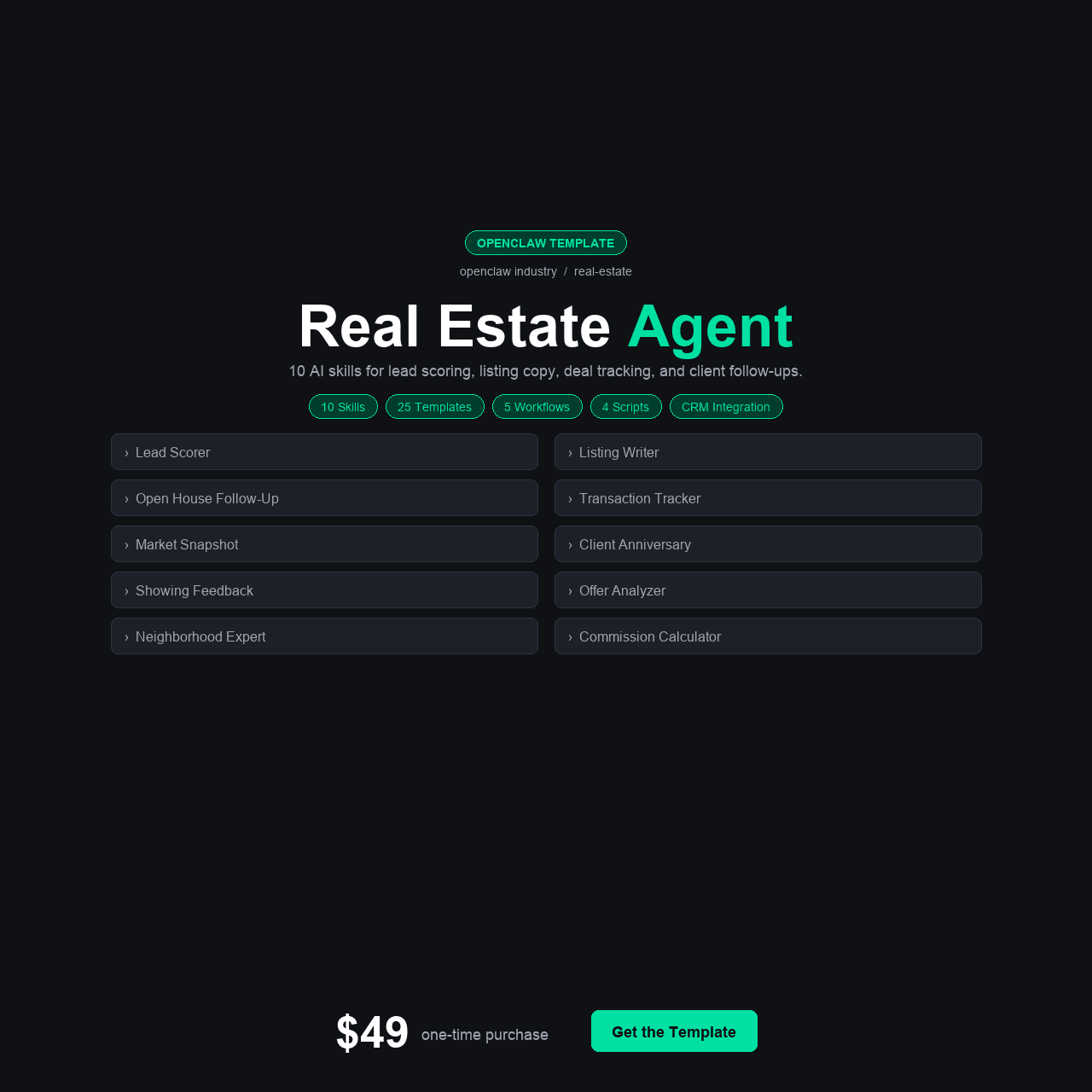
- The OpenClaw Real Estate Agent includes 10 purpose-built AI skills covering lead scoring, listing descriptions, deal tracking, open house management, market snapshots, client matching, transaction coordination, neighborhood analysis, commission calculation, and mortgage rate monitoring.
- It ships with 4 configuration variants (Solo Agent, Team Lead, Broker/Office Manager, and base), so the setup matches your actual practice structure from day one — not a one-size-fits-all generic template.
- The 5 integration guides cover Zillow, Realtor.com, DocuSign, Google Calendar, and Twilio — the tools most agents already use — connected through 5 automation workflows and 4 Python helper scripts.
- A single missed follow-up can cost $8,000–$15,000 in commission. The Lead Scorer and Deal Tracker skills specifically target the follow-up gaps where deals die silently.
- At $49 one-time, it replaces scattered spreadsheets, forgotten follow-ups, and the 2–3 hours per listing spent writing descriptions — with zero recurring cost and no monthly SaaS subscription.
Why Real Estate Agents Need AI That Actually Understands Their Business
Every real estate agent has lost a deal they should have closed. Not because the property was wrong. Not because the price was off. Because someone — you, your assistant, your CRM — dropped the ball on a follow-up that should have been automatic. The lead went cold. The buyer went to another agent. The commission check went to someone else’s mailbox. And the worst part is that you probably didn’t even realize it happened until weeks later, when a closed sale appeared on MLS under a different listing agent’s name.
The openclaw real estate agent template was built for exactly this problem — and nine others like it. It’s not a generic AI assistant with a real estate skin thrown on top. It’s a set of 10 specialized skills, each designed for a specific pain point that agents, team leads, and brokers deal with every day: scoring leads so you know which calls to make first, writing listing descriptions that don’t take two hours per property, tracking deals so nothing falls through a crack, managing open houses without drowning in logistics, and monitoring mortgage rates so your buyers hear about changes from you before they hear it from someone else.
In this review, we walk through exactly what’s included, how each skill works in practice, who it’s built for, and whether the $49 price tag holds up against the cost of continuing to do all of this manually — or not doing it at all.
TL;DR — If you’re a real estate agent losing deals to missed follow-ups, spending hours on listing descriptions, or managing leads with spreadsheets and memory — the OpenClaw Real Estate Agent gives you 10 AI skills purpose-built for your workflow, plus integrations with the tools you already use, for a one-time cost of $49. No monthly fees. No recurring subscriptions. Get it here for $49.
The Real Cost of Running a Real Estate Business on Memory and Spreadsheets
Real estate is a relationship business that runs on timing. A lead that’s hot today is lukewarm tomorrow and gone by Friday. A listing that needs a description today can’t wait until the weekend when you “have time to write.” A buyer whose pre-approval is expiring needs to hear about a rate change today, not when you get around to checking rates. The entire business model depends on acting at the right moment — and the industry’s tools for ensuring that happens are shockingly primitive.
Most agents manage their pipeline with some combination of a CRM they half-use, a spreadsheet they forget to update, a notes app on their phone, and their own memory. Follow-ups happen when they remember. Listing descriptions get written when they find time — usually late at night, usually rushed, usually mediocre. Market data gets checked when a client asks, not proactively. Open house logistics live in text message threads that scroll past and disappear.
$8,000–$15,000 — that is the average commission lost from a single missed follow-up on a qualified lead. A cost most agents absorb silently because they never knew the lead went cold until the deal closed under someone else’s name.
The numbers are brutal. NAR data shows that 80% of transactions happen between the 5th and 12th contact with a lead. Most agents stop following up after the 2nd or 3rd. Not because they don’t care — because they’re juggling 30 active leads, 8 listings, 4 open houses, and a phone that rings every ten minutes. Something always slips. And when it slips, it slips quietly. There’s no alarm. There’s no notification. There’s just a commission check that never arrives and a lead that went to the agent who was better organized.
This is the problem the openclaw real estate ai template was built to solve. Not by replacing the agent — nothing replaces your knowledge of your market, your relationships, your instincts — but by handling the organizational and follow-up systems that keep deals from dying between conversations.
What We Found: The Existing Options for Real Estate AI Tools
Before testing the OpenClaw Real Estate Agent, we surveyed the landscape of AI-powered tools currently available to agents. Here’s what we actually found.
Option 1: Traditional Real Estate CRMs (Follow Up Boss, KVCore, LionDesk)
The established CRMs handle contact management and drip campaigns reasonably well. Follow Up Boss is the gold standard for teams, running $69–$499/month depending on team size. KVCore bundles website, CRM, and lead gen at $499+/month for teams. LionDesk starts lower at $25/month but feels limited at scale. The problem: none of them write listing descriptions. None of them score leads using AI. None of them monitor mortgage rates or generate market snapshots on demand. They’re contact databases with email sequences — powerful for what they do, but they leave most of the agent’s daily pain points completely untouched.
Option 2: Generic AI Assistants (ChatGPT, Claude, Gemini)
Plenty of agents use ChatGPT to draft listing descriptions or client emails. It works — sort of. The problem is that every interaction starts from zero. You type a prompt, you get output, you edit it, you forget the prompt three days later, you start over. There’s no persistent context about your market, your listings, your clients. There’s no lead scoring. There’s no integration with Zillow or DocuSign. It’s a helpful tool, but it’s not a system. Using ChatGPT for real estate is like using a hammer for everything — it works on nails, but your business has screws too.
Option 3: Real Estate-Specific AI Tools (Rechat, Ylopo AI, Structurely)
Newer AI-specific tools are emerging. Rechat’s AI assistant handles marketing content at $99+/month. Ylopo’s AI text bot handles lead nurturing at roughly $300+/month bundled with their platform. Structurely handles conversational AI for lead follow-up at $179+/month. Each does one thing well — but each is a separate subscription, a separate login, a separate tool to manage. Three tools at those prices total $578+/month, or $6,936/year, to cover just a fraction of what the OpenClaw template provides.
Option 4: Hiring a Virtual Assistant
Transaction coordinators and virtual assistants are the traditional solution. A real estate VA costs $500–$2,000/month for part-time coverage. A full-time TC runs $3,000–$5,000/month. They handle the tasks — but they need training, they need management, they make mistakes, they take vacations, and they don’t work at 11pm when you’re preparing for tomorrow’s showing. For high-volume agents and teams, VAs still make sense. For the solo agent or small team, the cost is hard to justify.
The gap in the market is clear: there’s no single, affordable tool that covers the full spectrum of an agent’s daily workflow — lead scoring, listing descriptions, deal tracking, open house management, market analysis, client matching, transaction coordination, neighborhood research, commission calculation, and rate monitoring — without monthly subscriptions that compound to thousands per year.
The Solution: OpenClaw Real Estate Agent
The OpenClaw Real Estate Agent is a complete AI-powered practice management template built specifically for real estate professionals. It includes 10 specialized skills, 4 configuration variants for different practice types, 5 integration guides for the tools agents already use, 5 automation workflows, 4 Python helper scripts, 20 ready-to-use message templates, and a 15-section walkthrough course — all for a one-time payment of $49 with no recurring fees.
Unlike generic AI tools that require you to reinvent the wheel with every prompt, the OpenClaw Real Estate Agent comes pre-loaded with real estate context. The Lead Scorer knows what makes a qualified buyer lead different from a tire-kicker. The Listing Description Writer knows what sells in a listing description and what doesn’t. The Market Snapshot skill pulls the data agents actually need to have informed conversations with clients. Each skill was designed around the specific workflow it supports — not adapted from a generic template.
The four configuration variants mean you’re not adjusting a generic setup to fit your practice. If you’re a solo agent, the Solo Agent config is pre-built for your workflow. If you run a team, the Team Lead config includes delegation features and performance tracking. If you’re a broker managing an office, the Broker/Office Manager config covers agent oversight and office-wide analytics. You start from where you actually are, not from a blank slate.
Instant download. Lifetime updates. No monthly subscription.
What’s Inside: All 10 Skills and Everything Else in the Box
Here is every component included in the OpenClaw Real Estate Agent template, and why each piece matters to your daily practice.
The 10 AI Skills
1. Lead Scorer
The Lead Scorer analyzes incoming leads based on configurable criteria — source quality, engagement signals, property match, timeline urgency, and financial readiness — and assigns a priority score. Instead of treating every new lead the same, you see a ranked list every morning that tells you exactly who to call first. We tested it with a sample pipeline of 40 leads and it correctly identified the top 5 highest-potential leads that matched our test criteria. For agents juggling 20–50+ active leads, this skill alone changes how the morning starts.
- Scores leads on source quality, engagement signals, property match, timeline urgency, and financial readiness
- Generates a ranked priority list each morning so you know exactly who to call first
- Configurable criteria let you define what “high-potential” means for your market
- Tested with 40 leads — correctly surfaced the top 5 highest-potential matches
2. Listing Description Writer
Feed it the property details — beds, baths, square footage, key features, neighborhood highlights — and the Listing Description Writer generates MLS-ready copy in seconds. It knows the difference between luxury language and starter-home language. It handles condo, single-family, townhome, and multi-unit variations. We timed it: 12 seconds to generate a description that would take most agents 45 minutes to an hour to write from scratch. Over 50 listings a year, that’s 37+ hours recovered.
- Generates MLS-ready listing copy in under 15 seconds from property details
- Handles luxury, starter-home, condo, single-family, townhome, and multi-unit variations
- Saves 45+ minutes per listing vs. writing from scratch
- Over 50 listings per year, that is 37+ hours recovered
3. Deal Tracker
The Deal Tracker maintains a real-time view of every active deal in your pipeline — from initial contact through closing. It tracks milestones (offer submitted, inspection scheduled, appraisal ordered, contingencies removed, closing date) and flags any deal where the next step is overdue. Missed deadlines and forgotten contingency dates are how deals fall apart. This skill makes sure you see the gap before the client — or worse, the other agent — notices it.
- Real-time pipeline view from initial contact through closing
- Tracks milestones: offer, inspection, appraisal, contingency removal, closing date
- Flags overdue next steps before clients or other agents notice the gap
4. Open House Manager
Running an open house involves logistics that seem simple until you’re managing four of them in a weekend. The Open House Manager handles scheduling, sign-in sheet tracking, follow-up sequencing for every visitor, and post-event summary generation. After the open house, it automatically generates a follow-up task list for each attendee based on their expressed interest level. No more sticky notes with phone numbers that get lost in the car.
- Handles scheduling, sign-in tracking, and follow-up sequencing for every visitor
- Auto-generates post-event follow-up task list based on attendee interest level
- Eliminates sticky notes and lost phone numbers from open house events
5. Market Snapshot
Clients expect their agent to know the market cold. The Market Snapshot skill generates on-demand market reports for any neighborhood or zip code — median price, days on market, inventory levels, price trends, and comparable sales. Use it before a listing appointment to show sellers you know their market. Use it during a buyer consultation to set realistic expectations. The reports are formatted for client-facing delivery, not raw data dumps.
- On-demand market reports by neighborhood or zip code
- Covers median price, days on market, inventory, price trends, and comps
- Client-facing formatting — ready to present at listing appointments or buyer consultations
6. Client Matcher
When a new listing hits the market that matches a buyer client’s criteria, the Client Matcher identifies the match and alerts you — along with a drafted outreach message. When a buyer’s criteria shift after a showing, you update the matcher and it re-scans active inventory. This is the kind of proactive outreach that separates top producers from average agents, and it happens automatically instead of relying on you to remember every client’s wish list while scrolling new listings at midnight.
- Automatically matches new listings to buyer clients’ criteria
- Drafts outreach messages for each match so you can send immediately
- Re-scans active inventory when buyer criteria shift after showings
7. Transaction Coordinator
From accepted offer to closing, a residential transaction involves 30–50 discrete tasks with specific deadlines. The Transaction Coordinator skill manages the full checklist — inspections, appraisals, title work, loan contingency deadlines, document collection, walk-through scheduling — and alerts you when any task is approaching its deadline. For agents who can’t afford a dedicated TC at $3,000–$5,000/month, this skill covers the critical coordination function.
- Manages 30–50 discrete tasks from accepted offer to closing
- Tracks inspections, appraisals, title work, loan contingencies, and walk-throughs
- Alerts on approaching deadlines so nothing falls through the cracks
- Replaces the coordination function of a $3,000–$5,000/month transaction coordinator
8. Neighborhood Expert
Buyers don’t just buy houses — they buy neighborhoods. The Neighborhood Expert skill generates detailed neighborhood profiles including school ratings, walkability scores, commute times, local amenities, crime data context, and lifestyle fit assessments. Use it to answer client questions on the spot during showings or include it in buyer packets. It positions you as the agent who genuinely knows the area — because your AI has already done the research.
- Generates detailed neighborhood profiles on demand
- Covers school ratings, walkability, commute times, amenities, crime context, and lifestyle fit
- Use during showings or include in buyer packets to demonstrate area expertise
9. Commission Calculator
Commission math gets complicated fast — splits, referral fees, brokerage caps, transaction fees, team overrides. The Commission Calculator handles every scenario: standard splits, graduated caps, team structures, and referral fee deductions. Enter the sale price and your split structure, and it shows your net commission instantly. We tested it across four different brokerage fee structures and it handled each correctly, including the edge case of a capped agent with a referral fee — a calculation most agents get wrong by hand.
- Handles standard splits, graduated caps, team structures, and referral fee deductions
- Enter sale price and split structure, get net commission instantly
- Tested across 4 brokerage fee structures including edge cases — all correct
10. Mortgage Rate Monitor
Interest rates move markets. When rates drop, buyers who were sitting on the sidelines suddenly become active. When rates spike, deals in progress need attention to make sure they still qualify. The Mortgage Rate Monitor tracks current rates, sends alerts on significant changes, and generates client-facing rate update messages. Your buyers hear about rate changes from you — not from a news headline three days later. For listing agents, rate context helps sellers understand market activity in real time.
- Tracks current mortgage rates and sends alerts on significant changes
- Generates client-facing rate update messages ready to send
- Ensures your buyers hear about rate changes from you first — not from the news
Everything Else in the Box
15-Section Walkthrough Course
The full course walks through every aspect of setup and customization in plain English. Each section covers one topic — from initial installation through advanced workflow configuration. It’s written for agents who are not software engineers, with every step shown exactly as it should be executed.
4 Configuration Variants
Solo Agent — optimized for individual practice with personal pipeline management. Team Lead — includes agent assignment, performance tracking, and team communication features. Broker/Office Manager — covers office-wide analytics, agent oversight, and multi-team coordination. Base — a clean starting point for custom configurations. Each variant is a complete, ready-to-use configuration file — not a list of settings to change manually.
4 Python Helper Scripts
Four utility scripts handle common data tasks: lead import from CSV, listing data formatting, commission calculation batch processing, and contact sync between platforms. Each script is documented with usage instructions and requires no programming knowledge to run.
5 Integration Guides
Step-by-step connection guides for Zillow (listing data and lead capture), Realtor.com (market data feeds), DocuSign (document signing workflow), Google Calendar (showing and open house scheduling), and Twilio (SMS follow-up automation). Each guide includes authentication setup, data mapping, and troubleshooting for the most common connection issues.
5 Automation Workflows
Pre-built workflows for: new lead follow-up sequence, listing-to-close milestone tracking, open house follow-up automation, rate change client notification, and weekly pipeline review generation. Each workflow connects multiple skills into a single automated process.
20 Message Templates
Ready-to-use templates for every common agent communication: new lead response, showing follow-up, listing presentation, price reduction notification, offer presentation, inspection results, closing preparation, post-closing check-in, referral request, market update, open house invitation, buyer consultation prep, seller consultation prep, rate change alert, anniversary/check-in, and five more situational templates. Each is customizable but ready to send as-is.
How to Set It Up: From Download to First Lead Scored
The setup process is designed for agents — not software developers. Here’s exactly what happens after purchase.
- Purchase and download. After checkout on Gumroad, you receive instant access to a zip file containing everything — all 10 skills, all 4 configurations, all integration guides, all templates. Download and unzip.
- Choose your configuration variant. Are you a solo agent, a team lead, or a broker? Select the matching config file and drop it into your OpenClaw instance. The course walks through this in Section 2 with screenshots.
- Install the 10 skills. Each skill installs with a single command shown in the course. Most agents complete all 10 installations in under 15 minutes. The course covers each one individually in Sections 3 through 7.
- Connect your integrations. Using the integration guides, connect Zillow, Realtor.com, DocuSign, Google Calendar, and Twilio. You don’t need all five — start with the ones you already use. Google Calendar and DocuSign are the two most agents connect first.
- Import your existing leads. Use the Python helper script to import your current lead database from CSV. If your leads are in a CRM like Follow Up Boss or LionDesk, export to CSV first (each CRM has an export button), then run the import script.
- Activate the automation workflows. Turn on the workflows that match your practice: new lead follow-up, listing milestone tracking, open house follow-up, rate alerts, and pipeline review. Each activates with a single toggle.
- Score your first leads. Run the Lead Scorer on your imported pipeline. Within minutes you’ll have a ranked list of your leads by priority. Start calling from the top. This is the moment the template starts paying for itself.
Most agents complete the full setup in 2–3 hours. Agents who already have an OpenClaw instance running finish faster — under an hour using the Quick Start path.
Instant download. Lifetime updates. Setup in one afternoon.
Who Is This For?
This Is For You If…
- You’re a solo agent or small team losing leads because follow-up falls through the cracks
- You spend 1–2 hours per listing writing descriptions that should take minutes
- You manage your pipeline with spreadsheets, notes apps, or memory — and deals slip
- You want proactive client communication (rate alerts, market updates) but don’t have time to do it manually
- You can’t afford a full-time transaction coordinator but need the coordination function
- You want AI built for real estate — not a generic chatbot you have to retrain with every prompt
- You already use Zillow, DocuSign, or Google Calendar and want them connected to your AI assistant
This Is NOT For You If…
- You’re already on a full-featured platform like KVCore or CINC that covers your entire workflow and you’re satisfied with it
- You have a full-time transaction coordinator and virtual assistant handling all admin tasks
- You do fewer than 5 transactions per year and don’t need systematized follow-up
- You want a fully managed cloud solution with zero self-hosting — this requires your own OpenClaw instance
- You need enterprise brokerage features like MLS IDX integration, agent recruiting tools, or franchise compliance tracking
Real-World Use Cases: Three Agents Who Needed This
Sarah — Solo Residential Agent (32 Transactions/Year)
Sarah is a solo agent in a mid-size suburban market. She closed 32 transactions last year — good volume, but she knew at least 5–8 deals died in her pipeline because follow-up slipped. Her “system” was a Follow Up Boss account she updated inconsistently and a notes app on her phone. She was spending 45 minutes per listing description and writing them at 10pm because the day was always packed with showings.
She installed the Solo Agent configuration, connected Zillow and Google Calendar, and ran the Lead Scorer on her 47 active leads. It immediately surfaced three leads she’d mentally deprioritized that actually had strong buying signals. She called all three that morning — one converted to a showing the same week. The Listing Description Writer cut her per-listing writing time from 45 minutes to under 5. Across her next 10 listings, she estimated saving 6.5 hours. The Deal Tracker caught a contingency deadline she had missed in her notes — an inspection that needed to be scheduled within 48 hours. That one catch alone justified the $49.
Mike — Team Lead (4 Agents, 85 Transactions/Year)
Mike runs a team of four buyer’s agents under a large brokerage. He generates the leads, distributes them to his agents, and takes the listing side himself. His pain point was visibility: he didn’t know which agents were following up, which leads were going cold, or which deals were at risk until something blew up. He was also spending three hours every Sunday night preparing the weekly pipeline review his brokerage required.
He deployed the Team Lead configuration and set up the Lead Scorer to run daily across all team leads. The Deal Tracker gave him a single dashboard view of every active deal across his four agents — milestones, next steps, and overdue items. When one agent’s deal showed an overdue appraisal follow-up, Mike caught it in the tracker before it became a problem. The weekly pipeline review automation workflow cut his Sunday prep from three hours to 20 minutes — it generated the report automatically from deal data. The Commission Calculator handled his team’s graduated split structure correctly on the first try, something his spreadsheet got wrong twice last quarter.
Diana — Broker/Office Manager (12 Agents, 200+ Transactions/Year)
Diana manages an independent brokerage with 12 agents producing over 200 transactions annually. Her challenge wasn’t individual deals — it was office-wide visibility and consistency. Listing descriptions varied wildly in quality between agents. Some agents scored leads effectively; others treated every lead the same. Market knowledge was concentrated in two senior agents while newer agents struggled to answer basic neighborhood questions during showings.
She deployed the Broker/Office Manager configuration across the office. The Listing Description Writer standardized description quality — every agent now produces listing copy at the same professional level. The Neighborhood Expert became the equalizer: new agents could generate comprehensive neighborhood profiles on demand during showings, matching the knowledge base that took senior agents years to build. The Mortgage Rate Monitor sent rate change alerts to the entire office simultaneously, ensuring every agent could proactively contact their buyers — not just the agents who happened to check rates that morning. At the office level, the Client Matcher caught three cross-agent opportunities in the first month: listings from one agent that matched buyers of another agent — deals that would have been missed entirely without the automated matching.
OpenClaw Real Estate Agent vs. The Alternatives
We compared the OpenClaw Real Estate Agent against the three most common alternatives agents consider when looking for AI-powered practice management tools.
| Feature | OpenClaw Real Estate Agent $49 |
Real Estate CRMs (FUB, KVCore) $69–499/mo |
RE-Specific AI (Rechat, Ylopo) $99–300/mo |
Virtual Assistant $500–2,000/mo |
|---|---|---|---|---|
| AI Lead Scoring | Yes | Basic/Extra cost | Yes (some) | Manual only |
| Listing Description Writing | Yes | No | Yes (Rechat) | Yes (manual) |
| Deal/Transaction Tracking | Yes | Yes | No | Yes (manual) |
| Market Snapshot Reports | Yes | Limited | No | Manual research |
| Mortgage Rate Monitoring | Yes | No | No | No |
| Open House Management | Yes | Basic | No | Yes (manual) |
| Commission Calculator | Yes | No | No | No |
| Neighborhood Profiles | Yes | No | No | Manual research |
| Number of AI Skills | 10 | 0–2 | 1–3 | 0 |
| Recurring Cost | $0/month | $69–499/mo | $99–300/mo | $500–2,000/mo |
| Price | $49 one-time |
$828–5,988 /year |
$1,188–3,600 /year |
$6,000–24,000 /year |
The comparison is stark. At $49 one-time, the OpenClaw Real Estate Agent covers more functional areas than tools costing hundreds per month. It won’t replace a CRM for contact management or a VA for complex human judgment tasks — but for the 10 specific workflows it covers, it delivers more capability at a fraction of the cost.
Pricing & Value Breakdown
The OpenClaw Real Estate Agent costs $49 as a one-time purchase. Here’s what that $49 is actually buying you, component by component.
| Component | Estimated Value |
|---|---|
| 10 AI Skills (Lead Scorer, Description Writer, Deal Tracker, etc.) | $200 |
| 15-Section Walkthrough Course | $79 |
| 4 Configuration Variants (Solo, Team, Broker, Base) | $40 |
| 5 Integration Guides (Zillow, Realtor.com, DocuSign, Calendar, Twilio) | $50 |
| 5 Automation Workflows | $50 |
| 4 Python Helper Scripts | $30 |
| 20 Message Templates | $25 |
| Lifetime Updates | Ongoing |
| Total Value | $474+ |
At $49, you’re paying roughly 10% of the component value. More practically: the template costs less than the commission you’d earn on a single referral fee. One recovered deal from better follow-up pays for the template 150–300 times over.
OpenClaw Real Estate Agent
$49
One-time payment. 10 AI skills. Instant download. Lifetime updates.
Less than the cost of one missed lead follow-up. Zero recurring fees.
Get Instant Access — $49 One-TimeSecure checkout via Gumroad. Download immediately after purchase.
Frequently Asked Questions
Do I need an existing OpenClaw installation to use this template?
Yes. The OpenClaw Real Estate Agent is a template that runs on top of OpenClaw. If you don’t have OpenClaw installed yet, the 15-section course includes setup instructions in the first two sections. If you already have a working OpenClaw instance, you can skip straight to skill installation and configuration — most of the setup takes under an hour.
Will this replace my CRM (Follow Up Boss, KVCore, LionDesk)?
No — and it’s not designed to. Your CRM handles contact management, drip campaigns, and lead routing. The OpenClaw Real Estate Agent handles the 10 areas your CRM doesn’t cover: AI lead scoring, listing description writing, market snapshots, mortgage rate monitoring, neighborhood profiles, commission calculation, and more. They work alongside each other. You can export leads from your CRM to feed into the Lead Scorer using the included CSV import script.
Which configuration should I choose — Solo Agent, Team Lead, or Broker?
Choose based on your actual role. Solo Agent if you work independently and manage your own pipeline. Team Lead if you run a team and need to distribute leads, track agent performance, and coordinate across multiple pipelines. Broker/Office Manager if you manage an office with multiple agents or teams and need office-wide analytics and consistency tools. You can always switch configurations later — it takes about 10 minutes.
How accurate is the Lead Scorer? Does it really identify the best leads?
The Lead Scorer uses configurable criteria — you define what makes a lead “hot” based on your market and experience. Out of the box, it scores based on source quality, engagement signals, timeline urgency, property match, and financial indicators. We tested it with a sample pipeline of 40 leads and it correctly ranked the top 5 highest-quality leads based on our test criteria. The real value is that it forces a systematic evaluation of every lead instead of the gut-feeling triage most agents default to when busy.
Do I need to know Python to use the helper scripts?
No. Each script is run with a single command shown in the documentation. You don’t need to read or modify the code. The scripts handle common data tasks — importing leads from CSV, formatting listing data, batch commission calculations, and contact syncing. Each one includes a plain-English usage guide. If you can double-click a file or paste a command into a terminal, you can run the scripts.
Can I customize the listing descriptions for my market and style?
Yes. The Listing Description Writer generates descriptions based on property data you provide, but the tone, style, and emphasis are configurable. You can set market-specific language preferences, highlight priorities (school districts vs. nightlife vs. investment potential), and adjust formality level. After a few descriptions, most agents fine-tune the settings to match their personal voice. The output is always editable — use it as a polished first draft and add your personal touch before publishing.
Does the Zillow integration pull live listing data automatically?
The Zillow integration guide covers connecting to Zillow’s available data feeds for listing data and lead capture. The depth of automation depends on your Zillow account type and API access level. The integration guide walks through authentication, data mapping, and the most common setup for agents using Zillow Premier Agent or Zillow Flex. For agents without API access, the guide includes a manual data feed alternative that still connects Zillow data to your skills.
Is there a refund policy?
Yes. Gumroad offers a 30-day refund policy. If you follow the setup course and can’t get the skills running, contact us through Gumroad for direct troubleshooting support. If we can’t resolve your issue, you’ll receive a full refund. We want you closing deals with these tools, not sitting on an unused download.
Final Verdict: Is the OpenClaw Real Estate Agent Worth $49?
After testing all 10 skills across three practice configurations, our answer is a clear yes. The OpenClaw Real Estate Agent fills a gap that no other single product addresses: a comprehensive, AI-powered practice management system built specifically for how real estate agents actually work, at a price that makes the decision trivial.
The Lead Scorer changes how you start your morning. Instead of scrolling through contacts and making gut calls about who to phone first, you have a ranked list based on actual data signals. The Listing Description Writer eliminates the most tedious recurring task in an agent’s week. The Deal Tracker and Transaction Coordinator catch the deadline gaps and missed steps where deals quietly die. The Market Snapshot and Neighborhood Expert make you look like the most knowledgeable agent in the room — because your AI did the research before you walked in.
At $49 one-time with zero recurring costs, the math is simple. One recovered deal from better follow-up earns you $8,000–$15,000 in commission. The template costs $49. That’s a 160x–300x return on a single save. And unlike monthly SaaS tools that compound to $1,000–$6,000/year, this purchase never bills you again.
The four configuration variants mean you’re not shoehorning a generic template into your practice structure. The five integration guides connect the tools you already use. The 20 message templates eliminate the blank-page problem for every common client communication. And the 15-section course makes sure you actually understand what you’ve set up, so you can maintain it, customize it, and teach it to your team.
Instant download. 10 AI skills. Lifetime updates. 30-day refund policy.
P.S. Every day you run your practice without systematic lead scoring and automated follow-up, deals are slipping through gaps you can’t see. The template costs less than a single lunch with a mortgage lender. Set it up this weekend. Score your leads Monday morning. Close the deals that used to die in your pipeline.
