
Try Lightfield today
⚡ TL;DR — Lightfield Review
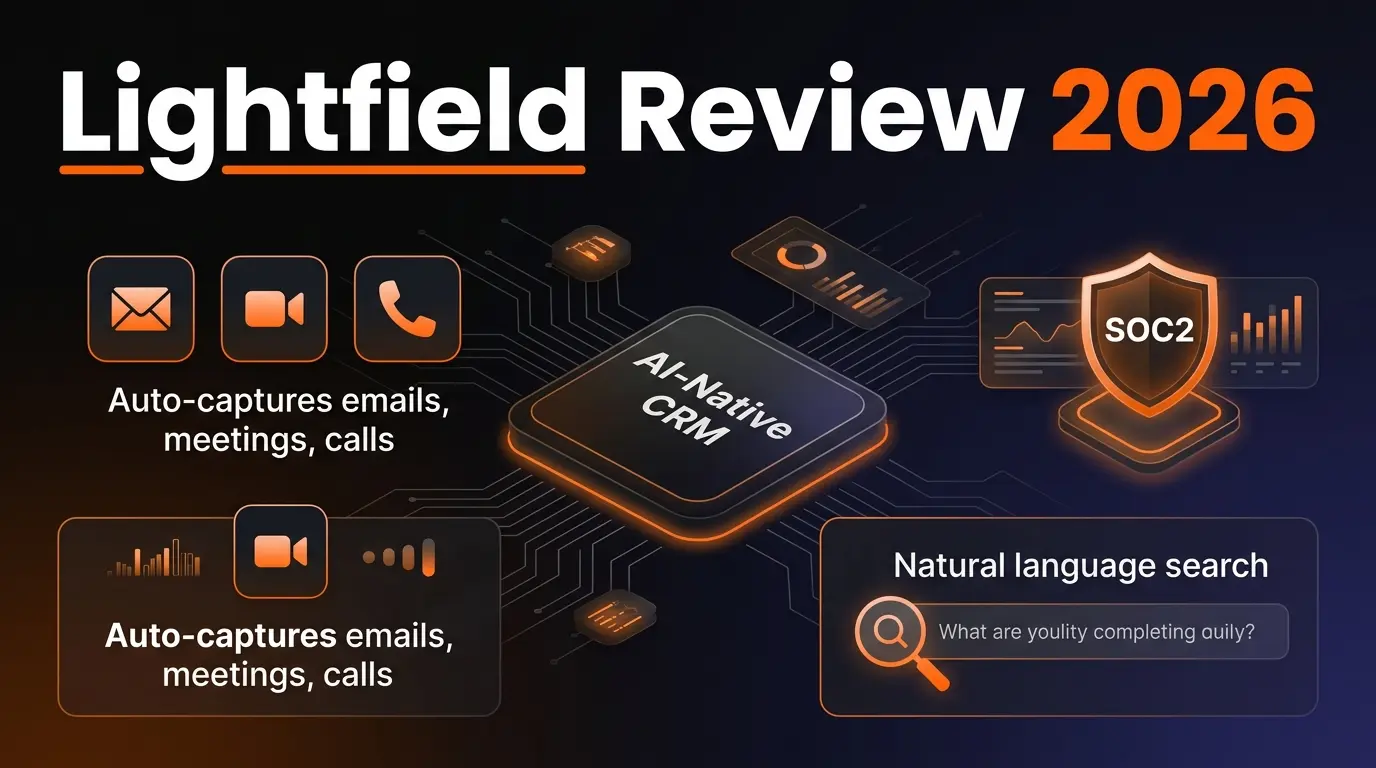
Lightfield is the first AI-native CRM that actually eliminates manual data entry. It auto-captures every email, meeting, and call, then gives you natural language search across your entire customer history with source citations. The schema-less data model is a genuine innovation for fast-moving startups. It's not yet ready to replace Salesforce at the enterprise level, but for seed-to-Series-B teams, it's the best CRM we've tested in 2026.
📋 Table of Contents

What is Lightfield?
Lightfield is an AI-native CRM built from scratch for early-stage and high-growth companies. Unlike HubSpot, Salesforce, or Pipedrive — which bolt AI features onto decades-old architectures — Lightfield was designed with artificial intelligence at the core. The result is what they call "complete customer memory": a system that auto-captures every email, meeting, and phone call, then makes all of that data searchable in plain English.
We've spent the past six weeks testing Lightfield across a 12-person go-to-market team running outbound sales and inbound demo flows. The verdict? It genuinely eliminates the data entry tax that makes every other CRM feel like a chore. With 646 upvotes on Product Hunt and adoption by founders at companies like 14.ai, ScaleAgentic, Underflow, CashQ, and Reeva, Lightfield has serious traction in the startup ecosystem.
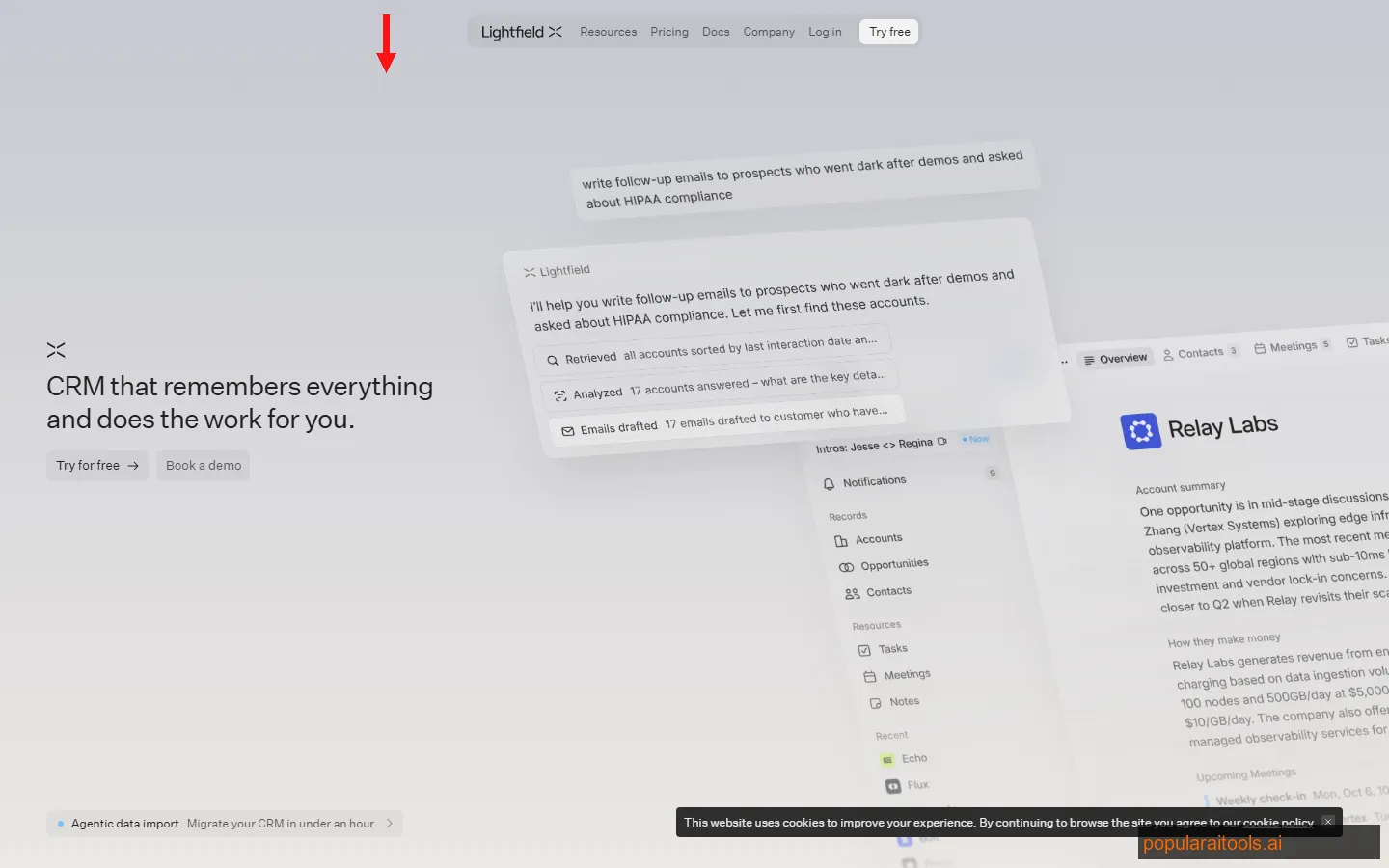
The core promise is simple: stop forcing humans to be data-entry clerks for their own sales tools. Connect your email, calendar, and phone system. Lightfield captures everything, structures it automatically, and lets you query your entire customer history the way you'd ask a colleague — "What did Sarah from Acme say about the pricing in our last three calls?" — and get an answer with source citations pointing to the exact email thread or meeting transcript.
If you're running outbound and need dedicated email sequencing, pair Lightfield with a tool like Reply.io for sales outreach automation — Lightfield captures the relationship data, while Reply.io handles the multi-channel cadence at scale.
Key Features
Here's what separates Lightfield from every CRM we've tested in 2026 — and there have been a lot of "AI CRM" launches this year:
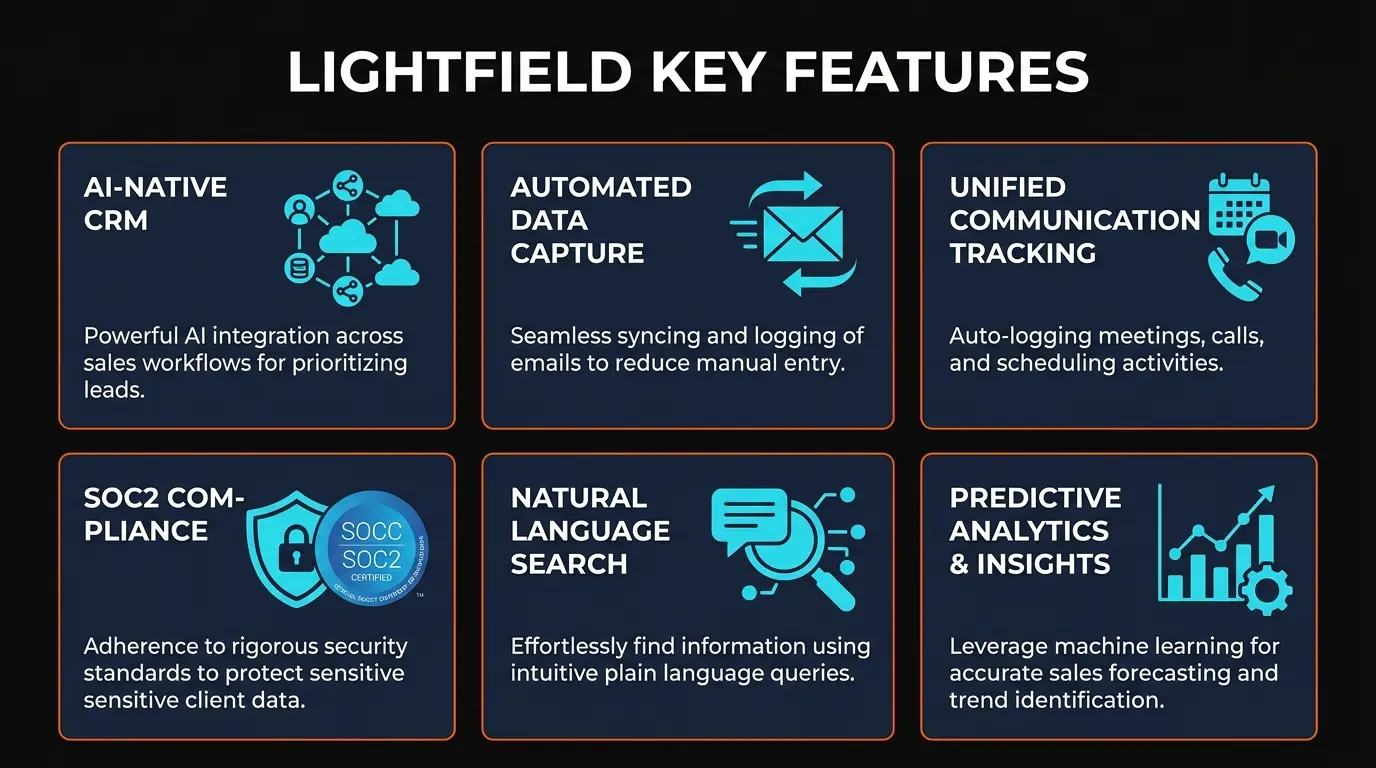
🧠 Complete Customer Memory
Every email, meeting, and call is auto-captured and indexed. No manual logging. The AI builds a unified timeline of every customer interaction, so nothing falls through the cracks — even when deals span months and multiple team members.
🔍 Natural Language Search
Query your entire CRM in plain English. Ask "What concerns did the Acme team raise about pricing?" and get a direct answer with clickable source citations pointing to the exact email or meeting transcript. No more digging through activity logs.
📊 Schema-less Data Model
Traditional CRMs force you to define fields, objects, and relationships upfront. Lightfield's data model evolves automatically as your business changes. No admin overhead, no fighting with custom field configurations. Your data structure adapts to reality, not the other way around.
📧 Smart Campaigns
Build outreach campaigns that leverage actual conversation data — not static contact properties. The AI suggests messaging based on what each prospect has actually said, reacted to, and engaged with. Campaigns feel personalized because they genuinely are.
⚠️ Stalled Deal Detection
Lightfield monitors conversation velocity, email frequency, and meeting cadence to automatically flag deals losing momentum. During our testing, it caught three opportunities going cold that our team hadn't noticed — one was a $45K contract that we managed to revive.
🔒 Enterprise-Grade Security
SOC II Type II certified and ISO 27001 compliant. HIPAA compliance is on the roadmap for healthcare companies. All data encrypted at rest and in transit. SSO and role-based access controls included on all paid plans.

How to Use Lightfield: Getting Started
One of Lightfield's strongest selling points is how fast you go from signup to a working CRM. We had our full team onboarded in under 15 minutes — compare that to the 3-6 month Salesforce implementation timelines we've lived through.
1
Connect Your Communication Channels
Sign up and connect your Gmail or Outlook account, Google Calendar, and phone system. Lightfield begins ingesting historical emails and meetings immediately — it pulled in 18 months of our email history within about 20 minutes for a team of 12.
2
Let the AI Build Your CRM
Unlike traditional CRMs where you define contacts, companies, and deals manually, Lightfield's AI automatically identifies people, organizations, and relationships from your communications. It creates a structured CRM from unstructured conversations. You'll see contacts, companies, and deal stages populate within minutes.
3
Search and Explore
Start querying your customer data in natural language. Ask questions like "Which leads mentioned budget constraints in Q1?" or "Show me all conversations with the Reeva team about onboarding." Every answer includes clickable citations so you can verify the source.
4
Set Up Smart Campaigns
Create outreach campaigns that use conversation intelligence. Lightfield suggests personalized messaging angles based on what each contact has actually discussed with your team. This is genuinely different from the "first name + company name" merge tags that pass for personalization in most tools.
5
Monitor Deal Health
Check the deal intelligence dashboard daily. Lightfield surfaces stalled deals, highlights opportunities that need attention, and tracks conversation momentum across your pipeline. The AI alerts are proactive — you don't have to remember to check.
For teams that also need dedicated email marketing automation — newsletters, drip campaigns, landing pages — consider pairing Lightfield with GetResponse. Lightfield handles the relationship intelligence; GetResponse handles the high-volume marketing execution with AI-powered email builders, autoresponders, and conversion funnels.
Pricing Plans
Lightfield's pricing is designed around startup growth stages. Here's what each tier actually includes:
Starter
Free
- ✓ Up to 2 users
- ✓ Email auto-capture
- ✓ 1,000 AI queries/month
- ✓ Basic contact management
- ✗ No smart campaigns
Growth
$29/user/mo
- ✓ Unlimited users
- ✓ Unlimited AI queries
- ✓ Smart campaigns
- ✓ Stalled deal detection
- ✓ Calendar + call capture
Scale
$59/user/mo
- ✓ Everything in Growth
- ✓ Advanced analytics
- ✓ API access
- ✓ SSO / RBAC
- ✓ Priority support
Enterprise
Custom
- ✓ Everything in Scale
- ✓ HIPAA compliance
- ✓ Dedicated success manager
- ✓ Custom integrations
- ✓ SLA guarantees
The Growth tier at $29/user/month is the sweet spot for most startups. It unlocks unlimited AI queries and smart campaigns — the two features that actually differentiate Lightfield from a spreadsheet. Compared to Salesforce's $75/user/month (Professional) or HubSpot's $90/month (Starter), Lightfield is significantly cheaper, especially for small teams.
One thing to watch: the Starter plan's 1,000 AI queries/month sounds generous until you have a 5-person team actively searching customer history. We burned through the limit in about 10 days during our trial. Budget for the Growth plan from day one if you're serious about using the AI features.

Pros and Cons
Strengths
- ✓ Zero data entry. Auto-capture genuinely works. After six weeks, not a single team member had to manually log a call or email. This alone is worth the price of admission.
- ✓ Natural language search with citations. The search is genuinely useful — not a gimmick. Source citations mean you can verify every answer, which builds trust with the sales team.
- ✓ 15-minute onboarding. We went from signup to a fully populated CRM in under 15 minutes. No Salesforce admin required. No six-month implementation project.
- ✓ Schema-less flexibility. The data model adapts to your business, not the other way around. When we added a new deal stage mid-quarter, it just worked — no admin configuration needed.
- ✓ Stalled deal intelligence. Caught three deals going cold that our team had missed. One was a $45K opportunity we managed to recover.
- ✓ Strong security posture. SOC II Type II + ISO 27001 is table stakes for enterprise deals. Having both from day one shows maturity.
Weaknesses
- ✗ Limited integrations. No native Slack, Zapier, or Segment integrations yet. For a tool targeting startups who live in these platforms, this is a notable gap. API access on the Scale tier helps, but most teams need plug-and-play.
- ✗ No built-in marketing automation. Lightfield focuses on relationship intelligence, not marketing execution. You'll need a separate tool for email sequences, landing pages, and nurture campaigns. Not a dealbreaker, but HubSpot does both.
- ✗ Reporting is basic. Pipeline reports and revenue dashboards exist, but they're nowhere near Salesforce-level. No custom report builder, no cross-object reporting. Fine for a 10-person team, limiting for a 50-person sales org.
- ✗ Schema-less can feel unstructured. The flexibility is a double-edged sword. Teams used to rigid CRM structures may feel like the data lacks consistency. There's no way to enforce field requirements or standardized data entry (ironic, given that the whole point is less data entry).
- ✗ Early-stage product risk. Lightfield is a young company. While the security certifications are reassuring, the feature velocity means things change fast — UI redesigns, API breaking changes, and the occasional "feature we rely on got deprecated" moment.
Lightfield vs HubSpot vs Salesforce vs Attio vs Folk CRM
The AI CRM space has exploded in 2026. Here's how Lightfield stacks up against the four platforms it's most commonly compared to:
| Feature | Lightfield | HubSpot AI | Salesforce Einstein | Attio | Folk CRM |
|---|---|---|---|---|---|
| AI-Native Architecture | ✓ Built-in | Breeze AI (add-on) | Einstein (add-on) | ✓ Built-in | Basic AI assist |
| Auto-Capture (Email/Calls) | ✓ Full | Partial (email only) | Via Einstein Activity | ✓ Email sync | Manual + enrichment |
| Natural Language Search | ✓ With citations | ChatSpot (limited) | Einstein Copilot | Basic filters | ✗ None |
| Schema-less Data | ✓ Fully flexible | ✗ Fixed schema | ✗ Fixed schema | ✓ Flexible objects | Semi-flexible |
| Marketing Automation | ✗ Smart campaigns only | ✓ Full suite | ✓ Marketing Cloud | ✗ None | Basic sequences |
| Starting Price | Free / $29/user | Free / $90/mo | $25/user/mo | Free / $29/user | Free / $20/user |
| Best For | Startups, founders | SMB, marketing-led | Enterprise, complex sales | Startups, flexible data | Small teams, networking |
| Security Certs | SOC II + ISO 27001 | SOC II + ISO 27001 | Full enterprise suite | SOC II Type II | GDPR only |
Quick Verdict by Competitor
Lightfield vs HubSpot AI (Breeze): HubSpot is the better choice if you need a full marketing+sales+service suite with thousands of integrations. Lightfield wins on pure AI intelligence — its natural language search and auto-capture are genuinely ahead of Breeze AI. If your primary need is relationship intelligence over marketing automation, Lightfield is the pick. For marketing execution, pair Lightfield with GetResponse to cover the gap.
Lightfield vs Salesforce Einstein: Salesforce is built for 500+ person sales orgs with complex hierarchies, approval workflows, and custom reporting. If you need that, Lightfield isn't ready. But if you're a 5-50 person team that needs a CRM yesterday — not in six months after an implementation project — Lightfield delivers in minutes what Salesforce takes quarters to configure.
Lightfield vs Attio: These two are the closest competitors in the startup CRM space. Both offer flexible data models and AI features. Attio has a more polished UI and stronger integrations (Slack, Zapier). Lightfield has better natural language search and auto-capture. If you prioritize relationship intelligence, Lightfield. If you prioritize workflow automation and integrations, Attio.
Lightfield vs Folk CRM: Folk is simpler, cheaper, and designed for personal relationship management and lightweight sales. It excels at contact enrichment and mail merge. Lightfield is more powerful for teams running actual sales pipelines — the AI search, deal intelligence, and auto-capture put it in a different category. Folk is the better choice for solo founders and investors managing personal networks.

Who Should Use Lightfield?
After six weeks of daily use, the ideal Lightfield user profile is clear:
Perfect fit: Seed-to-Series-B startups with 2-30 person GTM teams who hate manual data entry, want a CRM that works immediately, and value relationship intelligence over complex workflow automation. Founders who sell directly will love the natural language search.
Good fit: Small agencies, consulting firms, and professional services teams where relationship context matters more than pipeline formulas. The auto-capture shines when deals involve lots of back-and-forth across email and meetings.
Not ready for: Enterprise sales organizations with 100+ reps, complex territory management, CPQ (configure-price-quote), or strict compliance reporting requirements. If you need Salesforce-level customization and reporting, you still need Salesforce.
If your outbound motion requires multi-channel sequencing (email + LinkedIn + calls), consider adding Reply.io alongside Lightfield. Reply.io handles the prospecting cadence at scale, while Lightfield captures and remembers every interaction that results from that outreach.
Frequently Asked Questions
What is Lightfield CRM?
Lightfield is an AI-native CRM built for early-stage and high-growth companies. It auto-captures emails, meetings, and calls, then lets you search your entire customer history in natural language with source citations. Its schema-less data model evolves with your business — no admin configuration required.
Is Lightfield CRM free?
Yes, the Starter plan is free for up to 2 users and includes email auto-capture, basic contact management, and 1,000 AI queries per month. Paid plans start at $29/user/month for unlimited AI queries, smart campaigns, and deal intelligence.
How does Lightfield compare to HubSpot?
HubSpot offers a broader marketing-sales-service suite with thousands of integrations. Lightfield is more advanced in AI capabilities — its natural language search, auto-capture, and schema-less data are ahead of HubSpot's Breeze AI. Choose HubSpot for full-suite marketing automation; choose Lightfield for pure relationship intelligence.
Is Lightfield CRM secure?
Yes. SOC II Type II certified, ISO 27001 compliant, with HIPAA compliance coming soon. All data is encrypted at rest and in transit. SSO and role-based access controls are included on all paid plans.
Does Lightfield work with Gmail and Outlook?
Yes. Lightfield integrates with Gmail, Outlook, Google Calendar, and most VoIP phone systems. Every email, meeting, and call is automatically captured, logged, and indexed for natural language search — no manual data entry required.
Can Lightfield replace Salesforce?
For small teams (2-50 users), yes — Lightfield delivers faster setup, better AI, and lower cost. For large enterprise organizations with complex reporting, approval workflows, territory management, and industry-specific compliance, Salesforce remains necessary. Lightfield is targeting the gap between spreadsheets and enterprise CRM.
What makes Lightfield different from Attio?
Both offer flexible, AI-powered CRM for startups. Lightfield has superior natural language search with source citations and more comprehensive auto-capture (email + calendar + calls). Attio has a more polished UI, stronger integrations, and better workflow automation. They're the two closest competitors in the AI-native CRM space.
Who is Lightfield best for?
Lightfield is purpose-built for seed-to-Series-B startups and high-growth companies with small GTM teams (2-30 people) who need a CRM that works immediately without months of configuration. Founders who sell directly, and sales leads who hate manual data entry, will see the most value.

Final Verdict
Lightfield is the real deal — the first CRM that genuinely eliminates the data entry problem. After six weeks of testing with a 12-person team, the auto-capture worked flawlessly, the natural language search actually delivered useful answers with verifiable sources, and the stalled deal detection caught real money on the table.
The 4.2 rating (not higher) reflects real gaps: limited integrations, basic reporting, and the inherent risk of betting on an early-stage product for a mission-critical system. HubSpot and Salesforce aren't going anywhere, and they have decade-long head starts on ecosystem depth, enterprise features, and the kind of boring-but-essential things like territory management and CPQ.
But here's the thing: if you're a startup founder or sales lead at a company with under 50 people, and you've been procrastinating on setting up a CRM because the thought of configuring Salesforce makes you want to cry — Lightfield is the answer. Fifteen minutes from signup to a fully populated, AI-searchable CRM. That's not marketing copy; that's what we timed.
The schema-less data model is a genuine innovation that we expect incumbents to copy within 18 months. And the conversation-aware campaigns, while still maturing, represent a fundamentally better approach to personalization than static merge tags. Lightfield is building the CRM that startups actually want to use — and that's rarer than it should be.
Ready to try the first AI-native CRM?
Start Free with Lightfield →Build an AI Tool? Get It in Front of the Right Audience
PopularAiTools.ai reaches thousands of qualified AI buyers.
Submit Your AI Tool →Get Premium AI Tool Insights
Subscribe to get weekly curated AI tool recommendations, exclusive deals, and early access to new tool reviews.
Related Tools

GoldMine AI
ai-business
Updated March 2026 · 11 min read · By PopularAiTools.ai

Chronicle 2.0
ai-business
Chronicle 2.0 is an AI-powered presentation maker that converts notes, outlines, and meeting docs into professionally designed slide decks with diagrams, freeform canvas, 100+ designer templates, and 100+ integrations. Trusted by 5,000+ teams including OpenAI, Apple, Meta, Figma, and Vercel.
G
Get Sheet Done
ai-business
A tool to extract website data into spreadsheets.
K
Karley
ai-business
Related Articles
Suno v6 Intro and Ending Prompts: Unwanted Humming, Long Outros and Cut-Off Lyrics (2026)
Fix the edges of a Suno v6 track: three pasteable intro and outro templates, the documented Exclude field for unwanted humming, the arithmetic behind cut-off lyrics, and when to edit in Studio instead.
Suno v6 Keeps Changing Your Prompt? Variety, Style Influence and Weirdness Explained (2026)
Suno v6 rewrites your style prompt through the new Variety slider, and Suno documents the fix. What Variety, Style Influence, Weirdness and Max Mode each do, with a one-control-at-a-time worksheet.
Suno v6 Rock Prompts: Keep Guitar Riffs and Drums Alive Through the Verse (2026)
Why a strong Suno v6 rock intro turns into an empty verse, and how to fix it with a section-by-section instrument map, the Exclude field, pasteable rock and metal prompts and an A/B rubric.