
Try Chronicle 2.0 today
⚡ TL;DR — Chronicle 2.0 Review
Chronicle 2.0 is the AI presentation tool that teams at OpenAI, Apple, and Meta actually use. It converts notes, outlines, and meeting docs into polished slide decks with real diagrams and professional layouts — not the generic AI slides you get from competitors. With 100+ designer templates, a freeform canvas, and 100+ integrations, it's the closest thing to having a McKinsey design team on demand. The free tier works for casual use, and Pro at $10/month is a steal.
📋 Table of Contents

What is Chronicle 2.0?
Chronicle 2.0 is an AI-powered presentation maker that converts raw notes, outlines, meeting transcripts, and documents into professionally designed slide decks — complete with diagrams, data visualizations, and layouts that look like a design agency built them. It launched to 744 upvotes on Product Hunt and has become the go-to presentation tool for 5,000+ teams including OpenAI, Apple, Meta, Figma, Vercel, Stanford, and UC Berkeley.
We've been using Chronicle for the past three months across investor pitch decks, client proposals, and internal strategy presentations. The difference between Chronicle and tools like Gamma or Beautiful.ai is immediately visible: Chronicle's output looks like it was designed by a human with taste, not assembled by an algorithm that understands layouts but not aesthetics.
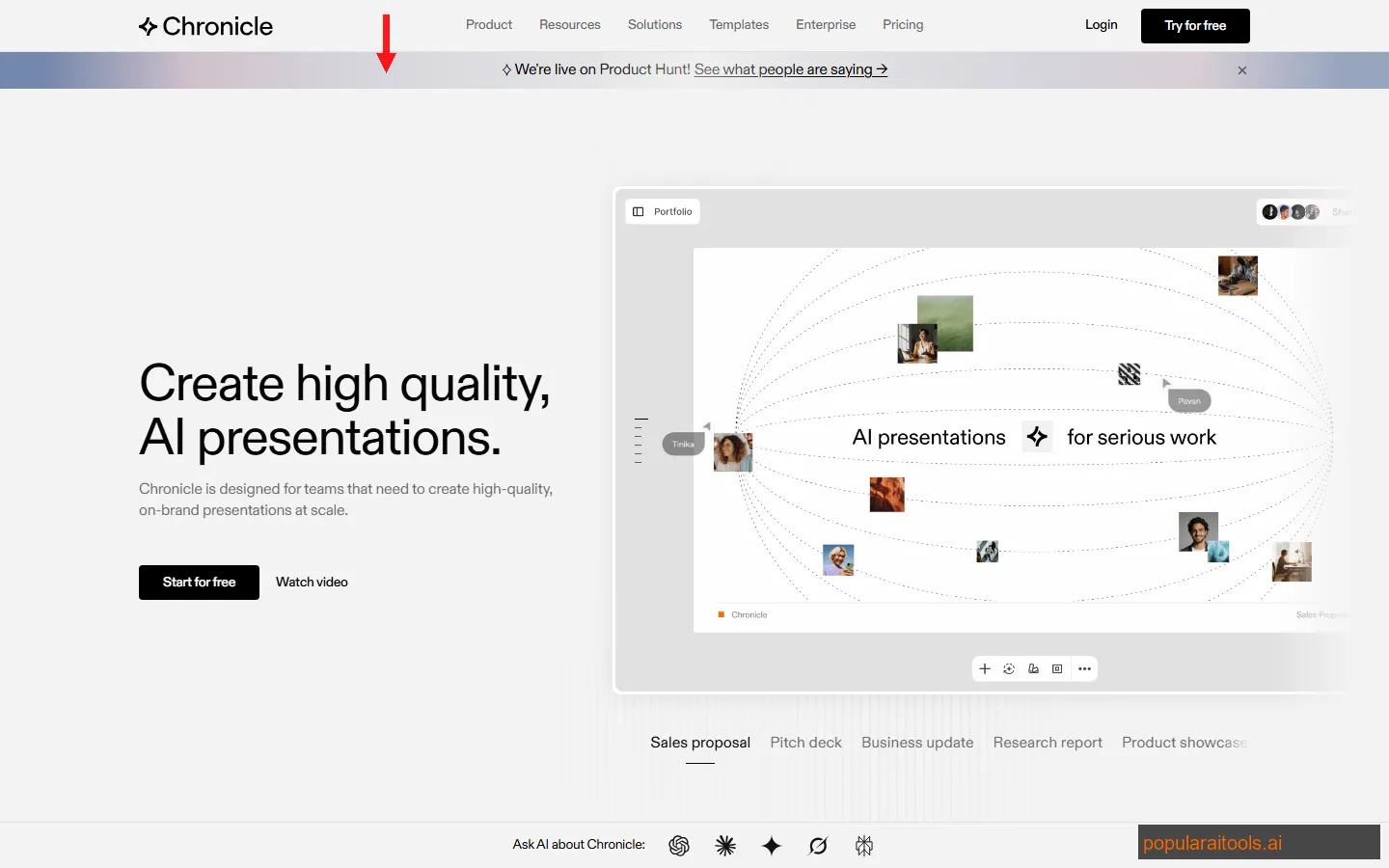
What makes Chronicle 2.0 stand out is the combination of AI generation with genuine design sophistication. The 100+ templates were created by designers from Apple, McKinsey, BCG, and IDEO — not generic layouts from a template library. The freeform canvas lets you break free from rigid slide grids, positioning elements anywhere with spatial precision. And with 100+ integrations covering everything from Figma to Notion to Slack, it fits into existing workflows without friction.
The 2.0 update brought significant improvements: smarter AI that understands document hierarchy, diagram generation that actually makes sense, and a collaboration layer that rivals Figma. For teams building presentations at scale — consultants, product managers, founders preparing pitch decks — Chronicle has become indispensable.
Key Features
Here's what makes Chronicle 2.0 the best AI presentation tool we've tested in 2026:
🧠 AI Slide Generation
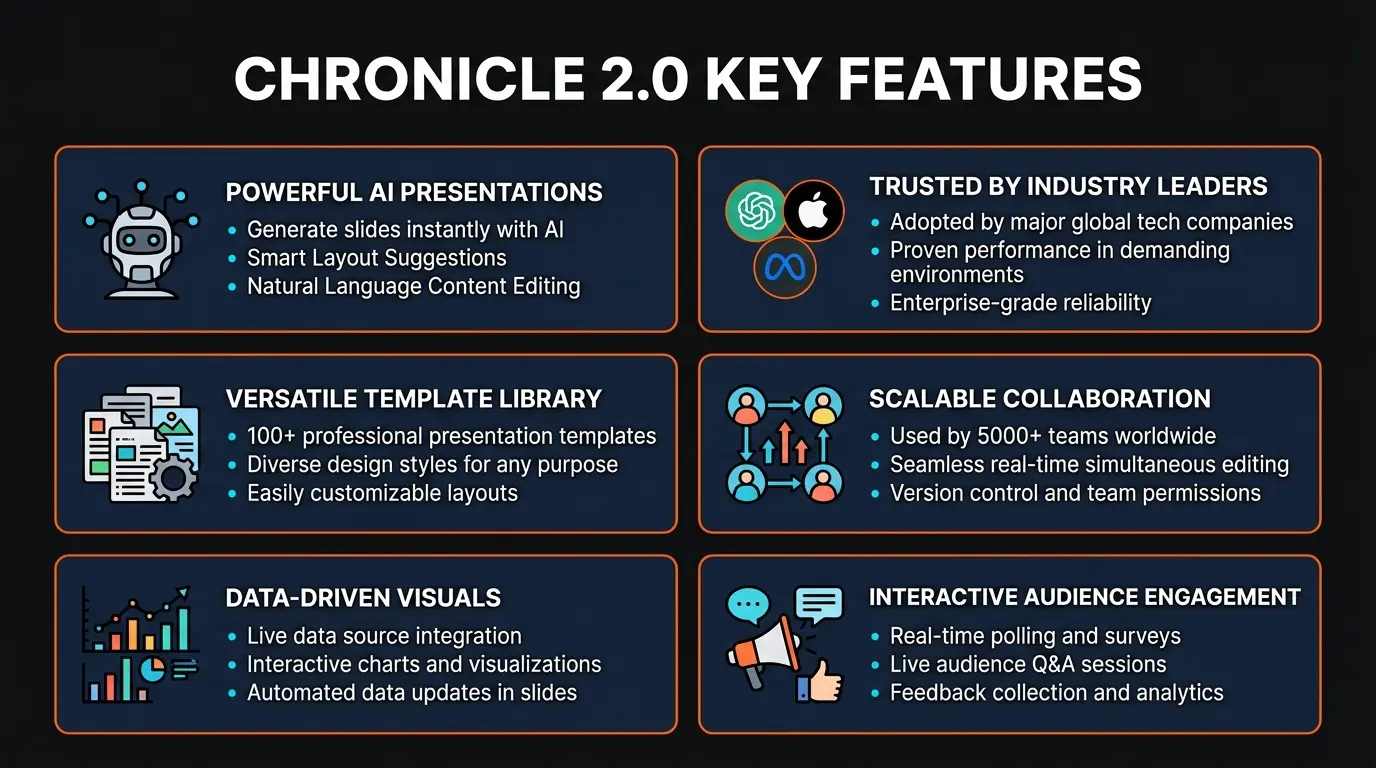
Paste notes, outlines, or meeting docs and Chronicle generates a complete presentation with proper hierarchy, visual formatting, and professional layouts. The AI understands context — it doesn't just dump text onto slides, it structures arguments and creates supporting diagrams.
🎨 Freeform Canvas
Unlike traditional slide tools with fixed grids, Chronicle's canvas lets you place elements anywhere with pixel-level precision. Think Figma meets PowerPoint — drag, resize, and layer elements spatially for layouts that rigid slide tools can't produce.
📊 Smart Diagrams
Chronicle auto-generates flowcharts, timelines, org charts, comparison matrices, and process diagrams from your content. Describe a workflow in plain text and it creates a proper diagram — not clip art, but clean vector graphics with consistent styling.
🏢 Brand Kit
Upload your logo, set brand colors, and define font pairings. Every presentation automatically applies your brand identity. Teams create once and enforce everywhere — no more off-brand decks from new hires who haven't read the style guide.
🎭 100+ Designer Templates
Templates built by designers from Apple, McKinsey, BCG, and IDEO. These aren't generic PowerPoint themes — they're structured frameworks for pitch decks, quarterly reviews, product launches, case studies, and more. Each template includes layout variants for different content types.
🔗 100+ Integrations
Connect Figma, Notion, Slack, Google Drive, Dropbox, Airtable, and more. Pull live data into charts, embed Figma frames directly, and share presentations through the tools your team already uses. No copy-pasting between apps.
👥 Real-Time Collaboration
Multiplayer editing with live cursors, inline comments, and version history. Multiple team members edit the same deck simultaneously — exactly like Google Docs or Figma. No more emailing PowerPoint files back and forth with "v3_final_FINAL" filenames.
📤 Universal Export
Export to PowerPoint (.pptx), PDF, or shareable web link. The PowerPoint export is surprisingly clean — layouts, fonts, and formatting survive the conversion. Share as interactive web presentations with analytics on who viewed what and for how long.

How to Use Chronicle 2.0: Step-by-Step
Getting a professional presentation from Chronicle takes about five minutes. Here's the workflow we've refined after building over 40 decks with the tool:
1
Prepare Your Content
Gather your raw material — meeting notes, a rough outline, a strategy doc, or even a URL. Chronicle works best with structured content (headings, bullet points), but it handles messy notes surprisingly well. We've thrown entire Notion pages at it and gotten usable decks.
2
Choose a Template or Start Blank
Browse the 100+ templates organized by use case — pitch decks, quarterly reviews, product launches, educational, creative portfolios. Each template comes with layout variants so the AI can match your content type. Alternatively, start from a blank canvas and let the AI design from scratch.
3
Paste and Generate
Paste your notes into the AI input field. Chronicle analyzes the content, identifies the structure (intro, key points, data, conclusion), and generates a complete deck. A typical 15-slide presentation generates in about 30 seconds. The AI decides which content needs diagrams, which needs data visualizations, and which works as text.
4
Refine on the Freeform Canvas
This is where Chronicle shines. The freeform canvas lets you drag any element to any position, resize freely, and layer elements. Adjust the AI's initial layout, swap diagram types, change color schemes, or regenerate individual slides. The canvas feels more like Figma than PowerPoint — spatial, fluid, and precise.
5
Apply Your Brand Kit
If you've set up a Brand Kit, apply it with one click. Your logo, colors, and fonts replace the template defaults across every slide. For teams, this ensures brand consistency without manual checking — the designer sets the kit once and everyone uses it automatically.
6
Export or Share
Export to PowerPoint for offline editing, PDF for print-ready sharing, or publish as an interactive web presentation. Web links include view analytics — you can see who opened your deck, how long they spent on each slide, and where they dropped off. Essential for investor pitch decks and sales proposals.
Pricing Plans
Chronicle's pricing is competitive, especially compared to hiring a presentation designer ($500-2,000 per deck). Here's what each tier offers:
Free
$0
- ✓ Up to 5 presentations
- ✓ Basic AI generation
- ✓ Limited templates
- ✗ No brand kit
Pro
$10/mo
- ✓ Unlimited presentations
- ✓ All 100+ templates
- ✓ Brand Kit
- ✓ PPT/PDF export
Team
$20/user/mo
- ✓ Everything in Pro
- ✓ Team Brand Kit
- ✓ Real-time collab
- ✓ View analytics
Enterprise
Custom
- ✓ Everything in Team
- ✓ SSO/SAML
- ✓ Admin controls
- ✓ Dedicated support
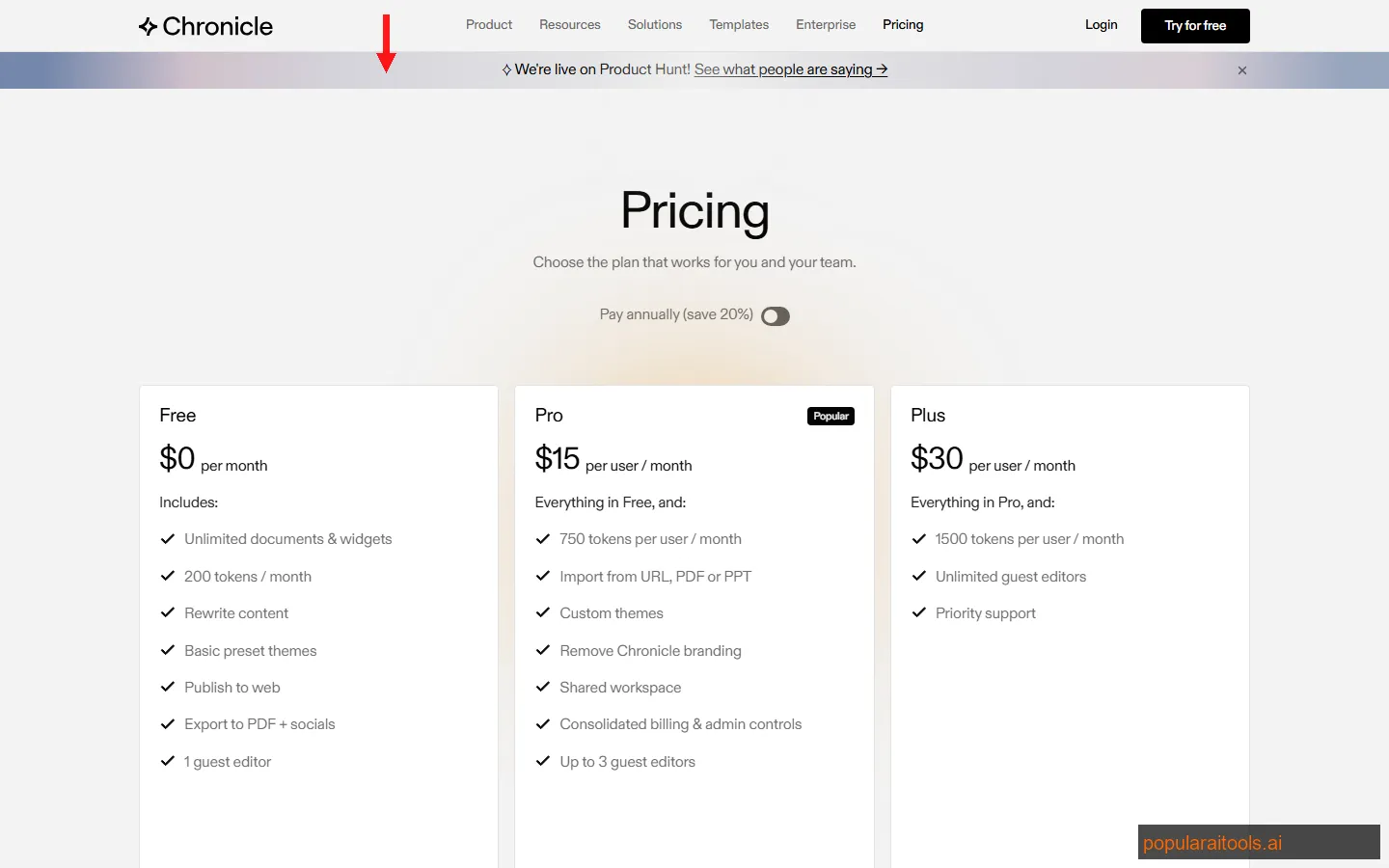
Our recommendation: Start with the free plan to test the AI generation quality. If you build more than 5 presentations per month, Pro at $10/month is excellent value — that's the cost of a single coffee for unlimited professional decks. The Team plan makes sense for groups of 3+ who need shared brand kits and real-time collaboration. Enterprise is for organizations that need SSO, audit logs, and centralized admin.
For context, a freelance presentation designer charges $500-2,000 per deck. Chronicle Pro pays for itself with a single presentation. If you're looking for a budget-friendly alternative with solid AI features, Decktopus offers a similar AI-first approach starting at $8/month with fewer template options but a simpler interface.

Pros and Cons
Strengths
- ✓ Design quality is unmatched. Templates from Apple, McKinsey, BCG, and IDEO designers mean output looks genuinely professional, not "AI-generated." We've submitted Chronicle decks to clients without disclosing AI involvement.
- ✓ Freeform canvas is a game-changer. No other AI presentation tool offers this level of spatial control. Breaking free from grid constraints lets you create layouts that actually look custom-designed.
- ✓ AI diagram generation is smart. Chronicle understands when content should be a flowchart vs. a timeline vs. a comparison matrix. The diagrams are clean vectors, not pixelated clip art.
- ✓ Integrations ecosystem is massive. 100+ integrations mean you can pull live data from Airtable, embed Figma frames, and share through Slack without leaving Chronicle.
- ✓ PowerPoint export actually works. Most AI tools produce terrible PPT exports. Chronicle's exports preserve layouts, fonts, and formatting remarkably well.
- ✓ Trusted by elite teams. OpenAI, Apple, Meta, Figma, Vercel, Stanford, UC Berkeley — the caliber of users validates the tool's quality for professional use.
Weaknesses
- ✗ Free tier is restrictive. 5 presentations is barely enough to evaluate the tool. Most competitors offer more generous free tiers — Gamma gives unlimited basic presentations.
- ✗ Learning curve for the canvas. The freeform canvas is powerful but takes adjustment if you're coming from PowerPoint or Google Slides. Expect 30 minutes of exploration before you feel comfortable.
- ✗ AI can over-design simple content. For quick internal updates or simple data shares, Chronicle sometimes adds too much visual polish. Not every slide needs a diagram — sometimes a bullet list is fine.
- ✗ No offline mode. Chronicle is entirely web-based. No desktop app, no offline editing. If your internet drops during a live presentation, you need a downloaded PDF backup.
- ✗ Team pricing adds up. At $20/user/month, a team of 20 costs $4,800/year. Larger organizations will want to negotiate enterprise pricing before committing.
Chronicle vs Gamma vs Beautiful.ai vs Google Slides AI: Full Comparison
We've tested all four extensively. Here's how they compare in March 2026:
| Feature | Chronicle 2.0 | Gamma AI | Beautiful.ai | Google Slides AI |
|---|---|---|---|---|
| AI Generation | Full deck + diagrams | Full deck, fast | Smart templates | Basic suggestions |
| Design Quality | Premium (Apple/McKinsey) | Good, doc-style | Very good | Basic |
| Canvas Type | Freeform (Figma-like) | Document-style | Smart grid | Traditional grid |
| Templates | 100+ (designer-crafted) | 50+ themes | 60+ smart templates | 25+ basic themes |
| Brand Kit | Full (logo, colors, fonts) | Basic branding | Team branding | Google Workspace themes |
| Integrations | 100+ (Figma, Notion, etc.) | Web embed, Notion | Slack, Dropbox | Google Workspace native |
| Collaboration | Real-time multiplayer | Real-time collab | Team sharing | Best-in-class (Google) |
| PPT Export | Clean export | PDF/web only | PPT export | Native Google format |
| Starting Price | Free / $10/mo Pro | Free / $10/mo Plus | $12/mo Pro | Free (w/ Google account) |
| Best For | Design-conscious teams | Quick AI-generated decks | Automated design rules | Google ecosystem users |
The bottom line: Chronicle wins for teams that need investor-grade, client-facing presentations with high design standards. Gamma wins if you prioritize speed and just need quick, clean decks from prompts. Beautiful.ai is strong for teams that want automated design rules without manual tweaking. Google Slides AI is the default for organizations already on Google Workspace who don't need premium design quality.
For AI-powered business tools, see our Best AI Tools for Business guide for a wider look at the productivity landscape.

Who Should Use Chronicle 2.0?
Chronicle isn't for everyone. Here's a clear breakdown of who will get the most value:
Best for:
- Startup founders building investor pitch decks — the template quality makes a genuine difference in how your company is perceived
- Consultants and agencies delivering client-facing presentations weekly — the brand kit and template system eliminates repetitive design work
- Product managers turning meeting notes and PRDs into stakeholder presentations — the AI handles the grunt work of structuring content into slides
- Sales teams creating proposals and case study decks at scale — view analytics tell you exactly which slides your prospects engaged with
- Educators and researchers at institutions like Stanford and UC Berkeley who need professional lecture slides and research presentations
Not ideal for:
- Casual users who make 1-2 presentations per year — Google Slides is free and good enough
- Highly technical presentations with complex data visualizations — you'll still need dedicated charting tools like Tableau or D3.js for advanced data work
- Offline-first environments — Chronicle requires an internet connection with no desktop app available
Final Verdict
Chronicle 2.0 is the best AI presentation tool for teams and professionals who care about design quality. After three months of daily use, it's replaced both Google Slides and Keynote in our workflow for any client-facing or investor-facing deck.
The key differentiator isn't just the AI generation — every tool does that now. It's the design taste. The templates from Apple, McKinsey, BCG, and IDEO designers produce presentations that look like a professional designed them. The freeform canvas gives you spatial control that rigid grid tools can't match. And the 100+ integrations mean Chronicle fits into your existing workflow rather than replacing it.
The weaknesses are manageable. The free tier's 5-presentation limit is stingy compared to Gamma's unlimited basic tier. The learning curve for the freeform canvas takes a session or two to overcome. And the lack of an offline mode means you'll want a PDF export before any important live presentation. But none of these are dealbreakers.
At $10/month for Pro, Chronicle costs less than a single hour of a freelance designer's time. For teams building presentations weekly — consultants, product managers, founders, sales teams — it's not a question of whether Chronicle is worth it, but how much time you've been wasting without it.
Our rating: 4.5/5. Chronicle 2.0 earns its place as the top AI presentation maker in 2026. It loses half a point for the restrictive free tier and lack of offline mode, but for anyone building presentations professionally, this is the tool to beat.
Build an AI Tool? Get It in Front of the Right Audience
PopularAiTools.ai reaches thousands of qualified AI buyers.
Submit Your AI Tool →
Frequently Asked Questions
❓ Is Chronicle 2.0 free to use?
Yes, Chronicle offers a free plan that lets you create up to 5 presentations with basic AI features. The Pro plan at $10/month unlocks unlimited presentations, premium templates, custom brand kits, and advanced AI generation. Team and Enterprise plans add collaboration features and admin controls.
❓ Can Chronicle convert my meeting notes into slides?
Yes. Chronicle 2.0's AI can convert meeting notes, rough outlines, documents, and even URLs into fully-designed presentations. You paste your content, pick a template, and the AI structures it into professional slides with proper hierarchy, diagrams, and visual formatting.
❓ How does Chronicle compare to Gamma AI?
Chronicle focuses on design quality with 100+ templates from Apple, McKinsey, and IDEO designers, plus a freeform canvas for spatial layouts. Gamma prioritizes speed with one-click generation and document-style presentations. Chronicle produces more visually polished decks; Gamma is faster for quick drafts.
❓ Does Chronicle export to PowerPoint?
Yes. Chronicle exports to PowerPoint (.pptx), PDF, and shareable web links. The PowerPoint export preserves layouts, fonts, and formatting so you can continue editing in Microsoft Office or Google Slides without losing design quality.
❓ What companies use Chronicle?
Chronicle is used by 5,000+ teams including OpenAI, Apple, Meta, Figma, Vercel, Stanford University, and UC Berkeley. It's particularly popular with product teams, consultants, and startups that need investor-grade decks without hiring a designer.
❓ Can I use my own brand colors and fonts in Chronicle?
Yes. Chronicle's Brand Kit feature lets you upload your logo, set primary and secondary brand colors, and define font pairings. Every presentation you create automatically applies your brand identity, ensuring consistency across your team's decks.
❓ Does Chronicle support real-time collaboration?
Yes. Chronicle supports real-time multiplayer editing — multiple team members can work on the same presentation simultaneously with live cursors, comments, and version history. It works similarly to Figma or Google Docs collaboration.
❓ Is Chronicle better than Google Slides with AI?
Chronicle's AI is significantly more capable than Google Slides' built-in AI features. Chronicle generates entire presentations from notes with professional layouts and diagrams, while Google Slides AI is limited to basic formatting suggestions and image generation. However, Google Slides wins on free access and ecosystem integration.
Get Premium AI Tool Insights
Subscribe to get weekly curated AI tool recommendations, exclusive deals, and early access to new tool reviews.
Related Tools

GoldMine AI
ai-business
Updated March 2026 · 11 min read · By PopularAiTools.ai

Lightfield
ai-business
AI-native CRM with complete customer memory. Auto-captures emails, meetings, and calls. Natural language search with source citations. Schema-less data model for startups and high-growth companies.
G
Get Sheet Done
ai-business
A tool to extract website data into spreadsheets.
K
Karley
ai-business
A tool to convert ecommerce visitors into customers.
Related Articles
Suno v6 Intro and Ending Prompts: Unwanted Humming, Long Outros and Cut-Off Lyrics (2026)
Fix the edges of a Suno v6 track: three pasteable intro and outro templates, the documented Exclude field for unwanted humming, the arithmetic behind cut-off lyrics, and when to edit in Studio instead.
Suno v6 Keeps Changing Your Prompt? Variety, Style Influence and Weirdness Explained (2026)
Suno v6 rewrites your style prompt through the new Variety slider, and Suno documents the fix. What Variety, Style Influence, Weirdness and Max Mode each do, with a one-control-at-a-time worksheet.
Suno v6 Rock Prompts: Keep Guitar Riffs and Drums Alive Through the Verse (2026)
Why a strong Suno v6 rock intro turns into an empty verse, and how to fix it with a section-by-section instrument map, the Exclude field, pasteable rock and metal prompts and an A/B rubric.