
Try LLMnesia today
TL;DR
LLMnesia solves a problem every heavy AI user has: finding that one conversation you had last week across ChatGPT, Claude, or Gemini. It is a free Chrome extension that indexes your AI chat histories locally and lets you search across all of them from one search bar. No cloud, no account, no data collection. The search is instant, the privacy model is solid, and it supports 10 AI platforms. The main downsides are Chrome-only support, fragility when AI platforms update their UIs, and the fact that deleted source conversations break links. For anyone juggling multiple AI tools daily, this is one of those "why did this not exist sooner" utilities.
4.3
/5 rating
Install LLMnesia →
Table of Contents
What is LLMnesia?
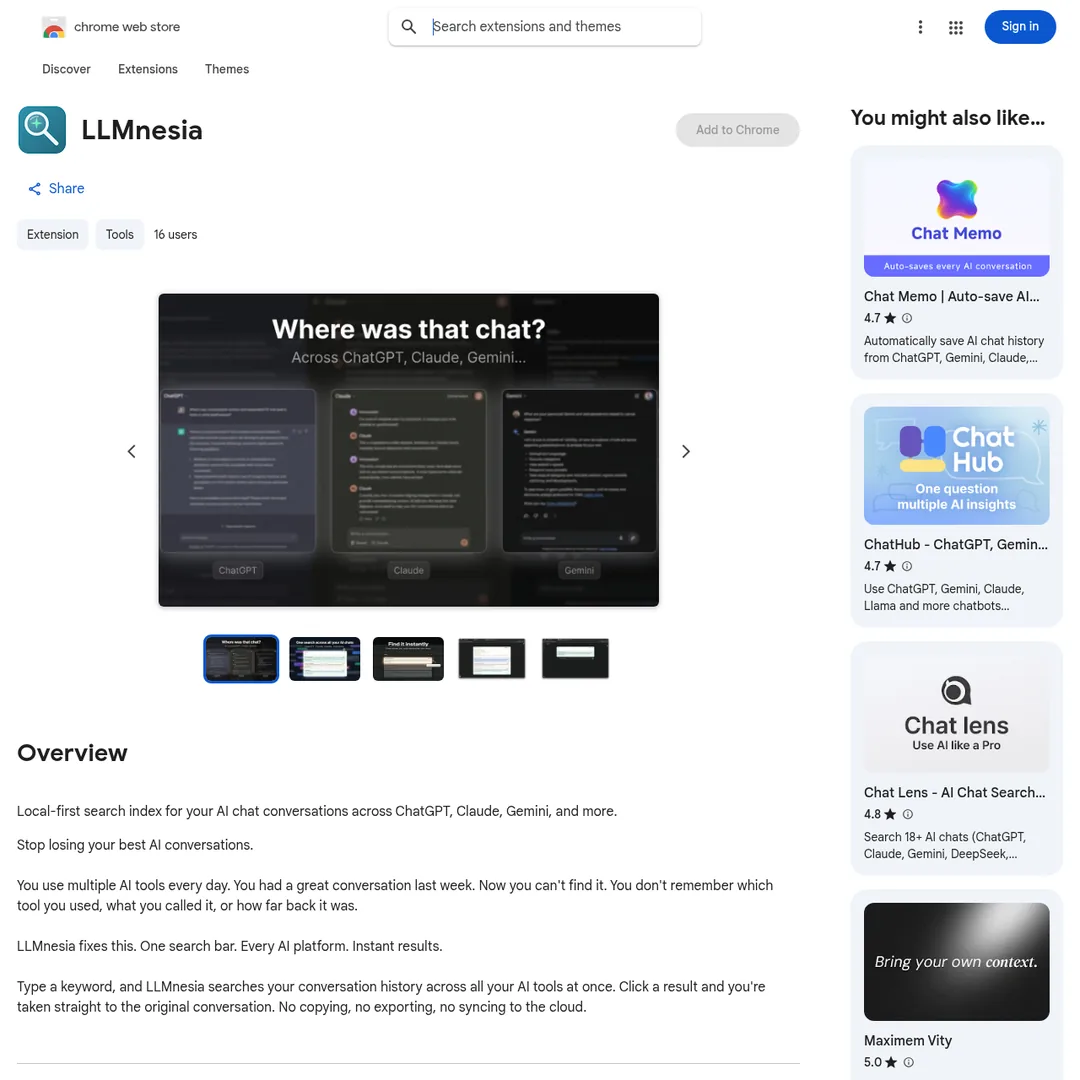
LLMnesia is a Chrome extension that indexes your AI chat conversations locally and lets you search across all of them from a single search bar. If you use ChatGPT, Claude, Gemini, and other AI tools throughout your day, you have probably lost track of a useful conversation. You remember the insight but not which platform it was on, what you titled it, or when it happened. LLMnesia makes that problem disappear.
The extension runs entirely in your browser. There is no cloud component, no account to create, and no data that leaves your machine. It builds a local search index of your conversations, and when you search, results appear instantly. Click a result and it takes you straight to the original conversation on the source platform. No exporting, no copying, no syncing.
LLMnesia currently supports 10 AI platforms, covering all the major chat assistants and coding tools. It launched on March 27, 2026, hit Hacker News on April 3, and is already generating positive attention from developers and researchers who live in AI chat interfaces all day. The extension is built by Backbeat, a UK-based developer, and weighs just 117KB — smaller than most images on this page.

Key Features
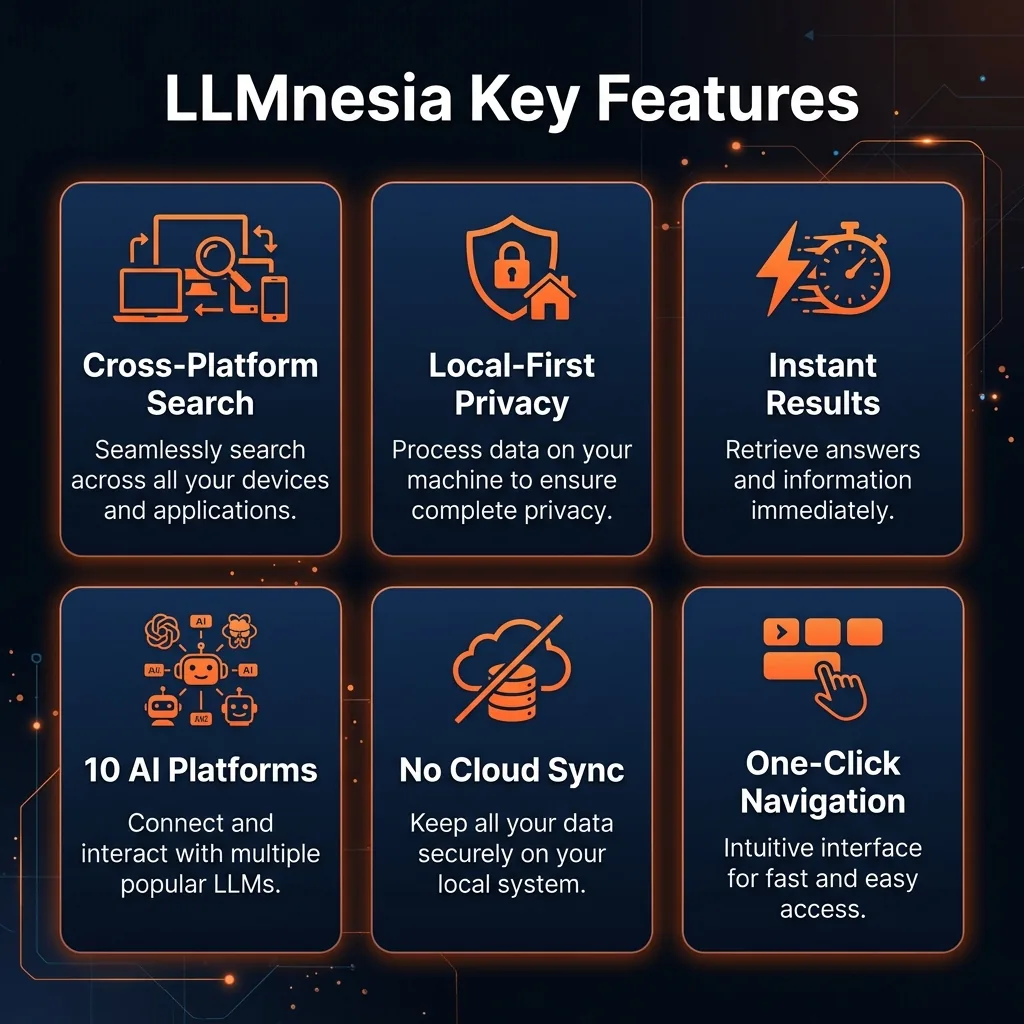
Cross-Platform Search
One search bar to find conversations across ChatGPT, Claude, Gemini, and 7 other AI platforms. Type a keyword and results from every indexed platform appear together. No more opening each tool separately to hunt for that one conversation.
Local-First Privacy
All indexing and searching runs entirely in your browser. No data leaves your device. No cloud sync, no tracking, no analytics on your conversations. This is the privacy model that every AI tool should adopt but few do.
Instant Search Results
Once indexed, search is virtually instantaneous. The local index means zero network latency. Results appear as you type, surfacing prompts, code snippets, answers, and links back to original conversations.
Direct Link to Source
Click any search result and LLMnesia takes you directly to the original conversation on the source platform. No copying text into a separate app, no manual bookmarking. The link back to context is the whole point.
10 AI Platform Support
Covers all the major players including ChatGPT, Claude, Gemini, and popular coding assistants. The developer is actively adding more platforms. If you use any combination of mainstream AI chat tools, LLMnesia probably supports your stack.
Zero Account Required
Install and use immediately. No sign-up, no email, no onboarding flow. This is refreshing in a world where every tool wants your email before showing you a dashboard. LLMnesia just works out of the box.
How to Use LLMnesia
Step-by-Step Guide
1Install from Chrome Web Store
Search for "LLMnesia" in the Chrome Web Store or go directly to the listing page. Click "Add to Chrome" and confirm the permissions. The extension is just 117KB and installs in seconds.
2Visit Your AI Chat Platforms
Navigate to ChatGPT, Claude, Gemini, or any supported platform. LLMnesia automatically indexes conversations as you browse. The initial indexing may take a moment depending on your conversation history volume.
3Click the LLMnesia Icon
Click the extension icon in your Chrome toolbar to open the search interface. You will see a clean search bar ready for queries. Pin the extension for quick access.
4Search Across All Platforms
Type any keyword, phrase, or code snippet. Results from every indexed platform appear instantly. Each result shows the platform, conversation title, and a preview of the matching content.
5Jump to the Original Conversation
Click any search result to navigate directly to the original conversation on its source platform. You land right in context, ready to continue where you left off or reference the information you were looking for.

Pricing
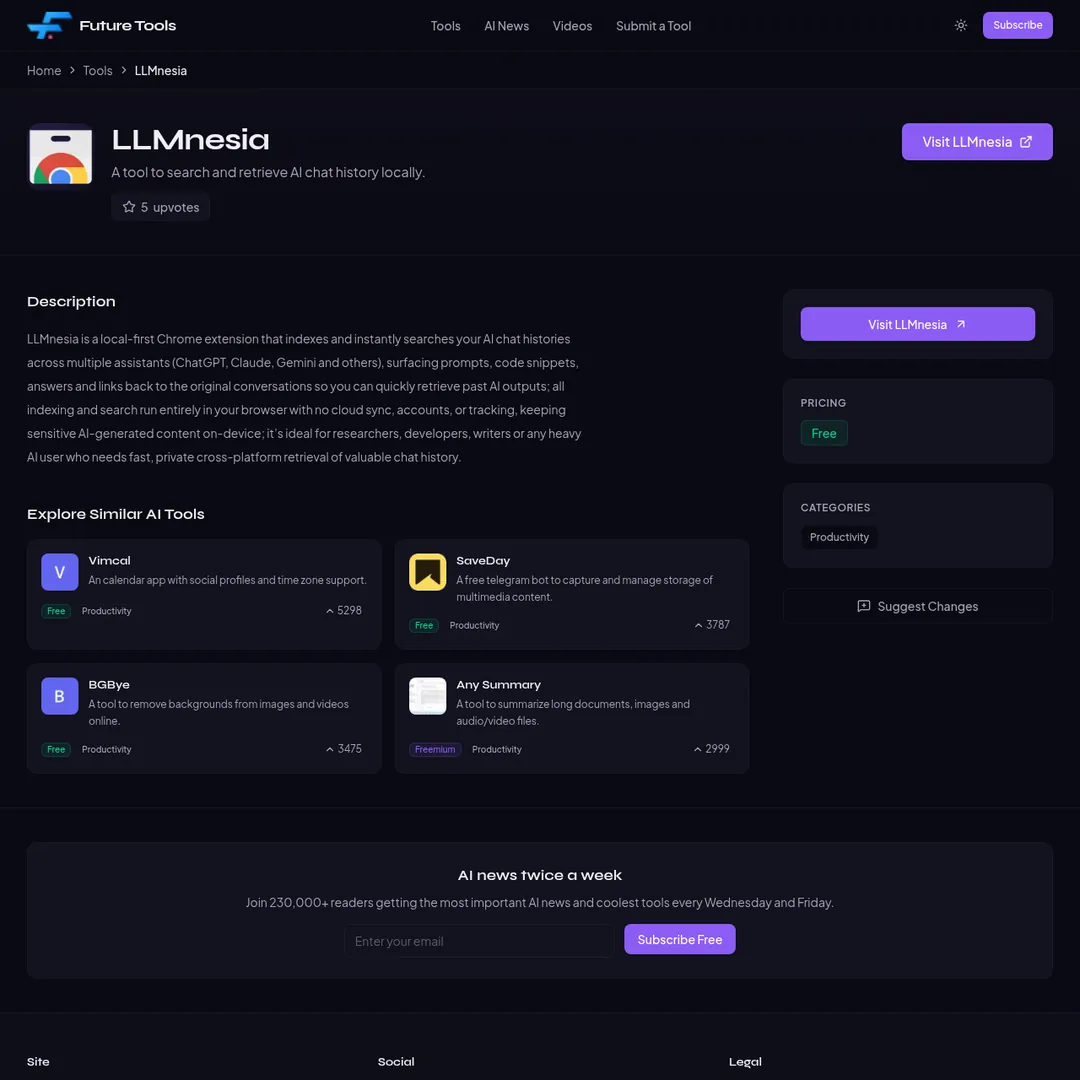
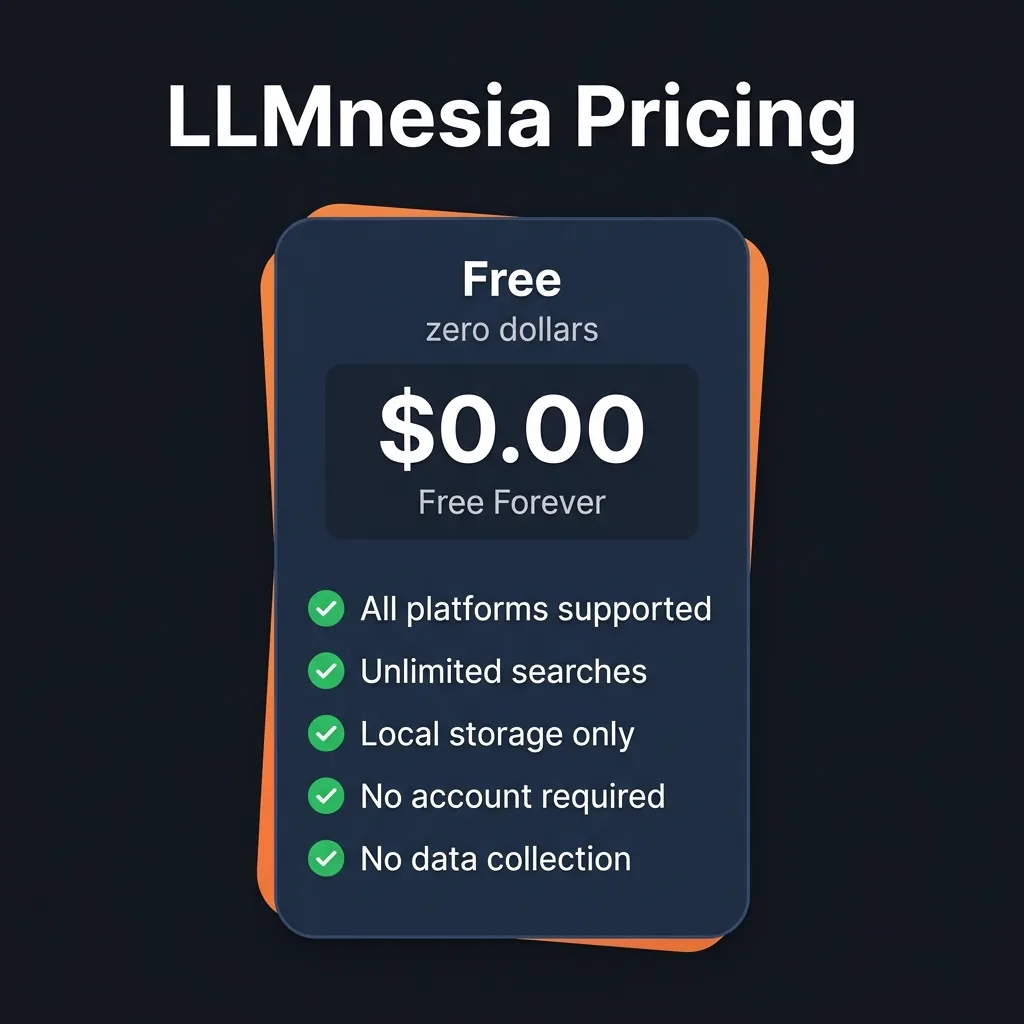
100% FREE
LLMnesia
$0
Forever free, no catches
- All 10 AI platforms supported
- Unlimited searches
- Local-only storage
- No account required
- No data collection
- 117KB install size
Genuinely Free: No freemium bait. No premium tier hiding behind the install button. No "free for 7 days then $9.99/mo" surprise. LLMnesia is free. Period. The developer may introduce paid features in the future, but the core search functionality is free and the privacy model means there is no data monetization angle. This is the kind of tool that earns goodwill.
Pros and Cons
✓Pros
Solves a Real Problem
If you use multiple AI tools daily, you have lost conversations. LLMnesia solves this with a single search bar across all platforms. It is the kind of utility that feels obvious in hindsight.
Privacy-First Architecture
No cloud, no tracking, no data leaving your device. In an era where every tool wants to monetize your data, LLMnesia's local-first approach is refreshing and trustworthy. You can verify this by checking network traffic in DevTools.
Actually Free
Not freemium. Not free-trial. Free. No payment information, no premium features locked behind a paywall. This alone makes it worth installing just to try.
Tiny Footprint
At 117KB, LLMnesia is smaller than most favicons. It does not slow down your browser, does not consume significant memory, and installs in seconds. Minimal overhead for maximum utility.
✗Cons
Chrome Only
No Firefox, no Safari. If you use a non-Chromium browser as your primary, LLMnesia is not available to you. This excludes a meaningful chunk of privacy-conscious users who specifically avoid Chrome.
Fragile to UI Changes
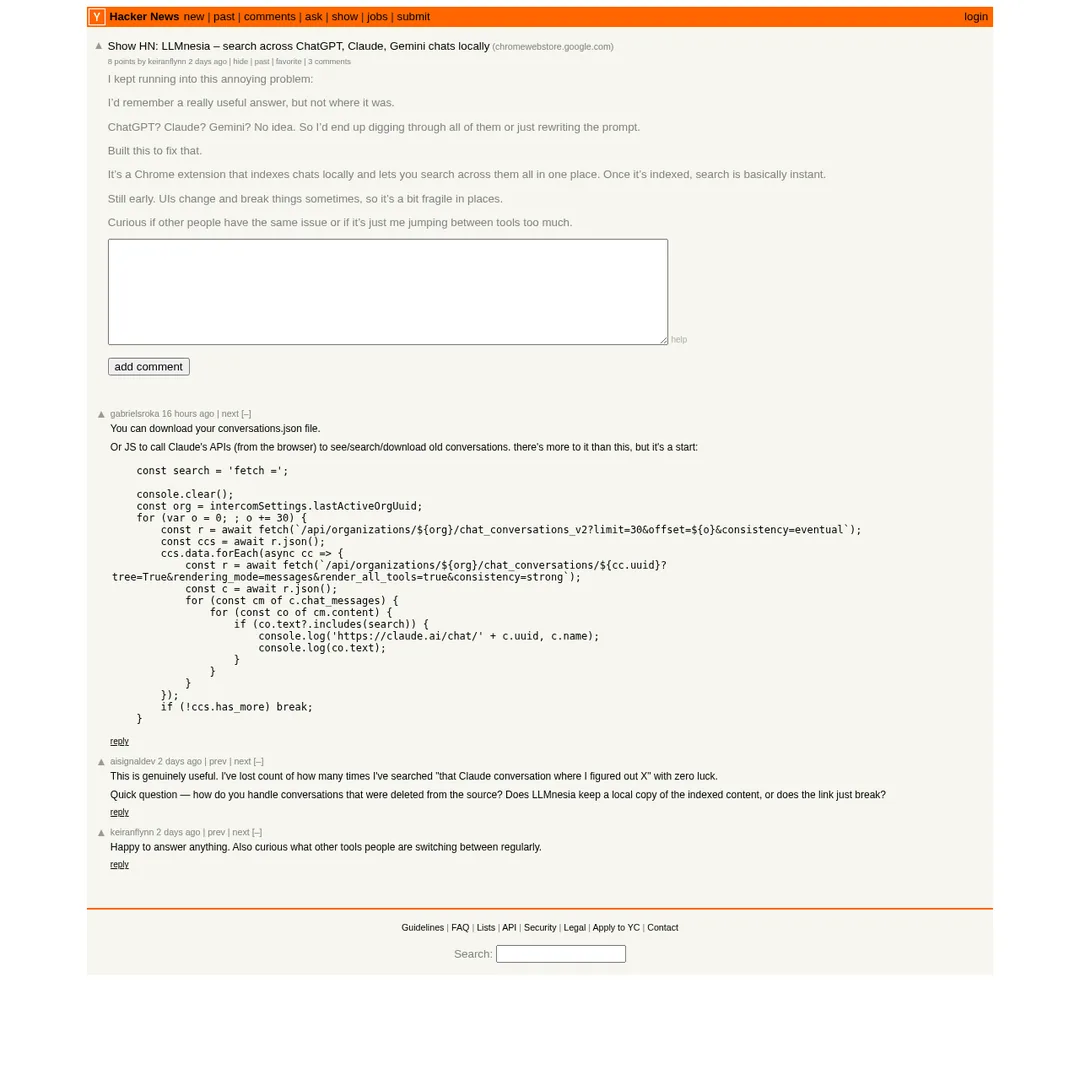
LLMnesia scrapes conversation data from AI platform UIs. When ChatGPT or Claude updates their interface, indexing can break until the developer pushes an update. The creator acknowledged this fragility on Hacker News.
Deleted Conversations Break Links
If you delete a conversation on the source platform, the LLMnesia link dies. The extension indexes and links but does not store full conversation backups locally. This is a trade-off of the lightweight approach.
Early Stage (v0.1.3)
Still at version 0.1.3 as of this review. Expect rough edges, missing features, and occasional bugs. The developer is actively improving it, but do not expect the polish of a mature product yet.

Alternatives Comparison
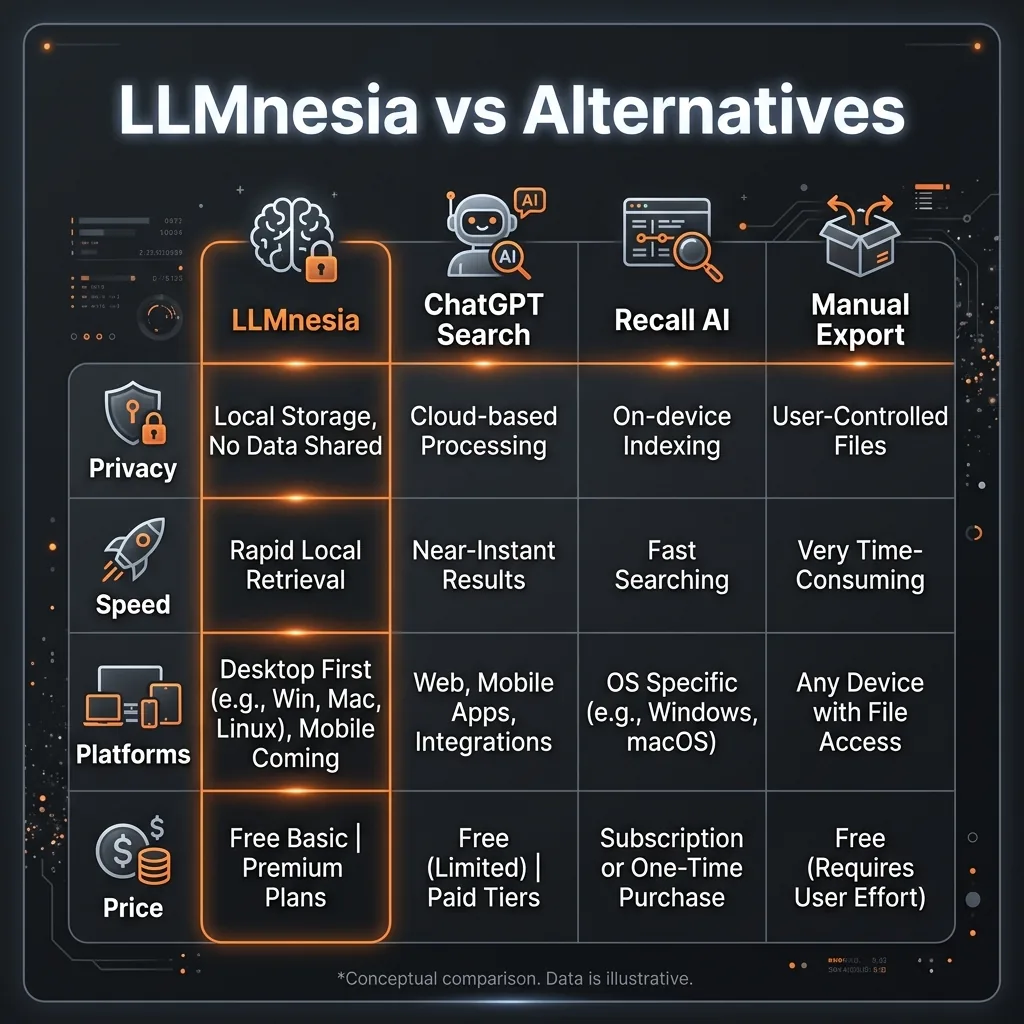
LLM History Search is the closest competitor — another Chrome extension that searches across 5 AI platforms. LLMnesia supports more platforms (10 vs 5) and has a stronger privacy story. Both are free and local-first.
Manual Export (downloading conversations.json from each platform) gives you the data but requires manual effort, scripting knowledge, and a separate search tool. It works but is not practical for daily use.
Platform-native Search (each tool's built-in search) only covers one platform at a time. If you remember which tool you used, the built-in search works. If you do not, you are stuck checking each one. That is exactly the problem LLMnesia solves.
Final Verdict
LLMnesia is the kind of tool that makes you realize you have been living with an unnecessary friction for months. If you bounce between ChatGPT, Claude, and Gemini throughout your day (and honestly, who does not at this point), the ability to search across all of them from one search bar is a genuine quality-of-life improvement.
The privacy model is exactly right. The price is exactly right (free). The install size is negligible. The main risks are its early-stage nature and dependency on AI platform UIs not breaking the scraping. But at zero cost and zero data risk, there is literally no downside to trying it.
If you are a developer, researcher, writer, or any professional who uses AI chat tools daily, install LLMnesia today. It will save you time within the first week. And when it finds that one Claude conversation about the database schema you spent 45 minutes perfecting three weeks ago, you will wonder how you ever lived without it.

Ready to Find Your Lost AI Conversations?
Search across ChatGPT, Claude, Gemini, and more from one search bar. Free, private, instant.
Install LLMnesia Free →Frequently Asked Questions
Is LLMnesia free?
Yes, LLMnesia is completely free. No subscription, no premium tier, no hidden costs. Install it from the Chrome Web Store and use every feature without paying anything.
Does LLMnesia send my data to the cloud?
No. LLMnesia is local-first. All indexing and searching happens entirely in your browser. No data leaves your device, no account is required, and there is no cloud sync or tracking.
What AI platforms does LLMnesia support?
LLMnesia currently supports 10 AI platforms including ChatGPT, Claude, Gemini, and other popular chat assistants and coding tools. The developer is actively adding more platforms.
How fast is LLMnesia search?
Once conversations are indexed, search results appear virtually instantly. The local index means there is no network latency. Type a keyword and results show up as you type.
Does LLMnesia work with Firefox or Safari?
No, LLMnesia is currently a Chrome extension only. It works on Chromium-based browsers like Chrome, Edge, Brave, and Arc, but not on Firefox or Safari.
What happens if I delete a conversation on ChatGPT?
If you delete a conversation from the source platform, the link from LLMnesia will break. LLMnesia indexes content locally but links back to the original conversations, so deleted conversations become inaccessible.
How much storage does LLMnesia use?
LLMnesia is extremely lightweight at 117KB. The local index grows based on how many conversations you have, but even heavy users should not notice significant storage impact since it indexes text, not media.
Is LLMnesia open source?
LLMnesia is not currently open source. It is developed by Backbeat, a UK-based company. However, the local-first architecture means you can verify that no data leaves your browser through standard Chrome DevTools network inspection.

Get Premium AI Tool Insights
Subscribe to get weekly curated AI tool recommendations, exclusive deals, and early access to new tool reviews.
Related Tools

Chartcastr
ai-data
Updated March 2026 · 11 min read · By PopularAiTools.ai
openProd.io
ai-data
openProd.io: AI-native platform that extracts, cleans, normalizes, and enriches product data from supplier files and exports validated data to PIMs.
TubeSpark
ai-data
A tool to generate YouTube ideas, scripts, analytics.
mia
ai-data
A tool to monitor competitors and generate market insights.
Related Articles
Ollama + Claude Code: How to Run It 99% Cheaper (Or Free)
Two proven methods to run Claude Code for free or nearly free. Use local models with Ollama for unlimited private usage, or point Claude Code at OpenRouter free cloud models. Step-by-step setup with config files and honest trade-offs.
How to Automate Social Media Posts From Google Drive With Blotato
Build a hands-free social media pipeline: drop photos into Google Drive and let Blotato auto-post to LinkedIn, Instagram, Facebook, and TikTok using Make.com, n8n, or Claude Code.
How to Run OpenClaw Free Forever: 3 Methods With Local and Free Models
Run OpenClaw with zero monthly costs using Ollama local models, Atomic Chat, or free APIs on OpenRouter. Step-by-step setup for Gemma 4, GLM 4.7, and Qwen 3.6 Plus.