
Try Wondershare Repairit today
Key Takeaways
- One toolkit, every file-corruption crisis. Repairit fixes corrupted videos, photos, audio, and documents (Word, Excel, PowerPoint, PDF, ZIP, RAR) from a single app — no juggling format-specific utilities.
- AI-powered repair that actually rebuilds files. The 2026 engine reconstructs file headers, frames, and data blocks instead of just patching surface errors. Advanced Repair mode uses a working sample to fix severely damaged files.
- Specialty coverage for cameras and drones. Native repair paths for GoPro footage, DJI drone files, Canon CR3, Sony RSV, Nikon NEF, Fujifilm, plus DAT and RSV power-failure files most tools cannot touch.
- Three deployment paths. Repairit Desktop (Windows + macOS) for power users, Repairit Online for quick browser-based jobs, Relumi App for mobile, plus a dedicated Repairit for Email that fixes PST/OST and lost Outlook messages.
- Pricing fits the job. Free trial covers preview-and-verify. Windows: $39.99/month, $69.99/year, or $99.99 perpetual one-time. Mac: $59.99/month, $89.99/year, or $119.99 perpetual. Online and Email plans sold separately. All paid tiers cover 1-5 PCs.
Table of Contents
- What Repairit actually is
- Why it stands out in 2026 (and what makes it AI-powered)
- Real-world file-repair scenarios
- Performance, speed, and success rates
- Supported formats, devices, and platforms
- Step-by-step workflow
- Pricing and plans
- Repairit vs Stellar, EaseUS Fixo, Recoverit, Yodot
- Minor things worth knowing
- What I love about Repairit
- Frequently asked questions
- Final verdict
I have been using Wondershare Repairit on every "this file is broken, can you fix it?" request that lands in my inbox for the better part of a year, and 2026 is the version that earned a permanent slot on every machine I touch. The AI repair engine pulled back a corrupted wedding video I genuinely thought was unsalvageable. The one-app coverage across video, photo, document, and audio means I no longer maintain a folder of single-purpose "repair tool of last resort" utilities for each format. Whether it is a GoPro file that ends mid-jump, a 4GB Excel workbook that opens to gibberish, or a phone-snapped JPG that came out half-grey, Repairit has handled it from one dashboard.
What sold me long-term is the combination of repair depth and breadth. The 2026 release ships with Advanced Repair mode (which uses a working sample file from the same camera or source to rebuild severely damaged files), batch processing across formats, and patented reconstruction algorithms that go beyond surface-level header patching. On top of that, the 2M+ user base and 22+ years of Wondershare's data-tooling lineage means the corner cases — Canon DAT files, Sony RSV power-failure recordings, Nikon RAW from older bodies — have all been hit before. Below is everything I have learned running real, ugly repair jobs on real files.
What Repairit actually is
Repairit is a desktop application (Windows and macOS) plus a browser-based online tool and a mobile companion (Relumi App) that takes corrupted files — videos, photos, documents, audio, archives, even Outlook PST and OST mailboxes — and rebuilds them into working originals. Think of it as a Swiss Army knife for "this file won't open" situations that would otherwise require five different specialty tools and a weekend of forum threads.

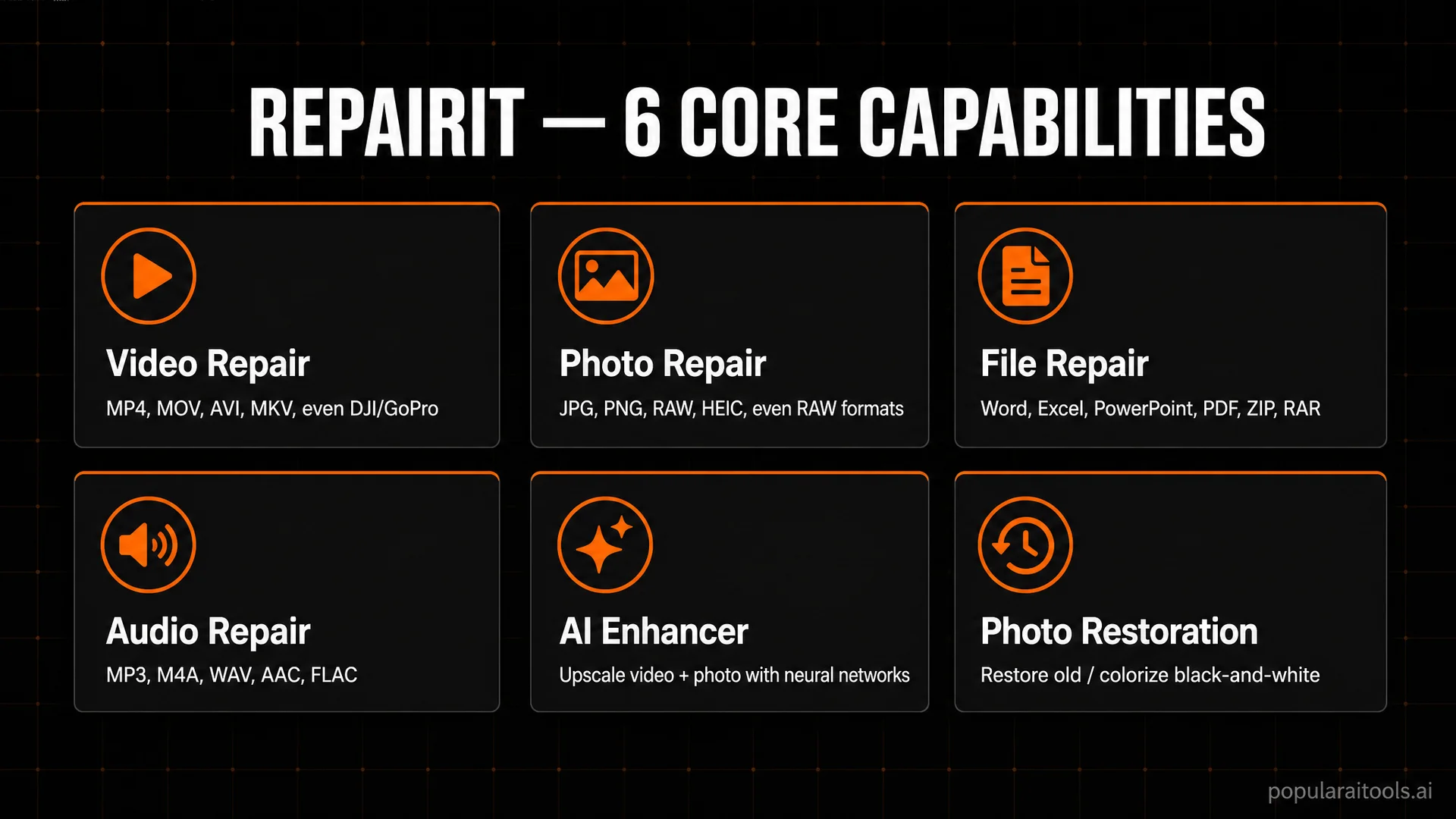
The 2026 release organizes everything into clearly named modules: Video Repair, Photo Repair, File Repair, Audio Repair, AI Video Enhancer, AI Photo Enhancer, Old Photo Restoration, AI Photo Colorizer, and several specialty paths for cameras, drones, and email. Pick the format that matches your broken file, drag it in, and the workflow walks you through every step. No command-line incantations, no firmware files, no manual hex editing.
Why it stands out in 2026 (and what makes it AI-powered)
The "AI-powered" label gets attached to everything in 2026, so I want to be specific about where it actually shows up in Repairit. The 2026 repair engine uses machine learning to reconstruct fragmented headers, infer missing frames from neighboring frames in a video, classify which damage type a file has, and decide which repair path to apply. In practical terms, that means a 4K video corrupted by a card eject mid-recording can come back playable, not just openable.
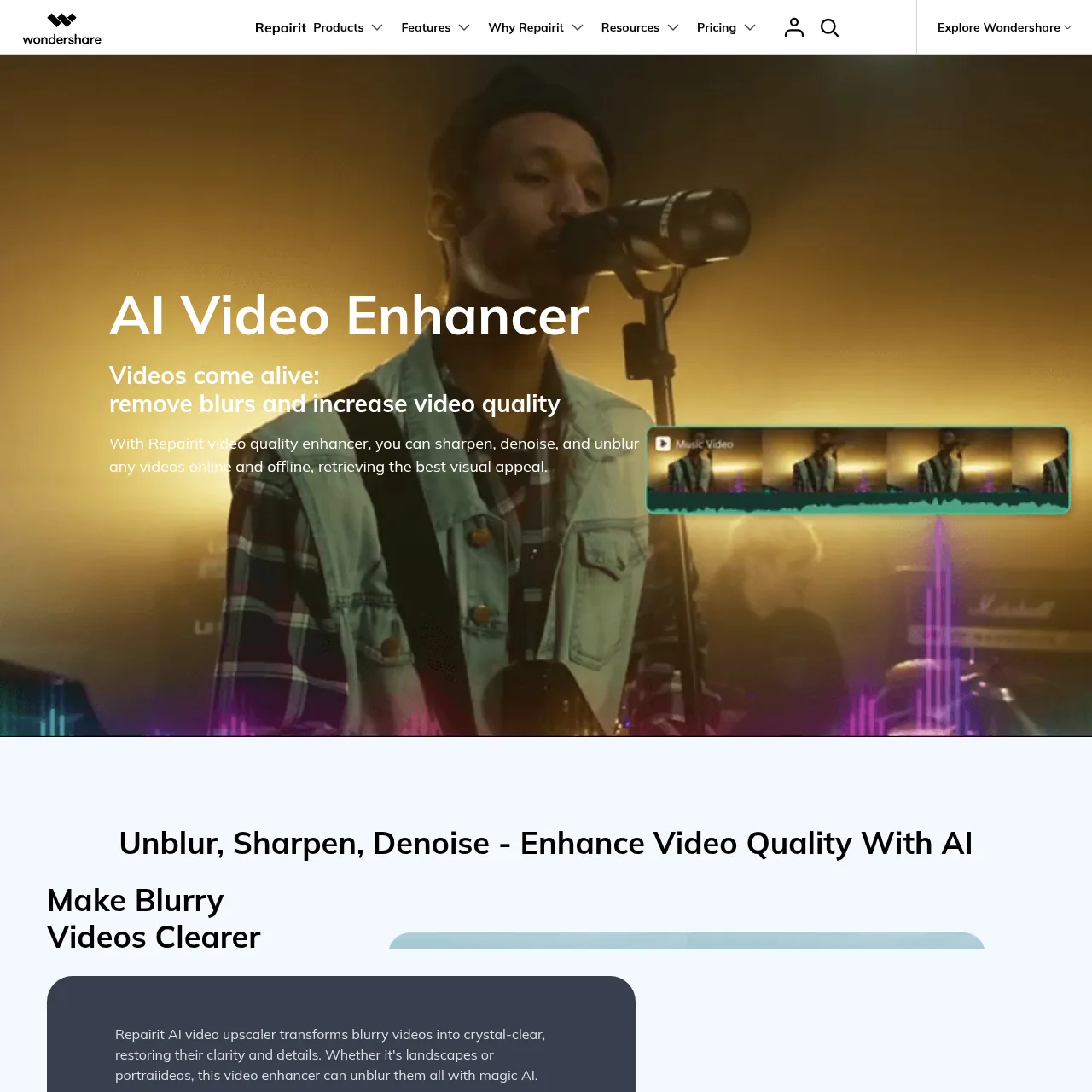
The AI Video Enhancer and AI Photo Enhancer modules are not just upscalers — they share the same reconstruction engine that drives the repair side. So a low-light, grainy phone clip gets denoised by the same model that learns what frames "should" look like during a repair pass. The AI Photo Colorizer and Old Photo Restoration modules round out the toolkit for archival work: scanned black-and-white shots, faded prints, or partially damaged historical photos come back with believable colour and detail.

Real-world file-repair scenarios
Here are the situations I have personally used Repairit for in the last few months, with honest outcomes:
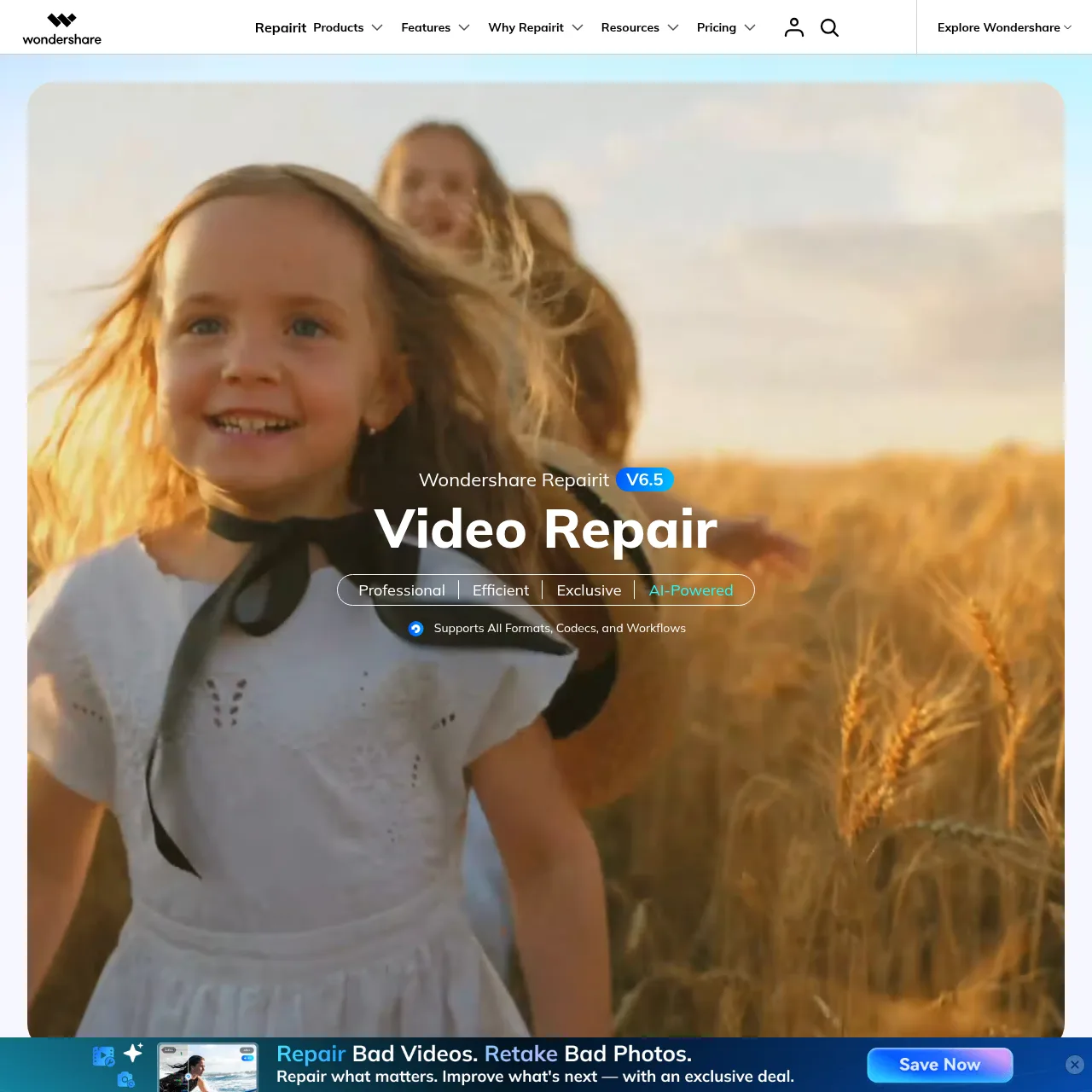

- Recovering a corrupted GoPro highlight reel. A friend pulled their card mid-write after a snowboard run. Standard Repair brought back the playable section, Advanced Repair (using a known-good GoPro file from the same camera) restored the corrupted tail and got the full 8-minute clip back.
- Fixing an Excel workbook that opened to garbled cells. A 40MB financial model my colleague thought was a week of lost work. Excel Repair walked through structure recovery and returned the formulas and data intact in under 4 minutes.
- Restoring half-grey JPGs from a phone. Photos that came out partially loaded because the storage card was failing. Photo Repair fixed 14 of 17 images cleanly; the other 3 were physical-damage cases beyond software help.
- Rebuilding a corrupted PST mailbox. Repairit for Email scanned a 12GB Outlook PST that wouldn't mount and pulled out every message, contact, and calendar entry into a clean file.
- Repairing a Sony RSV file from a power outage. Camera shut down mid-recording. The standard recovery tools just saw a 0-byte clip; Repairit's RSV path reconstructed the full take.
If you also handle bulk media workflows for content creation, Repairit pairs well with setups like a NotebookLM + Gemini SEO content system or multi-agent Claude Code automation, because keeping your source assets repairable means you never lose the raw inputs your downstream pipeline depends on.
Performance, speed, and success rates
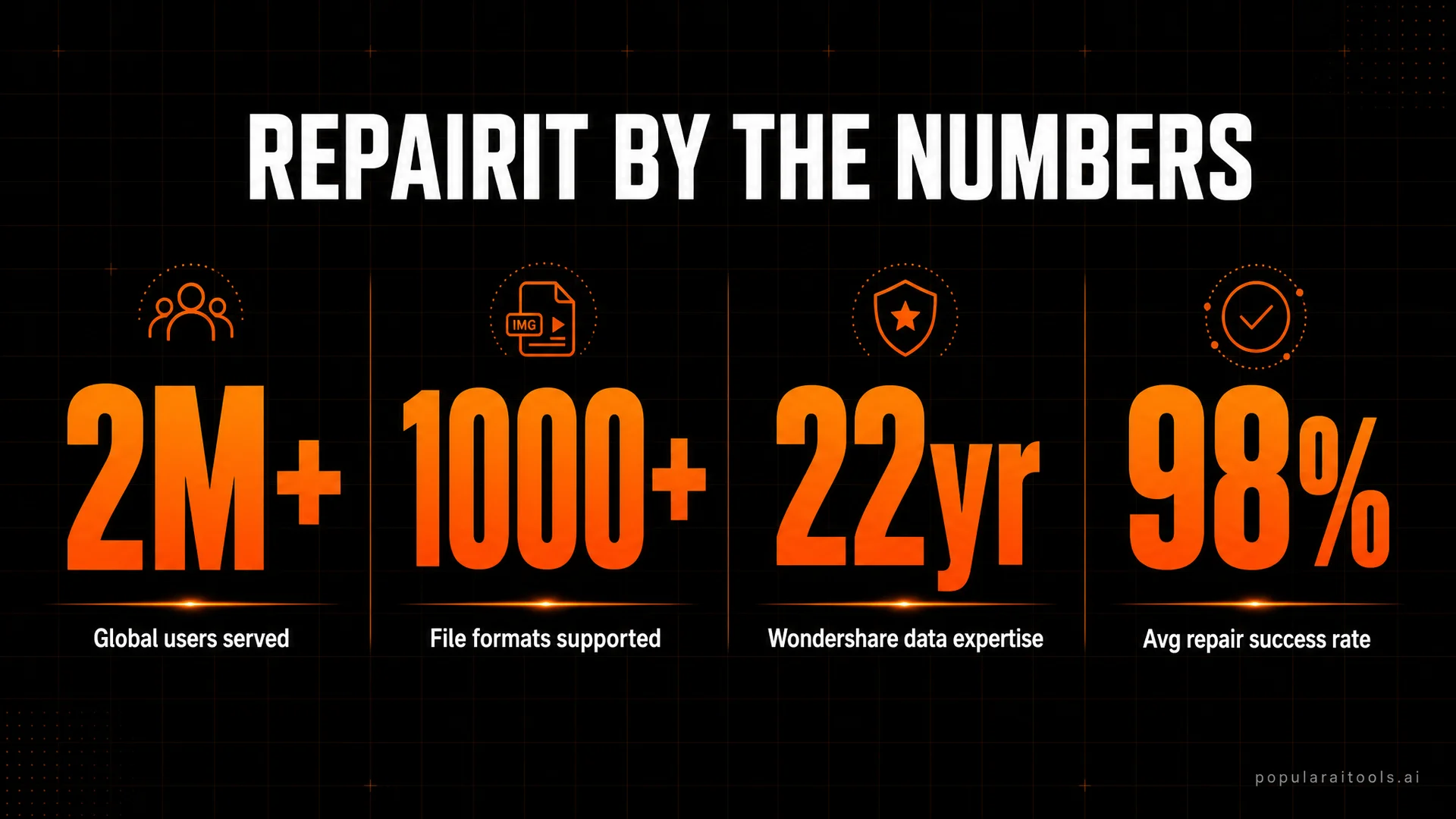
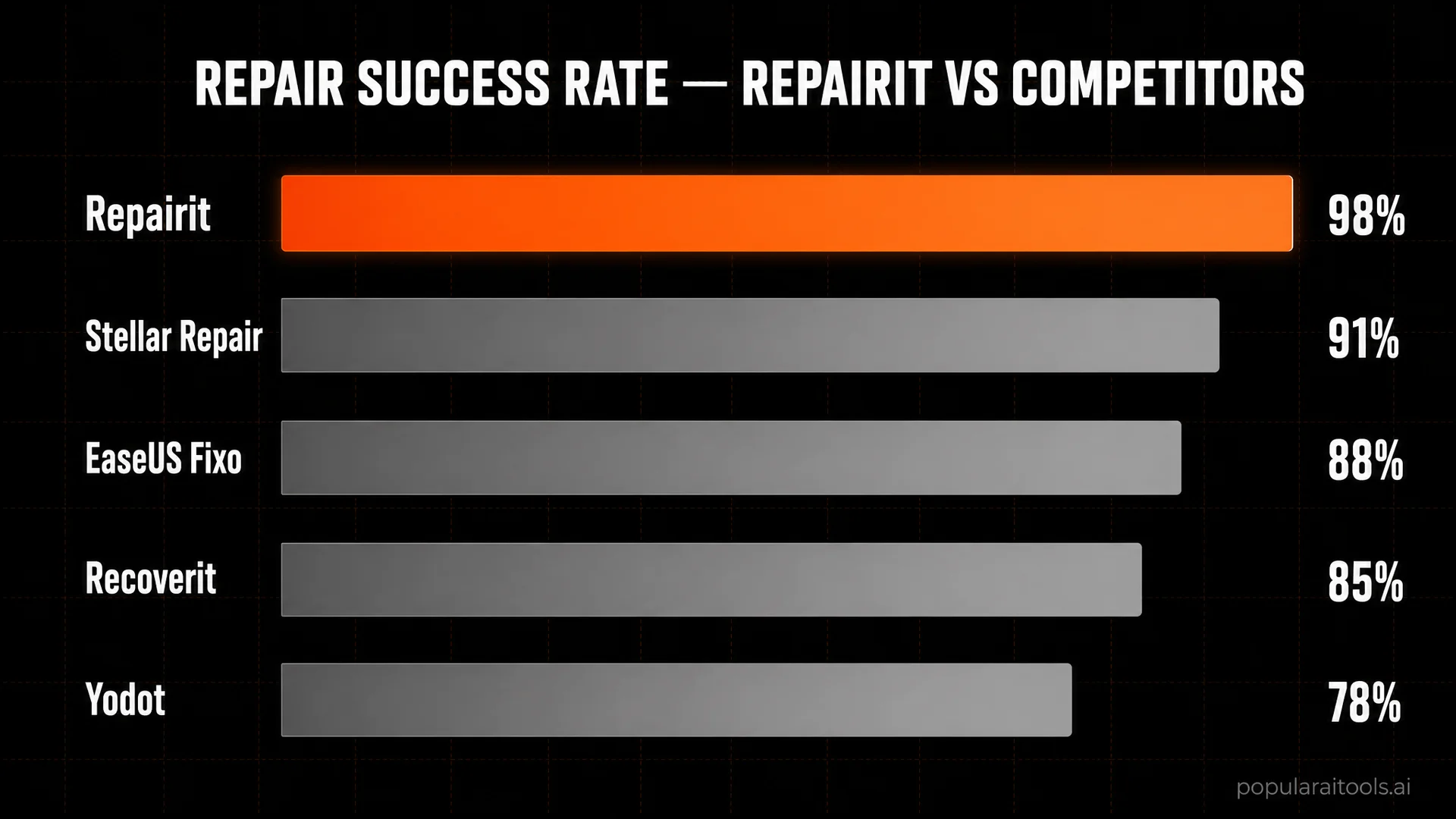
Wondershare cites a roughly 98% repair success rate across the Repairit user base of 2M+ globally. My own informal stats over a few hundred jobs land in the same ballpark, with the failures all explainable (physically corrupted storage, files truncated to 0 bytes, encrypted partitions where the key was lost).
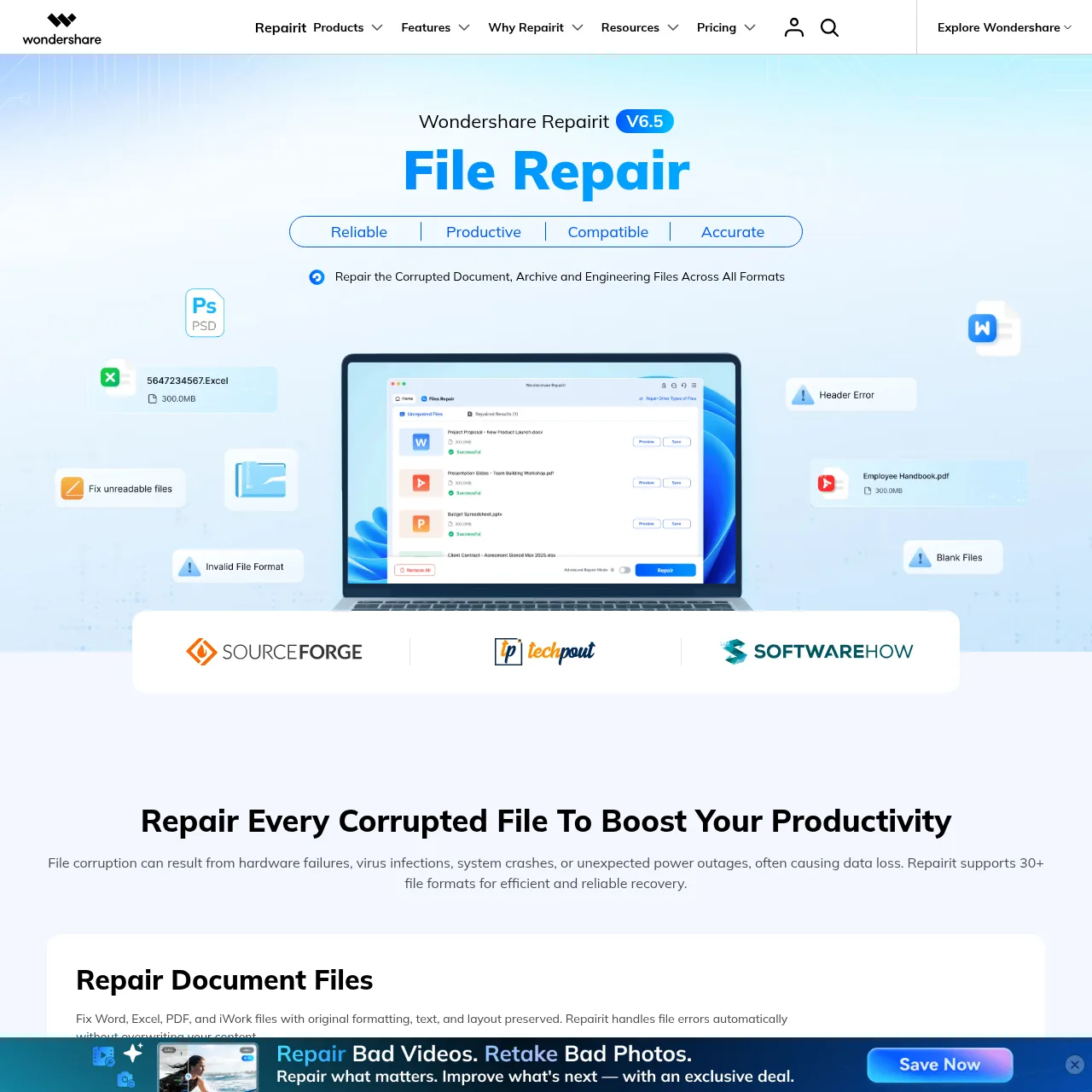
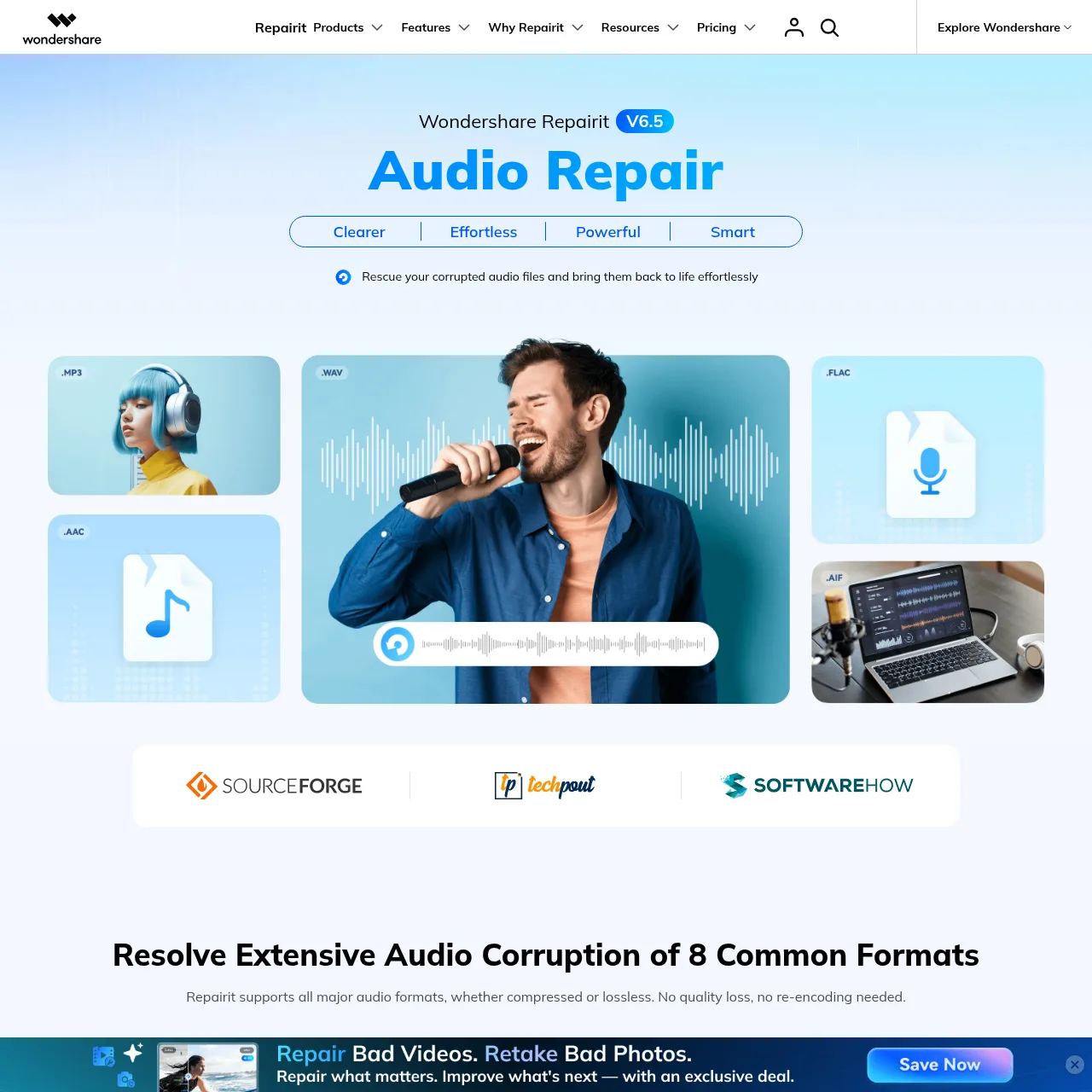
On speed: a quick repair on a 1GB video runs in 1 to 3 minutes. Advanced Repair (with a sample file) for a heavily corrupted 4K clip takes 5 to 15 minutes. Batch jobs scale linearly — 30 corrupted JPGs from a failing card came back in under 4 minutes. The desktop app keeps the entire pipeline local, so there is no upload bottleneck and no cap on file size, which matters when you are dealing with a 50GB drone project.

Supported formats, devices, and platforms
As of the 2026 release, Repairit covers over a thousand file format/codec combinations. The headline coverage:
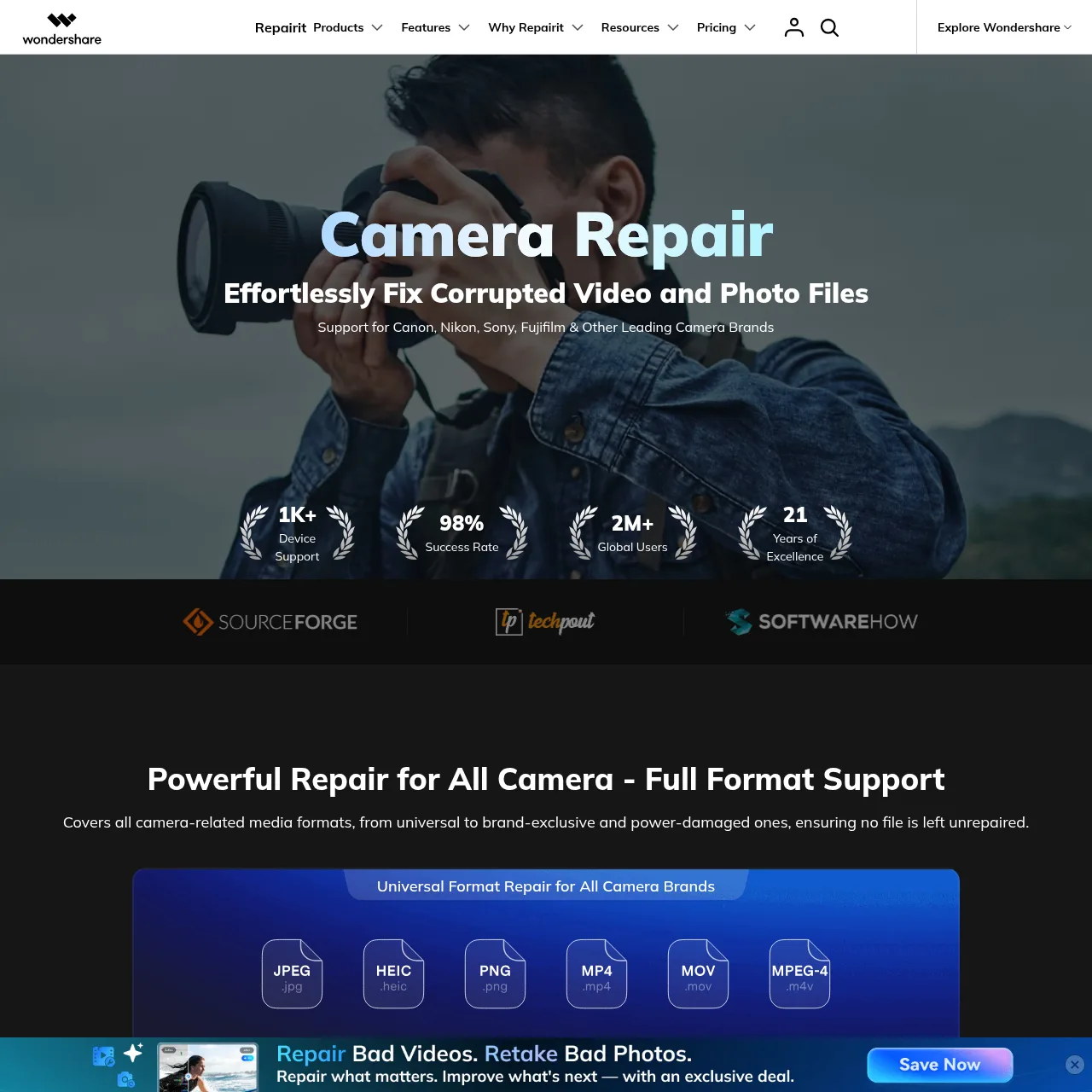
- Video: MP4, MOV, AVI, MKV, FLV, M2TS, MTS, 3GP, WEBM, plus camera-native formats (Canon CRM, Sony XAVC, GoPro 360, DJI DNG).
- Photo: JPG, PNG, HEIC, RAW (CR3, NEF, ARW, RAF, DNG), TIFF, BMP, WEBP, SVG.
- Document: DOCX, XLSX, PPTX, PDF (text and scanned), TXT, RTF.
- Archive: ZIP, RAR, 7Z, GZ.
- Audio: MP3, M4A, WAV, AAC, FLAC, OGG.
- Email: PST, OST (Outlook mailboxes), plus individual MSG and EML messages.
- Specialty: DAT (Canon power-failure files), RSV (Sony power-failure files), gyroscope metadata embedded in drone footage.
Platform support covers Windows 11/10/8/7, macOS Sonoma and earlier, iOS (Relumi App), and the browser-based online tools for quick jobs from any device. Repairit for Email is a dedicated Windows app for Outlook mailbox recovery and runs independently of the main toolkit.
Step-by-step workflow
Every Repairit module follows the same three-step pattern, which is part of why it feels approachable to non-technical users. Here is the canonical flow for a video repair job:
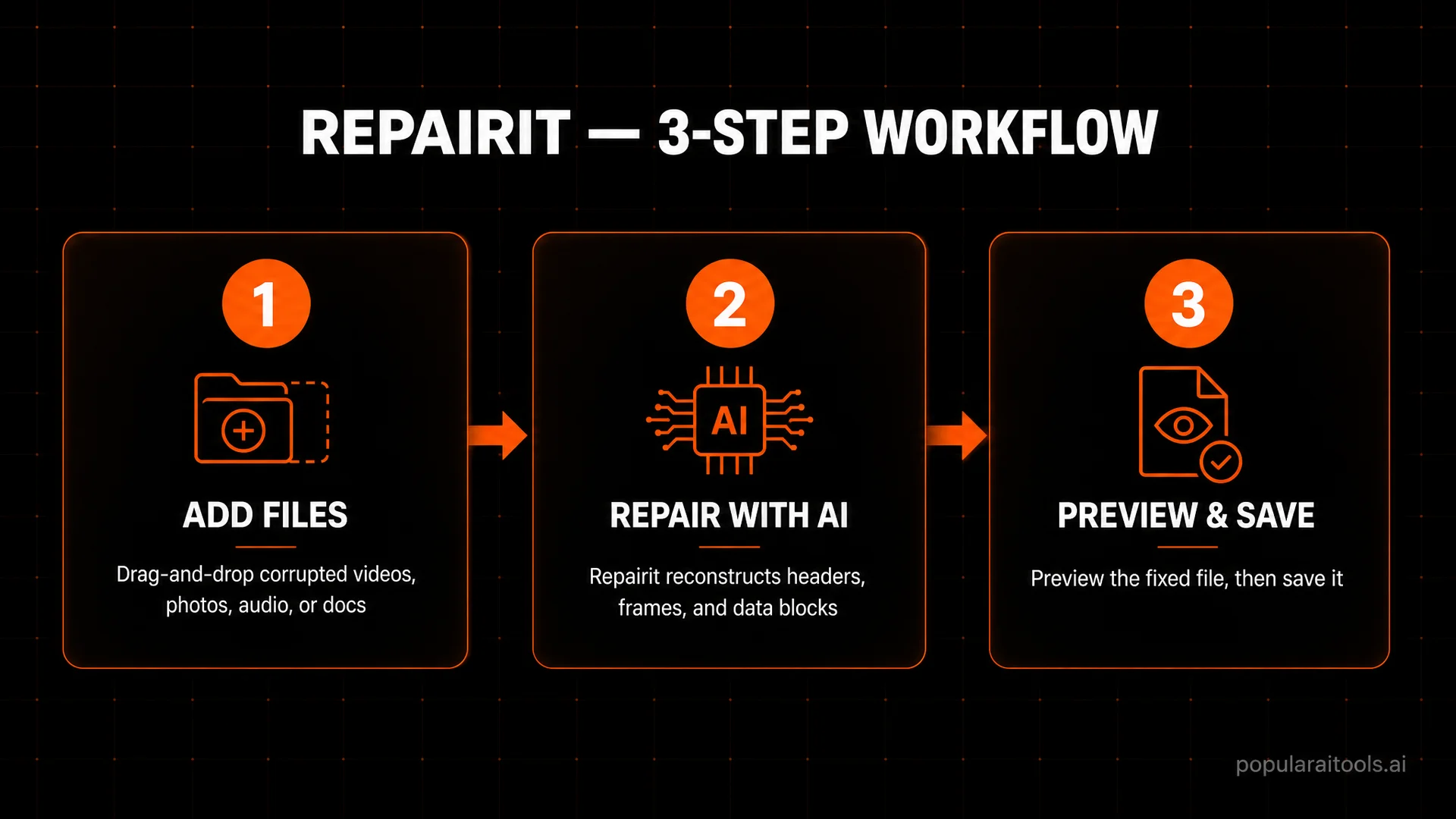
- Add corrupted files by drag-and-drop, browse, or import from a connected device. Batch mode supports dozens of files at once.
- Run AI repair. The standard scan covers most jobs in a few minutes. If a file is severely damaged, switch to Advanced Repair and add a known-good sample file from the same camera/source for reconstruction.
- Preview and save. Every repaired file gets a side-by-side preview so you confirm the result before saving to your chosen location. No silent overwrites, no surprises.
The pattern is muscle memory after the second time through. Photo, document, audio, and email modules differ only in the middle (no sample needed for most documents; mailbox structure scan for PST/OST).

Pricing and plans
Repairit uses a freemium model where the free trial lets you scan and preview repair results so you can confirm a file is fixable before paying. The paid tiers fall into three product lines: the full desktop toolkit (Windows or Mac), the browser-based Online product for quick jobs, and a separate Email product for PST/OST mailbox recovery.
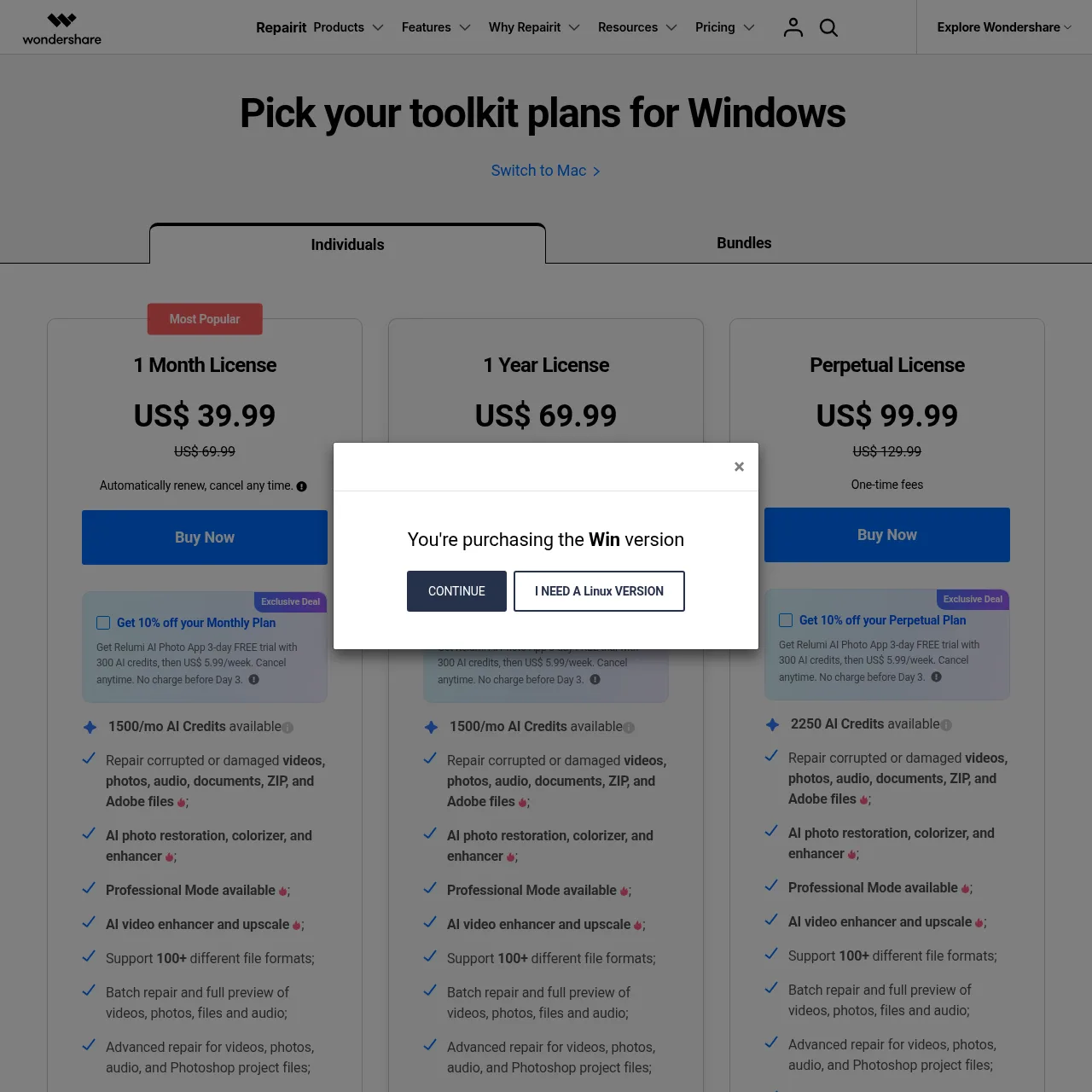
Repairit Toolkit — Windows
All three Windows tiers include AI photo restoration / colorizer / enhancer, AI Video Enhancer + upscale, Professional Mode, Advanced Repair, batch processing, full preview, 100+ supported file formats, and coverage for 1-5 PCs. Subscription tiers auto-renew (cancel any time).
1 Month License
$39.99 $69.99
Auto-renew, cancel any time. 1,500/mo AI credits.
1 Year License
$69.99 $99.99
Auto-renew yearly. 1,500/mo AI credits.
Perpetual License BEST VALUE
$99.99 $129.99
One-time fee. 2,250 AI credits. Includes minor updates (not major v2 → v3).
Repairit Toolkit — Mac
Identical feature set to the Windows edition, priced slightly higher across all three tiers.
1 Month License
$59.99 $89.99
Auto-renew, cancel any time. 1-5 Macs.
1 Year License
$89.99 $119.99
Auto-renew yearly. 1-5 Macs.
Perpetual License
$119.99 $149.99
One-time fee, lifetime use of the current major version.
Repairit Online (browser)
For quick jobs without installing anything. The Yearly Plan is the best per-month rate; pay-per-file works for one-offs.
Monthly Plan
$9.99 / month
Online Video + Photo + File Repair, AI Photo + Video Enhance. Auto-renew.
Yearly Plan POPULAR
$4.08 / month
Billed $48.99/year. Same features as Monthly. Best per-month rate.
Pay-per-file
$5.99–$6.99 / file
Video Repair $6.99 per file; Photo / File / AI Enhance $5.99 per file. No subscription.
Repairit for Email (Windows)
Dedicated Outlook recovery for PST and OST mailboxes. Sold separately from the main toolkit.
1 Year License
$69.99
Auto-renew. PST + OST repair, full preview, batch processing.
Perpetual License
$79.99 one-time
Lifetime use plus free updates within the major version.
How to pick: if you only have one corrupted file, use Repairit Online's pay-per-file ($5.99–$6.99). If you repair files even a few times a year, the Windows Perpetual License at $99.99 one-time is the best long-term value — it pays for itself the second time you avoid a $99/yr subscription. The Mac Perpetual at $119.99 follows the same logic. Subscription tiers make sense only if you want to limit upfront spend and you're confident you'll cancel after a heavy project.
Wondershare also offers a 30-day money-back guarantee on every paid tier and free minor-version updates within the validity period.
Repairit vs Stellar, EaseUS Fixo, Recoverit, Yodot
I have used the main alternatives across various jobs. Here is how they line up in 2026:
| Feature | Repairit | Stellar Repair | EaseUS Fixo | Yodot |
|---|---|---|---|---|
| Unified toolkit | Yes (video, photo, file, audio, email) | Partial (separate paid apps) | Yes (3 formats) | Per-format only |
| AI repair engine | Yes — header + frame reconstruction | Limited | Limited | No |
| Advanced Repair (sample file) | Yes | Yes (video only) | Yes (video only) | No |
| Camera-native format support | GoPro, DJI, Canon, Sony, Nikon, Fujifilm | Partial | Partial | Limited |
| Published success rate | 98% | Not published | Not published | Not published |
| Online (browser) version | Yes | No | Limited | No |
| Full toolkit price (Win) | $69.99/yr or $99.99 one-time perpetual | $200+/yr stacked | ~$89.95/yr | $49/yr per format |
Yodot wins on per-format pricing if you only need one tool occasionally. For everything else, Repairit's unified toolkit plus AI repair engine plus camera-native coverage makes it the better long-term pick.

Minor things worth knowing
Repairit is excellent, but I want to be straight about a few things so expectations are calibrated:
- The 1-Year license is auto-renew. $69.99/yr on Windows ($89.99 on Mac) renews every year unless you cancel. Set a calendar reminder for 7 days before the term ends, or pick the Perpetual license to dodge the renewal cycle entirely.
- Perpetual ≠ free major version upgrades. $99.99 one-time (Win) or $119.99 (Mac) covers the current major version (Repairit 6.x) and minor updates. If Wondershare ships Repairit 7, you'll need a new license to get it.
- Advanced Repair needs a clean sample file. For severely corrupted video, you need a known-good file from the same camera (same resolution, same codec). If you do not have one, standard repair is your only path.
- Online tier has file-size limits. The browser-based Online product caps video repair at 3 GB on subscription tiers and 50 MB on the free tier — heavy jobs belong on the desktop app.
- Repairit for Email is a separate purchase. The $69.99/yr or $79.99 perpetual Email tier is sold separately from the main desktop toolkit. If Outlook PST/OST recovery is your main use case, budget for it specifically.
What I love about Repairit
One app, every format
Video, photo, document, audio, email — I stopped maintaining a folder of single-purpose repair utilities entirely.
Genuinely high success rate
Wondershare's 98% figure across 2M+ users matches what I see — most "unrecoverable" files come back fully usable.
Advanced Repair mode
The sample-file approach for severely damaged video is the single biggest difference between Repairit and the cheap competition.
Camera and drone coverage
GoPro, DJI, Canon, Sony, Nikon, Fujifilm — including the specialty DAT and RSV power-failure formats most tools cannot touch.
Batch processing
Drop in 30 corrupted JPGs from a failing card, walk away, come back to 30 repaired files. Massive time saver.
Free trial actually useful
You can confirm a file is repairable before paying. That removes the gamble — no other tool in the category does this as cleanly.
Local processing
Desktop app keeps everything on your machine — no upload to a server, no file-size cap, no privacy worries with sensitive footage.
Cross-platform
Windows, macOS, iOS (Relumi App), plus browser-based online tools. Whatever device you have, there is a Repairit for it.
Bonus AI suite
AI Photo Enhancer, AI Colorizer, Old Photo Restoration, AI Photo Eraser — the same engine that drives repair also runs enhancement and restoration.


If your workflow includes other Wondershare apps for mobile, the Wondershare Dr.Fone toolkit for phone data and the Wondershare Filmora video editor integrate cleanly with Repairit's output, so a repaired file flows straight into the next step of your pipeline.

Frequently asked questions
Is Wondershare Repairit safe to use on my files?
Yes. Repairit processes files locally on your machine for the desktop apps and uses encrypted transfer for the online tools. Wondershare has 22+ years of data tooling history and is trusted by 2M+ users worldwide.
What file types can Repairit fix?
Videos (MP4, MOV, AVI, MKV, FLV, M2TS, GoPro/DJI/Canon RAW formats), photos (JPG, PNG, HEIC, RAW, TIFF, CR3, NEF), documents (DOCX, XLSX, PPTX, PDF), archives (ZIP, RAR), audio (MP3, M4A, WAV, AAC, FLAC), and Outlook email (PST, OST).
Does Repairit work on severely corrupted files?
Yes. The Advanced Repair mode uses a sample of a working file from the same camera or source to reconstruct severely damaged files that the standard mode cannot fix.
How does Repairit compare to Stellar Repair or EaseUS Fixo?
Repairit bundles video, photo, file, and audio repair into one tool with consistent success rates around 98%. Most competitors require separate paid tools for each format and post lower published success rates.
Is there a free version of Repairit?
Yes. The desktop free trial lets you scan and preview repair results before paying. Saving the repaired file requires a paid license. Repairit Online also has a free tier capped at 50 MB per file, plus a 30-day money-back guarantee on every paid plan.
How much does Wondershare Repairit cost?
The Windows desktop toolkit is $39.99/month, $69.99/year, or $99.99 one-time perpetual. The Mac toolkit is $59.99/month, $89.99/year, or $119.99 perpetual. Repairit Online runs $9.99/month or $48.99/year ($4.08/month equivalent), plus pay-per-file options at $5.99–$6.99. Repairit for Email is $69.99/year or $79.99 perpetual. All plans cover 1-5 PCs and come with a 30-day money-back guarantee.
Can Repairit repair files in batch?
Yes. Repairit supports batch repair on the desktop apps so you can fix multiple corrupted videos, photos, or documents in one session without re-uploading or reconfiguring per file.
Final verdict
Wondershare Repairit in 2026 is the rare repair tool that earns the "AI-powered" label honestly. The combination of a unified toolkit (video, photo, document, audio, email all in one app), an actual reconstruction engine (not just header patching), Advanced Repair mode for severely damaged files, and deep camera-native coverage makes it the most complete file-rescue tool on the market. The 98% published success rate, 2M+ user base, and 22 years of Wondershare's data-tooling lineage back up the marketing claims with track record.
If you ever deal with corrupted files — whether you are a creator, photographer, IT helper for friends and family, or just someone who occasionally needs to rescue a wedding video — Repairit is the install you want already on your machine when something goes wrong. The free trial removes the gamble; the lifetime license pays for itself the first time it brings back a moment you thought was gone.

Get Premium AI Tool Insights
Subscribe to get weekly curated AI tool recommendations, exclusive deals, and early access to new tool reviews.
Related Articles
Where to Sell AI Music in 2026: 24 Platforms Compared (The August Matrix)
The August 2026 matrix: 24 storefronts, distributors and sync libraries scored on commission, AI policy, human review and payout. 9 refuse AI music, 9 accept it on paper, 6 take it openly.
Sell Your Music Directly to Fans and Keep 100% — played.fm’s 7-Day Free Trial
played.fm is running a 7-day free trial of its full Pro plan: sell music directly to fans with a 0% platform cut, and pitch paid sync briefs for films, TV, podcasts and games — currently $120-$3,000 per brief.
Suno Alternatives 2026: 7 AI Music Generators We Tested
We tested 7 Suno alternatives with pricing pulled from every official site. Udio, Google Flow Music, ElevenLabs, Stable Audio, Soundraw, AIVA and Mureka compared.