Cursor AI Review 2026: The AI Code Editor That Half the Fortune 500 Already Uses

AI Infrastructure Lead

⚡ TL;DR — Cursor AI Review
Cursor is the AI code editor that half the Fortune 500 already uses. With autonomous agents, multi-model support (GPT-5.4, Claude Opus 4.6, Gemini 3 Pro), and the best autocomplete we've tested, it turns natural language into production code. The free tier is genuinely usable, and Pro at $20/month is a no-brainer for any working developer.
📋 Table of Contents
What is Cursor AI?
Cursor AI is an AI-native code editor built by Anysphere that has rapidly become the dominant tool for AI-assisted software development in 2026. Unlike GitHub Copilot or Windsurf, which bolt AI onto existing editors, Cursor rebuilt the entire editing experience around AI from the ground up — and the difference shows.
We've been using Cursor daily for the past four months across three production codebases (Next.js, Python, and Go). During that time, it went from "interesting experiment" to "can't imagine going back to VS Code." The autonomous agents alone have saved us roughly 15-20 hours per week on boilerplate, refactoring, and test writing.
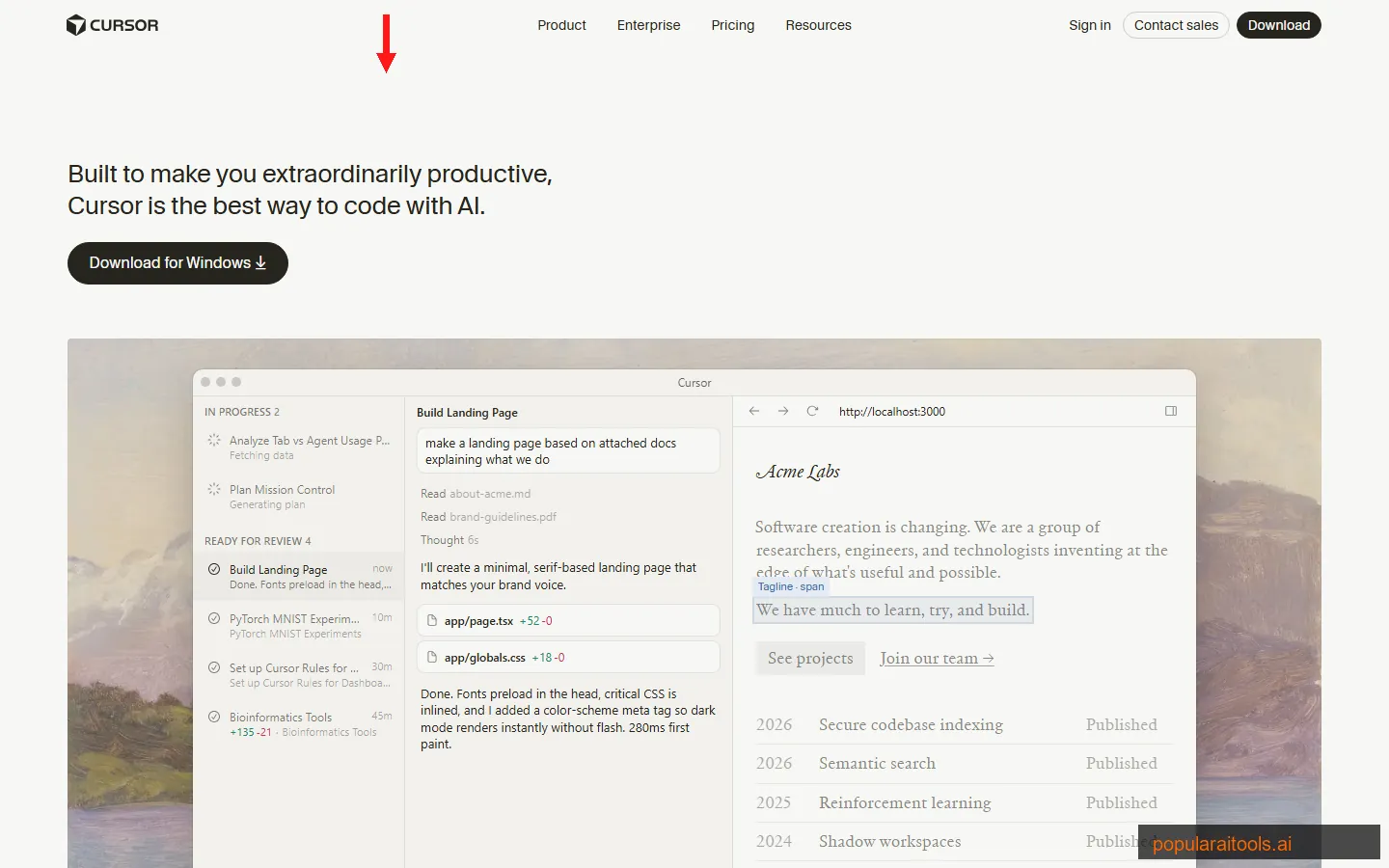
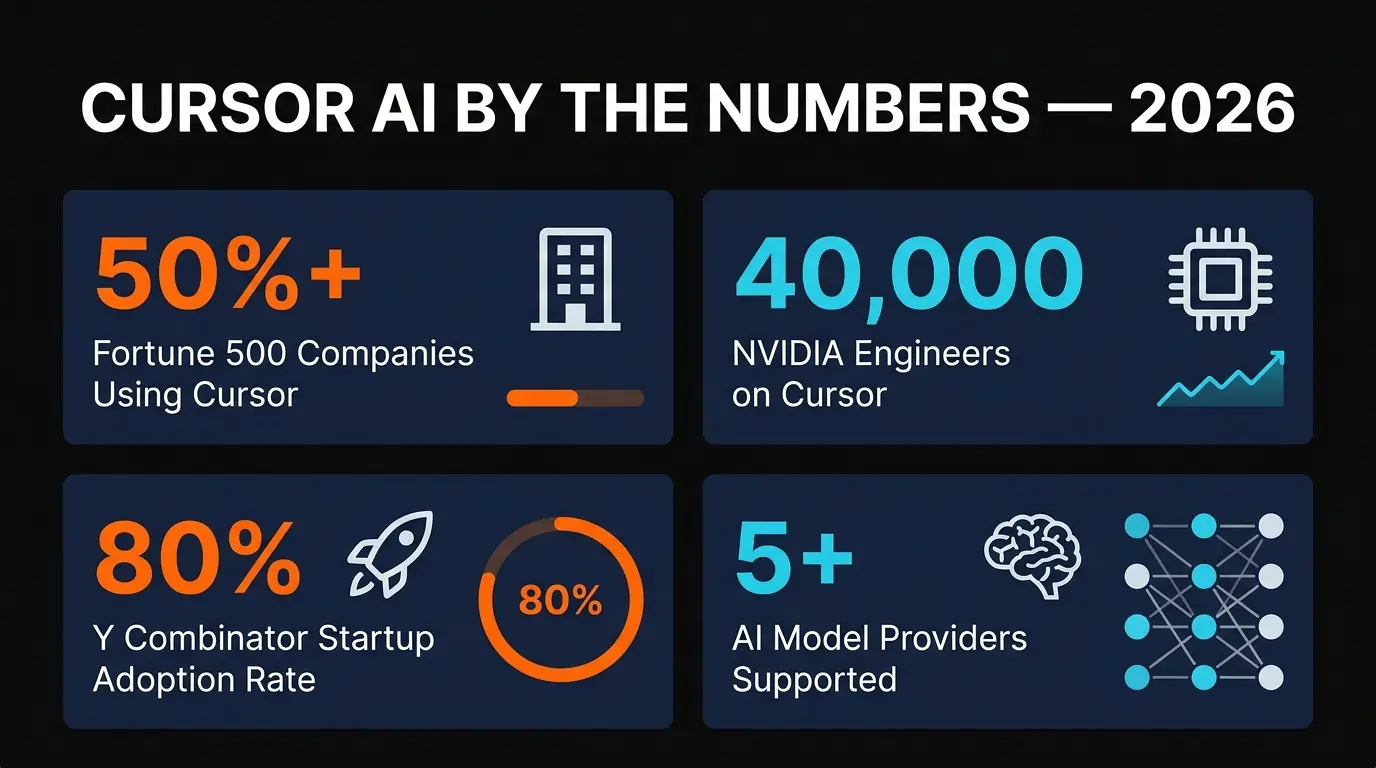
The numbers back this up. NVIDIA's CEO Jensen Huang publicly stated that all 40,000 of their engineers now use Cursor. Over 80% of Y Combinator startups have adopted it. More than half the Fortune 500 are paying customers. This isn't a niche tool anymore — it's becoming the standard.
Cursor is built on VS Code's foundation, so your extensions, themes, and keybindings carry over. But the AI layer transforms the experience: you describe what you want in plain English, and the agent writes, tests, and iterates on the code autonomously.
Key Features
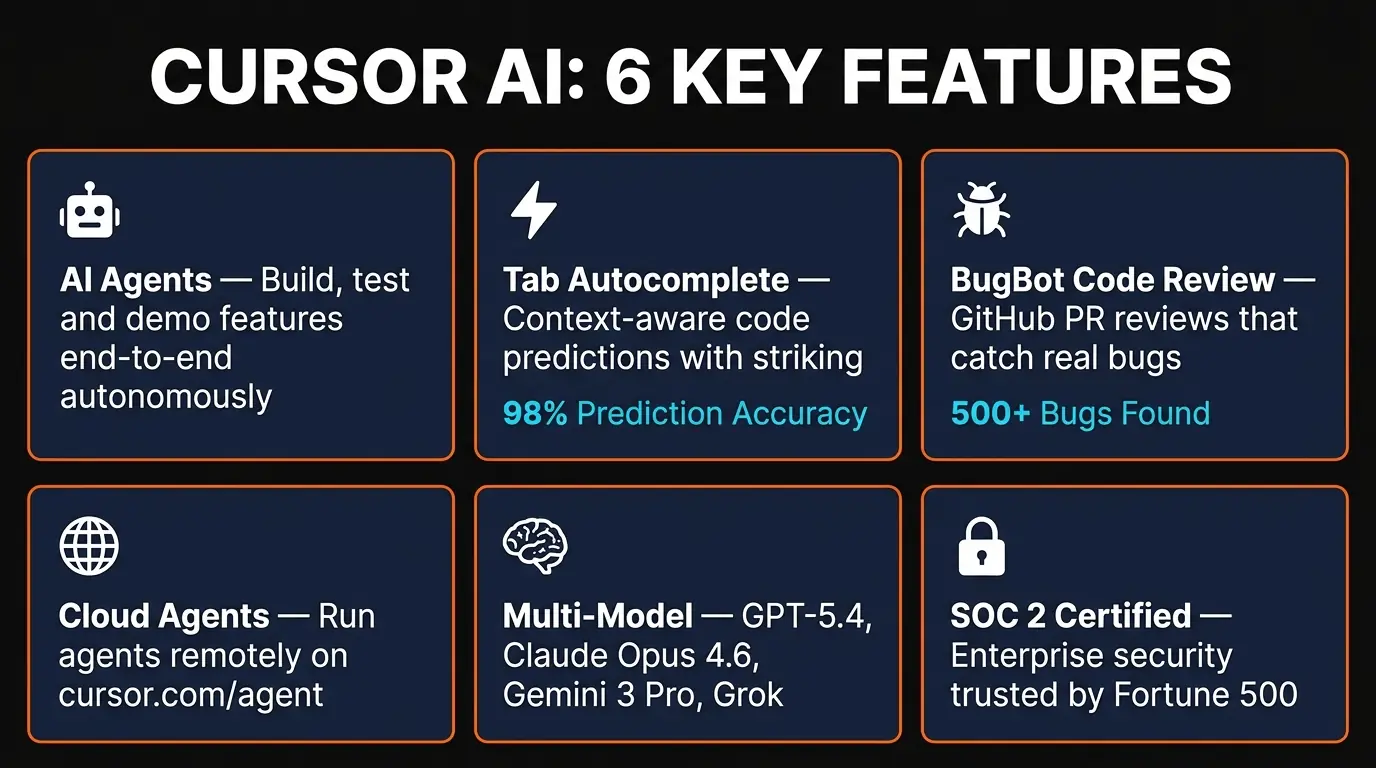
Here's what makes Cursor stand apart from every other AI coding tool we've tested in 2026:
🤖 Autonomous Agents
Agents plan, write code across multiple files, run tests, fix bugs, and iterate — all without intervention. They can build entire features end-to-end while you focus on architecture decisions.
⚡ Tab Autocomplete
Cursor's proprietary autocomplete model predicts your next edit with eerie accuracy. It doesn't just complete the current line — it anticipates multi-line changes based on context from your entire codebase.
🐛 BugBot Code Review
Integrates directly with GitHub to review pull requests. BugBot catches real bugs — not just style issues. It identified a race condition in our async handler that three human reviewers missed.
☁️ Cloud Agents
Run agents on remote infrastructure at cursor.com/agent. Your laptop stays free while the agent builds. Self-hosted option (March 2026) keeps everything inside your network.
🧠 Multi-Model Support
Choose from GPT-5.4, Claude Opus 4.6, Gemini 3 Pro, Grok Code, and Cursor's own models. Swap models per task — use Claude for complex refactoring, GPT for quick completions.
🔌 Marketplace Plugins
30+ integrations launched March 2026 — Atlassian, Datadog, GitLab, Linear, PagerDuty. Agents can read Jira tickets, check Datadog metrics, and trigger deployments without leaving the editor.
How to Use Cursor AI: Step-by-Step
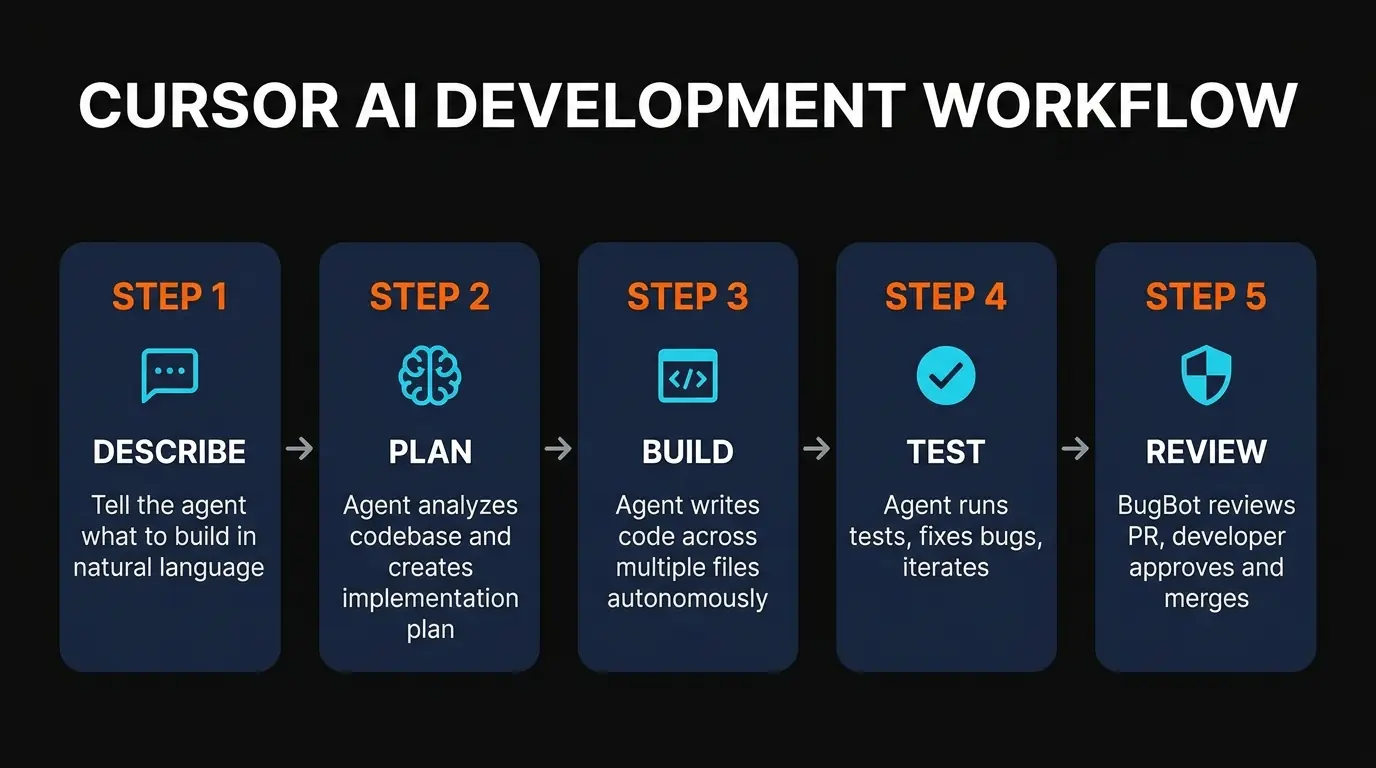
Getting started with Cursor takes about five minutes. Here's the workflow we recommend after onboarding dozens of developers:
Download Cursor from cursor.com. On first launch, it offers to import your VS Code extensions, themes, and keybindings. Accept — everything transfers cleanly.
Open your project folder. Cursor automatically indexes the codebase for semantic understanding. For large repos (100K+ files), this takes 2-3 minutes. After indexing, the AI understands your project's architecture, naming conventions, and patterns.
Hit Cmd+Shift+P (or Ctrl+Shift+P) and select your preferred model. We use Claude Opus 4.6 for complex refactoring and GPT-5.4 for fast iteration. You can switch models per conversation.
Press Cmd+I to open the agent panel. Describe what you want to build: "Add a dark mode toggle to the settings page with localStorage persistence." The agent reads your codebase, plans the implementation, and starts writing code across the relevant files.
Cursor shows a diff of every change the agent made. Accept individual hunks or the entire changeset. If something's off, tell the agent what to fix — it iterates with full context of what it already tried.
Outside of agent sessions, Tab autocomplete handles the heavy lifting. Start typing a function and Tab predicts not just the current line but the entire implementation. It learns your patterns — after a few days, it feels like it's reading your mind.
Pricing Plans
Cursor's pricing is straightforward but the tiers matter. Here's what each plan actually gives you:
Hobby
- ✓ Limited agent requests
- ✓ Limited Tab completions
- ✓ No credit card needed
- ✗ No cloud agents
Pro
- ✓ Extended agent requests
- ✓ All frontier models
- ✓ MCPs, skills, hooks
- ✓ Cloud agents
Pro+
- ✓ Everything in Pro
- ✓ 3x usage on all models
- ✓ Heavy daily usage
- ✓ Worth it if you hit limits
Ultra
- ✓ Everything in Pro
- ✓ 20x usage on all models
- ✓ Priority new features
- ✓ For full-time agent users
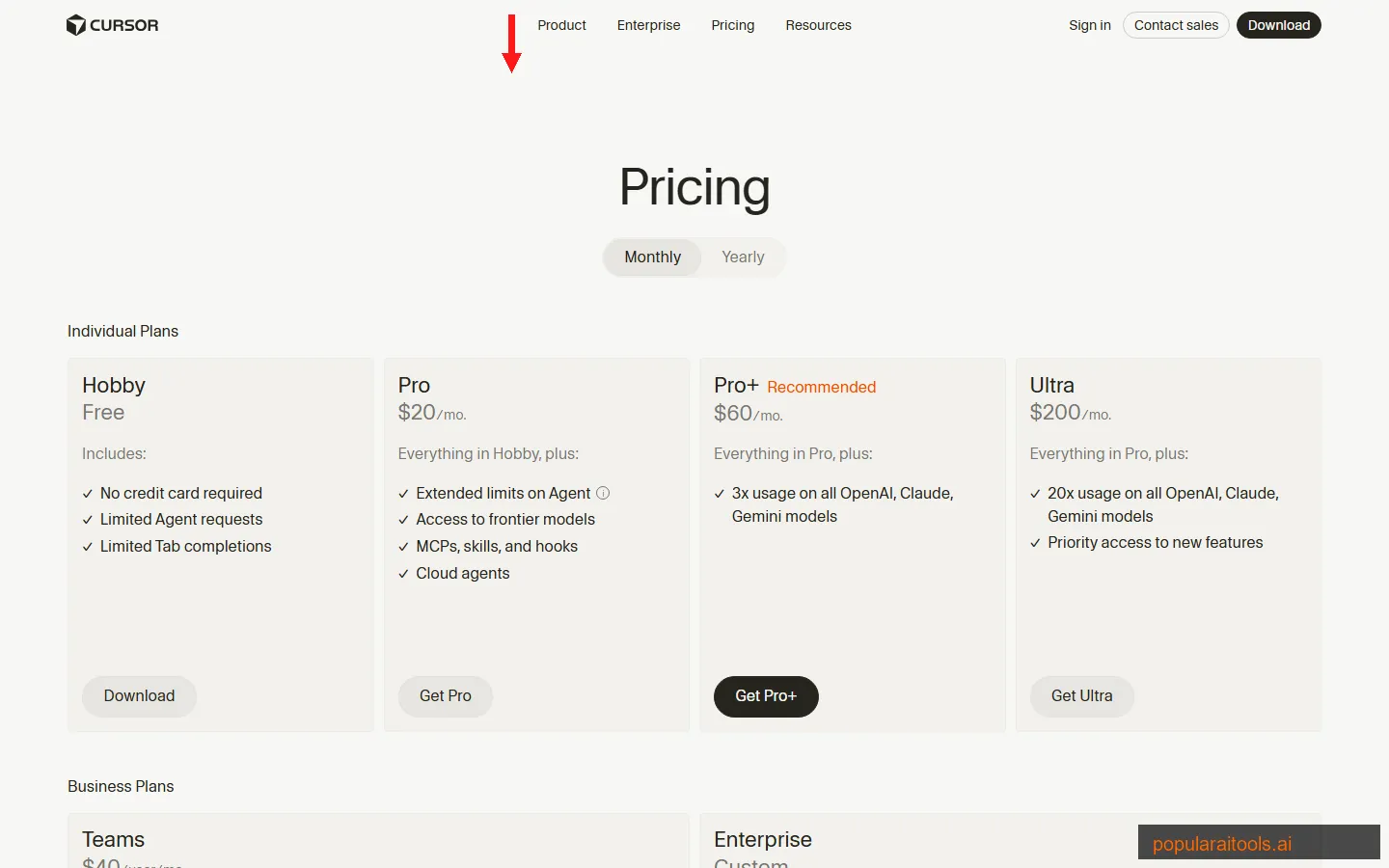
Our recommendation: Start with Hobby to test the experience. If you code daily, Pro at $20/month is the best value in AI developer tools right now. Pro+ makes sense only if you're burning through agent requests every day — we hit the Pro limits about twice per week during heavy refactoring sprints. Ultra at $200/month is overkill unless you're running agents continuously.
For teams, the $40/user/month plan adds centralized billing, SSO, usage analytics, and shared rules. That last one matters — team-wide Cursor rules enforce coding standards automatically through AI suggestions.
Pros and Cons
Strengths
- ✓ Best autonomous agents. Cursor's agents genuinely build features end-to-end. They plan, code, test, and fix — not just autocomplete.
- ✓ Multi-model flexibility. Switch between GPT-5.4, Claude Opus 4.6, Gemini 3, and proprietary models per task. No other editor matches this.
- ✓ VS Code compatibility. Extensions, themes, and keybindings all transfer. Zero migration friction.
- ✓ Tab autocomplete is addictive. The proprietary model predicts multi-line edits with accuracy that feels like telepathy.
- ✓ Enterprise-ready security. SOC 2 certified, Privacy Mode, self-hosted agents, SAML SSO, SCIM.
- ✓ Rapid innovation pace. Five major releases in March 2026 alone — self-hosted agents, Composer 2, marketplace plugins, automations, JetBrains support.
Weaknesses
- ✗ Gets expensive at scale. Ultra at $200/month is steep. Teams of 50+ developers at $40/user/month adds up to $24K/year — budget conversations required.
- ✗ Usage limits on Pro are real. Heavy agent users will hit walls. The 3x multiplier on Pro+ ($60/mo) feels like a tax for power users.
- ✗ Proprietary lock-in. Your Cursor rules, agent conversations, and team settings don't export cleanly. Switching costs grow over time.
- ✗ Agent hallucinations still happen. Roughly 1 in 10 agent sessions produce code that compiles but has subtle logic bugs. Always review diffs carefully.
- ✗ Memory-hungry. Cursor + indexed codebase + running agents can consume 4-8GB of RAM. Older machines struggle.
What's New: March 2026 Updates
Cursor shipped five major updates in March 2026 alone, which tells you about their pace. Here are the highlights:
| Update | Date | Why It Matters |
|---|---|---|
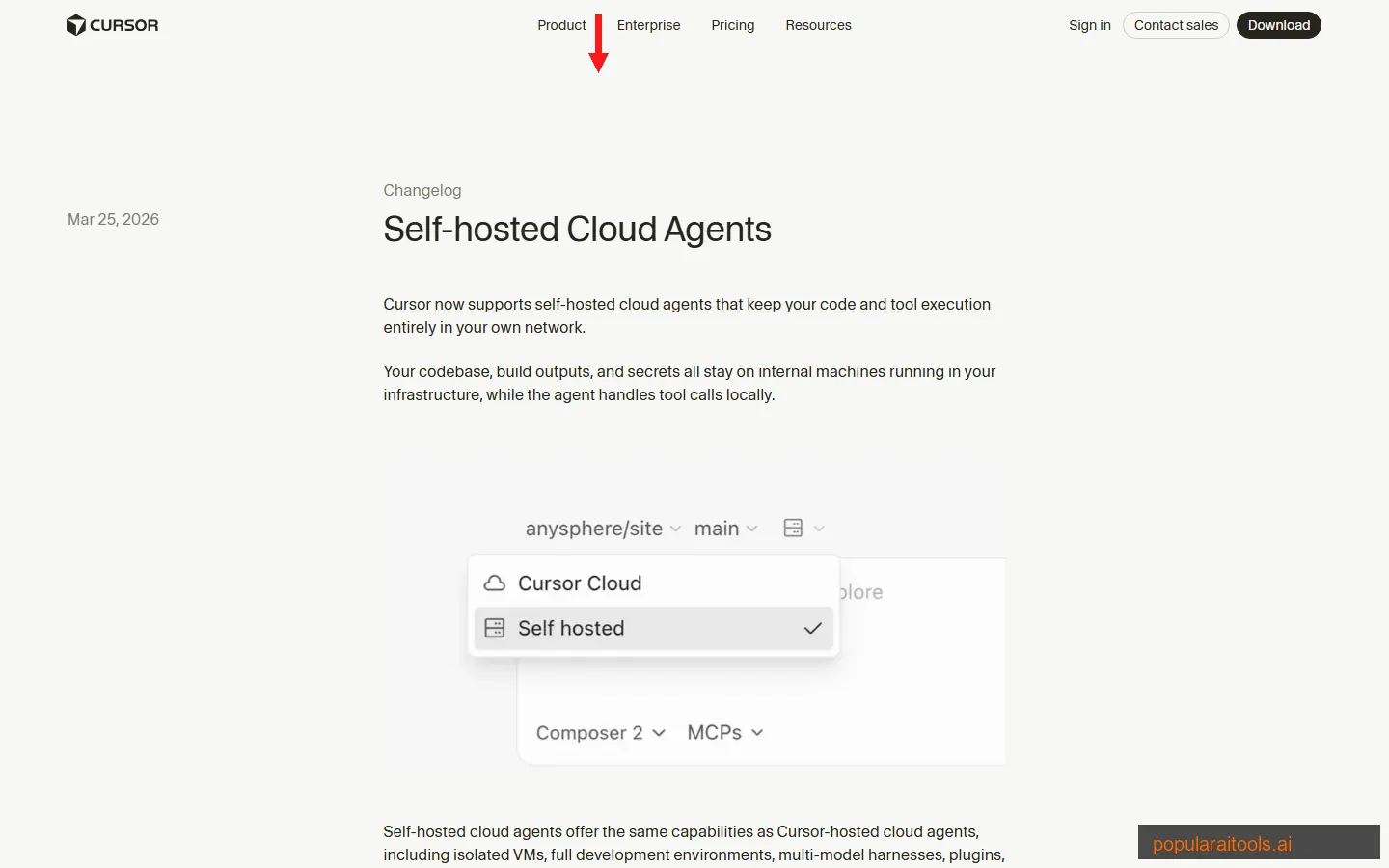
| Self-hosted Cloud Agents | Mar 25 | Code stays in your network. Agents run on your infra with isolated VMs. |
| Composer 2 | Mar 19 | New multi-agent model. Frontier-level coding at $0.50/M input tokens. |
| Marketplace Plugins | Mar 11 | 30+ integrations — Atlassian, Datadog, GitLab. Agents access your full stack. |
| Automations | Mar 5 | Always-on agents triggered by Slack, Linear, GitHub, PagerDuty events. |
| JetBrains Support | Mar 4 | IntelliJ, PyCharm, WebStorm support via Agent Client Protocol. |
Cursor vs Copilot vs Windsurf: Full Comparison
We've used all three daily. Here's how they stack up in March 2026:
| Feature | Cursor Pro ($20) | Copilot Pro ($20) | Windsurf Pro ($20) |
|---|---|---|---|
| Type | Standalone IDE | VS Code/JetBrains plugin | Standalone IDE |
| Free Tier | Limited agents + Tab | 2K completions, 50 chats | Light quota |
| AI Models | 5+ providers + proprietary | 4+ providers | 3+ providers + SWE-1.5 |
| Autonomous Agents | Full end-to-end + Cloud | Coding agent + Codex | SWE-1.5 agent |
| Code Review | BugBot (dedicated) | PR review built-in | Basic review |
| Plugins/Integrations | 30+ marketplace plugins | GitHub-native, Spaces | Knowledge base |
| Enterprise Price | $40/user/mo + custom | $39/user/mo | $40/user/mo + custom |
| Best For | Full-time devs wanting max AI | Teams already on GitHub | Devs who want tight workflows |
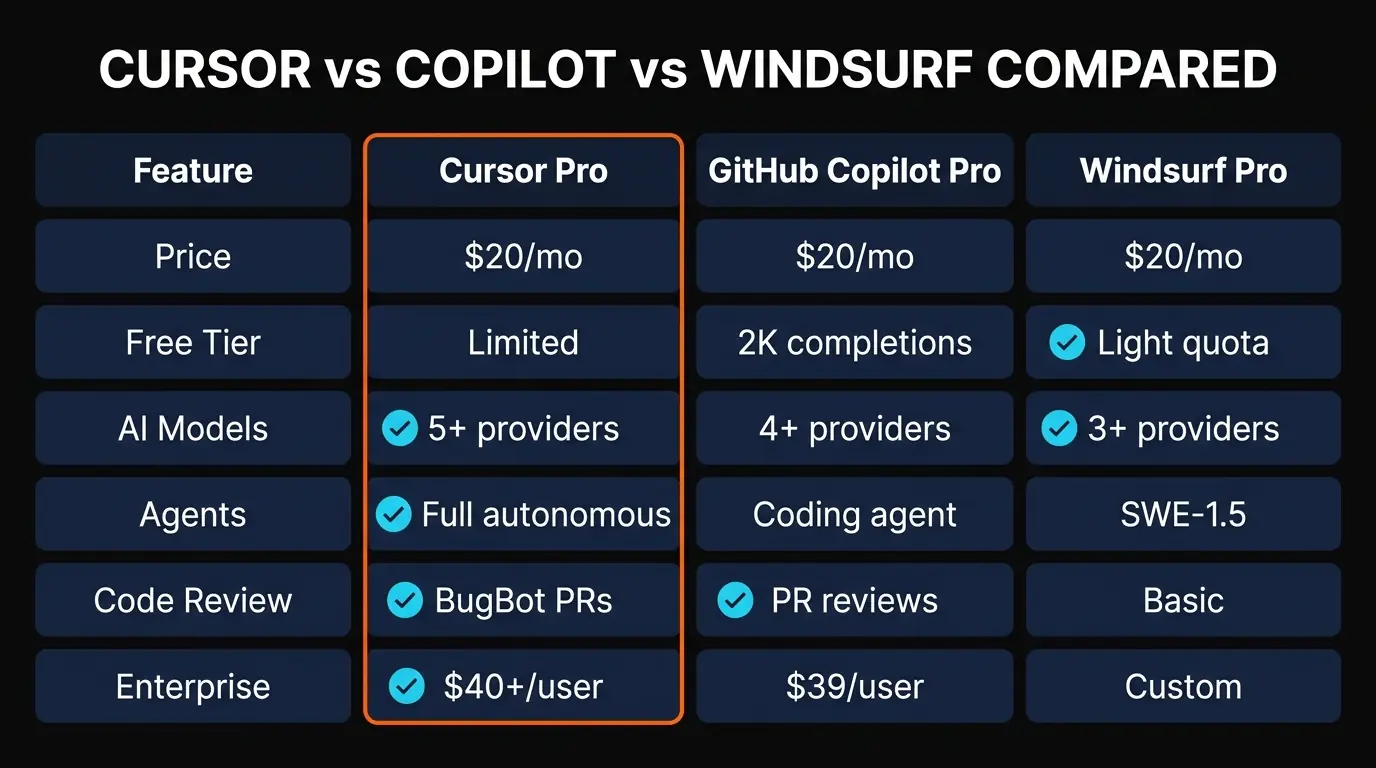
The bottom line: Cursor wins for developers who want the most capable AI assistance and don't mind switching editors. Copilot wins if your team lives in GitHub and you want the smoothest integration with your existing workflow. Windsurf is the closest competitor to Cursor's agent capabilities but trails in model variety and plugin ecosystem.
If you're comparing alternatives in more depth, check our Best AI Coding Assistants 2026 roundup for a wider look at the market.
Security and Privacy
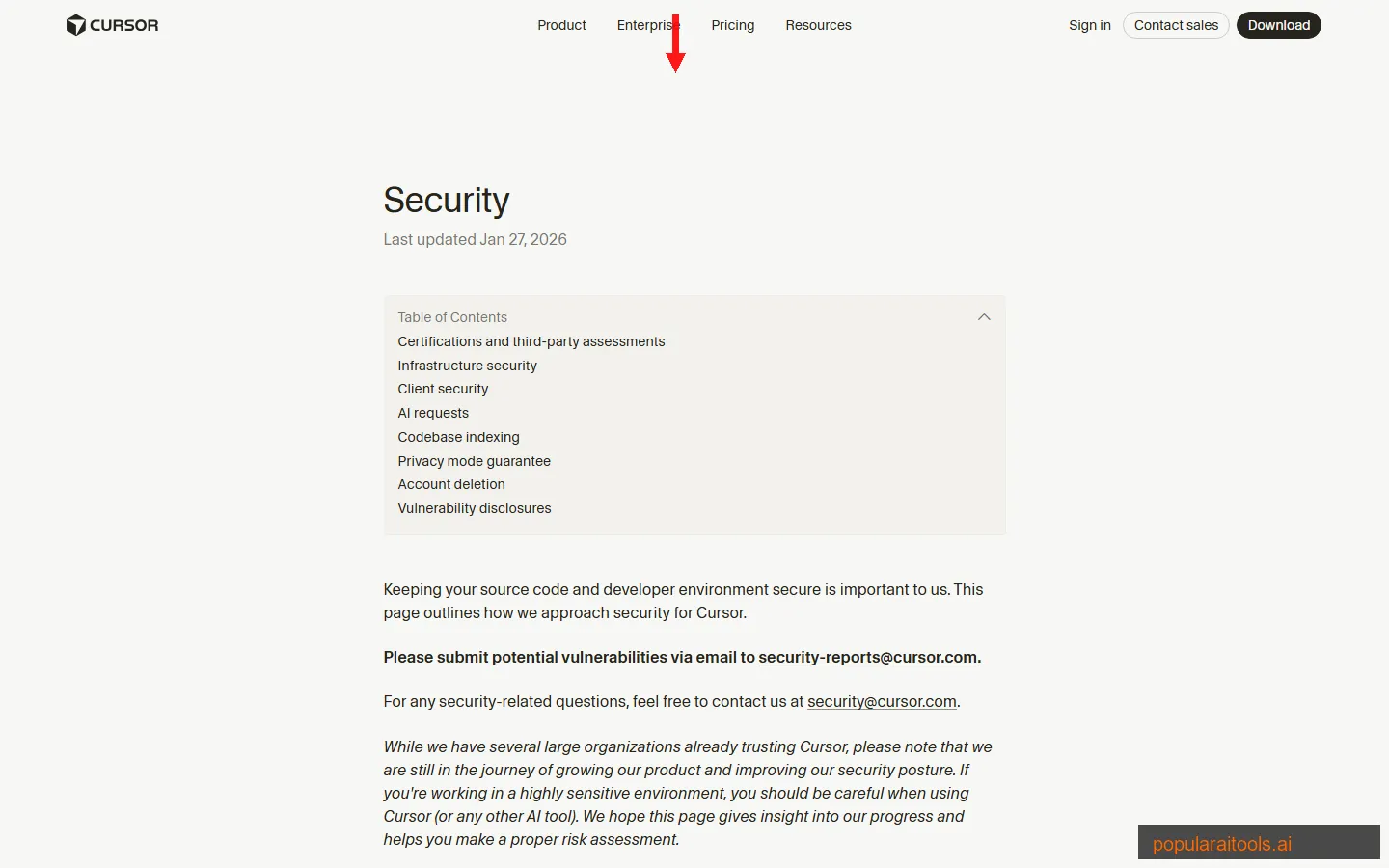
This matters more than most reviews acknowledge. When you use an AI code editor, you're sending proprietary code to external servers. Cursor handles this better than most:
- SOC 2 Type II certified — independently audited security controls
- Privacy Mode — when enabled, your code is never stored or used for model training
- Self-hosted Cloud Agents (March 2026) — agents run entirely inside your network, code never leaves your infrastructure
- SAML/OIDC SSO — enterprise identity management on Teams and Enterprise plans
- SCIM seat management — automated user provisioning and deprovisioning
- Audit logs and AI code tracking API — full visibility into what the AI generated
Final Verdict
Cursor AI is the best AI code editor available in 2026. That's not hyperbole — it's the conclusion we reached after four months of daily use across production codebases.
The autonomous agents are the headline feature, but the Tab autocomplete is what keeps you in Cursor day-to-day. It's the difference between typing every character and having the editor anticipate your intent. The multi-model support means you're never locked into one AI provider's strengths and weaknesses. And the pace of updates — five major releases in March alone — shows a team that's executing at a level competitors can't match.
The weaknesses are real but manageable. Usage limits on Pro will frustrate heavy users, the $200/month Ultra tier feels expensive, and agent hallucinations mean you can't blindly trust every code change. But these are growing pains, not dealbreakers.
Who should use Cursor: Any developer writing code daily. Freelancers, startup engineers, enterprise teams — the productivity gains are real regardless of scale. If you're still using VS Code with Copilot as a plugin, switching to Cursor is the single biggest productivity upgrade you can make in 2026.
Who should skip it: Occasional coders who write a script once a month — the free tier is fine but you won't fully benefit from the AI integration. Teams deeply invested in JetBrains IDEs should wait for the ACP integration to mature (it launched March 4, 2026).
Build an AI Tool? Get It in Front of the Right Audience
PopularAiTools.ai reaches thousands of qualified AI buyers.
Submit Your AI Tool →Frequently Asked Questions
Recommended AI Tools
played.fm
Sell your music and keep 100%: played.fm is a direct-to-fan store + sync marketplace with 0% commission, no gatekeepers, and no bans — a strong fit for AI musicians.
View Review →OpenCode
The open-source AI coding agent: terminal-first TUI, 75+ model providers, LSP context, subagents, and privacy-first design. Free software, ~180K GitHub stars.
View Review →Exa
The neural web search API for AI agents: embeddings-based retrieval, cited highlights, sub-180ms latency, and an MCP server. 20,000 free requests/month.
View Review →Google Antigravity
Google's agent-first IDE: run a fleet of AI agents from a Manager surface, on Gemini 3 Pro, Claude Sonnet 4.5, or OpenAI models. Free in public preview.
View Review →