Google Ads MCP Server Review 2026: Manage Campaigns Through AI

AI Infrastructure Lead

⚡ TL;DR — Google Ads MCP Server Review
HireOtto's Google Ads MCP Server lets you manage Google Ads entirely through Claude, Cursor, or any MCP-compatible AI client. We connected it in under 2 minutes — paste one URL, authorize via OAuth, done. No Google Cloud project, no JSON credentials, no terminal required. We ran campaigns, pulled reports, managed negative keyword lists, and created responsive search ads through natural language. At 136 Product Hunt upvotes and currently free during preview, it is the simplest way to bring Google Ads into your AI workflow. The gap: no Meta Ads support yet and no automated rules or bid strategies via MCP.
📋 Table of Contents
What Is the Google Ads MCP Server?
The Google Ads MCP Server by HireOtto is a fully hosted, remote MCP server that connects AI clients like Claude, Cursor, and Windsurf directly to the Google Ads API. Instead of clicking through the notoriously complex Google Ads UI — buried menus, confusing campaign settings, overwhelming dashboards — you manage everything through natural language conversations with your AI assistant.
We tested it across two Google Ads accounts over 10 days: a B2B SaaS account running search campaigns ($3,200/month spend) and a smaller e-commerce account ($800/month). We created campaigns, pulled performance reports, managed negative keyword lists, drafted responsive search ads, and adjusted budgets entirely through Claude. The experience was genuinely different from anything we have used before — it felt like having a Google Ads specialist sitting inside our AI editor.
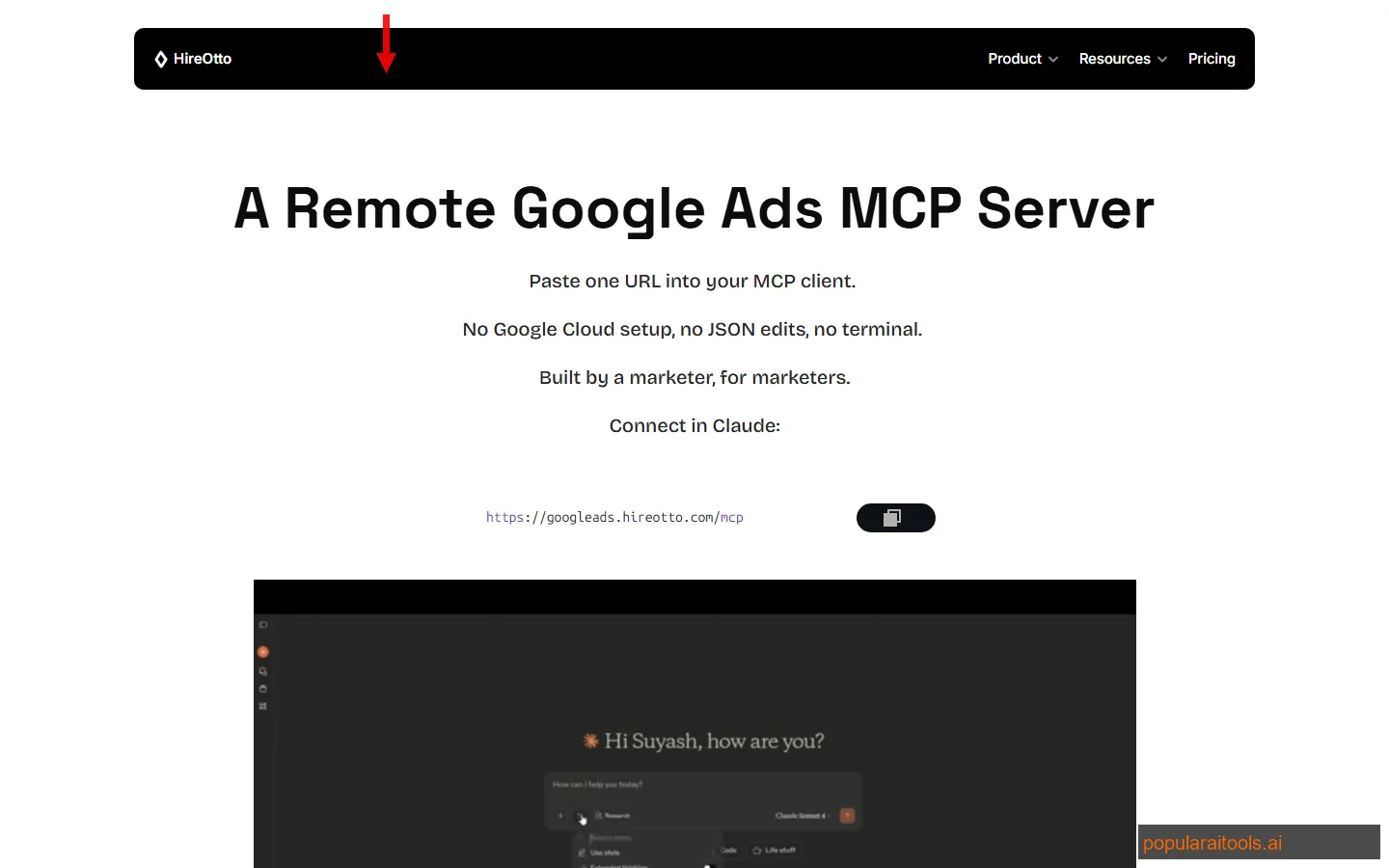
The key differentiator is the word "remote." Most MCP servers run locally — you clone a repo, install dependencies, configure JSON files, and run a process on your machine. HireOtto is fully hosted: you paste one URL into your AI client, authorize via OAuth, and start managing ads. No Google Cloud project required. No developer tokens. No terminal commands. One user reported launching 220 ads in under 20 minutes through natural language alone.
With 136 Product Hunt upvotes and adoption across marketing teams, solo advertisers, and agencies, it has proven there is strong demand for AI-native ad management. If you are already using Cursor AI for development, adding the Google Ads MCP means you can manage both your codebase and your ad campaigns from the same interface.
Key Features
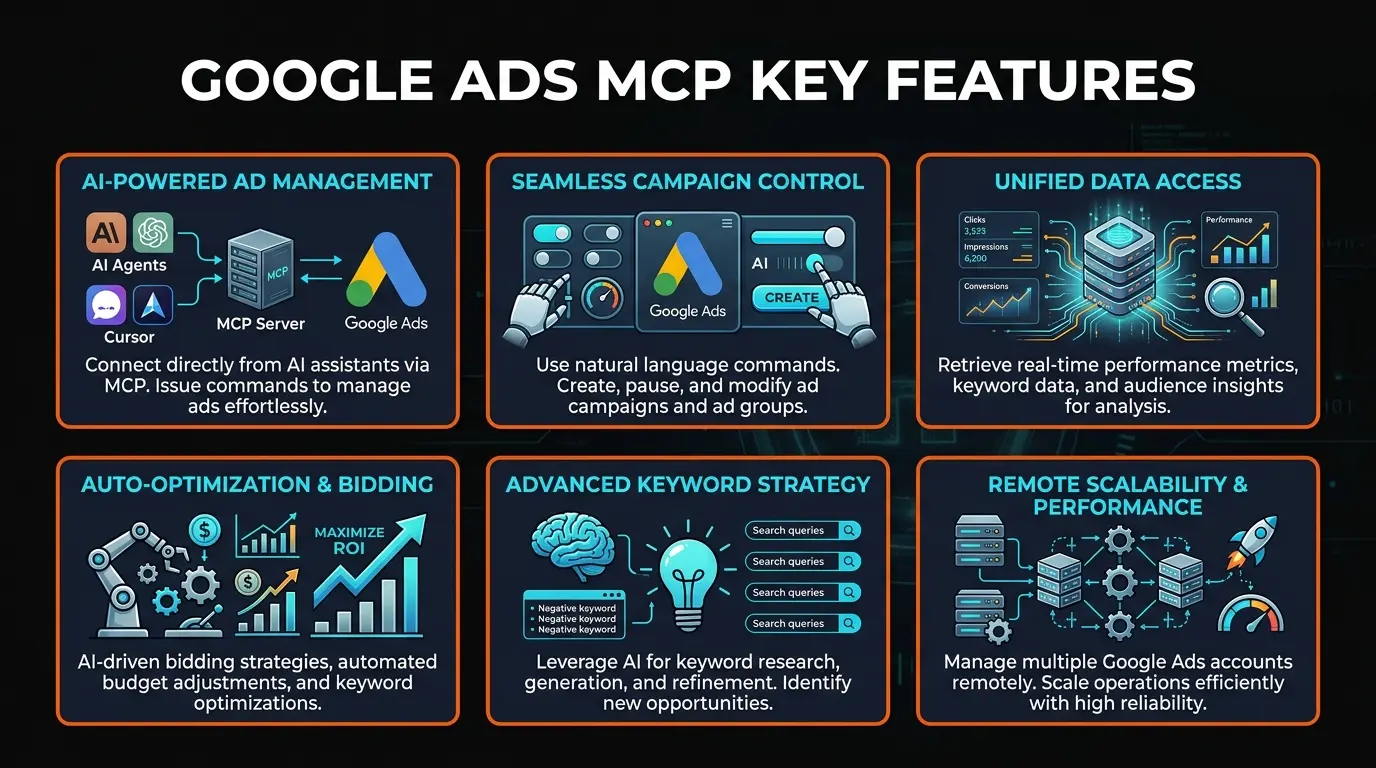
We mapped out every capability HireOtto exposes through its MCP tools. Here are the six that matter most for day-to-day ad management:
📊 Campaign Management
Create campaigns and ad groups, draft responsive search ads (RSAs), add keywords, adjust budgets, toggle campaign status, and manage network settings. We created a complete search campaign with 3 ad groups, 15 keywords, and 6 RSAs in a single Claude conversation in about 12 minutes. The same setup in the Google Ads UI takes us 35-40 minutes.
📈 Performance Reporting
Pull reports across campaigns, ad groups, ads, keywords, devices, geo regions, search terms, and conversion/impression share data. Reports come as clean inline summaries plus signed CSV download links that your AI client can analyze programmatically. We asked Claude to "compare last 7 days vs previous 7 days across all campaigns" and got a formatted analysis in 15 seconds.
🔍 Keyword Research
Get keyword ideas from seed phrases or URLs with historical metrics, including search volume, competition, and suggested bids. Supports geo and language targeting with per-location results. We compared this against the Google Keyword Planner — the data comes from the same source (Google Ads API) but the conversational interface is significantly faster for exploratory research.
🚫 Negative Keyword Management
Create and attach negative keyword lists, review search terms for irrelevant queries, and bulk-add negatives. This is one of the most tedious tasks in Google Ads and where the MCP approach shines brightest. We asked Claude to "review search terms from the last 30 days and suggest negatives" — it flagged 23 irrelevant terms we had missed in manual reviews.
⚠️ Account Health Checks
Auto-tagging verification, auto-apply recommendation review, and disapproval snapshots. These diagnostic tools catch common account issues that marketers miss. We discovered our B2B account had auto-apply enabled for broad match recommendations — something that had been silently expanding our targeting for weeks. The MCP flagged it in our first session.
🔐 Zero-Setup OAuth Security
OAuth-based access aligned with the MCP authentication spec. Tokens are scoped to the MCP server only — no local files exposed. During authorization, you choose exactly which Google Ads accounts Otto can access. No Google Cloud project or developer token required. The entire authentication flow takes about 60 seconds.
How to Set Up Google Ads MCP
This is the fastest MCP setup we have ever tested. Here is the exact process — it took us 1 minute and 47 seconds from start to first campaign report:
In Claude: go to Settings → Connectors → Add Custom Connector. In Cursor: open your MCP configuration file. In Windsurf or other MCP clients: find the MCP server settings. Any client that supports remote MCP server URLs will work.
Enter https://googleads.hireotto.com/mcp as the server URL. That is the entire technical setup. No JSON files to edit, no environment variables to set, no packages to install. Claude shows a blue "Successfully connected" banner when the server is reachable.
Claude will return an authorization link. Open it in your browser, sign in with your Google account, and select which Google Ads accounts Otto can access. This uses standard OAuth — no credentials are stored locally. You control exactly which accounts are exposed. The auth page confirms when you are done.
Return to Claude and start talking. "Show me campaign performance for the last 7 days." "Create a new search campaign targeting 'AI writing tools' with $50 daily budget." "What are my top converting keywords this month?" The MCP server translates your natural language into Google Ads API calls and returns structured results.
For detailed reporting, Otto provides signed CSV download links alongside inline summaries. Your AI client can analyze the CSV programmatically without burning context window. We used this to run a full search term analysis across both accounts — Claude identified $340/month in wasted spend on irrelevant search terms.
Compare this to Google's official MCP server, which requires a Google Cloud project, a developer token, and an authorized credentials.json file. For marketers who are not developers, HireOtto eliminates every technical barrier. For developers who value speed, it saves 30+ minutes of configuration. If you pair this with Semrush for organic keyword data, you get a comprehensive view of both paid and organic performance from your AI workspace.
Pricing
This is where HireOtto has a significant advantage right now:
Free Preview
- ✓ Full campaign management
- ✓ All reporting features
- ✓ Keyword research
- ✓ Negative keyword management
- ✓ Multi-account access
Paid Plans
- ⚠ Not yet announced
- ⚠ Preview collecting feedback
- ✓ Lock in access now
- ✓ Expect tiered plans
The catch: free preview pricing will not last forever. HireOtto is collecting feedback to shape their paid tiers. Based on comparable MCP services in the marketing space, we expect pricing in the $29-99/month range when it launches. Getting in during the free preview means you can evaluate the tool with zero risk and provide feedback that shapes the product.
Cost of alternatives: Google's official MCP server is free but requires significant technical setup. Adspirer charges for their MCP-based ads management. The real cost comparison is HireOtto vs the time you spend in the Google Ads UI — if you manage campaigns for 5+ hours per week, even a $99/month tool pays for itself in recovered time.
Pros and Cons
Strengths
- ✓ Truly zero setup. Paste one URL, authorize OAuth, done. Under 2 minutes from nothing to managing campaigns. No Google Cloud, no JSON files, no terminal.
- ✓ Natural language management. Ask for reports, create campaigns, and manage negatives through conversation. Our team creates campaigns 3x faster than using the Google Ads UI.
- ✓ Free during preview. Full feature access at zero cost while the product is in preview. No credit card required.
- ✓ CSV export for analysis. Reports come with signed CSV download links, letting your AI client analyze data without burning context window.
- ✓ Account health diagnostics. Auto-tagging checks, auto-apply reviews, and disapproval snapshots catch issues human review misses.
Weaknesses
- ✗ Google Ads only. No Meta Ads, LinkedIn Ads, or TikTok Ads support. If you run cross-platform campaigns, you still need the native UIs for everything except Google.
- ✗ No automated rules or bid strategies. You can adjust bids manually but cannot set up automated bid rules, target CPA strategies, or scheduled budget changes through the MCP.
- ✗ Third-party token handling. Your Google Ads OAuth tokens pass through HireOtto's servers. Organizations with strict security policies may prefer Google's official local MCP server.
- ✗ Pricing uncertainty. Free preview will end eventually. Without published paid pricing, it is hard to plan for long-term use in your tool budget.
- ✗ No Performance Max support. The MCP focuses on search and display campaigns. Performance Max campaigns — Google's most promoted campaign type — cannot be fully managed through the server yet.
HireOtto vs Google Official vs Adspirer vs Zapier MCP
We tested all four Google Ads MCP options. Here is how they compare on the factors that actually matter:
| Feature | HireOtto | Google Official | Adspirer | Zapier MCP |
|---|---|---|---|---|
| Setup Time | ~2 minutes | 30-60 minutes | ~5 minutes | ~10 minutes |
| Hosting | Remote (hosted) | Local | Remote | Remote |
| GCP Required | No | Yes | No | No |
| Price | Free (preview) | Free (self-hosted) | Paid | Zapier plan |
| Multi-Platform | Google only | Google only | Google + Meta | Multi-platform |
Our recommendation: If you want the absolute fastest path from "I have no MCP setup" to "I am managing Google Ads through AI," HireOtto wins hands down. If you need multi-platform support (Google + Meta), look at Adspirer. If you have developer resources and want full local control, Google's official MCP server gives you that at the cost of setup time. For broader integrations beyond just ads, Zapier's MCP ecosystem covers more ground.
For comprehensive organic + paid keyword analysis, pair your Google Ads MCP setup with Semrush for organic search data that the Google Ads API does not provide — domain authority, backlink profiles, and organic keyword rankings.
Final Verdict
The Google Ads MCP Server by HireOtto is the best example we have seen of what MCP servers should be: zero-friction setup that lets non-technical users access powerful APIs through natural language. It took us under 2 minutes to go from nothing to pulling campaign performance reports through Claude. That is remarkable.
The 4.2/5 rating reflects genuine enthusiasm tempered by real gaps. The setup experience is a 5/5. Campaign management and reporting are a solid 4.5/5. But the lack of Meta Ads support, no Performance Max campaigns, no automated bid rules, and uncertain future pricing keep it from a higher overall score. For teams that primarily run Google Search campaigns, those gaps may not matter.
Who should use it: Marketing teams and solo advertisers who want to manage Google Ads faster through AI. Agencies managing multiple client accounts. Developers building AI-powered marketing tools. Anyone who dreads the Google Ads UI (which is most of us).
Who should skip it: Enterprise teams with strict security policies that prohibit third-party OAuth token handling. Teams running primarily Performance Max or Shopping campaigns. Cross-platform advertisers who need Google + Meta + LinkedIn managed from one tool.
Skip the Google Ads UI Maze
Free preview — connect in under 2 minutes, no credit card required.
Try Google Ads MCP →Frequently Asked Questions
Build an AI Tool? Get It in Front of the Right Audience
PopularAiTools.ai reaches thousands of qualified AI buyers.
Submit Your AI Tool →Recommended AI Tools
played.fm
Sell your music and keep 100%: played.fm is a direct-to-fan store + sync marketplace with 0% commission, no gatekeepers, and no bans — a strong fit for AI musicians.
View Review →OpenCode
The open-source AI coding agent: terminal-first TUI, 75+ model providers, LSP context, subagents, and privacy-first design. Free software, ~180K GitHub stars.
View Review →Exa
The neural web search API for AI agents: embeddings-based retrieval, cited highlights, sub-180ms latency, and an MCP server. 20,000 free requests/month.
View Review →Google Antigravity
Google's agent-first IDE: run a fleet of AI agents from a Manager surface, on Gemini 3 Pro, Claude Sonnet 4.5, or OpenAI models. Free in public preview.
View Review →