Open WebUI + Hermes Agent: Build Your Own Self-Hosted ChatGPT (2026)

AI Infrastructure Lead

Key Takeaways
- Hermes Agent is the fastest-growing open-source AI agent with 118K+ GitHub stars — it learns from every task and improves itself via GEPA
- Open WebUI is the #1 self-hosted AI chat interface with 134K+ stars and 290M+ downloads — a polished ChatGPT-style frontend
- Together they give you a free, self-hosted ChatGPT replacement with persistent memory, 200+ models, and scheduled automation
- Setup takes under 15 minutes with Docker — three config lines connect the two tools
- Works on mobile, supports voice/video calls, file uploads, web search, image generation, and code preview
Table of Contents
If you've been paying $20 a month for ChatGPT Plus and wondering whether there's a better way, there is — and it's completely free. Hermes Agent and Open WebUI are two open-source projects that, when combined, give you something ChatGPT can't: a self-hosted AI that remembers everything, improves itself over time, and runs on your own hardware with zero subscription fees.
The problem with Hermes Agent on its own is the interface — you're stuck in a terminal or the official dashboard, which doesn't even have a chat option. Open WebUI solves that completely. It wraps Hermes in a polished, ChatGPT-style interface with file uploads, conversation management, model switching, and even voice calls. Together, these two projects have 250,000+ combined GitHub stars and they're both growing faster than anything else in the AI open-source space right now.


What Is Hermes Agent?
Hermes Agent is a self-improving AI agent built by Nous Research — the same team behind the Hermes family of large language models. But Hermes Agent isn't just a model. It's a full autonomous agent framework that hit 100,000 GitHub stars in just 7 weeks, making it the fastest-growing open-source AI project of 2026.
What separates Hermes from tools like Claude Code or OpenClaw is its learning loop. Hermes uses a system called GEPA (Genetic-Pareto Prompt Evolution) that rewrites its own prompting strategies every 15 tool calls. ETH Zurich verified a 33-38% speedup from this self-improvement. In plain terms: Hermes gets better at your specific tasks the more you use it.
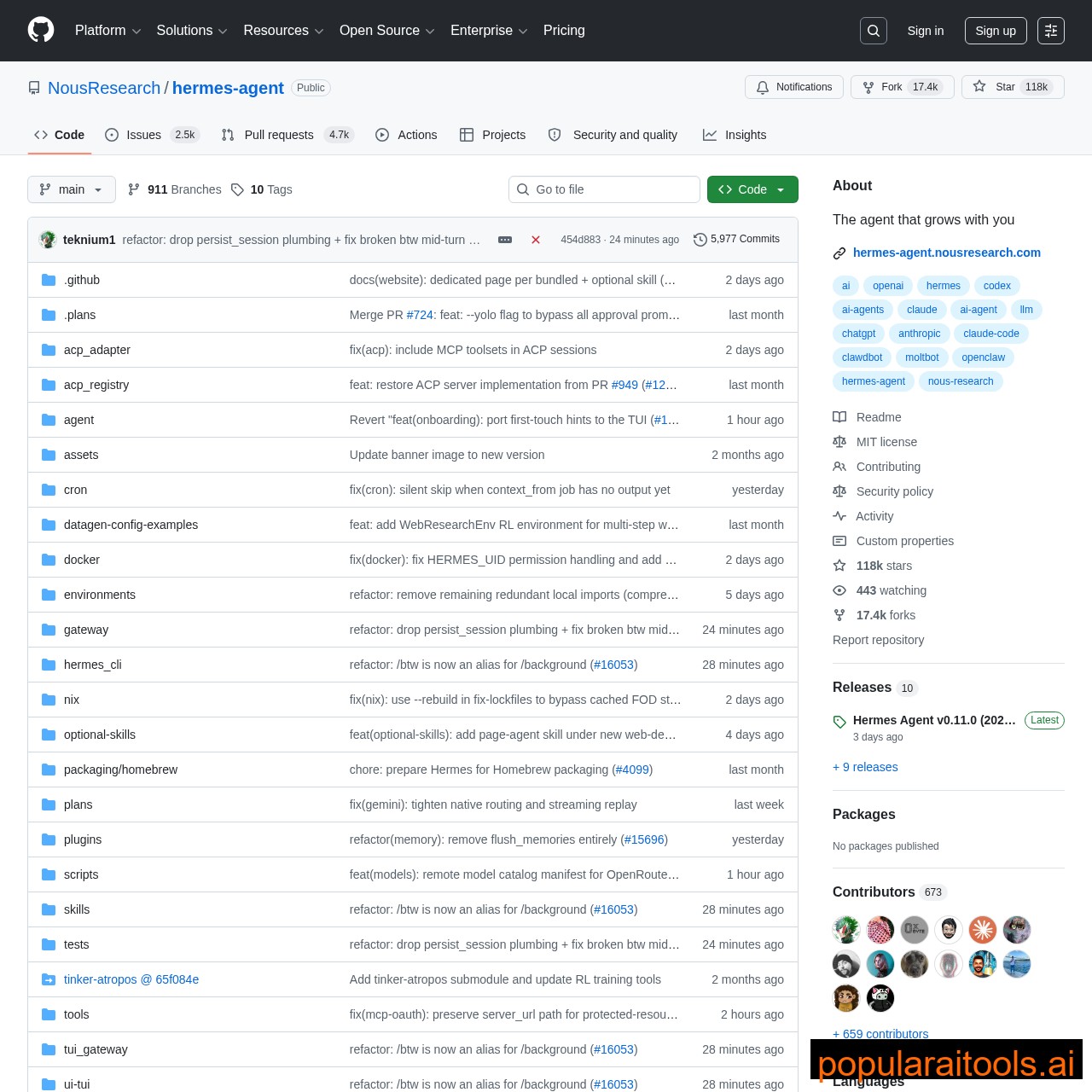
The feature list is stacked. Persistent memory across sessions with FTS5 search. Built-in cron scheduler for automated tasks. Parallel subagent processing. Support for 200+ models via OpenRouter, Nous Portal, OpenAI, and local Ollama. 47 built-in tools including web search, code execution, and file management. And it runs on hardware as modest as a $5 VPS.
The catch? Hermes Agent's native interface is a terminal CLI. The official dashboard lets you manage skills, sessions, and scheduled tasks — but it doesn't actually let you chat with the agent. That's where Open WebUI comes in.
FLASHCARDS Test Your Knowledge: Hermes Agent & Open WebUI
What Is Open WebUI?
Open WebUI — formerly known as Ollama WebUI — is a self-hosted AI platform with 134,000+ GitHub stars and over 290 million downloads. It's the most popular open-source ChatGPT-style interface in existence, and it's designed to work entirely offline if you want it to.
Think of it as the interface layer. On its own, Open WebUI connects to Ollama for running local models. But when you plug in Hermes Agent as the backend instead, you unlock an entirely different level of capability. Suddenly your chat interface has persistent memory across sessions, self-improving prompt strategies, scheduled automation, and access to 200+ cloud models — all while keeping the clean, familiar ChatGPT-style experience.
The feature set is comprehensive: multiple user accounts, conversation management, MCP app support, file and knowledge uploads, saved prompts, web search, image generation, code interpreter with live preview, and even voice and video calls. It's available on mobile too, so you can manage your agents from anywhere.
Why This Combo Is the Best Self-Hosted ChatGPT Alternative
Most Open WebUI guides tell you to connect it to Ollama and call it a day. That works — but you're leaving 90% of what's possible on the table. Ollama gives you local model inference. Hermes Agent gives you an autonomous AI that remembers, learns, automates, and connects to 200+ models. The difference isn't incremental. It's a different category of tool.
| Feature | ChatGPT Plus | Open WebUI + Ollama | Open WebUI + Hermes |
|---|---|---|---|
| Monthly Cost | $20/month | Free | Free |
| Self-Hosted | No | Yes | Yes |
| Persistent Memory | Limited | No | Full (FTS5) |
| Self-Improving | No | No | Yes (GEPA) |
| Models Available | GPT-4/5 only | Local only | 200+ (local + cloud) |
| Scheduled Tasks | No | No | Built-in cron |
| Data Privacy | Cloud (OpenAI servers) | 100% local | 100% local |

FLASHCARDS Test Your Knowledge: Integration & Setup
Step-by-Step Setup Guide
The entire setup takes under 15 minutes if you have Docker installed. Here's the complete walkthrough, based on the official documentation and the video tutorial above.
Prerequisites:
- Docker Desktop (Windows/Mac) or Docker Engine (Linux)
- Hermes Agent installed on your machine (quickstart guide)
- Open WebUI running via Docker (one command — shown below)
- ~15 minutes of setup time
Step 1: Install Hermes Agent
If you haven't already, install Hermes Agent from the official repo. Once installed, verify it's running — you should be able to interact with it from the terminal. The key is that Hermes needs to be operational before we connect Open WebUI to it.
Step 2: Enable the API Server
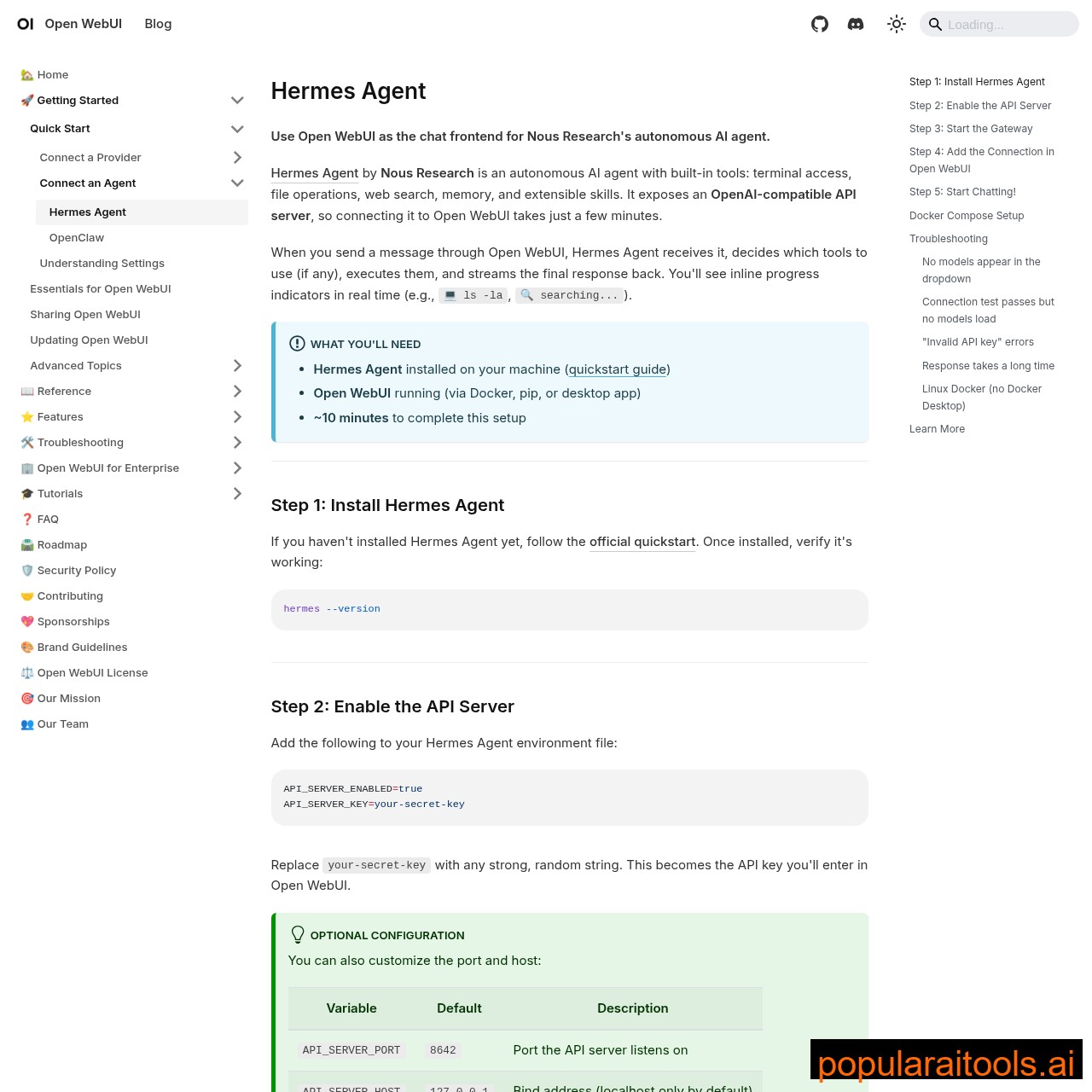
Add the following to your Hermes Agent environment file. This exposes an OpenAI-compatible API that Open WebUI can talk to:
API_SERVER_ENABLED=true
API_SERVER_KEY=your-random-api-key
API_SERVER_PORT=8642
Replace the API key with any strong, random string. This becomes the authentication key you'll enter in Open WebUI. Then start the gateway:
hermes gateway
Step 3: Deploy Open WebUI with Docker
One command launches Open WebUI in Docker. It'll be accessible at localhost:3000:
docker run -d -p 3000:8080 --add-host=host.docker.internal:host-gateway -v open-webui:/app/backend/data --name open-webui --restart always ghcr.io/open-webui/open-webui:main
Step 4: Connect Hermes to Open WebUI
Open localhost:3000 in your browser, create an admin account, then navigate to Admin Settings → Connections. Add a new connection:
URL: http://host.docker.internal:8642/v1
API Key: your-random-api-key
Step 5: Start Chatting
Select "hermes-agent" from the model dropdown in Open WebUI and you're done. You now have a self-hosted ChatGPT replacement with persistent memory, self-improving capabilities, and access to every model Hermes supports. The interface looks and feels exactly like ChatGPT — but it's yours, running on your hardware, with zero subscription fees.
Advanced Features You Get for Free
Once you're running, the real power starts showing. Here's what's available through the Open WebUI + Hermes stack that you can't get from a basic Ollama setup:
Model Switching
Switch between local Ollama models, Hermes Agent, DeepSeek, OpenClaw, and any OpenRouter model — all from the same dropdown. No config changes needed.
File & Knowledge Uploads
Attach files, notes, and knowledge bases directly in chat. Way easier than typing file paths in a terminal — drag, drop, and query.
Custom Agent Profiles
Create different Hermes profiles with unique system prompts, tools, and knowledge. Think of them as specialized GPTs — but self-hosted and self-improving.
Code Preview
When Hermes builds code, Open WebUI renders a live preview right in the chat — similar to ChatGPT's canvas but for your self-hosted agent.
Voice & Video Calls
Talk to your agent using voice or video — available on desktop and mobile. Perfect for hands-free brainstorming sessions.
Web Search & Image Gen
Built-in web search and image generation tools — configure once in Open WebUI and every agent can use them.

Hermes Agent vs OpenClaw vs Claude Code
If you're evaluating AI agents in 2026, these are the three names that keep coming up. Here's how they compare at a high level:
| Hermes Agent | OpenClaw | Claude Code | |
|---|---|---|---|
| Focus | General-purpose AI agent | IDE coding agent | CLI coding agent |
| Self-Improving | Yes (GEPA) | No | No |
| Chat UI | Via Open WebUI | Built-in IDE | Terminal + VS Code |
| Price | Free (OSS) | Free (OSS) | $20/mo (Max plan) |
| Best For | Research, automation, multi-platform | Building software in IDE | Complex coding, agentic workflows |
The short version: if you're primarily coding, Claude Code or OpenClaw are purpose-built for that. If you want a general-purpose AI assistant that handles research, automation, messaging, scheduling, and coding — and improves itself every time you use it — Hermes Agent with Open WebUI is the play.
FLASHCARDS Test Your Knowledge: Features & Comparison

Self-Hosted AI Stack Comparison
| Open WebUI + Hermes | LibreChat | LobeChat | Jan.ai | AnythingLLM | |
|---|---|---|---|---|---|
| Cost | Free | Free | Free | Free | Free |
| Memory | Persistent (FTS5) | None | None | Basic | RAG-based |
| Self-Improving | Yes (GEPA) | No | No | No | No |
| Best For | General AI + automation | Multi-provider chat | Best UI + plugins | Privacy-first desktop | RAG + documents |
| Docker | Yes | Yes | Yes | Desktop app | Yes |
Pros and Cons
Strengths
- ✓ Completely free. Both tools are open-source with MIT license. Zero subscription fees ever.
- ✓ Self-improving. GEPA means the agent gets measurably better the more you use it — no other self-hosted tool does this.
- ✓ Complete privacy. Everything runs locally. Your data never leaves your machine unless you choose cloud models.
- ✓ Setup in 15 minutes. Docker handles everything. Three config lines connect the two tools.
Limitations
- ✗ Docker required. You need Docker installed, which can be intimidating for non-technical users.
- ✗ Self-hosting responsibility. You manage updates, backups, and security — no vendor handles it for you.
- ✗ Local models need GPU. Running large models locally requires decent hardware. Cloud models via OpenRouter solve this but cost money.
- ✗ Two moving parts. Debugging issues means checking both Open WebUI and Hermes Agent — more complexity than a single-tool setup.
- Top 5 Claude Code Skills That Will Transform Your Business (2026)
- Claude Code Agents: Build Autonomous AI Workflows
- The Ultimate Guide to MCP Servers
- Best AI Coding Tools in 2026: Complete Comparison
- Claude Code Hooks: Automate Your Development Workflow
- Claude Code Loops and Skills: The Complete Guide
Frequently Asked Questions
API_SERVER_ENABLED=true to your Hermes environment file and set an API key. (2) Run hermes gateway. (3) In Open WebUI, go to Admin Settings → Connections and add the URL http://host.docker.internal:8642/v1 with your API key.Recommended AI Tools
played.fm
Sell your music and keep 100%: played.fm is a direct-to-fan store + sync marketplace with 0% commission, no gatekeepers, and no bans — a strong fit for AI musicians.
View Review →OpenCode
The open-source AI coding agent: terminal-first TUI, 75+ model providers, LSP context, subagents, and privacy-first design. Free software, ~180K GitHub stars.
View Review →Exa
The neural web search API for AI agents: embeddings-based retrieval, cited highlights, sub-180ms latency, and an MCP server. 20,000 free requests/month.
View Review →Google Antigravity
Google's agent-first IDE: run a fleet of AI agents from a Manager surface, on Gemini 3 Pro, Claude Sonnet 4.5, or OpenAI models. Free in public preview.
View Review →