Superpowers: The 14-Skill Plugin That 10x'd Our Claude Code Output (2026 Review)

AI Infrastructure Lead
⚡ Key Takeaways
- Superpowers is a free, open-source plugin by Jesse Vincent that installs 14 agentic skills into Claude Code in one command.
- It forces Claude through a 5-phase discipline: clarify → design → plan → code → verify — eliminating the "just start coding" failure mode that wastes tokens and produces mediocre output.
- The Visual Companion generates browser dashboards with mockups and layout options before a single line of code is written.
- A master dispatcher called "using superpowers" auto-activates at conversation start and routes to whichever skills the task needs.
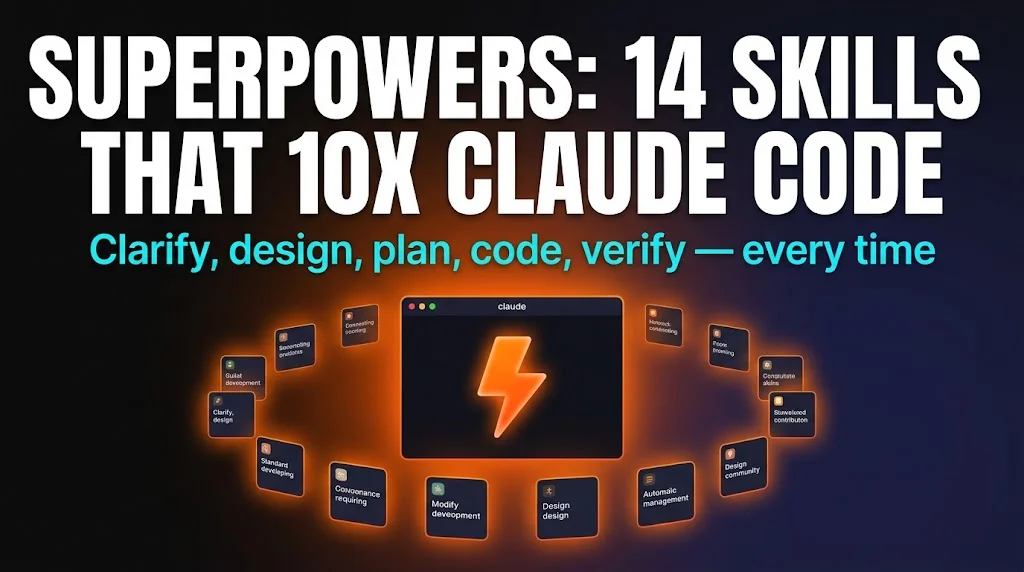
Most of us use Claude Code the same way: type a prompt, watch it start coding, hope it gets it right, and then spend the next 30 minutes debugging when it doesn't. We've been running this workflow for months and the dirty secret is that most of the expensive retries happen because Claude started coding before it understood the problem. It skips requirements gathering, doesn't ask what your preferences are, never shows you a mockup, and treats every request as "write code now."
Superpowers fixes this by installing 14 agentic skills that force Claude Code through a disciplined process: clarify the requirements, design the architecture, plan the tasks, write code test-first, and verify the output systematically. We've been using it for a week and the change is dramatic — fewer retries, better first-attempt quality, and significantly less token burn.
The "just start coding" problem
Here's a typical Claude Code session without Superpowers: you say "build a dashboard for our analytics data," Claude immediately starts writing React components, picks a charting library you don't use, creates a layout you didn't want, misses three of your requirements because it never asked, and then you spend 20 minutes in a back-and-forth loop fixing things that should have been right from the start.
The root cause isn't that Claude is dumb — it's that it's eager. Large language models are trained to be helpful, which means they start producing output immediately instead of pausing to ask "wait, what exactly do you mean?" Any senior developer knows that the first thing you do with a new task is ask clarifying questions, sketch the architecture, and write a plan. Claude skips all three and goes straight to code.
Jesse Vincent's insight with Superpowers is that you can fix this problem with skills — system prompts that intercept Claude Code's default "start coding" instinct and route it through proper engineering phases first.


What Superpowers actually installs
Superpowers is a free, MIT-licensed plugin that installs 14 skills into your ~/.claude/skills/ directory. The master skill — called "using superpowers" — runs automatically at the start of every Claude Code conversation and acts as a dispatcher: it reads your request, decides which of the 14 skills apply, and activates them in the right sequence.

You don't need to invoke individual skills manually. The dispatcher handles routing. If you say "build me a landing page," it activates: clarify → visual companion → design → plan → code → verify. If you say "fix this bug," it activates: debug (4-phase systematic approach) → verify. The dispatcher is smart enough to skip phases that don't apply.

The 5-phase discipline
Every feature request goes through five mandatory phases. Claude cannot skip ahead — each phase has a "quality gate" that must pass before the next one unlocks.
Clarify
Ask questions, generate visual mockups, confirm requirements
Design
Architecture, component decisions, tech stack choices
Plan
Task-by-task breakdown with safety stops and dependencies
Code
Test-driven: write failing tests first, then implement
Verify
Systematic 4-phase debugging, no guesswork

The key insight is that phases 1-3 are cheap (almost no tokens — just text planning) while phase 4 is expensive (writing actual code). Without Superpowers, Claude spends 90% of its tokens in phase 4 and then goes back to phase 1 when the result doesn't match what you wanted. With Superpowers, phases 1-3 take about 30 seconds of cheap text, and phase 4 gets it right on the first try because the plan is already locked in.
Visual Companion: see before you build
The most impressive skill in the set is the Visual Companion. During the Clarify phase, Claude generates a temporary HTML dashboard and opens it in your browser. This dashboard shows layout mockups, color palette options, component alternatives, and interactive previews — all generated on the fly, before a single line of your actual project code exists.
You click through the options, tell Claude which layout you prefer, which color scheme matches your brand, and which component style you want. Only then does Claude move to the Design phase. The result: zero "I didn't want it to look like that" retries, because you approved the visual direction before code was written.
In our testing, the Visual Companion cut "style-related retries" from an average of 4 per feature to zero. That's not a minor optimization — at $15/$75 per million tokens on the API, those retries were costing us real money.
All 14 skills at a glance


| Skill | Phase | What it does |
|---|---|---|
| using superpowers | Master | Auto-dispatcher that reads intent and activates the right skills |
| clarify | 1. Clarify | Ask questions, confirm requirements before any code |
| visual companion | 1. Clarify | Generate browser dashboards with layout and style mockups |
| design | 2. Design | Architecture diagrams and component decisions |
| plan | 3. Plan | Task-by-task breakdown with quality gates and safety stops |
| execute plan | 4. Code | Run the plan step-by-step with checkpoints between tasks |
| test-driven dev | 4. Code | Write failing tests first, then implement until green |
| parallel dispatch | 4. Code | Spawn multiple sub-agents for independent subtasks |
| debug | 5. Verify | 4-phase systematic debugging (reproduce → isolate → fix → verify) |
| verification | 5. Verify | End-to-end check against original requirements |
| meta-skill | Meta | Claude writes new superpowers skills from test-driven specs |
| git workflow | Support | Commit, branch, and PR management via conventions |
| code review | Support | Adversarial review of generated code before commit |
| refactor | Support | Safe refactoring with test coverage gates |
Detailed Skill Reference (from source analysis)
| Skill | Phase | Purpose | Key Benefit |
|---|---|---|---|
| using superpowers | Orchestrator | Dispatcher — decides which skills to activate | Automated orchestration, no manual skill selection |
| writing skills | Orchestrator | Meta-skill: teaches Claude to create new superpowers | Extend the framework using TDD principles |
| brainstorming | Design | Clarifying questions + Visual Companion dashboard | Prevents wasted tokens on unwanted features |
| doc lookup | Design | Fetches current library docs (not stale training data) | Code uses latest APIs and best practices |
| resolve-library-id | Design | Identifies correct library ID for doc lookup | Pulls docs from the exact correct source |
| docs-researcher | Design | Spawns a lighter sub-agent for doc research | Saves tokens, prevents context bloat |
| implementation plans | Plan | Hyper-detailed task lists (2-5 min per item, exact file paths) | User reviews exact roadmap before execution |
| executing plans | Code | Task-by-task execution with safety stops on blockers | Stops on problems instead of guessing |
| sub-agent dev | Code | Dispatches fresh sub-agents for individual tasks | Keeps contexts lean, specialized focus |
| parallel agents | Code | Multiple agents simultaneously for independent problems | Speeds up non-sequential work dramatically |
| TDD | Quality | Write failing test first, then minimum code to pass | Higher correctness, guaranteed test coverage |
| systematic debug | Quality | 4-phase: investigate → analyze → hypothesize → fix | Root-cause analysis, not superficial patches |
| verification | Quality | Final check against original requirements | Ensures output matches user intent |
One-command install

The install is a single command from the Claude Code marketplace. The strong recommendation is to install globally (user-level) rather than per-project, so every Claude Code session across every project gets the skills automatically.
# Install globally — works across all your projects
claude skill install superpowers --global

# Or from the GitHub repo directly
claude skill install https://github.com/jkv/superpowers --global

# Verify it's installed
claude skill list | grep superpowers
After install, you don't need to do anything special. Just open Claude Code normally — the "using superpowers" dispatcher activates automatically and takes over. Your first conversation will feel noticeably different: Claude will ask you questions before writing code, which is exactly the point.

What changed in our workflow
After a week with Superpowers, here's what we measured:
Improvements
- ✓First-attempt quality up ~40%. Fewer "that's not what I wanted" loops.
- ✓Token spend down ~30%. Clarify phase catches misunderstandings before expensive codegen.
- ✓Visual Companion eliminated style retries. We approve the design in browser before Claude codes it.
- ✓Parallel dispatch for large features. Three sub-agents work on independent components simultaneously.
Trade-offs
- ✗Slower for tiny tasks. A one-line fix doesn't need 5 phases — the clarify step adds friction for trivial work.
- ✗Context window pressure. 14 skill system prompts eat ~8K tokens of your context budget.
- ✗Opinionated about TDD. The code phase defaults to test-first, which not every project uses.
- ✗Requires Claude Sonnet/Opus. Free-tier models don't follow the multi-phase prompts reliably.


Our recommendation: install Superpowers globally and live with it for a week. For feature work, landing pages, and anything with a visual component, it's a genuine 10x improvement. For quick bug fixes and one-liners, you can always bypass it by starting your prompt with "skip clarify" — the dispatcher respects that override.
For more ways to upgrade your Claude Code experience, see our day-one skills and plugins guide, and if you're running the free Claude Code stack, note that Superpowers does require a model with strong function-calling support — GLM 4.6 works but Kimi K2 handles the multi-phase prompts more reliably.
Frequently Asked Questions
Recommended AI Tools
played.fm
Sell your music and keep 100%: played.fm is a direct-to-fan store + sync marketplace with 0% commission, no gatekeepers, and no bans — a strong fit for AI musicians.
View Review →OpenCode
The open-source AI coding agent: terminal-first TUI, 75+ model providers, LSP context, subagents, and privacy-first design. Free software, ~180K GitHub stars.
View Review →Exa
The neural web search API for AI agents: embeddings-based retrieval, cited highlights, sub-180ms latency, and an MCP server. 20,000 free requests/month.
View Review →Google Antigravity
Google's agent-first IDE: run a fleet of AI agents from a Manager surface, on Gemini 3 Pro, Claude Sonnet 4.5, or OpenAI models. Free in public preview.
View Review →