SuperSet Review 2026: Run 10+ AI Coding Agents in Parallel (Free)

AI Infrastructure Lead
⚡ Key Takeaways
- SuperSet runs 10+ AI coding agents in parallel on isolated Git worktrees — no more waiting 30 minutes per task.
- Free, open source, runs on macOS and Linux. 9,000+ GitHub stars since December 2025, Product Hunt launch March 2026.
- Supports Claude Code, Codex, Cursor Agent, Gemini CLI, GitHub Copilot, Open Code, and Ada — any CLI-based agent works.
- Your API keys go directly to Anthropic or OpenAI — SuperSet never proxies requests and adds zero cost markup.
- Built by three former YC CTOs. Sits alongside Cursor, Windsurf, or your terminal — not a replacement.
What is SuperSet?
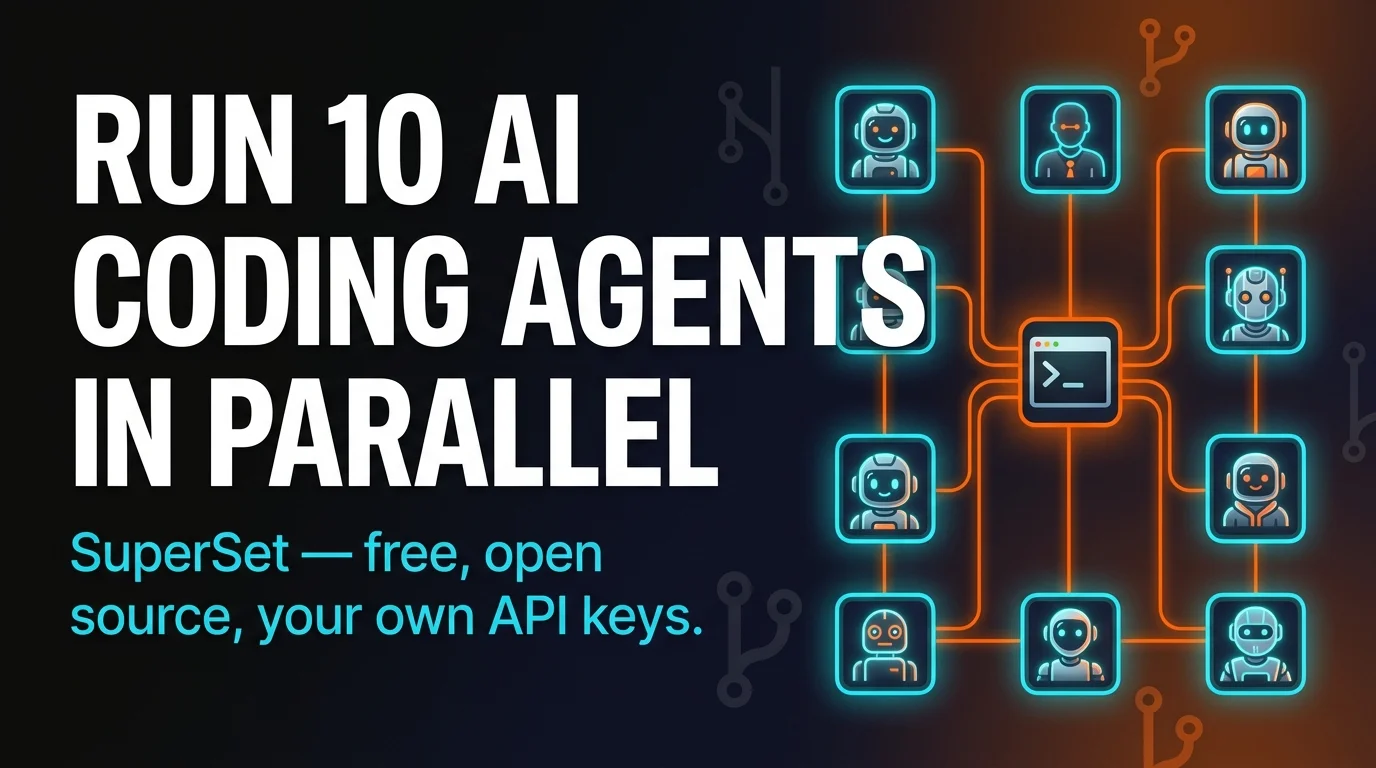
SuperSet is a desktop code editor built to run multiple AI coding agents in parallel on your own machine. Not an AI IDE like Cursor. Not a terminal wrapper. An orchestration layer that launches 10+ agents at once — each one working a different task, each one on its own Git worktree — and gives you one unified dashboard to watch them all. It's free, it's open source, and it runs on macOS and Linux.
The team describes it as "the code editor for the AI agent era." I've been testing it for a week and that framing is closer to correct than it has any right to be. The tool was built by three former YC CTOs — Avi Peltz, Satya Patel, and Kiet Ho — who came out of Google, Amazon, and Facebook. It first surfaced on Hacker News in December 2025, launched on Product Hunt on March 1, 2026, and has already crossed 9,000 GitHub stars.

Slide deck — the SuperSet story in 60 seconds
I fed the SuperSet docs and the announcement materials into Google NotebookLM and asked it to turn the whole thing into a visual slide deck. Below is the result — tap through the slides for a fast walk-through of the architecture, the feature surface, and how SuperSet compares to single-agent IDEs.


The real bottleneck in 2026
Here's the thing nobody wants to say out loud: AI coding agents are actually good now. Claude Code, Codex, and Gemini CLI can take a 3-sentence task description and ship a working pull request 20 minutes later. The model isn't the problem. You're the problem — because you're still using them sequentially.
The old workflow: open Claude Code, give it a task, stare at the terminal, wait 20–30 minutes, context-switch to something else, forget what you were doing, come back, merge, start the next task. One agent, one task, one long wait, repeat. Half your day is dead time spent watching an agent churn through a PR you already know how it'll turn out.
If you've ever tried running two agents at once in two separate terminals, you know how quickly that falls apart. They both edit the same files. You get merge conflicts that are impossible to untangle because neither agent knows the other exists. There's no central view of what's happening. Worktrees help on paper but nobody actually sets them up by hand every time.

SuperSet fixes this by making isolated worktrees the default, not something you remember to configure. Each agent gets its own working directory on its own branch. They share the same Git history so storage stays cheap, but their code changes never touch each other until you decide to merge them. Agent A modifies a file. Agent B doesn't see it. When you're ready, the built-in diff viewer lets you review and cherry-pick what merges back.
Key features and workflow

Parallel agent execution
Run 10 or more agents simultaneously on your local machine, each working a different task. The practical ceiling is your CPU, your RAM, and your API rate limits — not SuperSet.
Unified dashboard
One central view of every active agent, their status, current step, and what they're touching. You get notified the moment one finishes or needs input. No more flipping between terminal tabs hunting for activity.
Isolated Git worktrees
Each agent gets its own branch and working directory. Shared history, zero cross-contamination. Storage stays efficient because Git reuses the underlying object store.
Built-in diff viewer
Before anything touches your main branch, you see exactly what changed. Side-by-side with syntax highlighting. No blind merges. The isolation only protects you if you actually use the review step.
Persistent sessions
Close your laptop. Walk away. Come back in 2 hours. The agents kept working. This is the single most underrated feature — long-running tasks don't die when your terminal does.
One-click IDE handoff
When you want to go deeper on any workspace, click once and it opens in VS Code, Cursor, JetBrains, Xcode, Sublime Text, or a plain terminal. The workspace is just a folder — your editor doesn't have to know.
Two other features worth calling out. Port forwarding — SuperSet can forward ports from an agent's worktree so you can preview whatever it just built in your browser without leaving the dashboard. And workspace presets — save an environment config once, spin up new agent workspaces from it instantly. If you run the same kind of task repeatedly (frontend fix, backend migration, test writing), presets remove all the setup tax.
Supported agents (and API key handling)
SuperSet works with any CLI-based coding agent. If it runs in a terminal, it runs in SuperSet. Right now that covers:
| Agent | Provider | Notes |
|---|---|---|
| Claude Code | Anthropic | Covered by Pro/Max subscription. The current default for most SuperSet users. |
| OpenAI Codex | OpenAI | API key based. Strong on refactors and test generation. |
| Cursor Agent | Cursor | Runs headless in a SuperSet worktree — you don't need the Cursor GUI. |
| Gemini CLI | Big context window is useful for repo-wide refactors across parallel workspaces. | |
| GitHub Copilot | GitHub | Uses your existing Copilot auth; good for review and docs passes. |
| Open Code | Community | Open-source, BYO model. Pair with Ollama or a cloud provider. |
| Ada | Ada Labs | Newer agent with a strong scaffolding story for greenfield projects. |
The API key handling deserves its own sentence: SuperSet does not proxy your calls. You bring your own keys, and requests go directly from your machine to Anthropic, OpenAI, Google, or whoever. No middleman, no markup, no data collection on what you're building. That's a meaningful difference from AI IDEs that route everything through their own credit system and take a cut on the way.

SuperSet vs Cursor vs Windsurf
The most common question: is this a Cursor killer? No, and that framing misses the point. Cursor and Windsurf are AI-enhanced editors — they replace your editor and give you AI inside it. They're great at single-agent, single-task work. SuperSet is an orchestration layer that sits alongside your editor. It doesn't replace Cursor. You can literally use Cursor as your IDE while running SuperSet in the background to dispatch multiple Claude Code sessions in parallel.

Windsurf's Cascade runs one agentic flow at a time — single task, multiple steps, deep. SuperSet runs many agents at once — breadth, not depth. Windsurf improves how far a single agent can go. SuperSet improves how many things you can run in parallel. Different tools for different bottlenecks, and worth noting that Windsurf also routes AI requests through Codium's servers with a credit system, while SuperSet runs everything locally with your own keys.

Quick clarification because people keep asking: SuperSet at superset.sh has nothing to do with Apache Superset, which is a data visualization platform. They share a name, they're unrelated, and nothing about this review applies to the Apache project.
Install and first workspace
Installation takes about 5 minutes. Download the macOS app from superset.sh, drag it to Applications, sign in, and point it at either a local repo folder or a Git URL. Linux users get a .deb or AppImage from the same page. Windows users — you're still waiting.

# macOS (via Homebrew cask — if enabled on your version)
brew install --cask superset

# Or download the .dmg directly from superset.sh and drag to /Applications

# Linux
wget https://superset.sh/latest/superset_linux_amd64.deb
sudo dpkg -i superset_linux_amd64.deb
Once the app is open, create your first workspace. Pick a repo, pick which agent you want (Claude Code, Codex, Gemini CLI, whatever), and describe the task. SuperSet spins up an isolated worktree, drops you into the agent, and adds a card to the dashboard. Repeat for each parallel task. Ten workspaces is nothing — I've had 14 running without issues on an M2 Max.

The other agents are one CLI install away. Codex and Gemini CLI are both a single `npm install -g` or `brew install` away, and SuperSet picks them up automatically once they're on your PATH.
Tips for getting real value

Start with two or three agents on genuinely independent tasks. Don't try to run 10 the first day. Pick tasks that don't touch the same files — a frontend bug fix in one workspace, a backend endpoint in another, a test writing pass in the third. Get comfortable with the dashboard and the diff review flow before you scale up.
Be specific with your task descriptions. When the agents are sequential you can course-correct mid-task. When they're parallel, you can't — each one runs to completion based on the prompt you gave it. The clearer the initial instruction, the less rework on the other side. This is the single biggest workflow change most people underestimate.
Always use the diff viewer before merging. The isolation SuperSet gives you is only protection if you actually review what's coming back. Treat each agent's worktree like a pull request from a junior dev you haven't worked with before. Skim the diff, run the tests, then merge.
Save workspace presets for repeated task types. If you regularly fix a certain bug class, scaffold a certain kind of endpoint, or port tests from one framework to another, save the environment and task template as a preset. It removes 3–4 minutes of setup every time, and over a week that's hours.
What real users are saying: one developer said they hadn't gone a single day without SuperSet since they started and called it a "paradigm shift." Another compared it to Conductor, Vibe Kanban, Crystal, and Fleet Code and said SuperSet suited their workflow the best. A third set up remote desktop just to access SuperSet on a Mac mini from another machine. These are all pulled from the public Twitter quotes on superset.sh — worth reading if you want signal beyond my take.
What works
- ✓Parallel execution is the real deal. The wait-time compression is the single biggest dev productivity change I've seen in 2026.
- ✓Worktrees "just work." No manual Git gymnastics — SuperSet handles branch creation, directory isolation, and cleanup.
- ✓Your data stays on your machine. No proxy, no telemetry on your code, no markup on API usage.
- ✓Persistent sessions are a killer feature. Laptop closed, agents still running — this alone is worth the install.
What's missing
- ✗No Windows build. macOS and Linux only as of April 2026. Follow the changelog if you're on Windows.
- ✗Cross-agent shared context is manual. Each agent is truly isolated — if you want them to share notes, you wire it up yourself.
- ✗Dashboard UX still evolving. The core works, but notification density can get noisy with 10+ agents.
- ✗API rate limits become the new ceiling. Running 10 parallel Claude Code sessions will hit Anthropic's rate limits faster than you think.
Frequently asked questions
Bottom line: if you're already using any CLI-based AI coding agent, SuperSet is worth 20 minutes to install and try. The wait-time compression is the kind of change that makes you look back at the old sequential workflow and wonder how you tolerated it. Free, open source, your keys, your machine — no reason not to at least kick the tires.
Recommended AI Tools
played.fm
Sell your music and keep 100%: played.fm is a direct-to-fan store + sync marketplace with 0% commission, no gatekeepers, and no bans — a strong fit for AI musicians.
View Review →OpenCode
The open-source AI coding agent: terminal-first TUI, 75+ model providers, LSP context, subagents, and privacy-first design. Free software, ~180K GitHub stars.
View Review →Exa
The neural web search API for AI agents: embeddings-based retrieval, cited highlights, sub-180ms latency, and an MCP server. 20,000 free requests/month.
View Review →Google Antigravity
Google's agent-first IDE: run a fleet of AI agents from a Manager surface, on Gemini 3 Pro, Claude Sonnet 4.5, or OpenAI models. Free in public preview.
View Review →