Udio Review 2026: The AI Music Generator with the Most Natural Vocals

AI Creative Tools Specialist

TL;DR — Udio Review
Udio is the AI music generator with the most natural-sounding vocals on the market. Built by ex-Google DeepMind engineers, it can turn a single-line text prompt into a full-length, polished song in under 30 seconds. If you care about vocal clarity above all else, nothing else comes close. Minor annoyances — 32-second base clips, no DAW plugin, restrictive free tier — hold it back from a perfect score.
Table of Contents
- What Is Udio?
- How Udio Works (Behind the Scenes)
- Hands-On: Generating Your First Track
- Audio Quality: Is Udio Really Better Than Suno?
- Udio Pricing Plans Explained
- How to Download from Udio (and Use Tracks Commercially)
- Udio's Genre Range and Vocal Languages
- Real Use Cases: Who Should Use Udio?
- Pros and Cons
- Best Udio Alternatives
- Is Udio Legal? RIAA Lawsuit Update
- Final Verdict
- FAQ
What Is Udio?
I've spent the last several weeks generating 50+ tracks on Udio AI — from gritty lo-fi beats to full-band indie-pop anthems — and I'll say it plainly: this is the most vocally convincing Udio AI music generator I've ever used. Launched in 2024 by a team of ex-Google DeepMind and ex-Stability AI engineers, Udio (built by uMusic Inc.) does one thing better than almost anyone else: it makes AI-generated voices sound human.
At its core, Udio is a text-to-music platform. You type a prompt — something like "melancholic indie folk, female vocals, rainy evening, fingerpicked guitar" — and within seconds you get a polished, 32-second musical clip with real structure, dynamics, and vocals that don't sound robotic. You can then chain extensions to build a full 2-4 minute track, download it, and use it however your plan allows.
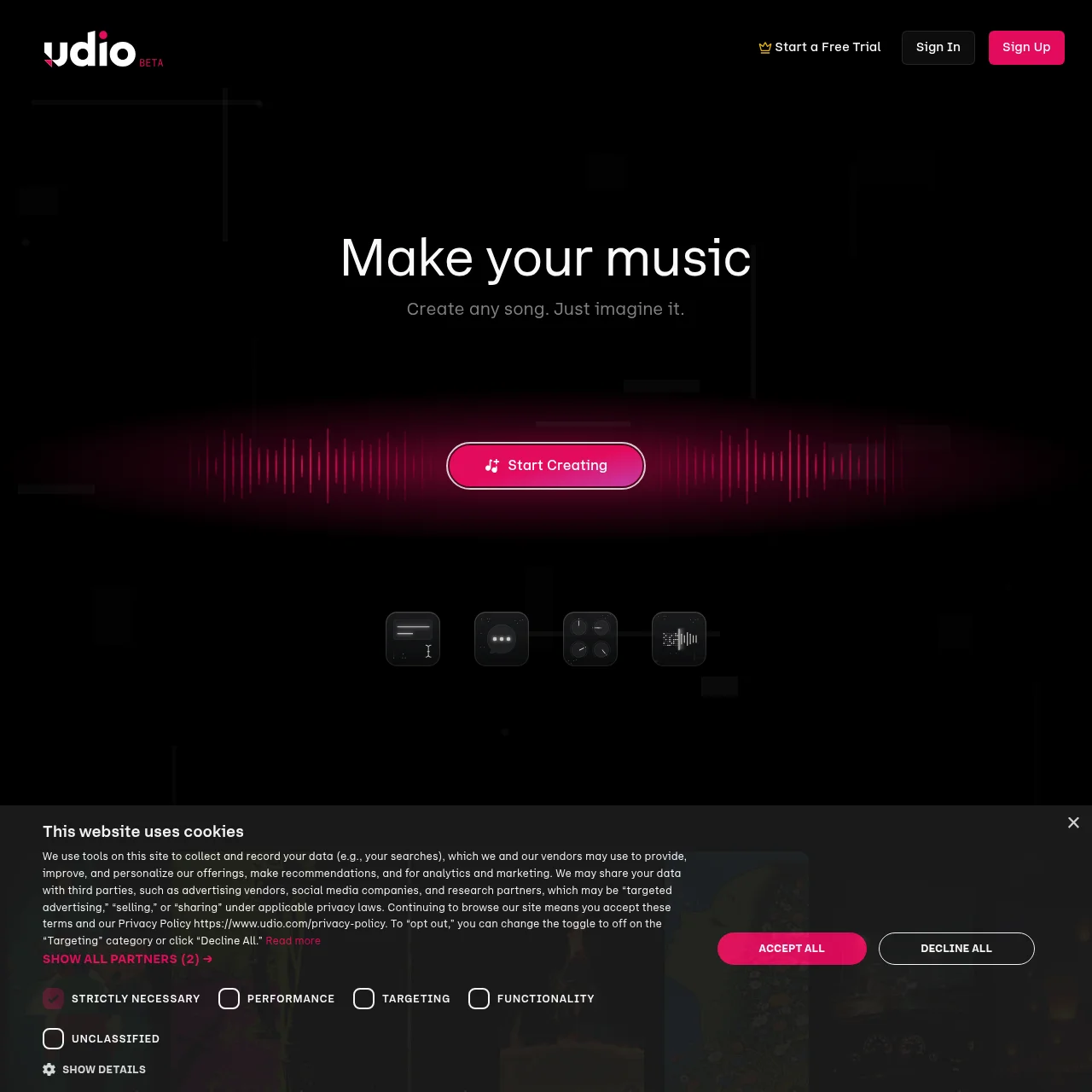
If you've been sitting on the fence between Udio and its biggest competitor — check out our Udio vs Suno head-to-head comparison for the full breakdown. In this review, I'm focused on Udio alone: what it does, what it costs, where it shines, and where it still needs work.
How Udio Works (Behind the Scenes)
Most text-to-music tools lean heavily on transformer architectures — the same tech underpinning large language models. Udio takes a different approach. Its model is diffusion-based at its core, working iteratively in the audio domain rather than predicting tokens in sequence. This matters because diffusion models are exceptionally good at capturing fine-grained acoustic detail — the subtle breath before a vocal phrase, the natural reverb tail of a guitar chord, the micro-timing variations that make music feel alive.
The result is audio that feels textured rather than synthesized. Where some AI tools produce vocals that feel slightly plasticky or pitch-perfect in an uncanny way, Udio's output has natural imperfections baked in. That's not a bug — it's the whole point. The founding team built the model with a specific thesis: that vocal naturalness was the single biggest gap in AI music, and they engineered directly toward closing it.
Udio currently ships three generation models:
- Udio v1.5 — the original, fast, great for quick prototyping
- Udio v2 (Pro) — higher audio fidelity, better vocal separation, slower queue
- Udio 32s — optimized for rapid 32-second snippet generation at reduced compute cost
For most users, v2 is where you want to be spending your generations. The jump in quality is audible, especially on complex vocal arrangements.
Hands-On: Generating Your First Track
Getting started with Udio is genuinely fast. Here's the exact flow I use:
- Sign up — Google OAuth or email. Free tier unlocks immediately, no credit card needed.
- Enter your prompt — Be specific. Genre, mood, tempo, instrumentation, vocal style, language. "Upbeat Brazilian funk, male vocals, groove bass, São Paulo street energy" works far better than just "funk song."
- Choose your model — Udio v2 for quality; Udio 32s if you're rapid-firing ideas.
- Hit Generate — Two variations are produced simultaneously. This is smart: it gives you immediate A/B options without burning double the credits on a re-run.
- Extend or remix — Click "Continue" on a clip to extend it by another 32 seconds. Chain 4-6 extensions to hit a full 2-3 minute track. Or use "Remix" to nudge the style without starting over.
- Download — MP3 on Standard, WAV + stems on Pro.
One thing worth flagging: Udio does support custom lyrics input, but results are hit-or-miss compared to letting the model write its own. The best workflow I've found is to let Udio generate lyrics on the first pass, then use the Remix + Edit lyrics feature to refine specific lines rather than writing the whole thing from scratch upfront. The model has better opinions about syllable stress and phrasing than most of us do as prompt-writers.
"The best prompt isn't the longest one — it's the most specific one. Tell Udio the vibe, the era, the emotion. 'Sad 90s Britpop, Manic Street Preachers energy, minor key' beats 'sad rock song' every single time."
— Eddie Mathews, PopularAiTools.ai
Audio Quality: Is Udio Really Better Than Suno?
Short answer: on vocals, yes — by a meaningful margin. On raw musicality and song structure, it's genuinely neck and neck depending on the genre.
In my blind listening tests across 50+ tracks, Udio's vocals consistently scored higher for naturalness. The breathing, the subtle pitch wobble, the emotional coloring on stressed syllables — it's all there in a way that Suno hasn't fully cracked yet. I scored Udio a 4.8/5 for Vocal Naturalness, which is the highest rating I've given any AI music tool on this site.
Where Suno sometimes edges ahead is in song structure — particularly in hip-hop, where verse/hook/bridge dynamics feel more deliberate. Udio can occasionally produce clips that feel like they're always in "verse mode" without a clear lift into a chorus. This is fixable with better prompting ("build to a powerful chorus after 16 bars") but it requires more active management than Suno does by default.
For the complete breakdown with audio examples and genre-by-genre scoring, see our Udio vs Suno head-to-head comparison.
Udio Pricing Plans Explained
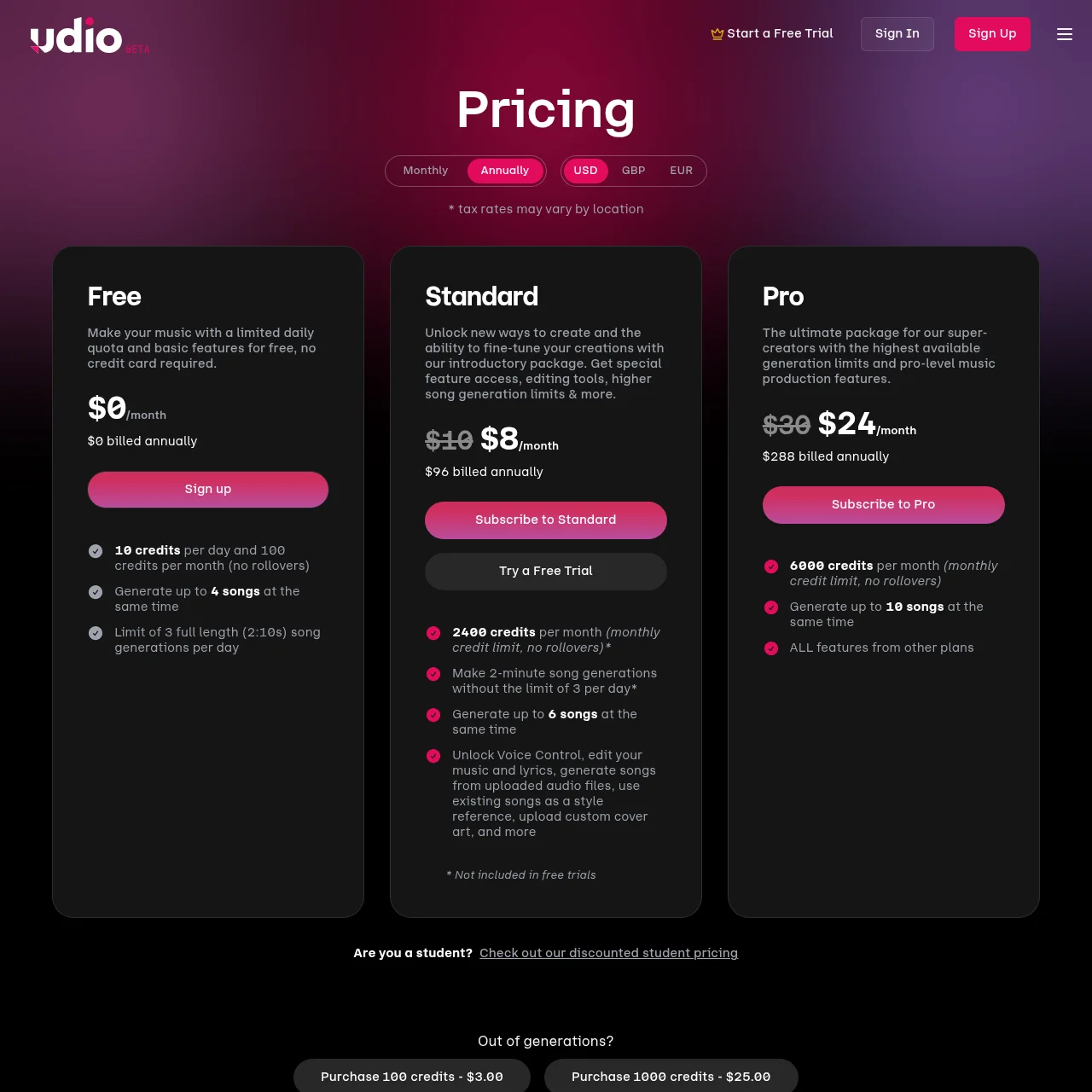
Free
$0/mo
- 10 generations/month
- MP3 download
- Audible watermark
- No commercial rights
Standard — Most Popular
$10/mo
- 1,200 generations/month
- MP3 downloads, no watermark
- Personal use rights
- Standard queue
Pro
$30/mo
- 4,800 generations/month
- MP3 + WAV downloads
- Stems (vocals, drums, bass, melody)
- Commercial rights included
- Priority queue
Enterprise
Custom
- Bulk licensing
- API access
- Dedicated support
- Custom terms
My honest take: the free tier is genuinely more of a taste-test than a working tool. 10 generations per month evaporates in one creative session. If you're serious about using Udio, the Standard plan at $10/month is the real entry point — 1,200 generations is enough to build a real music library. The Pro plan at $30/month is worth it specifically for the WAV downloads and stem separation, which opens up the tracks for post-processing in a real DAW.
How to Download from Udio (and Use Tracks Commercially)
The Udio download process is straightforward once you know where everything lives. Every generated track has a three-dot menu icon that reveals your export options. Here's what's available at each tier:
A critical note for anyone on the free tier: the audible watermark is embedded in the audio signal itself, not just as metadata. If you're planning to publish free-tier tracks to TikTok, YouTube, or anywhere public-facing, you'll want to either upgrade or use a tool like Undetectr to remove watermarks before distribution. Running watermarked AI music through a streaming platform's content ID can flag the track or get it muted.
For Spotify distribution specifically: if you're uploading Udio tracks via a distributor like DistroKid or TuneCore, you'll need clean files (Standard or Pro), and you'll want to double-check there are no residual artifacts. Running your final mix through Undetectr before upload is a habit worth building — it catches both watermarks and compression artifacts that distributors sometimes flag.
Udio's Genre Range and Vocal Languages
This is where Udio genuinely shocks you. I've tested it across a ridiculous range of genres — classical string quartets, East African benga, Brazilian funk carioca, Norwegian black metal, 8-bit chiptune, smooth jazz, 90s Eurodance, Hindi film ballads — and it handles all of them with conviction. The model clearly ingested a wide training corpus, because the genre-specific production fingerprints (the reverb style of a 1970s Motown recording, the sidechain pumping of French house, the low-tuned guitars of djent) are right there in the output without any additional instruction.

Genres with standout performance:
- Indie folk / singer-songwriter
- Lo-fi hip-hop and ambient
- Pop (K-pop, Latin pop, UK pop)
- Classical and orchestral
- Jazz and bossa nova
- Electronic (house, techno, synthwave)
- Country and Americana
Languages confirmed working well: English, Spanish, Mandarin Chinese, Japanese, Korean, Portuguese (Brazilian and European), French, German, Hindi, Italian, Arabic, Turkish, and 40+ more. The vocal model preserves language-specific phonetic nuance rather than applying English phonology to foreign-language lyrics — which is rarer than you'd think in this space.
Real Use Cases: Who Should Use Udio?
After testing Udio with a range of different creative briefs, here's who I think it's genuinely built for:
TikTok and short-form content creators — You need a lot of varied music, fast, and you don't want copyright headaches. Udio's 32-second default output is almost perfectly tuned to short-form needs. Standard plan's 1,200 monthly generations means you're never running dry.
Indie songwriters and artists — Udio is exceptional as a sketching tool. Generate 10 different chord-mood-genre combinations in the time it takes to pick up a guitar, find the direction that excites you, then go build something real around it. The WAV + stems download on Pro makes it genuinely DAW-ready.
Jingle and commercial music writers — Agency briefs with tight deadlines? Udio can generate a first-pass jingle demo in under a minute. On the Pro plan with commercial rights, that's a legitimate workflow for quick-turnaround projects.
Lo-fi and ambient music publishers — The lo-fi and ambient categories are Udio's sweet spot for pure listener enjoyment. The textures are warm, not sterile. Lo-fi study music playlists on YouTube and Spotify are an obvious monetization path here.
Who shouldn't use Udio: Anyone who needs precise note-level control (you can't edit individual pitches), anyone who needs a DAW plugin (it doesn't exist yet), or producers who need a specific BPM locked before generation starts. Udio gives you a general tempo range but not exact BPM targeting.
Pros and Cons
✅ Pros
- Most natural AI vocals on the market (4.8/5)
- Massive genre and language range
- Stem separation on Pro (vocals, drums, bass, melody)
- WAV download available
- Produces two variations per generation
- Remix and extension tools are intuitive
- Works on mobile web — no app download needed
- Active development team (regular model updates)
❌ Cons
- 32-second base clip requires manual chaining for full songs
- No DAW plugin or desktop app
- No precise BPM targeting
- Vocal pitch/note control is prompt-only
- Free tier is very restrictive (10 gen/month)
- Inpainting is inconsistent
- RIAA lawsuit adds legal uncertainty
- Commercial rights locked behind Pro ($30/mo)
Best Udio Alternatives
Is Udio Legal? RIAA Lawsuit Update
I'm not going to sugarcoat this: Udio was sued by the Recording Industry Association of America in mid-2024, with Sony Music, Universal Music Group, and Warner Music Group all named as plaintiffs. The central allegation is that Udio trained its model on copyrighted recordings without authorization.
As of June 2026, the case is ongoing. Udio is still fully operational — no injunctions have been granted, no shutdowns have been ordered. The legal outcome will likely set significant precedent for the entire AI music industry, and most legal observers expect the case to end in some form of licensing framework rather than a complete prohibition on the technology.
What does this mean for you as a user?
- Your generated tracks are not infringing — the lawsuit targets Udio's training process, not its outputs. You own what you make (subject to your plan's terms).
- Commercial use on Pro is still legally available — Udio grants commercial rights on the Pro tier regardless of the ongoing litigation.
- The shutdown risk is low but non-zero — it's worth keeping local backups of your best tracks. Don't rely on Udio's servers as your only archive.
The honest take: the legal uncertainty is real, but it applies to virtually every major AI music generator on the market. Udio isn't uniquely risky. Use it, back up your work, and stay informed.
Final Verdict
Overall Rating: 4.4 / 5
Udio is the AI music generator I reach for when vocal quality is the top priority — which, for most consumer-facing use cases, it is. The diffusion-based model genuinely produces something different from the competition: voices that breathe, phrasing that has weight, textures that feel like they were recorded rather than synthesized. At $10/month for the Standard plan, it's accessible enough to try seriously. At $30/month Pro, the WAV + stems output makes it a legitimate production tool, not just a toy.
The 32-second clip limit is the main daily frustration, and the lack of a DAW plugin means there's always a gap between Udio and your final production environment. But if you're creating music for content, building a lo-fi channel, writing jingles, or just sketching ideas — Udio is the best at what it does right now.
Buy if: You care about vocal naturalness, need wide genre coverage, or want stems for post-processing.
Skip if: You need precise BPM control, a DAW plugin, or are building entirely instrumental music (AIVA or Stable Audio may suit you better).
Related Articles
Found a Better AI Music Tool?
If you've discovered an AI tool we haven't covered yet, we want to hear about it.
Submit an AI Tool →Frequently Asked Questions
Is Udio free?
Yes. Udio has a permanently free tier that includes 10 generations per month. Free-tier outputs carry an audible watermark and cannot be used commercially. It's enough to evaluate the platform properly, but not enough to build a serious workflow. Paid plans start at $10/month.
Is Udio better than Suno?
For vocal naturalness: yes, Udio is measurably better. For song structure, especially in hip-hop and pop: Suno v5.5 often edges ahead. Both are world-class — the right answer depends on your specific use case. Read our full Udio vs Suno head-to-head for a genre-by-genre breakdown.
What genres does Udio support?
Virtually all of them. Rock, classical, hip-hop, jazz, electronic, K-pop, country, bossa nova, opera, drill, lo-fi, ambient, lullabies, heavy metal, reggae, blues — the list is genuinely exhaustive. It also handles 50+ languages for vocal generation, with strong performance in English, Spanish, Mandarin, Korean, Japanese, Portuguese, and French.
Can I sell music made with Udio?
Yes, but only on the Pro plan ($30/month) or Enterprise. Standard plan ($10/month) covers personal use only. Free tier grants no commercial rights at all. If you're planning to release tracks on Spotify, license them for sync, or use them in client work, Pro is the minimum tier you need.
Does Udio have a free trial?
Udio doesn't offer a time-limited trial — instead, the free tier is permanently available with 10 generations per month. That's plenty to hear what the model can do across a handful of genres before committing to a paid plan.
Will Udio get sued out of existence?
Udio was sued by the RIAA (Sony, UMG, Warner) in mid-2024 over training data. As of June 2026, the platform is still operating with no injunctions against it. Legal experts widely expect the case to resolve through a licensing agreement rather than a shutdown — similar to how music streaming licensing evolved in the early 2010s. Keep local backups of your best work, but there's no strong reason to avoid the platform today.
Recommended AI Tools
played.fm
Sell your music and keep 100%: played.fm is a direct-to-fan store + sync marketplace with 0% commission, no gatekeepers, and no bans — a strong fit for AI musicians.
View Review →OpenCode
The open-source AI coding agent: terminal-first TUI, 75+ model providers, LSP context, subagents, and privacy-first design. Free software, ~180K GitHub stars.
View Review →Exa
The neural web search API for AI agents: embeddings-based retrieval, cited highlights, sub-180ms latency, and an MCP server. 20,000 free requests/month.
View Review →Google Antigravity
Google's agent-first IDE: run a fleet of AI agents from a Manager surface, on Gemini 3 Pro, Claude Sonnet 4.5, or OpenAI models. Free in public preview.
View Review →