Veo 4 vs Seedance 2.0 Cost: Gemini Omni Flash, Tested (2026)

AI Creative Tools Specialist
Key Takeaways
- "Veo 4" is the community name for Gemini Omni Flash — Google's launch on May 19, 2026 did not use the Veo 4 label.
- Omni Flash API pricing is not yet published — Vertex AI and Gemini API access arrive "in the coming weeks."
- Veo 3.1 Lite is the cheapest premium model at $0.08/sec for native-audio 1080p — about $0.40 per 5-second clip.
- Seedance 2.0 still wins the benchmark race — Elo 1,269 text-to-video, 1,351 image-to-video on Artificial Analysis.
- The credit-limit complaints are real — a 1,030-upvote Reddit thread captured the consensus that Pro users hit their daily cap in two prompts.
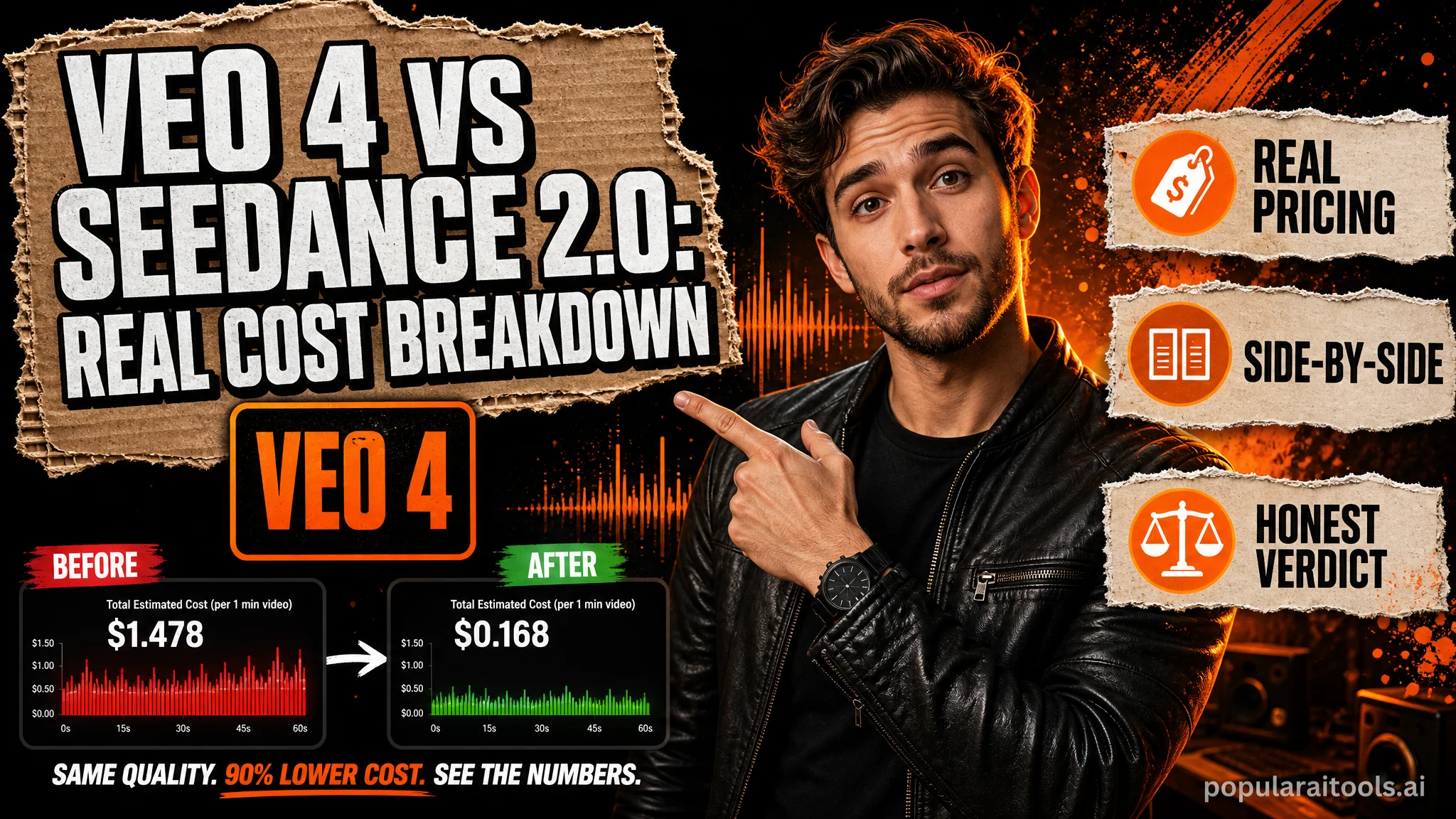
Google just dropped a new AI video model that creators are already calling Veo 4. The actual name is Gemini Omni Flash. It launched May 19, 2026 at Google I/O, replacing Veo 3.1 inside the Gemini app and Google Flow, and it ships with three things nobody else has: conversational in-chat editing, personal Avatars with anti-deepfake verification, and a multimodal reasoning layer that fuses text, image, audio, and video into one render. The headline question every creator is asking — does it beat Seedance 2.0, and what does it cost? We tested both, pulled the live pricing from every major video model on the market, and the answer is more complicated than the launch demos suggest.
Here is the short version. Seedance 2.0 still holds the number one position on the public benchmarks. Veo 3.1 Lite is the price-performance king at $0.08 per second of 1080p video with native audio. Gemini Omni Flash has no published API price yet — Google said pricing arrives "in the coming weeks." And the Reddit threads about Google's new credit limits are getting more upvotes than the model announcement itself. Below is the full cost table, the use-case breakdown, and the workflow we are running while the dust settles.
What "Veo 4" actually is
Google did not launch a model called Veo 4. The official name is Gemini Omni Flash, the first model in the new Omni family. Inside the Gemini app, it sits in the same dropdown that used to say "Veo 3.1." Inside Google Flow — Google's filmmaking interface — it is the default video generation engine. The marketing language frames it as a "create-anything-from-any-input" model, which is more accurate than it sounds: Omni accepts text, image, audio, and video as inputs in the same prompt, and reasons across them before generating a clip.

Three things shipped with it. First, in-chat video editing: generate a clip, then keep the conversation going to swap objects, change colors, extend a scene, or restyle the lighting. No other major model offers this — Sora, Seedance, Kling, Runway all treat each render as an isolated job. Second, Personal Avatars: record yourself reading a sequence of numbers, and the model creates a verified avatar that only your account can generate with. The number-reading step is anti-deepfake gating, not a UX flourish — Google is trying to prevent unauthorized impersonation before regulators force them to. Third, multimodal reasoning: the model can accept up to five reference images plus voice clips and synthesize them into one coherent shot, where most rivals treat audio as a post-process.
The constraints matter too. Max duration is 10 seconds. Resolution is not officially disclosed. Watermarking is SynthID, which is invisible in the file but verifiable in Gemini, Chrome, and Google Search. There is no user-controlled audio editing yet — Google explicitly held that back "until we can deliver it responsibly," which most observers read as "until we can stop people from cloning voices." The model is rolling out globally to AI Plus, Pro, and Ultra subscribers in the Gemini app and Flow, with free YouTube Shorts access arriving at the same time.
The real cost: 5-second 1080p clip across eleven models
This is the table every comparison post should lead with and almost none of them do. We pulled live pricing from each model's official pricing page or first-party reseller on May 20, 2026 — Vertex AI, fal.ai, OpenAI Developer Docs, Runway docs, Pika, Luma, ai.google.dev. The benchmark is a single 5-second 1080p text-to-video clip. Where 1080p is not natively available, we substitute the closest equivalent and flag it.
Three things jump out. First — Google occupies the cheapest, fifth-cheapest, and tenth-cheapest slots on a single table. The Veo 3.1 family is a price-tiering masterclass: Lite ($0.08/sec), Fast ($0.12/sec), Standard ($0.40/sec), each at full 1080p with native synced audio. Second — Seedance 2.0 looks expensive in this table, but only because the English-speaking SaaS reseller (fal.ai) caps it at 720p and prices it above Sora 2. Direct Volcengine access pulls Seedance under a dollar per clip. Third — Sora 2 Pro is the most expensive headline name on the list, and it does not even ship native 1080p.

Why Veo 3.1 Lite is the dark horse
If you only have one number to remember from this whole article, make it this: $0.08 per second of 1080p video with native audio. That is what Veo 3.1 Lite costs on the Gemini API. A ten-second clip is eighty cents. A thirty-second sequence is $2.40 — less than what Sora 2 Pro charges for five seconds. Lite is not a stripped-down model; it generates the same 1080p resolution as Standard, the same native audio, the same image-to-video and text-to-video paths. The trade-off is render quality on hard prompts (complex motion, busy crowd scenes, intricate lighting), where Standard wins.
For everything that is not a hero shot, Lite is the answer. B-roll. Establishing shots. Product cycles. Talking-head montages. Lifestyle cutaways. The work that used to fill Adobe Stock or Storyblocks subscriptions is now $0.08 a second, on demand, with whatever specific shot you describe in prose. We have been running it through batch jobs for the last week and the failure rate at Lite is roughly the same as Standard on simple prompts — the gap only opens up when the model has to coordinate three moving subjects or shift camera position dramatically.
The strategic significance of Lite is that it forced everyone else to scramble. Sora 2 Standard at $0.10/sec and 720p is now in an awkward position — it costs more than Veo Lite while offering lower resolution and no native audio. Seedance 2.0 on fal is more expensive than Lite at every tier and still capped at 720p. Pika 2.5's $0.10-per-second pricing makes more sense as a creative-tool subscription than an API spend. The mid-tier of the market just got compressed, and Gemini Omni Flash entering with a similar Lite-class price tier is the move that will reshape this chart again.
Where Gemini Omni Flash actually wins
Three workflows where Omni Flash is unambiguously the best tool, even when you ignore price entirely.
1. Conversational editing of an existing clip
Generate a scene of a woman walking through a park. Reply "make the jacket red." Reply again "change the time of day to dusk." Reply again "extend the shot by three seconds with her sitting on a bench." That is now a chat flow. Every other major model treats each generation as an isolated job — you re-prompt from scratch, re-pay for the full render, and hope the new clip matches the old one. Omni Flash keeps state. This is the workflow that changes how scripting interacts with rendering, and the gap to the next-best model is enormous.
2. Personal Avatars with anti-deepfake gating
Record yourself reading a randomly-generated number sequence in the Gemini app. The model creates a verified avatar tied to your account. Only your logged-in account can generate clips with that avatar — nobody else can clone you on Omni Flash, because the model refuses unverified faces. This is the feature most creators have been asking for since Sora 1 leaked celebrity-deepfake clips, and Google shipping it with cryptographic gating is a quiet flex.
3. Multi-input synthesis into one shot
Upload a reference photo of a car. Upload a recording of an engine. Upload a sketch of the road. Type "muscle car drifting through a wet alleyway at night." Omni renders a scene that has the car from the photo, the engine sound from the recording, and the layout from the sketch — in one render. Seedance 2.0 supports multimodal inputs too, but only Omni Flash will let you keep editing the result conversationally afterward.

Where Seedance 2.0 still wins
Three things Seedance still does better, despite being four months older than Omni Flash. If you have already built workflows on Seedance, do not migrate yet.
1. Benchmark leadership
The Artificial Analysis text-to-video and image-to-video Arenas — both blind-vote benchmarks — have Seedance 2.0 in first place. Elo 1,269 on text-to-video, 1,351 on image-to-video. Omni Flash is not on the leaderboard yet (it just shipped), but early creator side-by-sides suggest Seedance still has the edge on cinematic motion. The framing language one creator used: "Seedance is where I expected AI video to be in late 2027. I'm amazed we have it already."
2. Physics-aware motion
Objects in Seedance clips have weight. A falling knife falls at knife speed. A bouncing ball loses energy realistically. Hair moves like hair, water moves like water, fabric drapes correctly. Early Omni Flash demos look "clean and safe" — a creator quote that has become the consensus criticism. The motion is technically correct but lacks the subtle physical authority that Seedance projects effortlessly.
3. Multimodal inputs all in one pass — without subscription gating
Seedance 2.0 accepts up to nine reference images, three reference videos, and three reference audio clips in a single request — twelve total reference files. That capability is API-accessible without a daily cap. Omni Flash has multimodal reasoning too, but only inside the Gemini app's subscription model. If you are building a programmatic pipeline that needs to feed multiple references per shot, Seedance is still the answer until Omni Flash's API ships. Our full Seedance 2.0 via Kie.ai walkthrough covers the prompt patterns and the API shape in detail.

The credit-limit fury
Within 24 hours of launch, the most upvoted Gemini-related thread on Reddit was not the Omni announcement. It was a complaint titled "I understand that compute is limited, but these new limits are insane" — 1,030 upvotes and counting. The complaint structure is consistent across hundreds of comments: AI Pro subscribers ($19.99/mo) report a 5-hour video allowance that gets burned in two to four prompts. One subscriber wrote that they "made four videos and already hit the limit. The results honestly aren't any better than VEO 3.1, and now my entire 5-hour usage window is gone."
The math behind the complaint: $19.99 divided across roughly six video generations per five-hour window works out to about $3.33 per video on the consumer subscription. That is materially worse than the $0.40-per-clip economics on the Veo 3.1 Lite API. A Pro subscriber is paying eight times more per clip to access Omni Flash than a developer is paying for Lite — and the developer can also call the same model 10,000 times a day without hitting a cap.
The recurring comparison in the thread is to Anthropic's Claude pricing. A consumer subscriber wrote: "Claude for $100 offers a hundred times more than what you're offering on your $250 subscription." Google's response so far has been silence on the specific limits, plus a tier-restructure announcement that adds a new AI Ultra ($100) plan between Pro ($19.99) and Ultra ($200, freshly cut from $250). The implication: if Pro doesn't give you enough, pay five times more.
For most creators reading this, the actionable conclusion is to skip the consumer subscription entirely for production work and use the API tier instead. Veo 3.1 Lite on the Gemini API, or Seedance 2.0 via Kie.ai, runs ten to fifty times cheaper per clip and has no per-window cap. If you need Omni Flash specifically (for the in-chat editing or the Avatar feature), an Ultra subscription becomes defensible. If you just want fast, cheap 1080p video with native audio, the API path wins.
Pricing by use case
Cost-per-clip is the wrong abstraction if you're choosing a model for a specific job. Here is the use-case mapping that drives our own workflow.
What about the Omni Flash API price?
Google has not published it. The launch announcement specified that Omni Flash access via the Gemini Developer API and Vertex AI arrives "in the coming weeks." Until then, the only path is the consumer Gemini app or Google Flow on an AI Plus, Pro, or Ultra subscription — meaning programmatic use is locked behind seat licensing for the moment.

Best estimate based on Veo 3.1 economics: $0.10 to $0.30 per second on the API. Veo 3.1 Lite is $0.08/sec, Fast is $0.12/sec, Standard is $0.40/sec. Omni Flash is positioned as a Flash-class model — the same tier as Veo 3.1 Fast — which suggests the API price will land in the $0.10-$0.15 range when it ships. Native audio likely costs extra, matching the $0.75/sec Veo 3 audio rate. Anyone quoting specific numbers right now is guessing or looking at SEO-squatter sites that scraped pre-launch rumors.
If you need API-grade video generation in the next few weeks while you wait, the cleanest path is Kie.ai's unified API — Veo 3.1, Seedance 2.0, Sora 2, Kling, Runway Gen-4, Pika 2.5, and Luma Ray all behind one Bearer token, with pay-as-you-go billing instead of subscription windows. When Omni Flash ships on Vertex AI, it'll join the same dropdown. We covered the platform-level architecture in our recent Higgsfield Supercomputer review, and the API integration in the Seedance walkthrough.
The smartest move: stack them
The framing every Reddit thread has wrong: this is not a "Veo 4 vs Seedance 2.0" decision. The creators getting the best output in 2026 are running both, plus Veo 3.1 Lite for B-roll, plus Hailuo 02 for fixed-format social clips. One creator's framing on X has stuck with us: "I keep seeing people compare Omni Flash to Seedance 2.0, but it is a HUGE gamechanger if you use them hand in hand instead of 10+ generations to pick one." The meta-skill is knowing which tool to reach for, not picking a single winner.
A workable 2026 stack looks like this. Storyboard and ideate inside Gemini Omni Flash — burn one of your daily Pro credits on a quick text-to-video draft that establishes blocking and camera. Take the rough cut into Seedance 2.0 (via Kie.ai for billing simplicity) and re-shoot the hero moments at full cinematic quality, feeding the Omni draft as a reference video. Fill the connective B-roll with Veo 3.1 Lite at $0.08/sec batch jobs. Use Gemini 3.1 Flash to write the connecting voiceover lines. Stitch with Premiere or DaVinci or whatever NLE you already have.
For shorter-form social work — TikTok, Reels, Shorts — the cheaper path is Hailuo 02 Pro for hero clips ($0.45 each, 10-sec, 1080p) and Veo 3.1 Lite for cutaways. Total cost per 60-second TikTok comes out around $2.50, which is competitive with hiring a creator and an order of magnitude cheaper than commissioning a stock-footage assembly. If your social work involves your own face — and your face needs to look like you, not a Sora-style approximation — Omni Flash's verified Avatars are worth the subscription. Pair it with an AI video detection check from our AI video detector roundup if you publish to platforms that flag synthetic content.

One more honest note. The AI video frontier is moving at roughly one major model release per month right now. Seedance 2.0 launched February 2026. Veo 3.1 launched April. Sora 2 Pro updates rolled in March. Gemini Omni Flash launched yesterday. By August, this entire chart will be obsolete and someone will publish a comparison with a model none of us have heard of yet. The stable advice: build pipelines that can swap models. Stay on platforms (Kie.ai, fal, Replicate) that aggregate access. Stick with whichever model is cheapest per use case, but be ready to migrate every 60 days.
FAQ
Is Veo 4 actually called Veo 4?
No. Google launched the model as Gemini Omni Flash on May 19, 2026. Veo 4 is the community name because Omni replaced Veo 3.1 inside the Gemini app and Flow. Treat them as synonymous when you read other coverage.
What does Gemini Omni Flash cost on the API?
Not yet published. Expected $0.10-$0.30 per second based on Veo 3.1 pricing patterns. Until the API ships, the only access is consumer Gemini app on AI Plus ($7.99), Pro ($19.99), or Ultra ($100/$200) subscriptions.
How does the cost compare for a 5-second 1080p clip?
Veo 3.1 Lite leads at $0.40. Hailuo 02 Pro is $0.45. Pika 2.5 is $0.50. Seedance 2.0 Standard via fal is $1.52 but capped at 720p. Sora 2 Pro is $2.50. See the full table above.
Is Seedance 2.0 still the best video model in 2026?
By benchmark score, yes — Elo 1,269 on text-to-video, 1,351 on image-to-video. By accessible 1080p pricing, no. Seedance wins on motion; Veo 3.1 Lite wins on cost; Omni Flash wins on workflow.
Why are creators on Reddit furious about Gemini Omni Flash?
Usage caps. AI Pro subscribers report burning their 5-hour video allowance in two to four prompts. A complaint thread hit 1,030 upvotes within 24 hours of launch. The math: $19.99 across six prompts is $3.33 per clip, vs $0.40 on the Veo 3.1 Lite API.
What's the best workflow that combines these models?
Storyboard in Omni Flash (in-chat editing). Re-shoot hero shots in Seedance 2.0 (best motion). Fill B-roll with Veo 3.1 Lite ($0.08/sec). Use Hailuo 02 for fixed 10-sec social clips. Don't pick one — stack them.
Recommended AI Tools
played.fm
Sell your music and keep 100%: played.fm is a direct-to-fan store + sync marketplace with 0% commission, no gatekeepers, and no bans — a strong fit for AI musicians.
View Review →OpenCode
The open-source AI coding agent: terminal-first TUI, 75+ model providers, LSP context, subagents, and privacy-first design. Free software, ~180K GitHub stars.
View Review →Exa
The neural web search API for AI agents: embeddings-based retrieval, cited highlights, sub-180ms latency, and an MCP server. 20,000 free requests/month.
View Review →Google Antigravity
Google's agent-first IDE: run a fleet of AI agents from a Manager surface, on Gemini 3 Pro, Claude Sonnet 4.5, or OpenAI models. Free in public preview.
View Review →