
Try Vozo AI Video Translator today
⚡ TL;DR — Vozo AI Video Translator Review
Vozo is the easiest way to translate videos with synchronized lip-sync dubbing in 2026. It preserves the speaker's original voice tone, handles on-screen text adaptation, and supports 75+ languages — all with a genuinely usable free tier. Rendering times can drag on longer videos and lip-sync occasionally drifts on rapid speech, but for creators and businesses expanding internationally, it delivers results that previously required a full localization studio.
📋 Table of Contents

What is Vozo AI?
Vozo AI is a video translation platform that uses artificial intelligence to dub videos into 75+ languages with synchronized lip movements. Unlike basic subtitle generators or voiceover tools, Vozo actually modifies the speaker's mouth movements in the video to match the translated audio — a technique called lip-sync dubbing. The result is a translated video that looks and sounds natural, as if the speaker originally recorded in the target language.
We've been testing Vozo for the past three weeks across a range of content types: YouTube tutorials, product demos, course lectures, and social media clips. The tool earned 758 upvotes on Product Hunt for a reason — it makes video translation accessible to solo creators who previously couldn't afford professional localization services that charge $500-$2,000 per video.
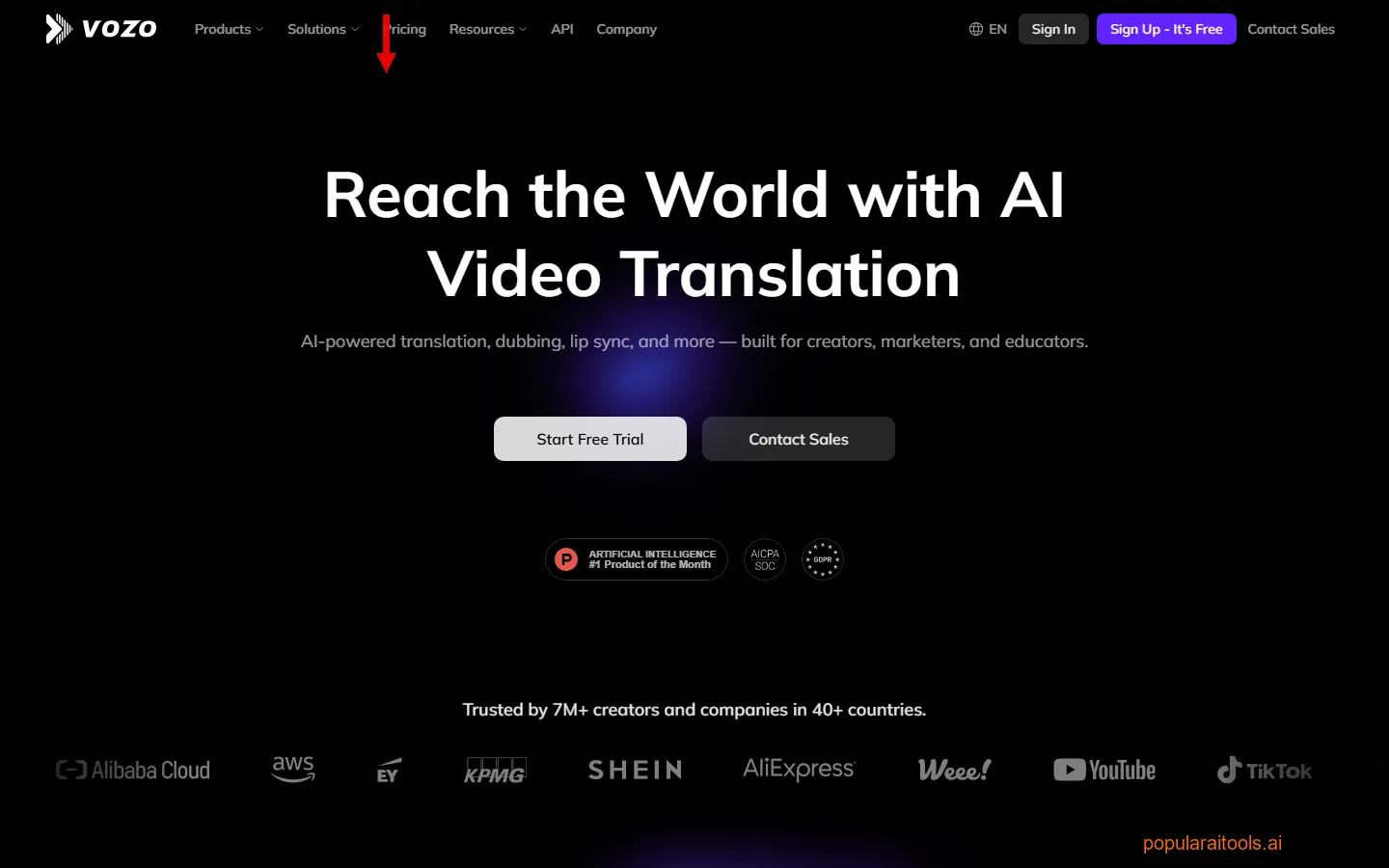
The core promise is simple: upload a video in one language, pick a target language, and Vozo handles everything — transcription, translation, voice cloning, lip-sync adjustment, and on-screen text replacement. In practice, the quality depends on factors like source audio clarity, speech tempo, and how much on-screen text exists. But for the price point, the results consistently surprised us.
Vozo sits in a growing market alongside HeyGen for AI avatar videos, ElevenLabs for voice cloning and dubbing, and Rask AI for enterprise-grade video localization. Each takes a different approach, and we'll break down exactly where Vozo fits later in this review.
Key Features
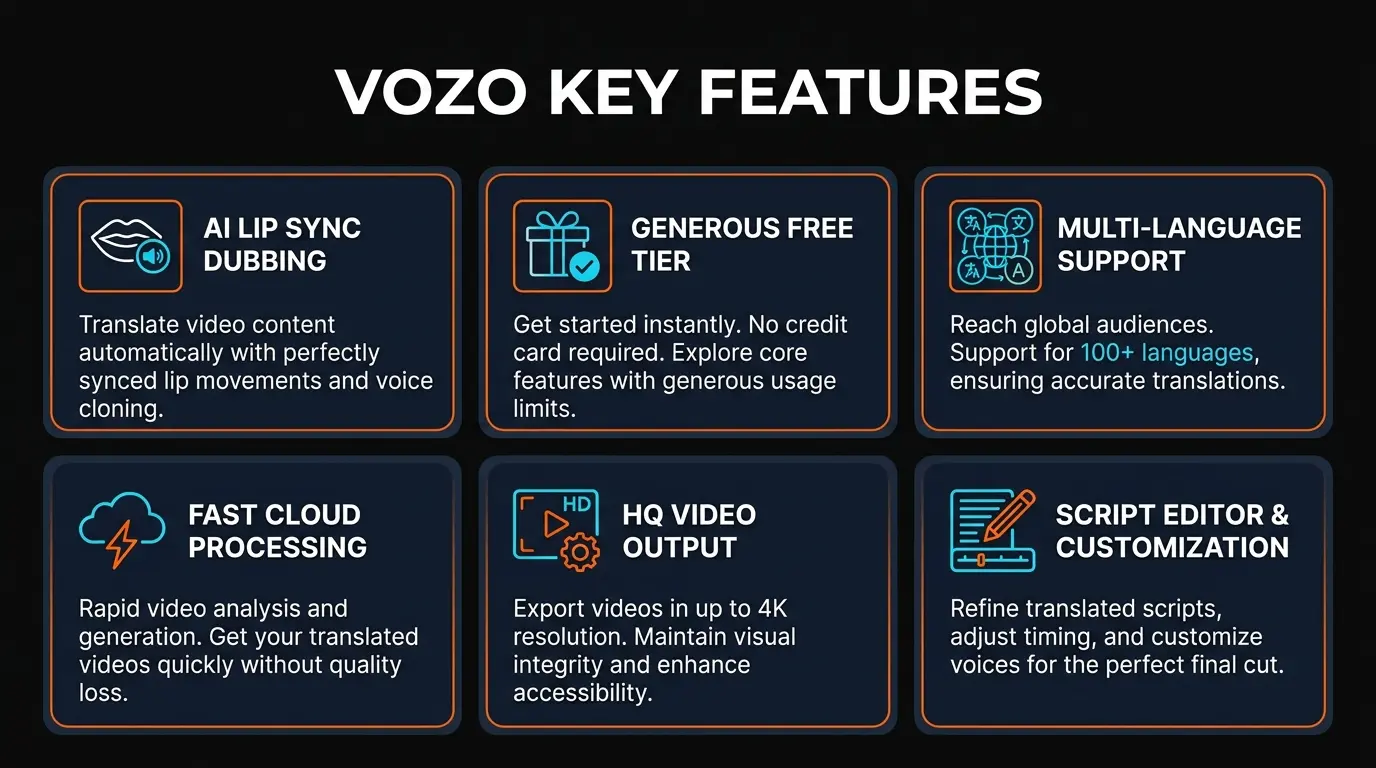
Here's what makes Vozo stand out from the crowded AI video translation space in 2026:
🎭 Lip-Sync Dubbing
AI modifies the speaker's mouth movements to match the translated audio. Works across 75+ languages with natural-looking results. The synchronization holds up well at normal conversational speed.
🗣️ Voice Tone Preservation
Uses AI voice cloning to preserve the original speaker's pitch, cadence, and emotional tone. The cloned voice sounds remarkably close to the original — not the robotic output you get from basic TTS engines. For AI voice cloning, check out ElevenLabs.
📝 On-Screen Text Translation
Automatically detects and translates text overlays, captions, titles, and lower thirds in the source video. Replaces them with localized versions that match the original styling. Most competitors skip this entirely.
🌍 75+ Language Support
Covers major world languages including Spanish, French, German, Japanese, Korean, Hindi, Arabic, Portuguese, Mandarin, and dozens more. Quality is strongest for European and East Asian languages.
⚡ One-Click Translation
Upload your video, select the target language, and hit translate. No manual transcript editing required (though you can review and edit before rendering if you want precision control).
📊 Batch Processing
Translate a single video into multiple languages simultaneously. Upload once, select 5 target languages, and Vozo renders all 5 versions in parallel. Essential for channels publishing in multiple markets.

How to Use Vozo: Step-by-Step
Getting a video translated with Vozo takes about 5 minutes of active work (plus rendering time). Here's the exact workflow we used across our testing:
1
Upload Your Video
Drag and drop or browse to upload your source video. Vozo accepts MP4, MOV, AVI, and MKV formats. The free tier caps at 5 minutes; paid plans go up to 2 hours. Upload speed depends on your connection — a 10-minute 1080p video took about 90 seconds on our 100Mbps line.
2
Select Source and Target Languages
Vozo auto-detects the source language in most cases. Pick your target language from the 75+ options. You can select multiple target languages for batch processing on paid plans.
3
Review the Transcript (Optional)
Vozo generates a transcript of the original audio and shows you the translation side-by-side. You can edit either before rendering. We recommend reviewing the translation for technical terms or brand names that the AI might mistranslate.
4
Configure Output Settings
Choose whether to enable lip-sync dubbing, on-screen text translation, or both. Select output resolution (up to 4K on Business plans). Toggle subtitle burn-in if you want captions embedded in the final video.
5
Render and Download
Hit translate and wait. Rendering time varies: a 3-minute video typically takes 8-12 minutes with lip-sync enabled. A 10-minute video can take 25-40 minutes. You'll get an email notification when it's ready. Download in MP4 format or share via direct link.
Pro tip: If you're translating a talking-head video (like a YouTube tutorial), the lip-sync results are noticeably better when the speaker is facing the camera with good lighting. Side profiles and low-resolution footage produce more visible artifacts.
Pricing Plans
Vozo's pricing is usage-based with monthly minute allocations. Here's what each tier actually gives you:
Free
$0
- ✓ Limited minutes/month
- ✓ 720p output
- ✓ Lip-sync dubbing
- ✓ 5 min max video length
- ✗ No batch processing
Creator
$19/mo
- ✓ More translation minutes
- ✓ 1080p output
- ✓ On-screen text translation
- ✓ 30 min max video length
- ✓ Priority rendering
Business
$49/mo
- ✓ Extended minutes
- ✓ 4K output
- ✓ Batch multi-language
- ✓ 2 hour max video length
- ✓ API access
Enterprise
Custom
- ✓ Unlimited minutes
- ✓ 4K output
- ✓ Dedicated support
- ✓ Custom integrations
- ✓ SLA guarantees
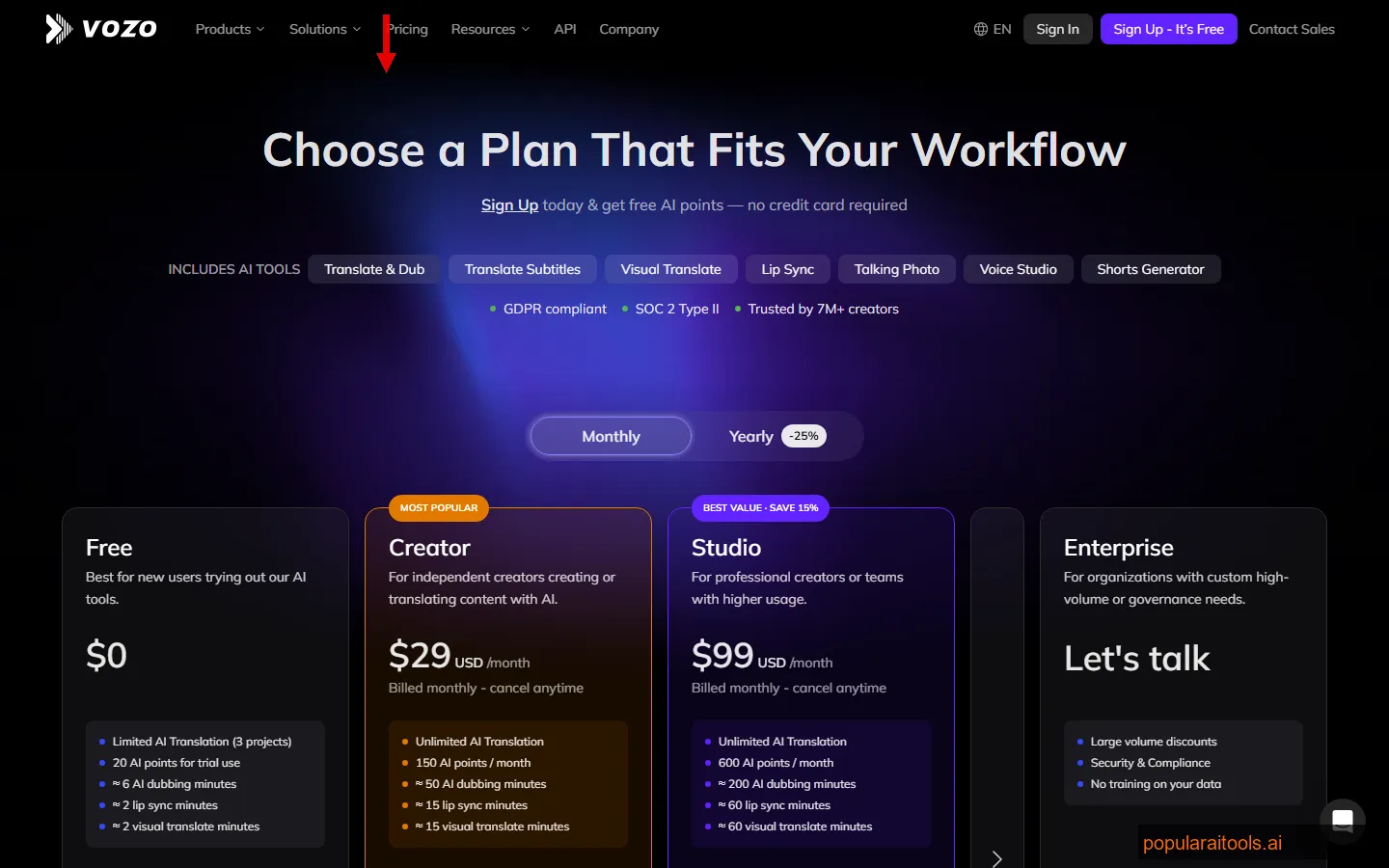
Our recommendation: Start with the free tier to test quality on your specific content type. If you're translating more than a couple videos per month, the Creator plan at $19/month is good value — the 1080p output and on-screen text translation alone justify the upgrade. The Business plan makes sense for agencies or channels publishing in 3+ languages regularly. Compare this to professional localization services charging $500+ per video and the ROI is obvious.

Pros and Cons
Strengths
- ✓ Best lip-sync at this price point. The mouth movement synchronization is genuinely impressive for a tool starting at $19/month. It handles most European and Asian languages with natural-looking results.
- ✓ Voice preservation actually works. The AI voice cloning maintains the speaker's personality, not just their pitch. Emotional inflection carries through to the translated version.
- ✓ On-screen text translation is a killer feature. Most competitors ignore text overlays entirely. Vozo detects, translates, and replaces them. This alone saves hours of manual post-production.
- ✓ Genuinely usable free tier. You can test with real videos before committing money. No credit card required. Many "free" competitors gate the good features behind paywalls.
- ✓ Simple UX. Upload, select language, translate. No steep learning curve, no complex settings. A non-technical creator can produce professional results in minutes.
- ✓ 758 Product Hunt upvotes. Strong community validation. Active development with new languages and features shipping regularly.
Weaknesses
- ✗ Rendering times are slow. A 10-minute video with lip-sync takes 25-40 minutes to process. Batch jobs for multiple languages can tie up your queue for hours. Competitors like Rask AI are faster.
- ✗ Lip-sync drifts on fast speech. When speakers talk rapidly or sentences compress significantly during translation (e.g., German to Japanese), the mouth movements can lag or jump. Noticeable about 15% of the time in our tests.
- ✗ Limited editing after translation. Once rendered, you can't easily adjust timing or individual segments. If one sentence sounds off, you re-render the entire video. A segment-level editor would be a major improvement.
- ✗ Multi-speaker videos are hit or miss. Vozo handles single-speaker content reliably, but videos with 3+ speakers or overlapping dialogue produce inconsistent voice assignments.
- ✗ No API on the free or Creator plans. Developers and automation workflows need the Business plan at $49/month minimum to access the API. For AI voice cloning, check out ElevenLabs which offers API access on lower tiers.
Vozo vs HeyGen vs Rask AI vs ElevenLabs Dubbing
We've used all four tools for video translation projects. Here's how they compare head-to-head in March 2026:
| Feature | Vozo AI | HeyGen | Rask AI | ElevenLabs |
|---|---|---|---|---|
| Primary Focus | Video translation + lip-sync | AI avatar video creation | Enterprise video localization | Voice AI + dubbing |
| Lip-Sync Quality | Excellent | Very Good | Good | N/A (audio only) |
| Voice Cloning | Good | Good | Very Good | Best in class |
| On-Screen Text Translation | Yes (included) | Limited | Yes (paid add-on) | No |
| Languages | 75+ | 40+ | 130+ | 30+ |
| Starting Price | Free / $19/mo | $29/mo | $29/mo | $5/mo (voice only) |
| Free Tier | Yes (with lip-sync) | Limited trial | Limited trial | Yes (voice, no dubbing) |
| Best For | Creators on a budget | AI avatar + translation | Enterprise localization | Voice-first projects |
The bottom line: Vozo wins on price-to-performance for creators who specifically need video translation with lip-sync. HeyGen for AI avatar videos is the better choice if you also need to create AI presenter content from scratch. Rask AI leads for enterprise teams translating at scale across 130+ languages. For AI voice cloning, check out ElevenLabs — it has the best voice cloning in the industry but lacks native video lip-sync capabilities.
If your primary need is translating existing videos for international audiences on a creator budget, Vozo delivers the best combination of lip-sync quality, on-screen text handling, and affordability.

Who Should Use Vozo AI?
Based on our testing, Vozo fits specific workflows better than others. Here's where it excels and where you should look elsewhere:
Ideal Users:
- YouTube creators expanding internationally — Translate your existing library into Spanish, Hindi, Portuguese to tap new audiences. The lip-sync makes it feel native.
- Online course creators — Translate educational content for global markets. The transcript review feature ensures technical accuracy.
- Marketing teams with video ads — Localize product demos and ad creatives for international campaigns without reshooting.
- E-commerce brands — Translate product videos for marketplaces in different countries.
- Agencies offering localization services — Use Business plan API to build translation into client workflows.
Not Ideal For:
- Movies or TV shows — Complex multi-speaker scenes with background music and overlapping dialogue exceed current capabilities.
- Live/real-time translation — Vozo is batch processing only. No live streaming support.
- Audio-only projects — If you don't need lip-sync and just want voice dubbing, ElevenLabs is more cost-effective.
Final Verdict
Vozo AI Video Translator is the best value proposition in AI video translation for creators and small businesses in 2026. The lip-sync dubbing technology is genuinely impressive — not perfect, but good enough that most viewers won't notice the AI intervention at conversational speech speeds. The on-screen text translation feature is a genuine differentiator that saves hours of manual post-production work.
The free tier is real (not a bait-and-switch), and the Creator plan at $19/month makes professional-quality video localization accessible to anyone. Compare that to the $500-$2,000 per video that localization agencies charge, and the math speaks for itself. Even with its limitations — slow rendering, lip-sync drift on fast speech, weak multi-speaker handling — Vozo produces results that would have cost thousands a year ago.
The weaknesses are real but trackable. Rendering times will improve as Vozo scales infrastructure. Lip-sync accuracy will get better with each model update. Multi-speaker handling is the biggest gap, and it's one the team acknowledges they're working on. None of these are dealbreakers for the tool's core use case: translating creator content for global audiences.
Who should use Vozo: YouTube creators, course sellers, marketing teams, and agencies who need to translate existing video content into multiple languages with natural-looking lip-sync. If you're sitting on a library of English-language videos and want to 3-5x your potential audience, Vozo is the fastest path to get there.
Who should look elsewhere: Teams needing real-time translation, filmmakers working with complex multi-character scenes, or developers who need API access on a budget (consider HeyGen for AI avatar videos or Rask AI for enterprise-grade localization).
At 4.3 out of 5, Vozo earns a strong recommendation with caveats. It's not the most powerful tool in the category — Rask AI and HeyGen offer more features at higher price points. But for the intersection of quality, ease of use, and affordability, Vozo hits a sweet spot that no other tool matches in 2026.
Build an AI Tool? Get It in Front of the Right Audience
PopularAiTools.ai reaches thousands of qualified AI buyers.
Submit Your AI Tool →
Frequently Asked Questions
❓ Is Vozo AI free to use?
Yes. Vozo offers a free tier that includes limited translation minutes per month. You can translate short videos (up to 5 minutes) without entering a credit card. The free tier includes lip-sync dubbing at 720p — it's not a stripped-down demo. Paid plans start at $19/month for more minutes and higher resolution output.
❓ How accurate is Vozo's lip-sync dubbing?
In our testing, Vozo's lip-sync was accurate about 85% of the time at normal conversational pace. It handles front-facing speakers with clear audio best. Fast speech, side profiles, and low-resolution source footage reduce accuracy. For most YouTube-style content, the results look natural enough that viewers won't notice the AI processing.
❓ What languages does Vozo support?
Vozo supports 75+ languages including Spanish, French, German, Italian, Portuguese, Japanese, Korean, Mandarin Chinese, Hindi, Arabic, Turkish, Polish, Dutch, and dozens more. Quality is strongest for major European and East Asian languages. Less common languages may have slightly lower voice cloning fidelity.
❓ Does Vozo preserve the original speaker's voice?
Yes. Vozo uses AI voice cloning to maintain the speaker's tone, pitch, and emotional cadence in the translated version. The result sounds like the same person speaking the target language, not a generic text-to-speech voice. Quality depends on source audio clarity — clean studio recordings produce the best voice clones.
❓ How does Vozo compare to HeyGen for video translation?
Vozo is a dedicated video translation tool — you upload existing videos and get translated versions with lip-sync. HeyGen is primarily an AI avatar video creation platform that also offers translation. If you only need translation, Vozo is cheaper ($19/mo vs $29/mo) and has better on-screen text handling. If you also want to create AI-generated presenter videos from scripts, HeyGen is the better all-in-one choice.
❓ Can Vozo translate on-screen text in videos?
Yes. Vozo automatically detects text overlays, captions, titles, lower thirds, and burned-in subtitles in the source video. It translates them and replaces the originals with localized versions that match the original font styling. This feature is available on Creator plans and above. Most competitors either don't offer this or charge extra for it.
❓ What is the maximum video length Vozo can translate?
Free tier: 5 minutes per video. Creator plan ($19/mo): 30 minutes. Business plan ($49/mo): 2 hours. Enterprise: custom limits. Note that rendering time scales roughly 3-4x the video length when lip-sync is enabled, so longer videos require patience.
❓ Is Vozo better than Rask AI for video dubbing?
It depends on your needs. Vozo has better lip-sync technology and included on-screen text translation at a lower price point. Rask AI offers 130+ languages (vs Vozo's 75+), more advanced voice cloning options, and stronger enterprise features like team management and analytics. For individual creators and small teams, Vozo is the better value. For large-scale enterprise localization, Rask AI has more depth.
Get Premium AI Tool Insights
Subscribe to get weekly curated AI tool recommendations, exclusive deals, and early access to new tool reviews.
Related Tools

CapCut
ai-video
Updated March 2026 · 12 min read · By PopularAiTools.ai

RepoClip
ai-video
AI tool that transforms GitHub repositories into professional demo videos with narration, visuals, and music — just paste your repo URL.
M
Matanyone 2
ai-video
MatAnyone 2 produces high-quality, temporally consistent alpha mattes for human video.

Montage
ai-video
A tool to repurpose long videos into social clips.
Related Articles
Suno v6 Intro and Ending Prompts: Unwanted Humming, Long Outros and Cut-Off Lyrics (2026)
Fix the edges of a Suno v6 track: three pasteable intro and outro templates, the documented Exclude field for unwanted humming, the arithmetic behind cut-off lyrics, and when to edit in Studio instead.
Suno v6 Keeps Changing Your Prompt? Variety, Style Influence and Weirdness Explained (2026)
Suno v6 rewrites your style prompt through the new Variety slider, and Suno documents the fix. What Variety, Style Influence, Weirdness and Max Mode each do, with a one-control-at-a-time worksheet.
Suno v6 Rock Prompts: Keep Guitar Riffs and Drums Alive Through the Verse (2026)
Why a strong Suno v6 rock intro turns into an empty verse, and how to fix it with a section-by-section instrument map, the Exclude field, pasteable rock and metal prompts and an A/B rubric.