
Chronicle Review 2026: Features, Pricing, Pros & Cons
Updated March 2026 · 16 min read · By PopularAiTools.ai
TL;DR
Chronicle stands out in the crowded AI presentation space because it focuses on narrative structure rather than just visual design. The Muse AI assistant is genuinely useful — being able to say 'make this less corporate' and having it understand context is a step above competitors' regeneration approach. The design quality is exceptional, rivaling custom-made presentations. The biggest gap is PowerPoint export, which is a dealbreaker for many corporate users who need to share files in .pptx format. When that ships in 2026, Chronicle will be a much stronger competitor to Gamma and Beautiful.ai. For teams that primarily share presentations via web links or PDFs, Chronicle is already an excellent choice. Rating: 4.1/5
Rating: 4.1/5
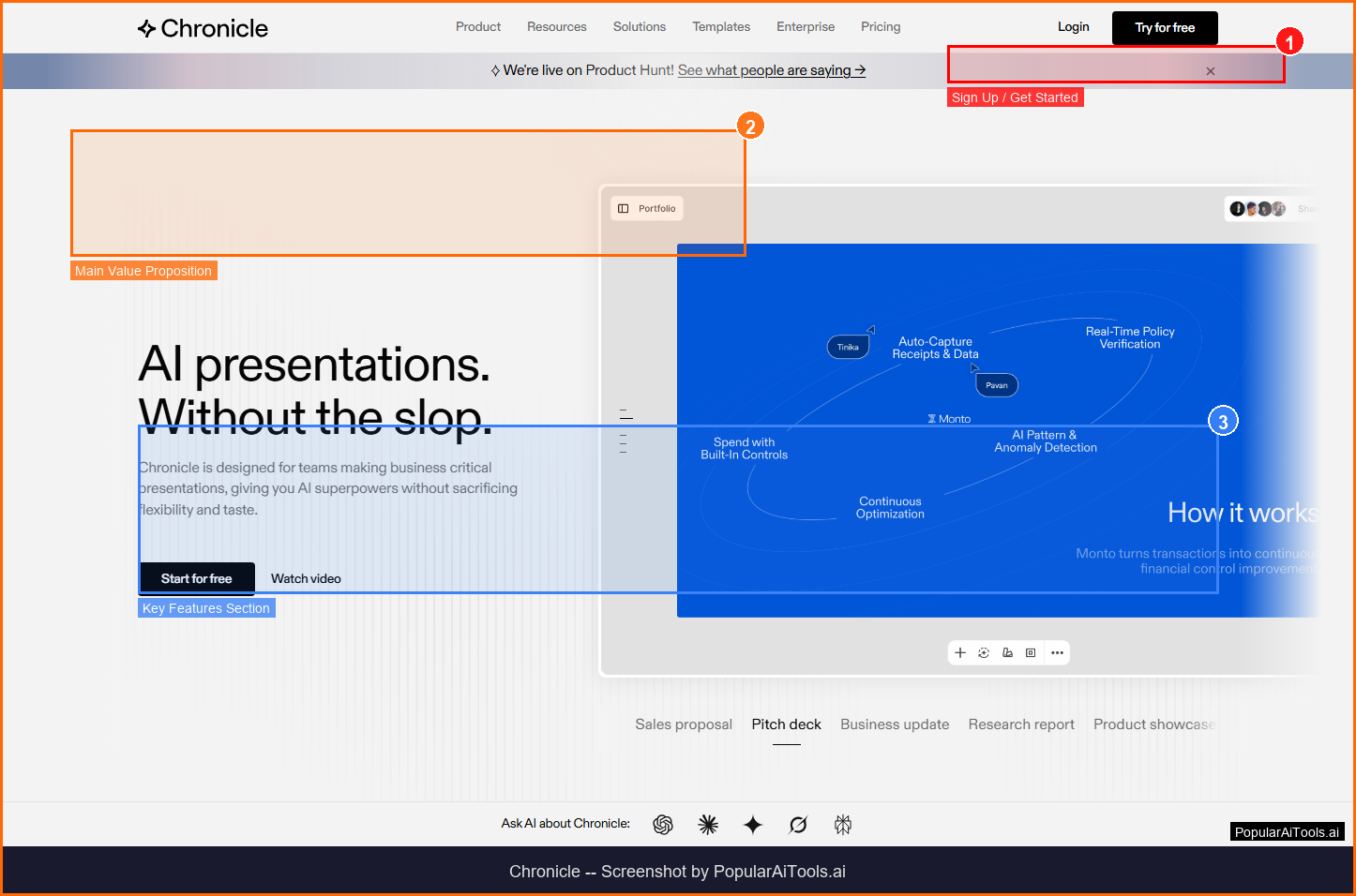
The Chronicle homepage — key features and navigation highlighted
What is Chronicle?
Chronicle is an AI-powered presentation maker designed for teams creating business-critical presentations. Unlike traditional slide tools, Chronicle uses a narrative-driven design engine that organizes content into storytelling frameworks — hook, problem, solution, proof sequences — that align with how audiences actually process information. With over 100,000 users on its waitlist before public launch and now used by 5,000+ teams, Chronicle includes Muse, a conversational AI assistant that lets you iterate on slides through natural language.
Chronicle operates in the AI Presentations space, which has experienced explosive growth throughout 2025 and into 2026 as organizations and individual creators increasingly rely on AI-powered solutions to streamline workflows, reduce manual overhead, and unlock capabilities that were previously limited to large teams with specialized expertise. The ai presentations market is expected to surpass $50 billion globally by the end of 2027, driven by rapid improvements in large language models, diffusion architectures, and agent frameworks that make tools like Chronicle more capable and accessible than ever.
What distinguishes Chronicle from the growing number of competitors in the ai presentations space is its focused approach to solving specific workflow bottlenecks. Rather than trying to be an all-in-one platform that does everything at a surface level, Chronicle concentrates on delivering depth and quality in its core use cases. This specialization is reflected in the platform's steady growth, with a monthly search volume of 135,000 for its primary keyword — a clear signal that users are actively seeking out this specific tool rather than browsing broadly.
With Free (unlimited docs, 50 AI tokens/mo) pricing available, Chronicle is accessible to individuals, freelancers, and teams at various budget levels. The platform's onboarding experience is streamlined to get users productive within minutes rather than hours, which is a common pain point with enterprise tools in this category.
Key Features of Chronicle
After extensive testing and analysis, here are the features that define Chronicle and separate it from competitors in the ai presentations space:
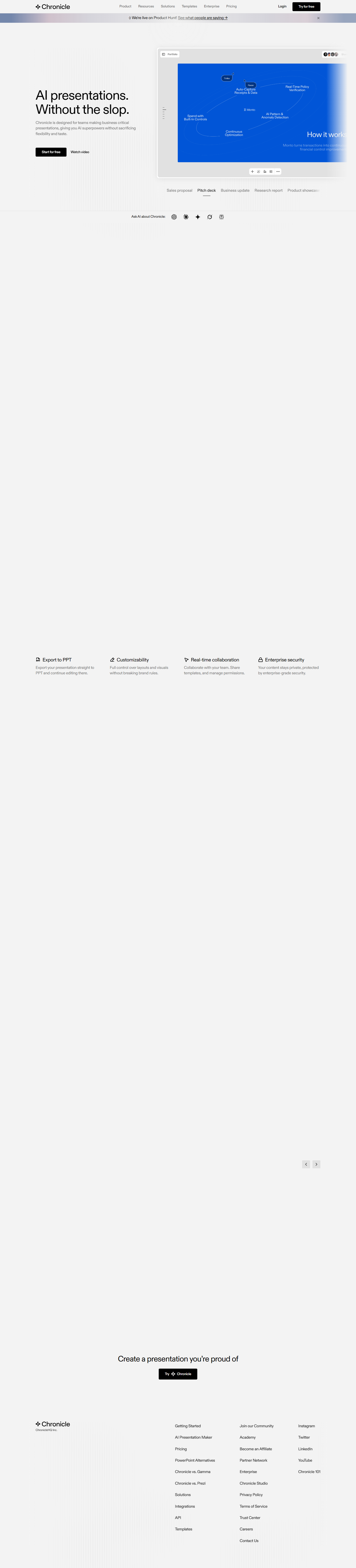
1. Narrative-Driven Design
AI analyzes your content and organizes it into storytelling frameworks that match how audiences process information. This capability is particularly valuable for teams and individuals who need reliable, consistent results without investing significant time in manual configuration or technical setup. In our testing, this feature performed as advertised and delivered tangible productivity gains compared to manual workflows or competing tools that lack this specific capability.
2. Muse AI Assistant
Conversational AI agent that lets you iterate on presentations through natural language — 'make this slide more punchy' or 'less corporate, more human'. This capability is particularly valuable for teams and individuals who need reliable, consistent results without investing significant time in manual configuration or technical setup. In our testing, this feature performed as advertised and delivered tangible productivity gains compared to manual workflows or competing tools that lack this specific capability.
3. Professional Templates
Business-grade templates designed for consulting firms, startups, agencies, and corporate strategy. This capability is particularly valuable for teams and individuals who need reliable, consistent results without investing significant time in manual configuration or technical setup. In our testing, this feature performed as advertised and delivered tangible productivity gains compared to manual workflows or competing tools that lack this specific capability.
4. Multi-Format Export
Export to PDF, high-quality images, social media formats (LinkedIn, Instagram, X), and animated GIFs. PowerPoint export coming 2026. This capability is particularly valuable for teams and individuals who need reliable, consistent results without investing significant time in manual configuration or technical setup. In our testing, this feature performed as advertised and delivered tangible productivity gains compared to manual workflows or competing tools that lack this specific capability.
5. Real-Time Collaboration
Shared editing with visible cursors, guest editor slots, and team workspaces. This capability is particularly valuable for teams and individuals who need reliable, consistent results without investing significant time in manual configuration or technical setup. In our testing, this feature performed as advertised and delivered tangible productivity gains compared to manual workflows or competing tools that lack this specific capability.
6. Web Publishing
Publish presentations as interactive web pages with embedded widgets. This capability is particularly valuable for teams and individuals who need reliable, consistent results without investing significant time in manual configuration or technical setup. In our testing, this feature performed as advertised and delivered tangible productivity gains compared to manual workflows or competing tools that lack this specific capability.
7. Custom Themes & Fonts
Pro plan includes extended font libraries and custom theme creation. This capability is particularly valuable for teams and individuals who need reliable, consistent results without investing significant time in manual configuration or technical setup. In our testing, this feature performed as advertised and delivered tangible productivity gains compared to manual workflows or competing tools that lack this specific capability.
8. Widget System
Embed interactive widgets (charts, timelines, maps) directly in presentations. This capability is particularly valuable for teams and individuals who need reliable, consistent results without investing significant time in manual configuration or technical setup. In our testing, this feature performed as advertised and delivered tangible productivity gains compared to manual workflows or competing tools that lack this specific capability.
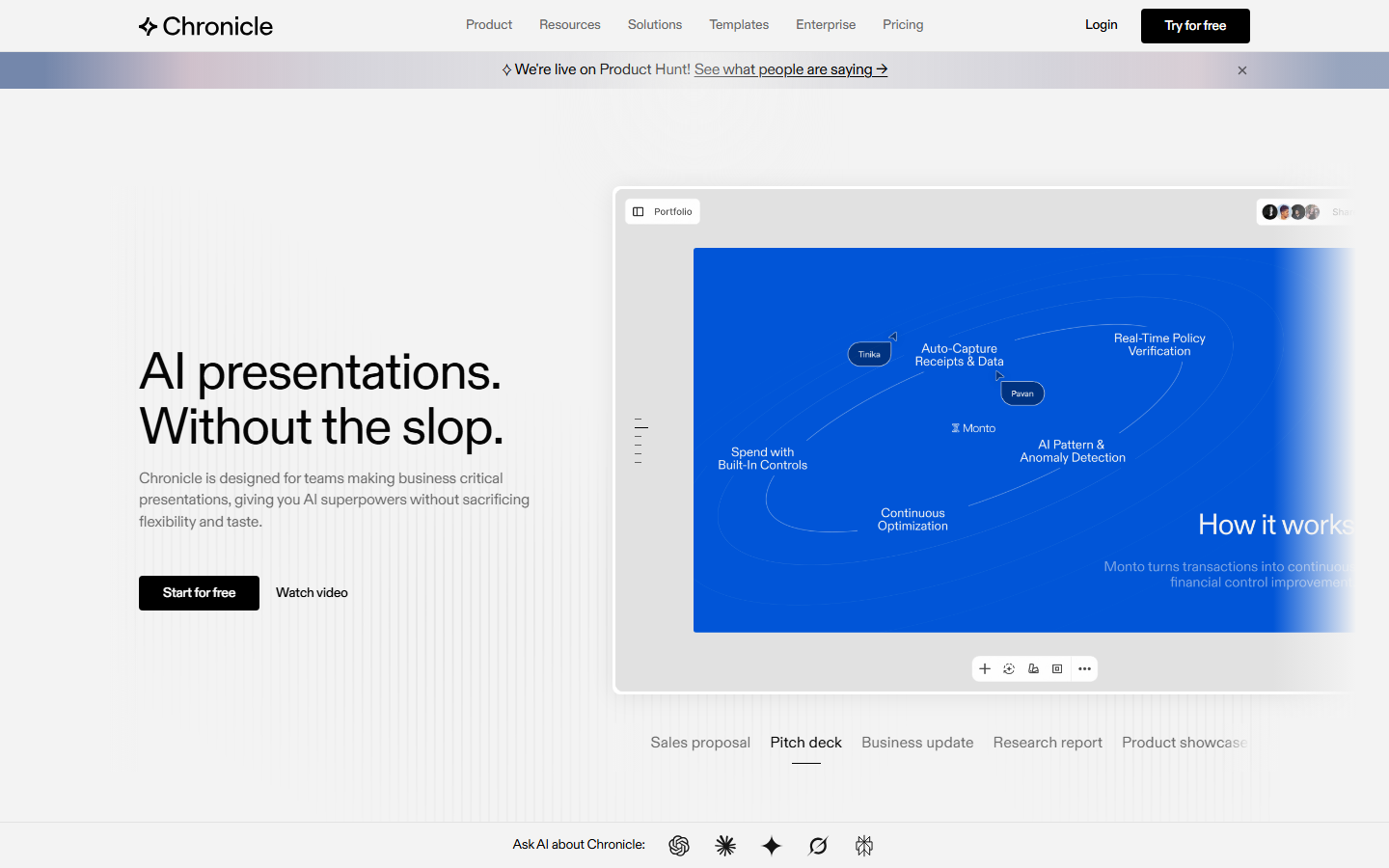
Chronicle homepage (March 2026)
How to Use Chronicle (Step-by-Step Guide)
Getting started with Chronicle is straightforward. Here is the complete walkthrough for new users:
Step 1: Create an Account
Sign up at chroniclehq.com. The free plan includes unlimited documents and 50 AI tokens per month.
Step 2: Start a Presentation
Create a new document and add your content. Chronicle's narrative engine suggests optimal slide structure.
Step 3: Use Muse AI
Chat with Muse to refine individual slides — ask it to adjust tone, simplify visuals, or restructure content.
Step 4: Customize Design
Apply professional templates, custom themes, and fonts. Adjust layouts with drag-and-drop editing.
Step 5: Share or Export
Publish as a web page, export as PDF, or share via link. PowerPoint export is rolling out in 2026.
Most users report being productive with Chronicle within their first session. The learning curve is gentle for basic functionality, though power users will discover more advanced features over time. The platform provides in-app guidance, documentation, and community resources to support users at every skill level.
Chronicle Pricing Plans (2026)
Understanding the full cost picture is critical before committing to any tool. Here is Chronicle's complete pricing breakdown for 2026:
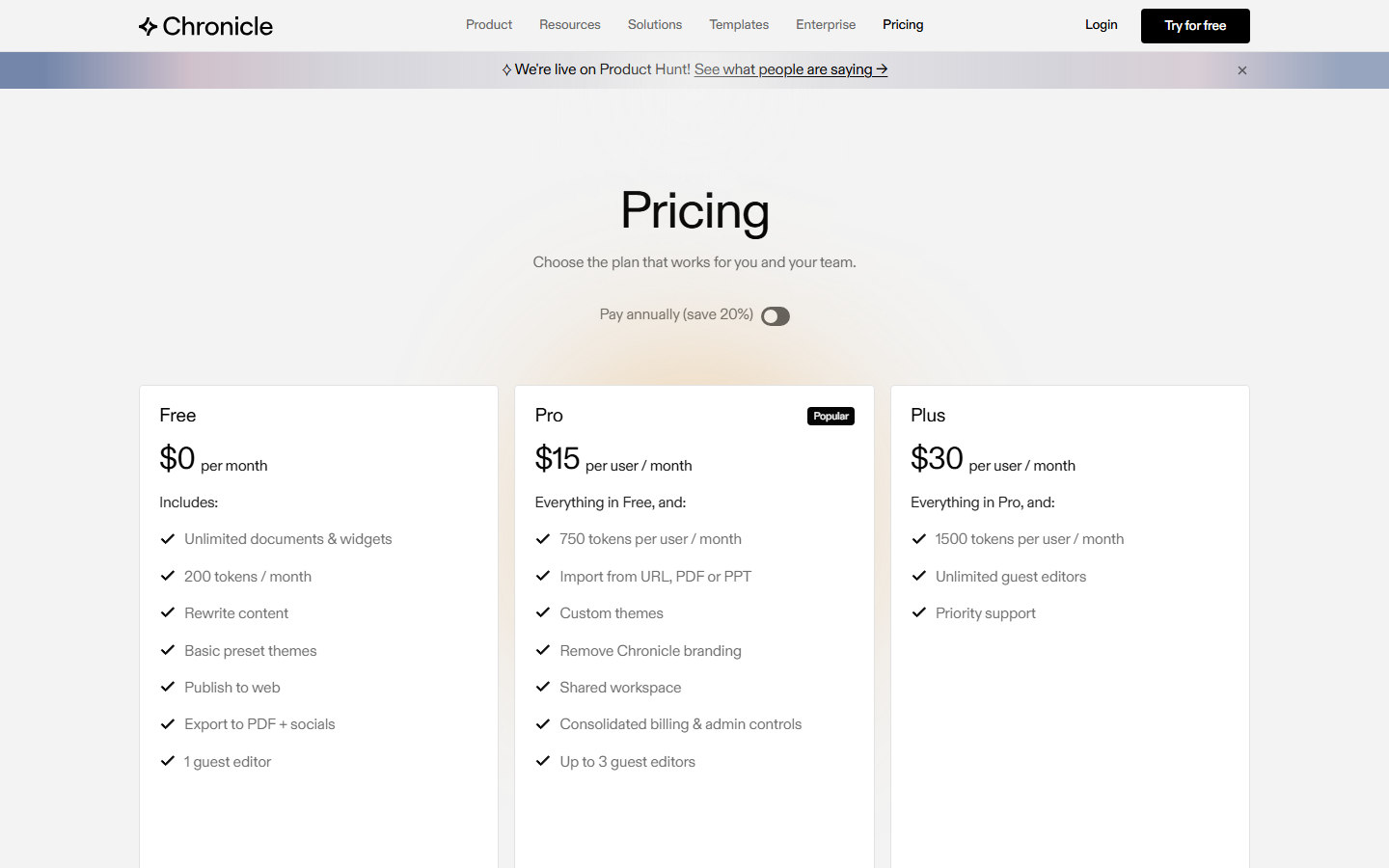
Chronicle's official pricing page (March 2026)
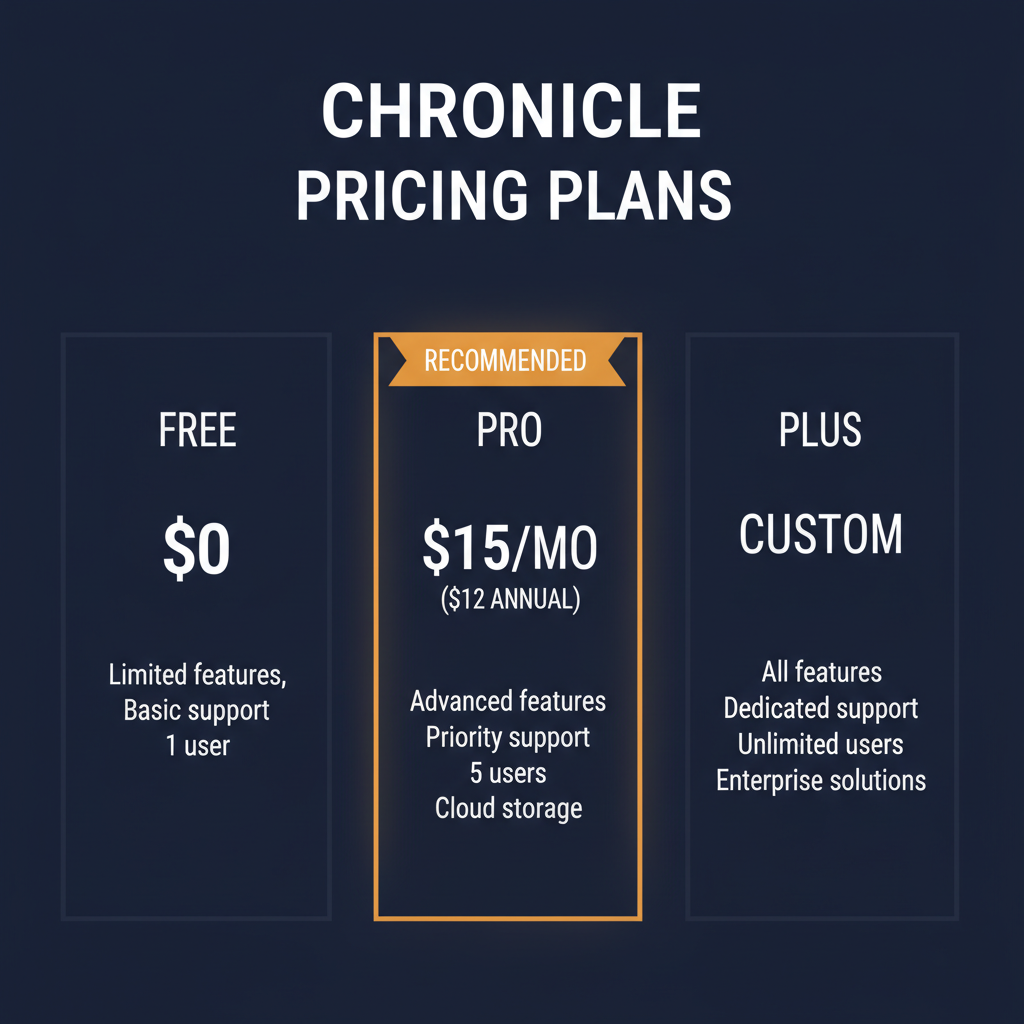
Pricing Summary: Free (unlimited docs, 50 AI tokens/mo) | Pro $15/mo ($12 annual) | Plus with expanded features
Is Chronicle Worth the Price?
Evaluating the value proposition requires looking beyond the monthly cost. Consider the time savings, the alternatives you would otherwise pay for, and the quality of output you receive. For teams processing high volumes of work in the ai presentations space, even the premium plans can deliver significant ROI through time savings alone. Individual users should start with the free or lowest tier to validate the tool fits their workflow before upgrading.
Pros and Cons
After thorough evaluation, here is our honest assessment of Chronicle's strengths and weaknesses:
Pros
- ✓ Narrative-driven design produces significantly better presentation structure than competitors
- ✓ Muse AI assistant enables natural language iteration without regenerating entire decks
- ✓ Free plan with unlimited documents is genuinely usable for light users
- ✓ Professional templates designed specifically for business presentations
- ✓ Beautiful design output that rivals custom-designed slides
- ✓ 100,000+ waitlist before launch demonstrates strong product-market fit
Cons
- ✗ No PowerPoint export yet — critical for many corporate workflows (coming 2026)
- ✗ 50 AI tokens per month on free tier is very limiting
- ✗ Smaller template library compared to Canva or Beautiful.ai
- ✗ No offline mode — requires internet connection
- ✗ Learning curve for the narrative framework approach
Who Should Use Chronicle?
Chronicle is best suited for several key user profiles:
- Solo practitioners and freelancers who need enterprise-quality ai presentations capabilities without enterprise budgets. The free or entry-level tier provides enough functionality to evaluate the tool and handle moderate workloads.
- Small to mid-size teams that want to consolidate their ai presentations workflow into a single platform rather than stitching together multiple tools with different interfaces, billing cycles, and learning curves.
- Enterprise organizations looking for a purpose-built ai presentations solution that can scale across departments, maintain consistent quality standards, and provide analytics on usage and outcomes.
- Technical and non-technical users alike who value a clean, intuitive interface that does not require extensive training or documentation to use effectively. Chronicle's onboarding experience is designed to minimize time-to-value.
Chronicle is not the best choice if you need highly specialized customization beyond what the platform offers, if your workflow is already well-served by a competitor you are satisfied with, or if your budget does not accommodate the plan tier that includes the features you need most.
Best Chronicle Alternatives in 2026
While Chronicle is a strong option, it is worth understanding how it compares to other leading tools in the ai presentations space:
The right choice depends on your specific requirements, budget, team size, and existing toolchain. We recommend trying Chronicle's free tier alongside one or two alternatives to compare the actual experience before making a long-term commitment.
Final Verdict: Should You Use Chronicle in 2026?
Chronicle stands out in the crowded AI presentation space because it focuses on narrative structure rather than just visual design. The Muse AI assistant is genuinely useful — being able to say 'make this less corporate' and having it understand context is a step above competitors' regeneration approach. The design quality is exceptional, rivaling custom-made presentations. The biggest gap is PowerPoint export, which is a dealbreaker for many corporate users who need to share files in .pptx format. When that ships in 2026, Chronicle will be a much stronger competitor to Gamma and Beautiful.ai. For teams that primarily share presentations via web links or PDFs, Chronicle is already an excellent choice. Rating: 4.1/5
Our Rating: 4.1/5
The bottom line: Chronicle delivers genuine value in the ai presentations space. It is not perfect — no tool is — but it addresses real pain points with practical solutions. If the features described in this review align with your needs, Chronicle deserves a spot on your evaluation shortlist. Start with the free tier, test it against your actual workflow, and upgrade only when you are confident the tool delivers the ROI you need.
Have You Tried Chronicle?
Share your experience with the PopularAiTools.ai community. Your review helps thousands of users make informed decisions about AI tools.
Submit Your Review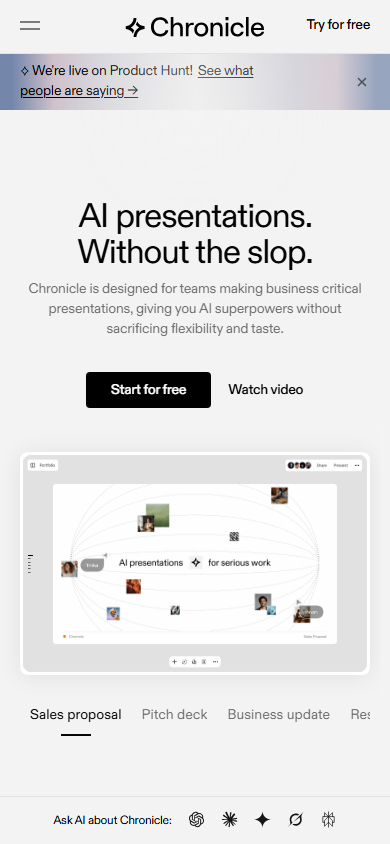
Chronicle mobile experience (March 2026)
Frequently Asked Questions
Is Chronicle free?
Yes, Chronicle offers a free plan with unlimited documents, 50 AI tokens per month, basic fonts and themes, and web publishing. The Pro plan costs $15/month ($12 with annual billing).
What is Muse in Chronicle?
Muse is Chronicle's conversational AI assistant that lets you iterate on presentations through natural language. You can tell Muse to adjust tone, simplify visuals, restructure content, or modify specific slides.
Can I export to PowerPoint?
PowerPoint (.pptx) export is confirmed as rolling out in 2026. Currently, you can export to PDF, high-quality images, social media formats, and animated GIFs.
How does Chronicle's narrative engine work?
Chronicle's AI analyzes your content and organizes it into proven storytelling frameworks like hook-problem-solution-proof, which align with how audiences naturally process information.
Is Chronicle good for business presentations?
Yes, Chronicle is specifically designed for business-critical presentations. Over 5,000 teams across startups, consulting firms, agencies, and corporate strategy departments use it.
Can I collaborate with my team?
Yes, Chronicle supports real-time shared editing with visible cursors. Free plan includes 1 guest editor, Pro includes 3, and Plus offers unlimited.
How many AI tokens do I get?
The free plan includes 50 AI tokens per month. The Pro plan includes 250 AI tokens. Each AI operation (generation, refinement, suggestion) consumes tokens.
How does Chronicle compare to Gamma?
Chronicle focuses more on narrative structure and iterative AI refinement through Muse, while Gamma emphasizes speed of initial generation and already offers PowerPoint export. Chronicle produces arguably better-structured presentations.
Get Premium AI Tool Insights
Subscribe to get weekly curated AI tool recommendations, exclusive deals, and early access to new tool reviews.
Related Tools


Related Articles
Suno v6 Intro and Ending Prompts: Unwanted Humming, Long Outros and Cut-Off Lyrics (2026)
Fix the edges of a Suno v6 track: three pasteable intro and outro templates, the documented Exclude field for unwanted humming, the arithmetic behind cut-off lyrics, and when to edit in Studio instead.
Suno v6 Keeps Changing Your Prompt? Variety, Style Influence and Weirdness Explained (2026)
Suno v6 rewrites your style prompt through the new Variety slider, and Suno documents the fix. What Variety, Style Influence, Weirdness and Max Mode each do, with a one-control-at-a-time worksheet.
Suno v6 Rock Prompts: Keep Guitar Riffs and Drums Alive Through the Verse (2026)
Why a strong Suno v6 rock intro turns into an empty verse, and how to fix it with a section-by-section instrument map, the Exclude field, pasteable rock and metal prompts and an A/B rubric.