
Hatch Canvas Review 2026: Features, Pricing, Pros & Cons
Updated March 2026 · 16 min read · By PopularAiTools.ai
TL;DR
Hatch Canvas occupies a unique space — it is neither just an AI chatbot nor just a website builder, but an infinite creative workspace that combines both. The Draw mode is genuinely innovative: sketching a website by hand and having it become interactive is something no other platform offers. At $9/month for Pro, it is remarkably affordable. The free tier with 3 projects and full AI access is generous enough to properly evaluate the platform. For creative professionals, educators, and non-technical builders who want to create interactive web content without coding, Hatch is an excellent choice. For serious web developers, it is more of a creative prototyping tool than a production environment. Rating: 4.1/5
Rating: 4.1/5

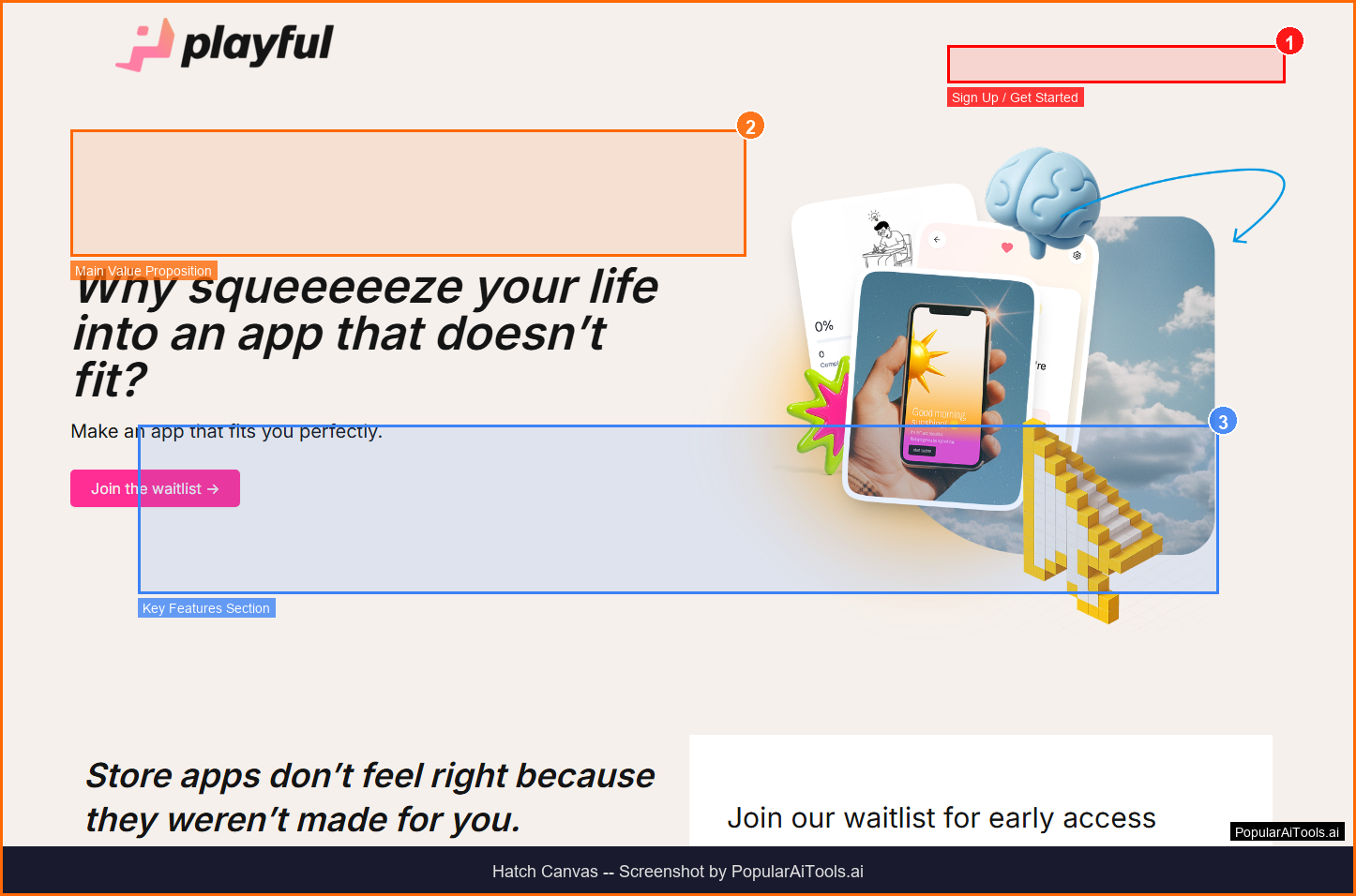
The Hatch Canvas homepage — key features and navigation highlighted
What is Hatch Canvas?
Hatch Canvas is an all-in-one AI workspace that combines an infinite collaborative canvas with AI chat, code generation, drawing tools, and web publishing. Instead of juggling ChatGPT, Google Suite, VS Code, and browser tabs, Hatch brings everything into one infinite canvas where you can create websites, web apps, games, and interactive stories — including a unique Draw mode that transforms hand-drawn elements into live interactive web objects with physics and animations.
Hatch Canvas operates in the AI Creative Canvas space, which has experienced explosive growth throughout 2025 and into 2026 as organizations and individual creators increasingly rely on AI-powered solutions to streamline workflows, reduce manual overhead, and unlock capabilities that were previously limited to large teams with specialized expertise. The ai creative canvas market is expected to surpass $50 billion globally by the end of 2027, driven by rapid improvements in large language models, diffusion architectures, and agent frameworks that make tools like Hatch Canvas more capable and accessible than ever.
What distinguishes Hatch Canvas from the growing number of competitors in the ai creative canvas space is its focused approach to solving specific workflow bottlenecks. Rather than trying to be an all-in-one platform that does everything at a surface level, Hatch Canvas concentrates on delivering depth and quality in its core use cases. This specialization is reflected in the platform's steady growth, with a monthly search volume of 165,000 for its primary keyword — a clear signal that users are actively seeking out this specific tool rather than browsing broadly.
With Free (3 projects, 2GB) pricing available, Hatch Canvas is accessible to individuals, freelancers, and teams at various budget levels. The platform's onboarding experience is streamlined to get users productive within minutes rather than hours, which is a common pain point with enterprise tools in this category.
Key Features of Hatch Canvas
After extensive testing and analysis, here are the features that define Hatch Canvas and separate it from competitors in the ai creative canvas space:
1. Infinite AI Canvas
Stretch beyond the chat box into an infinite collaborative workspace where every interaction helps the AI get smarter. This capability is particularly valuable for teams and individuals who need reliable, consistent results without investing significant time in manual configuration or technical setup. In our testing, this feature performed as advertised and delivered tangible productivity gains compared to manual workflows or competing tools that lack this specific capability.
2. Hatch Draw
Draw websites, apps, games, and interactive stories by hand — the AI transforms your drawings into live web objects with physics and animations. This capability is particularly valuable for teams and individuals who need reliable, consistent results without investing significant time in manual configuration or technical setup. In our testing, this feature performed as advertised and delivered tangible productivity gains compared to manual workflows or competing tools that lack this specific capability.
3. AI Code Generation
Powered by GPT-4, describe functionality in natural language and Hatch builds publishable web pages and apps. This capability is particularly valuable for teams and individuals who need reliable, consistent results without investing significant time in manual configuration or technical setup. In our testing, this feature performed as advertised and delivered tangible productivity gains compared to manual workflows or competing tools that lack this specific capability.
4. Instant Web Publishing
Publish creations as live web pages instantly — no separate hosting or deployment needed. This capability is particularly valuable for teams and individuals who need reliable, consistent results without investing significant time in manual configuration or technical setup. In our testing, this feature performed as advertised and delivered tangible productivity gains compared to manual workflows or competing tools that lack this specific capability.
5. Real-Time Collaboration
Work with teammates on the same canvas simultaneously with multiplayer editing. This capability is particularly valuable for teams and individuals who need reliable, consistent results without investing significant time in manual configuration or technical setup. In our testing, this feature performed as advertised and delivered tangible productivity gains compared to manual workflows or competing tools that lack this specific capability.
6. Image Generation
Generate AI images directly on the canvas alongside your other creative work. This capability is particularly valuable for teams and individuals who need reliable, consistent results without investing significant time in manual configuration or technical setup. In our testing, this feature performed as advertised and delivered tangible productivity gains compared to manual workflows or competing tools that lack this specific capability.
7. No-Code Required
Create functional websites and web applications without writing any code. This capability is particularly valuable for teams and individuals who need reliable, consistent results without investing significant time in manual configuration or technical setup. In our testing, this feature performed as advertised and delivered tangible productivity gains compared to manual workflows or competing tools that lack this specific capability.
8. Desktop App
Available as a desktop application for Mac and Windows in addition to the web version. This capability is particularly valuable for teams and individuals who need reliable, consistent results without investing significant time in manual configuration or technical setup. In our testing, this feature performed as advertised and delivered tangible productivity gains compared to manual workflows or competing tools that lack this specific capability.

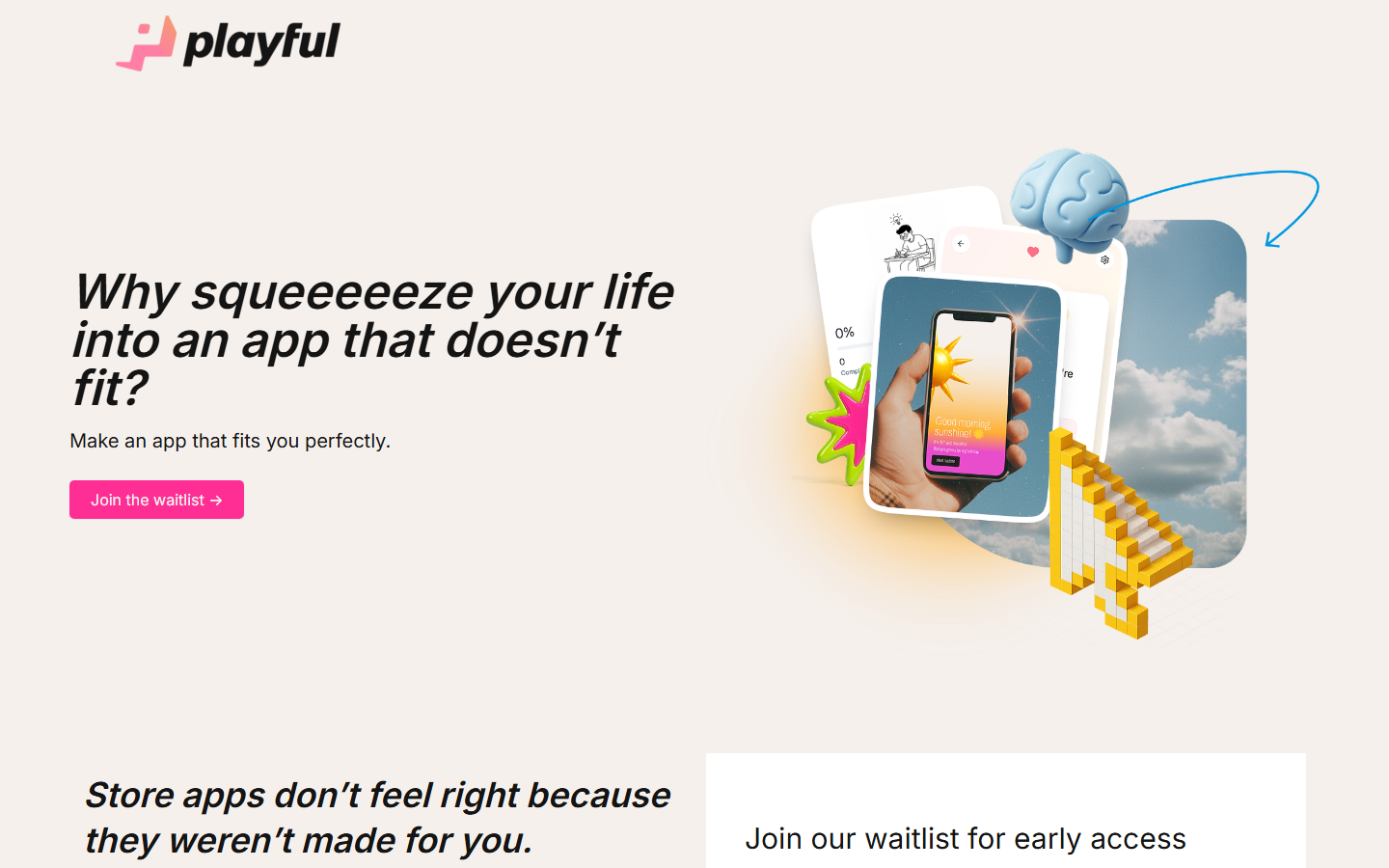
Hatch Canvas homepage (March 2026)
How to Use Hatch Canvas (Step-by-Step Guide)
Getting started with Hatch Canvas is straightforward. Here is the complete walkthrough for new users:
Step 1: Create a Project
Sign up at hatchcanvas.com and create a new project. Choose between the AI canvas or Draw mode.
Step 2: Work on the Canvas
Use the infinite canvas to chat with AI, generate code, create images, and organize your work spatially.
Step 3: Draw Interactive Content
In Draw mode, sketch your ideas by hand — Hatch transforms your drawings into interactive web elements with physics and click functionality.
Step 4: Collaborate
Invite team members to work on the same canvas in real-time with multiplayer editing.
Step 5: Publish
When ready, publish your creation as a live web page with one click — hosted on your Hatch subdomain or custom domain.
Most users report being productive with Hatch Canvas within their first session. The learning curve is gentle for basic functionality, though power users will discover more advanced features over time. The platform provides in-app guidance, documentation, and community resources to support users at every skill level.
Hatch Canvas Pricing Plans (2026)
Understanding the full cost picture is critical before committing to any tool. Here is Hatch Canvas's complete pricing breakdown for 2026:

Hatch Canvas's official pricing page (March 2026)
Pricing Summary: Free (3 projects, 2GB) | Pro $9/mo (20 projects, 10GB, custom domain)
Is Hatch Canvas Worth the Price?
Evaluating the value proposition requires looking beyond the monthly cost. Consider the time savings, the alternatives you would otherwise pay for, and the quality of output you receive. For teams processing high volumes of work in the ai creative canvas space, even the premium plans can deliver significant ROI through time savings alone. Individual users should start with the free or lowest tier to validate the tool fits their workflow before upgrading.
Pros and Cons
After thorough evaluation, here is our honest assessment of Hatch Canvas's strengths and weaknesses:
Pros
- ✓ Unique Draw mode transforms hand-drawn sketches into live interactive web content
- ✓ All-in-one workspace replaces multiple tools (ChatGPT, code editor, design tool)
- ✓ Free tier is genuinely usable with 3 projects and full AI features
- ✓ Pro plan at $9/month is very affordable for the feature set
- ✓ Instant web publishing eliminates deployment complexity
- ✓ Desktop app available for Mac and Windows for offline-capable work
Cons
- ✗ Free tier limited to 3 published projects and 2GB storage
- ✗ Hatch watermark on free tier projects
- ✗ Less powerful than dedicated code editors for complex applications
- ✗ Still building community — fewer templates and examples than established platforms
- ✗ Draw mode produces creative but sometimes unpredictable results
Who Should Use Hatch Canvas?
Hatch Canvas is best suited for several key user profiles:
- Solo practitioners and freelancers who need enterprise-quality ai creative canvas capabilities without enterprise budgets. The free or entry-level tier provides enough functionality to evaluate the tool and handle moderate workloads.
- Small to mid-size teams that want to consolidate their ai creative canvas workflow into a single platform rather than stitching together multiple tools with different interfaces, billing cycles, and learning curves.
- Enterprise organizations looking for a purpose-built ai creative canvas solution that can scale across departments, maintain consistent quality standards, and provide analytics on usage and outcomes.
- Technical and non-technical users alike who value a clean, intuitive interface that does not require extensive training or documentation to use effectively. Hatch Canvas's onboarding experience is designed to minimize time-to-value.
Hatch Canvas is not the best choice if you need highly specialized customization beyond what the platform offers, if your workflow is already well-served by a competitor you are satisfied with, or if your budget does not accommodate the plan tier that includes the features you need most.
Best Hatch Canvas Alternatives in 2026
While Hatch Canvas is a strong option, it is worth understanding how it compares to other leading tools in the ai creative canvas space:
The right choice depends on your specific requirements, budget, team size, and existing toolchain. We recommend trying Hatch Canvas's free tier alongside one or two alternatives to compare the actual experience before making a long-term commitment.
Final Verdict: Should You Use Hatch Canvas in 2026?
Hatch Canvas occupies a unique space — it is neither just an AI chatbot nor just a website builder, but an infinite creative workspace that combines both. The Draw mode is genuinely innovative: sketching a website by hand and having it become interactive is something no other platform offers. At $9/month for Pro, it is remarkably affordable. The free tier with 3 projects and full AI access is generous enough to properly evaluate the platform. For creative professionals, educators, and non-technical builders who want to create interactive web content without coding, Hatch is an excellent choice. For serious web developers, it is more of a creative prototyping tool than a production environment. Rating: 4.1/5
Our Rating: 4.1/5
The bottom line: Hatch Canvas delivers genuine value in the ai creative canvas space. It is not perfect — no tool is — but it addresses real pain points with practical solutions. If the features described in this review align with your needs, Hatch Canvas deserves a spot on your evaluation shortlist. Start with the free tier, test it against your actual workflow, and upgrade only when you are confident the tool delivers the ROI you need.
Have You Tried Hatch Canvas?
Share your experience with the PopularAiTools.ai community. Your review helps thousands of users make informed decisions about AI tools.
Submit Your Review
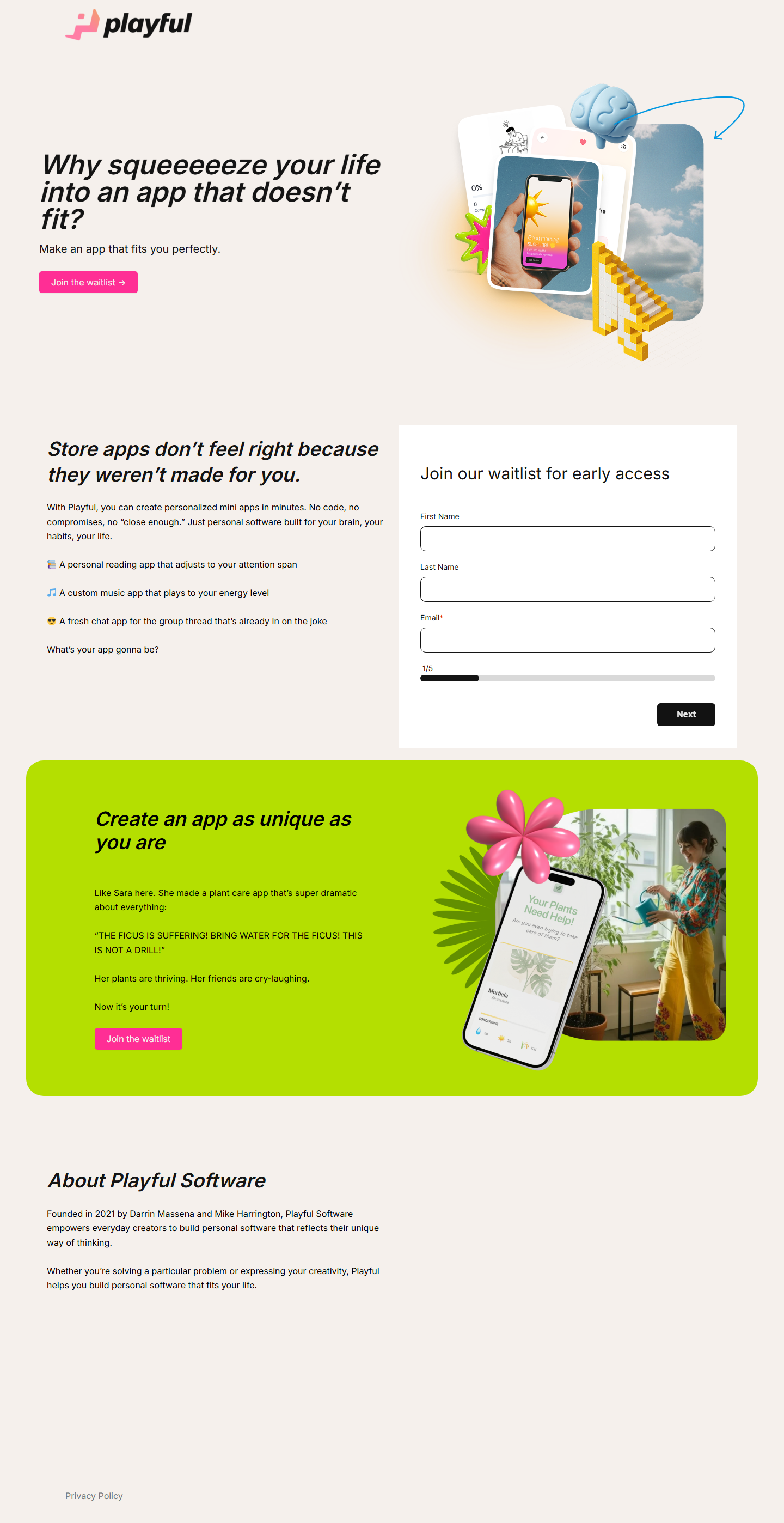
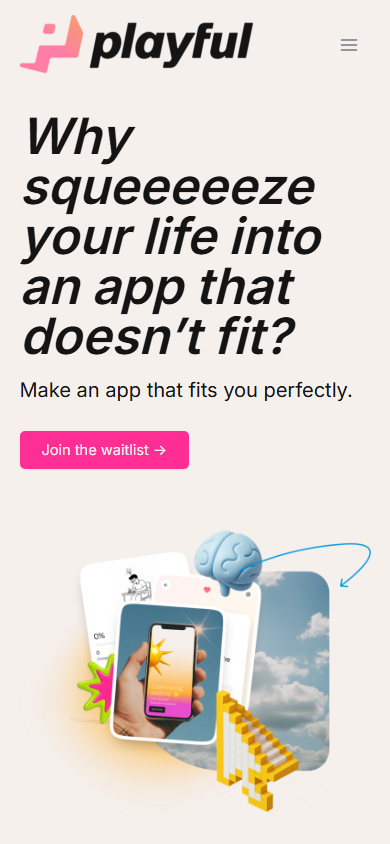
Hatch Canvas mobile experience (March 2026)
Frequently Asked Questions
Is Hatch Canvas free?
Yes, Hatch Canvas offers a free plan with 3 published projects, 2GB media storage, and full access to AI features including Draw mode. The Pro plan costs $9/month for 20 projects and custom domains.
What is Hatch Draw?
Hatch Draw is a unique feature that lets you create websites, apps, games, and interactive stories by drawing on a canvas. The AI transforms your hand-drawn elements into live web objects with physics, animations, and click functionality.
Can I publish websites from Hatch?
Yes, Hatch lets you publish creations as live web pages instantly. Free users get a hatch.one subdomain, while Pro users can connect custom domains.
Does Hatch Canvas require coding?
No. Hatch Canvas is designed for non-technical users. You can create interactive web content through drawing or natural language descriptions. However, technical users can also write code directly.
Is there a desktop app?
Yes, Hatch Canvas is available as a desktop application for both Mac and Windows, in addition to the web browser version.
Can I collaborate with others?
Yes, Hatch Canvas supports real-time multiplayer collaboration. Team members can work on the same canvas simultaneously.
What AI model powers Hatch?
Hatch Canvas is powered by OpenAI's GPT-4 for code generation and natural language understanding.
How does Hatch compare to Framer?
Framer is more polished for professional website building with templates, while Hatch is more creative and experimental with its infinite canvas and Draw mode. Hatch is also significantly cheaper at $9/month vs Framer's higher pricing.
Get Premium AI Tool Insights
Subscribe to get weekly curated AI tool recommendations, exclusive deals, and early access to new tool reviews.
Related Tools
Google Imagen
ai-image
Updated March 2026 · 11 min read · By PopularAiTools.ai
Picsart
ai-image
Updated March 2026 · 11 min read · By PopularAiTools.ai
Adobe Firefly
ai-image
Updated March 2026 · 12 min read · By PopularAiTools.ai

Glam AI
ai-image
AI-powered photo and video generation platform that creates professional photoshoots from single photos, face-swapped lifestyle videos, 15-second realistic video with lip sync (Kling 3.0), and cinema-level video with sound (GROK IMAGINE). Features multiple AI models including Nano Banana 2, SEEDREAM 5.0, and Recraft v4 Pro.
Related Articles
10 Claude Code Skills, Plugins & CLIs to Install on Day One (April 2026)
Starting Claude Code from scratch in 2026? Install these 10 skills, plugins, and CLIs on day one — Codex CLI, Obsidian, Autoresearch, Firecrawl, Playwright, NotebookLM, Skill Creator, RAG-Anything, Google Workspace CLI, and awesome-design-md. Full install commands included.
We Tested 24 AI Models Inside Claude Code: The 2026 Tier List
We swapped 24 different AI models into Claude Code and ran identical tool-call tests on each. Here's the S-tier-to-D-tier ranking, real cost comparison, and the single best Claude Sonnet 4.6 alternative for 2026 — including the GLM 4.6 sleeper pick that matched Sonnet at 15% the cost.
Claude as a Creative Studio: Make Ads, Images, and Video From One Chat (2026)
Claude doesn't generate raster images natively, but in 2026 it's the smartest creative director on Earth — orchestrating Nano Banana 2, Sora 2, Runway, Higgsfield, Remotion, and VEED into a single ad-and-video factory. The full stack, the variant matrix trick, and how to build a YouTube Shorts factory.