Ollama + Claude Code: How to Run It 99% Cheaper (Or Free)

AI Infrastructure Lead
And no, this isn't against Anthropic's terms of service. You're using their agent framework and just plugging in a different model. It's a supported use case.
Open Source vs Closed Source Models: What You Need to Know
Before we get into setup, you need to understand why this works — and where the trade-offs are.
Closed source models (Opus, Sonnet, GPT, Gemini) are locked down. You can only access them through the company's API, and that means paying per token. The hood is welded shut — you can't download, inspect, or modify these models.
Open source models (Qwen, Gemma, Llama, DeepSeek) are published openly. Anyone can download them, run them locally, modify them, or host them on their own infrastructure. No per-token fees. No usage limits beyond your hardware.
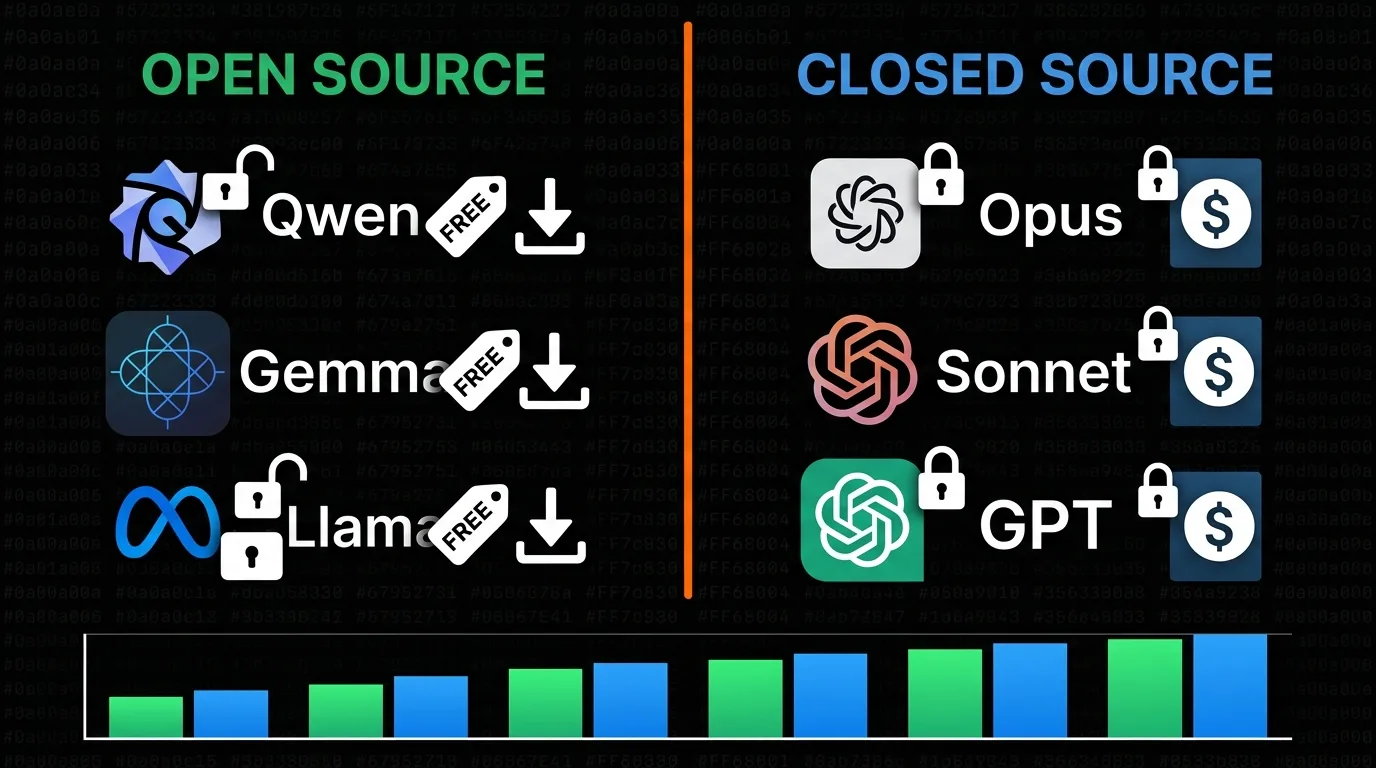
The gap between open and closed source model performance is shrinking fast
The question everyone asks: why doesn't everyone just use open source? Because historically, closed source models have been better. Opus 4.6 and Sonnet 4.6 still sit at the top of coding benchmarks.
But here's what's changed: the gap is shrinking fast. If you look at SWE-bench verified scores (a programming-focused AI benchmark), some open-weight models today outperform Claude Sonnet 3.7 — the model that had everyone freaking out when it dropped. Qwen 3.6, Google Gemma 4, and several others are legitimately competitive for coding tasks.
That said, open source models in Claude Code can misbehave because:
- They might not have been trained on Claude Code's specific tool-calling protocol
- Their context window might be too small for Claude Code's system prompt
- They might not follow the exact JSON format that Claude Code expects
Think of it like putting a motorcycle engine into a truck. It'll work, but you might need to fiddle with it. Some models handle tool calling perfectly; others need some coaxing.
Method 1: Run Local Models with Ollama (Completely Free)
This is the fully local, fully private, fully free method. The model runs on your hardware, nothing leaves your machine, and there are zero ongoing costs.
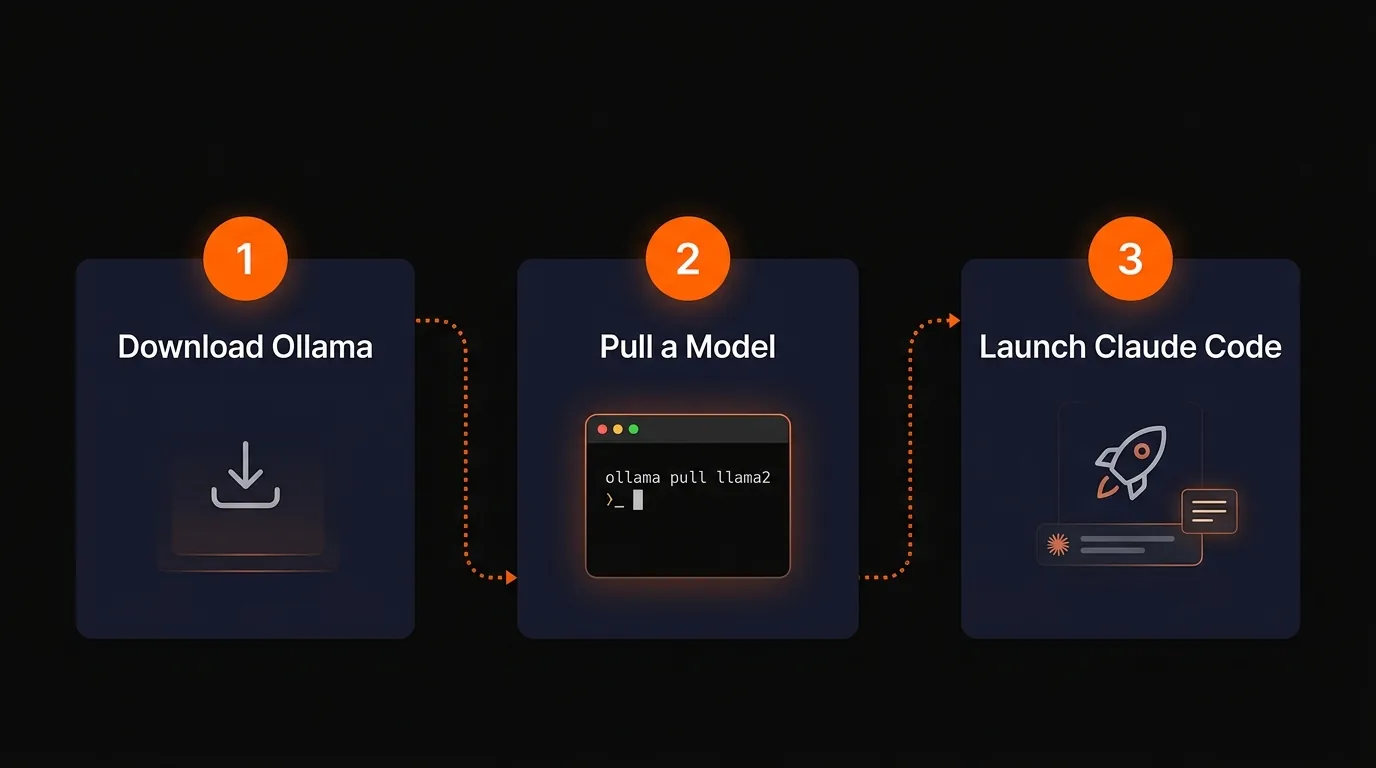
The entire Ollama setup is three steps
Step 1: Download Ollama
Head to ollama.com and download it for your operating system. Install it like any other app.
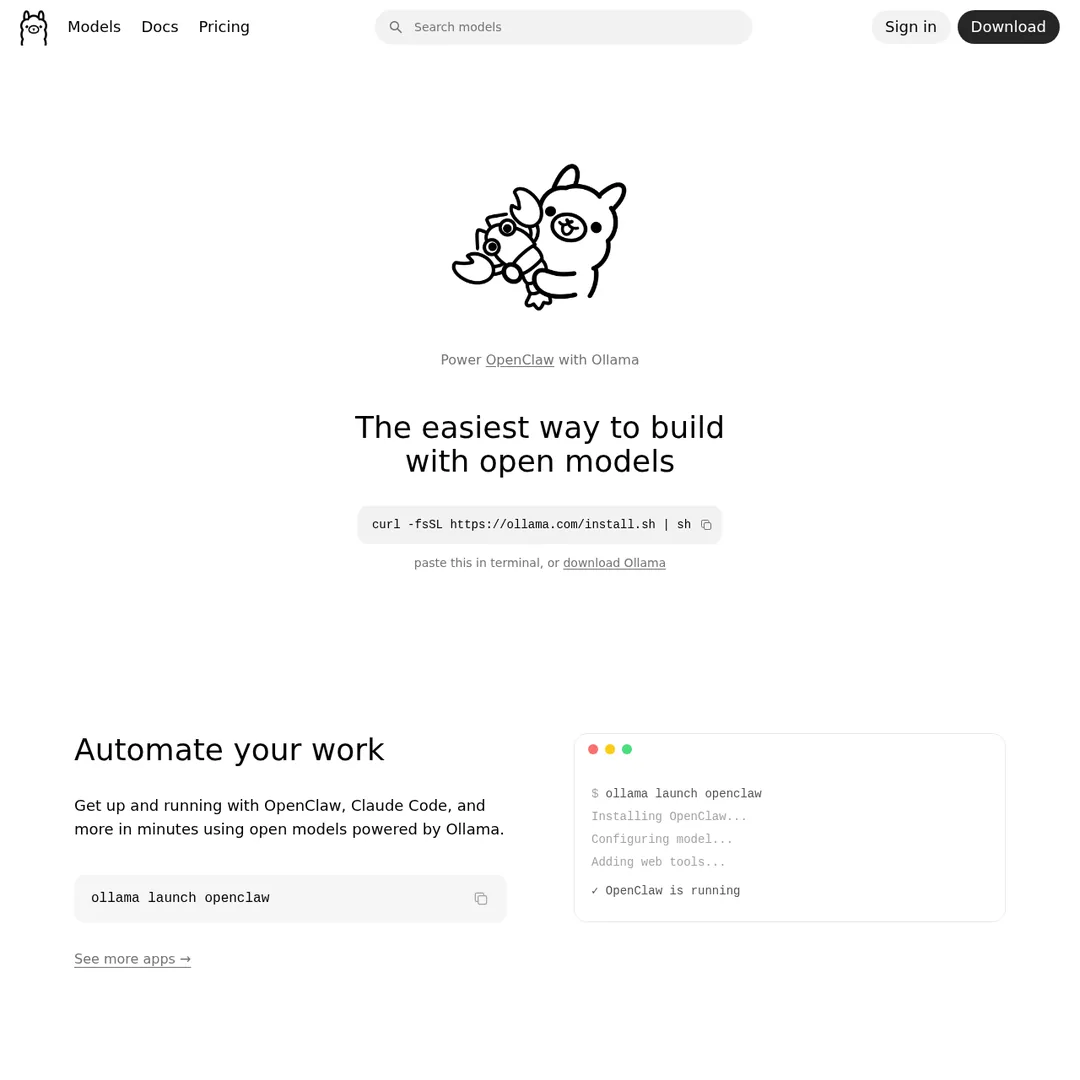
Ollama's homepage — download for your OS
Step 2: Choose and Pull a Model
Click on "Models" at ollama.com to browse the model library. You'll see dozens of options with different sizes, context windows, and capabilities.
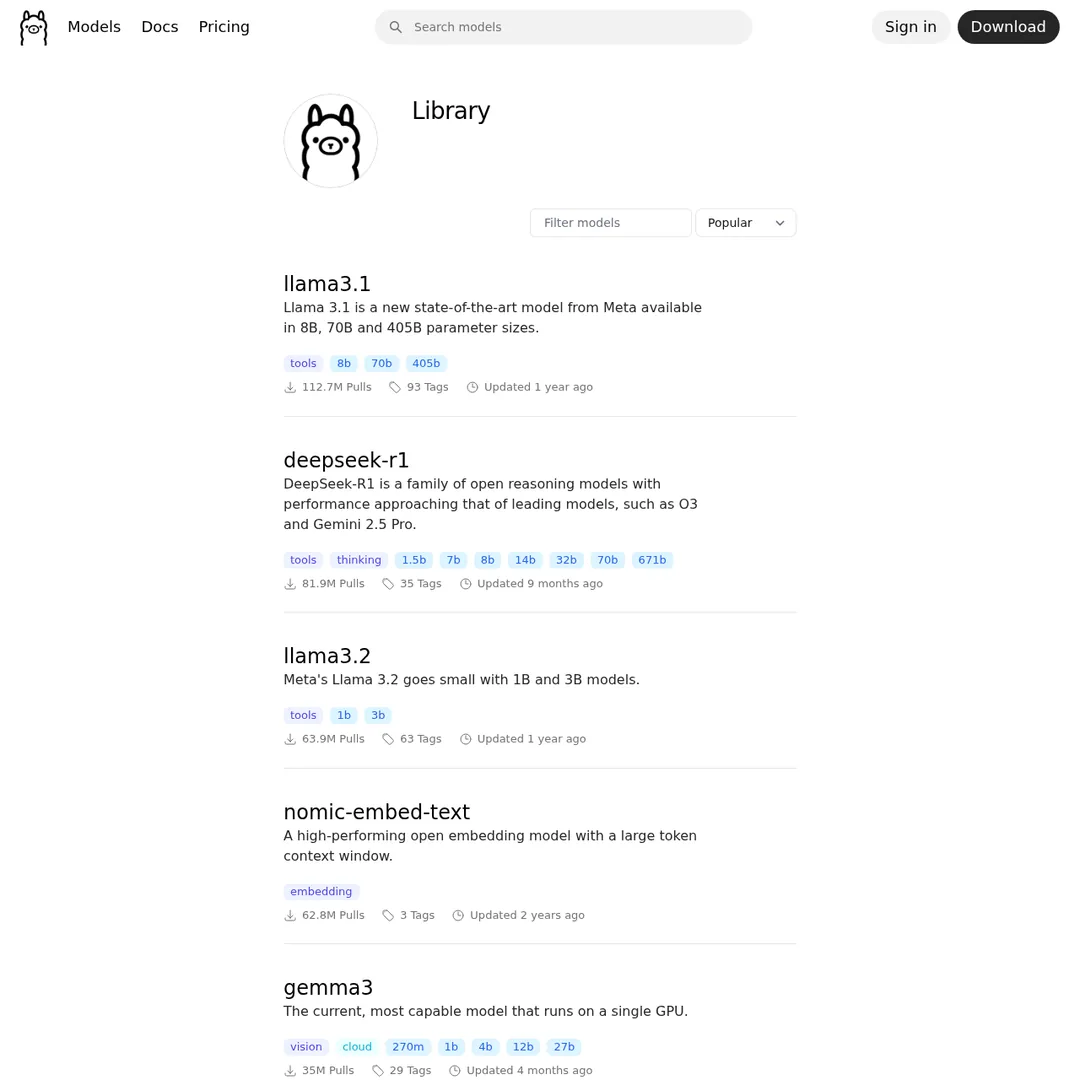
The Ollama model library — look for models with the "tools" tag for best Claude Code compatibility
The key thing to look at is model size versus your hardware. A good starting point:
Once you've picked a model, open your terminal and pull it:
ollama pull qwen3.5:9b
This downloads the model to your local machine. The 9B model is about 6.6 GB — larger models take longer to download but perform better.
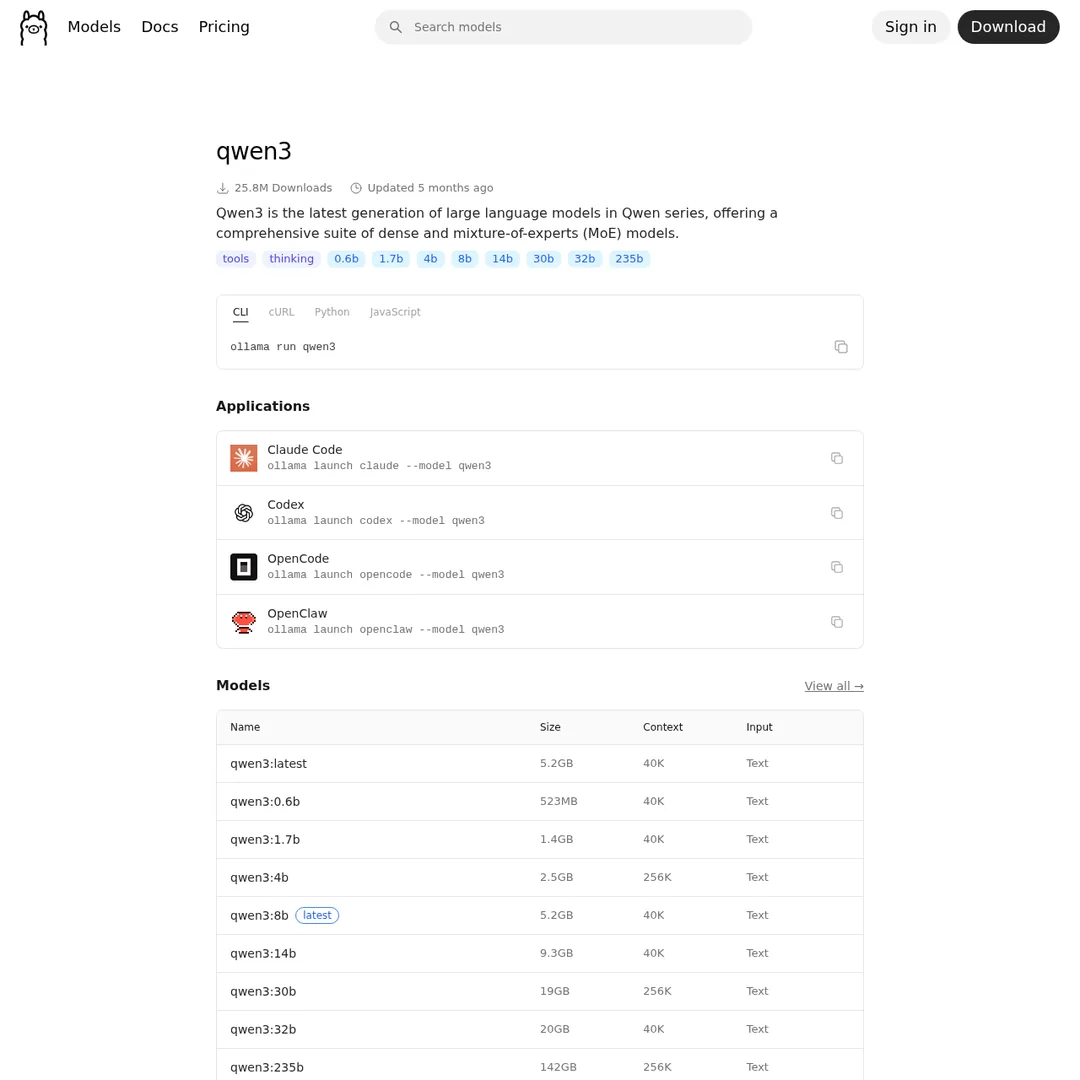
Each model page shows available sizes, benchmarks, and the exact pull command
You can verify it works by chatting with it directly:
ollama run qwen3.5:9b
If it responds, you're good. Hit Ctrl+D to exit the chat.
Step 3: Launch Claude Code with Your Local Model
Now the magic part. Ollama has a built-in integration with Claude Code. Run:
ollama launch claude
This opens Claude Code and lets you pick which local model to use as the engine. Select your downloaded model and you're running Claude Code — same interface, same tools, same file operations — but powered by a free local model.
You'll see "API usage billing" show as free. Every prompt, every tool call, every file read — zero cost.
A Note on the Initial $5 Setup
I need to be upfront about this: you do still need an Anthropic account to use Claude Code. If you don't already have one, the sign-up flow requires either a subscription ($20/month) or a one-time API credit purchase of $5. If you go the API route, that $5 sits in your account but won't be consumed when you're using local models. Think of it as a one-time activation fee for accessing the Claude Code harness.
Fixing the Context Window Issue
One gotcha: Ollama sometimes defaults to a smaller context window than advertised. If your model says it supports 200K tokens but Claude Code seems to lose track of the conversation, you may need to create a custom model file to explicitly set the context size:
# Create a Modelfile with custom context
echo 'FROM qwen3.5:9b
PARAMETER num_ctx 65536' > Modelfile

# Create the custom model
ollama create qwen3.5-64k -f Modelfile

# Now launch Claude Code with it
ollama launch claude
# Select: qwen3.5-64k
After increasing the context window, you should see proper tool-call visibility in Claude Code — the model can now hold enough context to show you what it's doing step by step instead of just spinning until it responds.
What About Ollama Cloud Models?
Ollama also offers cloud-hosted models. For example, you can run MiniMax M2.7 through Ollama's cloud without downloading anything:
ollama launch claude --model miniax-m2.7
The cloud models are significantly faster than local ones and feel much closer to using Sonnet. The catch? Ollama's free tier has limits, and you'll eventually need a subscription for heavy use. But for getting started and testing models, the free tier is generous enough.
Method 2: Free Cloud Models with OpenRouter
This method gives you access to free models running in the cloud — faster than local, no hardware requirements, and still zero cost per token.
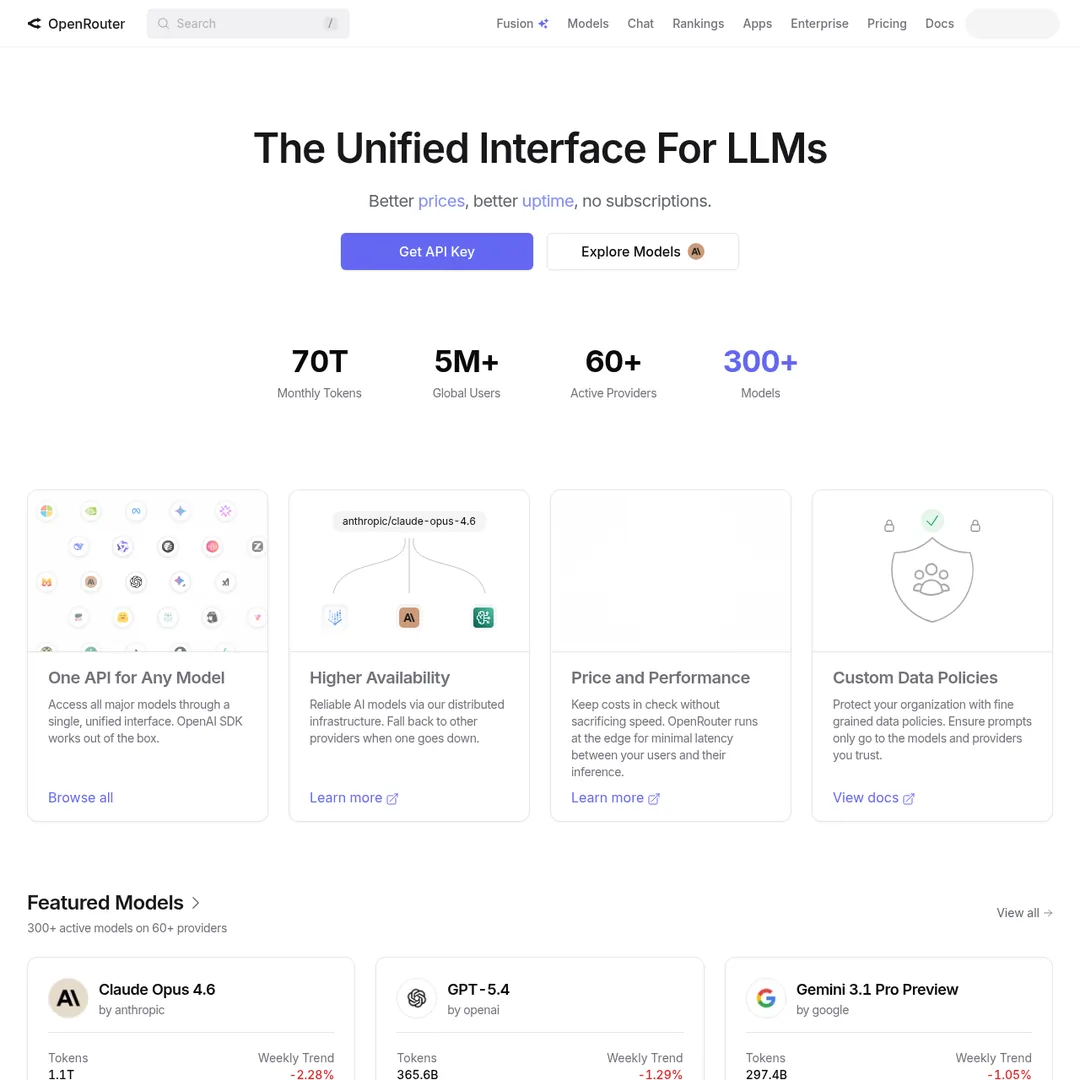
OpenRouter routes your requests to various AI model providers — including free ones
Step 1: Create an OpenRouter Account
Go to openrouter.ai and sign up. Here's the important part: load your account with $5-10. You won't spend this on free models, but OpenRouter uses your balance to determine your rate limits:
50 requests/day is basically nothing for real Claude Code usage. The $10 bump to 1,000 requests is worth it — and again, the money just sits there since free models cost $0.
Step 2: Generate an API Key
In your OpenRouter account, go to Credits → API Keys → Create New Key. Copy the key — you'll need it in a moment.
Step 3: Configure Claude Code's Environment Variables
This is where you tell Claude Code to stop talking to Anthropic and start talking to OpenRouter instead. Open your project's .claude/settings.local.json and add these environment variables:
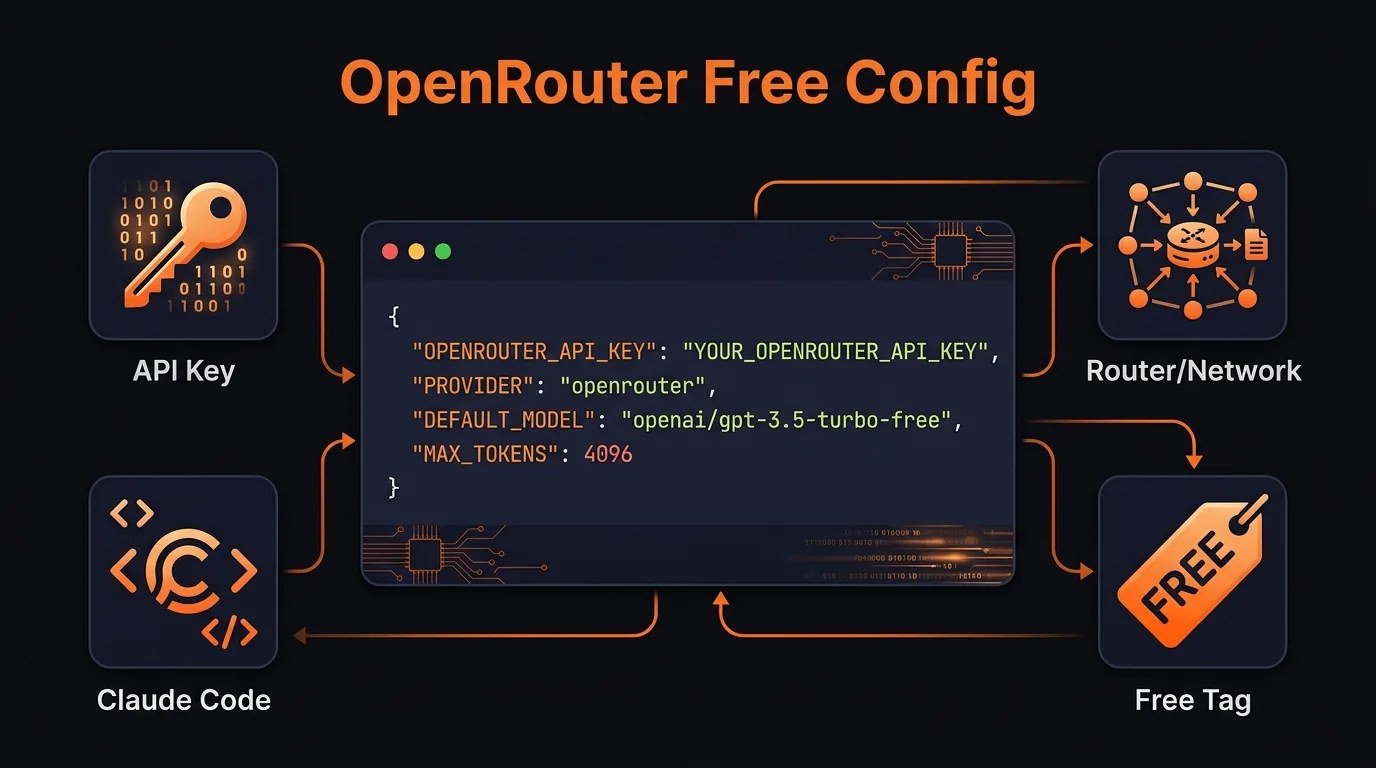
The full OpenRouter configuration — make sure you override ALL model variables
{
  "env": {
    "ANTHROPIC_BASE_URL": "https://openrouter.ai/api",
    "ANTHROPIC_AUTH_TOKEN": "YOUR_OPEN_ROUTER_API_KEY",
    "ANTHROPIC_API_KEY": "",
    "ANTHROPIC_MODEL": "openrouter/auto",
    "ANTHROPIC_SMALL_FAST_MODEL": "openrouter/auto",
    "CLAUDE_CODE_DISABLE_NONESSENTIAL_TRAFFIC": "1"
  }
}
Critical: Override ALL Model Variables
If you only set ANTHROPIC_MODEL and skip ANTHROPIC_SMALL_FAST_MODEL, Claude Code will default to Haiku for tool calls and sub-agent tasks. You'll get silently charged without realizing it. One tester noticed Haiku charges piling up in their OpenRouter logs even though the main model was free. Set every model variable to a free model.
Step 4: Choose Your Free Model
Head to openrouter.ai/collections/free-models to see what's available.
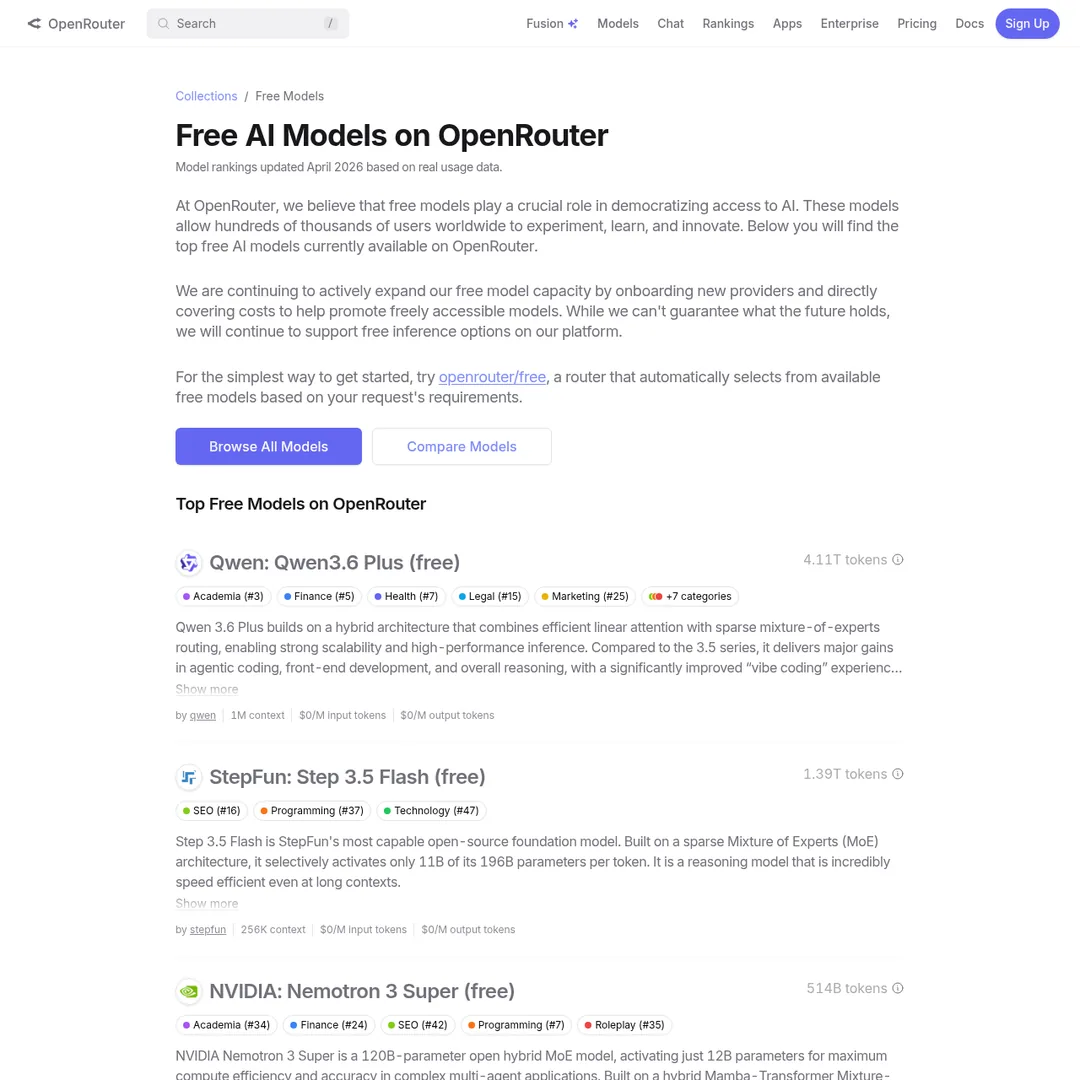
OpenRouter's free model collection — all of these cost $0 per token
The openrouter/auto option is a meta-model that automatically routes you to whichever free model is most available at the moment. It prevents rate limiting but you lose control over which specific model handles your request.
If you want a specific model, replace openrouter/auto with the model ID. For example, to use Qwen 3.6 with its 1M token context window:
"ANTHROPIC_MODEL": "qwen/qwen3-235b-a22b:free",
"ANTHROPIC_SMALL_FAST_MODEL": "qwen/qwen3-235b-a22b:free"
Step 5: Launch and Verify
Open a terminal and type claude. You should see it reporting "Open Router free API billing usage" instead of your Max or Pro plan. Run a test command:
# In Claude Code:
> Create a file called openrouter-test.txt with a joke inside it
Then check your OpenRouter logs. You should see the requests listed at $0.00 cost. If you see any charges for Haiku or Sonnet, go back and make sure you've overridden all the model variables.
When to Use Open Source Models (And When Not To)
I want to be honest here because I've seen too many "free AI" guides that oversell the experience. Open source models are good. They're not always good enough.
Open Source Models Work Well For:
- Reading and summarizing files — scan your codebase, summarize what functions do, prep context for a smarter model
- Searching through code — grep through repos, find relevant files and functions
- Generating scaffolding — boilerplate code, repetitive structures, test templates
- Research and information gathering — web searches, summarizing docs, pulling references
- Organizing and classifying — categorizing tasks, triaging issues, organizing files
- Simple bug fixes and code reviews — straightforward fixes where the scope is clear
Stick With Paid Models For:
- Complex architectural decisions — when you need the model to reason through trade-offs across an entire system
- Production-critical code — anything that can't have subtle bugs or edge case failures
- Multi-step tool calling chains — open source models sometimes lose the thread during complex agent workflows
- Large context reasoning — Opus's 1M token context is still unmatched by most open alternatives
The Fallback Use Case
Even if you primarily use paid models, having a local or OpenRouter setup is valuable for two situations:
- When Claude's servers are down — check status.claude.com if you're having issues, then switch to local rather than sitting idle for 2 hours
- When you hit your session limit — instead of waiting for the cooldown, fire up a local model and keep working on lower-stakes tasks
Cost Comparison: What You're Actually Saving
Let's put real numbers on this.
Even if you don't go fully free, using something like Gemma 4 through OpenRouter at $0.14/million input tokens versus Opus at $5/million is a 97% cost reduction. For most coding tasks that don't need peak intelligence, that's a no-brainer.
The honest take: there's really no such thing as completely free. If you run local models, you're paying in hardware costs and electricity. If you use cloud free tiers, you're paying with rate limits and less model control. The real win is finding the right balance between quality and price for your specific use case.
Pair This With Token Management
Whether you're on free models or paid ones, managing your context window is critical. Open source models typically have smaller context windows than Opus's 1M tokens, which makes token optimization hacks even more important. Use /compact early, keep your CLAUDE.md lean, and start fresh conversations between unrelated tasks.
Related Guides
If you're looking to push Claude Code further without breaking the bank, these will help:
- Claude Code Token Hacks: How to 5x Your Usage Without Upgrading — 18 optimization techniques organized by difficulty tier
- Run OpenClaw Free Forever — another approach to free Claude Code alternatives
- Open Claude: Use Any Model with Claude Code — deep dive into model swapping
Build an AI Tool? Get It in Front of the Right Audience
PopularAiTools.ai reaches thousands of qualified AI buyers.
Submit Your AI Tool →Frequently Asked Questions
Can I really run Claude Code for free?
Yes. You can run Claude Code with free open-source models either locally through Ollama or via OpenRouter's free model tier. You still need an Anthropic account with a $5 minimum credit purchase, but that balance won't be consumed when using open-source models instead of Anthropic's paid models.
Is using Ollama with Claude Code against Anthropic's terms of service?
No. Claude Code is an agent harness, and swapping the underlying model is a supported use case. You're using Anthropic's tooling framework but pointing it at a different model provider. Anthropic's documentation even acknowledges third-party model integrations.
What hardware do I need to run local models with Ollama?
It depends on the model size. A 9B parameter model like Qwen 3.5 requires about 6-7 GB of RAM and runs on most modern machines. Larger models (30B+) need 16-32 GB RAM and ideally a dedicated GPU. Ask Claude Code to analyze your hardware specs and recommend appropriate model sizes.
Why is Claude Code slower with local models?
Local models run on your hardware instead of Anthropic's data center GPUs. A 9B parameter model on a consumer laptop can take 3-4 minutes for tasks that Opus handles in seconds. Larger models or cloud-hosted options through Ollama Cloud are significantly faster.
How do I avoid getting charged for Haiku when using OpenRouter?
You must override ALL model environment variables — not just ANTHROPIC_MODEL. If you only set the main model, Claude Code still defaults to Haiku and Sonnet for sub-agent tasks and tool calls. Set ANTHROPIC_SMALL_FAST_MODEL, CLAUDE_CODE_DISABLE_NONESSENTIAL_TRAFFIC, and the other variables shown in the configuration above to prevent surprise charges.
What are the best free models for coding on OpenRouter?
Qwen 3.6 with its 1M context window is currently one of the strongest free options. The openrouter/auto router automatically picks the most available free model at any given moment. For near-free options, Google Gemma 4 at $0.14 per million input tokens delivers excellent coding performance at roughly 50-100x cheaper than Opus.
What are the limitations of open-source models in Claude Code?
Open-source models may not have been trained on Claude Code's specific tool-calling protocol, can have smaller context windows than Opus's 1M tokens, and might struggle with native web search. They work well for file operations, code scaffolding, and simple edits, but for complex multi-step tasks you may notice quality differences.
When should I use open-source models vs paid Claude models?
Use open-source models for low-stakes tasks like reading files, summarizing code, generating scaffolding, running searches, and simple bug fixes. Use paid models (Opus, Sonnet) for complex architectural work, production-critical code, and tasks where accuracy is non-negotiable. Also use local models as a fallback when Claude's servers are down or you've hit your session limit.
Recommended AI Tools
played.fm
Sell your music and keep 100%: played.fm is a direct-to-fan store + sync marketplace with 0% commission, no gatekeepers, and no bans — a strong fit for AI musicians.
View Review →OpenCode
The open-source AI coding agent: terminal-first TUI, 75+ model providers, LSP context, subagents, and privacy-first design. Free software, ~180K GitHub stars.
View Review →Exa
The neural web search API for AI agents: embeddings-based retrieval, cited highlights, sub-180ms latency, and an MCP server. 20,000 free requests/month.
View Review →Google Antigravity
Google's agent-first IDE: run a fleet of AI agents from a Manager surface, on Gemini 3 Pro, Claude Sonnet 4.5, or OpenAI models. Free in public preview.
View Review →