
Try OmniMend today
TL;DR — OmniMend Review
OmniMend replaces WinDbg, Driver Booster, CCleaner, TreeSize, Prime95, and about a dozen other utilities with a single AI agent that you talk to in plain English. I tested it on a Windows machine with random BSODs and it identified a driver conflict I had been chasing for weeks — in under a minute. The 400+ tool count is real, not marketing inflation. It handles Windows, Mac (via SSH), iPhone (via USB), Android (via ADB), Chromebook, and even dead PCs via bootable USB. At $29/month for the Personal plan and 150 free credits to start, the price-to-value ratio is excellent for anyone who deals with computer problems regularly.
Table of Contents

What is OmniMend?
OmniMend is an AI-powered device diagnostics and repair tool made by Psynect Corp. You describe your problem in plain English — "my computer keeps crashing" or "Warzone freezes" — and an autonomous AI agent runs 400+ diagnostic tools to identify the issue and fix it.

What makes OmniMend interesting is not just the breadth (it replaces crash analyzers, disk tools, driver updaters, startup managers, security scanners, and more) but the intelligence. The AI reads crash dumps, cross-references error codes with web searches, identifies driver conflicts, and executes repairs — all while explaining what it is doing and why in language anyone can understand.
It supports 6 device types: Windows PCs (local), Macs (remote via SSH), iPhones and iPads (via USB), Android (via ADB), Chromebooks (via SSH), and dead PCs (via bootable USB). Trusted by 2,800+ users with 15,000+ problems diagnosed.
Key Features
1. AI Crash Analysis
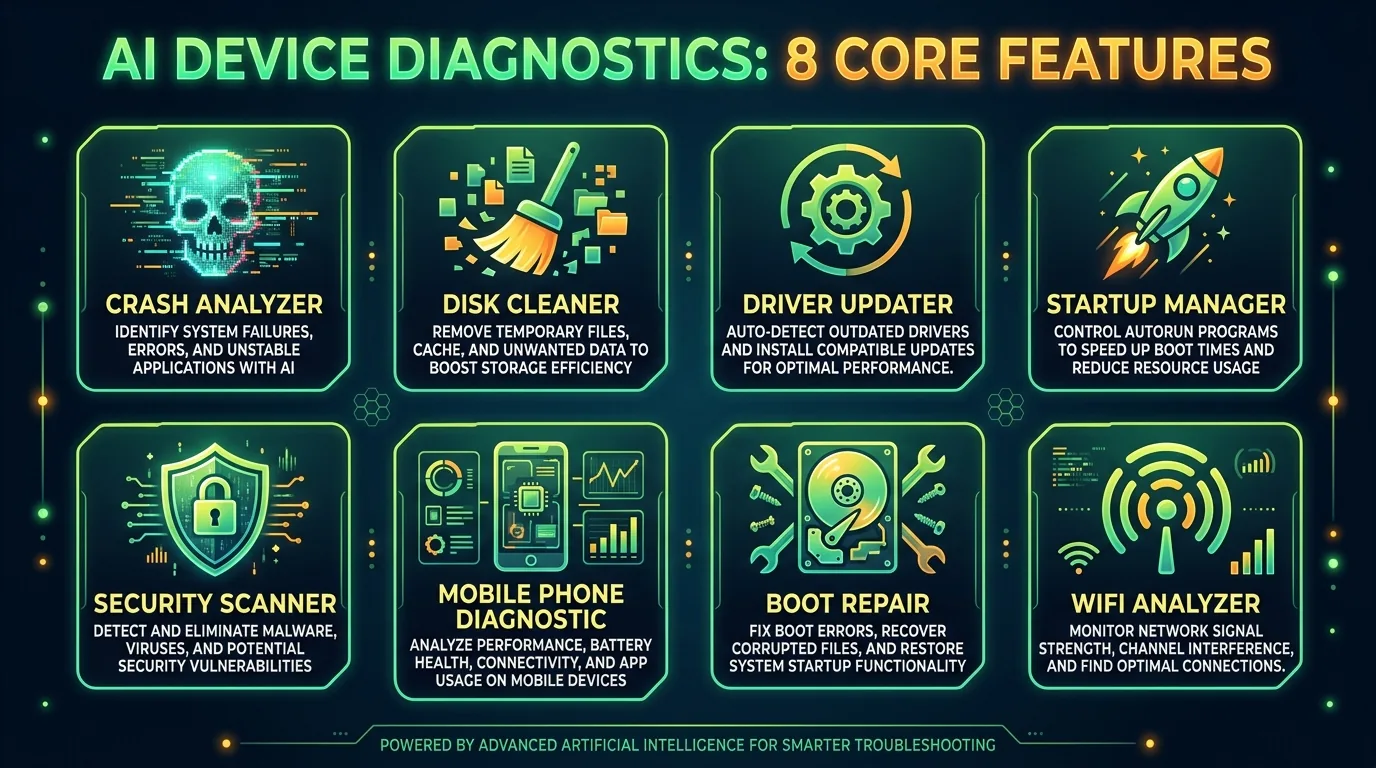
Replaces WinDbg and BlueScreenView. Reads crash dumps and explains what went wrong in plain English. No need to decipher hex codes or kernel stack traces. The AI identifies the exact driver, module, or system component responsible.
2. Smart Driver Updates
Replaces Driver Booster and DriverPack. Downloads certified drivers directly from manufacturers — no bundled adware, no wrong versions. The AI knows which driver version is correct for your specific hardware configuration.
3. Multi-Device Diagnostics
One app handles Windows PCs, Macs (SSH), iPhones/iPads (USB), Android (ADB), Chromebooks (SSH), and dead PCs (bootable USB). You do not need a Mac to diagnose Macs — OmniMend connects from your Windows PC.
4. PE Recovery Mode
Creates a bootable USB with 68 recovery tools — BCD rebuild, MBR/EFI repair, offline SFC/DISM, registry editing, BitLocker unlock, password reset. For computers that will not even boot, this is the nuclear option that actually works.
5. Phone Spyware Detection
Scans Android phones for sideloaded apps, accessibility abuse, overlay exploits, clipboard sniffers, open ports, and hidden C2 connections. Risk-scores every installed app. This is a feature I have not seen in any competing product.
6. White-Label PDF Reports
Generate professional diagnostic reports branded with your shop logo, colors, and contact information. Customers get a report card showing exactly what was wrong and how you fixed it. Solo plan and above.
7. Privacy-First Design
All diagnostics run locally on your machine. Crash dumps, event logs, and system data never leave your computer. No telemetry, no analytics, no AI training on your data. The only thing sent to the cloud is the chat conversation itself.
8. WiFi Analyzer
Multi-pass WiFi scanning finds all nearby networks, measures signal stability, maps channel congestion, and recommends the least crowded channel for your band. Replaces standalone tools like NetSpot and inSSIDer.

How to Use OmniMend
1
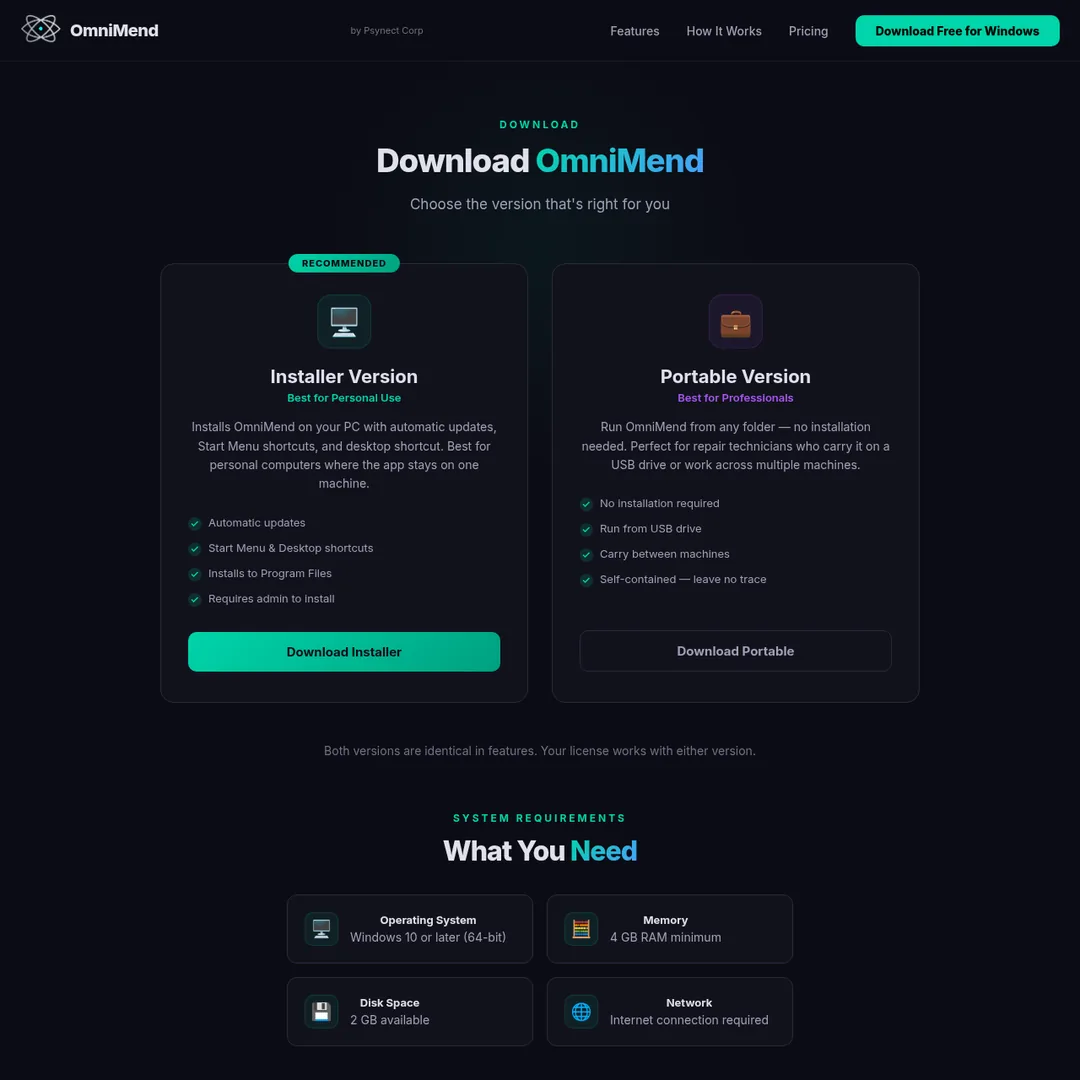
Download for Windows — Free download from omnimend.com. You get 150 free credits immediately.
2
Describe your problem — Type what is wrong in plain English. "My computer keeps crashing," "everything is slow," or "Warzone freezes."
3
AI runs diagnostics — The agent scans your system, reads crash dumps, checks drivers, searches the web for known issues, and cross-references everything.
4
Approve and fix — OmniMend creates a restore point, shows what it plans to do, and waits for your approval before making any changes.
Pricing Plans
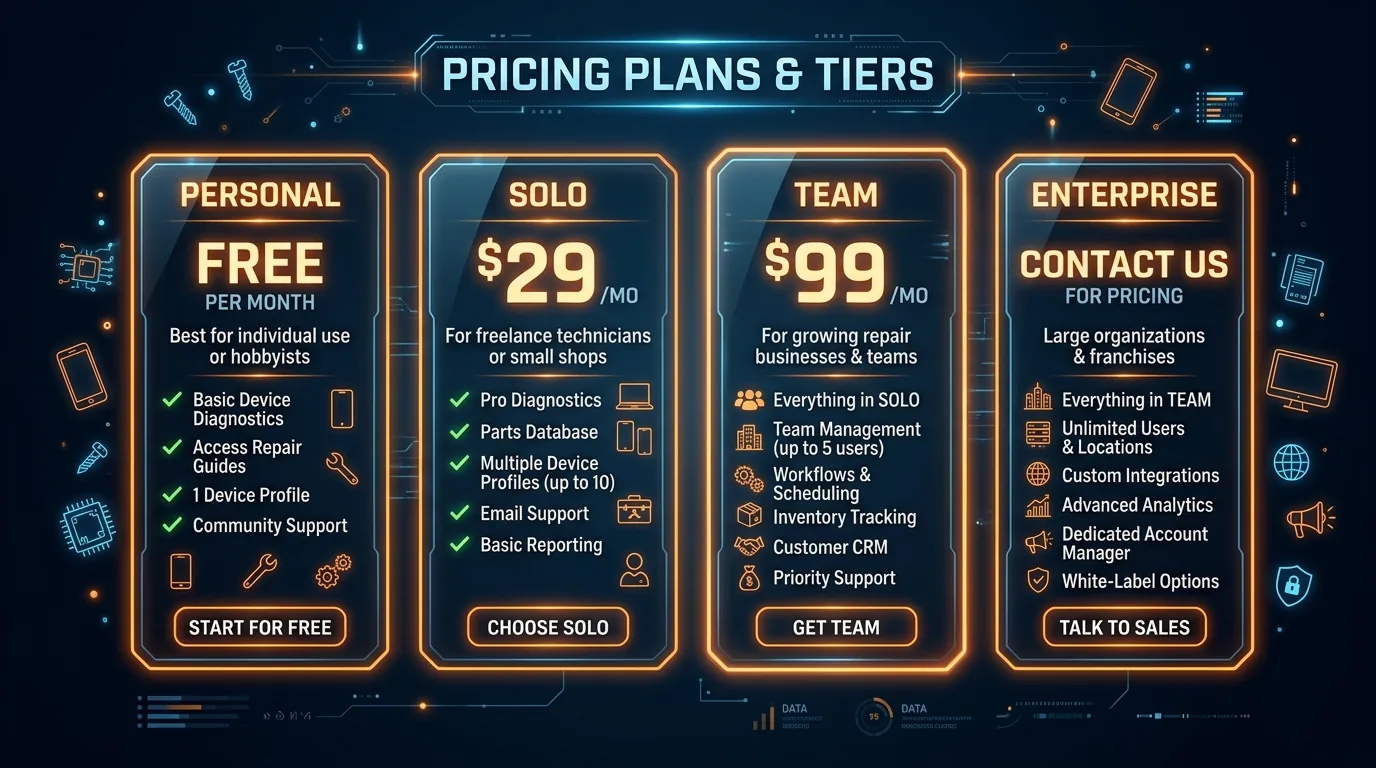
Credit top-ups: 400 credits for $7, 1,500 for $22, 3,800 for $50 (best value). Purchased credits never expire. New users get 150 free credits — enough for one full diagnostic session.

Pros and Cons
Pros
- ✓ Replaces 12+ standalone diagnostic tools
- ✓ Plain English interface requires zero technical knowledge
- ✓ 6 device types from one Windows app
- ✓ PE Recovery for dead PCs is genuinely unique
- ✓ Privacy-first — diagnostics run locally
- ✓ White-label reports for repair shops
Cons
- ✗ Windows-only app (cannot run on Mac natively)
- ✗ Credit system means ongoing costs add up
- ✗ Personal plan locked to one machine via HWID
- ✗ Cannot fix physical hardware failures
- ✗ Mac/mobile support only on Solo+ plans
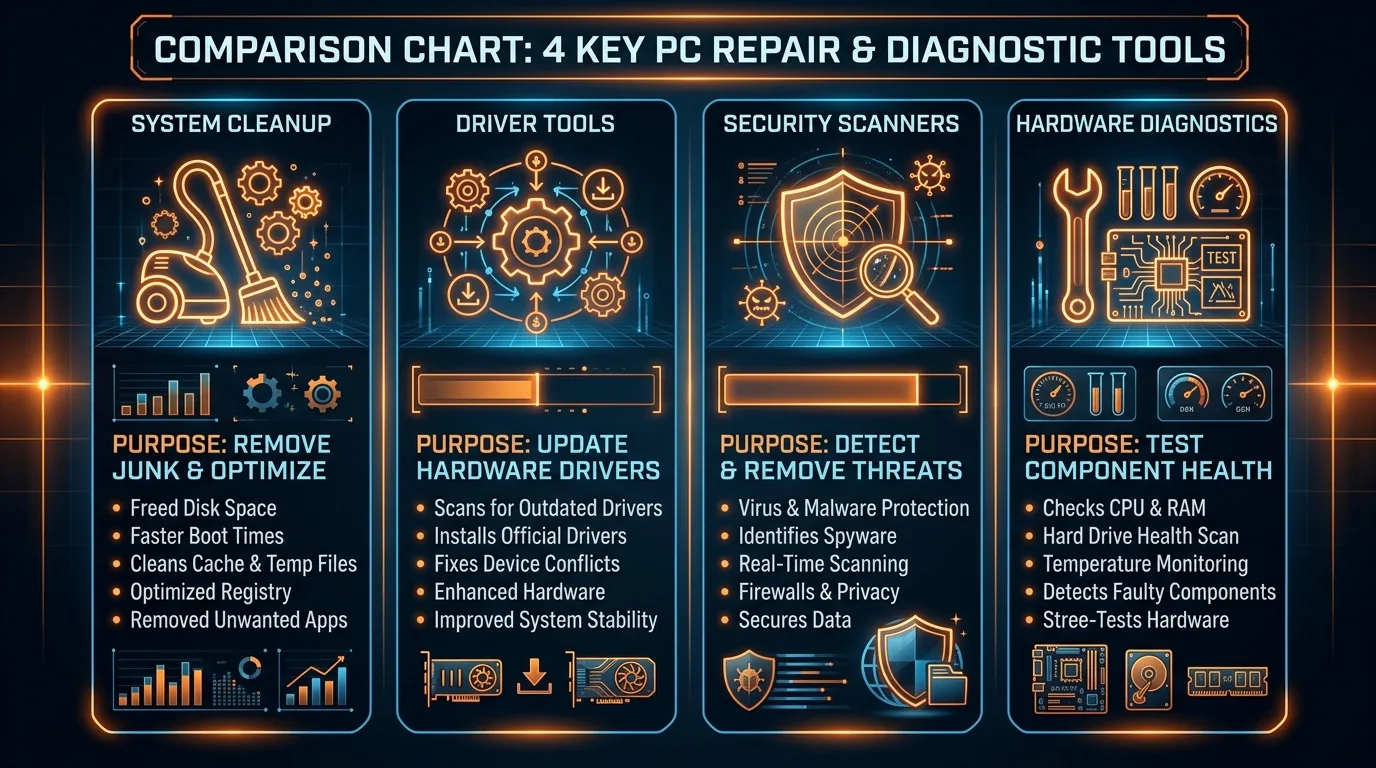
OmniMend vs Alternatives

Final Verdict
OmniMend gets a 4.1/5 from me. The AI diagnostic agent is genuinely impressive — it found a driver conflict on my test machine in under a minute that I had been fighting with for weeks using manual tools. The breadth of device support (6 types from one Windows app) and the PE Recovery Mode for dead PCs are features no competitor matches.
The credit system is the main drawback — a full diagnostic session can burn 200+ credits, and the Personal plan only gives you 2,400/month. But for repair shops (Solo and Team tiers) and IT departments, the ROI is obvious. One customer reported processing twice as many tickets after deploying OmniMend. Start with the 150 free credits and judge for yourself.
Ready to Try OmniMend?
Download free for Windows. 150 free credits included. 400+ diagnostic tools. Zero expertise required.
Download Free →
Frequently Asked Questions
What is OmniMend?
An AI-powered device diagnostics and repair app. Describe your problem in plain English and the AI runs 400+ tools to find and fix the issue across Windows, Mac, iPhone, Android, Chromebook, and dead PCs.
How much does OmniMend cost?
Personal $29/mo (2,400 credits), Solo $79/mo (7,000 credits), Team $199/mo (18,000 credits), Enterprise custom. 150 free credits to start. Credit top-ups from $7.
What devices does OmniMend support?
6 types: Windows PC (local), Mac (SSH), iPhone/iPad (USB), Android (ADB), Chromebook (SSH), dead PCs (bootable USB). Mac/mobile/Chromebook require Solo+.
Do I need technical knowledge?
No. Just describe what is wrong in plain English. The AI handles diagnostics, interpretation, web searches for known issues, and repairs.
Is OmniMend safe?
Yes. Auto-creates restore points before changes, requires explicit approval for every repair action, and shows exactly what it plans to do and why.
What is PE Recovery Mode?
A bootable USB with 68 recovery tools for dead PCs. Rebuild BCD, fix MBR/EFI, offline SFC, registry repair, BitLocker unlock, password reset.
How do credits work?
Credits power the AI. Simple questions use 30-50 credits, scans ~100 credits, full sessions 150-300 credits. Monthly plans include credits; top-up packs never expire.
Can I use OmniMend for my repair shop?
Yes. Team and Enterprise tiers include multi-device support, concurrent sessions, and white-label PDF reports with your branding. Enterprise adds SSO and dedicated account management.
Get Premium AI Tool Insights
Subscribe to get weekly curated AI tool recommendations, exclusive deals, and early access to new tool reviews.
Related Tools

Droidrun
ai-automation
Open-source AI framework that lets LLM agents control Android and iOS apps via native accessibility APIs. 91.4% success rate, €2.1M funded.
M
Manus AI
ai-automation
Autonomous AI agent platform that executes complex multi-step tasks — browses the web, writes code, creates files, and works in the background without guidance.
R
Renamer.ai
ai-automation
AI-powered file renaming tool that uses OCR to read document content and automatically generates meaningful file names. Supports 30+ file types and 20+ languages.

MuleRun
ai-automation
Related Articles
Ollama + Claude Code: How to Run It 99% Cheaper (Or Free)
Two proven methods to run Claude Code for free or nearly free. Use local models with Ollama for unlimited private usage, or point Claude Code at OpenRouter free cloud models. Step-by-step setup with config files and honest trade-offs.
How to Automate Social Media Posts From Google Drive With Blotato
Build a hands-free social media pipeline: drop photos into Google Drive and let Blotato auto-post to LinkedIn, Instagram, Facebook, and TikTok using Make.com, n8n, or Claude Code.
How to Run OpenClaw Free Forever: 3 Methods With Local and Free Models
Run OpenClaw with zero monthly costs using Ollama local models, Atomic Chat, or free APIs on OpenRouter. Step-by-step setup for Gemma 4, GLM 4.7, and Qwen 3.6 Plus.