
Try Uplizd today

TL;DR
Uplizd is an ambitious AI workflow platform that bundles agent building, RAG pipelines, and 2,000+ tool integrations into a visual drag-and-drop interface. The free tier is surprisingly generous for testing, and the pricing undercuts most competitors. Where it shines is AI-native workflow design — connecting LLMs, vector databases, and enterprise APIs in a single canvas. Where it falls short is maturity: some integrations feel half-baked, documentation is thin, and the platform is still finding its footing against established players like Zapier and Make. If you want a dedicated AI app builder rather than a general-purpose automation tool, Uplizd deserves a look.
4.1
/5 rating
Try Uplizd →
Table of Contents
What is Uplizd?
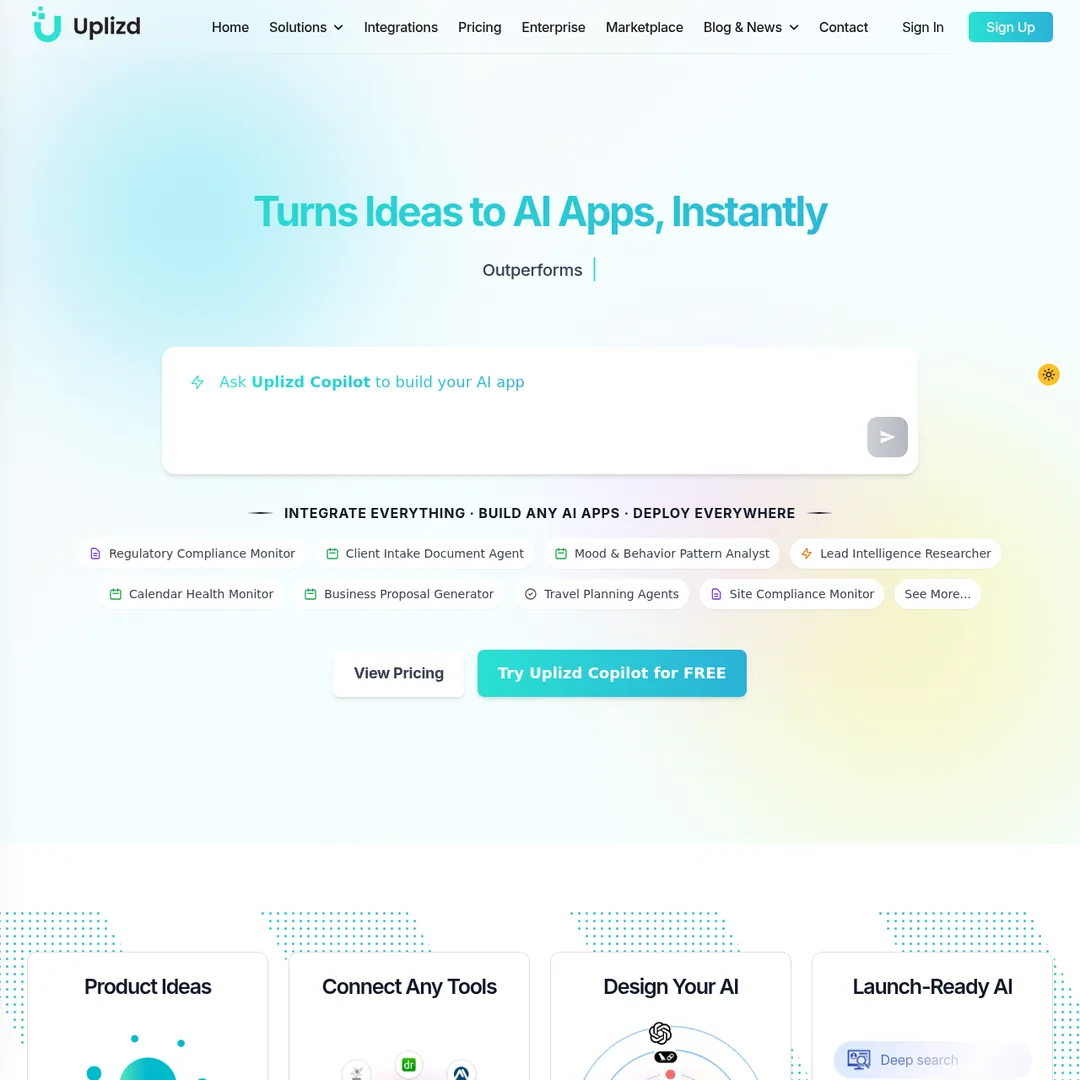
Uplizd is a visual AI workflow platform that lets you build, test, and deploy AI applications without writing a single line of code. Think of it as Zapier crossed with an AI development studio — you get drag-and-drop automation alongside LLM orchestration, retrieval-augmented generation (RAG), and agent deployment in one unified interface.
The platform targets a wide audience: solo developers prototyping AI apps, agencies building client solutions, and enterprises looking to automate internal workflows. What makes it different from traditional automation tools is its AI-first design. Every workflow can tap into 65+ LLM providers, vector databases, and custom knowledge bases. You are not just connecting App A to App B — you are building intelligent agents that reason through multi-step processes.
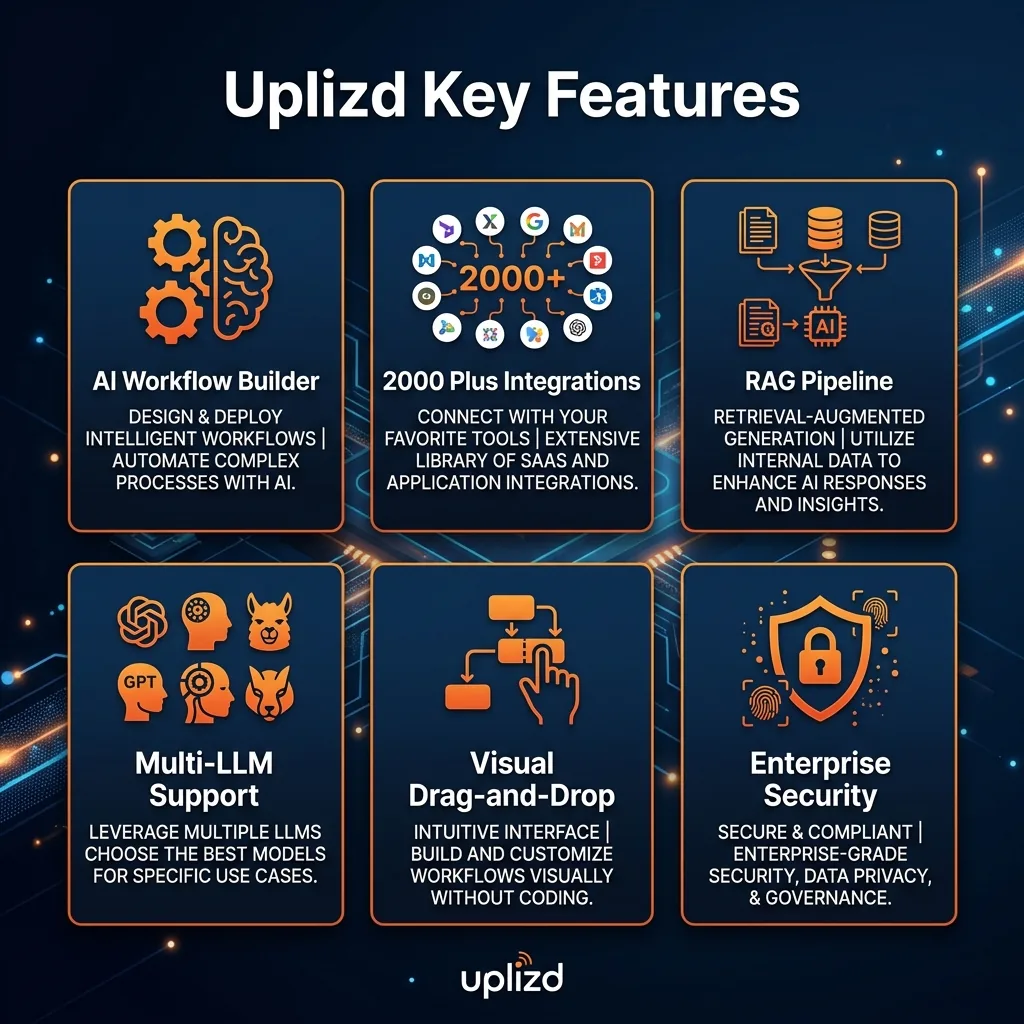
Uplizd claims 2,000+ pre-built components spanning 60+ industries including healthcare, finance, government, e-commerce, and automotive. They also offer MCP server connections, which is interesting for teams already invested in the Model Context Protocol ecosystem. The Copilot feature lets you describe what you want in plain English and generates the workflow skeleton for you, cutting setup time from hours to minutes.

Key Features
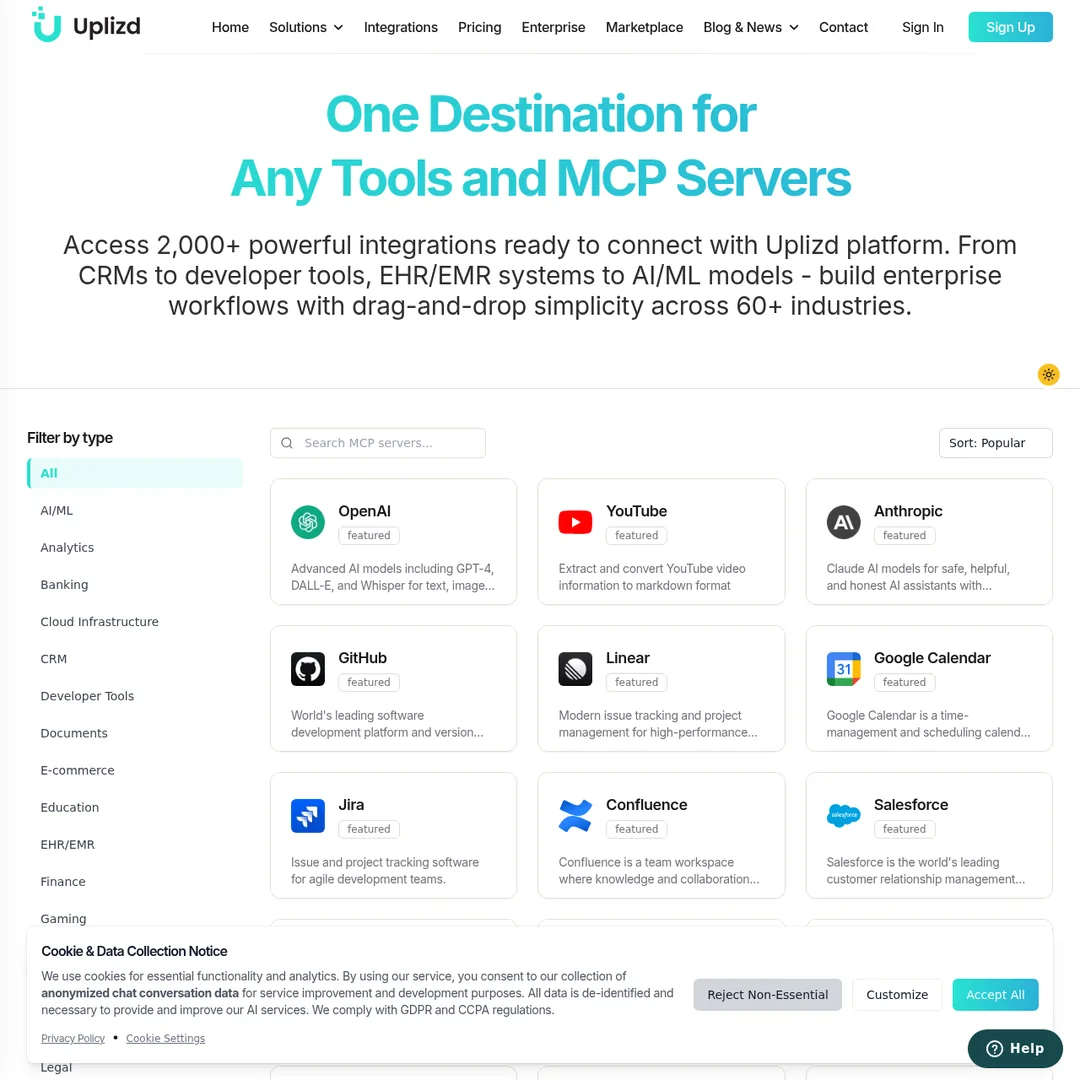
Visual Drag-and-Drop Builder
The canvas-based workflow editor lets you wire together components visually. Drop in an LLM node, connect it to a data source, add a conditional branch, and deploy — no terminal required. I found the interface responsive and fairly intuitive once you learn the node types.
2,000+ Component Library
Pre-built integrations across healthcare (121 EHR/EMR systems), financial services (41 systems), government APIs (37 exclusive endpoints), and more. The breadth is impressive on paper, though some niche integrations need polishing.
Multi-LLM Orchestration
Supports 65+ AI providers including OpenAI, Anthropic Claude, Google Gemini, and open-source models. You can chain different models in the same workflow — use a fast model for classification and a reasoning model for analysis. Bring your own API keys on every tier.
RAG Pipeline Builder
Build retrieval-augmented generation pipelines with built-in vector store support (Chroma and others). Upload knowledge documents, chunk and embed them, then wire the retrieval step into your agent flow. This is a genuine differentiator versus pure automation tools.
Uplizd Copilot
Describe your AI app in natural language and Copilot generates the workflow structure. It suggests components, configures connections, and scaffolds the entire pipeline. I tested it with "build a customer support chatbot with FAQ knowledge base" and it produced a workable starting point in under a minute.
MCP Server Support
Connect to Model Context Protocol servers to extend your AI agents' capabilities. This is forward-looking — as the MCP ecosystem grows, Uplizd workflows can tap into new tool servers without rebuilding your pipelines.
Multi-Platform Deployment
Deploy AI apps to web, mobile, internal systems, cloud APIs, and more. The platform handles hosting, scaling, and endpoint management. You can also self-host for compliance-sensitive use cases.
How to Use Uplizd
Step-by-Step Guide
1Create Your Account
Head to uplizd.ai and sign up. The free tier gives you 1,000 executions per month with 5 active workflows — enough to test whether the platform fits your use case before spending anything.
2Start with Copilot or Templates
Either describe your AI app to Uplizd Copilot in plain English, or browse the marketplace for pre-built templates. Copilot generates a workflow skeleton that you can customize. Templates cover common patterns like chatbots, data pipelines, and document processors.
3Configure Your Components
Connect your LLM API keys, data sources, and output destinations. Each component has a configuration panel where you set parameters, prompts, and connection details. The visual editor shows data flow between nodes clearly.
4Test Your Workflow
Run the workflow in test mode to verify each step processes data correctly. Uplizd shows intermediate outputs at each node so you can debug issues before deploying. I recommend testing with small datasets first to avoid burning through executions.
5Deploy and Monitor
Deploy to Uplizd's cloud or your own infrastructure. The platform provides execution logs, error tracking, and version control for all workflows. Set up webhooks or schedule triggers for automated runs.

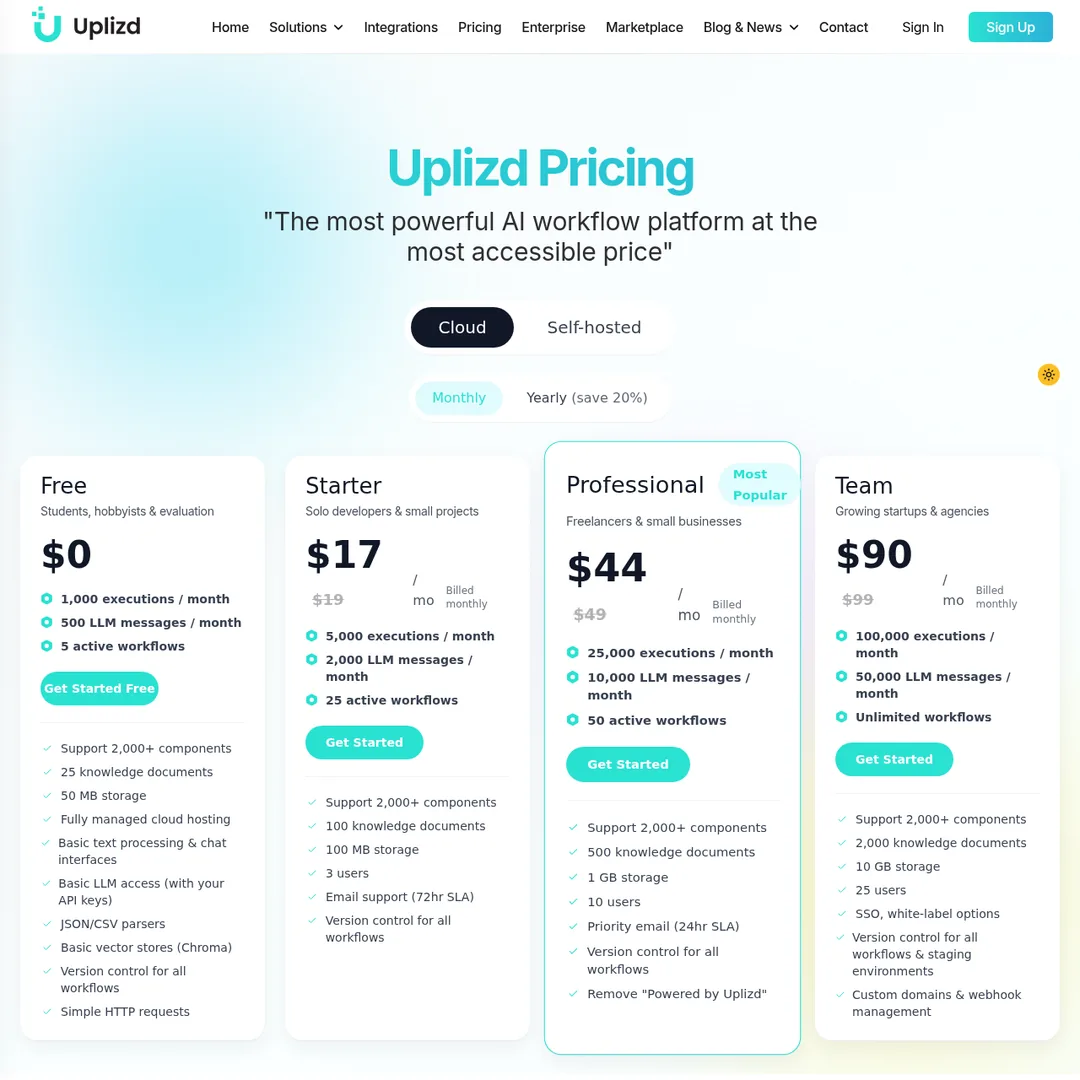
Pricing Plans
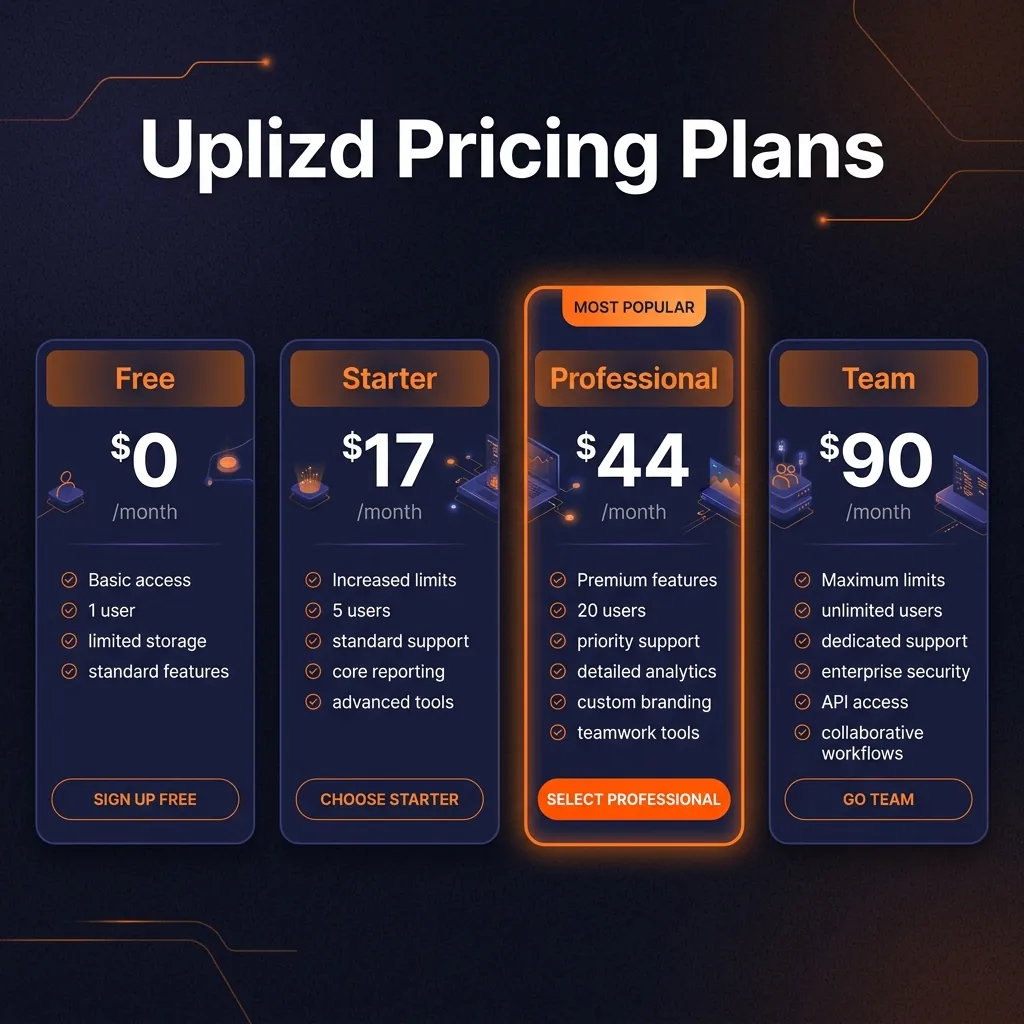
Free
$0/mo
Students & evaluation
- 1,000 executions/month
- 500 LLM messages/month
- 5 active workflows
- 50 MB storage
- Basic vector stores
Starter
$17/mo
Solo developers
- 5,000 executions/month
- 2,000 LLM messages/month
- 25 active workflows
- 100 MB storage
- 3 team members
MOST POPULAR
Professional
$44/mo
Freelancers & small businesses
- 25,000 executions/month
- 10,000 LLM messages/month
- 50 active workflows
- 1 GB storage
- Remove branding
Team
$90/mo
Growing startups & agencies
- 100,000 executions/month
- 50,000 LLM messages/month
- Unlimited workflows
- 10 GB storage, SSO
- 25 team members
Annual Discount: All paid plans save 20% when billed yearly. The Professional plan drops to $35/mo annually, which is competitive against most alternatives in this space. Enterprise pricing is available on request for organizations needing custom SLAs, dedicated support, and HIPAA/SOC2 compliance.
Pros and Cons
✓Pros
AI-Native Architecture
Unlike bolt-on AI features in automation tools, Uplizd was built for AI workflows from the ground up. RAG pipelines, agent orchestration, and multi-model chaining are first-class citizens, not afterthoughts.
Generous Free Tier
1,000 executions and 500 LLM messages per month for free is genuinely useful. Most competitors gate their free tiers so heavily that you can barely test anything meaningful.
Competitive Pricing
At $44/mo for the Professional tier with 25,000 executions, Uplizd undercuts Zapier ($49.99 for 750 tasks) by a huge margin on a per-execution basis.
Broad Industry Coverage
Healthcare, finance, government, and automotive integrations that most competitors simply do not offer. If you work in a regulated industry, this breadth matters.
✗Cons
Young Platform
Uplizd lacks the battle-tested reliability of Zapier or Make. Some integrations feel half-implemented, and edge cases occasionally break workflows. Expect to work around rough edges.
Thin Documentation
The docs cover basic setup but lack depth on advanced configurations. When a component does not behave as expected, you are often left guessing. Community resources are also still growing.
Inflated Claims
Advertising "$45T+ Accessible Markets" and "100% Exclusive" government access feels like aggressive marketing. Some of the 2,000+ component count includes very thin wrappers. Take the numbers with a grain of salt.
Limited Community
No active forum, limited third-party tutorials, and few Stack Overflow answers. When you hit a wall, support is your only option. This matters for developers who rely on community knowledge.

Alternatives Comparison
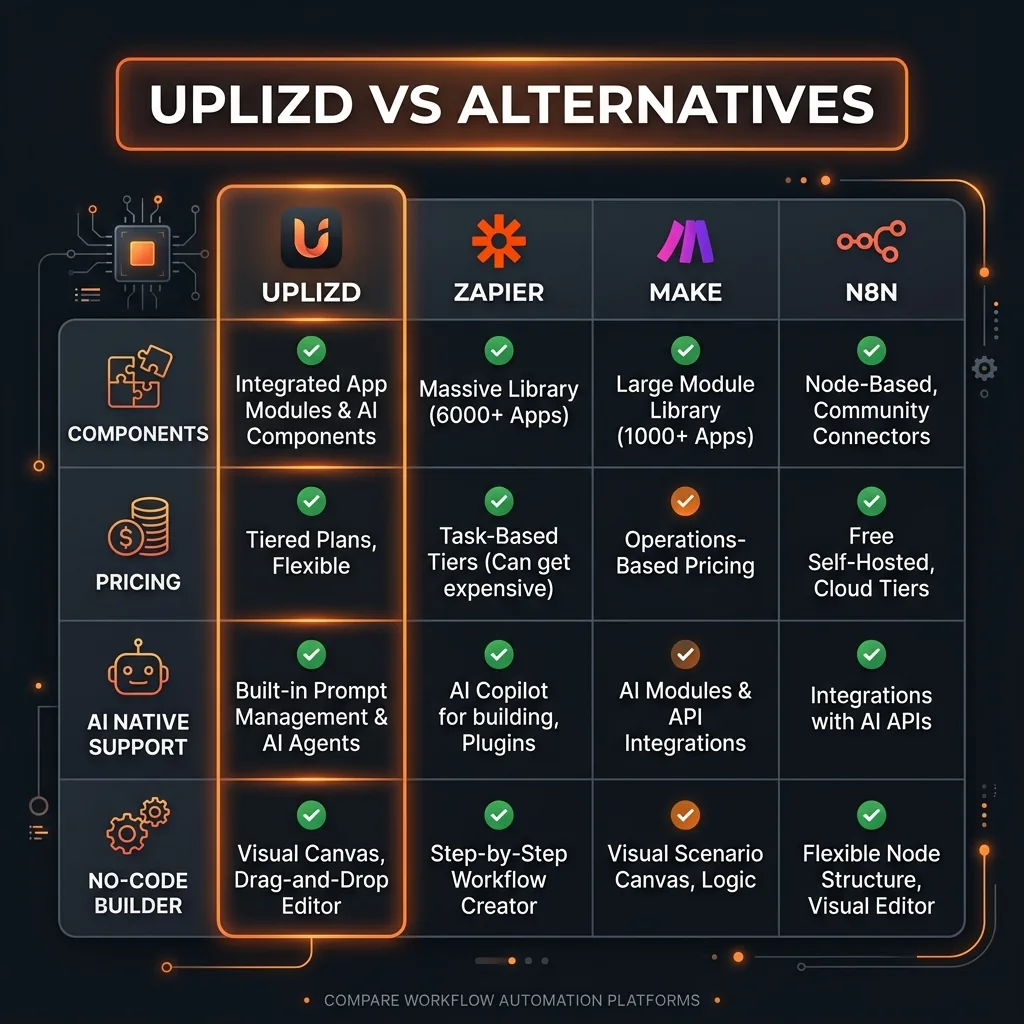
Zapier has the biggest integration library and the most proven reliability, but it bolts AI features onto a traditional automation framework. You pay per task, which gets expensive fast at scale.
Make (Integromat) offers excellent visual workflow building at a lower price point, but its AI capabilities are limited to connecting to external AI APIs. No native RAG or agent orchestration.
n8n is the open-source contender with self-hosting capability. Great for developers comfortable with code, but it lacks the polished no-code experience and AI-native features that Uplizd provides out of the box.
Final Verdict
Uplizd is a genuinely interesting platform that fills a gap between general-purpose automation tools and custom-coded AI pipelines. If you need to build AI-powered apps — chatbots, document processors, data analysis agents, knowledge-base search — and you do not want to wire everything together manually in Python, Uplizd gives you a visual canvas to do it.
The pricing is fair. The feature set is ambitious. The multi-model support and RAG integration put it ahead of Zapier and Make for pure AI use cases. But it is still maturing, and the marketing claims sometimes outpace what the product actually delivers today.
My recommendation: try the free tier for your specific use case. If it works, the paid plans are a solid value. If you need rock-solid reliability with 10,000+ integrations and do not care about AI-native features, stick with Zapier or Make for now.

Ready to Try Uplizd?
Start building AI workflows with 2,000+ components. Free tier available.
Try Uplizd Free →Frequently Asked Questions
Is Uplizd free to use?
Yes, Uplizd offers a free tier with 1,000 executions per month, 500 LLM messages, and 5 active workflows. It is enough to test the platform and build simple automations before upgrading.
What integrations does Uplizd support?
Uplizd claims 2,000+ components across 60+ industries, including healthcare EHR/EMR systems, financial APIs, government data endpoints, e-commerce platforms, and major CRMs. It also connects to MCP servers.
How does Uplizd compare to Zapier?
Uplizd is AI-native with built-in LLM access, RAG pipelines, and AI agent builders. Zapier focuses on traditional automation triggers and actions. Uplizd costs less at the entry level but Zapier has more proven reliability and a larger integration ecosystem.
Can I use my own API keys with Uplizd?
Yes, even on the free tier you can bring your own API keys for LLM providers like OpenAI, Anthropic Claude, and Google Gemini. This gives you flexibility in choosing models without vendor lock-in.
Does Uplizd support self-hosting?
Yes, Uplizd offers self-hosted deployment alongside its cloud plans. This is useful for enterprises with strict data residency or compliance requirements.
What AI models can I use with Uplizd?
Uplizd supports 65+ AI and LLM providers including GPT-4, Claude, Gemini, and open-source models. It also integrates with vector databases and supports custom RAG setups.
Is Uplizd good for building AI chatbots?
Yes, chatbot creation is one of its core use cases. The visual builder lets you design conversation flows, connect knowledge bases, and deploy chatbots to web, mobile, or internal systems without coding.
What is Uplizd Copilot?
Uplizd Copilot is a built-in AI assistant that helps you build workflows by describing what you need in natural language. It generates the workflow structure, suggests integrations, and configures components automatically.

Get Premium AI Tool Insights
Subscribe to get weekly curated AI tool recommendations, exclusive deals, and early access to new tool reviews.
Related Tools

Droidrun
ai-automation
Open-source AI framework that lets LLM agents control Android and iOS apps via native accessibility APIs. 91.4% success rate, €2.1M funded.
M
Manus AI
ai-automation
Autonomous AI agent platform that executes complex multi-step tasks — browses the web, writes code, creates files, and works in the background without guidance.
R
Renamer.ai
ai-automation
AI-powered file renaming tool that uses OCR to read document content and automatically generates meaningful file names. Supports 30+ file types and 20+ languages.

MuleRun
ai-automation
Related Articles
Ollama + Claude Code: How to Run It 99% Cheaper (Or Free)
Two proven methods to run Claude Code for free or nearly free. Use local models with Ollama for unlimited private usage, or point Claude Code at OpenRouter free cloud models. Step-by-step setup with config files and honest trade-offs.
How to Automate Social Media Posts From Google Drive With Blotato
Build a hands-free social media pipeline: drop photos into Google Drive and let Blotato auto-post to LinkedIn, Instagram, Facebook, and TikTok using Make.com, n8n, or Claude Code.
How to Run OpenClaw Free Forever: 3 Methods With Local and Free Models
Run OpenClaw with zero monthly costs using Ollama local models, Atomic Chat, or free APIs on OpenRouter. Step-by-step setup for Gemma 4, GLM 4.7, and Qwen 3.6 Plus.