
Hugo Review 2026: AI Customer Support Agent — Features, Pricing & Alternatives
Updated March 2026 · 14 min read · By PopularAiTools.ai
TL;DR
Hugo is an AI-powered customer support agent by Crisp that autonomously resolves up to 60% of support tickets across 10 channels. With flexible AI model selection (Claude, GPT, Llama), a no-code workflow builder, and MCP integration for live data access, Hugo delivers enterprise-grade automation starting at $45/month. It excels at freeing human agents for complex issues while maintaining quality with smart escalation. Rating: 4.3/5
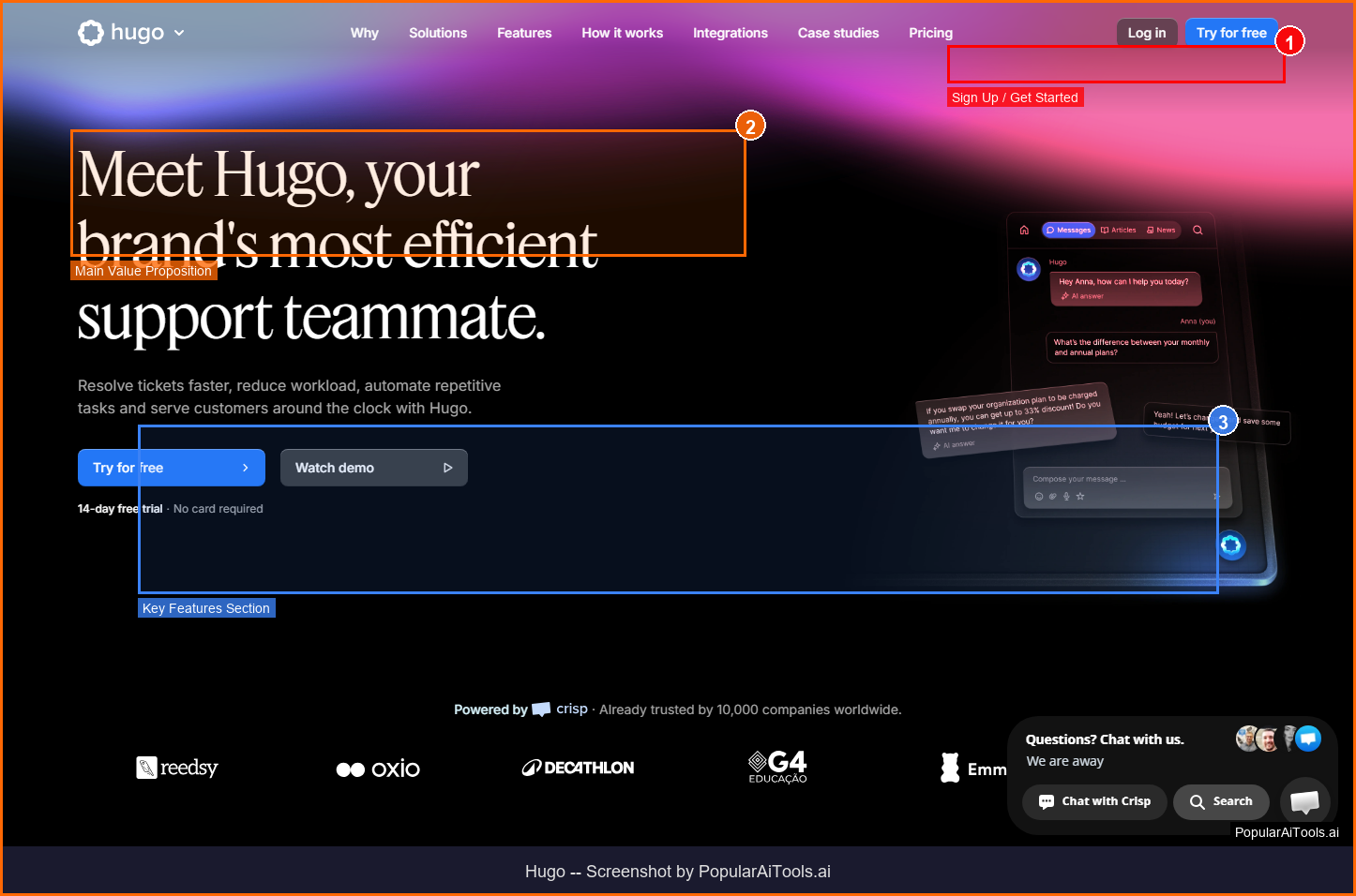
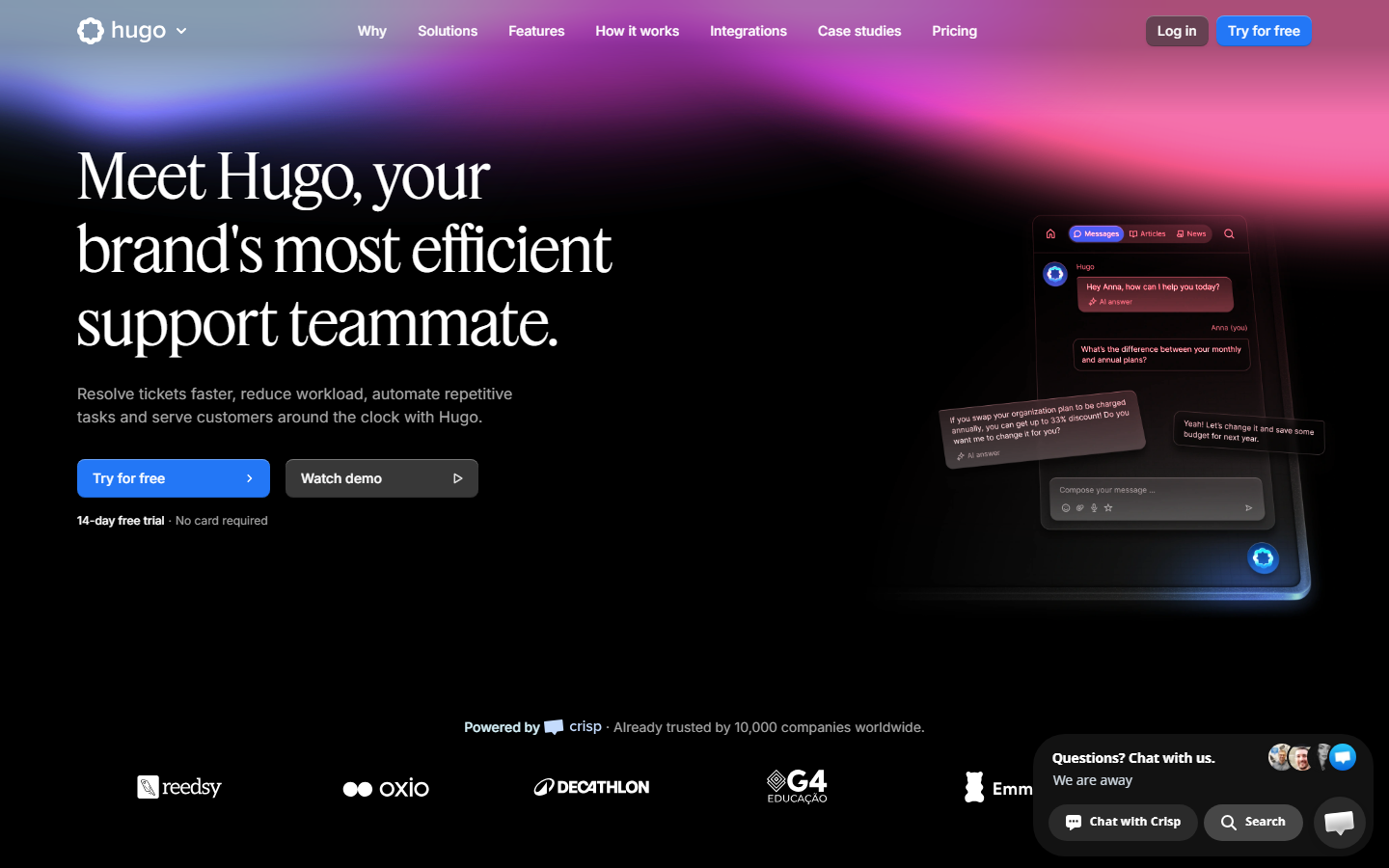
Hugo homepage — AI-first customer support automation platform by Crisp
What is Hugo?
Hugo is an AI customer support agent developed by Crisp, designed to autonomously handle customer conversations across multiple channels without human intervention. Unlike simple chatbots that follow rigid decision trees, Hugo uses advanced language models to understand context, access live business data, and resolve complex queries end-to-end.
What sets Hugo apart in 2026 is its Model Context Protocol (MCP) integration, which allows it to connect directly to your CRM, knowledge base, order management system, and other business tools. This means Hugo doesn't just answer questions from a static FAQ — it can look up order statuses, process returns, check inventory, and perform real actions on behalf of customers.
The platform supports flexible AI model selection, letting you choose between Claude, ChatGPT, Llama, or even your own fine-tuned models. This flexibility is rare in the customer support AI space, where most competitors lock you into a single provider. Hugo operates across up to 10 channels simultaneously — including live chat, email, WhatsApp, Instagram, Facebook Messenger, and more — maintaining conversation context across multi-turn interactions.
Built on Crisp's established customer messaging infrastructure, Hugo benefits from years of enterprise reliability. The no-code interface means any team member can train, deploy, and manage the AI without technical expertise, making it accessible to support teams of all sizes.
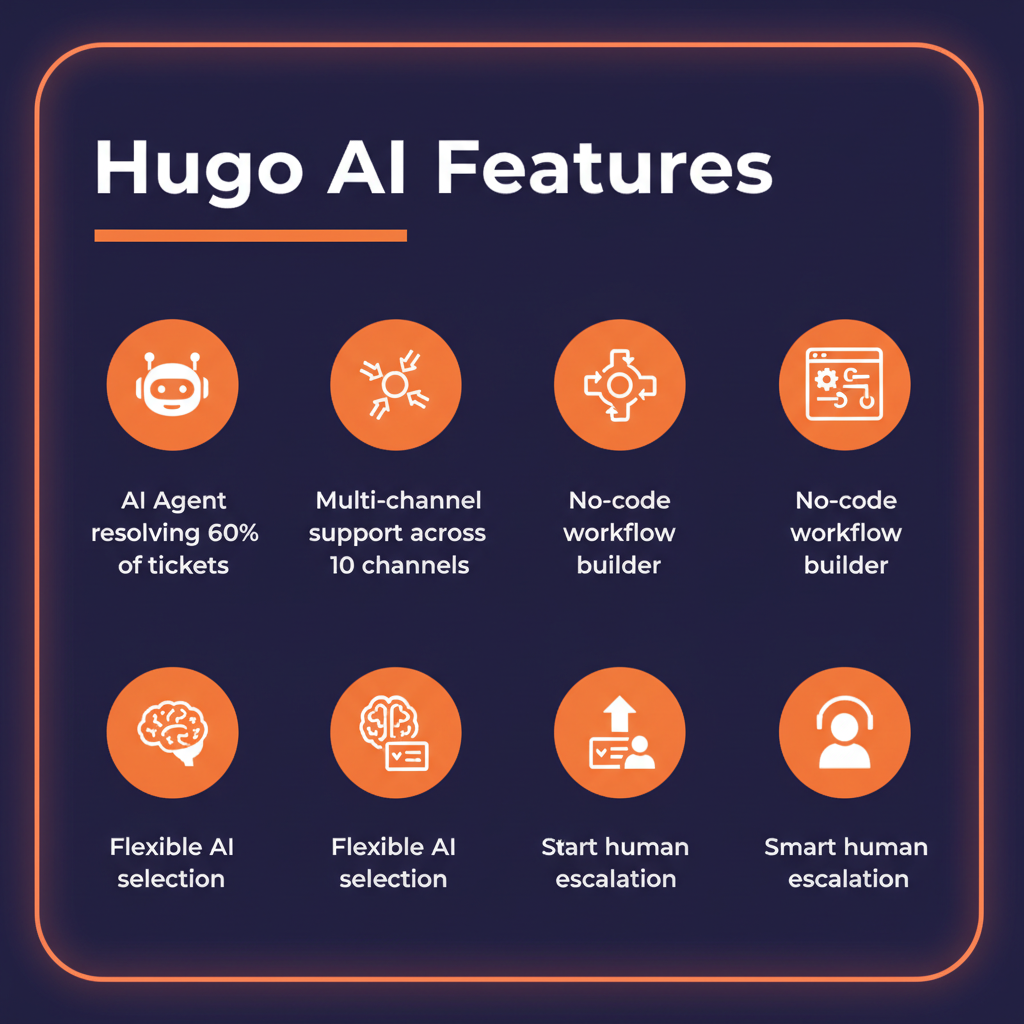
Hugo's core features at a glance
Key Features
1. Autonomous Ticket Resolution
Hugo resolves up to 60% of customer support requests without human involvement. It handles FAQs, order inquiries, troubleshooting steps, and routine requests end-to-end. The AI maintains conversation context across multiple turns, remembering previous messages and user preferences throughout the interaction. When Hugo encounters a query it cannot confidently resolve, it escalates to a human agent with full conversation history and context — so the customer never has to repeat themselves.
2. Multi-Channel Support (10 Channels)
Hugo operates across live chat, email, WhatsApp, Instagram DMs, Facebook Messenger, Twitter/X DMs, Telegram, SMS, and more. Each channel maintains a unified conversation thread, so if a customer starts on WhatsApp and follows up via email, Hugo has the complete history. This omnichannel approach eliminates the fragmented experience that plagues most support operations.
3. No-Code Workflow Builder
The drag-and-drop visual workflow builder lets you design complex automation logic without writing a single line of code. Build ticket triage rules, escalation paths, conditional responses, and multi-step workflows in minutes. You can create branching logic based on customer tier, issue type, sentiment, or any custom field. The visual interface makes it easy for support managers to iterate on workflows without involving engineering.
4. Flexible AI Model Selection
Choose the AI model that best fits your needs. Hugo supports Claude (Anthropic), ChatGPT (OpenAI), Llama (Meta), and custom fine-tuned models. This means you can optimize for cost, speed, accuracy, or compliance requirements. Some teams use faster models for simple queries and more capable models for complex technical support — Hugo handles the routing automatically.
5. MCP Integration for Live Data
Through Model Context Protocol, Hugo connects to your existing business tools — CRMs, order management systems, inventory databases, and knowledge bases. It can look up real-time data, perform actions (like processing a refund or updating a shipping address), and provide accurate, current information. This goes far beyond static FAQ bots that can only parrot pre-written answers.
6. Real-Time Analytics Dashboard
Track resolution rates, response times, customer satisfaction scores, escalation patterns, and AI confidence levels. The analytics dashboard provides actionable insights into where Hugo excels and where it needs improvement, helping you continuously refine your automation strategy.
How Hugo fits into your customer support workflow
How to Use Hugo (Step-by-Step)
Step 1: Sign Up and Connect Your Channels
Visit hugo.ai and create a free trial account. Connect your support channels — live chat widget, email inbox, WhatsApp Business, social media accounts — through the integration dashboard.
Step 2: Import Your Knowledge Base
Upload your existing help articles, FAQs, product documentation, and support procedures. Hugo indexes this content and uses it as its primary knowledge source. You can also connect external tools via MCP for live data access.
Step 3: Configure AI Behavior
Set your preferred AI model, response tone (professional, friendly, casual), language preferences, and escalation rules. Define what types of queries Hugo should handle autonomously versus escalate immediately.
Step 4: Build Workflows
Use the drag-and-drop builder to create automation workflows. Start with templates for common scenarios — order tracking, password resets, billing questions — then customize to match your specific processes.
Step 5: Test and Deploy
Run Hugo in shadow mode first, where it suggests responses but doesn't send them automatically. Review its suggestions, refine the knowledge base, then gradually increase automation. Most teams reach full deployment within 1-2 weeks.
Pricing Plans
Hugo pricing tiers compared (March 2026)
Hugo also offers pay-as-you-go pricing at $0.05 per AI conversation, which can be cost-effective for businesses with lower volume or seasonal spikes. The free trial requires no credit card, letting you test the full platform before committing.

Pros and Cons
Pros
- ✓ Resolves up to 60% of tickets autonomously
- ✓ Flexible AI model selection (Claude, GPT, Llama)
- ✓ MCP integration for real-time data access and actions
- ✓ No-code workflow builder accessible to non-technical teams
- ✓ 10-channel omnichannel support with unified context
- ✓ Free trial with no credit card required
Cons
- ✗ Starting price of $45/mo may be steep for solopreneurs
- ✗ MCP integration only available on Essentials plan and above
- ✗ Requires initial training period to reach optimal performance
- ✗ Custom AI model support limited to Plus plan
- ✗ Tied to Crisp ecosystem — may not suit teams using other helpdesk platforms
Best Hugo Alternatives
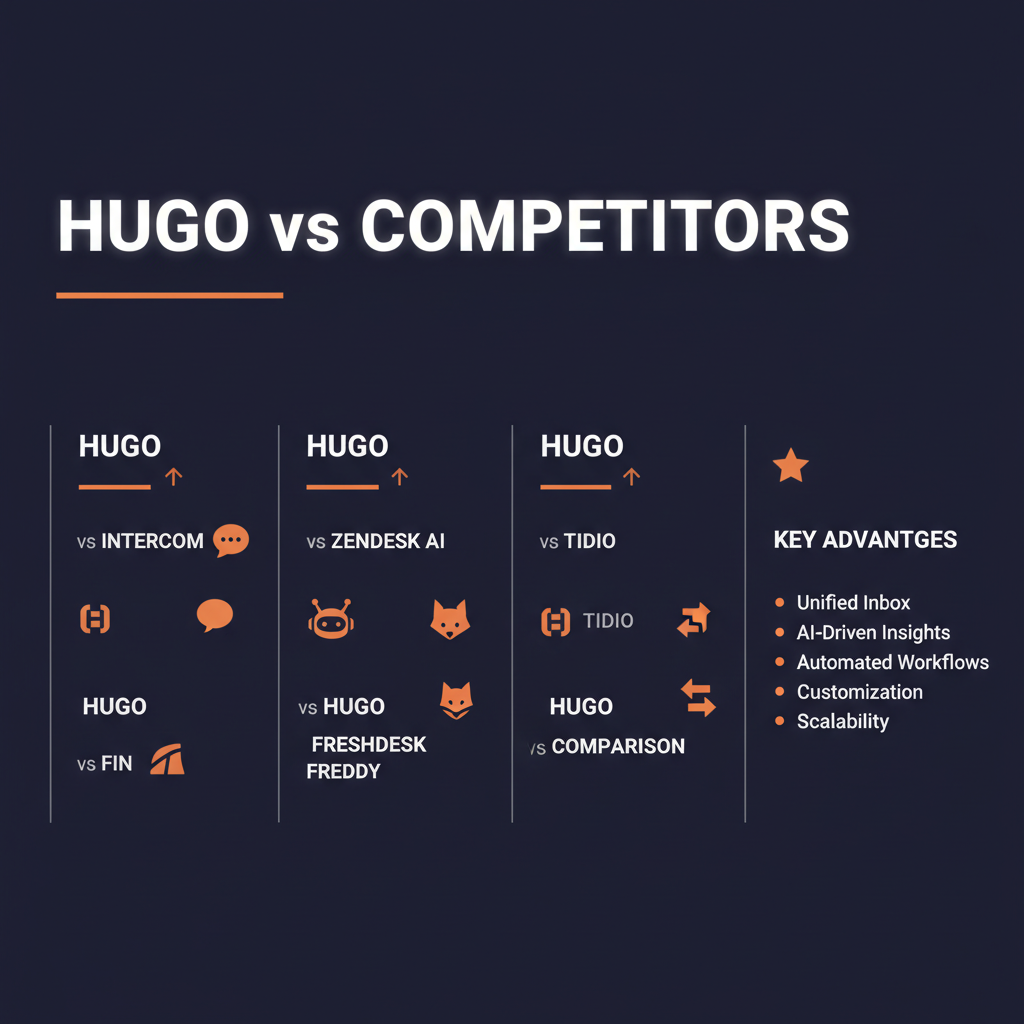
How Hugo compares to leading AI support alternatives
Intercom Fin charges per resolution ($0.99 each), which can be more cost-effective at low volumes but expensive at scale. It integrates deeply with Intercom's product suite but lacks Hugo's model flexibility.
Zendesk AI is the enterprise heavyweight with the deepest integration ecosystem, but its per-agent pricing and complexity make it overkill for smaller teams. The AI capabilities are improving but still lag behind dedicated AI-first solutions like Hugo.
Freshdesk Freddy offers the most affordable entry point and solid basic automation, but its AI resolution capabilities are less advanced than Hugo's. Best for teams already in the Freshworks ecosystem.
Tidio is a strong choice for small e-commerce businesses with its simple setup and visual chatbot builder. However, it lacks Hugo's MCP integration and flexible model selection for more complex support scenarios.
Final Verdict: Is Hugo Worth It?
Hugo stands out in the crowded AI customer support space by offering something most competitors don't: genuine flexibility in AI model selection combined with deep business tool integration through MCP. For support teams that want to automate without being locked into a single AI provider, Hugo is one of the best options available in 2026.
The $45/month starting price is reasonable for the value delivered, especially considering that a single human support agent costs significantly more. Teams that fully deploy Hugo typically see a 60% reduction in ticket volume requiring human attention, which translates directly to cost savings and faster response times.
The main limitation is the Crisp ecosystem dependency — if you're deeply invested in Zendesk or Intercom, migration might not be worth the switching cost. But for teams starting fresh or looking to upgrade from basic chatbots, Hugo delivers exceptional value.
Our Rating: 4.3 / 5
Build an AI Tool? Get It in Front of the Right Audience
PopularAiTools.ai reaches thousands of qualified AI buyers monthly.
Submit Your AI Tool →Frequently Asked Questions
Is Hugo free to try?
Yes, Hugo offers a free trial with no credit card required. You can test the full platform including AI conversations, workflow builder, and multi-channel support before committing to a paid plan.
What AI models does Hugo support?
Hugo supports Claude (Anthropic), ChatGPT (OpenAI), Llama (Meta), and custom fine-tuned models. You can switch between models or use different models for different types of queries.
How many channels does Hugo support?
Hugo supports up to 10 channels including live chat, email, WhatsApp, Instagram, Facebook Messenger, Twitter/X, Telegram, SMS, and more. All channels share a unified conversation history.
What is MCP integration?
Model Context Protocol (MCP) allows Hugo to connect directly to your business tools — CRM, order management, inventory systems — so it can access real-time data and perform actions like processing refunds or updating accounts.
What percentage of tickets can Hugo resolve automatically?
Hugo resolves up to 60% of customer support requests autonomously. The actual rate depends on your industry, query complexity, and how well the knowledge base is trained. Most teams see 40-60% automation within the first month.
Does Hugo require coding skills?
No. Hugo's no-code interface includes a drag-and-drop workflow builder that any team member can use. You can train the AI, build automation workflows, and manage deployments without writing a single line of code.
How does Hugo handle escalation?
When Hugo encounters a query it cannot resolve confidently, it escalates to a human agent with full conversation context, customer history, and a suggested response. The handoff is seamless — the customer doesn't notice the transition.
Is Hugo part of Crisp?
Yes, Hugo is developed by Crisp and integrates with the Crisp customer messaging platform. You get Hugo's AI capabilities alongside Crisp's established helpdesk, knowledge base, and CRM features.
Get Premium AI Tool Insights
Subscribe to get weekly curated AI tool recommendations, exclusive deals, and early access to new tool reviews.
Related Tools

Droidrun
ai-automation
Open-source AI framework that lets LLM agents control Android and iOS apps via native accessibility APIs. 91.4% success rate, €2.1M funded.
M
Manus AI
ai-automation
Autonomous AI agent platform that executes complex multi-step tasks — browses the web, writes code, creates files, and works in the background without guidance.
R
Renamer.ai
ai-automation
AI-powered file renaming tool that uses OCR to read document content and automatically generates meaningful file names. Supports 30+ file types and 20+ languages.

MuleRun
Related Articles
Suno v6 Intro and Ending Prompts: Unwanted Humming, Long Outros and Cut-Off Lyrics (2026)
Fix the edges of a Suno v6 track: three pasteable intro and outro templates, the documented Exclude field for unwanted humming, the arithmetic behind cut-off lyrics, and when to edit in Studio instead.
Suno v6 Keeps Changing Your Prompt? Variety, Style Influence and Weirdness Explained (2026)
Suno v6 rewrites your style prompt through the new Variety slider, and Suno documents the fix. What Variety, Style Influence, Weirdness and Max Mode each do, with a one-control-at-a-time worksheet.
Suno v6 Rock Prompts: Keep Guitar Riffs and Drums Alive Through the Verse (2026)
Why a strong Suno v6 rock intro turns into an empty verse, and how to fix it with a section-by-section instrument map, the Exclude field, pasteable rock and metal prompts and an A/B rubric.