
Luma AI Review 2026: Features, Pricing, Pros & Cons
Updated March 2026 · 12 min read · By PopularAiTools.ai
TL;DR
Luma AI's Dream Machine is one of the most technically impressive AI video generators available, producing cinematic clips with realistic physics and motion that competitors struggle to match. The Ray2 model uses 10x more compute than its predecessor, generating videos up to 60 seconds with coherent motion and ultra-realistic details. Free tier gives you 30 generations/month. Paid plans start at $9.99/month (Lite). The Standard plan at $29.99/month is the sweet spot for most creators. Best for filmmakers, marketers, and anyone who needs photorealistic AI video. Rating: 4.2/5

The Luma AI homepage — Dream Machine interface and features highlighted
What is Luma AI?
Luma AI is a San Francisco-based artificial intelligence company that develops Dream Machine, one of the most advanced AI video generation platforms available. With over 25 million registered users since its public launch in June 2024, Dream Machine has established itself as the go-to platform for creators who need photorealistic AI video with physically accurate motion — water that flows correctly, objects that fall with proper gravity, and camera movements that feel like they were shot by a real cinematographer.
The platform converts text descriptions or static images into cinematic video clips, accessible through a browser interface and iOS app. What distinguishes Luma from the crowd of AI video generators is its focus on physical realism. While competitors often produce videos that look impressive at first glance but fall apart on closer inspection — objects clipping through each other, impossible physics, uncanny motion — Luma's output consistently demonstrates a deeper understanding of how the real world works.
The Ray2 model, Luma's current flagship generation engine, represents a substantial leap forward. Using 10x more computing power than its predecessor Ray1, Ray2 produces videos up to 60 seconds long (compared to the previous 5-second limit) with dramatically improved motion coherence, detail fidelity, and scene understanding. Complex prompts that would confuse other generators — like "a glass marble rolling down a wooden spiral staircase with sunlight casting prismatic reflections" — produce results that genuinely look like they could be real footage.
Luma also maintains its 3D scanning capabilities, allowing users to create photogrammetric 3D models from photos — a feature that originated before the company pivoted heavily into video generation. This makes Dream Machine uniquely versatile: you can generate 2D video from text, animate still images, and create 3D assets, all within one ecosystem.
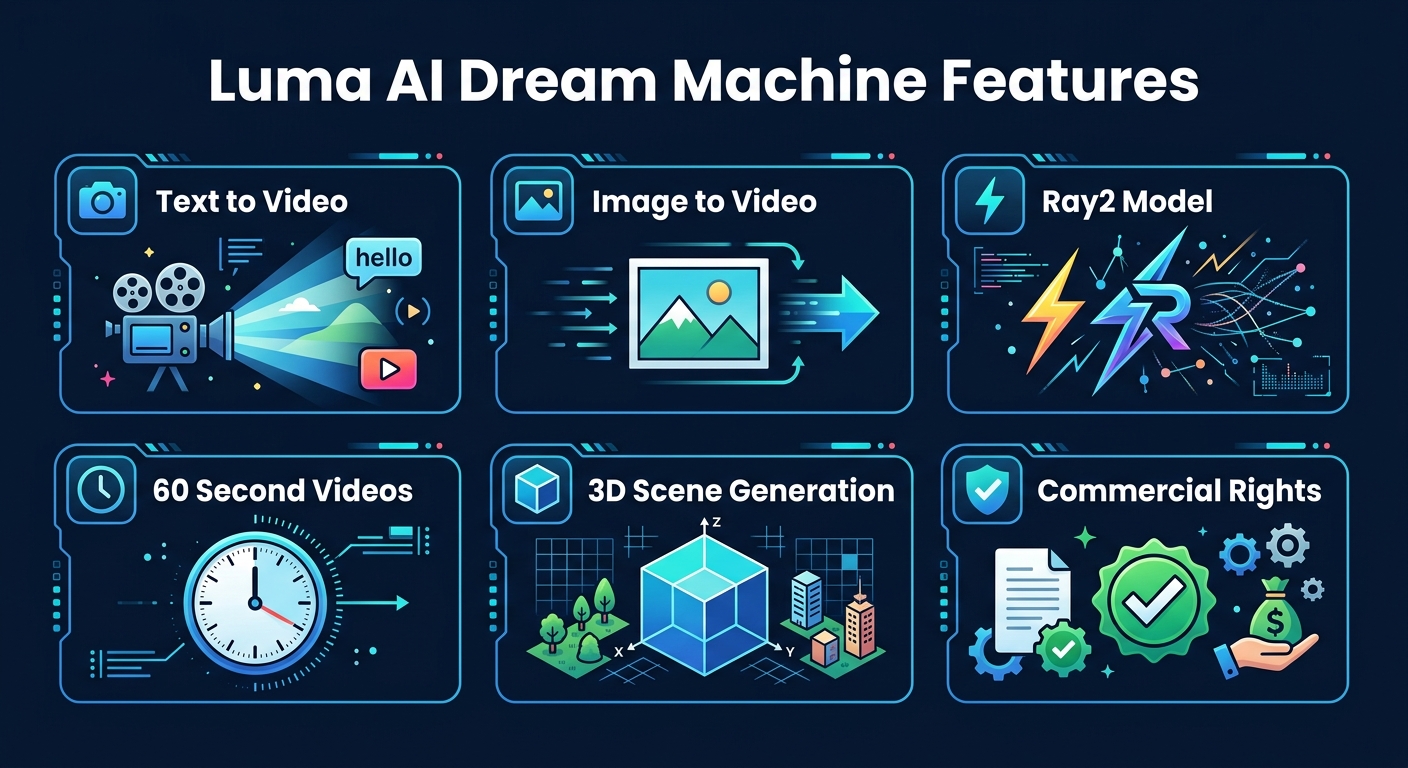
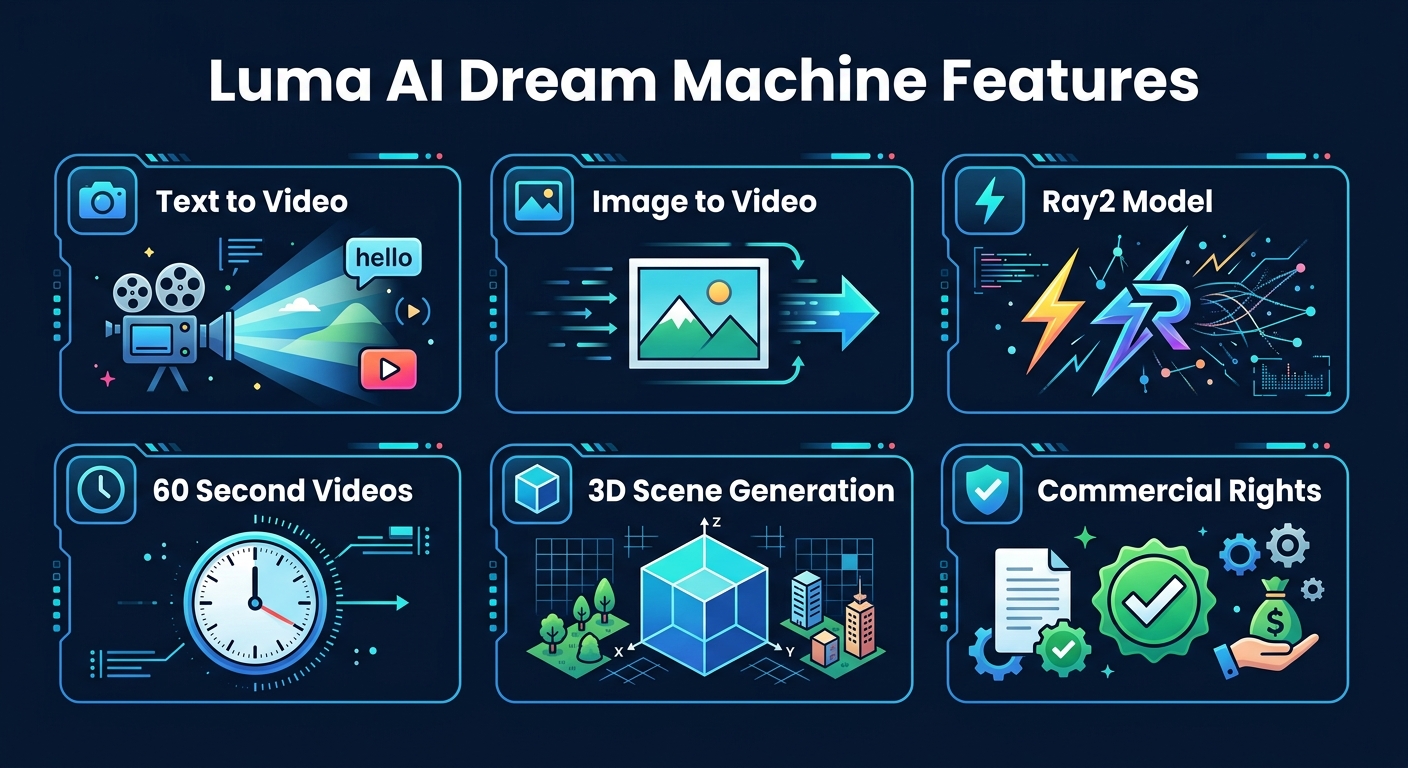
Luma AI Dream Machine's standout features at a glance
Key Features
1. Text-to-Video Generation (Ray2)
Dream Machine's core function converts text prompts into video. The Ray2 model excels at understanding spatial relationships, lighting, and physics. Describe a scene and the AI generates it with cinematic quality — correct perspective, natural motion, and realistic lighting. Videos can be up to 60 seconds, a significant improvement from the industry-standard 5-10 second clips. The model handles complex prompts with multiple elements, camera movements, and action sequences.
2. Image-to-Video Animation
Upload any still image and Dream Machine brings it to life with motion. The AI analyzes the image content — detecting objects, backgrounds, depth, and likely motion patterns — then generates a video that animates those elements believably. A photo of a waterfall will animate with flowing water; a portrait will gain subtle head movements and blinking. This feature is invaluable for marketers who want to turn product photos into dynamic content without video shoots.
3. Multi-Model Access
Luma doesn't restrict you to a single model. The platform provides access to both Luma's proprietary models and select third-party generation engines. This allows creators to experiment with different generation approaches without leaving the platform — try Luma's Ray2 for photorealism, then compare with other models for stylized or artistic output.
4. 3D Scene Capture (NeRF)
Luma's Neural Radiance Field (NeRF) technology creates photorealistic 3D models from ordinary photos or video. Capture an object or space from multiple angles and the AI reconstructs a full 3D scene that you can navigate, rotate, and export. These 3D assets are compatible with standard 3D pipelines and game engines, making Luma a bridge between the real world and digital 3D environments.
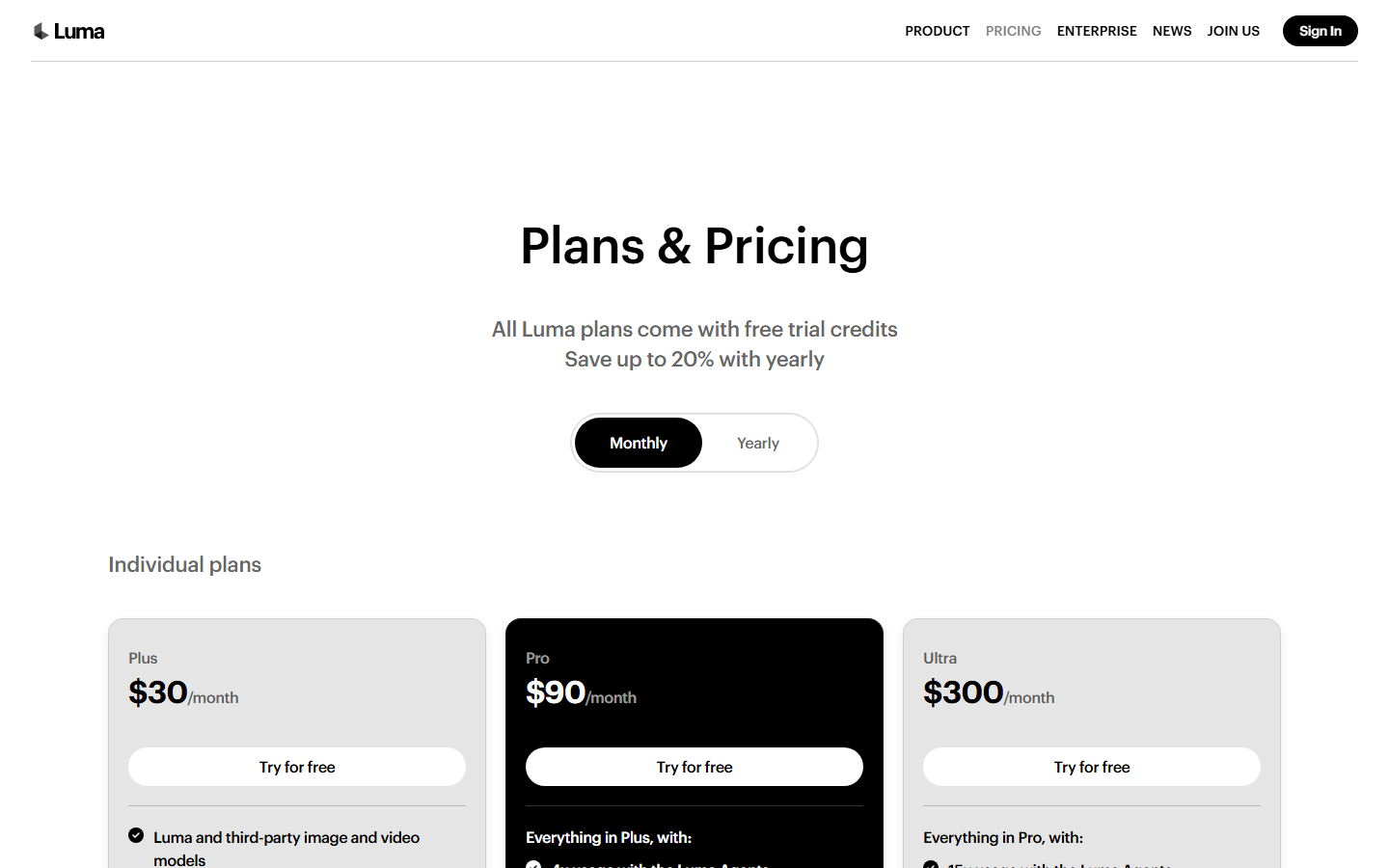
Luma AI's official pricing page (March 2026)
5. Commercial Usage Rights
All paid plans include commercial rights for generated content. Videos created on Dream Machine can be used in advertisements, marketing campaigns, social media content, client projects, and monetized YouTube videos. This is essential for professional creators and businesses — not all AI video platforms include this at every paid tier.
6. Camera Control and Cinematic Presets
Dream Machine offers camera movement controls that simulate real cinematography — dolly shots, tracking shots, zoom, pan, tilt, and crane movements. Preset cinematic styles help non-filmmakers achieve professional-looking results. Combined with Ray2's understanding of depth and perspective, the camera controls produce videos that feel directed rather than randomly generated.
How to Use Luma AI Dream Machine (Step-by-Step)
Step 1: Create Your Account
Visit lumalabs.ai and sign up for a free account. You'll receive 30 free generations per month to test the platform. Available via browser or iOS app.
Step 2: Choose Text or Image Input
Decide whether to generate from a text prompt or animate an existing image. For text-to-video, you'll write a description. For image-to-video, upload your source image.
Step 3: Write a Detailed Prompt
Be specific about what you want: subject, action, camera movement, lighting, mood, and style. Example: "Aerial drone shot of a coastal cliff at golden hour, waves crashing against rocks, seabirds flying, cinematic color grading." More detail produces better results.
Step 4: Select Settings
Choose your video duration, aspect ratio, and model. Apply camera movement presets if desired. Select generation quality — higher quality uses more credits but produces better results.
Step 5: Generate, Review, and Download
Click Generate and wait for processing (typically 1-3 minutes). Review the output, regenerate if needed, then download in your preferred format. Paid plans include watermark-free downloads.
Pricing Plans
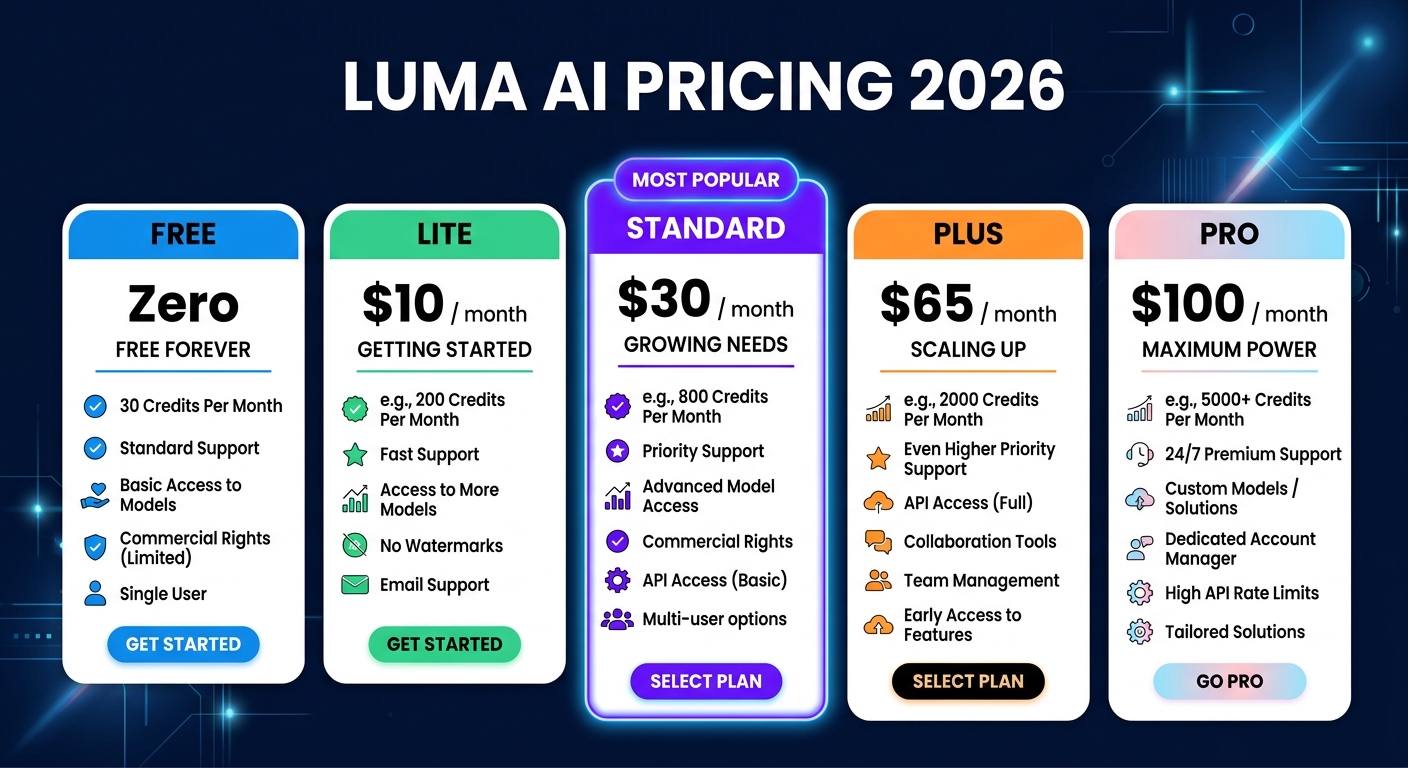
Luma AI Dream Machine pricing plans for 2026
The free tier at 30 generations per month is adequate for testing, though the watermark and 5-second limit reduce its usefulness for real projects. The Lite plan at $9.99/month is the minimum viable subscription — watermark-free with commercial rights and 10-second videos. The Standard plan at $29.99/month is the sweet spot, offering 120 generations and 30-second max duration with priority queue access.
For high-volume production, the Pro plan at $99.99/month provides roughly 400 generations and the full 60-second maximum. Additional tiers (Plus at $64.99 and Premier at $499.99) fill the gaps for specific use cases. Annual billing saves 20% across all tiers.
Pros and Cons
Pros
- ✓ Industry-leading physics and motion realism
- ✓ Ray2 produces genuinely cinematic output
- ✓ Up to 60-second video generation
- ✓ Both text-to-video and image-to-video
- ✓ 3D scanning/NeRF capabilities included
- ✓ Commercial rights on all paid plans
- ✓ Clean, intuitive browser interface
Cons
- ✗ Expensive at higher tiers ($100-$500/month)
- ✗ Prompt sensitivity — requires careful wording
- ✗ Free tier is very limited (30 gens, watermarked)
- ✗ No audio generation — video-only output
- ✗ Generation times can be slow (1-3+ minutes)
- ✗ Inconsistent results — some prompts need many retries
Best Luma AI Alternatives
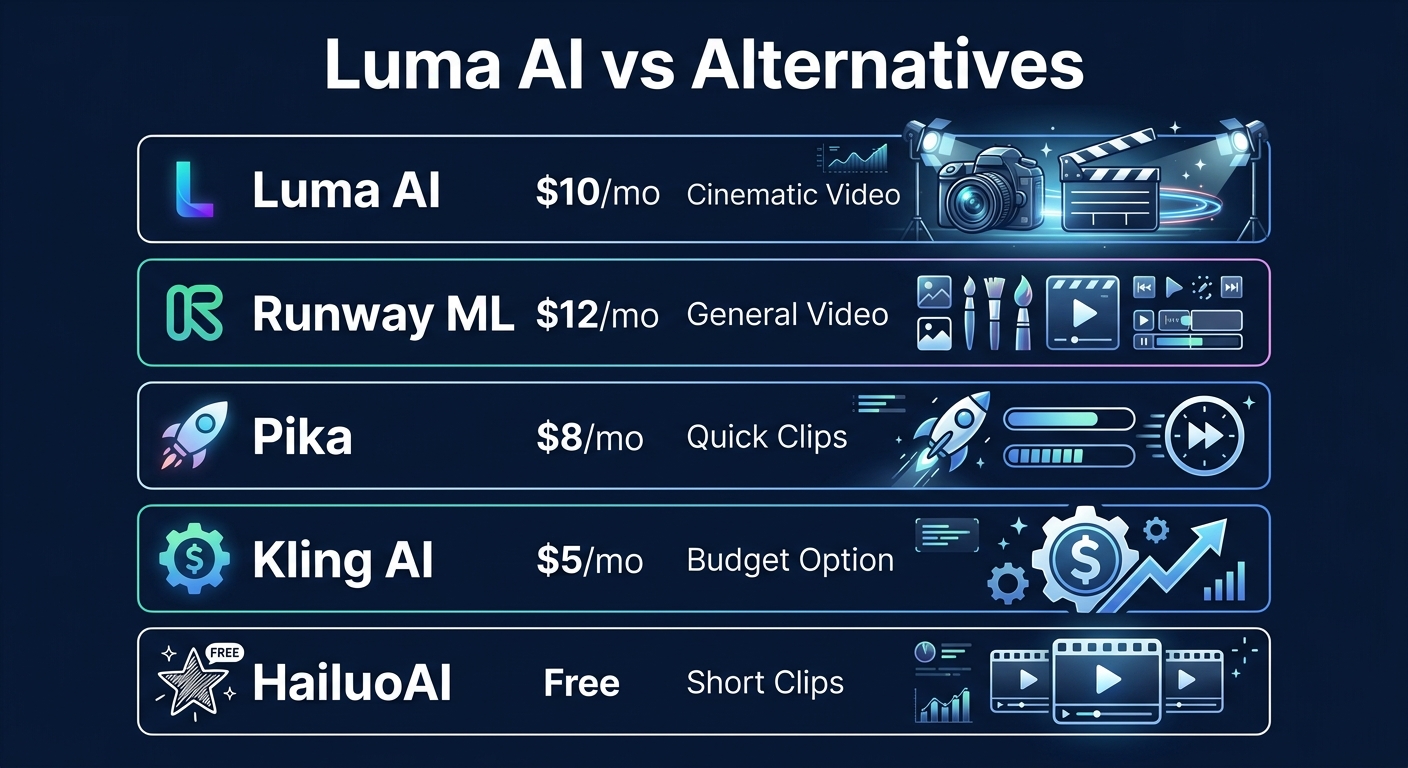
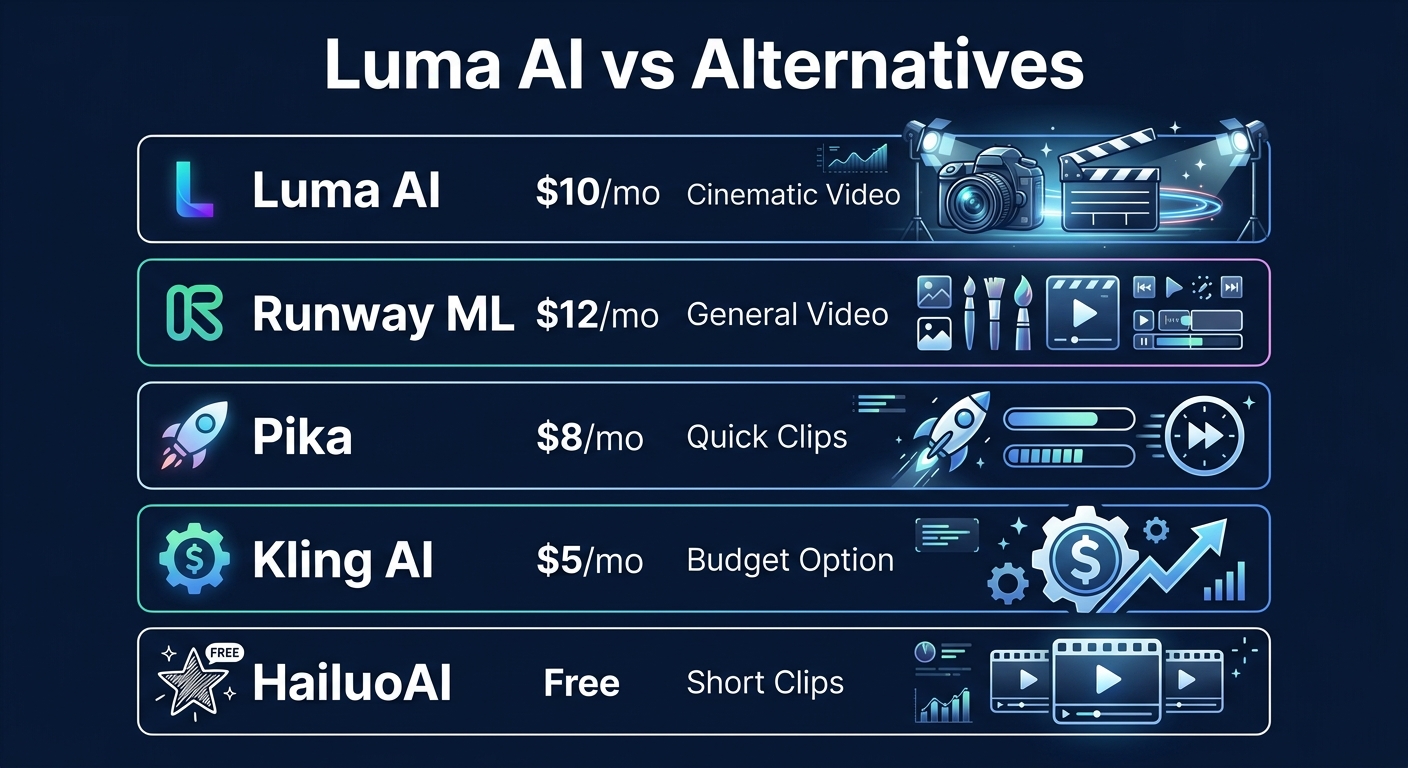
How Luma AI compares to top AI video generation alternatives
Runway ML is the most direct competitor. Its Gen-3 Alpha model produces excellent cinematic video with a comprehensive editing toolkit that Luma lacks. If you need both generation and post-production, Runway's integrated editor gives it an edge. However, Luma's physics realism currently surpasses Runway's in most direct comparisons.
Pika is the budget pick at $8/month, optimized for quick social media clips rather than cinematic production. Generation is faster, the interface is simpler, and the results are good enough for TikTok and Instagram. Not a replacement for Luma's cinematic output, but excellent value for casual content creation.
Kling AI from Kuaishou offers surprisingly good video generation at the lowest entry price ($5/month). Quality doesn't match Luma or Runway, but for budget-conscious creators who need AI video, it's the most accessible option.

Final Verdict: Is Luma AI Worth It?
Luma AI's Dream Machine has earned its reputation as one of the top-tier AI video generators. The Ray2 model produces video with a level of physical realism and cinematic quality that consistently impresses — water, light, motion, and depth all behave in ways that feel authentic rather than approximated. For filmmakers, advertisers, and content creators who need AI video that looks convincingly real, Luma is a top choice.
The Standard plan at $29.99/month represents the best balance of capability and cost for most professional use cases. You get enough generations for regular content production, 30-second videos that are long enough for most projects, and priority queue access that keeps generation times reasonable.
The main trade-offs are price at higher tiers and the prompt sensitivity that requires careful experimentation. If you're on a tight budget, Pika or Kling offer good-enough video at a fraction of the cost. If you need an integrated editing environment, Runway is the better choice. But for raw video generation quality — especially anything requiring realistic physics — Luma AI is hard to beat.
Our Rating: 4.2 / 5
Build an AI Tool? Get It in Front of the Right Audience
PopularAiTools.ai reaches thousands of qualified AI buyers monthly.
Submit Your AI Tool →Frequently Asked Questions
Is Luma AI free?
Yes, Luma offers a free tier with approximately 30 generations per month. Free videos are limited to 5 seconds and include a watermark. Commercial use is not permitted on the free plan.
What is Dream Machine Ray2?
Ray2 is Luma AI's latest video generation model, using 10x more compute than Ray1. It produces videos up to 60 seconds with dramatically improved motion coherence, physical realism, and detail quality. Ray2 is available on all paid plans.
Can I use Luma AI videos commercially?
Yes, all paid plans (starting at $9.99/month for Lite) include commercial usage rights. You can use generated videos in advertisements, marketing content, social media, and monetized projects.
How long can Luma AI videos be?
Maximum video duration depends on your plan: 5 seconds (Free), 10 seconds (Lite), 30 seconds (Standard), and 60 seconds (Pro/Premier). Videos can be extended by chaining multiple generations together.
Luma AI vs Runway: which is better?
Luma excels at physical realism and longer videos (up to 60 sec). Runway offers a more complete toolkit with integrated video editing, text-to-video, image generation, and background removal. Choose Luma for cinematic quality; choose Runway for an all-in-one creative suite.
Does Luma AI generate audio?
No, Dream Machine generates video only — no audio or sound effects. You'll need to add audio separately using tools like Suno AI for music, ElevenLabs for voiceover, or stock audio libraries for sound effects.
What is Luma AI's 3D scanning feature?
Luma's NeRF (Neural Radiance Field) technology creates photorealistic 3D models from photos or video. Capture an object from multiple angles and the AI reconstructs a navigable 3D scene compatible with standard 3D pipelines and game engines.
How fast does Luma AI generate videos?
Generation typically takes 1-3 minutes depending on video length and current server load. Paid plans with priority queue access experience faster generation times. Complex prompts and longer durations take longer to process.

Get Premium AI Tool Insights
Subscribe to get weekly curated AI tool recommendations, exclusive deals, and early access to new tool reviews.
Related Tools

Droidrun
ai-automation
Open-source AI framework that lets LLM agents control Android and iOS apps via native accessibility APIs. 91.4% success rate, €2.1M funded.
M
Manus AI
ai-automation
Autonomous AI agent platform that executes complex multi-step tasks — browses the web, writes code, creates files, and works in the background without guidance.
R
Renamer.ai
ai-automation
AI-powered file renaming tool that uses OCR to read document content and automatically generates meaningful file names. Supports 30+ file types and 20+ languages.

MuleRun
Related Articles
Suno v6 Intro and Ending Prompts: Unwanted Humming, Long Outros and Cut-Off Lyrics (2026)
Fix the edges of a Suno v6 track: three pasteable intro and outro templates, the documented Exclude field for unwanted humming, the arithmetic behind cut-off lyrics, and when to edit in Studio instead.
Suno v6 Keeps Changing Your Prompt? Variety, Style Influence and Weirdness Explained (2026)
Suno v6 rewrites your style prompt through the new Variety slider, and Suno documents the fix. What Variety, Style Influence, Weirdness and Max Mode each do, with a one-control-at-a-time worksheet.
Suno v6 Rock Prompts: Keep Guitar Riffs and Drums Alive Through the Verse (2026)
Why a strong Suno v6 rock intro turns into an empty verse, and how to fix it with a section-by-section instrument map, the Exclude field, pasteable rock and metal prompts and an A/B rubric.