
Try Parallel Code today
⚡ TL;DR — Parallel Code Review
Parallel Code is a free, open-source Electron app that lets you dispatch 10+ AI coding agents simultaneously, each working in isolated git branches. It supports Claude Code, Codex CLI, and Gemini CLI. The concept is powerful — split a big project into parallel tasks, let agents work concurrently, then review and merge the diffs. The catch: you bring your own API keys (costs add up fast), you need solid Git skills, and there's no Windows support yet. For experienced developers who already use CLI agents, this is a genuine force multiplier.
📋 Table of Contents

What is Parallel Code?
Parallel Code is a free, open-source desktop application that does something no other AI coding tool does well: it dispatches 10 or more AI coding agents simultaneously, each working in its own isolated git branch. Instead of giving one AI agent a task and waiting for it to finish before starting the next one, you define multiple tasks and let them all run at the same time.
We've been testing Parallel Code for two weeks across a Next.js monorepo with 40K+ lines of code. The basic premise is straightforward — you have a list of things that need building (new API endpoint, refactor the auth module, write tests for the payment service, update the dashboard UI), so you spin up an agent for each task and let them work in parallel. Each agent gets its own git worktree, so there are zero conflicts while they're working. When they finish, you review the diffs and decide what to merge.
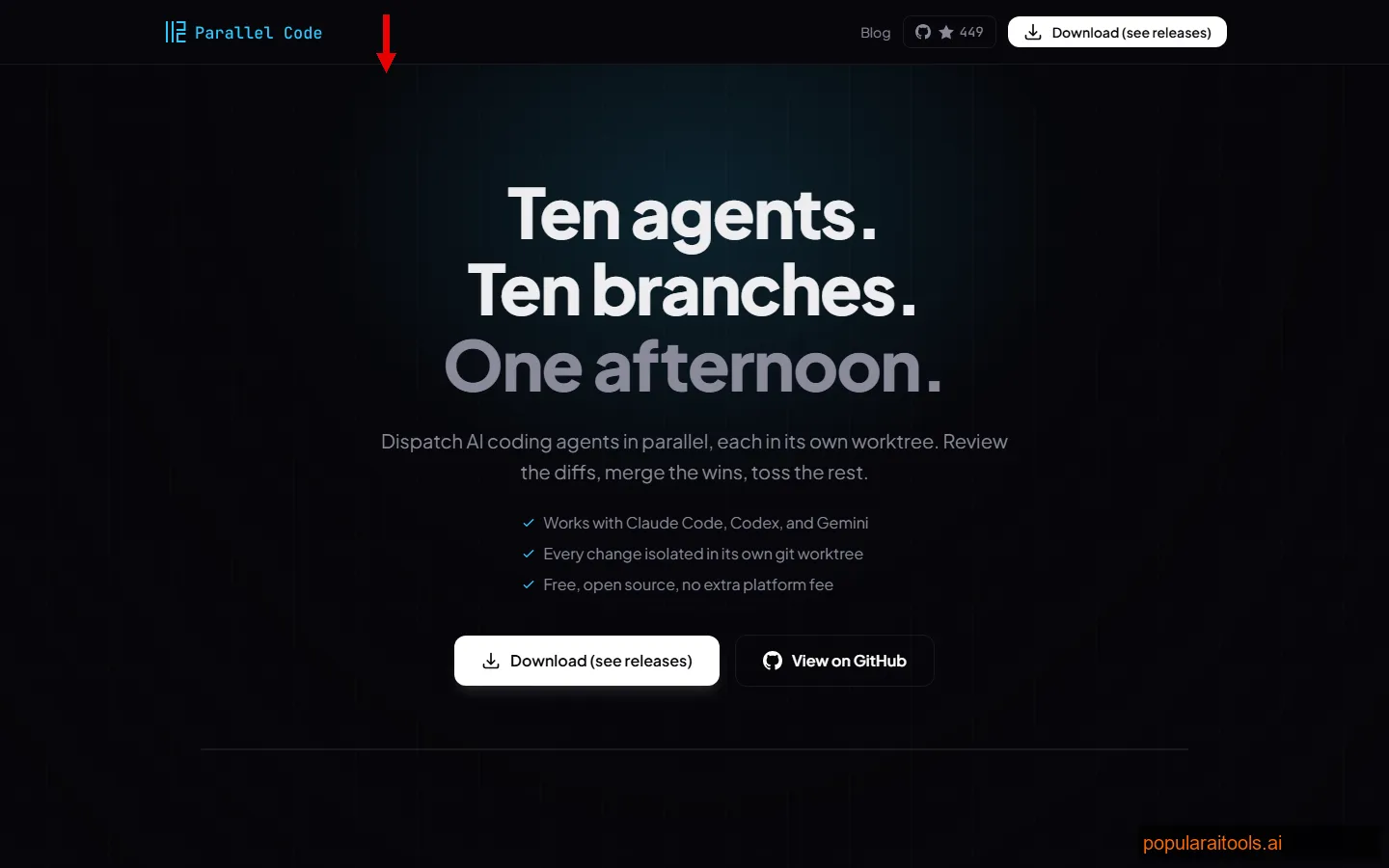
The tool is built as an Electron app with a keyboard-first design philosophy. It's IDE-agnostic — it doesn't care whether you use VS Code, Neovim, or JetBrains. It sits alongside your existing setup and orchestrates the agents. It launched on Product Hunt in March 2026 and immediately started trending, mostly because developers who already use Claude Code or Codex CLI realized they'd been running these agents sequentially when they could have been running them in parallel.
The project is MIT licensed and fully open source. No telemetry, no account required, no API proxy. Your keys go directly to the AI providers. That transparency is refreshing — but it also means the cost conversation is entirely on you.
Key Features
Here's what Parallel Code actually offers under the hood:
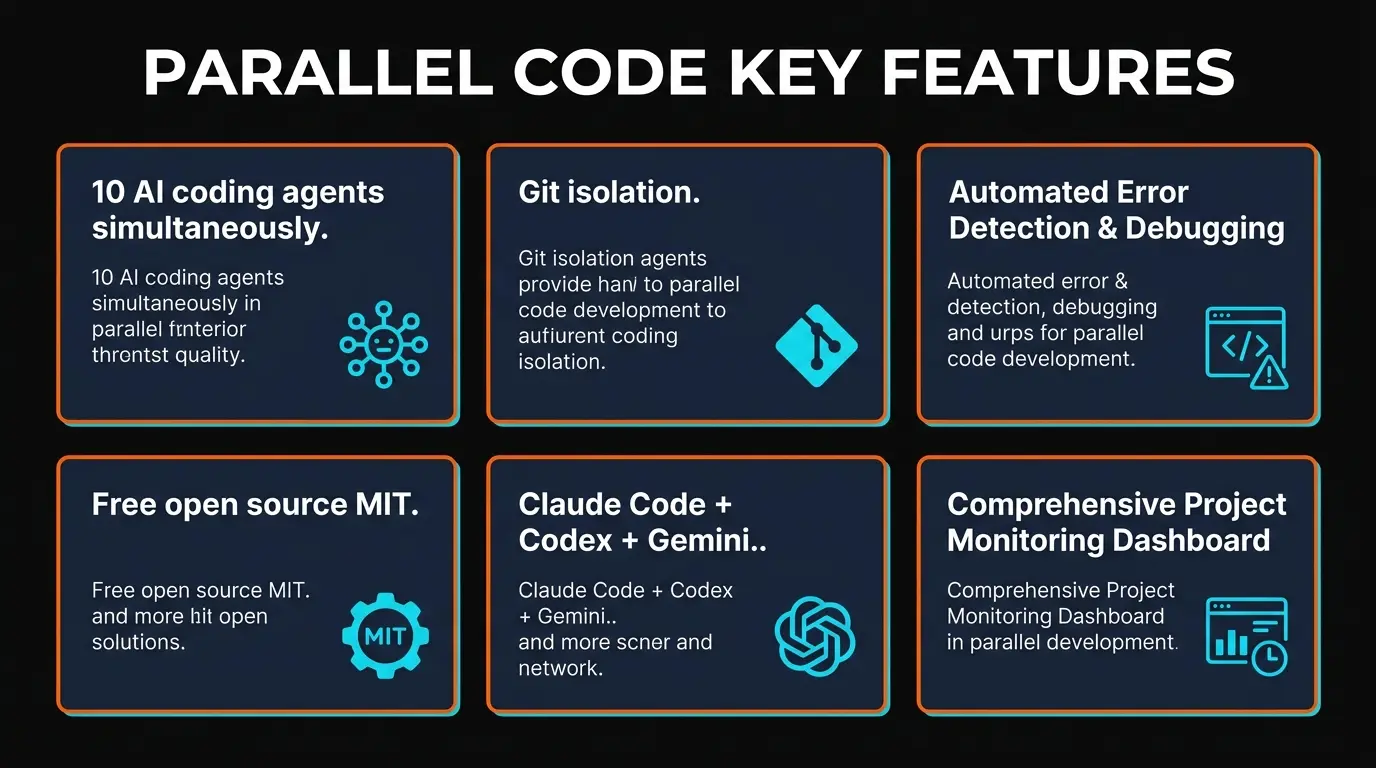
🔀 Multi-Agent Dispatch
Launch 10+ agents at once, each working on a separate task. Agents run truly in parallel — not queued sequentially. We tested 12 simultaneous Claude Code agents on a refactoring sprint and all completed within their expected timeframes.
🌿 Git Worktree Isolation
Each agent operates in its own git worktree with a dedicated branch. No agent can interfere with another's work. This is the killer architectural decision — it means merge conflicts only happen at review time, not during execution.
🤖 Multi-Provider Support
Supports Claude Code (Anthropic), Codex CLI (OpenAI), and Gemini CLI (Google). Mix and match — use Claude for complex architecture tasks, Gemini Flash for quick test writing, Codex for boilerplate generation.
👀 Diff Review Workflow
When agents finish, you get a clean diff view of every change. Accept, reject, or modify before merging into your main branch. This review step is critical — we caught 3-4 issues per batch that would have been painful to debug later.
⌨️ Keyboard-First Design
Every action has a keybinding. Dispatch agents, switch between views, approve diffs, navigate tasks — all without touching the mouse. If you use Vim keybindings in your editor, you'll feel at home immediately.
📱 QR Code Mobile Monitoring
Scan a QR code to monitor agent progress from your phone. See which agents are running, their status, and estimated completion. Useful when you kick off 10 agents and go grab coffee.

How to Use Parallel Code: Step-by-Step
Setup is quick if you already have the CLI agents installed. If you don't, budget 20-30 minutes for the prerequisite installations. Here's how we got productive:
1
Install Prerequisites
You need at least one CLI agent installed: Claude Code (npm install -g @anthropic-ai/claude-code), Codex CLI, or Gemini CLI. You also need git (obviously) and Node.js 18+. Each agent needs its own API key configured.
2
Download Parallel Code
Download the Electron app from the GitHub releases page. macOS gets a .dmg, Linux gets .AppImage and .deb. No installer complexity — drag to Applications on Mac, or run directly on Linux.
3
Open Your Project
Point Parallel Code at your git repository. It detects available branches and sets up the worktree infrastructure automatically. First launch takes 10-15 seconds while it indexes the repo structure.
4
Define Your Tasks
Create task descriptions for each agent. Be specific — "Add pagination to the /api/users endpoint with cursor-based pagination, 50 items per page" works far better than "improve the API." You can assign different CLI agents to different tasks based on complexity.
5
Dispatch and Wait
Hit the dispatch key (Ctrl+D by default) and all agents start simultaneously. Each gets its own git worktree. You can monitor progress in the app or scan the QR code to check from your phone. Most tasks complete in 2-10 minutes depending on complexity.
6
Review Diffs and Merge
When agents complete, switch to the review view. Each task shows a clean diff. Accept the changes you like, reject the rest. Merging happens into your working branch. If two agents modified the same file, you'll need to resolve conflicts manually — this is where Git proficiency matters.
One thing we learned quickly: task decomposition is the skill that makes or breaks your experience. If you give overlapping tasks to different agents (e.g., "refactor the auth module" and "add rate limiting to auth endpoints"), you'll get merge conflicts. The better you isolate tasks to different files and modules, the smoother the merge step goes.
Pricing (It's Complicated)
Parallel Code itself is 100% free, forever. MIT license, no premium tier, no "pro" version lurking behind a paywall. But that headline obscures the real cost: you're paying the AI providers directly for every token your agents consume.
Here's what a typical session actually costs, based on our testing:
Parallel Code App
Free
- ✓ MIT open source
- ✓ No account required
- ✓ No usage limits
- ✓ No telemetry
Claude Code (BYOK)
~$0.50-3/task
- Opus 4.6: ~$2-5/complex task
- Sonnet 4: ~$0.30-1/task
- Haiku 4: ~$0.05-0.20/task
- 10 agents = 10x cost
Codex CLI (BYOK)
~$0.20-2/task
- GPT-4.1: ~$0.50-2/task
- GPT-4.1 mini: ~$0.10-0.50
- o3: ~$1-5/complex task
- 10 agents = 10x cost
Gemini CLI (BYOK)
~$0.05-1/task
- Gemini 3 Pro: ~$0.50-2
- Gemini 3 Flash: ~$0.03-0.15
- Cheapest option overall
- 10 agents = 10x cost
Real-world cost example: We ran a batch of 8 agents to build out a feature set for a dashboard — 3 on Claude Sonnet (API endpoints), 3 on Gemini Flash (test suites), and 2 on Claude Opus (complex state management). Total API cost: approximately $14.30 for about 25 minutes of parallel work. Doing the same work sequentially with a single Claude Code session would have cost roughly the same in tokens but taken 2+ hours instead of 25 minutes. The cost isn't lower — the speed is.
Our advice: Use Gemini Flash or Claude Haiku for simple, well-defined tasks (writing tests, adding boilerplate, documentation). Save Opus and GPT-4.1 for tasks that require deep architectural understanding. Mixing models strategically can cut your per-session cost by 50-70%.

Pros and Cons
Strengths
- ✓ True parallelism. 10+ agents running simultaneously is a genuine 5-8x throughput multiplier for well-decomposed tasks. Nothing else does this.
- ✓ Git isolation is brilliant. Worktree-based separation means agents literally cannot step on each other's toes during execution. The architecture is sound.
- ✓ Free and open source. MIT license, no strings attached. You can audit every line of code. No vendor lock-in, no account, no telemetry.
- ✓ IDE-agnostic. Works with any editor or terminal setup. Doesn't force you to switch editors like Cursor or Windsurf would.
- ✓ Multi-provider flexibility. Mix Claude, OpenAI, and Gemini agents in the same batch. Assign models to tasks based on cost-performance tradeoffs.
- ✓ Diff review workflow. Mandatory review before merge. You always see exactly what changed. No blind merging.
Weaknesses
- ✗ API costs multiply fast. 10 agents = 10x the token cost. A heavy session can easily hit $20-50 in API fees. There's no built-in cost tracking or limits — you need to monitor your provider dashboards separately.
- ✗ No Windows support. macOS and Linux only. A significant chunk of developers are excluded. The team hasn't committed to a Windows timeline.
- ✗ Git proficiency required. If you're not comfortable with worktrees, branching strategies, and merge conflict resolution, you'll struggle. This is not a beginner tool.
- ✗ Task decomposition is on you. The tool doesn't help you break down work into parallel-safe chunks. Overlapping tasks cause merge conflicts. This is a skill you develop over time.
- ✗ No built-in autocomplete or chat. Parallel Code isn't an editor. It's an orchestrator. You still need your own coding environment for everything else.
- ✗ Early-stage project. Documentation is sparse. Error messages could be clearer. Some keybindings feel arbitrary. It works well, but the polish isn't there yet.
Parallel Code vs Cursor vs Claude Code vs Devin
These tools get compared constantly, but they're solving different problems. Here's how they stack up:
| Feature | Parallel Code | Cursor Pro ($20) | Claude Code | Devin ($500) |
|---|---|---|---|---|
| Type | Agent orchestrator | AI code editor | CLI coding agent | Autonomous AI dev |
| Parallel Agents | 10+ simultaneous | 1 agent at a time | 1 per terminal | 1 per session |
| Price | Free (BYOK) | $20-200/mo | BYOK or Max plan | $500/mo |
| AI Models | Claude + Codex + Gemini | 5+ providers built-in | Anthropic models only | Proprietary |
| Autocomplete | None | Best in class | None (CLI) | N/A (autonomous) |
| Git Isolation | Built-in worktrees | Manual | Worktrees (manual) | Cloud sandbox |
| Open Source | Yes (MIT) | No | Partial | No |
| Best For | Parallelizing batch work | Daily AI-assisted coding | Terminal-native devs | Fully autonomous tasks |
The key distinction: Cursor replaces your editor and handles one agent at a time with excellent UX. Claude Code is a powerful single-agent CLI tool. Devin is a fully autonomous cloud developer at $500/month. Parallel Code is a free orchestration layer that multiplies the throughput of CLI agents you already use. They're complementary — you could use Cursor for daily coding and Parallel Code for batch parallelization sprints.
For a broader look at the AI coding tool landscape, including tools we didn't cover here, check our Best AI Coding Assistants 2026 roundup.

Who Should Use Parallel Code?
This tool has a specific sweet spot. It's not for everyone, and being honest about that makes the recommendation more useful.
Ideal users:
- Developers already using CLI agents. If you use Claude Code or Codex CLI daily, Parallel Code is an immediate upgrade. You already know the workflow — this just multiplies it.
- Solo developers managing large codebases. When you have 10 things on your backlog and each is well-defined, dispatching them all at once and reviewing later is transformative.
- Teams during sprint planning. A tech lead can decompose a sprint into parallel-safe tasks, dispatch agents for all of them, and review the output in one sitting.
- Open-source contributors. If you want to audit every line of orchestration code and ensure your API keys aren't being proxied or logged, this is your tool.
Not ideal for:
- Beginners. If you're still learning Git or haven't used CLI-based AI agents before, start with Cursor instead. Parallel Code assumes significant prior knowledge.
- Windows developers. No Windows support yet. Full stop.
- Budget-conscious developers. Running 10 agents at once burns through API credits fast. If you're watching every dollar on your AI spend, sequential single-agent work is cheaper (slower, but cheaper).
- Developers who want an all-in-one solution. Parallel Code doesn't have autocomplete, inline chat, or code review. It does one thing — parallel agent orchestration — and does it well.
If your workflow already includes keyword research and SEO for your developer content, tools like Semrush pair well with technical blog posts about tools like Parallel Code — especially for targeting long-tail developer queries where competition is low.

Real-World Testing: What We Built
We tested Parallel Code on three real scenarios across two weeks. Here's what actually happened:
Test 1: API Endpoint Sprint (8 agents, Next.js)
We needed 8 new API endpoints for a dashboard project — user management, analytics, notifications, billing, search, settings, audit logs, and webhooks. Each endpoint was isolated to its own file, so we dispatched 8 Claude Sonnet agents simultaneously. All 8 completed in under 12 minutes. 6 merged cleanly. 2 needed minor adjustments to shared type definitions. Total API cost: ~$7.20. Doing this sequentially would have taken 60-90 minutes.
Test 2: Test Suite Generation (10 agents, mixed models)
We had 10 modules with zero test coverage. Dispatched 10 Gemini Flash agents to write test suites for each. Cost: ~$1.80 total. All completed in under 8 minutes. Test quality was decent — about 70% of assertions were meaningful, 30% were superficial. We manually improved the weak tests, but starting from 70% coverage beats starting from zero.
Test 3: Complex Refactor (4 agents, Claude Opus)
This one was harder. We split a monolithic auth module into 4 concerns: authentication, authorization, session management, and token handling. We dispatched 4 Opus agents. 2 completed well. 1 produced code that compiled but had a subtle state management bug. 1 created circular dependencies we had to untangle. This confirmed our earlier observation: Parallel Code works best for tasks that are truly independent. When tasks share architectural dependencies, the merge step gets painful.

Final Verdict
Parallel Code solves a real problem that nobody else is addressing well: running multiple AI coding agents simultaneously with proper isolation. The git worktree architecture is elegant. The multi-provider support is practical. The keyboard-first design respects developer workflows. And the MIT license means zero risk in trying it.
The limitations are real, though. API costs scale linearly with agent count — there's no magic economy of scale. The tool assumes Git proficiency that many developers don't have. No Windows support cuts out a huge portion of the market. And task decomposition is a skill that Parallel Code doesn't help you develop — you need to already know how to break work into parallel-safe chunks.
We're giving it 4.3 out of 5. The core concept is a solid 5/5 — this is genuinely how AI-assisted development should work at scale. The execution is a 4/5 — it works well but the polish, documentation, and platform support need to catch up. The cost model brings it down slightly — "free" with potentially $20-50 API sessions is honest but can surprise newcomers.
Who should try it now: Experienced developers on macOS or Linux who already use Claude Code, Codex CLI, or Gemini CLI and want to parallelize their workflow. If that's you, download it today. The productivity gain for batch work is immediate and measurable.
Who should wait: Windows users (no support yet), developers new to Git or CLI agents (start with Cursor instead), and anyone uncomfortable with unpredictable API costs. Revisit in 3-6 months when the project matures.
Build an AI Tool? Get It in Front of the Right Audience
PopularAiTools.ai reaches thousands of qualified AI buyers.
Submit Your AI Tool →Frequently Asked Questions
❓ Is Parallel Code free?
Yes. Parallel Code is 100% free and open-source under the MIT license. However, you bring your own API keys for the AI agents (Claude, OpenAI, Gemini), so your costs depend on how many agents you run and which models you use. Running 10 Claude Opus agents simultaneously can cost $5-15+ per session.
❓ What AI coding agents does Parallel Code support?
Parallel Code currently supports Claude Code (Anthropic), Codex CLI (OpenAI), and Gemini CLI (Google). Each agent runs in its own isolated git worktree, so they never conflict with each other.
❓ Does Parallel Code work on Windows?
Not yet. Parallel Code currently supports macOS and Linux only. Windows support has been requested by the community but there is no confirmed timeline.
❓ How is Parallel Code different from Cursor?
Cursor is a full AI code editor with built-in models, autocomplete, and a subscription model. Parallel Code is an orchestration layer that dispatches multiple CLI-based agents simultaneously across isolated git branches. Cursor replaces your editor; Parallel Code sits alongside whatever editor or terminal setup you already use.
❓ Do I need Git experience to use Parallel Code?
Yes. Parallel Code relies heavily on git worktrees and branches for agent isolation. You need to be comfortable with branching, merging, and reading diffs. If git merge conflicts make you nervous, this tool has a steep learning curve.
❓ How much does it cost to run 10 agents in Parallel Code?
Costs depend entirely on which models you use and how long tasks run. Claude Opus 4.6 costs roughly $15/M input tokens and $75/M output tokens. Running 10 agents on a complex codebase for 30 minutes could cost $10-50+. Using cheaper models like Gemini Flash or GPT-4.1 mini significantly reduces costs.
❓ Can I monitor Parallel Code agents from my phone?
Yes. Parallel Code generates a QR code that lets you monitor agent progress from any mobile device on the same network. You can see which agents are active, their current status, and progress.
❓ Is Parallel Code better than Devin?
They solve different problems. Devin is a fully autonomous cloud-based AI developer that handles entire tasks end-to-end with its own environment. Parallel Code is a local orchestration tool that dispatches multiple agents you control. Devin is more autonomous but costs $500/month. Parallel Code is free but requires more hands-on management.

Get Premium AI Tool Insights
Subscribe to get weekly curated AI tool recommendations, exclusive deals, and early access to new tool reviews.
Related Tools
V
VideoProc Converter AI
ai-coding

Relia
ai-coding
AI-powered Chrome extension that audits code flow, catches hallucinations in AI-generated code, and flags security vulnerabilities before they ship.

Git AutoReview
ai-coding
Updated March 2026 · 12 min read · By PopularAiTools.ai

InsForge
ai-coding
InsForge — an AI-native backend platform that lets coding agents autonomously build, manage, and deploy full‑stack apps.
Related Articles
Suno v6 Intro and Ending Prompts: Unwanted Humming, Long Outros and Cut-Off Lyrics (2026)
Fix the edges of a Suno v6 track: three pasteable intro and outro templates, the documented Exclude field for unwanted humming, the arithmetic behind cut-off lyrics, and when to edit in Studio instead.
Suno v6 Keeps Changing Your Prompt? Variety, Style Influence and Weirdness Explained (2026)
Suno v6 rewrites your style prompt through the new Variety slider, and Suno documents the fix. What Variety, Style Influence, Weirdness and Max Mode each do, with a one-control-at-a-time worksheet.
Suno v6 Rock Prompts: Keep Guitar Riffs and Drums Alive Through the Verse (2026)
Why a strong Suno v6 rock intro turns into an empty verse, and how to fix it with a section-by-section instrument map, the Exclude field, pasteable rock and metal prompts and an A/B rubric.